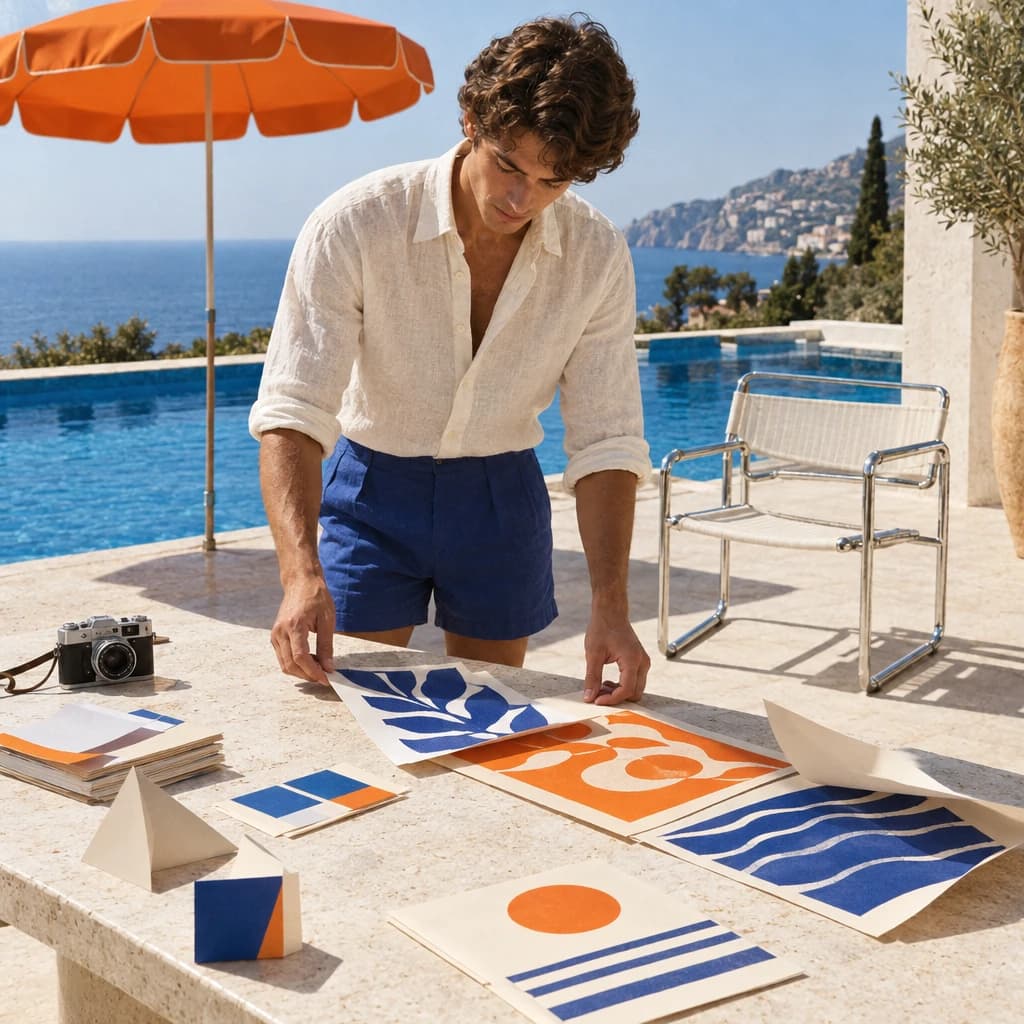
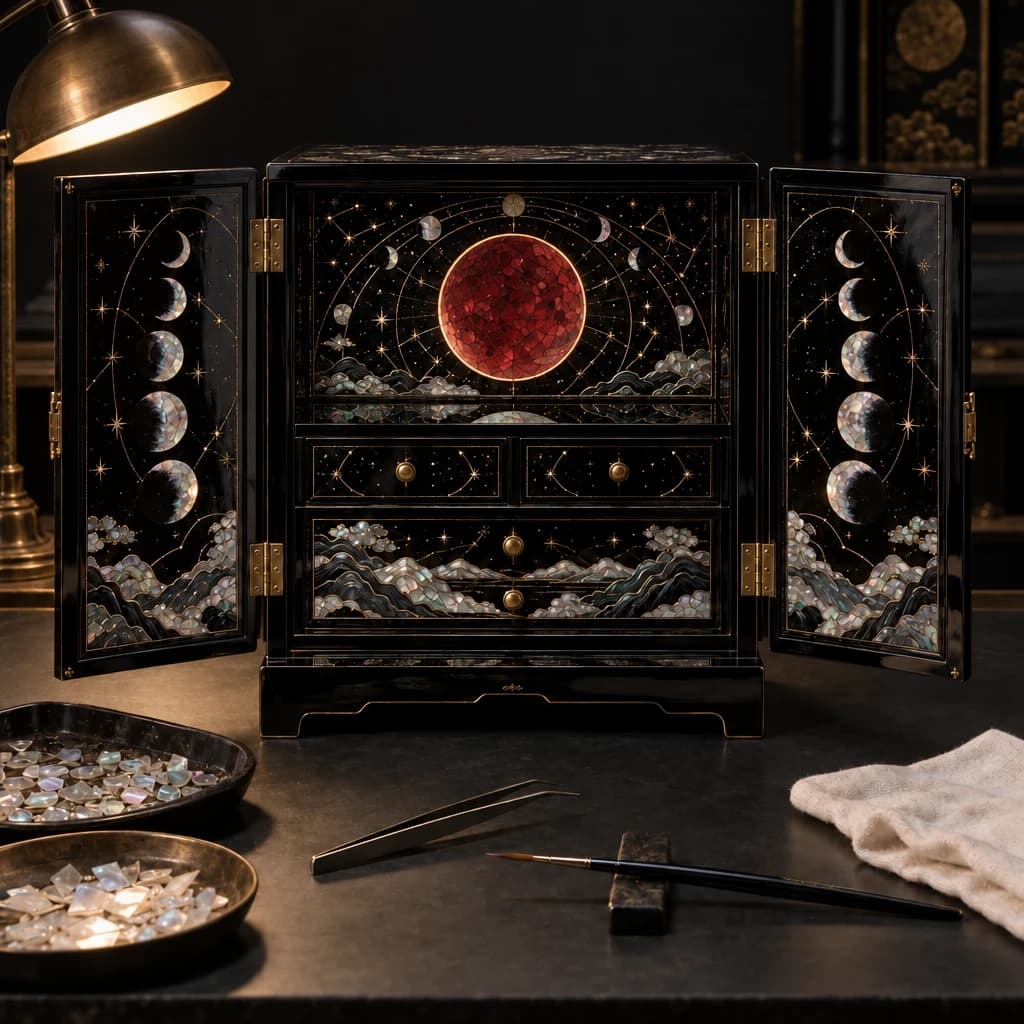
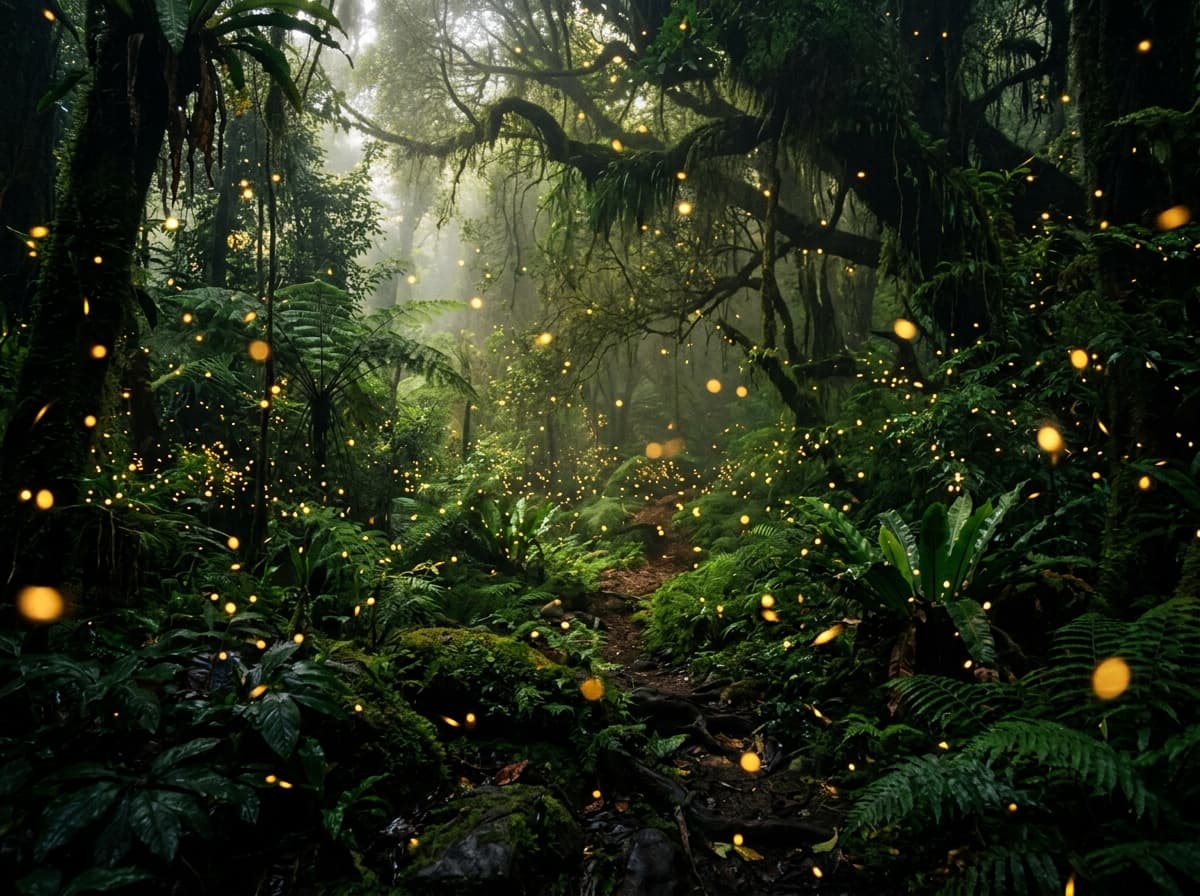
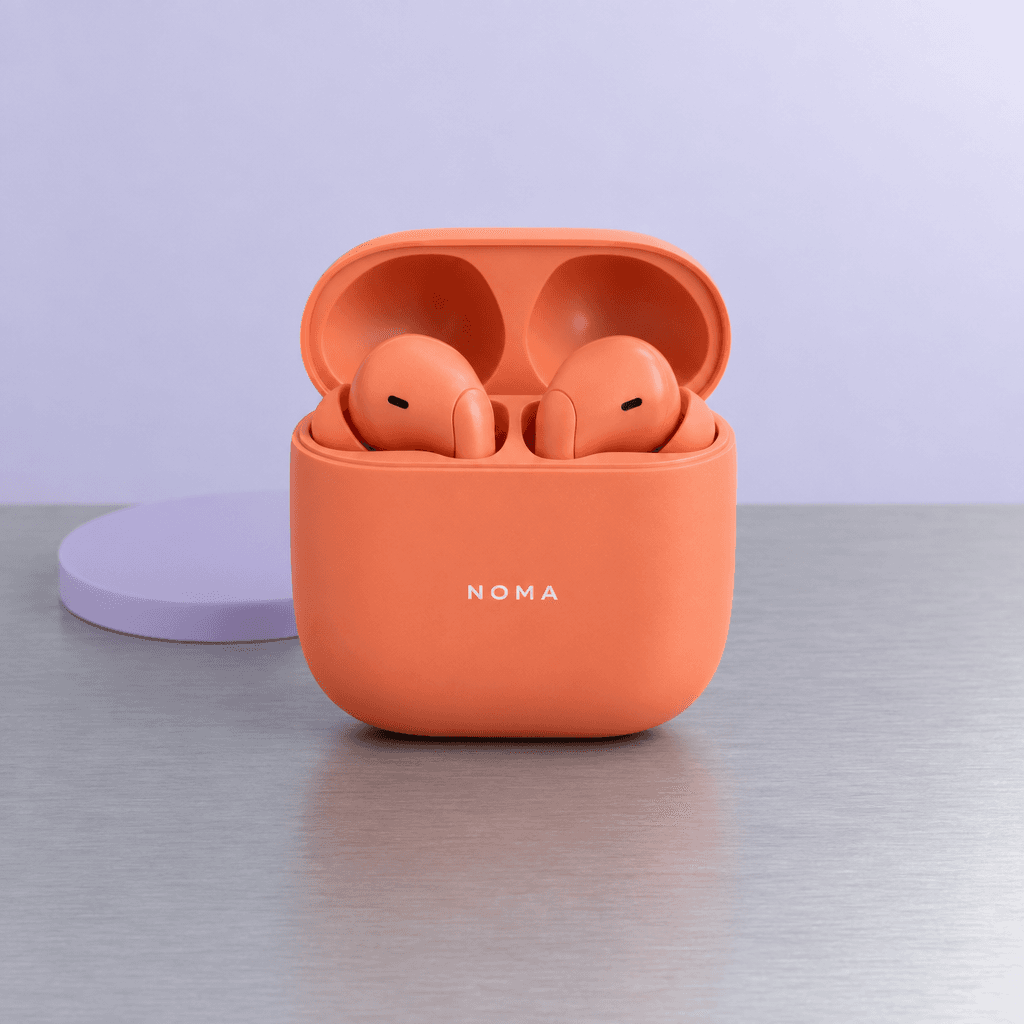
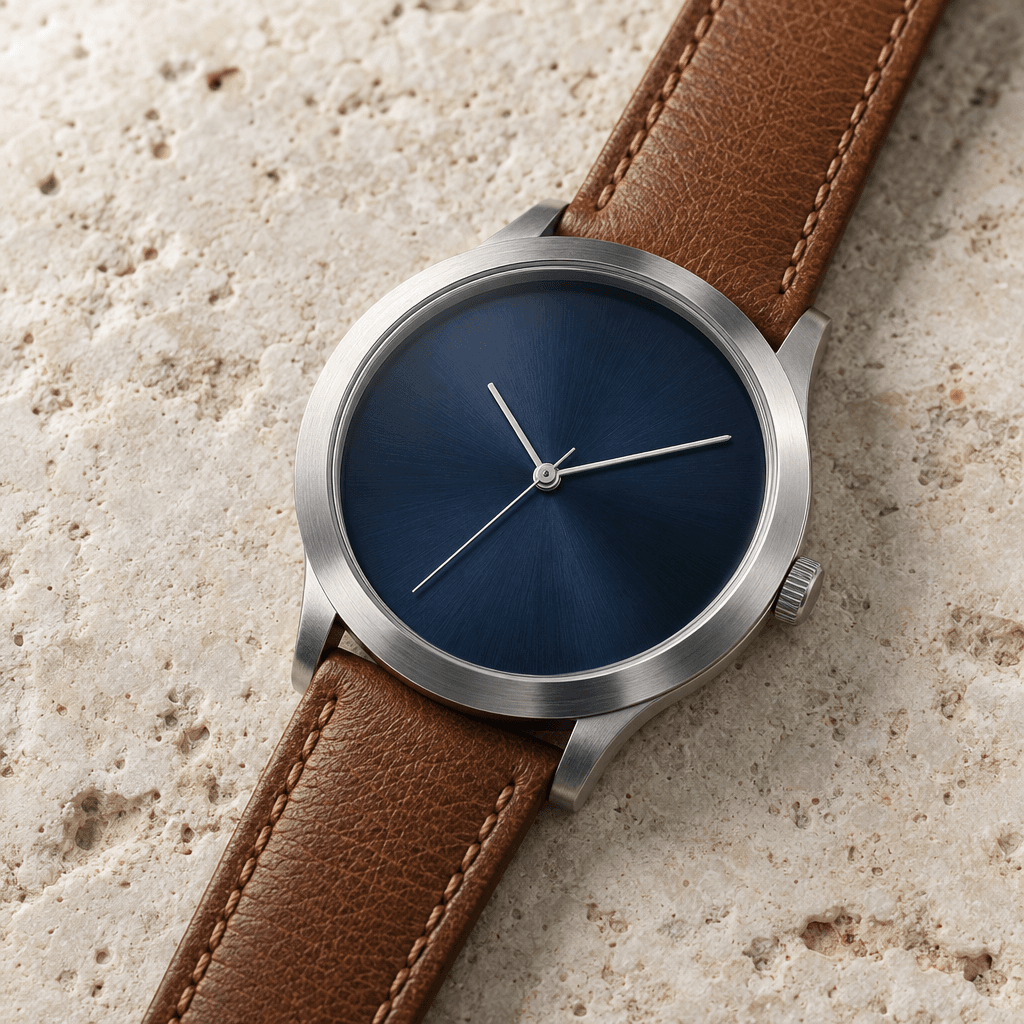
If you have to pick one image model for production today, the short answer is: GPT Image 2 wins on instruction-following, text accuracy, and unit price; FLUX 1.1 Pro wins on speed and dramatic photo-realistic portraits. They are not interchangeable — they're tuned for different jobs.
We ran the same six prompts through both models on hiapi and measured what actually shows up: pixels, words, and seconds. Everything below is from that one test session, not from spec sheets.
Numbers cited are from hiapi as of 2026-05. We test on our production endpoints, not on the upstream provider directly.
Two models, side by side at a glance
| Dimension | GPT Image 2 | FLUX 1.1 Pro |
|---|---|---|
| Price at 1K | $0.03 / image | $0.05 / image |
| Mean latency (our test) | ~59s / image | ~6.4s / image |
| Best at | Text rendering, multi-element scenes, posters | Portraits, photo-real skin, fast iteration |
| Style lean | Cinematic, controlled, magazine-clean | Editorial photography, dramatic lighting |
| Output format | PNG, larger files | WebP, lightweight |
That's the headline. The rest of this article shows the prompts and outputs that produced it.
How we tested
Six prompts written from scratch for this test — no copy-paste from prompt galleries. Each prompt was sent identically to both models through hiapi's standard endpoints, single image per call, default size (1K, 1:1 aspect ratio), no post-processing, no cherry-picking across multiple seeds.
The six prompts target four capability axes the brief asked about:
- Photorealism — extreme macro of a dewdrop on a fern with rainbow refraction
- Text rendering — a minimalist poster with a headline and subtitle
- Complex composition — overhead flat-lay with eight named objects in fixed positions
- Character portrait — Rembrandt-lit blacksmith with specified anatomy
- Hands & fine anatomy — two adult hands threading a needle
- Stylized illustration — isometric pixel-art cottage scene
Sample size is small by design. The point is not benchmarking — it's showing the differences that actually matter when you sit down to use one of these models for real work.
Test 1: Photorealism (macro)
Prompt: Extreme macro of a single dewdrop hanging from a green fern frond at dawn, rainbow refraction inside, soft golden backlight, professional nature photography.

GPT Image 2 produced a deeply atmospheric shot — visible fern silhouette with the dewdrop tucked at the leaf tip, heavy golden bokeh in the background, and a refracted miniature landscape inside the drop rather than a literal rainbow. It reads like a real macro frame.
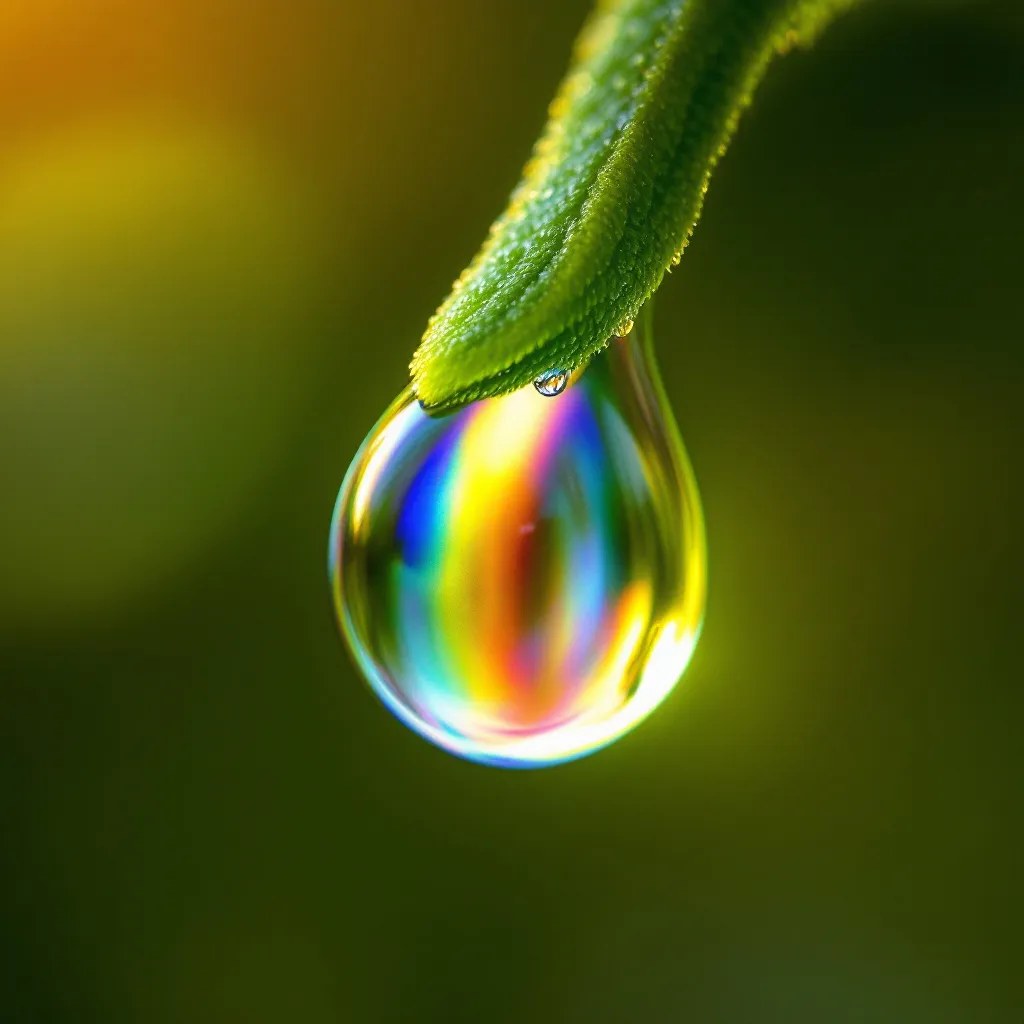
FLUX 1.1 Pro went hyper-literal on "rainbow inside the drop" — the prismatic effect is crisp and centered. But the leaf is rendered with a fuzzy, almost succulent-like texture, not the serrated fern frond we asked for.
Read: GPT Image 2 wins on prompt fidelity (it knows what a fern is). FLUX 1.1 Pro produces a more graphic, instantly-readable result. If you're shooting stock-style nature work where the species matters, GPT Image 2. If you want a punchy hero crop for a landing page, FLUX is sharper.
Test 2: Text rendering
Prompt: Minimalist coffee shop poster — large bold serif "MORNING BREW", subtitle "OPEN FROM 7 AM EVERY DAY", watercolor coffee cup on the lower right, editorial layout.

GPT Image 2: every character correct, "MORNING BREW" on one line in a clean serif, subtitle below in lowercase tracking, cup placed bottom-right as specified.
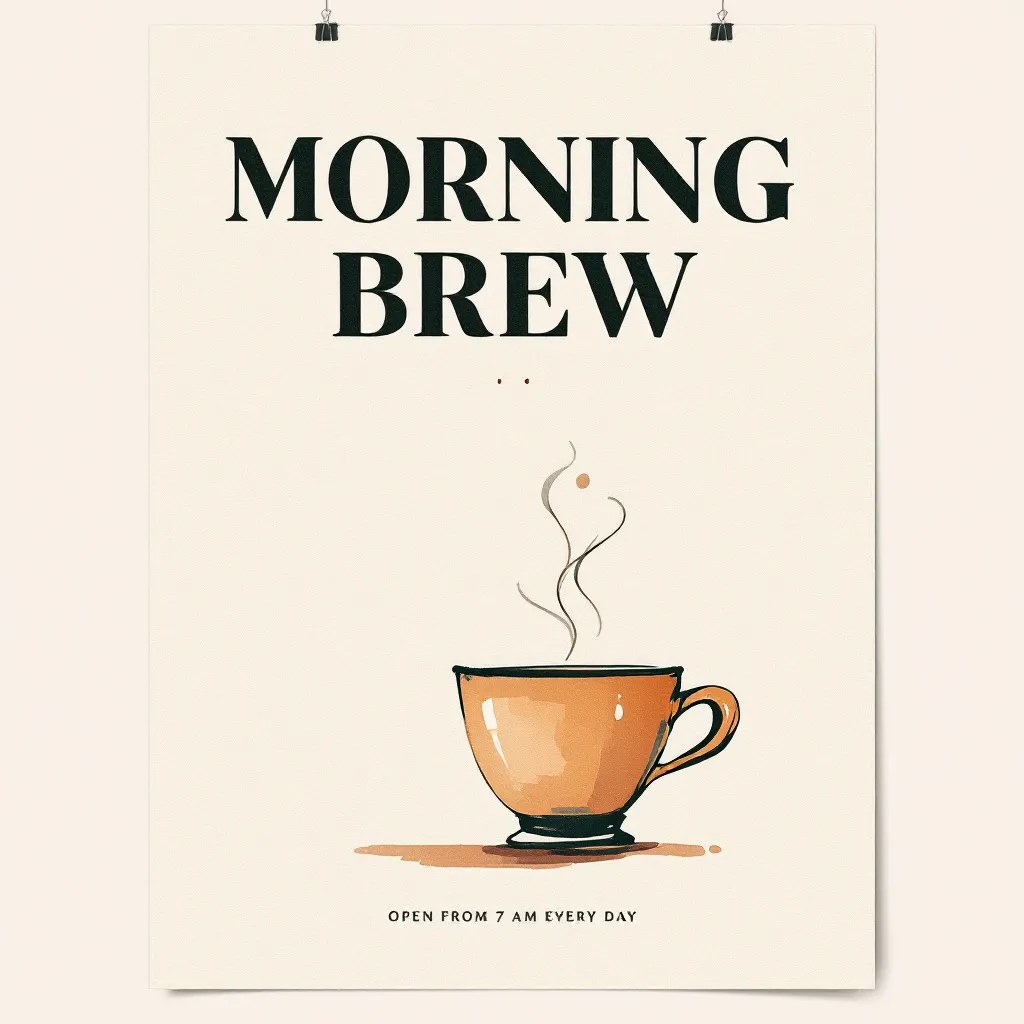
FLUX 1.1 Pro: title rendered as two lines, cup centered (not lower-right), and — critically — the subtitle reads "OPEN FROM 7 AM EYERY DAY". The word "EVERY" came out as "EYERY". This is the kind of error you can't ship.
Read: This is the clearest gap in the whole test. For anything with text — posters, banners, e-commerce overlays, social cards — GPT Image 2 is the safer choice. FLUX 1.1 Pro is faster, but you'll burn the time savings re-rolling for typos.
Test 3: Complex composition
Prompt: Overhead flat-lay on dark walnut wood — scattered flour, three croissants on parchment, copper bowl with whisk, vintage rolling pin, sprig of rosemary, one brown egg in a linen napkin, soft window light from upper-right.
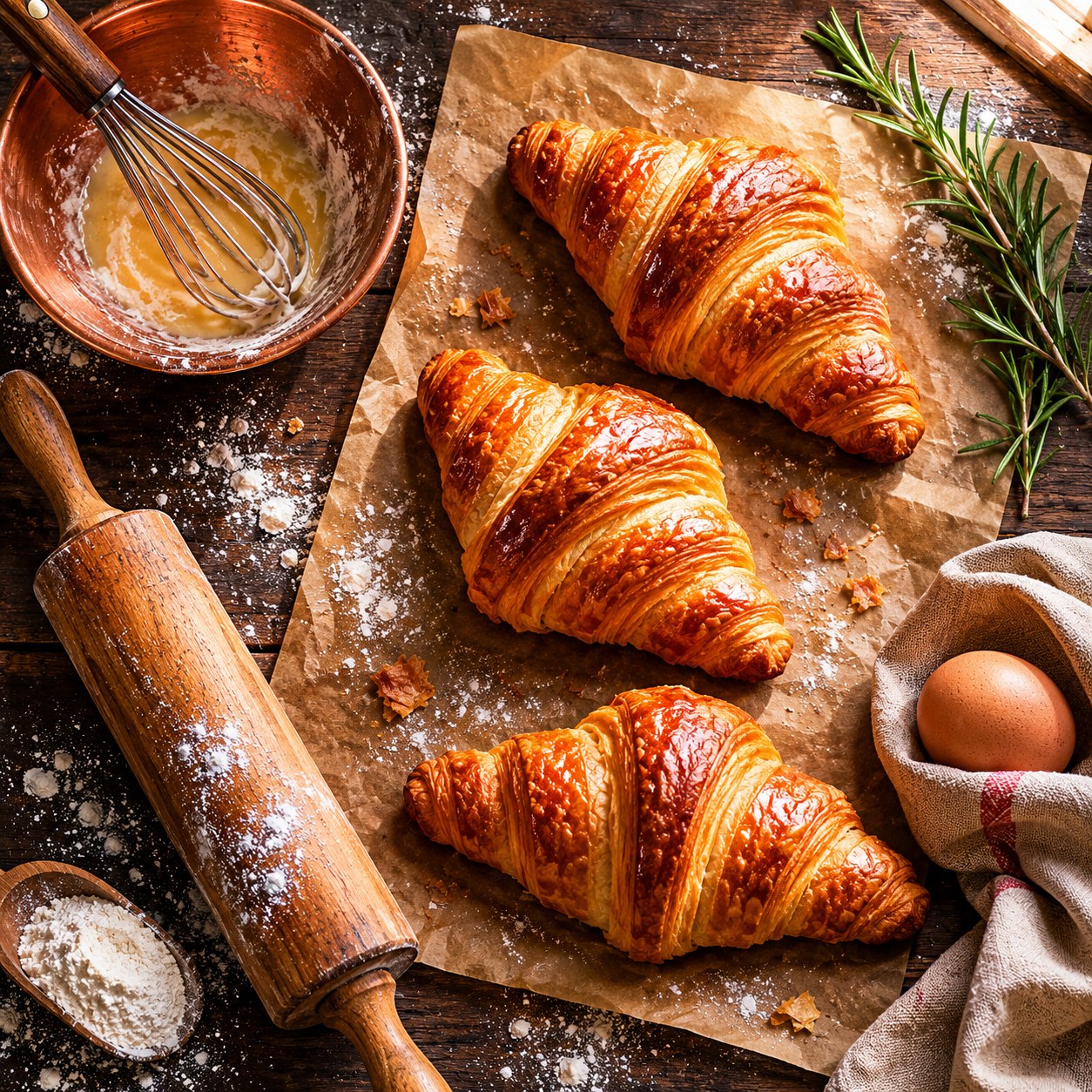
GPT Image 2 placed all eight named objects with the right counts: three croissants on parchment ✓, copper bowl with whisk ✓, single egg in the napkin ✓, rolling pin ✓, rosemary sprig ✓, flour scattered ✓, and the light comes from the upper-right exactly as specified.
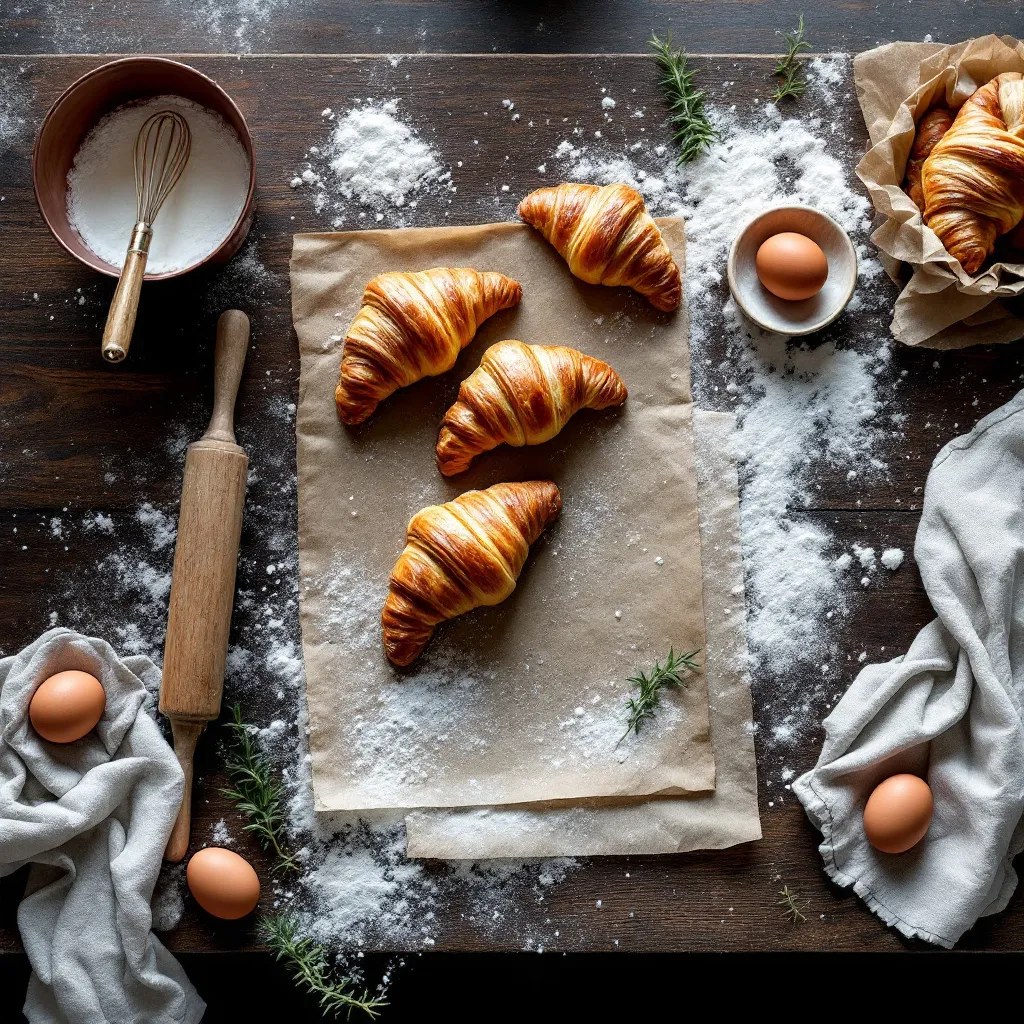
FLUX 1.1 Pro got the croissants and the rolling pin, but scattered three or four eggs instead of one, the linen napkin disappeared into a generic cloth, and the rosemary shrunk to a few stray twigs. The scene reads convincingly as bakery photography but ignores the specifics.
Read: When you have a brief with named objects and counts — e-commerce flat-lays, recipe cards, product compositions — GPT Image 2 is the model that actually listens. FLUX 1.1 Pro gives you a beautiful but generic "version of the vibe."
Test 4: Character portrait
Prompt: Studio portrait of a 60-year-old female blacksmith, soot streaks on cheek, leather apron, holding a hammer. Single soft key light from camera-left producing a Rembrandt triangle on the right cheek. Deep black background.
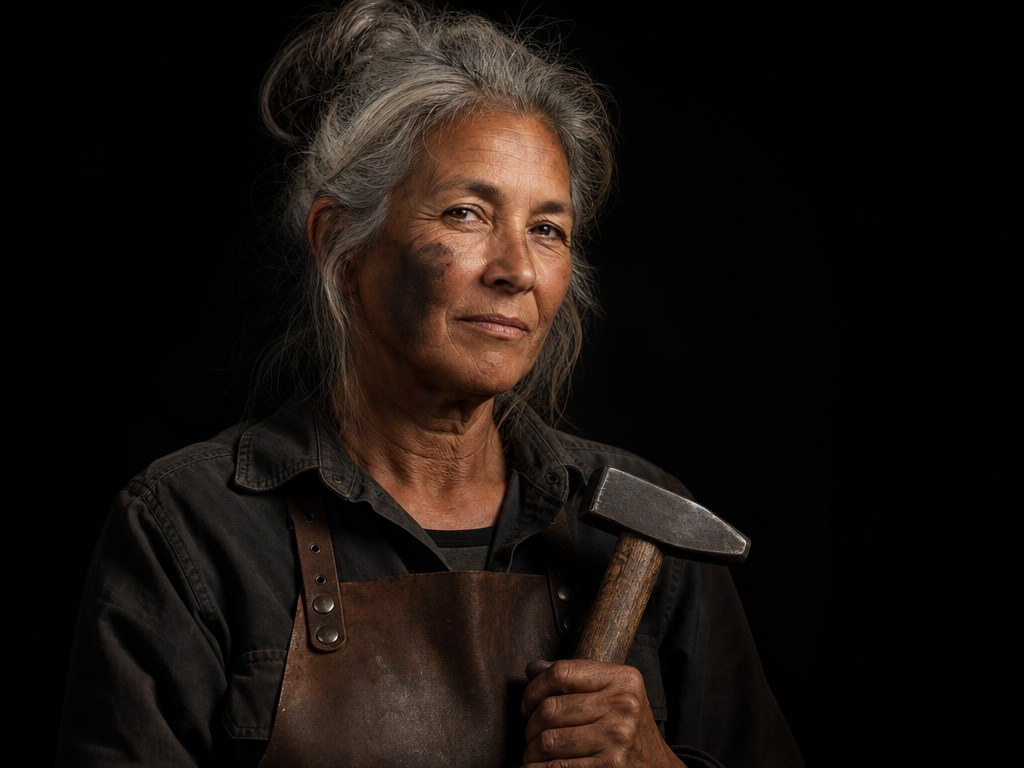
GPT Image 2 produced a faithful, competent portrait — pulled-back gray hair, apron, hammer near the chest, black background. Lighting is even and slightly soft; the Rembrandt triangle is implied rather than dramatic.
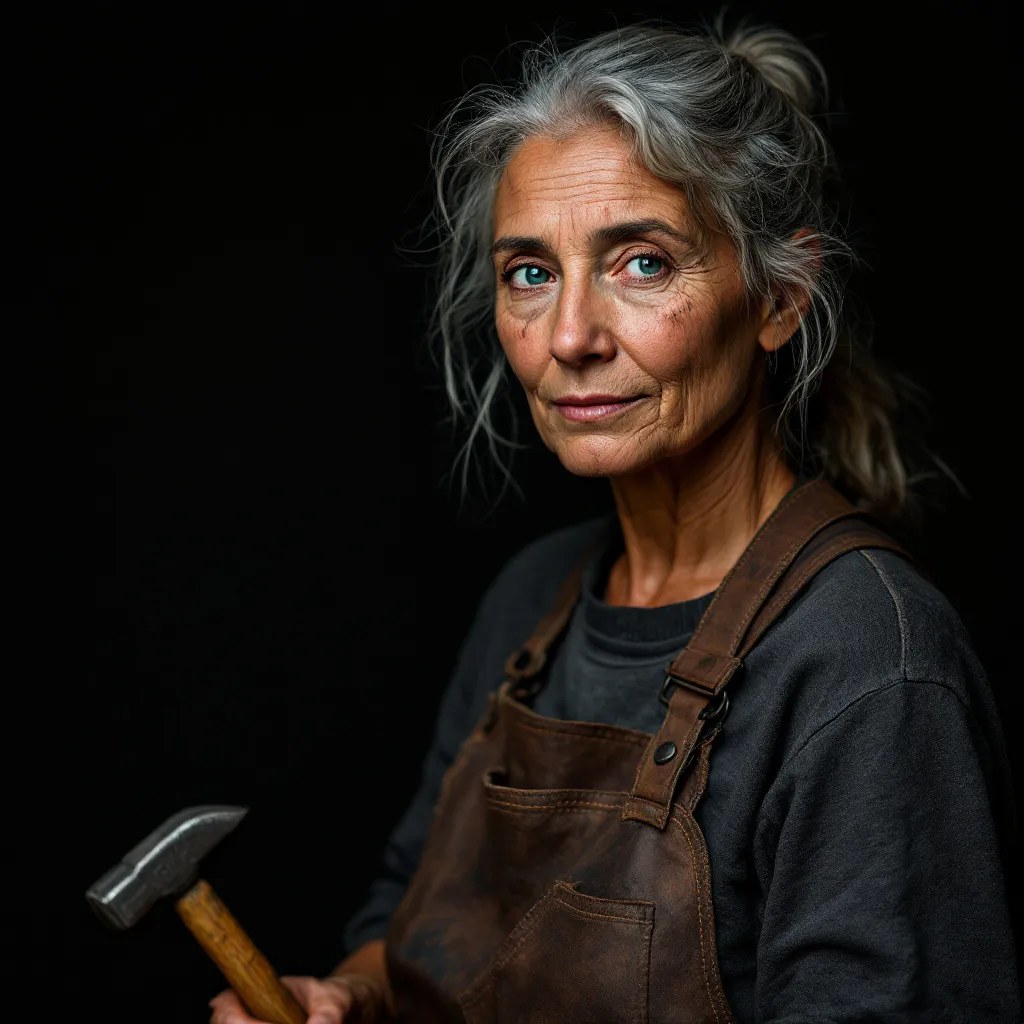
FLUX 1.1 Pro went all-in on the brief: piercing blue eyes, every crow's-foot rendered, the key light carving a textbook Rembrandt triangle on the right cheek, hammer held convincingly with all five visible fingers. This is editorial-magazine quality straight out of the box.
Read: Reverse the result of Tests 2 and 3. For human portraits, character work, dramatic lighting briefs — FLUX 1.1 Pro is the model. The skin texture, eye detail, and lighting control are simply ahead. GPT Image 2 is fine; FLUX is publishable.
Test 5: Hands (the classic stress test)
Prompt: Two adult hands threading a single silver needle with red thread. All ten fingers in natural positions, visible age lines.
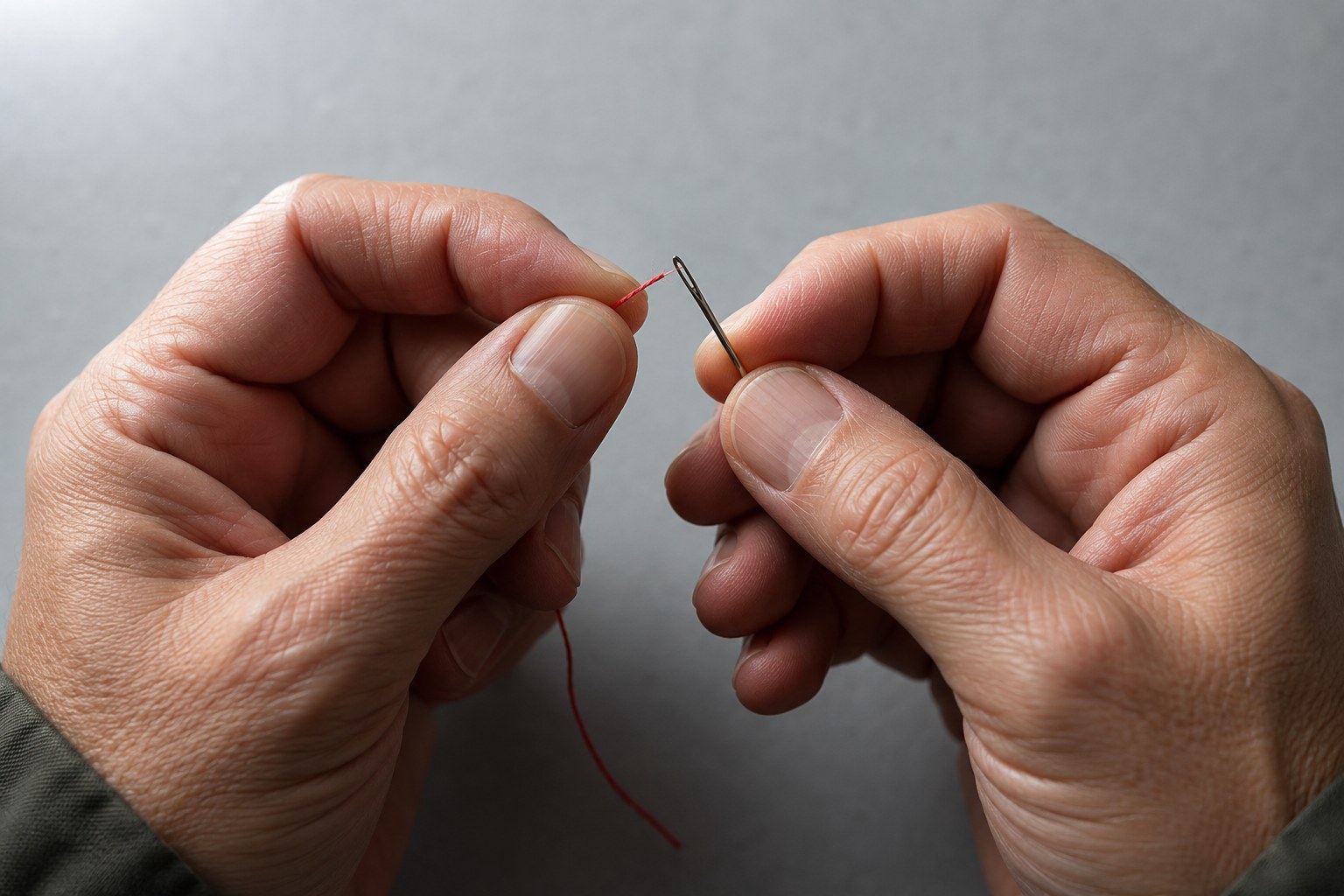
GPT Image 2: both hands have five fingers each in plausible positions, and they're actually doing the action — left thumb-and-index pinching the needle eye, right hand bringing the red thread to it.
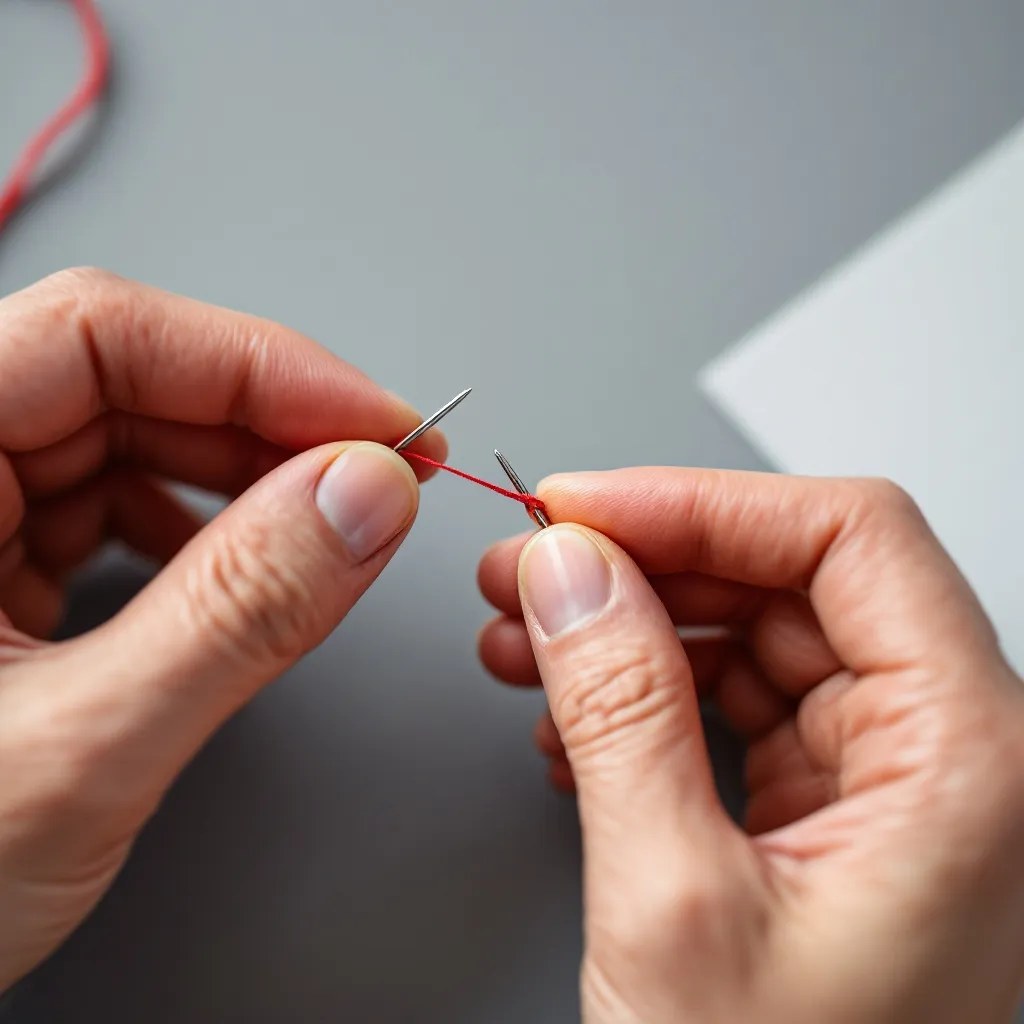
FLUX 1.1 Pro: skin texture and finger detail are stunning — knuckles, faint hair, light wraparound. But look closely: there are two separate needles pointed at each other, with the red thread strung between them. The hands look real; the action doesn't.
Read: Same pattern as Test 3. FLUX makes pixels that look real. GPT Image 2 makes scenes that do what you asked. If you need a photo-real close-up of hands as a noun, FLUX. If the hands need to be doing a specific verb, GPT Image 2.
Test 6: Stylized illustration (isometric pixel art)
Prompt: Isometric pixel-art cottage with smoking chimney, four autumn maple trees, knee-high fog, dawn sky, a wooden bench beside the door. 32-bit retro game aesthetic.

GPT Image 2: dense composition with stone cottage, multiple autumn trees, knee-high fog, dawn sky with clouds, winding dirt path, distant mountains. The bench got dropped. The style is "pixel-art-inspired" — pixel edges are present but softened.

FLUX 1.1 Pro: the bench is there (lower-left), but the whole scene reads as painterly storybook art rather than 32-bit retro. The cottage floats on a cloud-island instead of sitting on a hill. It's a charming image — it just isn't pixel art.
Read: Neither model is a true pixel-art generator. For retro game aesthetics specifically, you're better off with a model trained on that domain. Between these two, GPT Image 2 gets closer to the look; FLUX gives you a polished storybook illustration that ignores the style brief.
Speed: the number that decides your pipeline
Across this test session, single image, 1024×1024:
| Metric | GPT Image 2 | FLUX 1.1 Pro |
|---|---|---|
| Mean latency | 58.6s | 6.4s |
| Min | 38.8s | 5.6s |
| Max | 96.4s | 8.3s |
| Samples | 7 | 6 |
FLUX 1.1 Pro is roughly 9.2× faster in our measurement. That gap shows up most when you build interactive products: parameter tweaks with live preview, multi-variant batch generation, agent loops that compose images mid-conversation. A 59-second wait per attempt is fine for batch production, brutal for interactive UX.
The trade-off is exactly what you'd expect from a model that "thinks before it draws": GPT Image 2's slowness buys you instruction-following and text accuracy. FLUX 1.1 Pro's speed comes from a more direct generation path — fewer guarantees about what the pixels mean, but you get them now.
Cost at scale
At 1K output:
- GPT Image 2: $0.03 / image — at 10,000 images per month that's $300.
- FLUX 1.1 Pro: $0.05 / image — at the same volume, $500.
FLUX 1.1 Pro is 67% more expensive per image. If your workload is high-volume and either model would do, GPT Image 2 saves money in addition to producing the more prompt-accurate result. If you're paying the premium for FLUX, you should be paying it for portraits or for the latency, not by default.
Which one should you use
Pick by job, not by reputation:
Use GPT Image 2 when:
- Your image has text — posters, banners, social cards, ads, product overlays
- The brief has named objects and counts — e-commerce flat-lays, recipe scenes, multi-element compositions
- You need predictable instruction-following for an automated pipeline
- You're at high volume and unit price matters
- You can tolerate ~59s per image (batch generation, async pipelines)
Use FLUX 1.1 Pro when:
- You need photo-realistic portraits, faces, or skin — editorial, fashion, character work
- You want dramatic, directable lighting — Rembrandt, chiaroscuro, cinematic key+rim setups
- Your product has interactive image generation where users will wait — parameter sliders with previews, agent UIs, iterative refinement
- Throughput matters more than per-image cost — you can generate ~9 FLUX images in the time it takes GPT Image 2 to make one
Don't agonize over the choice for one-off work. The price gap on a single image is two cents. Try both for two prompts, pick the one you like. The decision only compounds when you're running thousands.
You can run your own real prompts on either through the model detail pages — GPT Image 2 model page or FLUX 1.1 Pro model page — and decide from your own pixels rather than ours.
FAQ
Is GPT Image 2 better than FLUX 1.1 Pro?
For text rendering, multi-element prompts, and per-image cost — yes. For portraits, photoreal skin, dramatic lighting, and speed — no. They're tuned for different jobs; saying one is "better" out of context is meaningless.
How much does GPT Image 2 cost on hiapi?
$0.03 per image at 1K (as of 2026-05). At 2K it scales to ~$0.04 (1.33×), at 4K to $0.06 (2×). FLUX 1.1 Pro is a flat $0.05 per image — FLUX is 67% more expensive at 1K, comparable at 4K.
Why is GPT Image 2 so much slower?
It runs a planning pass before generation — call it Thinking Mode — which is also what lets it count objects correctly and spell words right. The slowness is the cost of the accuracy. For batch production it's the right trade; for interactive UI it isn't.
Can either model render Chinese / Japanese / Korean text?
GPT Image 2 renders multi-language text reasonably well — it's a documented strength of this generation. FLUX 1.1 Pro is primarily tuned for Latin-script text and is unreliable for CJK characters. If your poster needs non-Latin script, GPT Image 2.
Which one is better for hands?
In our test, FLUX 1.1 Pro produced the more photorealistic hands — better skin texture, clean fingernails. But GPT Image 2 produced the more semantically correct hands — it actually performed the action in the prompt. For "hands as a noun" FLUX; for "hands doing X" GPT Image 2.
Are these the only image models on hiapi?
No. We also offer Nano Banana 2, Qwen Image 2.0, the GPT Image 2 Pro tier, and others — see the models catalog for the full list and pricing. This article compares the two specifically named in the brief.
Key takeaways
- GPT Image 2 wins instruction-following, text accuracy, multi-element scenes, and per-image price ($0.03 vs $0.05). Slow at ~59s per image.
- FLUX 1.1 Pro wins photoreal portraits, dramatic lighting, and raw speed (~6.4s, roughly 9.2× faster). Costs 67% more per image and makes occasional text errors.
- Default to GPT Image 2 for anything with text, anything with counted objects, and any high-volume automated pipeline.
- Reach for FLUX 1.1 Pro when you need a magazine-grade portrait, a dramatic-lit hero photo, or when latency directly affects user experience.
- Run your own real prompts on both — GPT Image 2 model page and FLUX 1.1 Pro model page — before you commit a workflow to either. Two prompts will tell you more than any benchmark.