 GPT Image 2.5 Flare50% offFrom $0.050/image$0.025/image
Choose a model, enter your prompt, and see the result.
HiAPI Blog
HiAPI
Generate it with HiAPI
If you're shipping anything on top of the OpenAI API, sooner or later you'll want a server between your app and api.openai.com. That server is what people call an OpenAI API proxy — a thin pass-through that adds the things OpenAI itself doesn't give you: per-customer keys, rate limits, logging, retries, key rotation.
This recipe walks through a working FastAPI proxy in under 100 lines, then shows where the pattern breaks down — and what to use instead when you need more than just OpenAI behind that one endpoint.
sk-....The proxy itself has no other dependencies beyond fastapi, uvicorn, and httpx.
pip install fastapi uvicorn httpx
The simplest proxy reads the upstream key from an env var, validates an internal key sent by your client, and forwards the body. We use httpx.AsyncClient so one worker can fan out across thousands of concurrent requests.
# proxy.py
import os
import httpx
from fastapi import FastAPI, Request, HTTPException
from fastapi.responses import StreamingResponse

UPSTREAM = "https://api.openai.com"
UPSTREAM_KEY = os.environ["OPENAI_API_KEY"]
INTERNAL_KEYS = set(os.environ["INTERNAL_KEYS"].split(","))  # comma-separated

app = FastAPI()
client = httpx.AsyncClient(timeout=60.0)


def auth(request: Request) -> str:
    header = request.headers.get("authorization", "")
    if not header.startswith("Bearer "):
        raise HTTPException(401, "missing bearer token")
    key = header.removeprefix("Bearer ").strip()
    if key not in INTERNAL_KEYS:
        raise HTTPException(401, "invalid internal key")
    return key


@app.post("/v1/{path:path}")
async def forward(path: str, request: Request):
    tenant = auth(request)
    body = await request.body()
    upstream_url = f"{UPSTREAM}/v1/{path}"

    # Replace the client's internal key with the real upstream key
    headers = {
        "Authorization": f"Bearer {UPSTREAM_KEY}",
        "Content-Type": request.headers.get("content-type", "application/json"),
    }

    upstream = await client.send(
        client.build_request("POST", upstream_url, content=body, headers=headers),
        stream=True,
    )

    # Stream the response back so SSE / long generations don't time out
    return StreamingResponse(
        upstream.aiter_raw(),
        status_code=upstream.status_code,
        media_type=upstream.headers.get("content-type"),
    )
Run it:
OPENAI_API_KEY=sk-upstream-key \
INTERNAL_KEYS=tenant-a,tenant-b \
uvicorn proxy:app --host 0.0.0.0 --port 8000
Now a client points the OpenAI SDK at your proxy instead of OpenAI directly:
from openai import OpenAI

client = OpenAI(api_key="tenant-a", base_url="http://localhost:8000/v1")
resp = client.chat.completions.create(
    model="gpt-4o-mini",
    messages=[{"role": "user", "content": "Hello"}],
)
print(resp.choices[0].message.content)
The proxy strips the client's tenant-a key, swaps in the real upstream key, and forwards the body untouched. Streaming chat completions, embeddings, anything OpenAI accepts at /v1/* — same handler.
The pass-through is the easy part. The reason to run a proxy is usually one of these:
Per-tenant rate limits. Hold a counter in Redis keyed by tenant, reject (or queue) when they exceed a window. Without this, one noisy customer eats your whole OpenAI quota.
Audit logging. Log tenant, path, status, latency_ms, tokens_in, tokens_out. Never log the upstream Authorization header — strip it before any structured log call.
Key rotation. If UPSTREAM_KEY is loaded from a secret manager and refreshed on a timer, you can rotate OpenAI keys without redeploying the proxy. Clients keep using their tenant key; the upstream key swaps under them.
Cost guardrails. Inspect the request body (json.loads(body)) and reject if max_tokens or model is outside policy — e.g., block gpt-4o for free-tier tenants.
Here's the rate-limit hook added to the handler above:
from collections import defaultdict
import time

_window: dict[str, list[float]] = defaultdict(list)
_LIMIT = 60  # requests per 60s

def check_rate_limit(tenant: str):
    now = time.time()
    _window[tenant] = [t for t in _window[tenant] if now - t < 60]
    if len(_window[tenant]) >= _LIMIT:
        raise HTTPException(429, "rate limit exceeded")
    _window[tenant].append(now)
Call check_rate_limit(tenant) right after auth(). (For real traffic, move the counter into Redis with INCR + EXPIRE so it survives restarts and scales horizontally.)
The proxy in Step 1 works because OpenAI's surface is one shape: POST /v1/chat/completions, body in, response out, all in seconds. The moment you want to add a second provider, the assumptions break:
qwen-image-2-0 takes aspect_ratio, GPT Image takes size. Your "thin pass-through" now needs per-provider request translation.Authorization: Bearer, but other vendors use x-api-key headers or query string keys. More if-statements in your forwarder.You can keep building. Or you can use a service that already did this.
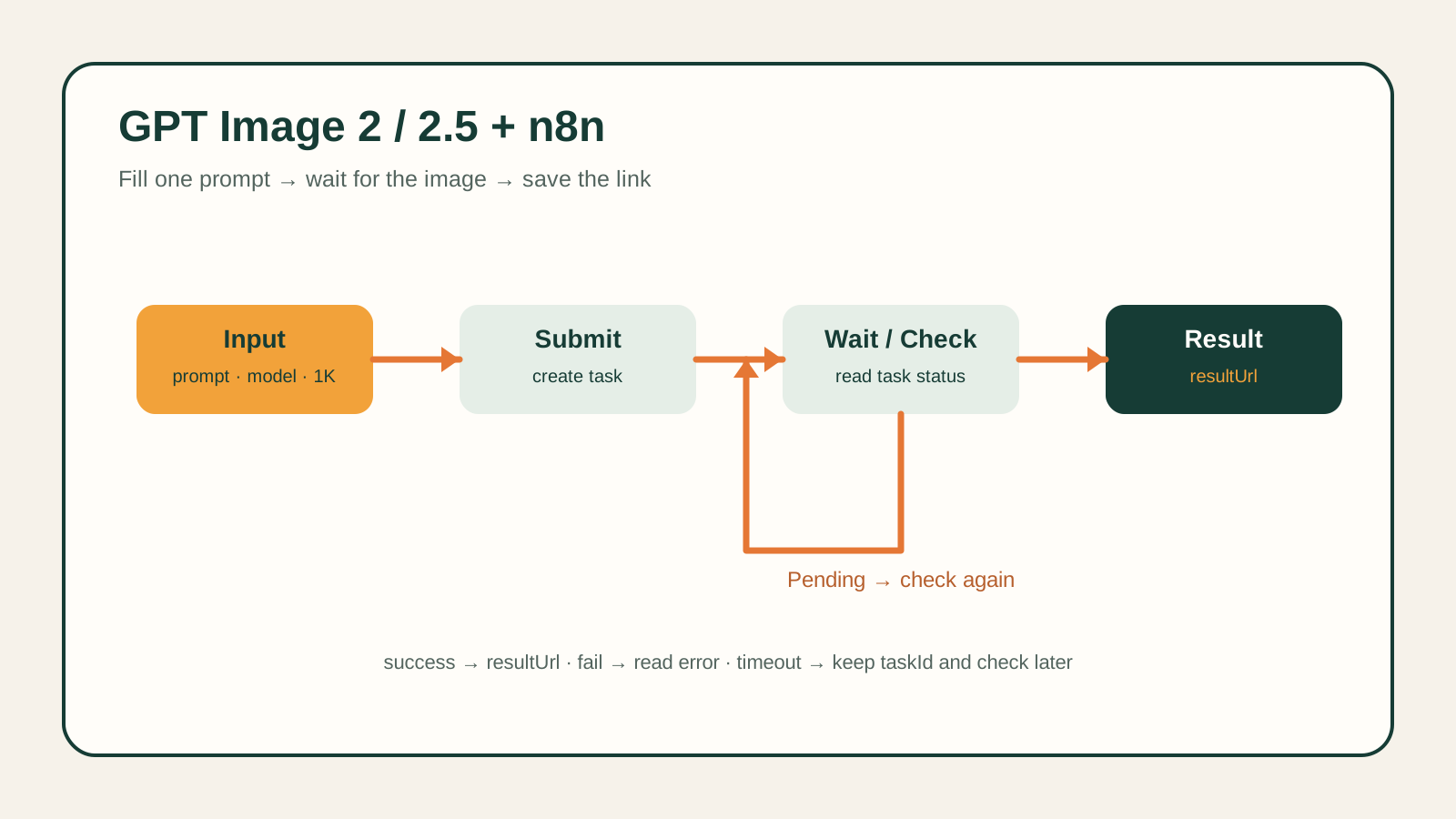
HiAPI exposes one async task endpoint that covers OpenAI-family models (GPT Image), Google (Veo), Qwen, FLUX, Seedance, Wan, and others. The shape is the same regardless of provider:
# 1. Create — returns taskId immediately, generation runs async on our side
curl -X POST "https://api.hiapi.ai/v1/tasks" \
  -H "Authorization: Bearer sk-YOUR_HIAPI_KEY" \
  -H "Content-Type: application/json" \
  -d '{
    "model": "qwen-image-2-0",
    "input": {
      "prompt": "a glass data center at golden hour, isometric",
      "aspect_ratio": "16:9"
    }
  }'
# => {"code":0,"message":"ok","data":{"taskId":"tk-hiapi-01HZTQ..."}}
Then either poll for the result:
curl "https://api.hiapi.ai/v1/tasks/tk-hiapi-01HZTQ..." \
  -H "Authorization: Bearer sk-YOUR_HIAPI_KEY"
# => when status=="success": {"data":{"status":"success","output":[{"url":"https://..."}]}}
Or — better for production — register a callback so we POST you the result when it's ready:
curl -X POST "https://api.hiapi.ai/v1/tasks" \
  -H "Authorization: Bearer sk-YOUR_HIAPI_KEY" \
  -H "Content-Type: application/json" \
  -d '{
    "model": "happyhorse-1-0",
    "callback": { "url": "https://your.app/hiapi/cb", "when": "final" },
    "input": { "prompt": "..." }
  }'
In Python:
import os, time, httpx

HIAPI_KEY = os.environ["HIAPI_KEY"]
HDRS = {"Authorization": f"Bearer {HIAPI_KEY}", "Content-Type": "application/json"}

async def generate(model: str, input_payload: dict) -> str:
    async with httpx.AsyncClient(timeout=30.0) as c:
        r = await c.post("https://api.hiapi.ai/v1/tasks",
                         headers=HDRS,
                         json={"model": model, "input": input_payload})
        task_id = r.json()["data"]["taskId"]

        # Poll (or use callbacks in production)
        while True:
            r = await c.get(f"https://api.hiapi.ai/v1/tasks/{task_id}", headers=HDRS)
            data = r.json()["data"]
            if data["status"] == "success":
                return data["output"][0]["url"]
            if data["status"] == "fail":
                raise RuntimeError(data.get("error"))
            await asyncio.sleep(2)
Swap qwen-image-2-0 for gpt-image-2-pro, seedance-2-0, or any model on the HiAPI models page — the call shape is the same. The reason a unified endpoint matters is exactly what makes the Step-1 proxy painful at scale: the provider differences live on our side, not in your code.
Auth failures look like this. A wrong or expired key returns HTTP 401 with
{"error":{"code":"permission_denied","type":"hiapi_error","request_id":"..."}}. Keep therequest_idwhen you log — it's how support traces the call. The full reference is on the Authentication page.
callback.url + "when": "final" and we POST you the result. See Create Task.taskId.output[].url with an expireAt. Persist the bytes to your own storage if you need them past that.Authorization. With HiAPI it's just one upstream key instead of N, but the rule still holds.status enum is queued | handling | archiving | success | fail. Only success and fail are terminal.Do I need a proxy at all if I use HiAPI? Only for the same reasons you'd want one in front of any vendor: per-tenant keys, rate limits, audit logs. The point of HiAPI is that you're no longer writing per-provider translation logic inside that proxy — it's a thin auth + logging layer, not a smart router.
Can I use the OpenAI Python SDK against HiAPI? No — HiAPI's /v1/tasks is async-by-design (you get a taskId, not a final response). OpenAI's SDK expects a synchronous chat-completions shape. Use httpx directly (the snippet above) or our Python SDK.
Is there a cheaper plan for testing? Pricing is per-task per-model and shown on the pricing page. There's no monthly minimum — you pay for what you generate.
How do I rotate keys without downtime? Generate a new key in the dashboard, deploy it to your proxy / secret store, then revoke the old one. HiAPI keys can coexist — you can run both in parallel during the rollout window.
What does "model not available" mean? If you see MODEL_UNAVAILABLE from /v1/tasks, the model id is wrong or your key doesn't have access. Use the bare model id (e.g., qwen-image-2-0, not qwen/qwen-image-2-0) and check the models page for the current list.
If you've been keeping a custom OpenAI proxy alive just to add a second image or video model behind it, that's the moment to switch. The proxy stays useful for tenant management; the multi-provider problem belongs on the API side.