Image-to-video is the highest-leverage way to use a video model: you lock the composition, lighting, and subject with a still image, and spend the model's entire capacity on motion. The catch is that i2v prompting is its own skill — most prompts that work for text-to-video waste tokens re-describing a scene the model can already see.
This guide gives you three copy-paste prompt recipes for wan2.7-video/image-to-video, Alibaba's Tongyi Wanxiang 2.7 image-to-video model, covering the three jobs people actually hire i2v for: product motion, portrait performance, and camera movement. Every clip embedded below is the real, first-take output of the prompt shown next to it — generated through the hiapi task API at the standard 720P tier ($0.10 per second of video). The input frames are included too, so you can trace exactly what the model was given and what it invented.
The request shape (read this first)
wan2.7 i2v runs on hiapi's async task endpoint. Three schema details will save you a round of 400s:
mediais an array of objects, not a bare URL string. Each object needs atypeand aurl. The accepted types arefirst_frame,last_frame,driving_audio, andfirst_clip— so the same endpoint covers plain first-frame animation, first-to-last interpolation, audio-driven motion, and clip extension. For everything in this post you pass exactly onefirst_frame.resolutionis an enum:720Por1080P, nothing else.durationis in seconds, capped at 15.
The image URL must be publicly fetchable — the platform downloads it server-side when the task is created.
curl -X POST https://api.hiapi.ai/v1/tasks \
  -H "Authorization: Bearer $HIAPI_API_KEY" \
  -H "Content-Type: application/json" \
  -d '{
    "model": "wan2.7-video/image-to-video",
    "input": {
      "prompt": "The charging case lid opens smoothly upward, and two matte black earbuds rise slowly out of the case...",
      "media": [
        {"type": "first_frame", "url": "https://your-cdn.example/frame.jpg"}
      ],
      "resolution": "720P",
      "duration": 5
    }
  }'
The response returns a taskId immediately. Poll GET /v1/tasks/{taskId} until status is success, then download output[0].url:
import requests, time

BASE = "https://api.hiapi.ai/v1/tasks"
HEADERS = {"Authorization": f"Bearer {API_KEY}"}

task_id = requests.post(BASE, headers=HEADERS, json=payload).json()["data"]["taskId"]

while True:
    task = requests.get(f"{BASE}/{task_id}", headers=HEADERS).json()["data"]
    if task["status"] == "success":
        video = requests.get(task["output"][0]["url"]).content
        open("clip.mp4", "wb").write(video)
        break
    if task["status"] == "fail":
        raise RuntimeError(task.get("error"))
    time.sleep(10)
One operational note: the output[0].url is a time-limited link with an expireAt timestamp. Download the file as soon as the task succeeds and store it on your own bucket — here is what happens if you don't.
Recipe 1: Product motion with a locked camera
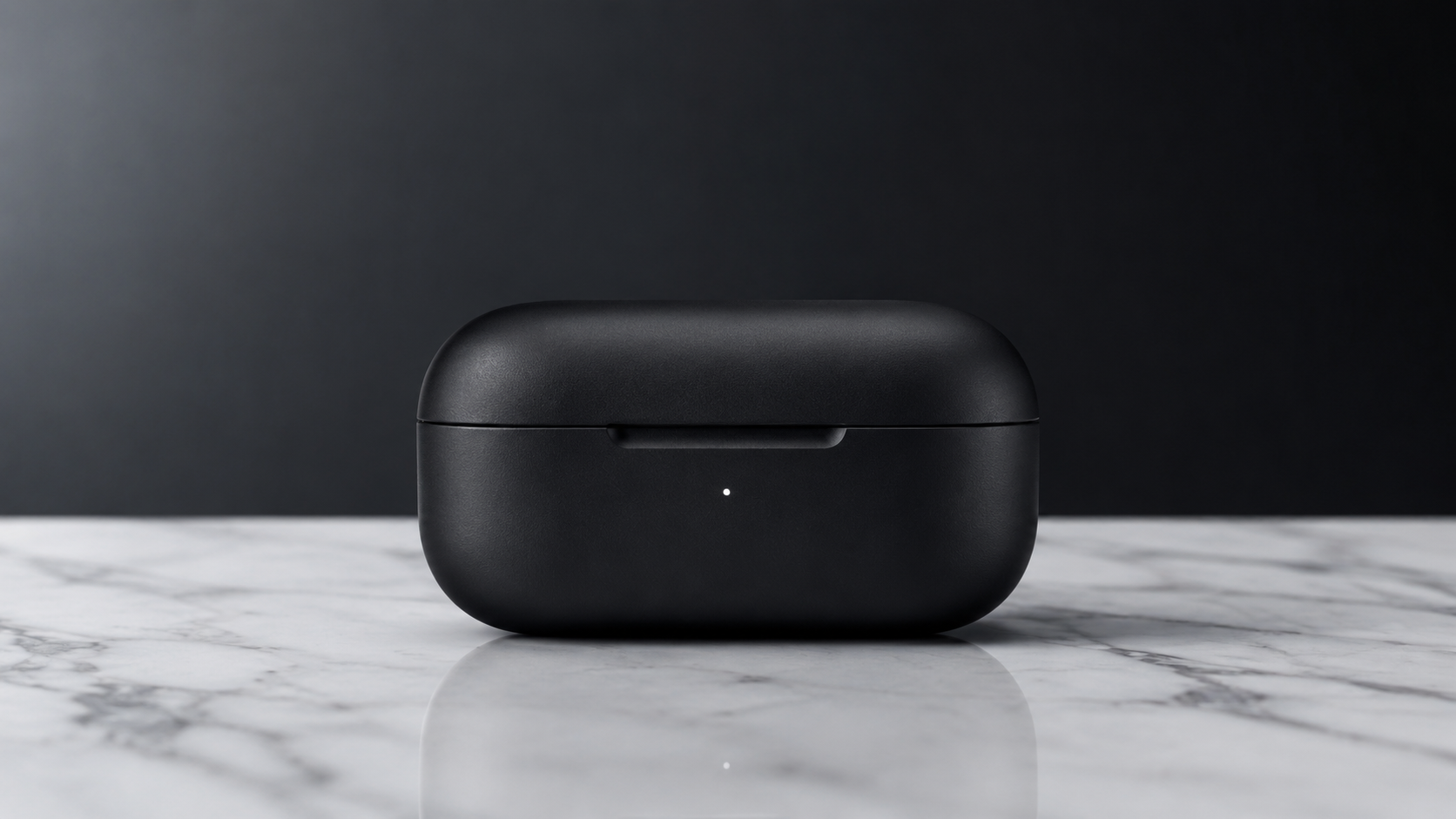
The classic e-commerce hero loop: the product performs, the camera doesn't. We started from this gpt-image-2 studio shot of a closed earbuds case:
Prompt:
The charging case lid opens smoothly upward, and two matte black earbuds rise
slowly out of the case, hovering just above it while rotating slowly in sync.
Soft studio light glints across their surfaces as they turn. The camera stays
completely locked off; shallow depth of field holds focus on the earbuds.
Clean, premium product-launch aesthetic, no camera movement.
Parameters: resolution: 720P, duration: 5 — cost $0.50.
First-take output:
The model invented the interior of the case and the earbuds themselves — neither exists in the input frame — and kept the marble reflections coherent while the lid swings. Two things in the prompt do the heavy lifting: the object states are named in sequence (lid opens → earbuds rise → hover → rotate in sync), and the camera is explicitly told to do nothing, twice (completely locked off … no camera movement). Negative motion constraints are respected, and without them i2v models tend to add a drift or zoom you didn't ask for.
Recipe 2: Portrait micro-performance
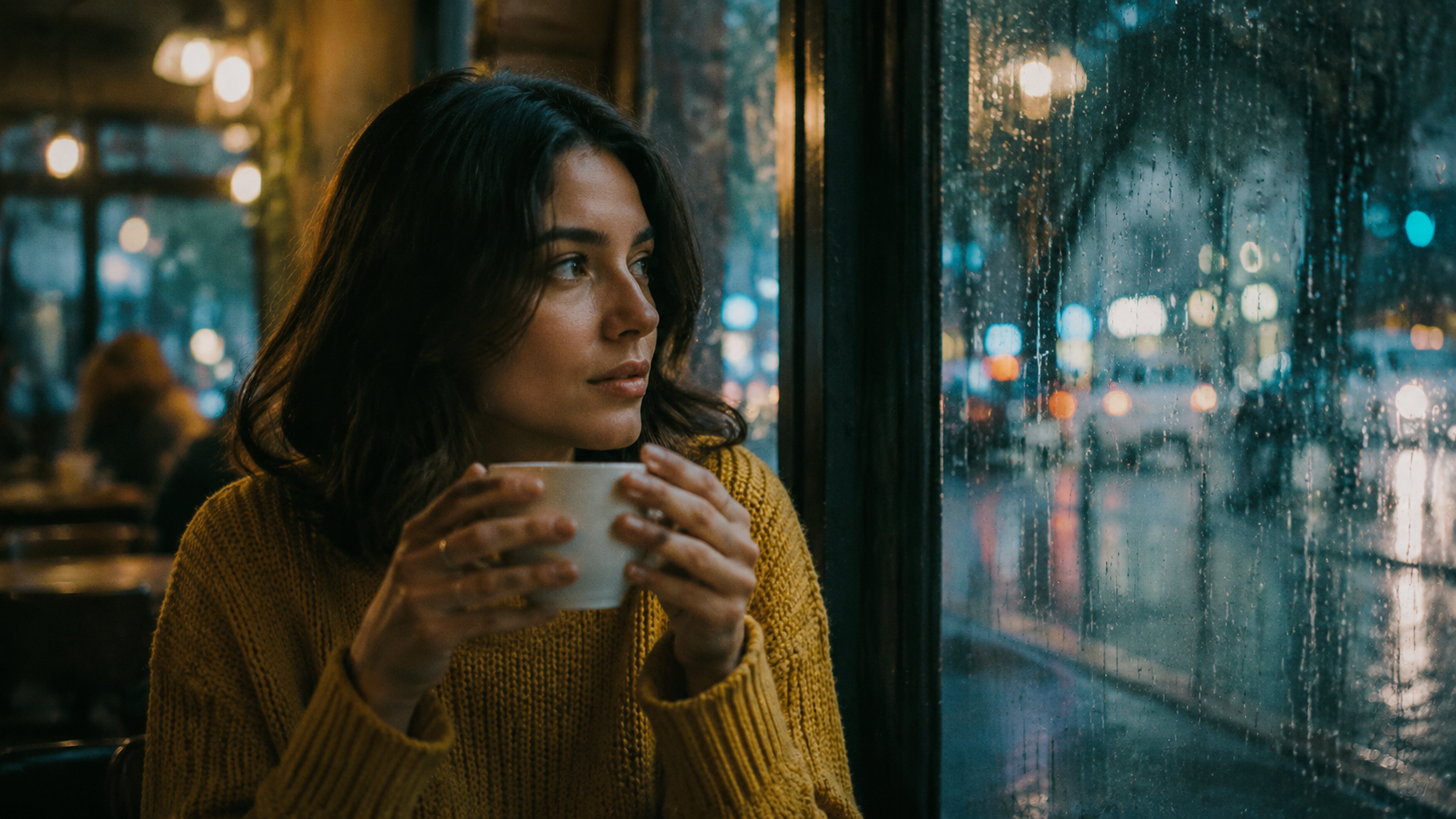
Animating people is where i2v earns its keep — casting, wardrobe, and lighting are already solved by the frame. Input, again from gpt-image-2:
Prompt:
The woman lifts the cup slightly and takes a slow, quiet sip, then lowers it
and turns her head to look out the rain-streaked window with a soft smile.
Steam curls up from the cup; raindrops slide down the glass behind her. Her
hair shifts subtly as she moves. The camera holds still with a gentle focus
pull from the cup to her face. Warm, unhurried, film-like motion.
Parameters: resolution: 720P, duration: 5 — cost $0.50.
First-take output:
The recipe here is a chain of two or three small actions in explicit order (lifts → sips → lowers → turns → smiles). wan2.7 plays them out in the order written, which is what makes the clip read as a performance rather than a looping cinemagraph. The other half is secondary motion: steam, raindrops, and hair are all cheap to ask for and they carry most of the realism. Keep facial direction gentle ("soft smile", not "laughs") — subtle expressions survive; big ones gamble.
Recipe 3: Camera movement over a static scene
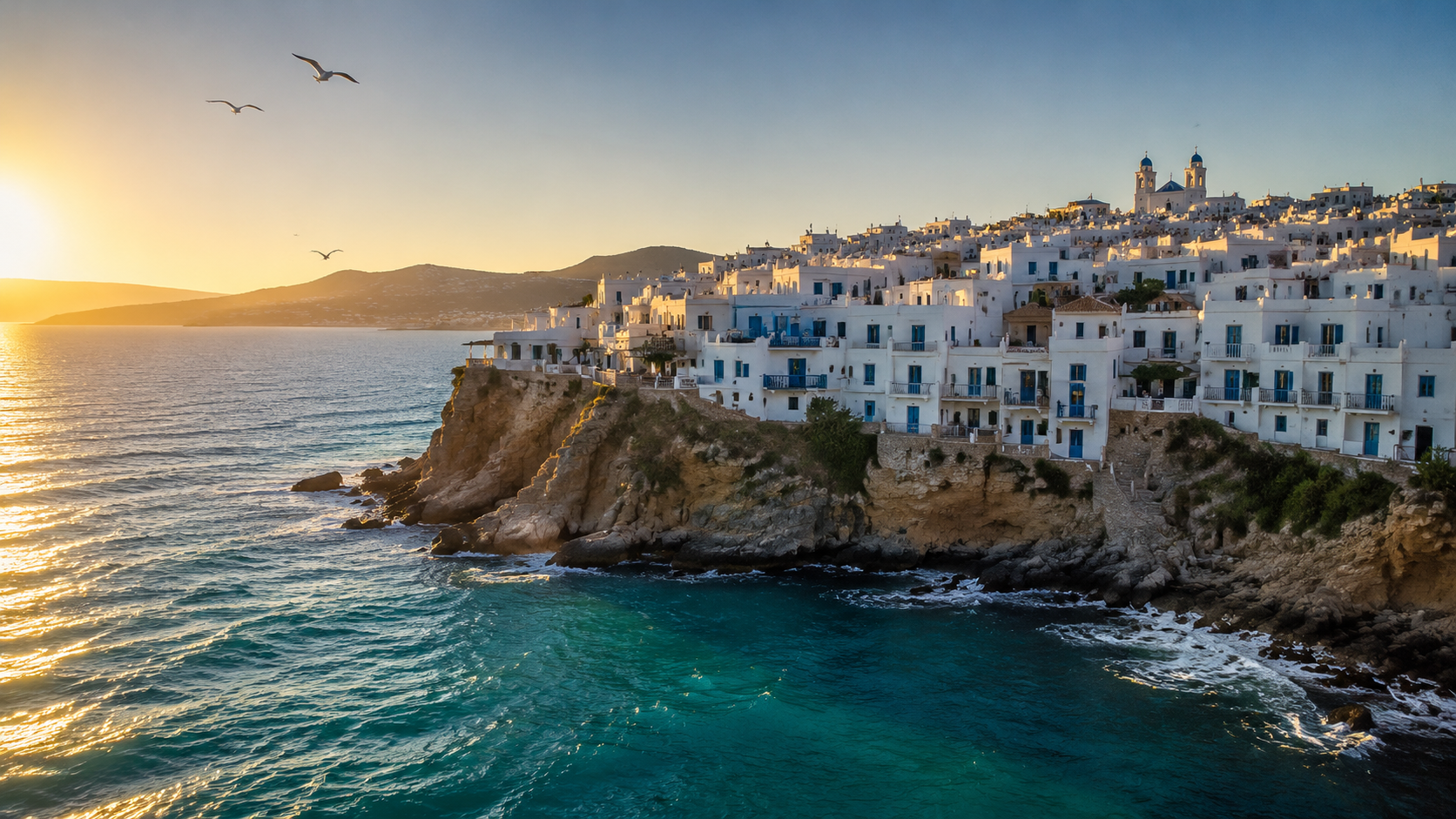
The inverse of recipe 1: the world idles, the camera travels. Input frame — a wide golden-hour coastal village:
Prompt:
Slow cinematic push-in: the camera glides forward over the water toward the
cliffside village, then eases into a gentle pan right along the coastline as
it continues to advance. Waves roll against the rocks below; the gulls drift
slowly across the frame. Golden-hour light stays constant. Smooth, stabilized
gimbal-style motion, no cuts.
Parameters: resolution: 720P, duration: 4 — cost $0.40.
First-take output:
Compare the last second of the clip with the input frame: the camera has genuinely traveled — the village fills the frame and the parallax between cliff and background hills is correct, not a fake Ken Burns zoom. The pattern: name the move, sequence the move, style the move. "Push-in, then pan right" gives it a trajectory; "gimbal-style, no cuts" sets the damping; "light stays constant" stops the golden hour from time-lapsing on you.
The cheat sheet
Across these and our earlier runs, wan2.7 i2v prompts follow five rules:
- The frame is the scene; the prompt is the motion. Don't re-describe the picture — use nouns from it only as anchors for verbs ("the lid", "the cup", "the coastline").
- One subject performance + one camera instruction per clip. Stack both kinds of complexity and short clips get muddy.
- Write stage directions in order. The model executes action chains in the sequence written — that's your timeline control in a 5-second clip.
- Say what must not move. "Camera stays locked off" and "light stays constant" are honored, and they suppress the model's default drift.
- Buy realism with ambient motion. Steam, rain, waves, birds — one clause each, big perceived-quality return.
What it costs
wan2.7-video/image-to-video is priced on the standard per-second meter, with the rate set by output resolution:
| Resolution | Price | 5s clip | 15s clip (max) |
|---|---|---|---|
| 720P | $0.10 / second | $0.50 | $1.50 |
| 1080P | $0.167 / second | $0.835 | $2.505 |
All three clips in this post — 14 seconds of finished 720P video (1280×720, 30 fps measured on the actual outputs) — cost $1.40 total, and the whole batch finished within about nine minutes of submission because tasks run in parallel server-side. Current rates are always on the pricing page.
If you want motion without sourcing a frame first, the sibling wan2.7-video/text-to-video runs at the same per-second price with native audio and the same 15-second cap — we covered it end-to-end in our short-form video guide.
Try it
Take any of the three prompts above, swap in your own first frame, and you'll have a clip back in minutes for well under a dollar. The wan2.7-video/image-to-video model page has the live parameter reference and an interactive playground — start with a 4-second 720P clip at $0.40 and iterate on the prompt before you commit to 1080P renders.




