Use a first frame, last frame or both to guide a clip’s opening and ending, then describe motion and sound.

Provider: MiniMax

Category: video generation

Endpoint: /v1/tasks

Status: Available

Cost: See live page pricing

Back to Models

MiniMax H3 Max Image-to-Video

by MiniMaxVideo

Use a first frame, last frame or both to guide a clip’s opening and ending, then describe motion and sound.

Pricing

Standard Usage

230 Credits/ s

Input

Frames

At least one

Set the opening frame and canvas ratio

Set the ending frame. With only a last frame, its image sets the canvas ratio

136 / 50000

Range: 0.92 - 15

Supply a first or last frame. The first frame sets the canvas; with only a last frame, that image sets it. No aspect ratio is submitted.

More parameters

Upload assets

Preview after upload

Replace the output soundtrack with audio of at least 2 seconds and at most 15 MB. Longer audio is trimmed; shorter audio is padded with silence. Video duration stays unchanged

Generation settings

disabled skips expansion; balanced is the default; quality adds detail and may take longer

Advanced

For repeatable results · integer · Integer only
Estimated cost216 Credits144 Credits / s × 1.5s × 480P

Output

Ready for generation

Configure your parameters and click "Run" to see the output here.

--

Give the bridge illustration an opening and an ending

Compare the input images and clips to see the evolving water and how endpoint frames arrange the boat’s position.

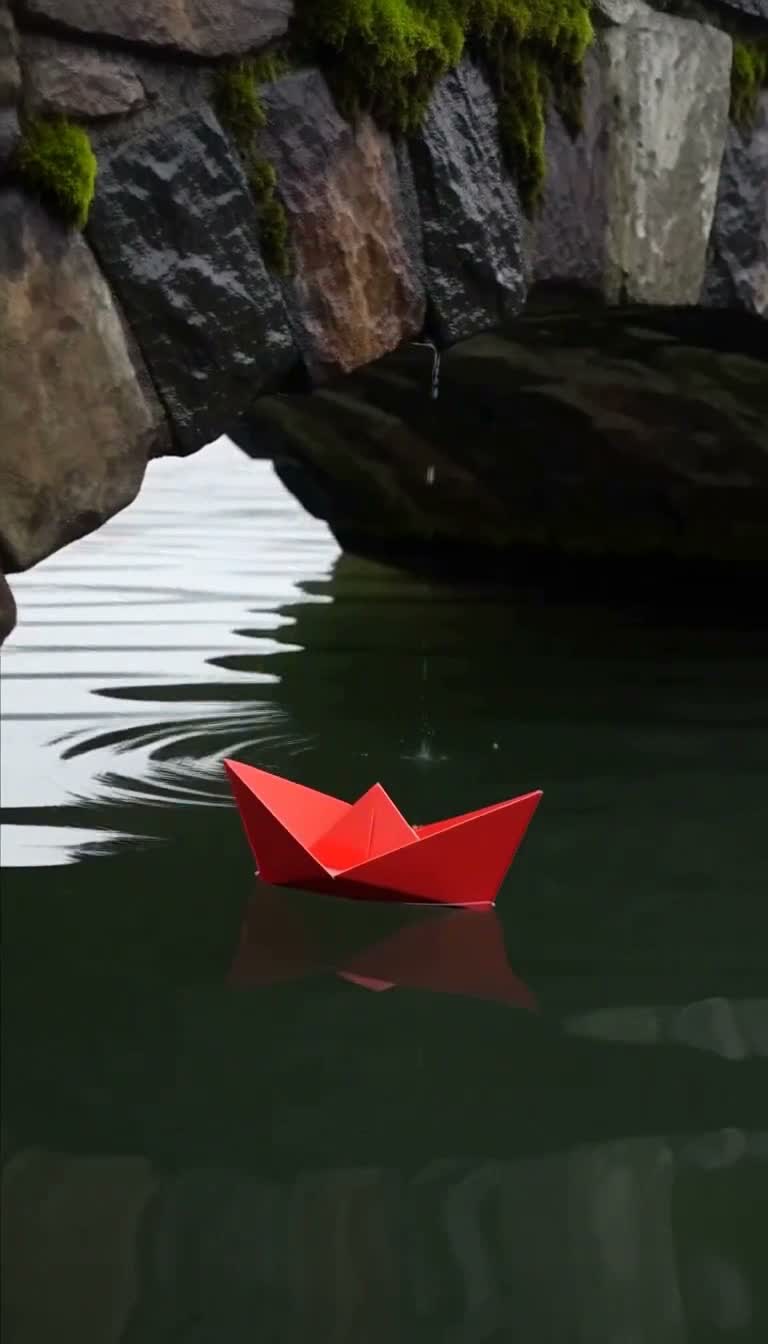
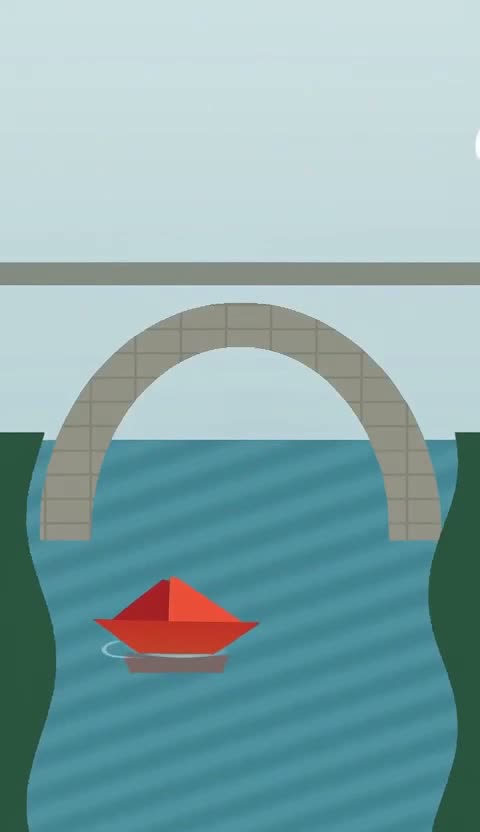
First frame · animated illustration1.5s480P15:26

Bring motion to a paper-boat illustration

The first frame supplies a flat illustration of the bridge, red boat and banks. The clip builds on that composition with movement in the water and raindrops.

Prompt

A red paper boat drifts beneath a stone bridge after rain. Smooth tracking camera, natural ripples, soft birdsong. No text or subtitles.
First frame576×1024
Generated video1.5s · 480P · 15:26
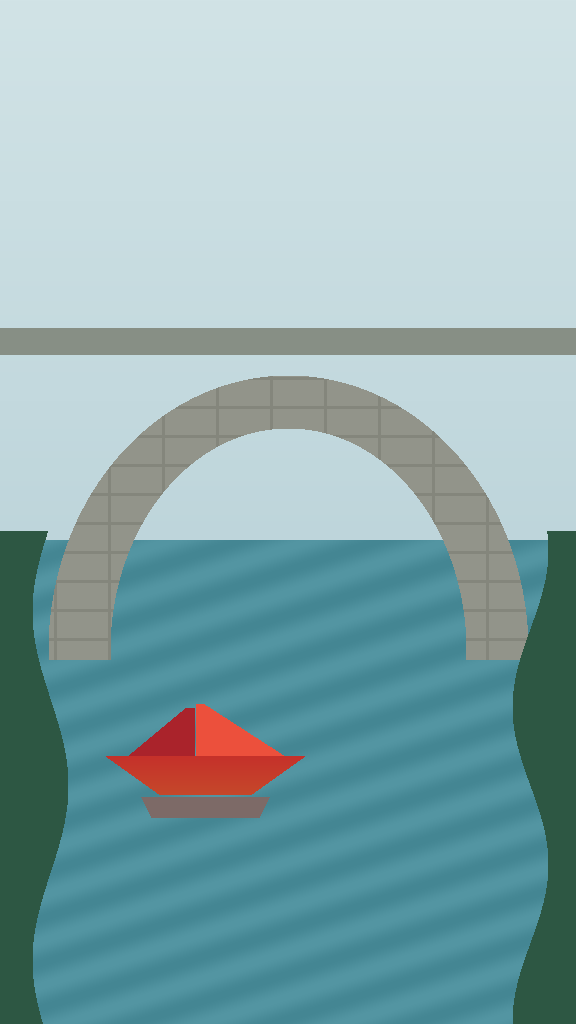
Last frame · supplied audio2s768P4:7

Set the boat’s destination with a last frame

A last frame alone guides the shot toward the ending composition with the boat on the right. The portrait illustration keeps the arch and banks, with the supplied target audio replacing the soundtrack.

Prompt

A red paper boat drifts beneath a stone bridge after rain. Smooth tracking camera, natural ripples, soft birdsong. No text or subtitles.
Last frame576×1024
Generated video2s · 768P · 4:7

Target audio input

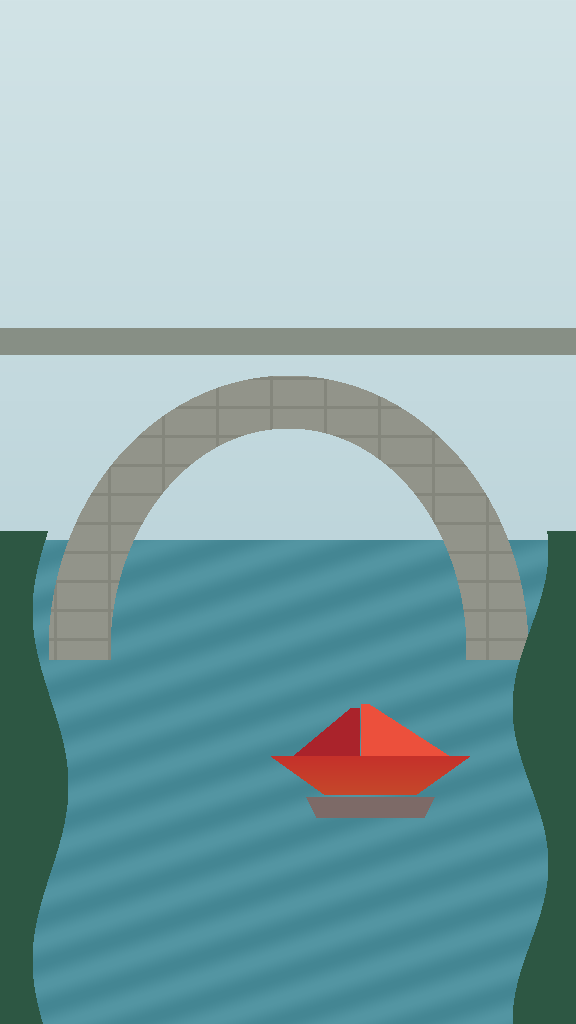
First and last frames · composition2s1080P9:16

From a left opening to a right ending

The first frame places the boat on the left and the last frame sets its position on the right. The clip connects these compositions within the same bridge illustration, keeping its simple colors and portrait layout.

Prompt

A red paper boat drifts beneath a stone bridge after rain. Smooth tracking camera, natural ripples, soft birdsong. No text or subtitles.
First frame576×1024
Last frame576×1024
Generated video2s · 1080P · 9:16
Product showcase · image animation4s768P1:1

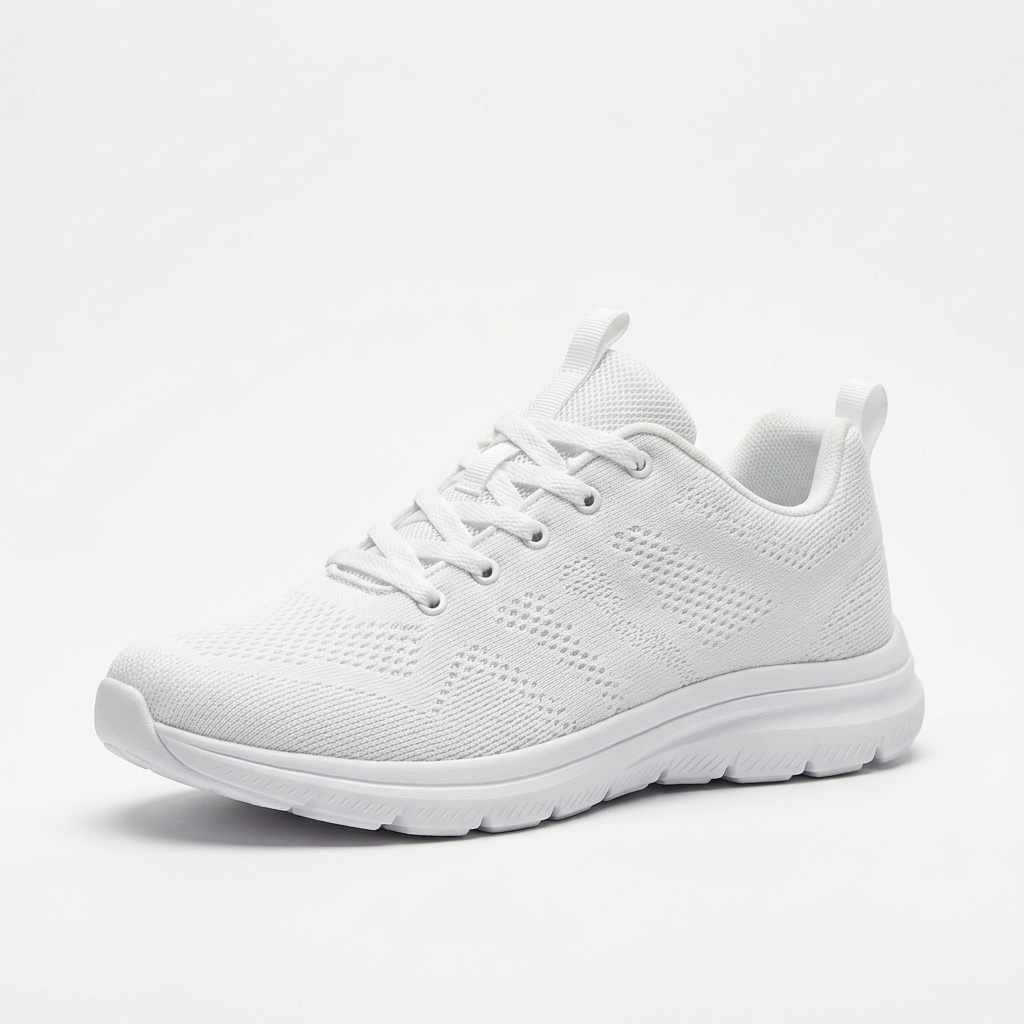
A studio orbit around a white sneaker

A square product photograph anchors the first frame while an orbiting camera reveals the woven upper, laces and sole, with soft light and a shifting contact shadow. The clip includes a generated soundtrack that can be auditioned before choosing music for the product presentation.

Prompt

The camera slowly orbits the sneaker on a white studio background, soft light sweeping across the fabric, subtle shadow shifting beneath it. No text or subtitles.

First frame1024×1024
Generated video4s · 768P · 1:1
Illustration in motion · portrait poster4s768P3:4

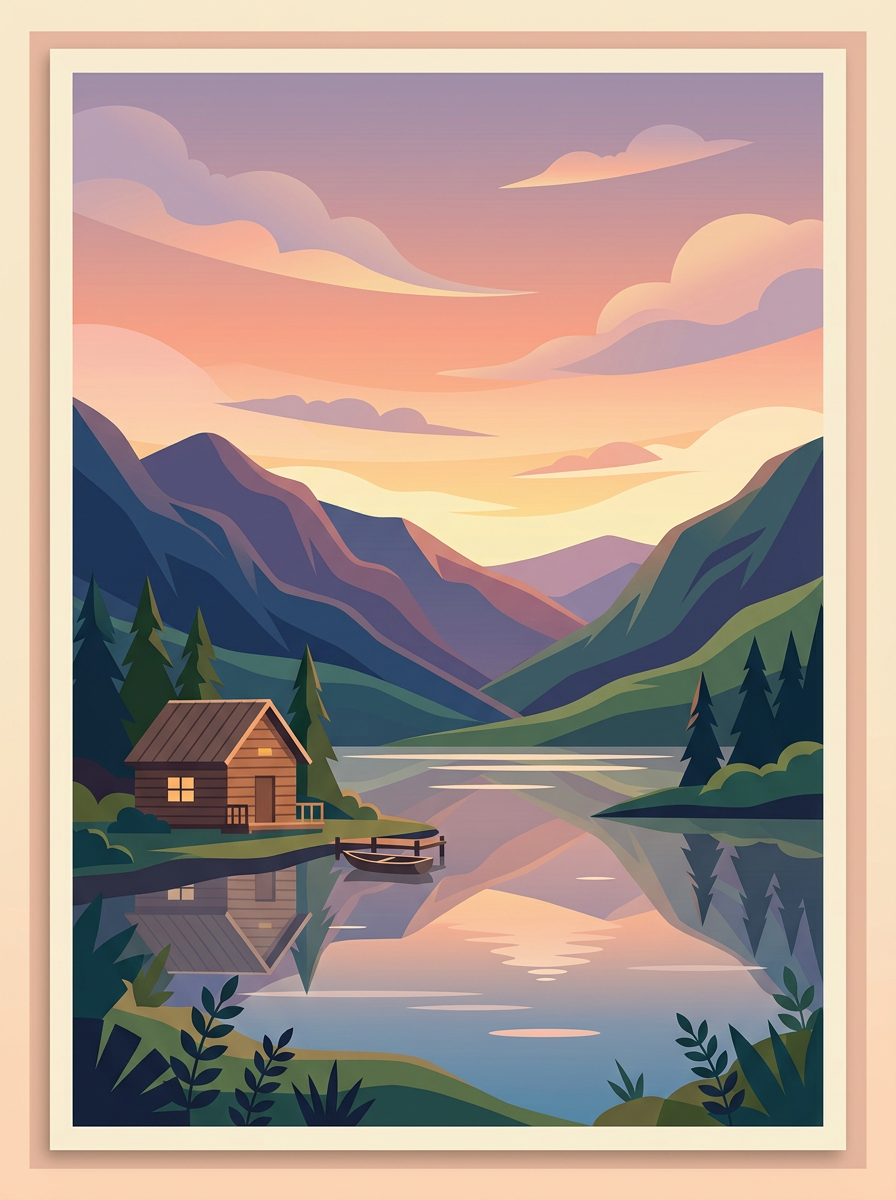
Let a lakeside poster drift into dusk

The portrait illustration keeps the layered mountains, lake and cabin while drifting clouds and rippling water add gentle motion. Warm window light accompanies the deepening dusk, and a generated soundtrack makes the clip a starting point for a calm opening background.

Prompt

Clouds drift slowly across the sky, the lake surface ripples gently, warm cabin windows begin to glow as dusk deepens. No text or subtitles.

First frame896×1200
Generated video4s · 768P · 3:4

Choosing between related video models

Stay here when you have pictures to work from. If you only have a written idea, the Text-to-Video entry fits better.

Model specifications

Input
Prompt + at least a first or last frame
Duration
0.92–15 seconds, including fractionsAt least 2 seconds with target audio
Resolution
480P / 768P / 1080P1080P refines a 768P source
Soundtrack
Generated, or replaced by target audio; motion is still set by the frames and the prompt
Prompt expansion
disabled stays closest to your motion notebalanced is the defaultquality adds the most
Target audio
2 seconds or more, 15 MB or lessReplaces the sound only and does not change the motion
Random seed
Hold frames and seed, change one word to compare
Framing
First frame sets the canvas; last frame does when used alone
Prompt length
Up to 50,000 characters
Frame image format
JPG, PNG or WebP, up to 30 MB each

Current price: View live pricing

How to use MiniMax H3 Max Image-to-Video

First frame
Last frame
1–2 images, at least one
01

Prepare a first or last frame

Supply at least one endpoint image. The canvas follows the first frame when present, otherwise the last frame.

0.92–15 seconds
Image sets canvas
Replace soundtrack
02

Describe how the scene moves

Direct the action, camera and sound, then choose length and resolution. Do not set aspect_ratio.

Playground
POST /v1/tasks
03

Review the frames and use the API

Review the opening and ending, then use the request below with the same inputs in your app.

API quickstart

curl --request POST 'https://api.hiapi.ai/v1/tasks' \
  --header 'Authorization: Bearer YOUR_API_KEY' \
  --header 'Content-Type: application/json' \
  --data '{
  "model": "minimax-h3-max/image-to-video",
  "input": {
    "prompt": "A red paper boat drifts beneath a stone bridge after rain. Smooth tracking camera, natural ripples, soft birdsong. No text or subtitles.",
    "resolution": "480P",
    "duration": 1.5,
    "first_frame_image": "https://static.hiapi.ai/model-onboarding/minimax-h3-max/2026/10/13/1791862423659-cd76600c6f3d1b5d-first-frame.png",
    "seed": 0,
    "prompt_expansion_mode": "disabled"
  }
}'
The create request returns a taskId; retrieve the result asynchronously.Open full API docs

MINIMAX / H3 MAX · IMAGE-TO-VIDEO

Bring a finished picture to life

Upload a first frame to set the opening, a last frame to set the landing, or both, and describe only the motion in between. The picture fixes subject and composition, so products, characters and brand looks stay intact.

First / last frameKeeps your compositionBring your own audio
Explore the model ↓
Bring a finished picture to life

MODEL OVERVIEW

About MiniMax H3 Max Image-to-Video

Image-to-video starts from a picture you already have: a product shot on white, an illustration, a poster or one storyboard panel. Since the image sets subject and composition, results are more controllable than text alone and the look holds.

First and last frames work alone or together; with a single image, the video takes that image's shape. JPG, PNG and WebP up to 30 MB each are accepted, and target audio can replace the soundtrack.

Directing motion with first and last frames

Each example shows the input frame above the result; expand to read the prompt.

Set the water in an illustration moving

The first frame is a flat illustration of an arch, a red boat and the bank. The clip keeps its color blocks and vertical layout and animates only the water and rain.

With an existing poster, illustration or product shot, keep the composition clear and describe only what should move, so the original design stays intact.

View prompt

A red paper boat drifts beneath a stone bridge after rain. Smooth tracking camera, natural ripples, soft birdsong. No text or subtitles.
First frame
First frame
15:26 · 480P · 1.5s

Only a last frame: plan where the boat lands

Only a last frame was supplied, so the camera moves toward the ending composition with the red boat on the right, and the image sets the arch and bank.

Use it when the closing image is decided and you want a clean hand-off to the next edit. This clip's soundtrack comes from uploaded target audio.

View prompt

A red paper boat drifts beneath a stone bridge after rain. Smooth tracking camera, natural ripples, soft birdsong. No text or subtitles.
Last frame
Last frame
4:7 · 768P · 2s · Target audio

Open on the left, finish on the right

The first frame puts the boat on the left and the last frame on the right; the video connects the two within the same illustration.

Keep subject, scene and shape consistent across the two frames and allow time for the move. It suits simple transitions and products changing position.

View prompt

A red paper boat drifts beneath a stone bridge after rain. Smooth tracking camera, natural ripples, soft birdsong. No text or subtitles.
First frame
First frame
Last frame
Last frame
9:16 · 1080P · 2s

An orbit around a sneaker on white

A square product shot is the first frame. The orbiting camera reveals the knit upper, laces and sole outline while soft light and contact shadows shift with the angle.

It fits product pages and e-commerce hero videos. The clip includes a generated soundtrack that you can keep or replace with your own music.

View prompt

The camera slowly orbits the sneaker on a white studio background, soft light sweeping across the fabric, subtle shadow shifting beneath it. No text or subtitles.

First frame
First frame
1:1 · 768P · 4s

Let a lakeside dusk poster drift into night

The vertical illustration keeps its layers of hills, lake and cabin while clouds and ripples move gently and the warm window light deepens with dusk.

It turns a static poster into a calm opening background or event-page loop, with the original composition and palette preserved.

View prompt

Clouds drift slowly across the sky, the lake surface ripples gently, warm cabin windows begin to glow as dusk deepens. No text or subtitles.

First frame
First frame
3:4 · 768P · 4s

Pick a resolution for the job

480P
Quick framing previews
768P
Everyday delivery
1080P
Enhanced from 768P, sharper

Where Image-to-Video fits

Product shots into showcase videos

Use a product shot on white as the first frame and orbit or push in to show material and detail on product pages.

Animated illustrations and posters

Add motion only to water, weather or light and keep the rest still for covers, event pages and social posts.

A planned ending for the edit

Lock the closing composition with a last frame so the clip hands off cleanly to the next one.

One frame pair, several moves

Keep both frames and change only the camera and pacing in the prompt to compare pans, push-ins and orbits.

Start with one picture

Upload a first or last frame in the Playground and try a clip with one line of motion. The images, prompt and result of every run stay in task history, so the next round can change a single variable.

Need to compare models and billing tiers?View live pricing for all models

Frequently asked questions

Do I need both a first and last frame?

Supply at least one image. A first frame sets the opening, a last frame alone guides the ending, and both define the opening and ending compositions. These are video endpoint frames, not general style references.

Which image determines the canvas?

The first frame sets the canvas when present; otherwise the last frame does. This entry does not accept aspect_ratio. Prepare a landscape or portrait image for your destination and preferably match both frame shapes. The video determines the final pixel dimensions.

Should the prompt repeat what is in the image?

The image already supplies the subject and composition. Focus the prompt on action, environmental changes and how the camera continues. To guide an ending position, use a last frame with a motion direction and allow enough time for the action.

Is a last frame alone enough?

Yes. A last frame used alone is both the ending picture and the frame shape for the whole clip. Describe the action that leads from the opening to that ending in the prompt.

What happens if the first and last frames have different sizes?

The first frame sets the frame shape and the last frame is handled to match, but a big difference can make the transition feel awkward. Use the same orientation and similar compositions for both.

Can I pass an image to control style rather than start and end?

No. On this entry the images are the video's start and end frames, not general style references. If you want to start from text, use the text-to-video entry.

How do I combine target audio with images?

Send target_audio_url and the finished soundtrack is replaced with your audio. The audio must be at least 2 seconds and no more than 15 MB, and the video at least 2 seconds. It does not guarantee that the picture follows the sound, so describe the action in the prompt.

What does 1080P do for image-to-video?

1080P is an output tier refined from a 768P source. In our test with two portrait frames it returned 1080×1920. Use it for final delivery and use 480P when comparing prompts.

Why try a very short duration first?

Duration accepts fractions from 0.92 to 15 seconds. A 1.5–2 second test confirms that the frame was used correctly and the orientation is what you expect before you scale up to the final length.