TL;DR
- Kling 2.5 Turbo 是快手可灵的快速版视频模型,HiAPI 上有文生视频和图生视频两个入口,打开模型页就能在线试,新用户注册送 200 积分。
- 两个入口都是每秒 $0.06:5 秒 $0.30,10 秒 $0.60。
- 调用方式:
POST /v1/tasks提交,拿taskId查结果,成片在output[0].url。
Kling 2.5 Turbo 能做什么
- 5 秒或 10 秒,约 1080p:分辨率跟着画幅走,16:9 输出 1920×1080,不用单独设。
- 文生视频自带声音:每条都有音轨,没有开关。
- 图生视频支持尾帧:首帧定开头,尾帧定结尾,模型补出中间的过程。
- 图生视频有 6 种画幅:除了横竖方,还有 4:3、3:4 和 21:9 宽银幕。
Vertical cinematic shot of a ceramic artist in a sunlit studio. Her hands shape a small terracotta bowl on a spinning pottery wheel. The wet clay gradually rises as the wheel turns, a little water glints on the surface. The camera gently tracks upward from the bowl to her focused face. Warm morning light, linen apron, natural movement, one continuous shot, no text or logos.
用这个提示词生成 →(选 10 秒、9:16)
kling-2.5-turbo/text-to-video,9:16,1080×1920,10 秒,带音轨,$0.60。
两个入口怎么选
| 模型 ID | 输入 | 画幅 | 声音 | 适合 |
|---|---|---|---|---|
kling-2.5-turbo/text-to-video | 提示词 | 16:9、9:16、1:1 | 自带音轨 | 没有素材,从文字开始 |
kling-2.5-turbo/image-to-video | 首帧必填,尾帧可选 | 6 种;加尾帧时 3 种 | 无音轨 | 商品图、摄影、插画要动起来 |
两个入口同价,都是每秒 $0.06。
两条上手路线
在浏览器里试(3 步)
用 API 调(3 步)
- 在控制台的 API Key 页面创建密钥,放进环境变量
HIAPI_KEY。 POST https://api.hiapi.ai/v1/tasks提交,返回data.taskId。GET /v1/tasks/{taskId}查到status为success,下载output[0].url。
curl:第一条视频
curl -X POST https://api.hiapi.ai/v1/tasks \
  -H "Authorization: Bearer $HIAPI_KEY" \
  -H "Content-Type: application/json" \
  -d '{
    "model": "kling-2.5-turbo/text-to-video",
    "input": {
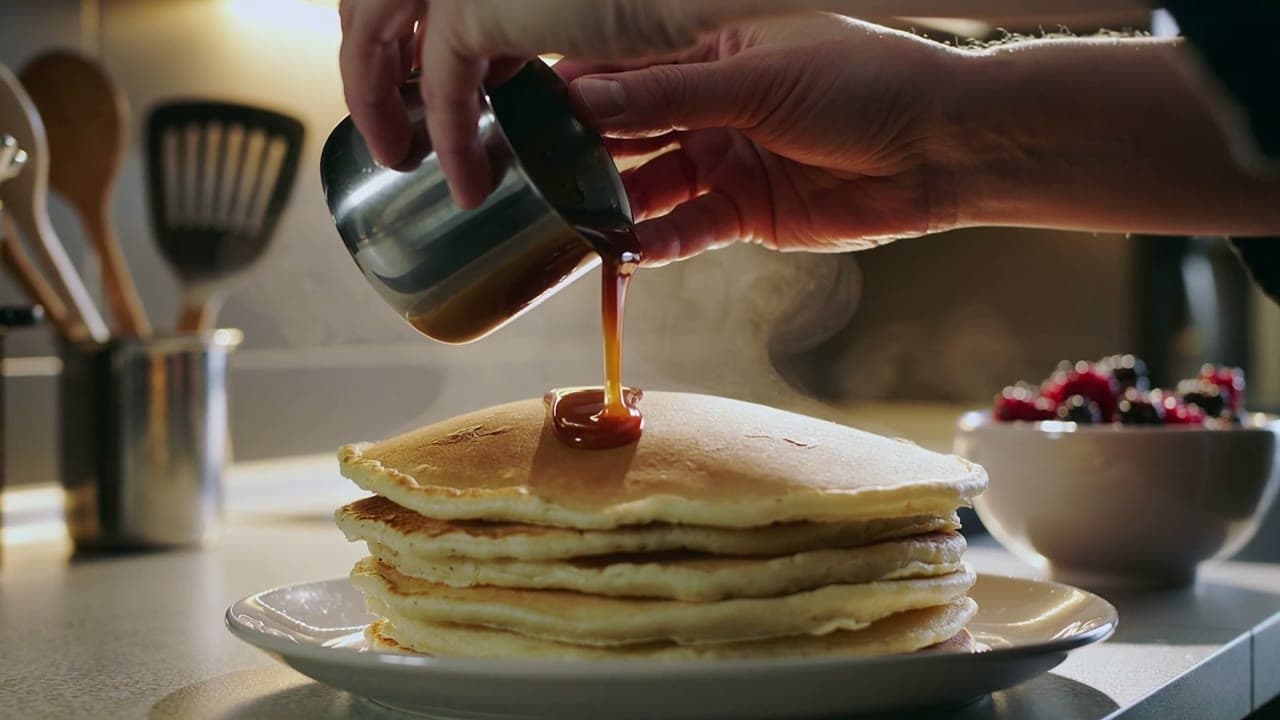
      "prompt": "Hands pour glossy caramel over a stack of pancakes, steam rises, camera slowly pushes in, warm kitchen light",
      "duration": 5,
      "aspect_ratio": "16:9"
    }
  }'
5 秒、16:9,$0.30。图生视频把 model 换成 kling-2.5-turbo/image-to-video,加上 "image_urls": ["https://你的图床/frame.jpg"]。
Python:提交、轮询、下载
# pip install requests;先 export HIAPI_KEY=你的 Key
import os, time, uuid, requests

API = "https://api.hiapi.ai/v1/tasks"
H = {"Authorization": f"Bearer {os.environ['HIAPI_KEY']}"}

def generate(model, timeout_s=900, **inp):
    # 重试同一个任务时带同一个 Idempotency-Key,避免重复扣费
    r = requests.post(API, json={"model": model, "input": inp},
                      headers={**H, "Idempotency-Key": str(uuid.uuid4())}, timeout=30)
    r.raise_for_status()
    task_id = r.json()["data"]["taskId"]
    deadline = time.time() + timeout_s
    while time.time() < deadline:
        d = requests.get(f"{API}/{task_id}", headers=H, timeout=30).json()["data"]
        if d["status"] == "success":
            return d["output"][0]["url"]
        if d["status"] == "fail":
            raise RuntimeError(d)
        time.sleep(10)
    raise TimeoutError(task_id)

# 首帧 + 尾帧:红车从左边开到右边,变成蓝车(5 秒,$0.30)
url = generate(
    "kling-2.5-turbo/image-to-video",
    prompt="A toy car moves smoothly from the left to the right and changes from red to blue. "
           "Keep the simple light grey background and beige ground. Continuous static camera shot.",
    image_urls=["https://你的图床/first.png", "https://你的图床/last.png"],
    duration=5, aspect_ratio="9:16",
)
with open("clip.mp4", "wb") as f:
    f.write(requests.get(url).content)
首帧加尾帧:让镜头停在你要的画面
image_urls 传两张图:第一张是首帧,第二张是尾帧。下面这条首帧是左边的红车,尾帧是右边的蓝车:
| 首帧 | 尾帧 |
|---|---|
 |  |
A toy car moves smoothly from the left to the right and changes from red to blue. Keep the simple light grey background and beige ground. Continuous static camera shot.
用这个提示词生成 →(上传首帧和尾帧,选 5 秒、9:16)
kling-2.5-turbo/image-to-video,9:16,1080×1920,5 秒,首帧 + 尾帧,$0.30。
车一路向右,中途颜色由红转紫再变蓝,最后停在尾帧的位置,背景全程不变。两张图除了要变的东西都一样,结果最稳。加尾帧后画幅只能选 16:9、9:16 或 1:1。
参数表
| 字段 | 必填 | 取值 | 说明 |
|---|---|---|---|
prompt | 是 | 1–2500 字符 | 写动作和镜头;图生视频不用再描述画面 |
duration | 否 | 5(默认)/ 10 | 按秒计费 |
aspect_ratio | 否 | 文生:16:9(默认)9:16 1:1;图生另有 4:3 3:4 21:9 | 加尾帧时只有 16:9 9:16 1:1 |
image_urls | 图生必填 | 1–2 张,jpeg/png/webp,单张 ≤10MB | 第 1 张首帧,第 2 张尾帧;文生视频不收这个字段 |
negative_prompt | 否 | 文生 ≤2500,图生 ≤2496 字符 | 不想出现的内容 |
cfg_scale | 否 | 0–1,默认 0.5 | 越大越贴合提示词 |
没有 resolution、seed 和声音开关。
你会遇到的报错
提交时参数不对,接口直接返回 400,不建任务、不扣钱:
duration: value must be one of 5, 10:时长只有 5 和 10。aspect_ratio: value must be one of '16:9', '9:16', '1:1':文生视频传了别的画幅,或图生视频加了尾帧却选了 4:3、3:4、21:9。image_urls: maxItems: got 3, want 2:最多两张,首帧加尾帧。image_urls: missing required field "image_urls":图生视频没传首帧。cfg_scale: maximum: got 5, want 1:cfg_scale是 0 到 1,不是其他模型常见的 1–20。additional properties 'seed', 'sound' not allowed:这两个字段不存在。
上线前注意
- 用回调代替轮询:请求顶层(和
input同级)加"callback": {"url": "https://你的域名/hiapi/callback"},按taskId去重。 - 及时转存:
output[0].url约 7 天后失效,拿到就存到自己的存储。 - 显式写
duration和aspect_ratio:不写就是 5 秒、16:9,竖屏需求容易漏。 - 重试带幂等键:请求头加
Idempotency-Key,同一个键只建一次任务。
常见问题
文生视频能关掉声音吗?
不能,没有声音开关。不要声音就在剪辑时去掉音轨,或者用图生视频,它本来就没有音轨。
图生视频的首帧比例和画幅不一样会怎样?
首帧会按所选画幅居中裁切。16:9 的图选 9:16,保留的是中间一竖条,主体放中间最稳。
能出 4K 吗?
不能。输出约 1080p,随画幅而定,最宽的是 21:9 的 2200×940。
和 Kling 3.0 Turbo 怎么选?
5 或 10 秒够用、想要最低价,选 Kling 2.5 Turbo;要 3–15 秒逐秒可选、或想在 720p 和 1080p 之间选,看 Kling 2.5 Turbo 和 3.0 Turbo 对比。
价格明细看 Kling 2.5 Turbo API 价格,更多场景看 Kling 2.5 Turbo 提示词大全。想先看效果,复制上面的陶艺提示词,去模型页生成第一条。