When you generate product images for an e-commerce catalog, the unit economics matter more than any single image. A hero shot that costs $0.17 is fine when you need ten of them; it is a very different conversation when you need three shots for each of a thousand SKUs. That is the slot Nano-Banana-2-Lite fills on hiapi: $0.033 per image at 1K resolution, with the same async task API as the bigger Nano-Banana models and support for up to 10 reference images — enough to run the classic e-commerce trio of white-background hero, lifestyle scene, and premium dark variant at bulk prices.
This guide is the budget-tier companion to our earlier Nano-Banana e-commerce workflow. Everything below — requests, outputs, timings, costs — comes from runs we did against the live API while writing this post.
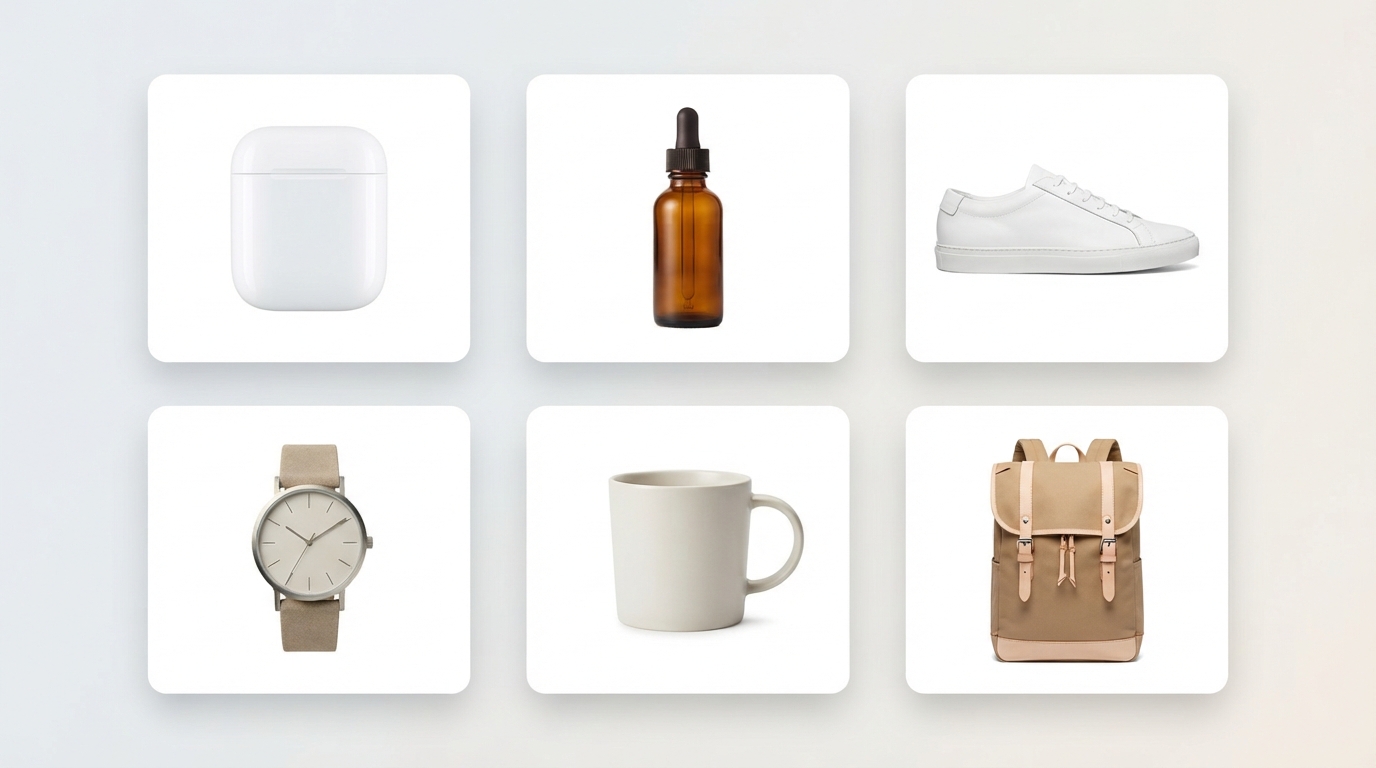
Where Lite sits in the Nano-Banana lineup
Verified against the hiapi pricing page at the time of writing:
| Model | Price per image | Resolution | Reference images |
|---|---|---|---|
| Nano-Banana-2-Lite | $0.033 | 1K | up to 10 via image_urls |
| nano-banana | $0.05 | standard | supported |
| nano-banana-2 | $0.085 (1K) / $0.076 (2K) / $0.114 (4K) | up to 4K | via image_input |
| nano-banana-pro | $0.17 (1K/2K) / $0.2992 (4K) | up to 4K | via image_input |
The decision rule for catalogs is simple:
- Marketplace listings, long-tail SKUs, A/B variants → Lite. At 1K (roughly 1024px on the short edge) the output is at or above what most marketplaces compress your uploads to anyway.
- Homepage banners, campaign key visuals, print → step up to nano-banana-pro for 2K/4K output and stronger text rendering. Lite for volume, Pro for the money shots — they complement rather than compete.
One working request
Nano-Banana-2-Lite runs on hiapi's unified async task API: submit a task, poll until it finishes, download the result. Three gotchas before the code:
- The model id is case-sensitive. Send
Nano-Banana-2-Liteexactly — lowercase variants return400 MODEL_UNAVAILABLE. aspect_ratiois an enum, not free-form. Allowed values:auto,1:1,2:3,3:2,3:4,4:3,4:5,5:4,9:16,16:9,21:9,1:4,4:1,1:8,8:1. There is noresolutionfield — Lite is fixed at 1K, and sendingresolutiongets your request rejected.- Output URLs are signed and expire. Download the bytes as soon as the task succeeds; store the file, not the URL.
curl -s -X POST https://api.hiapi.ai/v1/tasks \
  -H "Authorization: Bearer $HIAPI_API_KEY" \
  -H "Content-Type: application/json" \
  -d '{
    "model": "Nano-Banana-2-Lite",
    "input": {
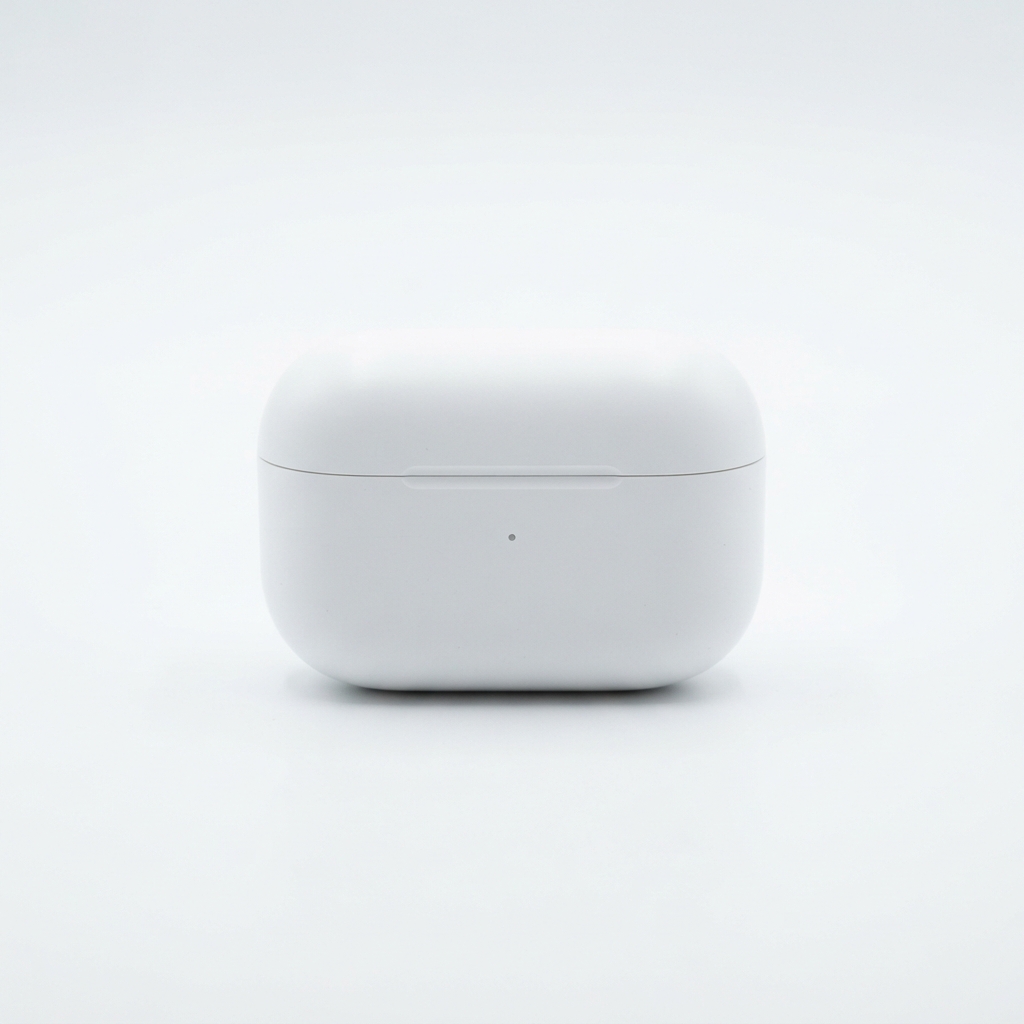
      "prompt": "Professional e-commerce product photo of a minimalist matte-white wireless earbuds charging case, centered on a seamless pure white background, soft even studio lighting, gentle shadow beneath, crisp edges, catalog-ready hero shot, no text, no logo",
      "aspect_ratio": "1:1"
    }
  }'
The response contains a taskId. Poll GET /v1/tasks/{taskId} until status is success, then download data.output[0].url. In our runs a single task completed in roughly 55–65 seconds end to end, including polling.
Here is that exact prompt's output — an unretouched Lite generation:
Prompting for catalog-grade hero shots
For white-background listings, the prompt pattern that worked consistently for us:
Professional e-commerce product photo of [product, materials, colors], centered on a seamless pure white background, soft even studio lighting, subtle natural shadow, crisp focus, marketplace catalog style, no text, no logo
Two more products from the same template, changing only the product description and aspect ratio (4:5 suits fashion/beauty verticals, 4:3 suits footwear and electronics):
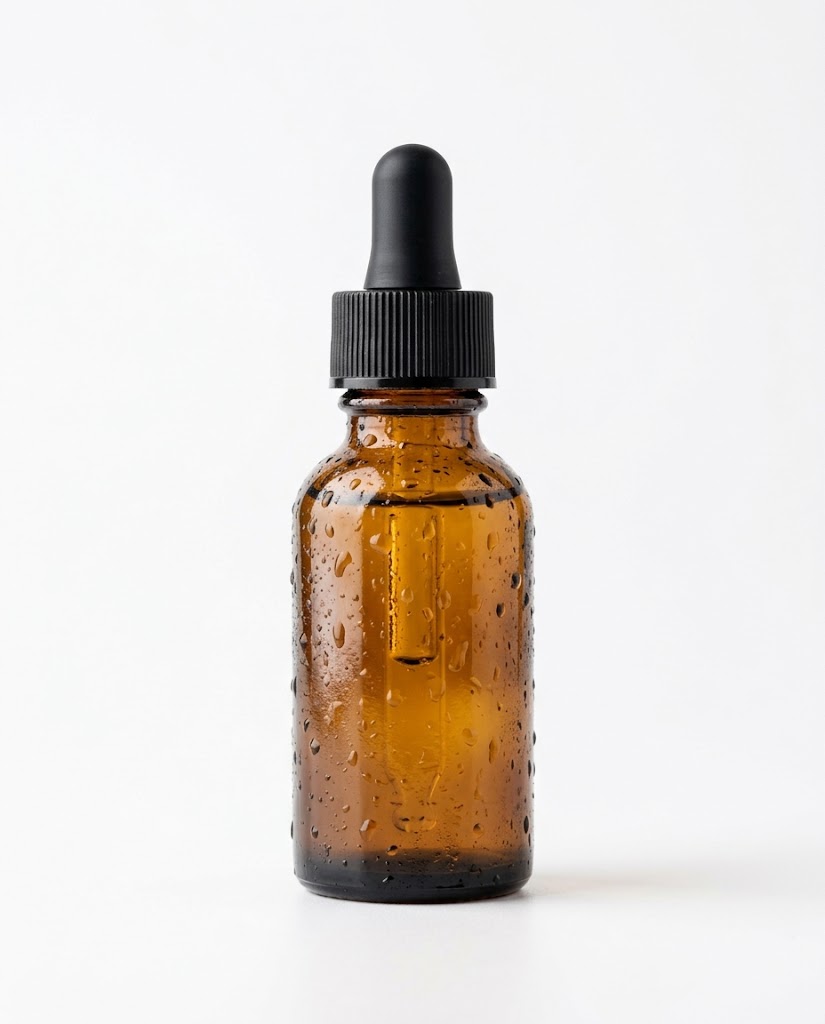
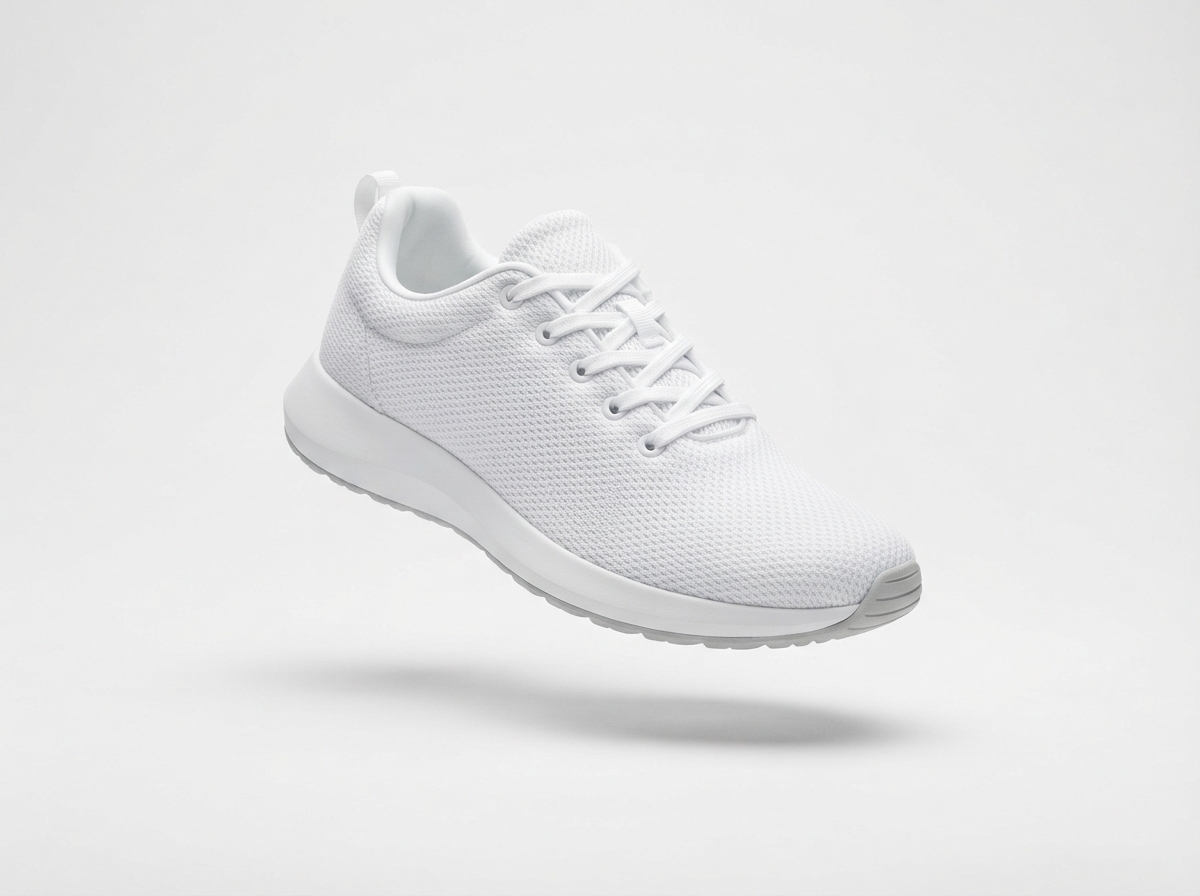
Practical notes from the batch:
- Always end with "no text, no logo". Like most image models, Lite will otherwise happily invent label typography and brand marks — a compliance problem on real listings. If your product has a real label, composite it afterwards or use the reference-image path below.
- Ask for the shadow explicitly ("subtle natural shadow"). Without it you tend to get a floating cut-out look that reads as fake on marketplaces.
- One product per image. Lite handles single-subject compositions reliably; multi-product flat lays are where you start wanting the bigger models.
Same product, new scenes: the image_urls workflow
The real e-commerce trick is consistency: one canonical product shot, re-staged into lifestyle and premium contexts without the product morphing between images. Lite accepts up to 10 reference images through the image_urls field (note: the bigger Nano-Banana-2 models call this field image_input — the rename is the main porting gotcha, covered in our Lite API tutorial).
We passed the hero shot above as the reference and asked for two re-stagings:
{
  "model": "Nano-Banana-2-Lite",
  "input": {
    "prompt": "Place this exact product on a warm oak wooden desk next to a laptop keyboard and a small green potted plant, soft morning window light from the left, shallow depth of field, cozy home-office lifestyle e-commerce scene, keep the product design, colors and proportions unchanged",
    "aspect_ratio": "4:3",
    "image_urls": ["https://your-cdn.example.com/hero-earbuds.jpg"]
  }
}
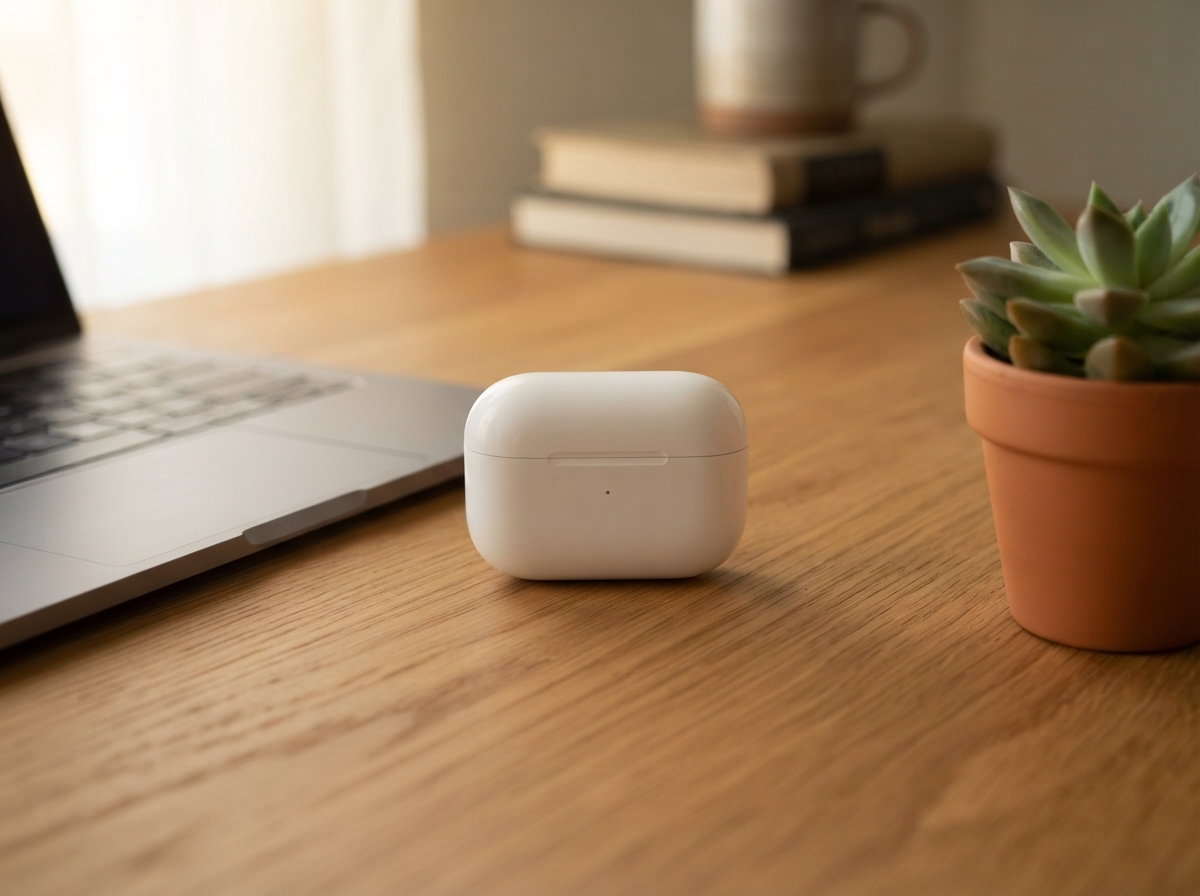
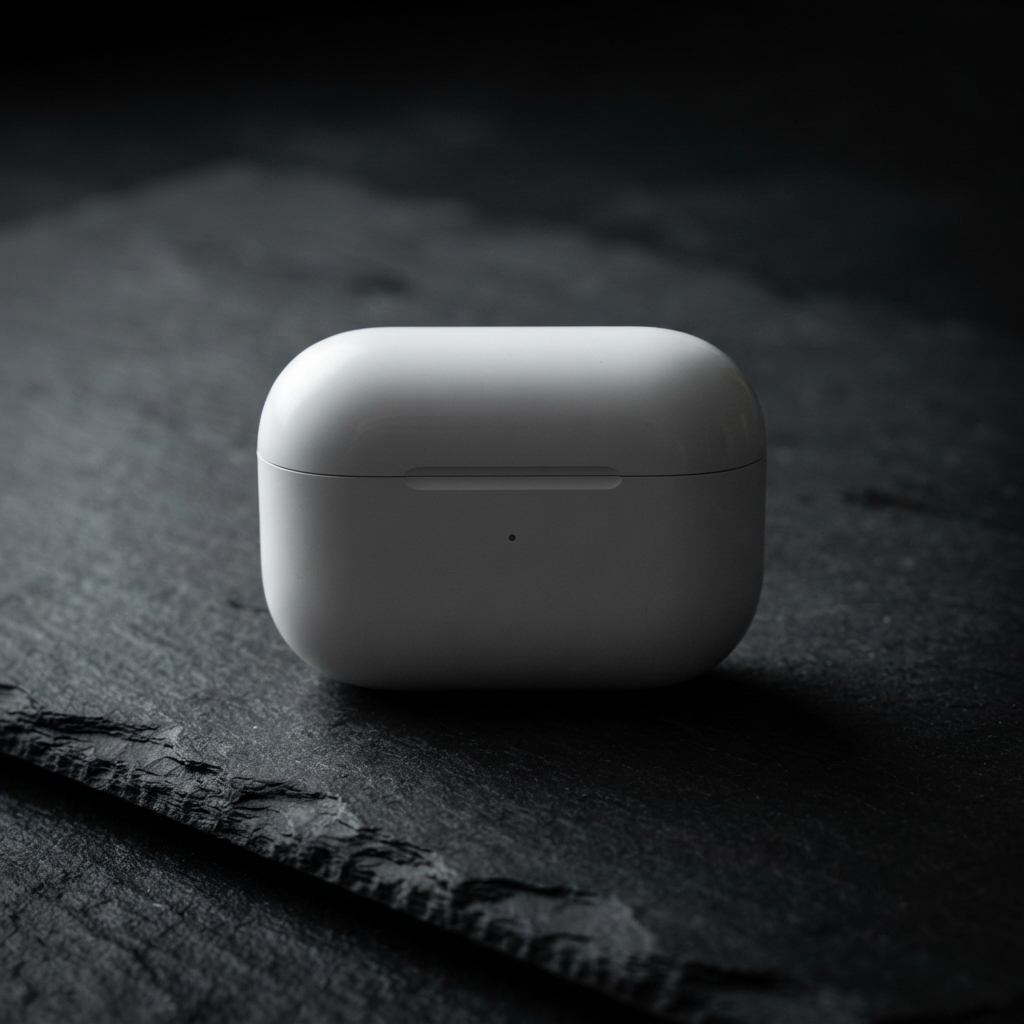
Both variants came back with the case's proportions, lid seam and indicator LED intact. The phrase "keep the product design, colors and proportions unchanged" pulls a lot of weight here — include it in every reference-image prompt. Reference URLs must be publicly fetchable (signed private links that expire mid-task will fail the job).
A batch pipeline in Python
Tasks are independent, so batch throughput comes from submitting them all up front and polling as a group — five concurrent tasks finished in about the same wall-clock time as one in our runs. A minimal pipeline:
import json
import subprocess
import time

API = "https://api.hiapi.ai/v1/tasks"
TOKEN = "sk-..."  # your hiapi API key

def _curl(args):
    out = subprocess.run(["curl", "-s", *args], capture_output=True, text=True, timeout=90)
    return json.loads(out.stdout)

def submit(prompt, aspect_ratio="1:1", image_urls=None):
    inp = {"prompt": prompt, "aspect_ratio": aspect_ratio}
    if image_urls:
        inp["image_urls"] = image_urls
    data = _curl(["-X", "POST", API,
                  "-H", f"Authorization: Bearer {TOKEN}",
                  "-H", "Content-Type: application/json",
                  "-d", json.dumps({"model": "Nano-Banana-2-Lite", "input": inp})])
    return data["data"]["taskId"]

def wait(task_id, timeout_s=600):
    deadline = time.time() + timeout_s
    while time.time() < deadline:
        task = _curl([f"{API}/{task_id}", "-H", f"Authorization: Bearer {TOKEN}"])["data"]
        if task["status"] == "success":
            return task["output"][0]["url"]
        if task["status"] == "fail":
            raise RuntimeError(f"{task_id}: {task.get('error')}")
        time.sleep(5)
    raise TimeoutError(task_id)

HERO_TMPL = ("Professional e-commerce product photo of {product}, centered on a "
             "seamless pure white background, soft even studio lighting, subtle "
             "natural shadow, crisp focus, marketplace catalog style, no text, no logo")

skus = [
    {"id": "SKU-001", "product": "a matte-white wireless earbuds charging case"},
    {"id": "SKU-002", "product": "an amber glass serum bottle with black dropper cap"},
    {"id": "SKU-003", "product": "a white minimalist running sneaker with light gray sole"},
]

# 1) submit everything up front
tasks = {sku["id"]: submit(HERO_TMPL.format(product=sku["product"])) for sku in skus}

# 2) collect results and persist bytes immediately — output URLs expire
for sku_id, task_id in tasks.items():
    url = wait(task_id)
    subprocess.run(["curl", "-s", "-o", f"{sku_id}.jpg", url], timeout=120)
    print(f"{sku_id} done")
For production volume, two upgrades are worth making: use webhook callbacks instead of polling (pass callback.url with when: "final" when creating the task), and persist each taskId next to your SKU record so a crashed worker can resume instead of double-spending. Both are covered in the task API tutorial and the hiapi docs.
What a catalog actually costs
At $0.033 per image, with the standard three-shot treatment (hero + lifestyle + dark/detail variant):
| Catalog size | Images (×3) | Nano-Banana-2-Lite | Same job on nano-banana-pro |
|---|---|---|---|
| 100 SKUs | 300 | $9.90 | $51.00 |
| 500 SKUs | 1,500 | $49.50 | $255.00 |
| 1,000 SKUs | 3,000 | $99.00 | $510.00 |
A sensible hybrid: run the whole catalog through Lite, then re-shoot only your top-20 revenue SKUs on nano-banana-pro at 2K/4K for homepage and campaign placements. For the 100-SKU example that is $9.90 + about $10 of Pro images — still a fraction of a single studio day.
Budget a retry margin of 5–10% for prompts that need a second attempt (usually stray text on labels), and remember failed tasks are reported as fail with an error object — only successful generations are worth wiring into your quality gate.
Wrap-up
Nano-Banana-2-Lite will not replace your flagship key-visual pipeline — that is what the Pro tier is for. But for the long tail of a catalog, where every SKU needs presentable, consistent imagery and the budget is measured per thousand images, $0.033 at 1K with reference-image support is hard to argue with.
Grab an API key, then start with the Nano-Banana-2-Lite model page — the request above works as-is once you swap in your token, and the batch script scales it from one SKU to a thousand.




