Grok Imagine Image 2.0 edits a photo from a single reference image and a natural-language instruction — swap an environment, add one small detail, or change a material or color — without you touching a mask or a layer. Below are 4 original prompts we wrote and ran ourselves, each with the input, the exact prompt, and the real output.
grok-imagine-image-2.0/image-to-imagetakes one reference image and a text instruction; it keeps everything you don't mention untouched and edits only what you do.- Flat $0.065 per image (as of 2026-08), whether you output 1K or 2K — see the model page for the live schema and pricing.
- It only accepts a single reference image per call — no multi-image blending.
- All 4 recipes below use a two-clause prompt structure (keep-clause, then change-clause) that's the single biggest lever against unwanted drift in the rest of the shot.
- Looking for the older, non-2.0 Grok Imagine editing model instead? We have a separate set of recipes for that one.
How We Write Prompts That Actually Keep the Rest of the Image Alone
The most common failure mode with image-to-image editing is asking for one change and getting a slightly-different-looking version of everything. Grok Imagine Image 2.0 follows instructions closely enough that a two-clause prompt structure works reliably:
- Keep-clause first — name exactly what must stay identical: the subject's face/pose, the framing, the camera angle, a material, or a lighting direction that should persist.
- Change-clause second — name exactly what should change, as narrowly as possible.
Skip the keep-clause and the model has to guess how much creative license it has, which usually shows up as a slightly different crop, a re-lit background you didn't ask for, or a small pose shift. All four prompts below use this structure, run against two base photos already in our own gallery — not stock images.
Recipe 1: Relocate the Subject Into a New Environment
Input:
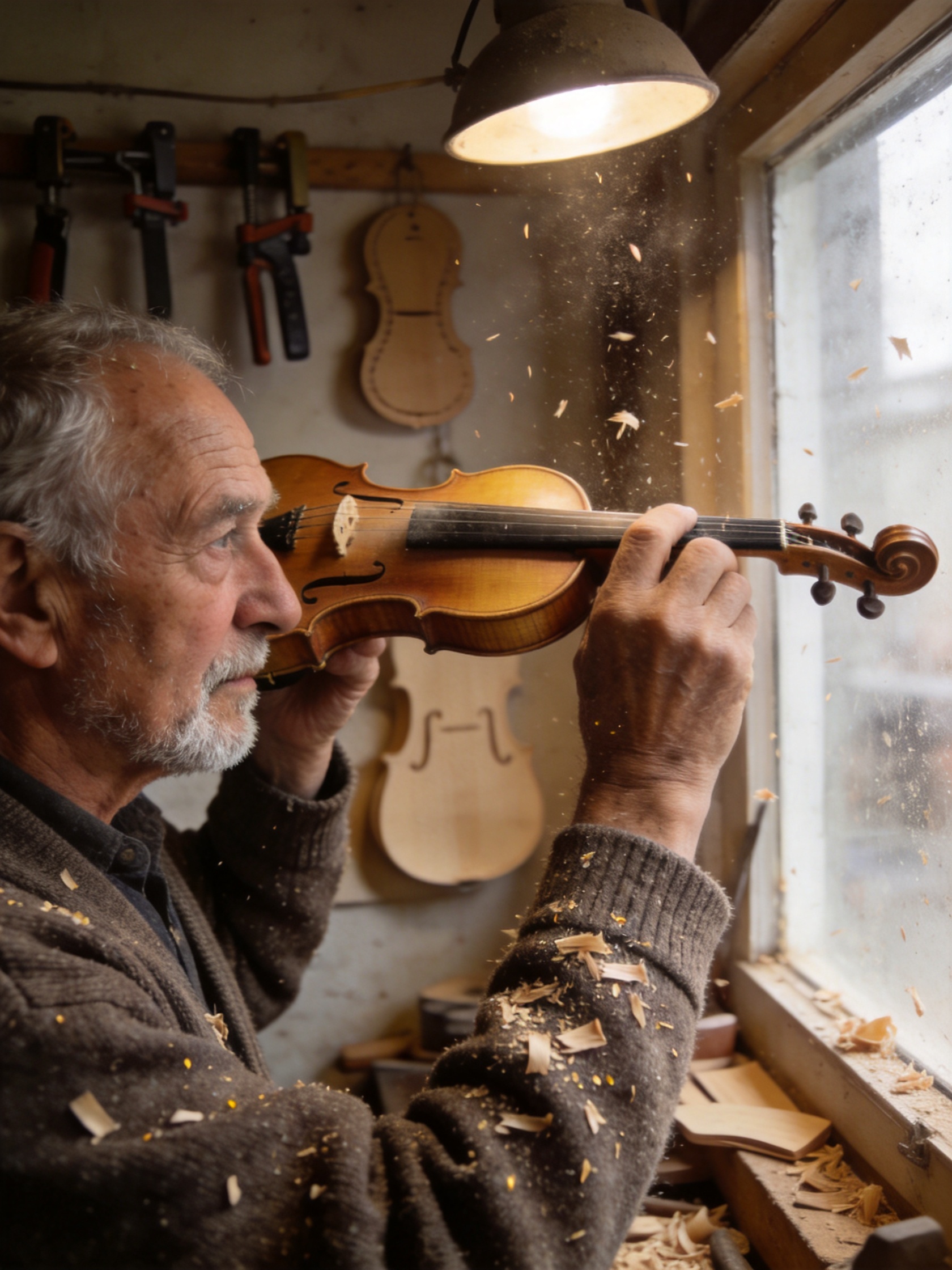
Prompt:
Keep the elderly luthier exactly as he is: his face, expression, hands, seated pose, and the checked flannel shirt he's wearing, completely unchanged. Replace only the background environment: move him from the wood-shaving workshop into a sunlit outdoor market stall with hanging string instruments and warm afternoon light, matching the new environment's light direction so it falls naturally across his face and hands.
Output:
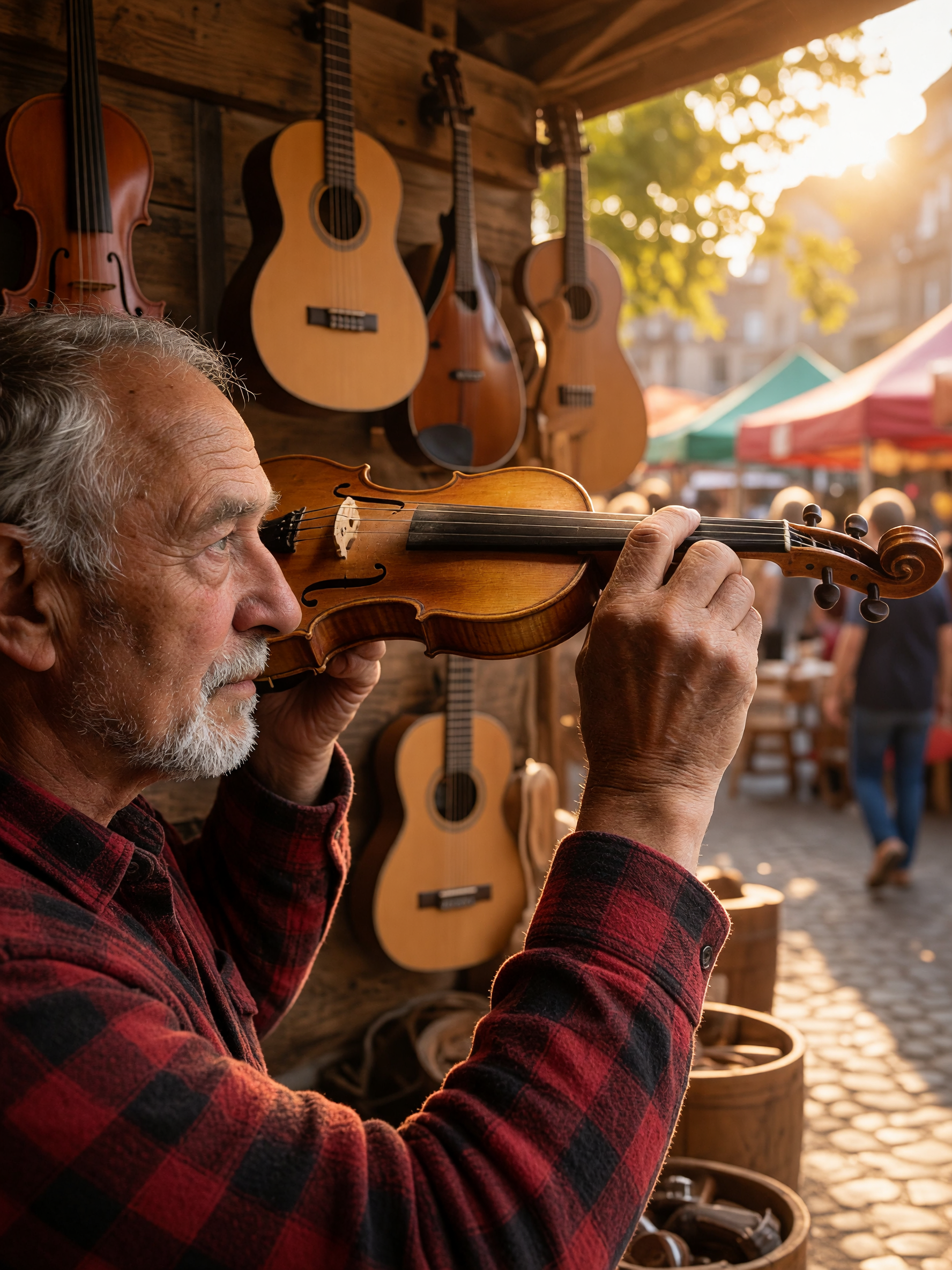
Settings: 2K output, single reference image, $0.065.
Why it works: the keep-clause locks down the one thing that's easy to lose in a full scene swap — the subject's likeness and pose — before the change-clause gets to the environment. The model also re-lit the subject to match the new scene instead of pasting him in with the old workshop lighting still on him, which is usually the detail that gives away a bad composite. Limitation: his hands shifted slightly relative to the instrument he's holding — for work where exact hand position matters, plan on a second pass.
Recipe 2: Add a Small Detail Without Touching Anything Else
Input: same base photo as Recipe 1.
Prompt:
Keep the luthier, his workbench, and the wood shavings exactly as they are. Add a small rectangular wooden price tag hanging from a piece of natural twine on the closest instrument on the bench, with the handwritten text "Spruce Top — Not For Sale" clearly legible on the tag, matching the same warm workshop lighting.
Output:
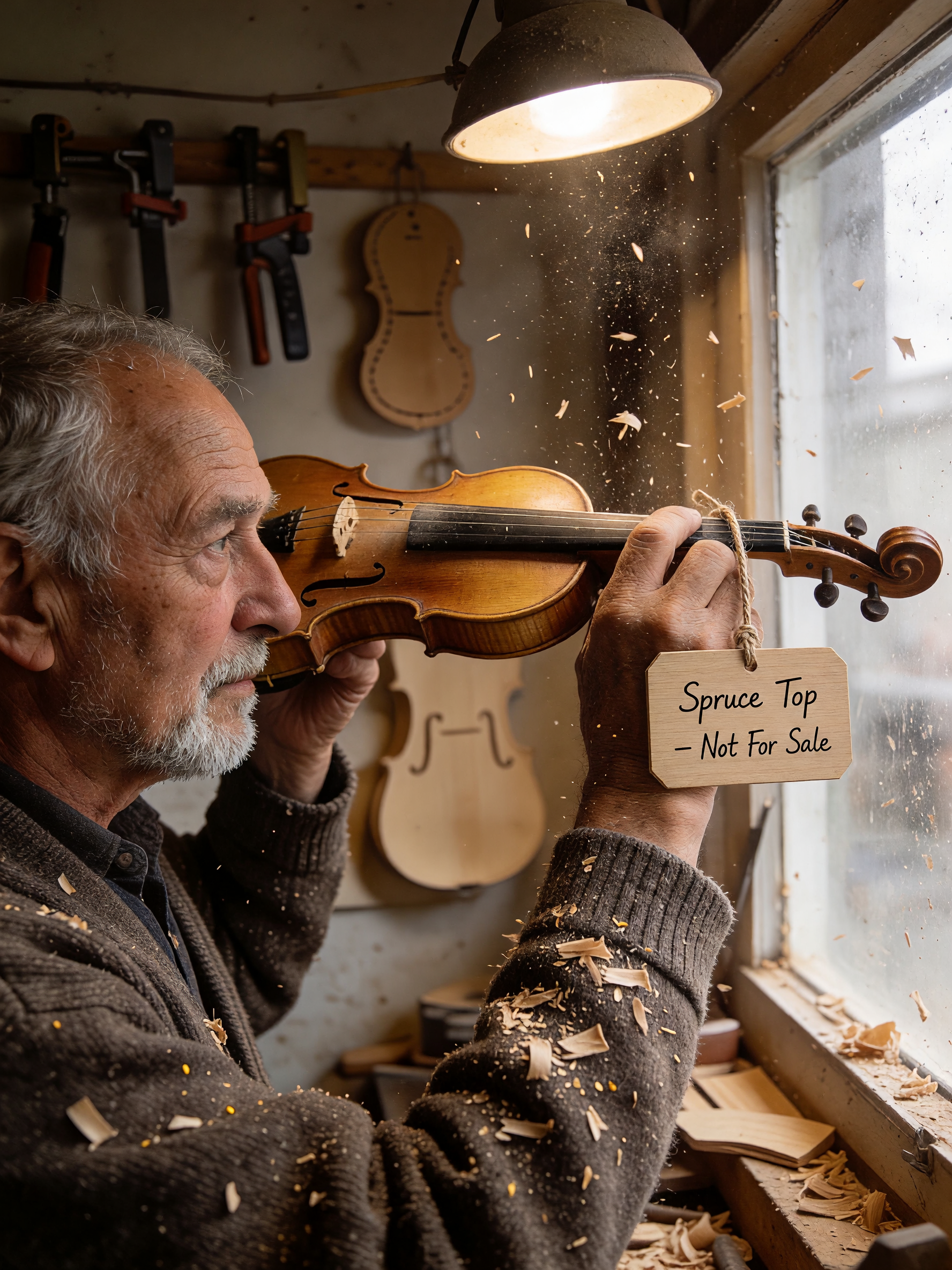
Settings: 2K output, single reference image, $0.065.
Why it works: this is the narrowest possible change-clause — one object added, nothing else touched — so it's the recipe most likely to succeed first-take. The handwritten text on the tag rendered legibly, which isn't guaranteed on small in-scene text. Limitation: if your tag text runs longer than a few words, check it closely before publishing — small-text legibility gets less reliable as the string gets longer.
Recipe 3: Change a Single Material or Color Attribute
Input:
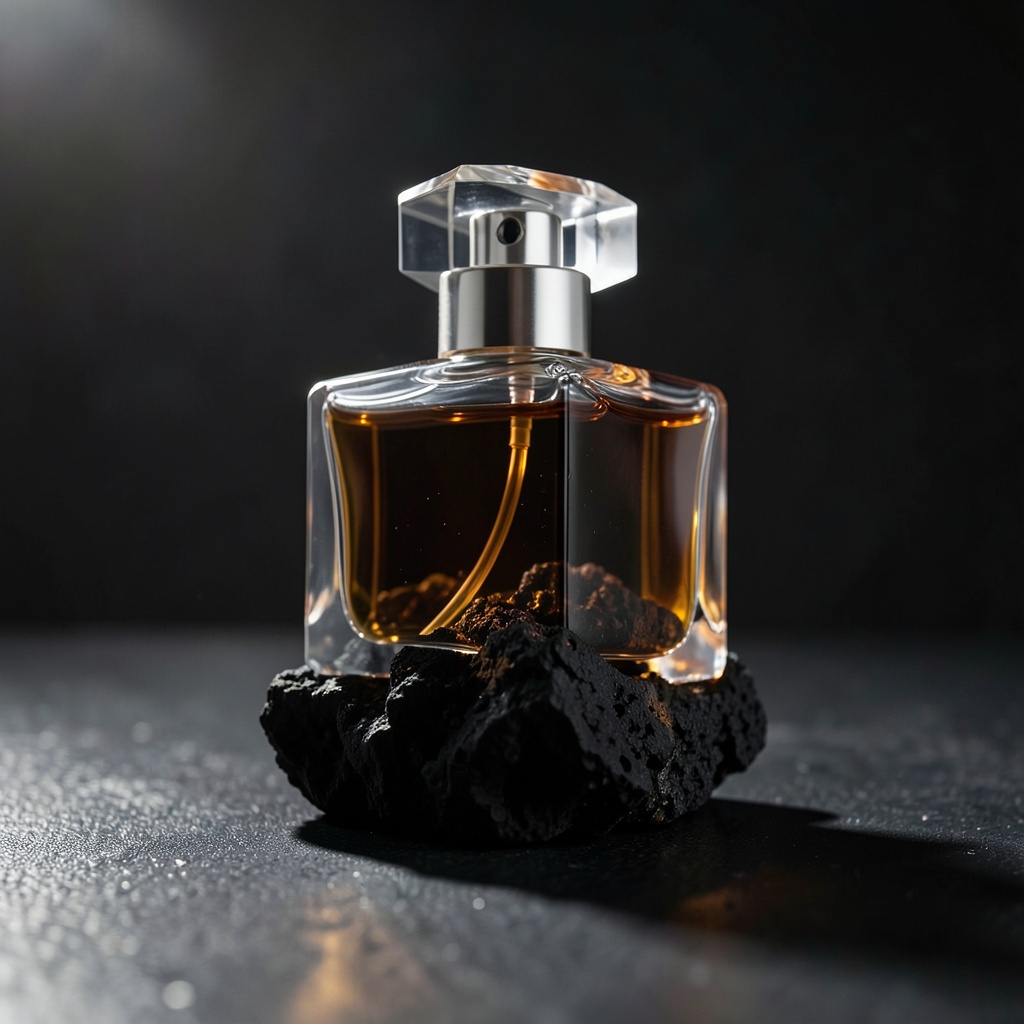
Prompt:
Keep the glass bottle's exact shape, the volcanic rock surface, the dramatic rim lighting, and the camera angle completely unchanged. Change only the liquid color inside the bottle from clear amber to a deep emerald green, and change the cap material from clear glass to brushed gold metal.
Output:
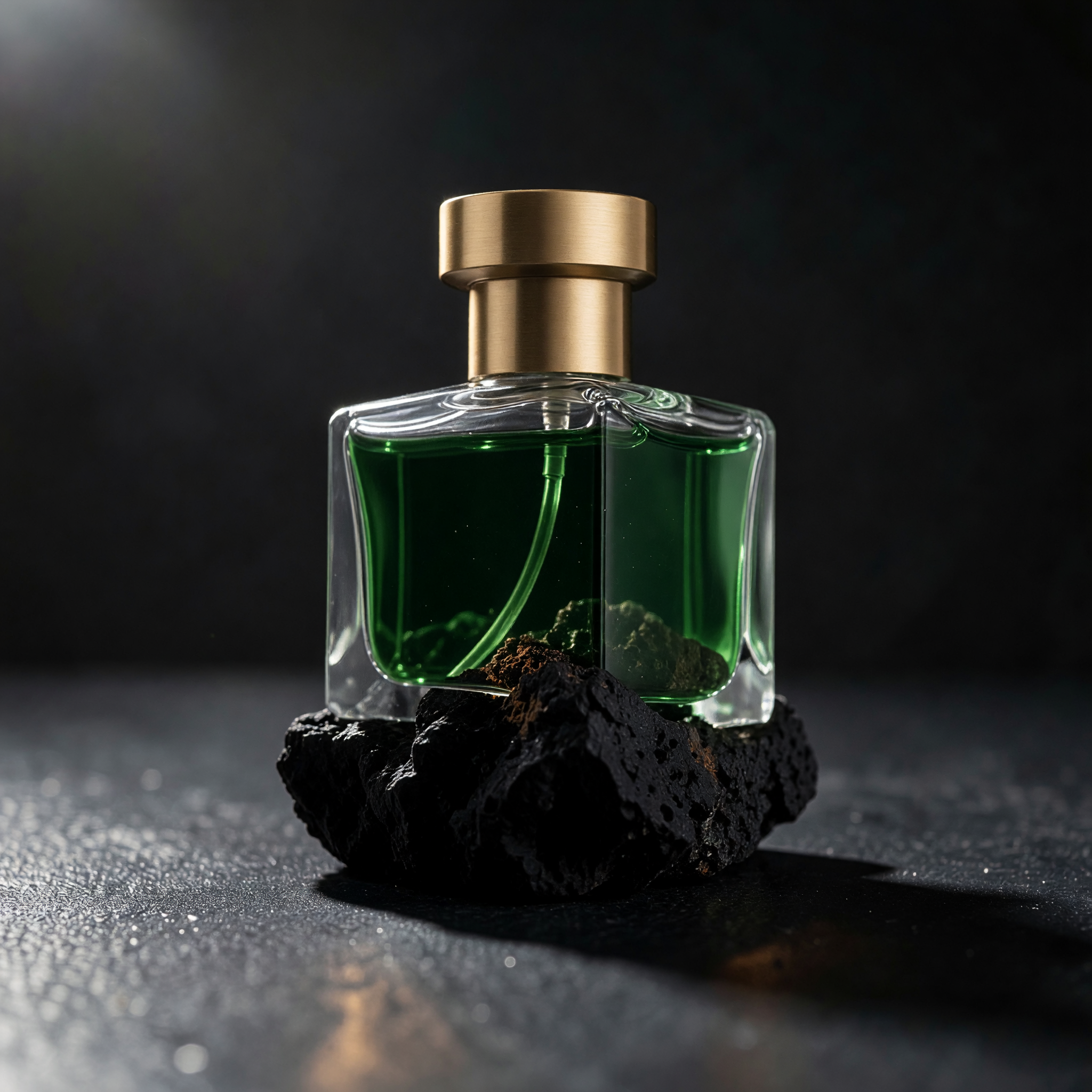
Settings: 2K output, single reference image, $0.065.
Why it works: stacking two attribute changes (liquid color + cap material) in one call worked because both are localized to small, distinct regions of the bottle — the model didn't have to reconcile them against each other. Limitation: the rim lighting on the new gold cap reads slightly softer than on the original glass cap; treat this as a strong first pass rather than a final brand asset if your spec calls for an exact highlight.
Recipe 4: Swap the Entire Scene Around a Product
Input: same base photo as Recipe 3.
Prompt:
Keep the glass bottle's exact shape and proportions unchanged. Replace the dark volcanic rock and rim lighting with a bright daylight scene: the same bottle standing on wet white marble next to a small sprig of fresh eucalyptus, soft diffused window light coming from the left, shallow depth of field.
Output:
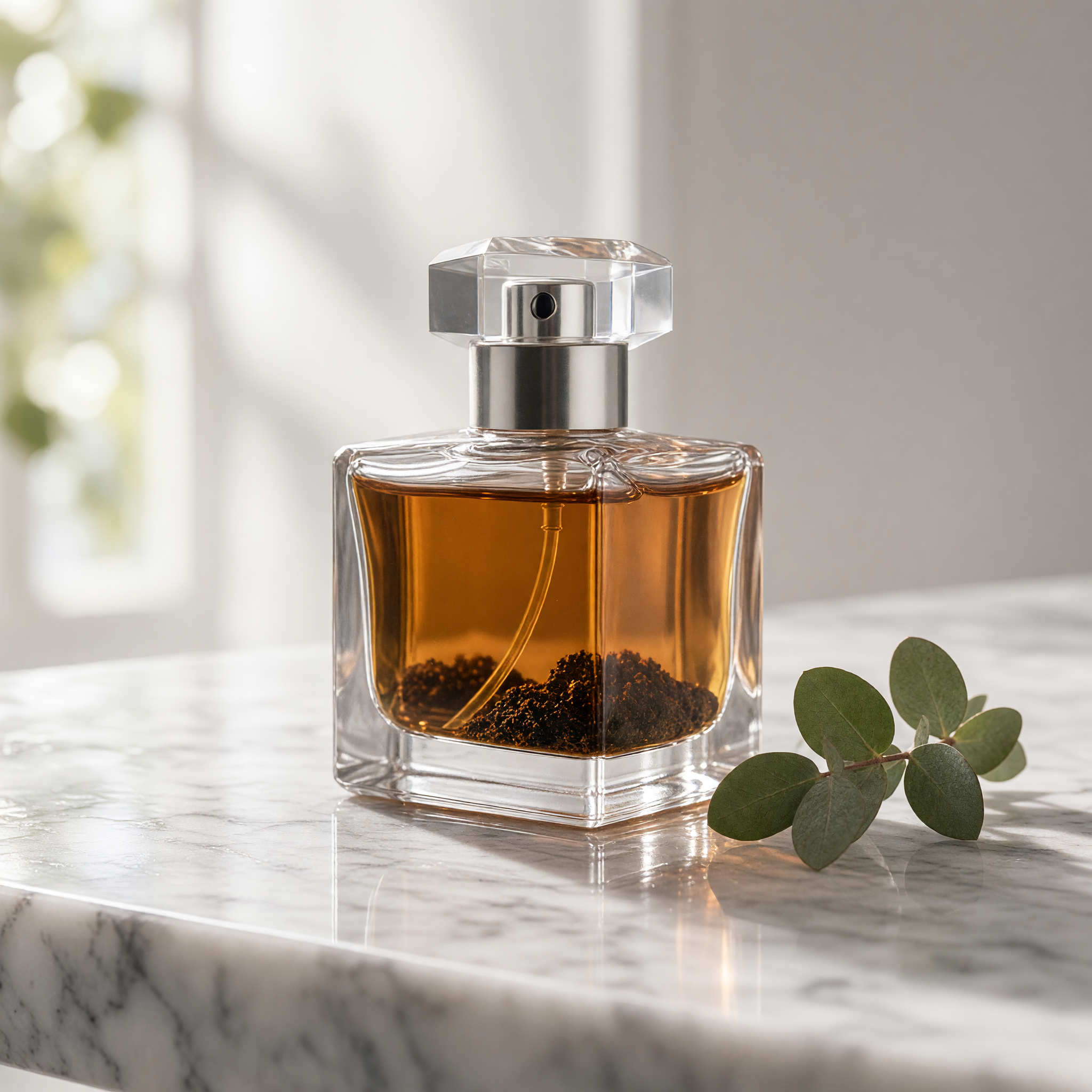
Settings: 2K output, single reference image, $0.065.
Why it works: this is the hardest of the four — a full lighting-mood reversal (dark/dramatic to bright/soft) plus a new surface and prop — and the bottle's proportions held up well across that big a lighting change. Limitation: the eucalyptus sprig placement is a little generic; for a real product shoot, describe its exact position (e.g. "leaning against the base, pointing left") rather than leaving it to the model.
Run the Exact Same Call
grok-imagine-image-2.0/image-to-image is task-based only — you submit, then poll for the result:
# 1. Submit the task
curl -s -X POST https://api.hiapi.ai/v1/tasks \
  -H "Authorization: Bearer $HIAPI_API_KEY" \
  -H "Content-Type: application/json" \
  -d '{
    "model": "grok-imagine-image-2.0/image-to-image",
    "input": {
      "prompt": "<your prompt>",
      "image": "https://your-public-image-url.jpg",
      "resolution": "2k"
    }
  }'

# 2. Poll until status is "success"
curl -s https://api.hiapi.ai/v1/tasks/{taskId} \
  -H "Authorization: Bearer $HIAPI_API_KEY"
The finished image is at output[0].url once status is "success" — download it promptly, the link expires.
Three schema details that will 400 your request if you copy-paste a payload built for a different model:
imageis a single URL string, not an array. Multi-reference models in our catalog use an array field; this one doesn't.- The schema is strict. Fields beyond
prompt,image, andresolutionget rejected outright — don't reuse a payload from another image model. resolutiononly accepts"1k"or"2k". There's noaspect_ratioornparameter; output framing follows your reference image.
FAQ
Does grok-imagine-image-2.0/image-to-image accept more than one reference image?
No. The image field takes a single URL string. If you need to blend multiple references into one output, that's a different model in our catalog — this one is single-reference edits only.
How much does grok-imagine-image-2.0/image-to-image cost? $0.065 per image as of 2026-08, flat regardless of whether you request 1K or 2K output.
Does 2K output cost more than 1K?
No — pricing is flat per image regardless of the resolution value you send.
What happens if I only write the change and skip the keep-clause? You'll usually still get an edit in the right direction, but with more drift elsewhere in the frame — a slightly different crop, a re-lit background you didn't ask for, or a small pose shift. Naming what should stay the same is what keeps the rest of the shot stable.
Can I use a prompt I found on a forum or Discord as-is? Treat it as a starting point, not a finished asset — wording tuned for someone else's reference photo often doesn't reproduce cleanly on yours. All four prompts above are ones we wrote and ran ourselves against our own reference photos.
Try It Yourself
All four recipes above ran against our own gallery photos with no retouching. If you want to try grok-imagine-image-2.0/image-to-image on your own reference image, the model page has a live Playground where you can test a prompt before wiring up the API call.




