Product photography is the most repetitive image work in e-commerce: one product, photographed over and over — white-background listing shot, lifestyle scene, packaging shot, model shot, seasonal variant. The hard part was never generating a nice image. It is generating the same product in every image, so your listing page doesn't look like it sells five slightly different bottles.
This guide shows a working recipe for that on hiapi's Nano Banana API, using two models from the same family:
nano-banana— fast, cheap text-to-image at $0.021 per image. Use it to create your anchor shot.Nano-Banana-2— accepts reference images via animage_inputarray ($0.036 per 1K image). Use it to restage that anchor into every other shot while keeping the product — and even the human model — identical.
Every image below was generated while writing this post, with the exact prompt printed next to it. The product is a fictional brand ("LUMA") invented for this article.
TL;DR
- Generate one clean white-background anchor shot with
nano-banana($0.021). - Host it at a public URL (your S3/R2/CDN — anywhere).
- Feed that URL into
Nano-Banana-2asimage_inputand describe each new scene. The bottle, label, and typography carry over intact. - For model shots, do the same trick with a person: generate one model shot, then reference it to keep the same face across the campaign.
- Batch the whole thing with the async
/v1/tasksendpoint — code at the bottom.
Step 1 — the anchor shot (nano-banana, $0.021)
Start with the marketplace listing image: product centered, pure white background. This is also the image every later shot will inherit from, so get it right before fanning out.
Professional e-commerce product photograph of a 30ml amber glass serum bottle
with a matte black dropper cap, minimalist off-white label with the word LUMA
in small black sans-serif letters and a thin gold accent line, centered on a
pure white seamless background, soft even studio lighting, gentle shadow under
the bottle, crisp focus, high-end skincare catalog style
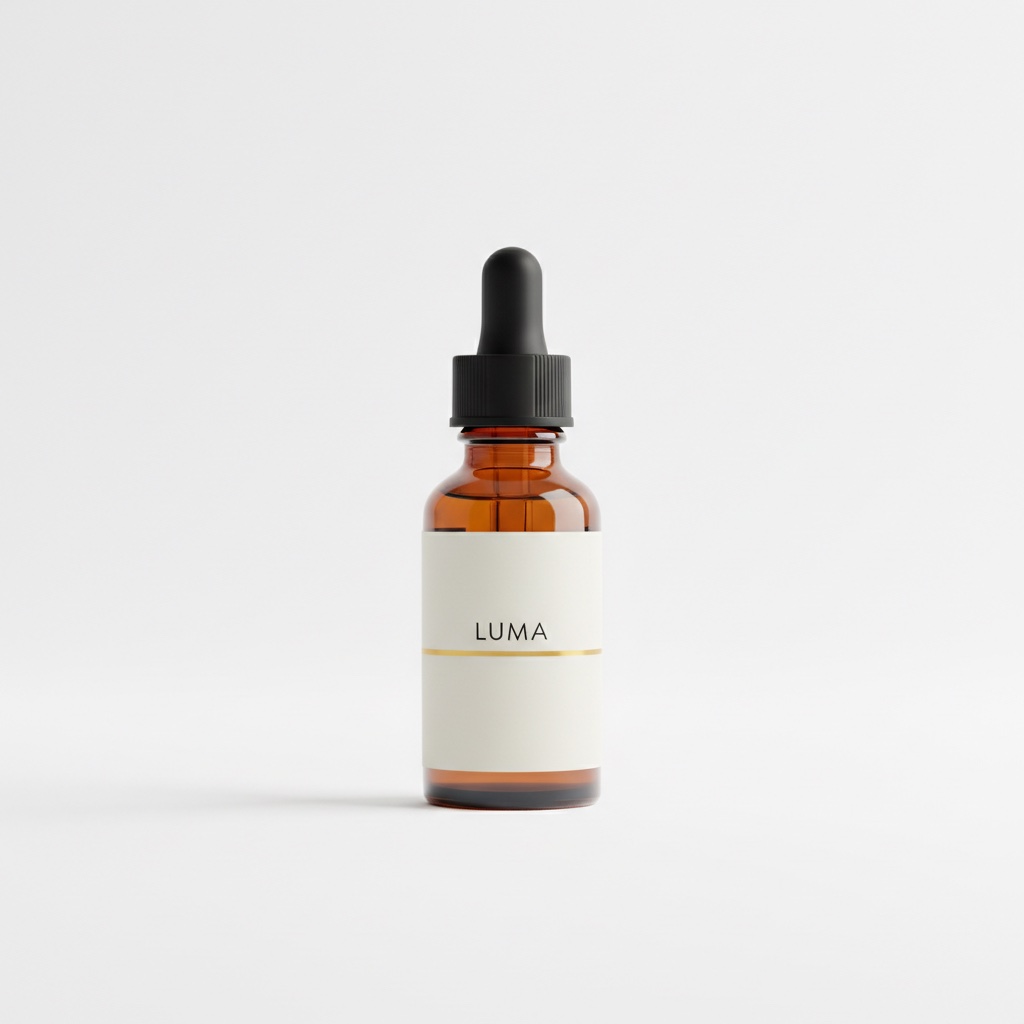
One schema detail that will save you a 400 error: nano-banana is text-to-image only. Its input accepts exactly three fields — prompt, aspect_ratio, and output_format. If you send resolution or any image field, the API rejects the request with additional properties not allowed. Reference images are the next model's job.
Step 2 — same bottle, new scenes (Nano-Banana-2 + image_input)
Upload the anchor somewhere public, then pass its URL to Nano-Banana-2. The image_input field takes an array of image URLs (not file contents), and the prompt describes the new scene. The key phrase that does the work: "this exact bottle, unchanged."
Place this exact serum bottle, unchanged — same amber glass, same black
dropper cap, same off-white LUMA label with the thin gold line — on a
white marble bathroom counter next to a folded beige linen towel and a
small eucalyptus sprig, soft warm morning window light from the left,
shallow depth of field, premium skincare lifestyle photography
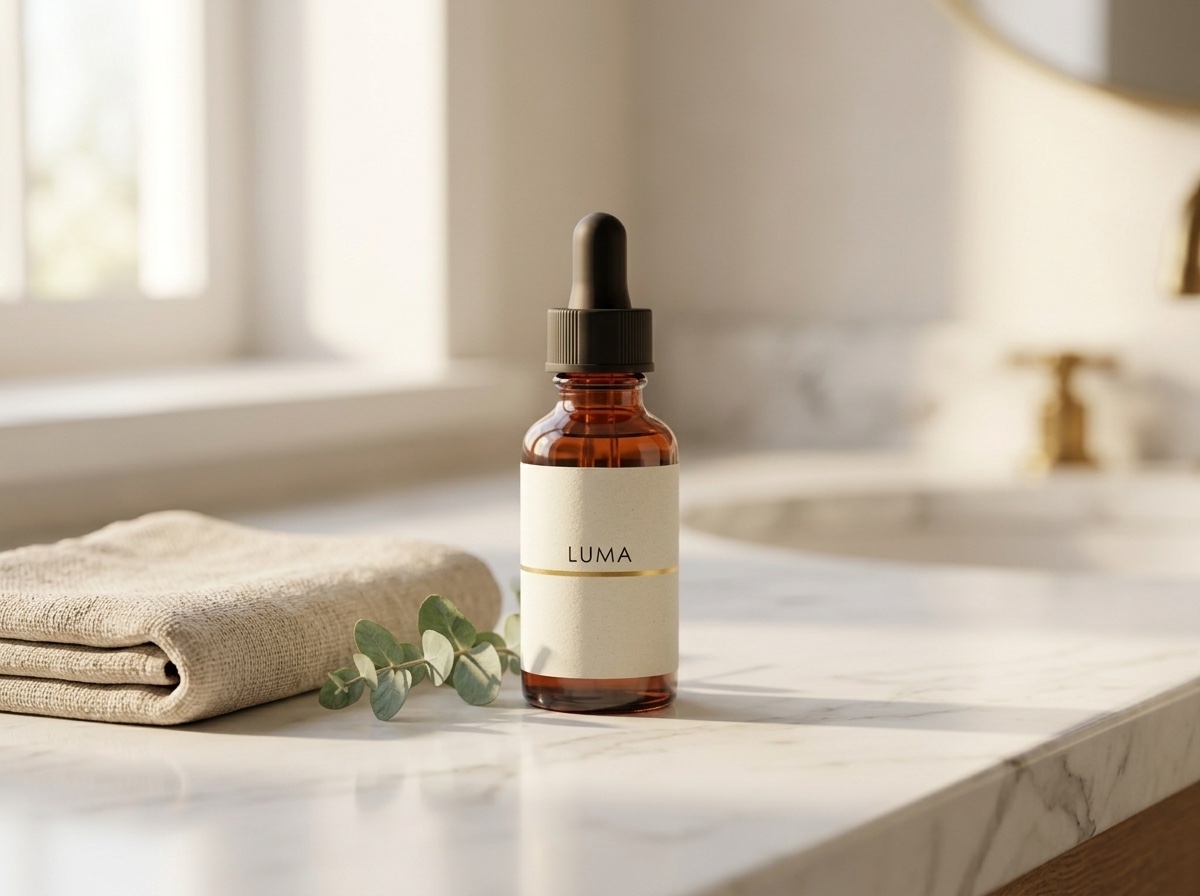
Compare the label against the anchor: same wordmark, same gold rule, same cap ribbing. That is the difference between "AI product images" that get flagged by customers and ones that pass as a real shoot.
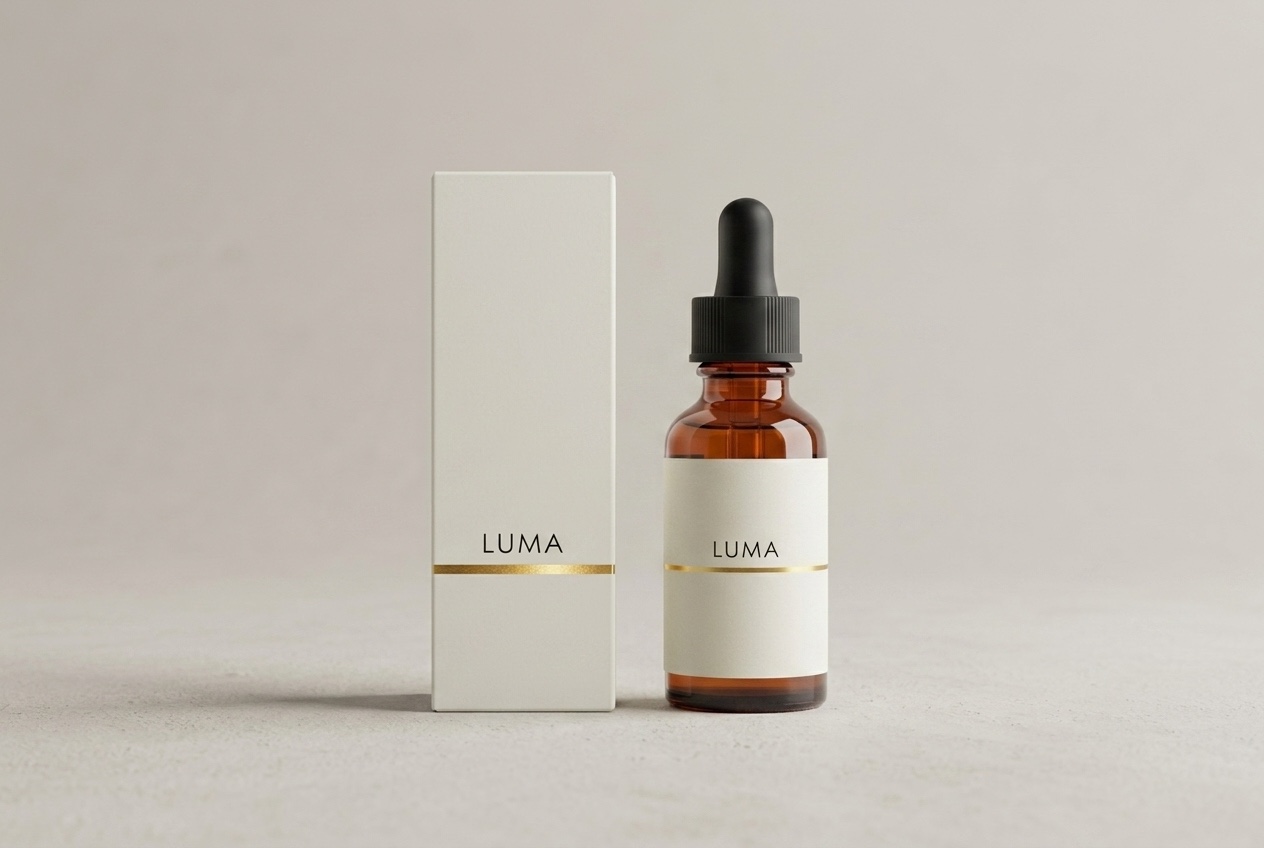
Packaging works the same way — describe the box as an extension of the reference:
Product family shot: this exact serum bottle — same amber glass, black dropper
cap, off-white LUMA label with thin gold line — standing next to its matching
retail packaging, a matte off-white rectangular box with the same LUMA wordmark
and thin gold accent line, both centered on a pale warm-grey studio background
with soft shadows, symmetrical composition, premium skincare packaging photography
Step 3 — model shots with a consistent face
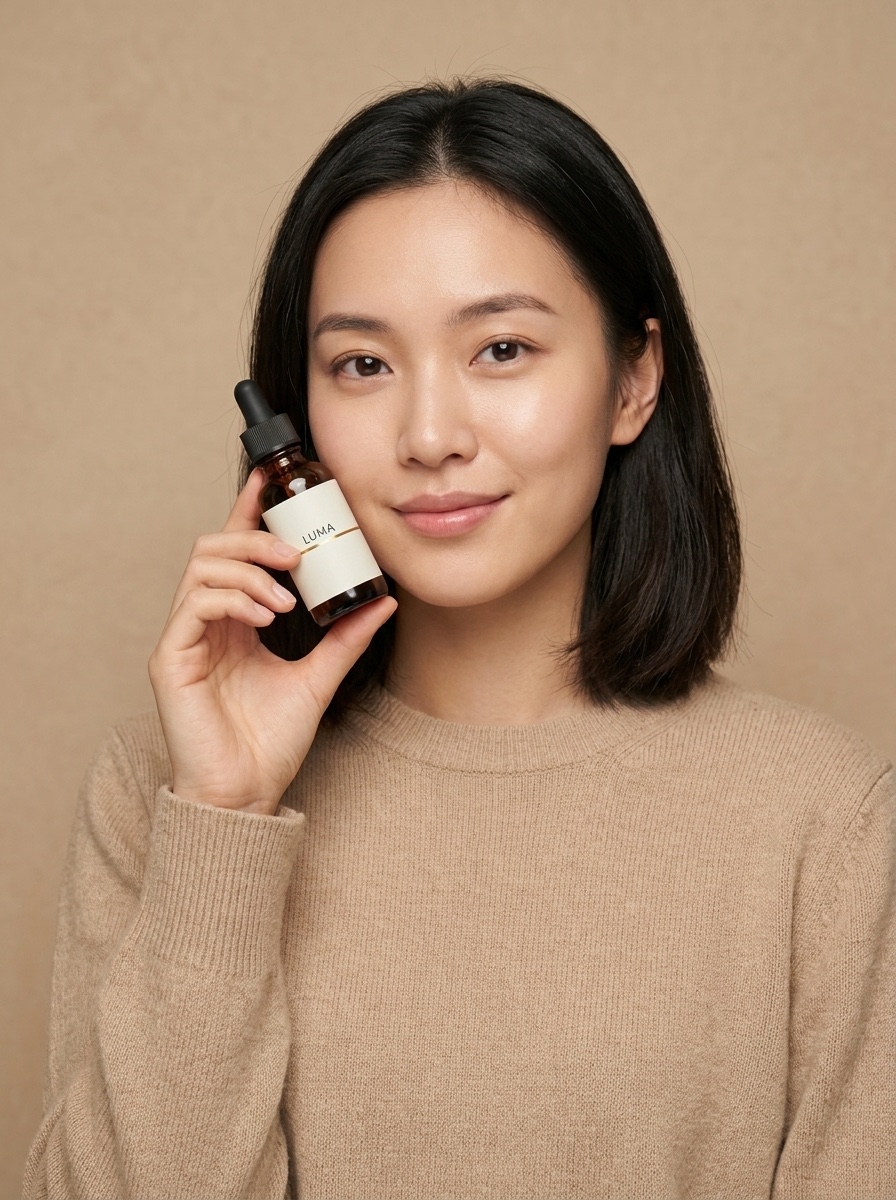
E-commerce teams reshoot with the same model for a reason: a campaign where every photo shows a different person reads as stock imagery. The reference trick extends to people. First, generate a model shot that includes your product (this one referenced the anchor bottle):
A young woman with shoulder-length dark hair, wearing a plain sand-colored knit
sweater, holding this exact serum bottle — same amber glass, same black dropper
cap, same off-white LUMA label with the thin gold line — up near her cheek at a
slight angle, looking at the camera with a soft natural smile, clean warm beige
studio background, soft diffused beauty lighting, e-commerce model shot for a
skincare brand
Then use that image as the reference for the next scene, and ask for "the same woman":
The same woman from the reference image — identical face, same shoulder-length
dark hair, same sand-colored knit sweater — now standing at a bright bathroom
mirror, applying one drop of serum from the same amber LUMA dropper bottle onto
the back of her hand, seen in a relaxed three-quarter view, soft morning light,
candid lifestyle e-commerce campaign photo
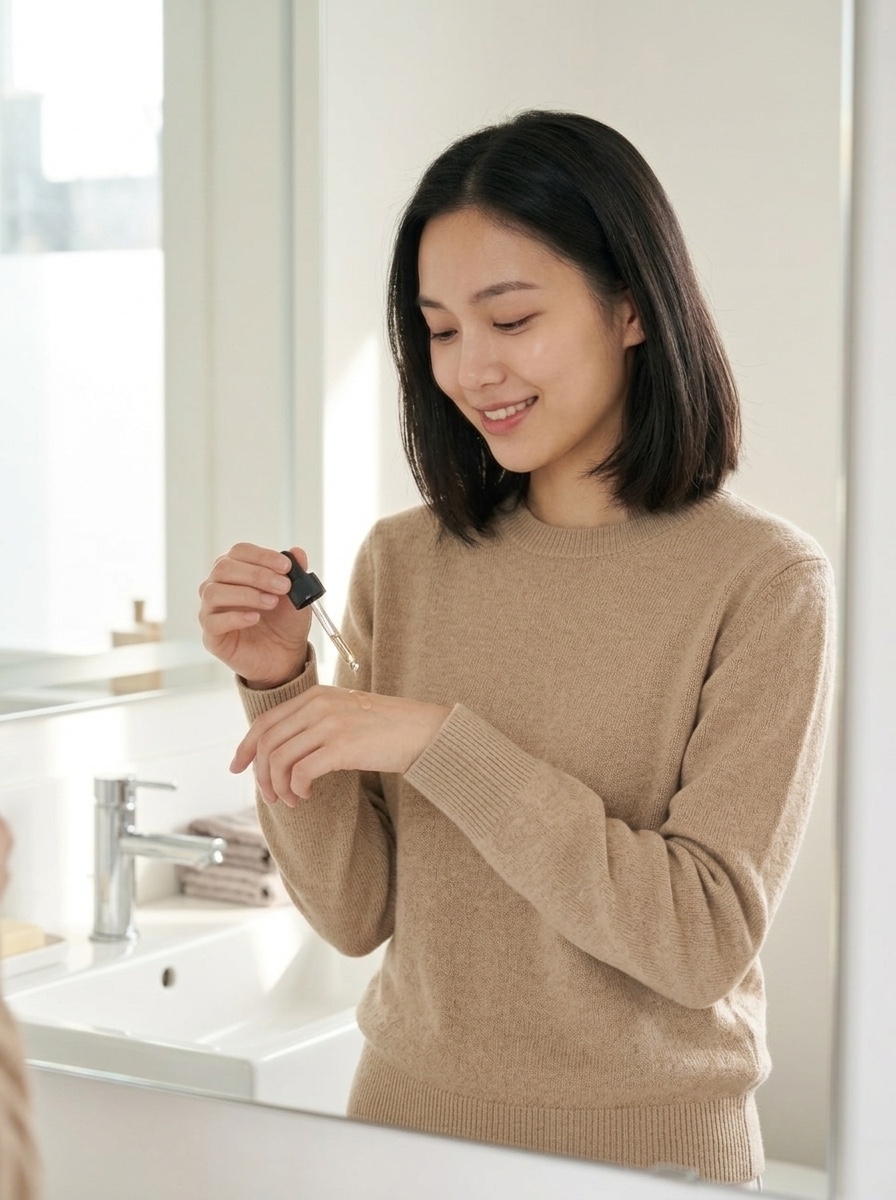
Same face, same hair, same sweater, new scene. Chain this as far as your campaign needs: each accepted output becomes the reference for the next shot.
The API, end to end
Everything runs through hiapi's unified async task endpoint. Create a task, poll it, download the output. The anchor shot in curl:
curl -X POST "https://api.hiapi.ai/v1/tasks" \
  -H "Authorization: Bearer $HIAPI_KEY" \
  -H "Content-Type: application/json" \
  -d '{
    "model": "nano-banana",
    "input": {
      "prompt": "Professional e-commerce product photograph of ...",
      "aspect_ratio": "1:1",
      "output_format": "png"
    }
  }'
# -> {"code": 200, "data": {"taskId": "tk-hiapi-01KWK4E5WG..."}, "message": "success"}
A restage call only differs by model name and the image_input array:
curl -X POST "https://api.hiapi.ai/v1/tasks" \
  -H "Authorization: Bearer $HIAPI_KEY" \
  -H "Content-Type: application/json" \
  -d '{
    "model": "Nano-Banana-2",
    "input": {
      "prompt": "Place this exact serum bottle, unchanged — ... on a white marble bathroom counter ...",
      "image_input": ["https://your-cdn.example.com/luma/anchor.jpg"],
      "aspect_ratio": "4:3",
      "resolution": "1K",
      "output_format": "png"
    }
  }'
Poll GET /v1/tasks/{taskId} until data.status is success (or fail), then download data.output[0].url. Two production notes:
- The output URL is temporary — the response carries an
expireAttimestamp. Download the bytes and put them on your own storage immediately; don't hotlink. (More on this failure mode: hiapi output URL expired: download before it expires.) - For real pipelines, pass a top-level
callback.urlin the create request instead of polling — hiapi calls your endpoint when the task hits a terminal state.
The runs behind this article each finished in well under two minutes.
Batch script: one anchor, a whole catalog
The pattern scales linearly: for each SKU, one anchor + N restages. Here is a compact runnable version:
import requests, time, pathlib

API = "https://api.hiapi.ai/v1/tasks"
HEADERS = {"Authorization": "Bearer YOUR_API_KEY", "Content-Type": "application/json"}

SCENES = {
    "lifestyle": ("Place this exact product, unchanged — same bottle, same label — on a "
                  "white marble bathroom counter, soft morning window light, shallow depth "
                  "of field, premium lifestyle photography", "4:3"),
    "packaging": ("Product family shot: this exact product next to its matching retail box "
                  "with the same wordmark, pale warm-grey studio background, symmetrical "
                  "composition, premium packaging photography", "3:2"),
    "hand":      ("A hand with neutral manicure holding this exact product, unchanged, "
                  "against a clean warm beige background, soft diffused light", "3:4"),
}

def create(model, inp):
    r = requests.post(API, headers=HEADERS, json={"model": model, "input": inp}, timeout=60)
    r.raise_for_status()
    return r.json()["data"]["taskId"]

def wait(task_id, timeout=600):
    deadline = time.time() + timeout
    while time.time() < deadline:
        d = requests.get(f"{API}/{task_id}", headers=HEADERS, timeout=30).json()["data"]
        if d["status"] == "success":
            return d["output"][0]["url"]
        if d["status"] == "fail":
            raise RuntimeError(f"{task_id}: {d.get('error')}")
        time.sleep(5)
    raise TimeoutError(task_id)

def shoot_sku(sku: str, anchor_url: str, outdir="shots"):
    """anchor_url: your hosted white-background shot for this SKU."""
    tasks = {name: create("Nano-Banana-2", {
                 "prompt": prompt, "image_input": [anchor_url],
                 "aspect_ratio": ar, "resolution": "1K", "output_format": "png"})
             for name, (prompt, ar) in SCENES.items()}
    pathlib.Path(outdir).mkdir(exist_ok=True)
    for name, tid in tasks.items():           # tasks run server-side in parallel
        url = wait(tid)                        # download before the URL expires
        img = requests.get(url, timeout=120).content
        pathlib.Path(f"{outdir}/{sku}-{name}.png").write_bytes(img)
        print(f"{sku}/{name}: {len(img)} bytes")

shoot_sku("luma-serum-30ml", "https://your-cdn.example.com/luma/anchor.jpg")
Tasks are created up front and generate concurrently on hiapi's side; the loop then collects them in order. Add callback.url to the create payload and delete wait() entirely once you have a webhook receiver.
Cost math for a real catalog
Prices below are from the live hiapi pricing page at the time of writing — treat that page as the source of truth:
| Model | Role in this workflow | Price |
|---|---|---|
nano-banana | Anchor shots, quick drafts (text-to-image only) | $0.021 / image |
Nano-Banana-2 | Reference-based restaging (image_input) | $0.036 / image at 1K, $0.086 at 4K |
Nano-Banana-Pro | Highest-fidelity edits, up to 8 reference images | $0.057 / image at 1K |
A 40-SKU catalog with one anchor and four restaged shots per SKU:
- 40 anchors × $0.021 = $0.84
- 160 restages × $0.036 = $5.76
- Total: $6.60 for a 200-image, visually consistent catalog — no studio day, no reshoot when a scene needs changing.
Two practical notes for stores. First, outputs are plain image files delivered to you — you host them on your own CDN, so nothing in the stack ties your listings to a third-party viewer. Second, generated imagery of "models" is synthetic: the woman above does not exist, which sidesteps model-release logistics — but review the current terms of the underlying provider (Google) and your marketplace's AI-imagery policies before rolling generated photos across a live storefront.
Wrap-up
The workflow that makes Nano Banana useful for e-commerce isn't a single magic prompt — it's the anchor-and-restage loop: buy one good listing shot from nano-banana for $0.021, then let Nano-Banana-2 carry that exact product (and that exact face) through every scene your store needs. We ran the same loop with a different model in gpt-image-2 for E-Commerce Product Images: A Batch Workflow on hiapi if you want to compare outputs before committing.
To try the loop yourself, grab an API key, start with one SKU, and run the batch script above — the Nano Banana model page has a live playground and copy-paste examples to get the first anchor shot out in under a minute.




