Most image models can draw a product. Far fewer can draw a product and spell the price correctly. For e-commerce work — price tags, promo banners, discount cards, packaging labels — the text on the image is the whole point, and a single garbled character means a rejected asset.
z-image is a Turbo-class text-to-image model on hiapi that is built for exactly this niche: fast photorealistic renders with accurate in-image text in both English and Chinese, at $0.008 per image — less than a third of the price of most alternatives. Every image in this guide was generated with the exact prompt shown next to it, through the same /v1/tasks calls you'll copy below, and each render came back in roughly 30–60 seconds end to end.
Why z-image for product imagery
Three properties matter for e-commerce pipelines, and z-image scores on all of them:
- Text rendering. Sale cards, shipping banners, and bottle labels came back with every word spelled correctly once we followed the prompting rules below.
- Speed. It's a Turbo-tuned model; our test renders finished in well under a minute each, which keeps a batch of hundreds of SKU images inside a coffee break.
- Price. At $0.008/image (verified on the pricing page), a 1,000-image catalog refresh costs $8. The same job on gpt-image-2 ($0.03/image) costs $30.
If you want the broader rundown of the model — key setup, general examples, when not to use it — see Z-Image API: Pricing, API Key, Examples, and When to Use It. This guide stays focused on the e-commerce workflow.
The API surface, verified
z-image runs on hiapi's asynchronous task endpoint. You submit a task, poll until it succeeds, then download the output. Two schema facts we confirmed against the live API (both differ from some other models on the platform):
inputacceptspromptandaspect_ratioonly. Sending aresolutionfield returns HTTP 400 (additional properties not allowed) — unlike gpt-image-2, which wants one.aspect_ratiomust be one of1:1,4:3,3:4,16:9,9:16. Anything else (we tried3:2) is rejected with a 400 that lists the valid values.
Output resolution is fixed per ratio — our renders came back as PNGs at 1536×1536 (1:1), 1344×768 (16:9), 928×1232 (3:4), and 1728×1296 (4:3).
Submit a task
curl -X POST https://api.hiapi.ai/v1/tasks \
  -H "Authorization: Bearer $HIAPI_API_KEY" \
  -H "Content-Type: application/json" \
  -d '{
    "model": "z-image",
    "input": {
      "prompt": "Studio e-commerce product photo: a matte black insulated steel water bottle on a seamless light-gray background...",
      "aspect_ratio": "1:1"
    }
  }'
The response carries a task id:
{"code": 200, "data": {"taskId": "tk-hiapi-01KWGHSXWH8J1Z2CADYNQQ8GDG"}}
Poll and download
curl https://api.hiapi.ai/v1/tasks/tk-hiapi-01KWGHSXWH8J1Z2CADYNQQ8GDG \
  -H "Authorization: Bearer $HIAPI_API_KEY"
Poll every few seconds until data.status is success and data.output is present; treat fail as terminal. One practical note: right after generation the task can briefly report an intermediate status (we observed archiving) before the output array appears, so gate your loop on the output URL existing, not just on the status string.
import os, time, requests

API = "https://api.hiapi.ai/v1/tasks"
HEADERS = {"Authorization": f"Bearer {os.environ['HIAPI_API_KEY']}"}

def generate(prompt: str, ratio: str = "1:1") -> bytes:
    r = requests.post(API, headers=HEADERS, json={
        "model": "z-image",
        "input": {"prompt": prompt, "aspect_ratio": ratio},
    }, timeout=60)
    task_id = r.json()["data"]["taskId"]

    deadline = time.time() + 300
    while time.time() < deadline:
        task = requests.get(f"{API}/{task_id}", headers=HEADERS, timeout=30).json()["data"]
        output = task.get("output") or []
        if output and output[0].get("url"):
            return requests.get(output[0]["url"], timeout=120).content
        if task.get("status") == "fail":
            raise RuntimeError(f"task failed: {task.get('error')}")
        time.sleep(5)
    raise TimeoutError(task_id)

png = generate("...your product prompt...", "1:1")
open("product.png", "wb").write(png)
Download immediately. The output[0].url is a temporary link with an expireAt timestamp — persist the bytes to your own storage (S3/R2/CDN) as soon as the task succeeds. If a task seems stuck, here's how to diagnose a hanging or timed-out hiapi task.
Five e-commerce recipes, with real outputs
Everything below is a real z-image render from the exact prompt shown. No retouching.
1. Hero shot with a price tag
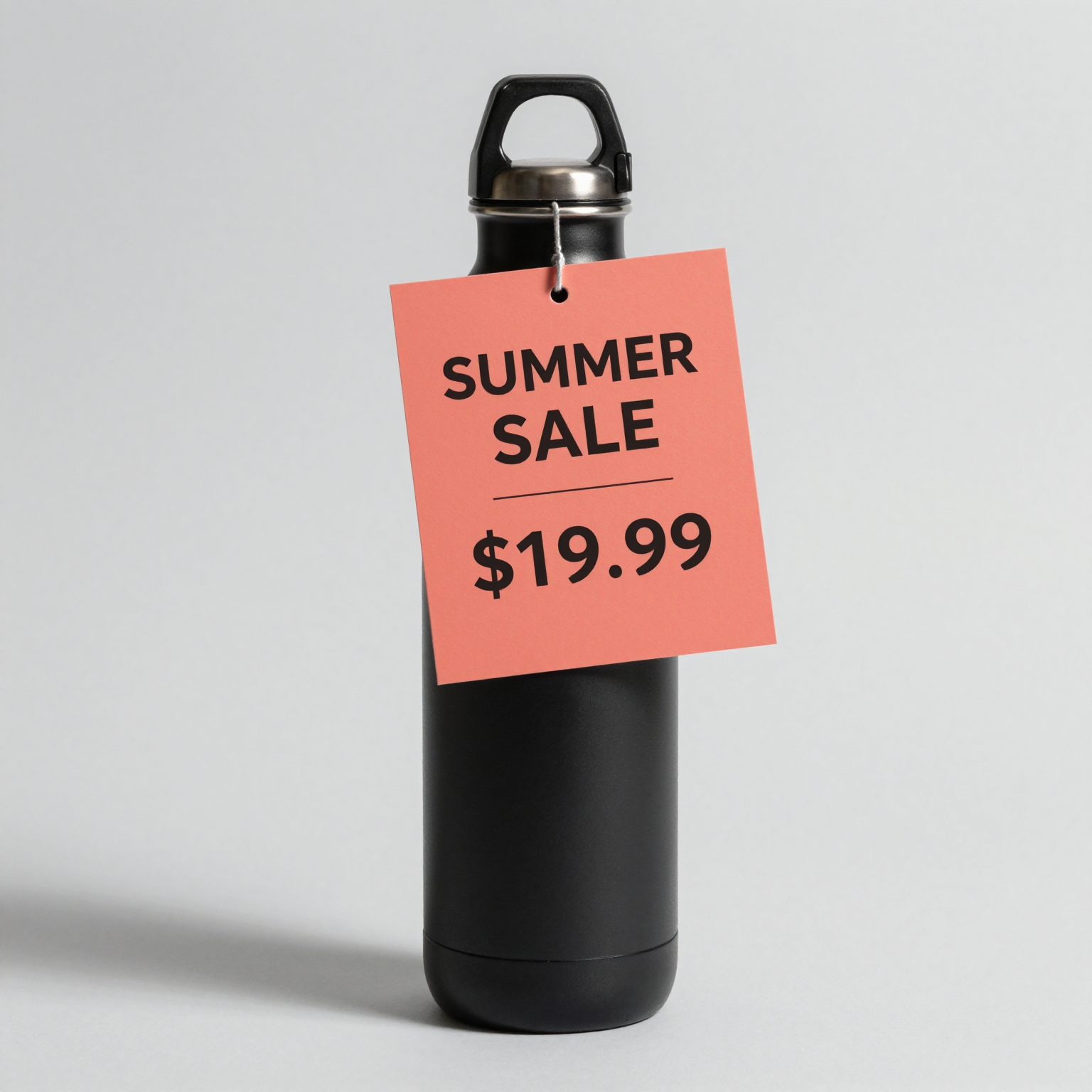
Studio e-commerce product photo: a matte black insulated steel water bottle centered
on a seamless light-gray background with soft shadow. A rectangular coral paper card
leans against the bottle. The card contains ONLY these two lines of bold clean
sans-serif text and no other words: "SUMMER SALE" on line one, "$19.99" on line two.
Text flat-on to camera, large, perfectly legible. Photorealistic.
Note the phrasing: the display text is in quotes, and the prompt says the card contains only those words. Our first attempt described the text inline ("...reads exactly: SUMMER SALE on the first line and $19.99 on the second line") and the model dutifully typeset the word "ON" between the two lines — instruction words leaked into the render. Quote the literal string; keep instructions outside the quotes.
2. Wide promo banner
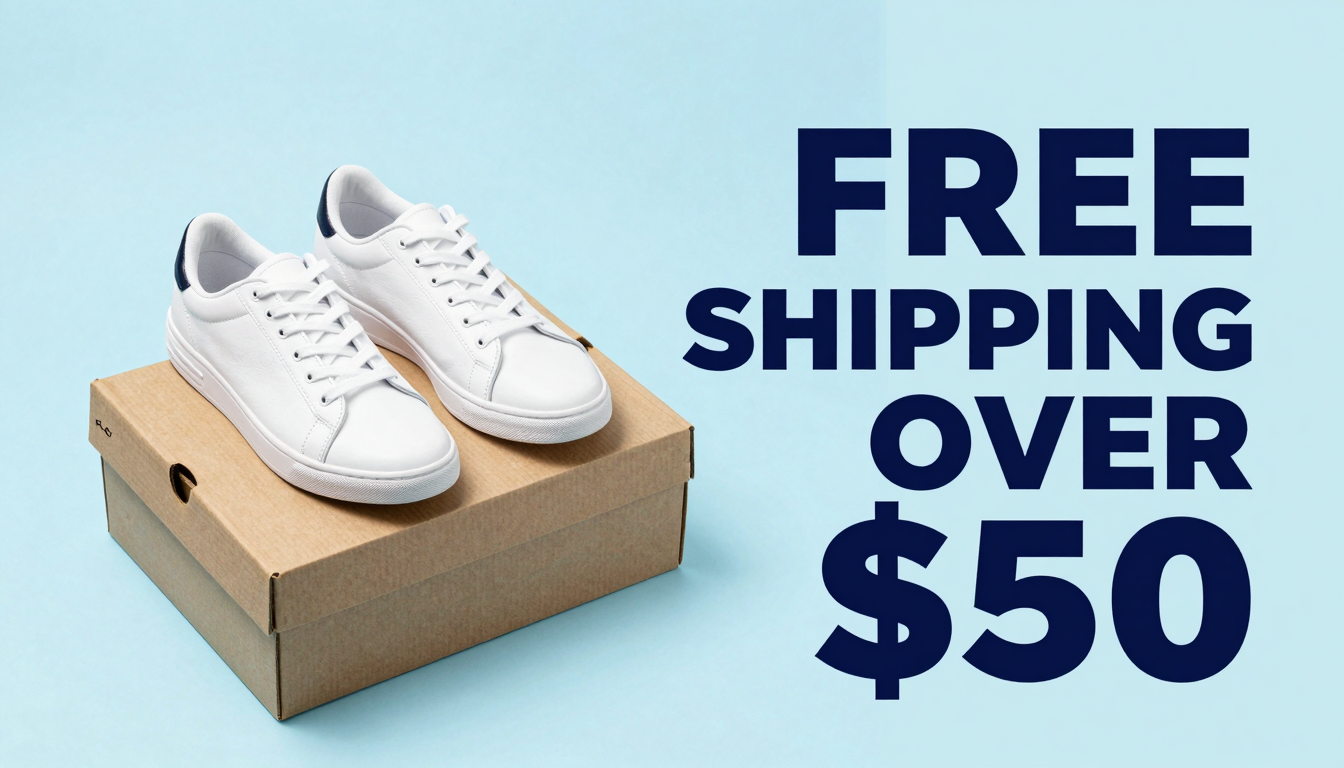
Wide e-commerce promo banner, photorealistic flat-lay of white sneakers and a kraft
shipping box on a pastel blue background. On the right side, bold navy sans-serif
text with exactly these four words and amount, nothing else: "FREE SHIPPING OVER $50".
All four words must appear. Text large, straight, perfectly legible. Clean commercial
studio lighting.
16:9 gives you a 1344×768 banner that drops straight into a storefront hero slot.
3. Vertical discount card for social

Vertical social-media product card: a small brown glass cosmetic dropper bottle on a
warm beige podium, soft daylight. Above the bottle, bold black modern sans-serif
headline text reads exactly: 30% OFF TODAY ONLY. Text flat to camera, large and
perfectly legible. Minimalist premium e-commerce style, photorealistic.
3:4 (928×1232) is the closest ratio to feed-post format; crop to 4:5 downstream if your platform demands it.
4. Readable packaging label
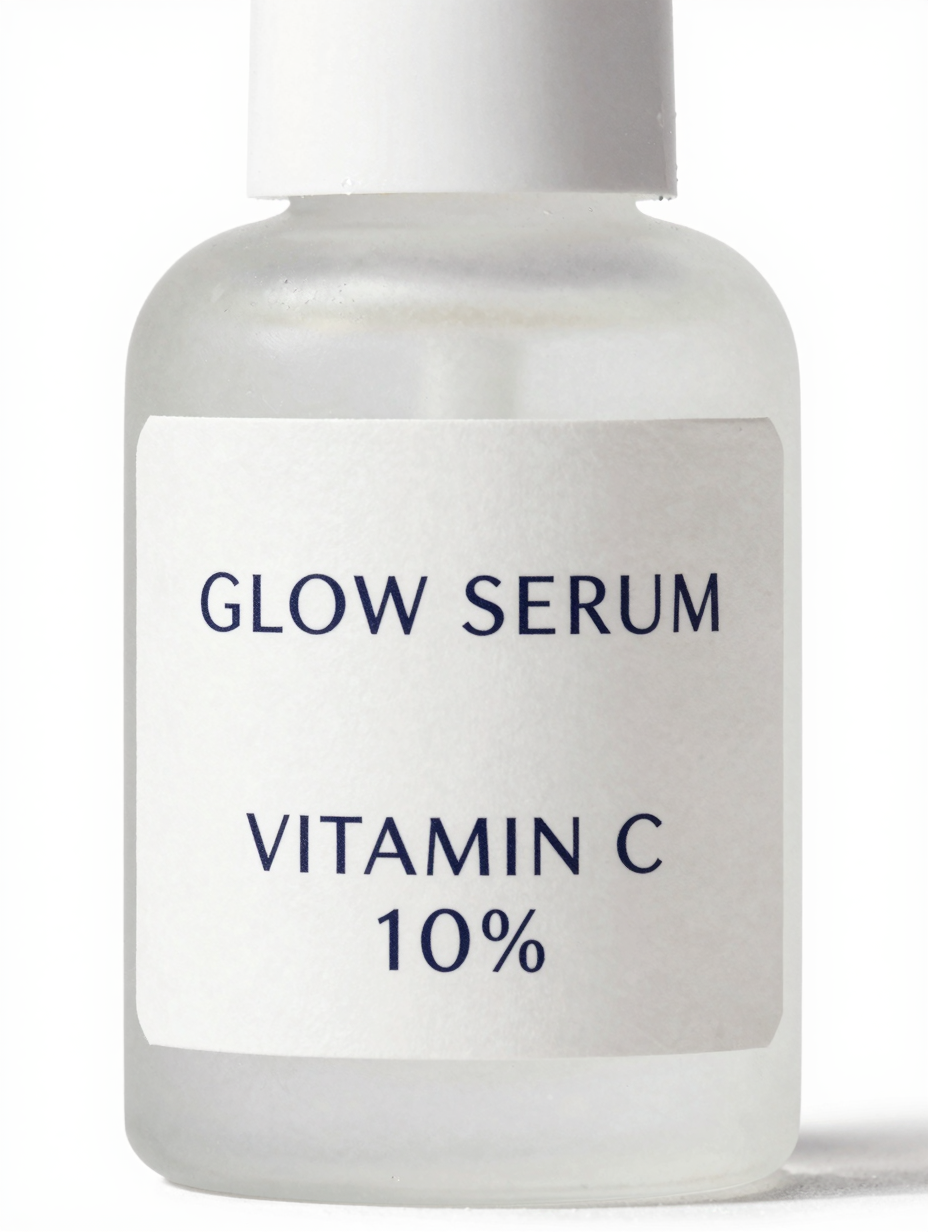
Macro e-commerce product photo of a frosted glass skincare bottle with a clean white
label. The label text, printed in elegant dark sans-serif, reads exactly: GLOW SERUM
on the first line and VITAMIN C 10% on the second line. Straight-on angle, label
fully visible and sharp, soft studio lighting, photorealistic, white background.
This is the hardest test in the set — small type on curved glass — and the label came back clean, including the "10%".
5. Colorway lineup (no text)
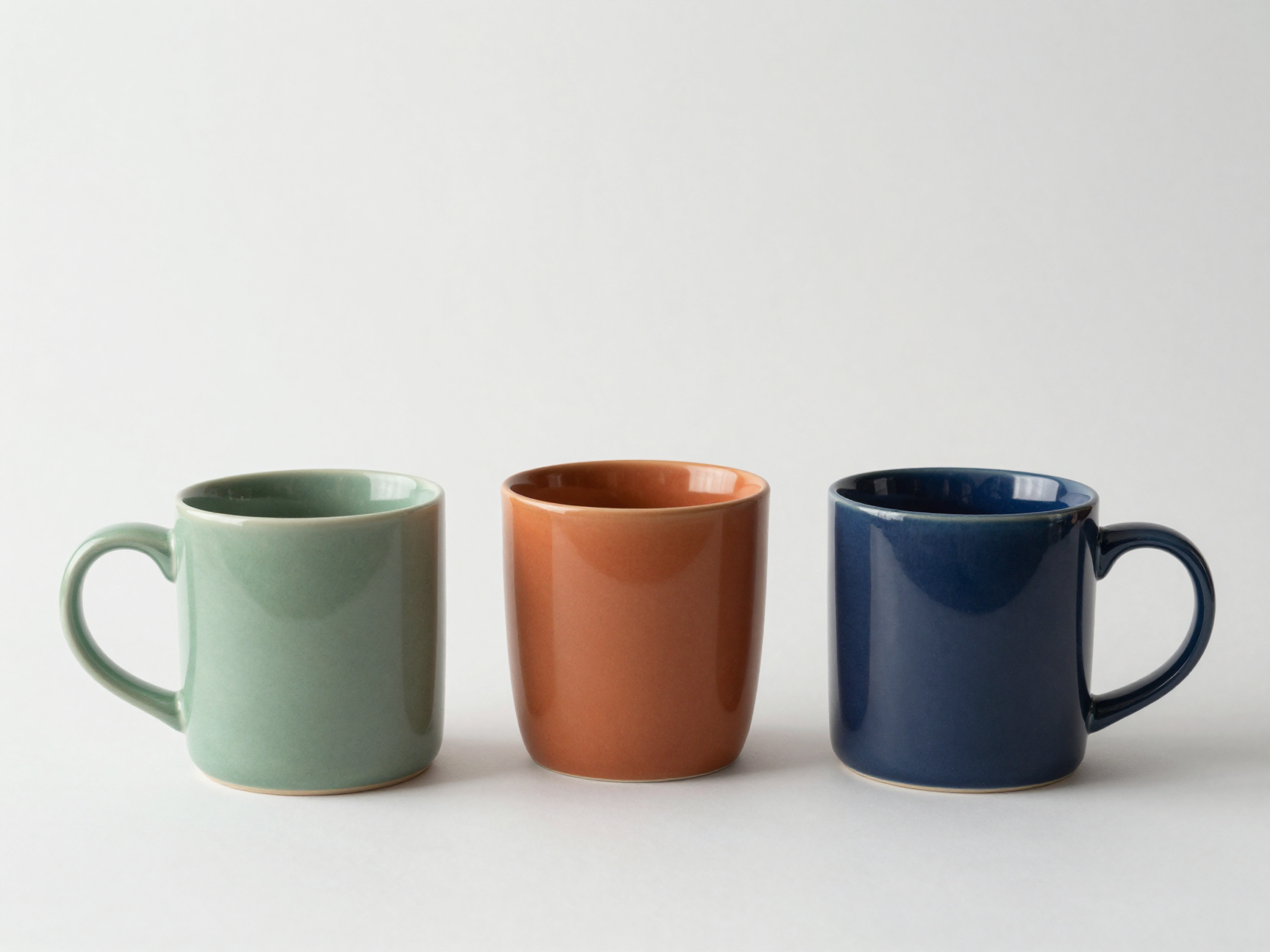
E-commerce catalog photo: three identical ceramic coffee mugs lined up left to right
in sage green, terracotta orange, and navy blue, on a plain white studio background
with soft even shadows. No text anywhere in the image. Photorealistic, consistent
product geometry across all three mugs.
Consistent geometry across variants is what makes this usable as a catalog strip — z-image kept the mug shape identical across all three colors in one shot.
Prompting rules for text that survives
Condensed from what actually worked (and failed) in our runs:
- Quote the literal string.
text reads exactly: "SUMMER SALE"— the model treats unquoted surrounding words as candidate copy. - Say "and no other words". Otherwise the model may invent extra badge copy to fill space.
- Keep text flat-on to camera. Our one garbled render was text on a tag hanging at an angle; the same copy on a flat card was perfect. Perspective distortion is where letterforms break first.
- One or two text blocks per image. Each additional block multiplies failure odds; composite complex layouts downstream instead.
- Verify before you ship. At this price you can afford a retry loop: render, OCR or eyeball the text, regenerate on mismatch. Even with one retry per failed image you're at a fraction of alternative-model cost.
Batch economics
A concrete scenario: 200 SKUs × 3 assets each (listing shot, promo banner, social card) = 600 images.
| Model | Price/image | 600 images | Notes |
|---|---|---|---|
| z-image | $0.008 | $4.80 | Turbo speed, strong in-image text |
| flux-schnell | $0.005 | $3.00 | cheapest, but no text-rendering focus |
| qwen-image-2.0 | $0.025 | $15.00 | strong general quality |
| gpt-image-2 | $0.03 | $18.00 | needs resolution field; e-commerce guide here |
(Prices from the hiapi pricing page as of publication.)
The batch pattern is the same generate() function above in a loop — submit a handful of tasks concurrently, collect task ids, then poll them as a group. If you push volume hard, read up on how hiapi handles rate limits and bursts first.
Get started
Grab an API key from your dashboard, then point the snippet above at your own product catalog — the z-image model page has the model card, and the hiapi docs cover the task API in full. At $0.008 a render, the cheapest way to find out if it fits your pipeline is to run your ten trickiest SKUs through it this afternoon.




