Upload one image, describe the motion and get a 5, 10 or 15 second 720p or 1080p video, with optional synchronized audio.

Provider: Alibaba

Category: video generation

Endpoint: /v1/tasks

Status: Available

Cost: See live page pricing

Back to Models

Wan 2.6 Flash Image to Video

by AlibabaVideo

Upload one image, describe the motion and get a 5, 10 or 15 second 720p or 1080p video, with optional synchronized audio.

Pricing

Standard Usage

58 Credits/ s

Input

Frames

Use images to control the first and last frame.

First frame required
0 / 5000
Estimated cost430 Credits86 Credits / s × 5s × 1080p

Output

Ready for generation

Configure your parameters and click "Run" to see the output here.

--

See images come alive

Compare each input image with its clip; every example lists the full prompt and settings.

Defaults · silent5s720p16:9

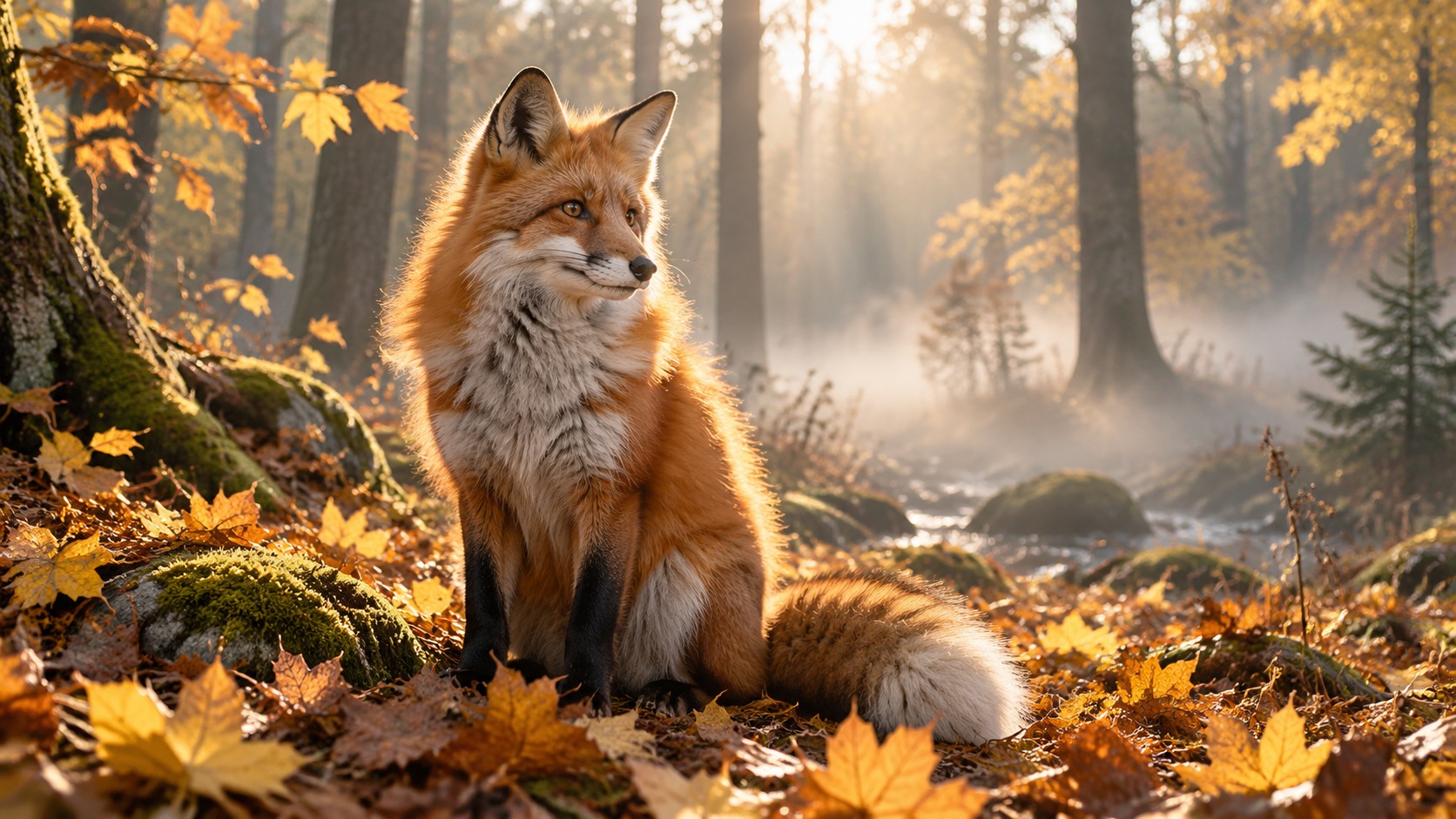
Fox in an autumn forest

Default 720p, 5 seconds, no audio: the fox turns, its ears twitch and leaves drift down, matching the original light.

Prompt

The fox turns its head toward the camera, its ears twitch, golden leaves drift down through the misty light

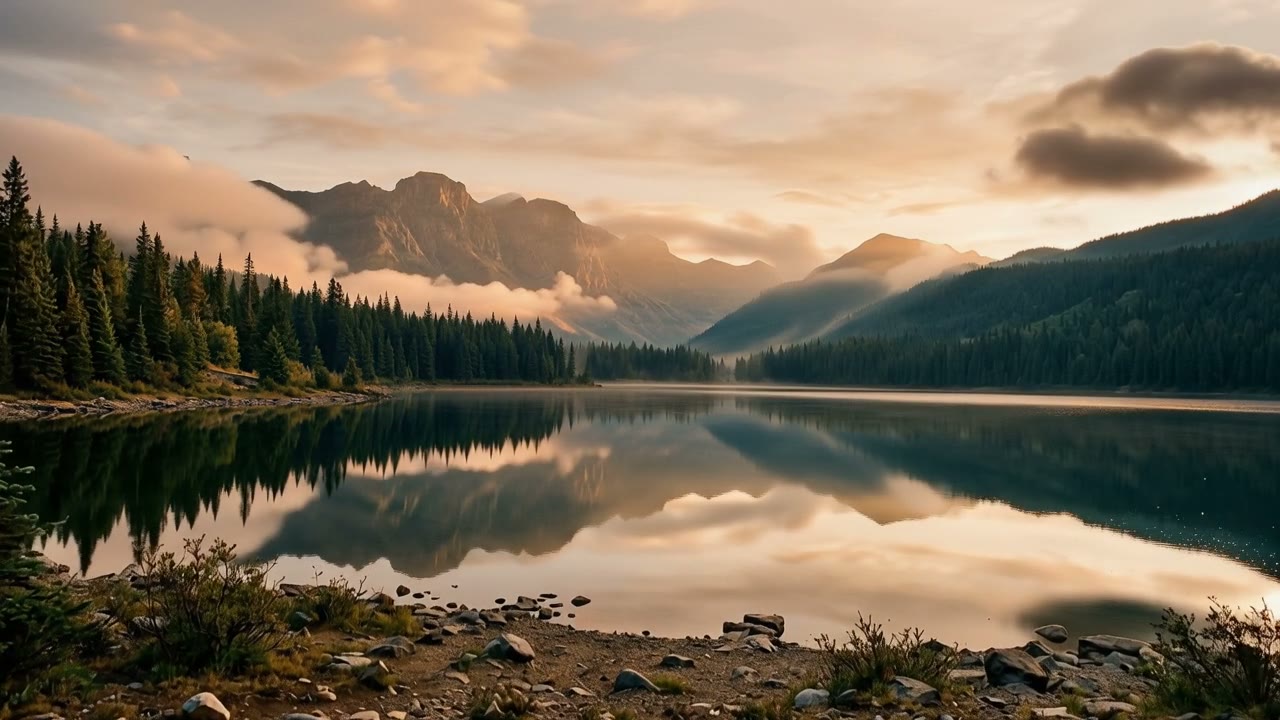
First frame1672×941
Generated video5s · 720p · 16:9
Vertical · audio5s720p9:16

Night-market noodles

A portrait image gives portrait video; with audio on, the wok, flames and crowd are generated with the picture.

Prompt

The vendor tosses the noodles in the wok, flames flare up, steam billows, the crowd chatters in the background

First frame941×1672
Generated video5s · 720p · 9:16
1080p5s1080p16:9

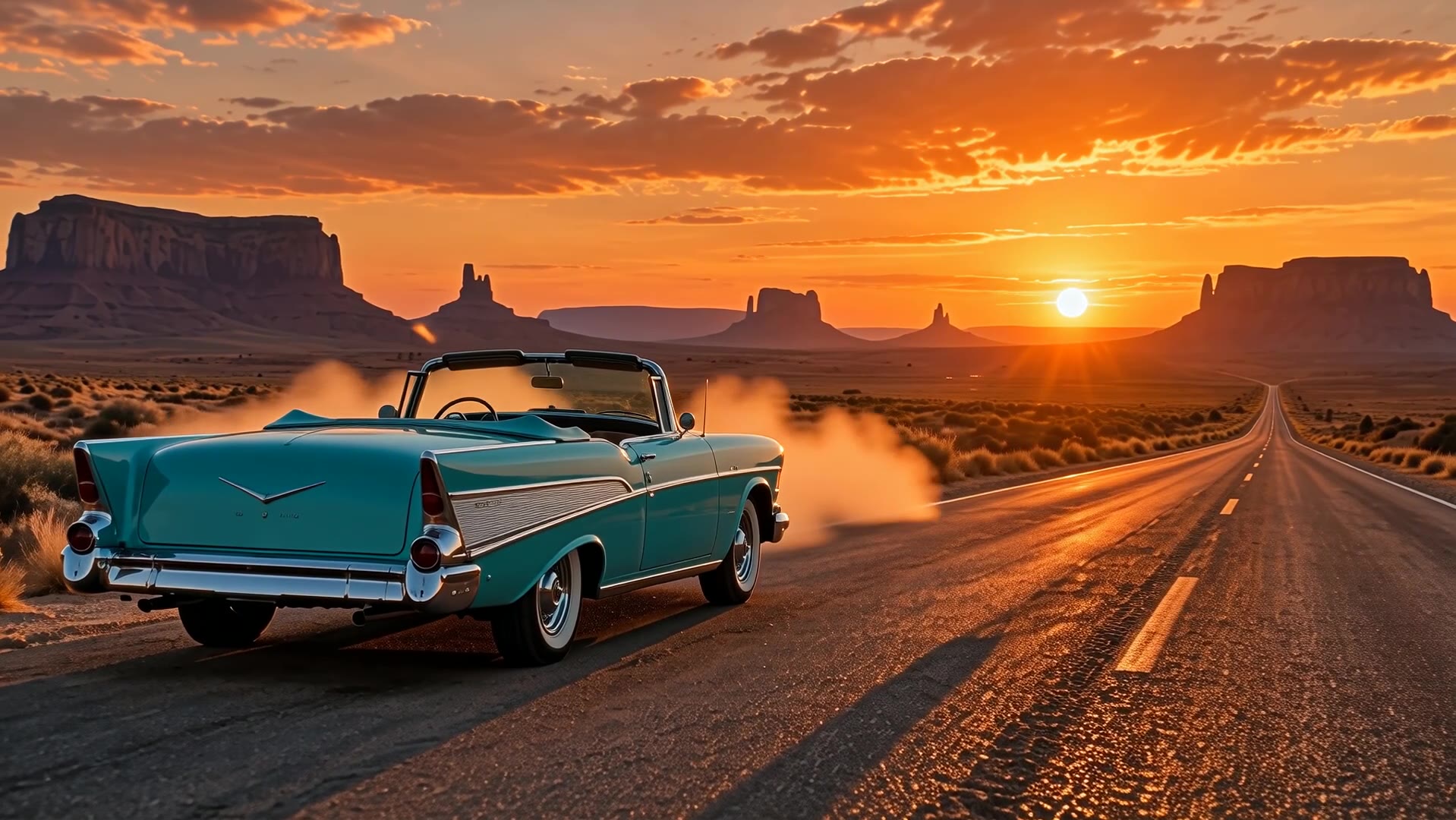
Desert road convertible

1080p output with a slow dolly around the car; sunset and dust detail stay crisp.

Prompt

The camera slowly dollies around the turquoise convertible as the sun sinks behind the mesas, dust drifting in the warm light

First frame1672×941
Generated video5s · 1080p · 16:9
10 seconds10s720p3:4

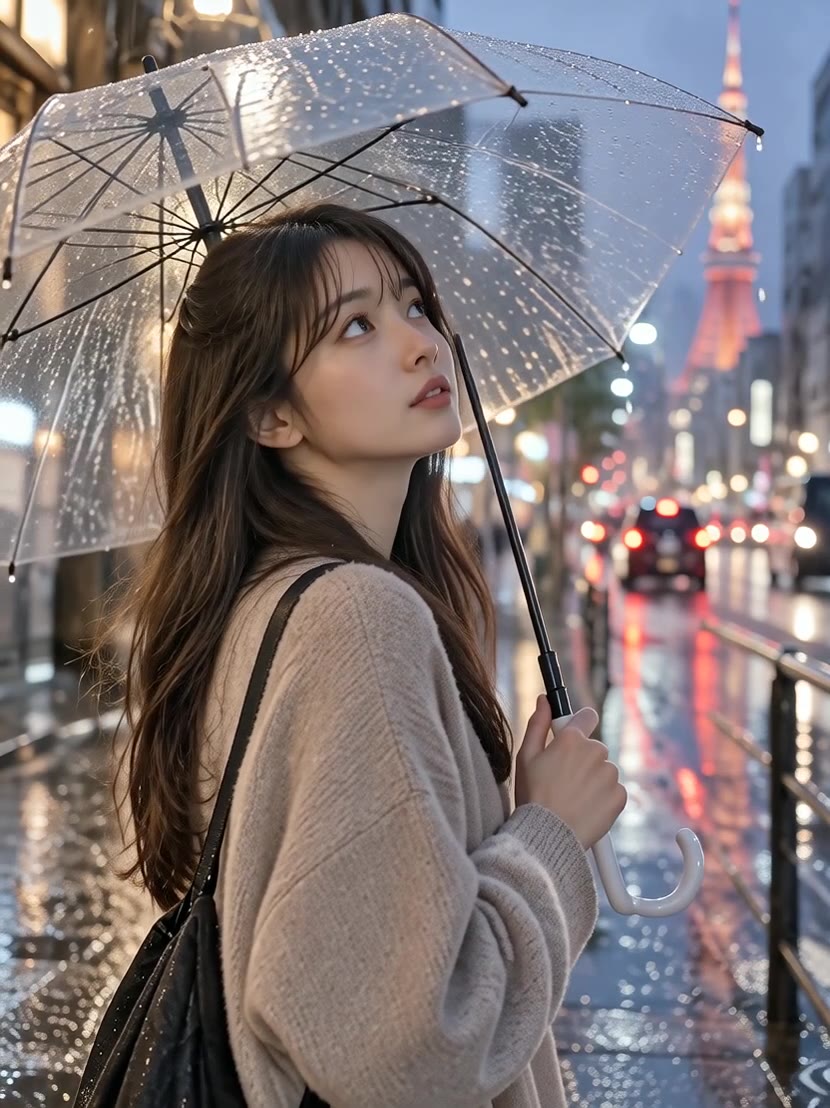
Clear umbrella in the rain

Ten seconds for the full move — tilting the umbrella, looking up, pushing in — in the image's 3:4 frame.

Prompt

She tilts the umbrella and looks up at the rain, raindrops run down the clear canopy, city lights shimmer in the puddles, the camera slowly pushes in

First frame1086×1448
Generated video10s · 720p · 3:4

More Wan 2.6 Flash clips

Including 1080p with audio and a 15-second take — tap to play.

720pAudio5 s

Red fox at sunrise

720pAudio5 s

Loom and glass city

720pSilent5 s

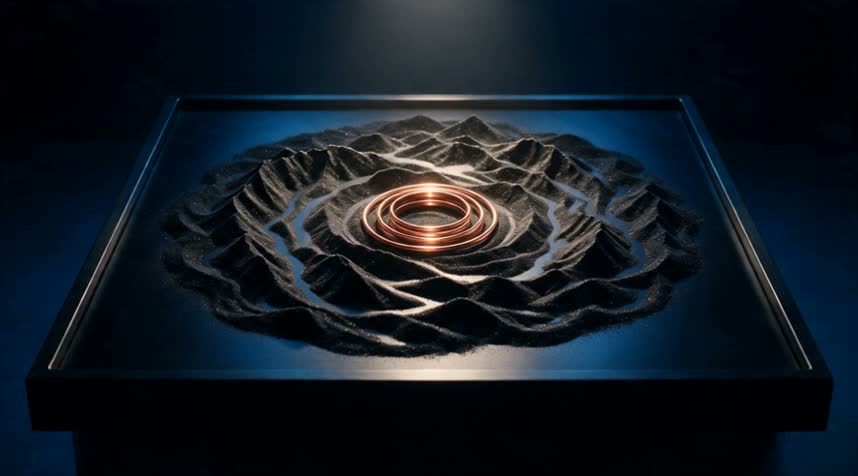
Magnetic sand ripples

1080pAudio5 s

Fox trots across the clearing

720p15 sVertical

Night-market service

720pSilent5 s

Fox turns

1080pSilent

Desert convertible

Choosing between related video models

Choose by input and need:

Model specifications

Input
One image + prompt
Resolution
720p1080p
Duration
5 s10 s15 s
Frame
Follows the input image
Image requirements
JPG / PNG / WebP, ≥256×256, ≤10MB
Audio
Optional synchronized audio, off by default
Prompt length
≤1,500 characters, Chinese or English
Model ID
wan2.6-flash/image-to-video

Current price: View live pricing

Resolution and audio options

The per-second rate depends on resolution and the audio switch; see the pricing page for figures.

OptionGood forRelative price
720p · silent (default)Drafts, batches, your own soundtrackLowest
720p · audioSocial clips that need atmosphereAbout 2× the default
1080p · silentFinals and adsAbout 1.5× the default
1080p · audioHigh-quality clips with soundAbout 3× the default

Choosing a length

LengthFitsExample
5 sA single action or product revealFox turns its head
10 sAn action plus camera moveUmbrella tilt in the rain
15 sScene mood, continuous actionNight-market service

How to use Wan 2.6 Flash Image to Video

Start image
1 image
01

Upload one image

A clear, well-composed image works best; it sets the frame.

Subject motion
Camera
Optional audio
02

Describe the motion and pick settings

Describe action and camera, then choose length, resolution and audio.

Playground
POST /v1/tasks
03

Try, then integrate

Check the result in the Playground, then use the request below.

Prompt tips

  1. 01

    Write the change, not the picture

    The image sets subject and scene; describe motion and camera.

    Example:The fox turns its head toward the camera, leaves drift down

  2. 02

    Name the camera move

    Push-in, orbit, tracking or handheld beats "cinematic".

    Example:the camera slowly dollies around the car

  3. 03

    Sequence longer clips

    For 10-15 seconds, list two or three actions in order.

    Example:she tilts the umbrella, looks up, the camera pushes in

  4. 04

    Name sounds when audio is on

    Name the sounds you want so the audio fits the picture.

    Example:flames flare up, the crowd chatters in the background

API quickstart

curl --request POST 'https://api.hiapi.ai/v1/tasks' \
  --header 'Authorization: Bearer YOUR_API_KEY' \
  --header 'Content-Type: application/json' \
  --data '{
  "model": "wan2.6-flash/image-to-video",
  "input": {
    "prompt": "The fox turns its head toward the camera, its ears twitch, golden leaves drift down through the misty light",
    "image_urls": [
      "https://static.hiapi.ai/gallery/2026/10/ced2dd4214889094.jpg"
    ],
    "duration": 5,
    "resolution": "720p",
    "audio": false
  }
}'
The create request returns a taskId; retrieve the result asynchronously.Open full API docs

About Wan 2.6 Flash Image to Video

One image, a 5-15 second moving shot

Wan 2.6 Flash Image to Video opens on your image and adds the action, camera move and mood from the prompt. The frame follows the image — landscape in, landscape out — with nothing extra to set.

Choose 5, 10 or 15 seconds at 720p or 1080p. Clips are silent by default; switch audio on for ambience and effects, billed at the audio rate.

Wan 2.6 Flash Image to Video cover
Provider
Alibaba
Task
First-frame guided video
Input
One image + prompt

What one image can become

Each block shows a clip and its settings: the frame follows the image, the prompt describes motion, camera and sound.

Wildlife

A red fox turns toward the light

The input is a fox in a misty forest. The prompt asks it to turn toward the light, ears twitching, breath visible, as the camera pushes in.

With audio on, birdsong, leaves and a brook are generated in sync.

Input: fox photo
Input: fox photo
720p · 5 s · audio

Mechanics and product

A loom runs and a glass city rises

Complex machinery stays structurally stable: the shuttle races, threads ripple and a miniature city lifts as the camera orbits.

Wooden clacks and a metallic swish make the rhythm clear.

720p · 5 s · audio

Abstract mood

Magnetic sand ripples, silent for your own score

Black sand ripples out from a copper ring as cool light sweeps across, filmed low and moving forward — good for openers and exhibition loops.

Audio is off here, billed at the silent rate and ready for your own music.

720p · 5 s · silent

Long take

A 15-second night-market service

Fifteen seconds holds tossing, plating and handing over in one take — no stitching.

A vertical image gives vertical video for short-form feeds.

720p · 15 s · vertical

High-definition final

1080p with audio: a fox crosses the clearing

1080p keeps fur and leaf detail for large screens and ad finals.

Draft at 720p from the same image, then switch to 1080p for the final.

1080p · 5 s · audio

Subject motion and camera work

Faithful to the image

Subject, light and composition stay true to the input; only the described motion is added.

View this example

Optional synchronized audio

Switch audio on for sound that tracks the action — good for shots that need atmosphere.

View this example

Up to 15 seconds

10 and 15 second clips hold a complete action and camera move without stitching.

View this example

Where it fits

Portraits and fashion

Portraits and fashion

Glances, turns and moving fabric for editorial clips.

Food and street scenes

Food and street scenes

Tossing, flames and steam with synced audio for atmosphere.

Nature and wildlife

Nature and wildlife

Natural, continuous animal motion and environmental detail.

Cars and products

Cars and products

Orbiting moves show the design; 1080p keeps the detail.

Using Wan 2.6 Flash on HiAPI

One API key for every video model; task history keeps clips and charges together for review and cost tracking.

All articles
Need to compare models and billing tiers?View live pricing for all models

Frequently asked questions

What does Wan 2.6 Flash Image to Video need?

One image and a prompt. The image opens the video; the prompt describes motion, camera and mood.

Can I pass several images?

No. image_urls takes exactly one image.

What are the image requirements?

JPG, PNG or WebP, at least 256×256 pixels and up to 10MB.

Which lengths are supported?

5, 10 or 15 seconds; 5 by default.

Which resolutions are supported?

720p and 1080p; 720p by default.

How do I set the aspect ratio?

No setting needed — the output follows the input image: landscape in, landscape out; portrait in, portrait out.

What does the audio switch do?

With audio on, the model adds ambience and effects synced to the picture. It is off by default, giving a silent clip.

Does audio change the price?

Yes. Audio-on clips use the audio per-second rate, silent clips the silent rate, and 1080p costs more than 720p. See the pricing page for current prices.

How is it billed?

Per second of video; the per-second rate depends on resolution and whether audio is on.

Can I write prompts in Chinese?

Yes. Chinese and English are both supported, up to 1,500 characters.

How should I write prompts?

The image already sets subject and scene, so focus on action, camera and mood, e.g. "the fox turns toward the camera, golden leaves drift down, slow push-in".

How long are results kept?

Result links expire. Download or copy clips to your own storage if you need to keep them.