TL;DR
- 需要生成和编辑都采用单张固定价,可看 FIBO Gen 1.5:生成
fibo-gen-1.5/text-to-image与编辑接口各 $0.0575/张。Ideogram 4.5 生成有 LOW $0.043、MEDIUM(默认)$0.086、HIGH $0.3145 三档。详见FIBO价格页。 - 按默认档比较,FIBO每张比Ideogram MEDIUM少$0.0285;1,000张分别为$57.50和$86.00。两边每次任务都只出1张。
- 两个都在HiAPI:FIBO模型页 · Ideogram模型页。两边均使用 HiAPI
/v1/tasks接口,选择参数后即可提交单张任务。
一眼看懂
| 项目 | FIBO Gen 1.5 | Ideogram 4.5 |
|---|---|---|
| 每张 | $0.0575,单档 | LOW $0.043;MEDIUM $0.086;HIGH $0.3145 |
| 画幅字段 | aspect_ratio,9种比例 | image_size,6种预设 |
| 每次输出 | 1张 | 1张,num_images只能为1 |
| 提示词扩写 | 无此字段 | enable_prompt_expansion,默认true |
| 配套编辑 | fibo-edit-1.5/image-to-image,$0.0575/张 | ideogram-v4.5/image-to-image,regular VERY_LOW $0.0115起 |
| 选择依据 | 固定单价与所需画幅 | 质量档位和Precise编辑需求 |
两组方形案例:区分相同与不同提示词
下面的图片均为原始1024×1024 PNG;FIBO使用aspect_ratio=1:1,Ideogram使用MEDIUM、square_hd、enable_prompt_expansion=false、num_images=1。拉面组采用相同提示词;字标组分别列出真实提示词,便于看清新增文字约束与成品之间的关系。
组A:咖啡店字标,提示词不同
| FIBO Gen 1.5 · 原提示词 | Ideogram 4.5 · 增强文字约束 |
|---|---|
 | 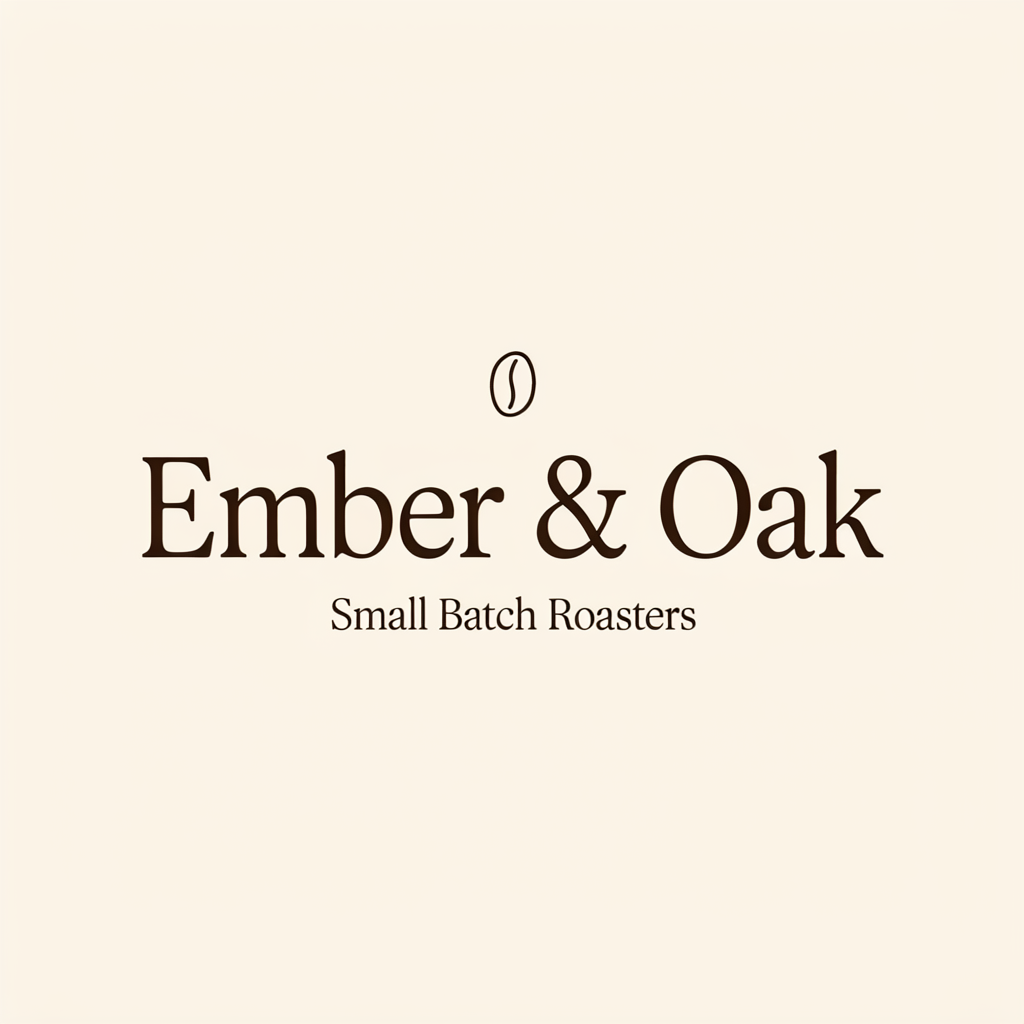 |
左:FIBO单张$0.0575。右:Ideogram MEDIUM单张$0.086。两图均为1:1、1024×1024 PNG,但右图明确增加了“咖啡豆放在文字上方”和“&必须按字符呈现”的要求,因此本组不作为同提示词的效果对比。
FIBO使用的完整提示词:
Elegant wordmark logo for a specialty coffee shop called "Ember & Oak", hand-drawn serif lettering with a small coffee bean emblem, tagline "Small Batch Roasters" beneath, cream background, dark brown ink, centered, vector style
用这条提示词生成 FIBO →,选择1:1。
Ideogram使用的完整提示词:
Elegant wordmark logo for a specialty coffee shop called "Ember & Oak", hand-drawn serif lettering with a small coffee bean emblem placed separately above the text, tagline "Small Batch Roasters" beneath, cream background, dark brown ink, centered, vector style. The brand name must read exactly "Ember & Oak"; render the ampersand character & literally between the two words, do not replace it with an icon or a coffee bean.
用这条提示词生成 Ideogram →,选择MEDIUM、square_hd并关闭扩写。
看得见的区别:左图店名与标语可辨认,但二者之间多出一行无意义字符;右图显示“Ember & Oak”和“Small Batch Roasters”,咖啡豆位于文字上方。这两张图展示了不同提示词下的结果,不能据此把字符差异全部归因于模型,也不把左图描述为文字完全准确。
组B:拉面俯拍,相同提示词
Overhead food photograph of a bowl of ramen with soft-boiled egg, chashu and scallions on a dark wooden table, chopsticks, steam
| FIBO Gen 1.5 | Ideogram 4.5 MEDIUM |
|---|---|
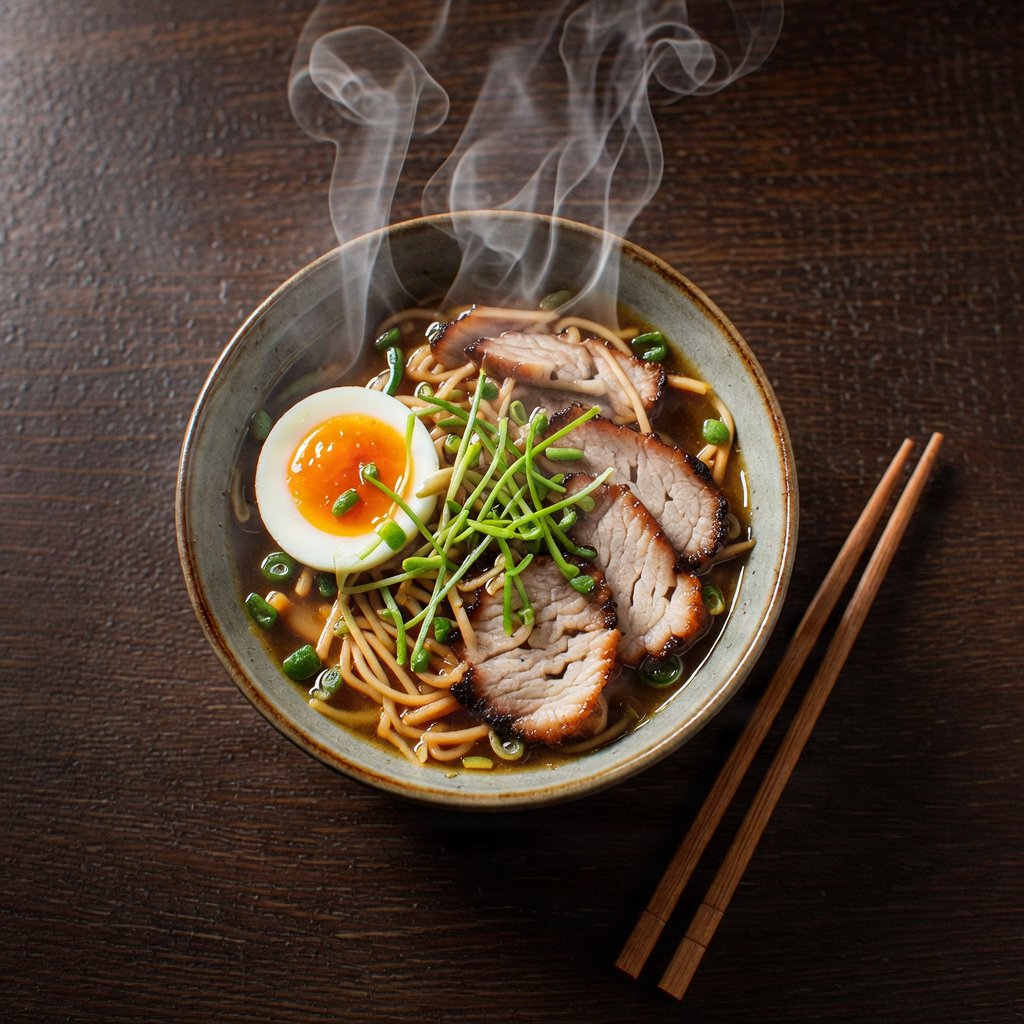 | 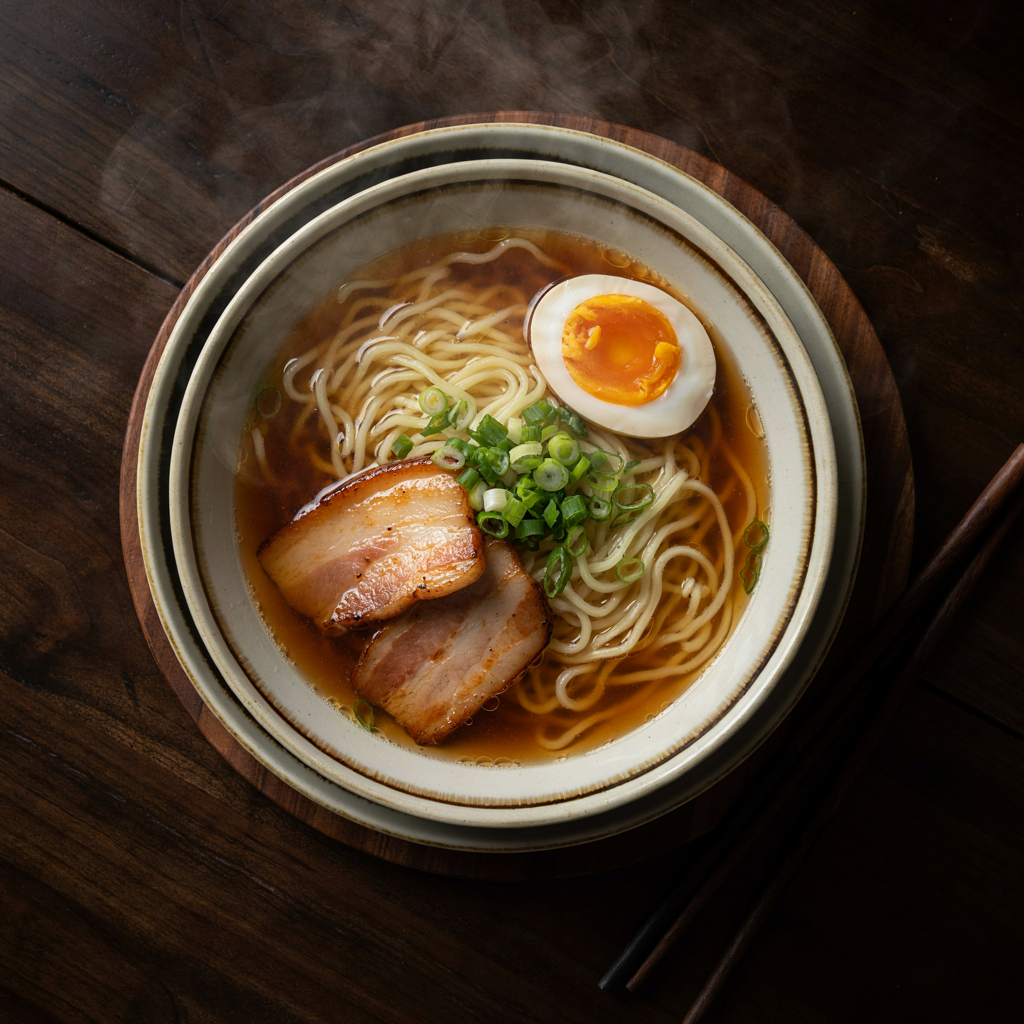 |
两边提示词相同,均为1:1、1024×1024 PNG。左:aspect_ratio=1:1,$0.0575;右:MEDIUM、square_hd、关闭扩写、num_images=1,$0.086。
看得见的区别:两图都有鸡蛋、叉烧、葱、筷子和蒸汽;左图鸡蛋位于碗的左侧,叉烧较集中在右侧,蒸汽线条更明显;右图碗占画面比例较大,鸡蛋在右上方,叉烧靠左下。这些是构图与细节观察,不据单组图片判定整体优劣。
按场景怎么选
- 需要预先确定单张预算,FIBO生成与编辑各$0.0575;生成再编辑一次合计$0.115。
- 先从低价生成档试方向,Ideogram LOW为$0.043,低于FIBO单张价;质量档选择和画面验收分开考虑。
- 需要5:4、2:3等画幅时,查看FIBO的9种比例;Ideogram从6种尺寸预设里选。
- 只改已有图片的品牌名或日期,可使用Ideogram Precise LOW,单张$0.043,
image_size选auto。 - 多个方向都需要分别提交任务,两边都不在单次请求内批量出图。
切换成本:模型名和尺寸字段
{
  "model": "fibo-gen-1.5/text-to-image",
  "input": {
    "prompt": "Overhead food photograph of a bowl of ramen with soft-boiled egg, chashu and scallions on a dark wooden table, chopsticks, steam",
    "aspect_ratio": "1:1"
  }
}
{
  "model": "ideogram-v4.5/text-to-image",
  "input": {
    "prompt": "Overhead food photograph of a bowl of ramen with soft-boiled egg, chashu and scallions on a dark wooden table, chopsticks, steam",
    "quality": "medium",
    "image_size": "square_hd",
    "enable_prompt_expansion": false,
    "num_images": 1
  }
}
FIBO用aspect_ratio,Ideogram用image_size,还要显式选择quality。上面是拉面场景的完整请求示例。字标场景请使用各自图片下方的真实提示词,不要把右图的强化约束当成左图也使用过的输入。
常见问题
两边一次都只能出1张吗?
是的。FIBO每次固定1张,Ideogram的num_images当前只能为1;多个方向分别提交。
默认档和最低档哪个更省?
FIBO固定为$0.0575。Ideogram默认MEDIUM是$0.086,但LOW是$0.043;比较时先写清质量档。
比例字段可以直接照搬吗?
不能。FIBO使用aspect_ratio,Ideogram使用image_size。本页方形目标分别用1:1和square_hd。
字标组能直接比较两款模型的文字准确率吗?
不能。右图新增了字符与图标位置约束,左图保留原提示词且有额外乱码。要比较相同输入下的表现,需要给两边相同的完整提示词;本页只有拉面组符合这一条件。
如何让Ideogram按原提示词生成?
显式传enable_prompt_expansion: false。这关闭提示词扩写,不改变所选质量档的单张价格。