5 条 FLUX.2 改图提示词,每条都配原图和真实结果,复制就能用。FLUX.2 改图入口 flux-2/image-to-image 已在 HiAPI 上线,1K 每张 $0.035、2K $0.05,最多 8 张参考图。打开模型页上传你自己的图就能试,新用户注册送 200 积分。
两张原图
下面的改图都从这两张原图出发:
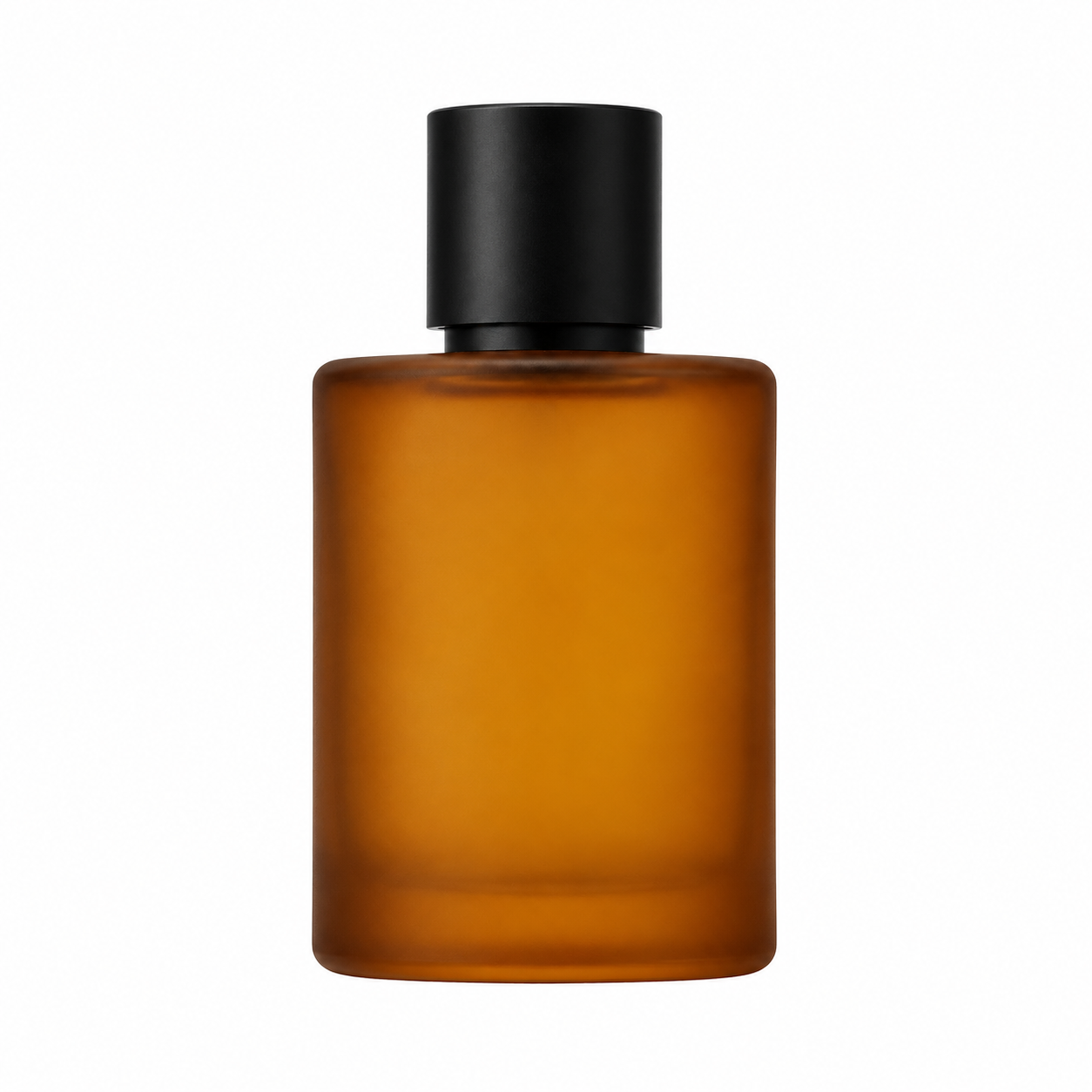
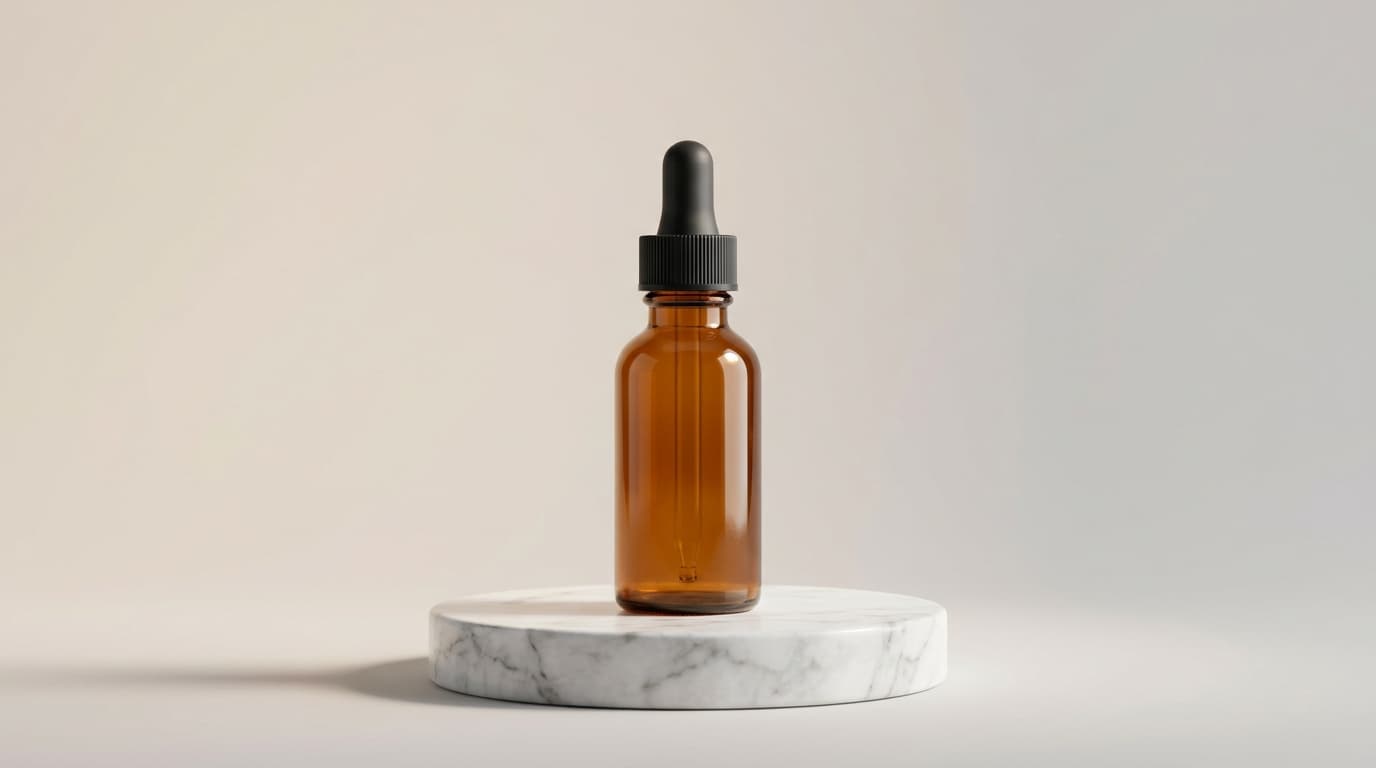
原图 A,纯白背景,用于第 1、3、4 条。
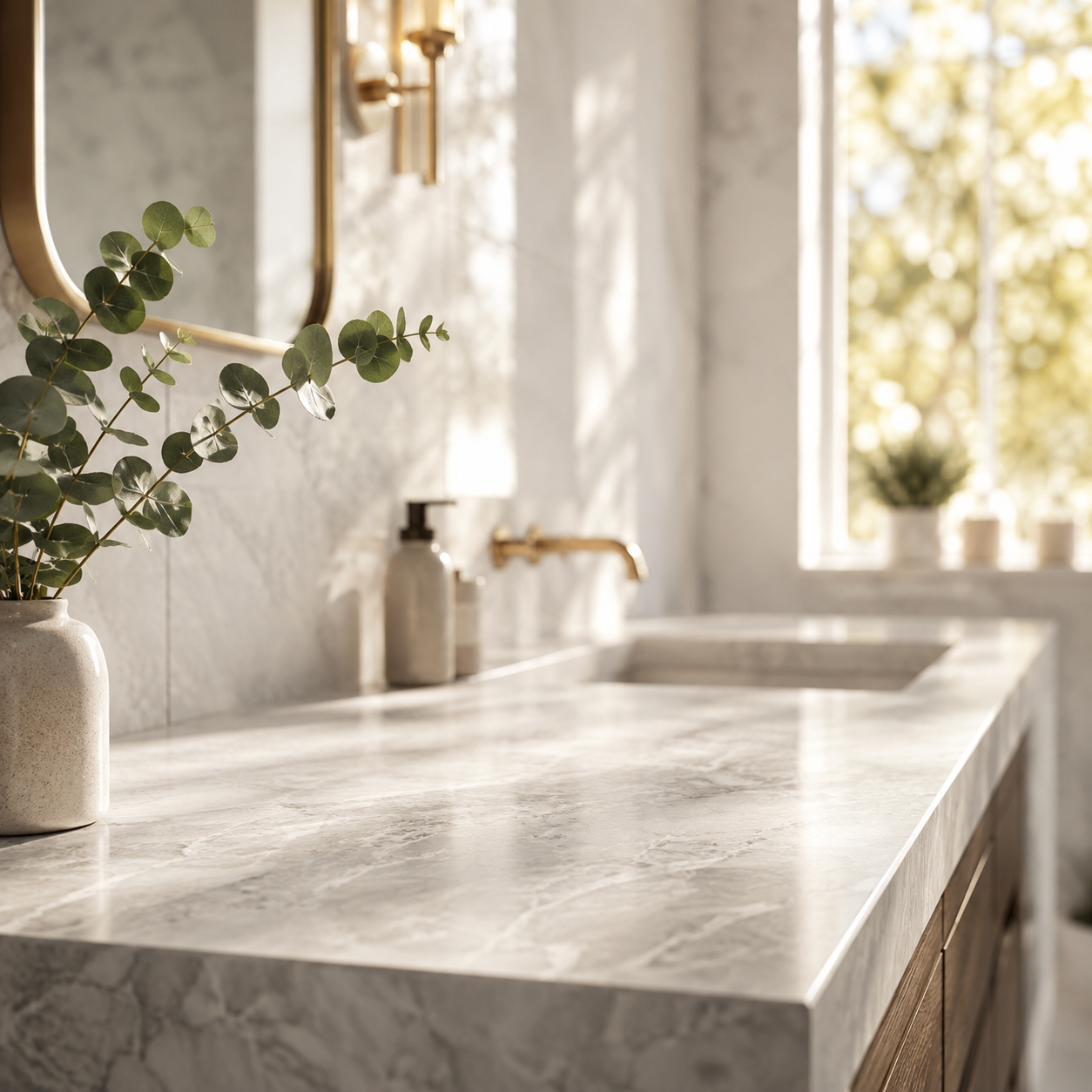
原图 B,空场景,只在第 2 条作为第二张参考图。
1. 换背景,产品不动
一张白底产品图,要放进广告、详情页、社媒三种背景,不想重拍。
Keep the perfume bottle exactly as is -- same shape, cap, glass color, and
reflections -- but replace the plain white background with a deep charcoal
photography studio backdrop that fades to black at the edges. Add a soft rim
light tracing the right edge of the bottle and a subtle warm gradient glow
behind it. Keep the bottle centered and in sharp focus.
带着这条提示词打开模型页 →(上传原图 A,1K)
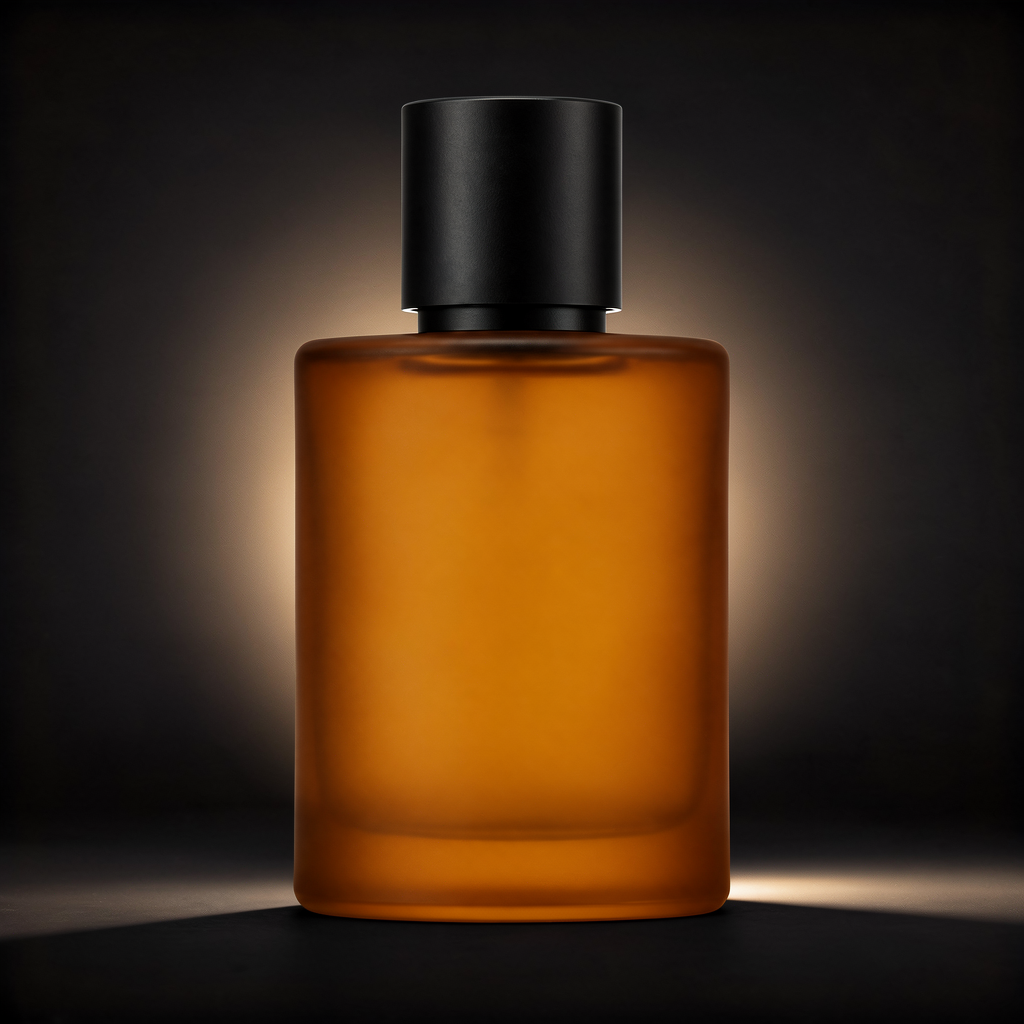
flux-2/image-to-image,1 张参考图,1K,$0.035。
瓶身比例、瓶盖和反光都保住了,只换了背景和光。先写「保持什么」,再写「换什么」。
2. 两张图合成一个场景
产品单独拍了,生活场景也单独拍了,要合成一张,不重拍。
Take the perfume bottle from the first reference image and place it naturally
on the marble bathroom countertop from the second reference image, next to the
eucalyptus branch. Match the bottle's lighting and shadow direction to the
warm morning light in the countertop scene. Keep the bottle's proportions,
glass color, and cap unchanged.
带着这条提示词打开模型页 →(依次上传原图 A、原图 B,1K)
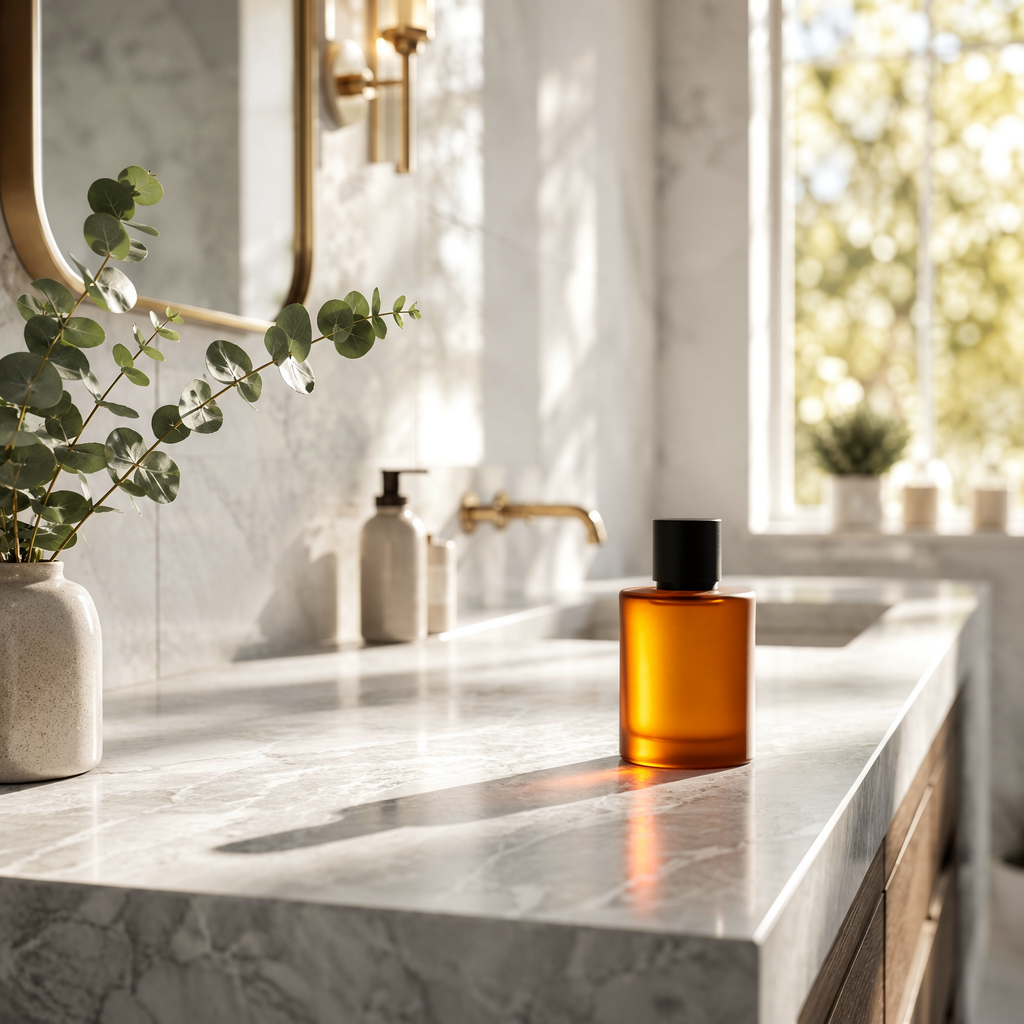
flux-2/image-to-image,2 张参考图,1K,$0.035。参考图张数不加价。
这是 FLUX.2 最值得先试的一条。提示词里点明哪张出产品、哪张出场景,模型才会「合成」而不是把两张图混在一起。
3. 只修细节,不动构图
角度、背景、构图都对,只是要更锐、更像微距棚拍,用在主图或放大裁切。
Enhance this exact photo without changing the composition, camera angle, or
background: sharpen the glass edge highlights, add fine micro-texture to the
frosted glass surface, deepen the cap's matte black finish, and remove any
soft blur so the product looks like a macro studio shot. Do not add any new
elements or change the bottle's shape.
带着这条提示词打开模型页 →(上传原图 A,1K)
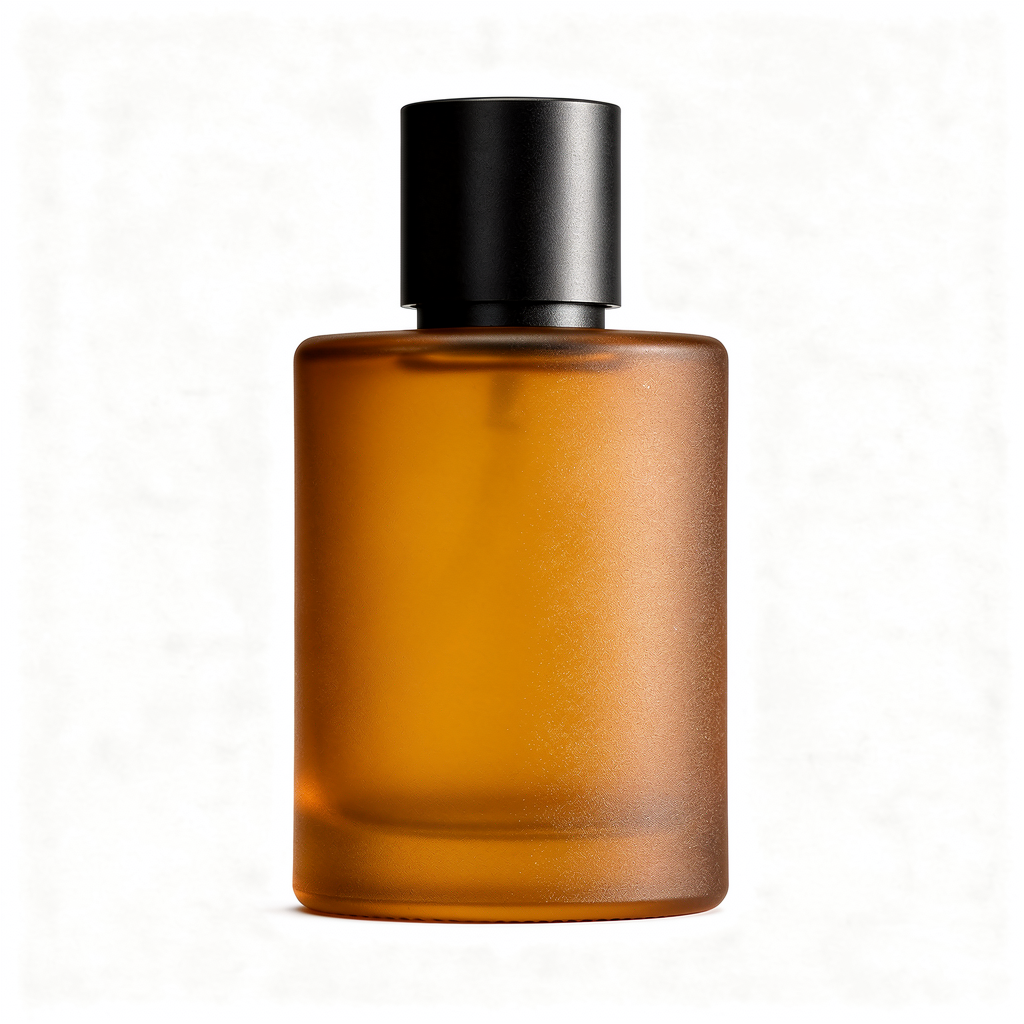
flux-2/image-to-image,1 张参考图,1K,$0.035。
「不改构图」「不加新元素」这两句是关键。去掉它们,模型会把整张图重新诠释一遍。
4. 换画风,产品和构图不变
把产品照片变成插画,用在落地页、包装稿或杂志版面,不用另找画师。
Redraw this exact product photo as a hand-painted gouache illustration: keep
the bottle's silhouette, cap, and centered composition identical, but render
it with visible brush strokes, a warm pastel color palette, and flat stylized
studio lighting typical of editorial packaging illustration.
带着这条提示词打开模型页 →(上传原图 A,1K)
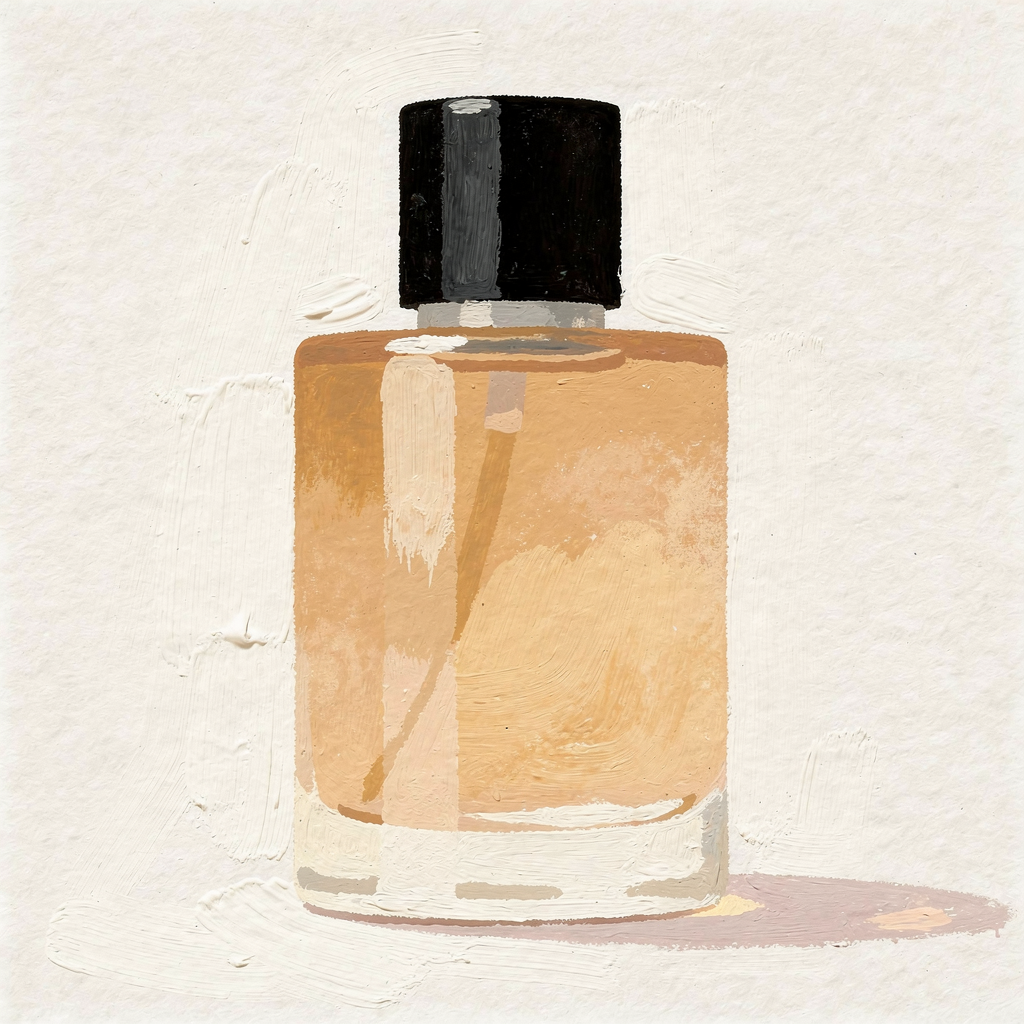
flux-2/image-to-image,1 张参考图,1K,$0.035。
画风变化很大时,先检查瓶身轮廓有没有走样,再决定能不能批量跑。
5. 换场景,瓶身文字不变
把贴了标签的产品放进新环境做季节海报,标签上的字不能变形、移位或消失。
Photograph this exact serum bottle placed on a wet river stone in a misty
forest setting at dawn, soft diffused natural light, shallow depth of field.
Keep the bottle's shape, matte black finish, and the printed lettering on its
front unchanged -- same size and position as in the reference photo.
带着这条提示词打开模型页 →(上传你的带标签产品图,1K)
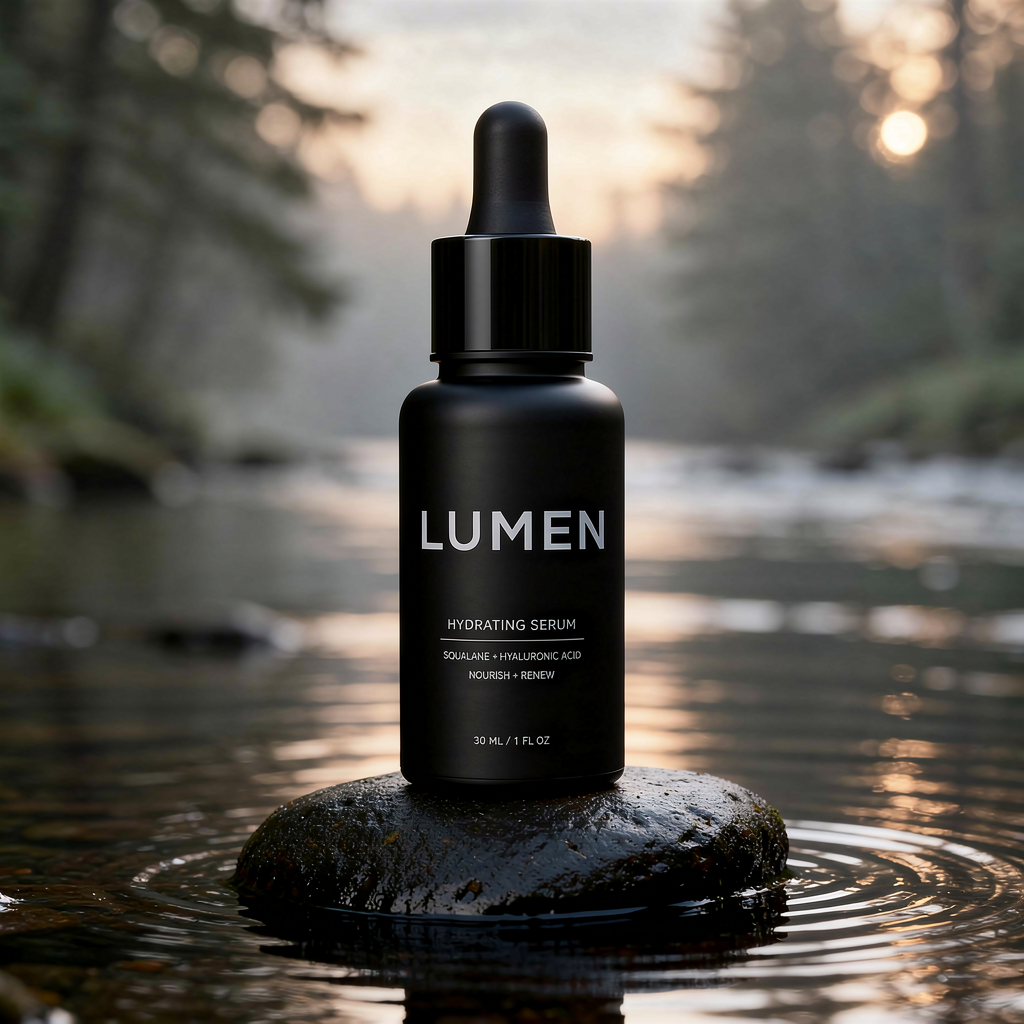
flux-2/image-to-image,1 张参考图,1K,$0.035。
措辞要像普通的「保持一致」要求。最早一版写的是「标签文字完全照原样,不要扭曲或改动 logo」,被内容安全拦了,哪怕是虚构品牌也一样。改成「保持瓶身印刷文字不变」就一次过。
三行写法要点
- 先写保持什么,再写改什么:形状、颜色、反光、构图逐项列出。
- 多张参考图要分工:「第一张出产品,第二张出场景」,顺序写清楚。
- 少用 logo、restyle 这类词:要保留文字时,写「printed lettering unchanged」。
常见问题
一次能传几张参考图?
最多 8 张,放在 image_urls 里,按顺序在提示词中引用。参考图张数不影响价格。
多少钱?
1K 每张 $0.035,2K 每张 $0.05。失败不扣费。各档对比见 FLUX.2 API 价格。
能出 2K 以上吗?
改图入口只有 1K 和 2K。要更大,用 FLUX.2 Pro 文生图的 4 MP,或者改完再放大。
从文字直接出图看 FLUX.2 文生图 API 教程。也可以直接复制第 1 条换背景提示词,上传你的产品图试一张。