Grok Image 2.0 图生图能改什么?传一张参考图,用一句话说清楚要改什么:换背景、加小物件、改材质或颜色,不用蒙版也不用图层。下面 4 条提示词,每条都附原图、完整提示词和 API 返回的成图,没有修图。
Grok Image 2.0 已在 HiAPI 上线,图生图每张 $0.065,1K / 2K 同价,新用户注册送 200 积分。点「用这个提示词生成」,图生图模型页会预填提示词,参考图在页面里上传(下面每条都附了原图)。
先看写法: 4 条提示词都用"先写保持什么,再写改什么"的两段结构,用来明确保留范围和修改范围。
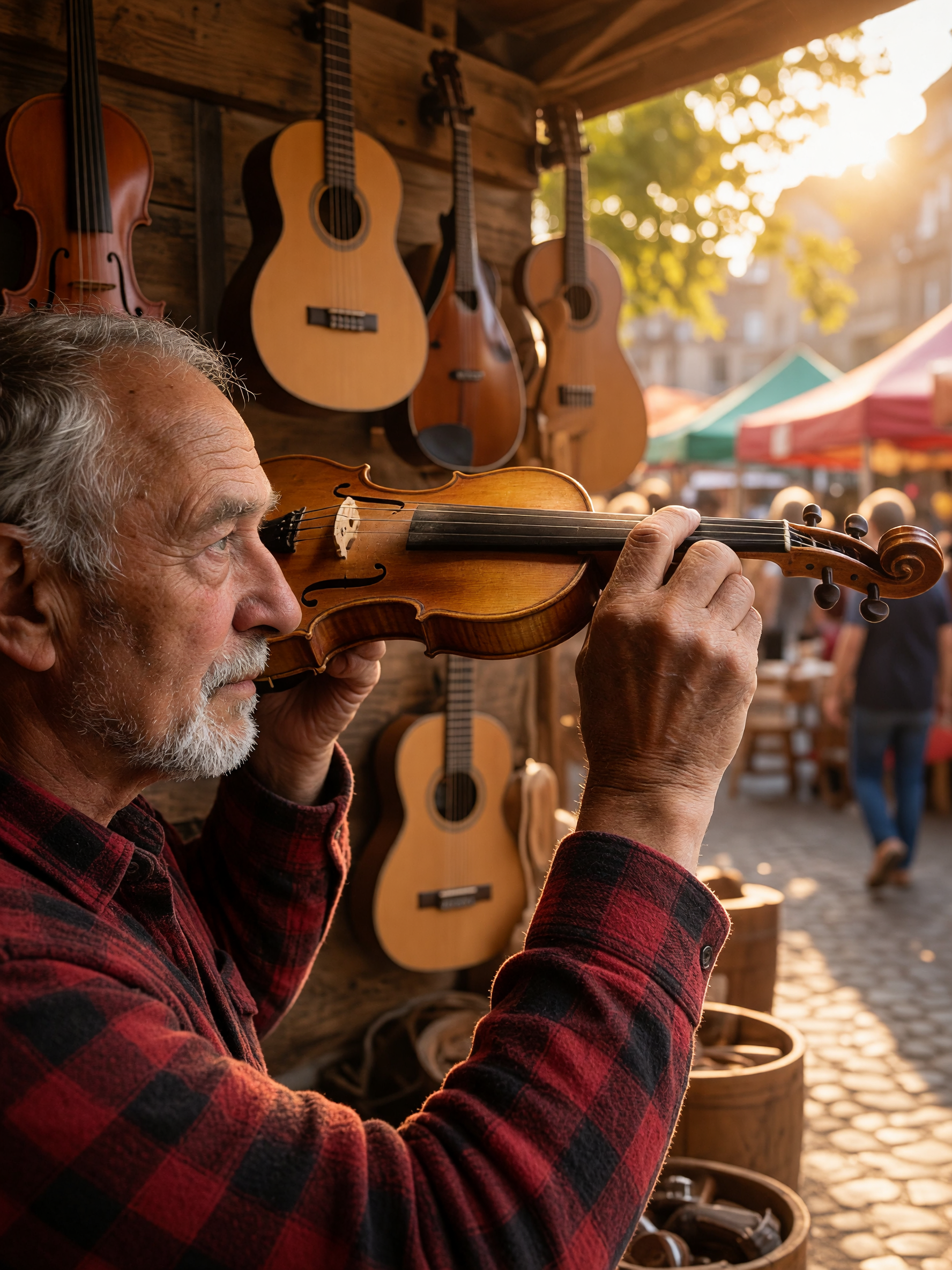
配方 1:换场景:把人物搬进新环境
| 参考图 | 成图 |
|---|---|
 |  |
提示词(原文):
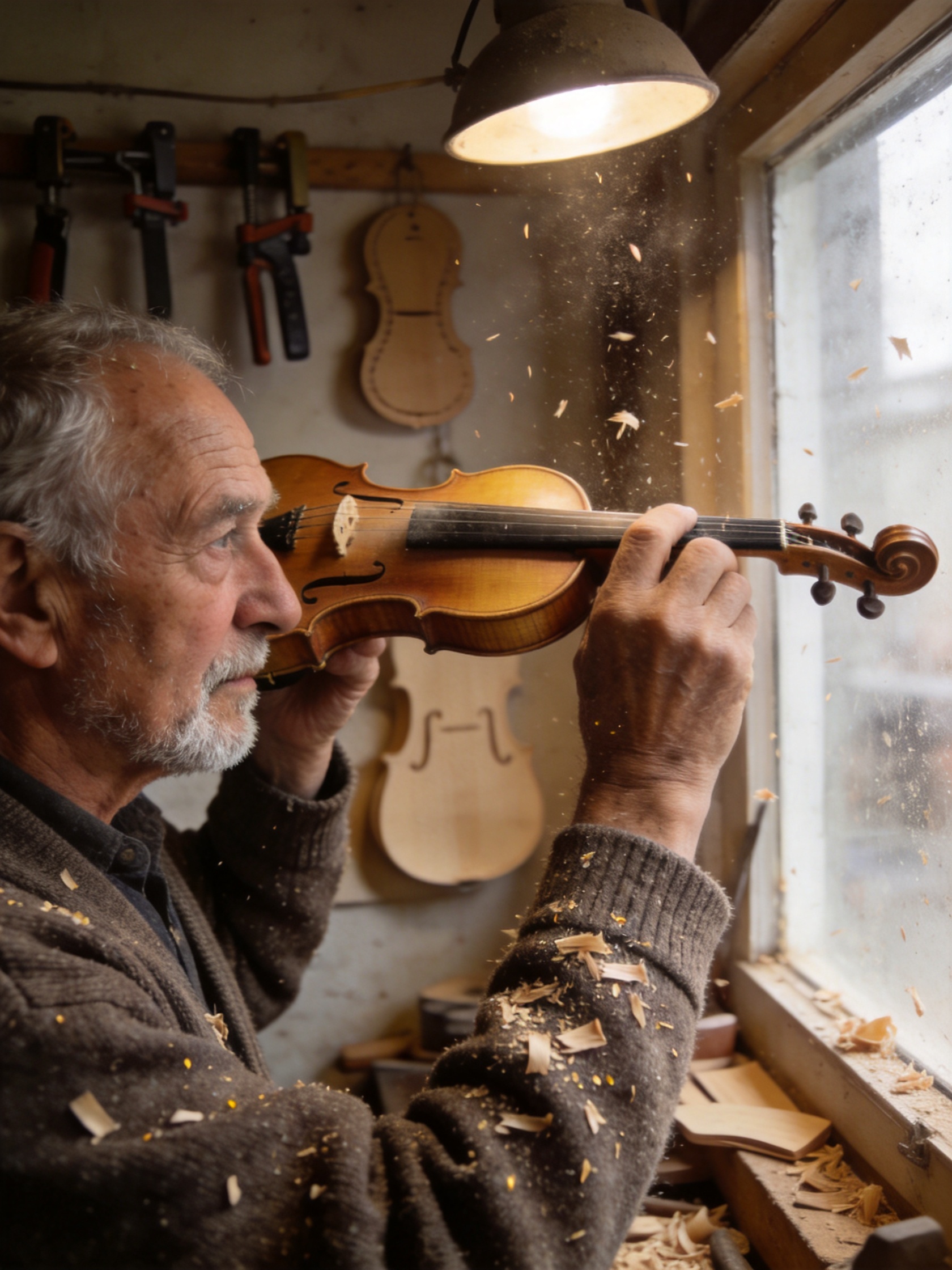
Keep the elderly luthier exactly as he is: his face, expression, hands, seated pose, and the checked flannel shirt he's wearing, completely unchanged. Replace only the background environment: move him from the wood-shaving workshop into a sunlit outdoor market stall with hanging string instruments and warm afternoon light, matching the new environment's light direction so it falls naturally across his face and hands.
用这个提示词生成 →(先在模型页上传左边的参考图,清晰度选 2K)
设置:2K,单张参考图,$0.065。
为什么有效: 先锁住整套换景里最容易丢的东西:人物的脸和姿势;再写新环境。模型会按新环境重新打光,而不是把作坊的光原样贴过来,这正是合成图最容易露馅的地方。
注意: 换景后手部和乐器的相对位置略有偏移。对手部位置有精确要求时,预留一轮微调。
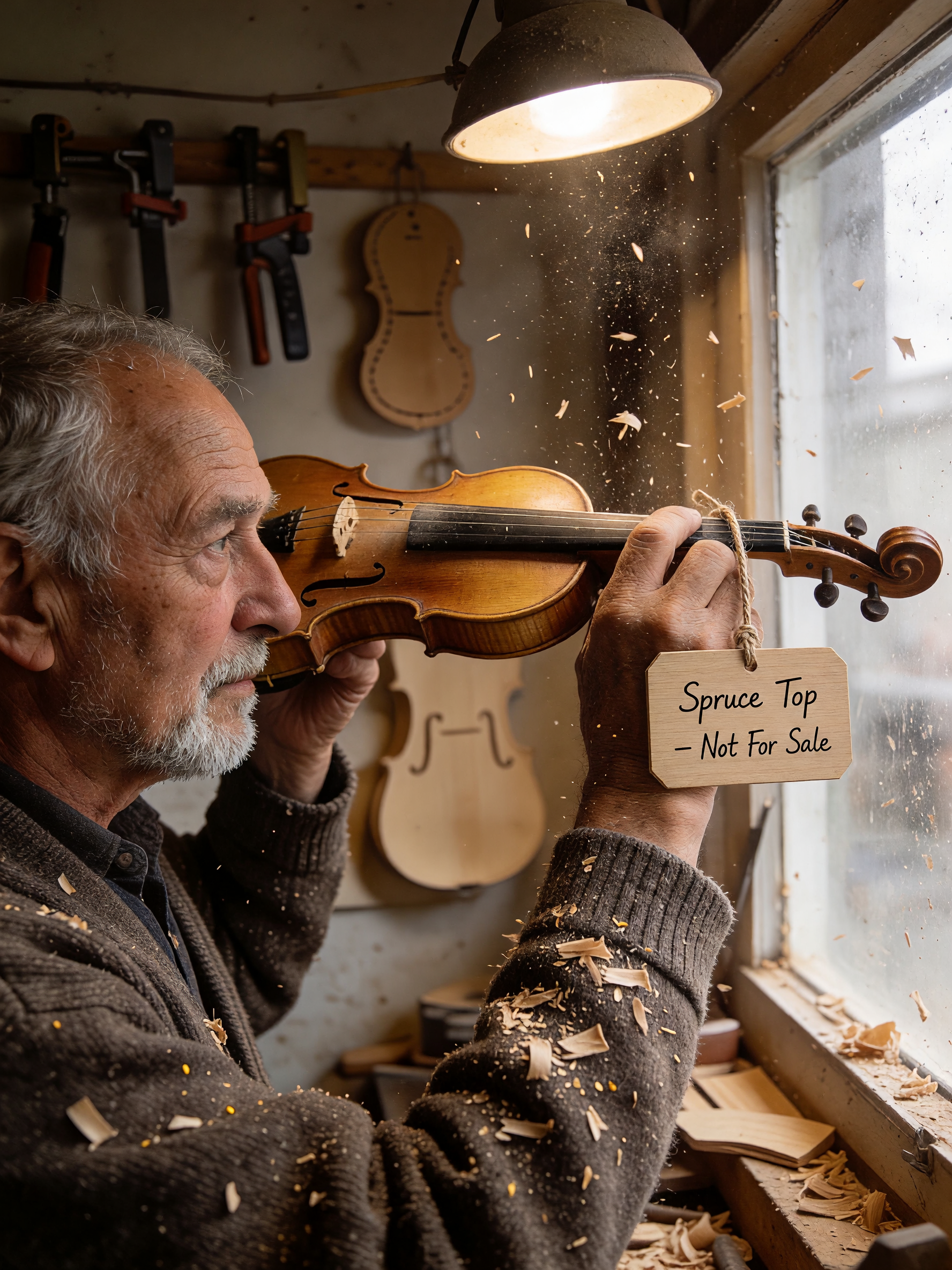
配方 2:加小物件:只加一样,其他不动
| 参考图 | 成图 |
|---|---|
|  |
提示词(原文):
Keep the luthier, his workbench, and the wood shavings exactly as they are. Add a small rectangular wooden price tag hanging from a piece of natural twine on the closest instrument on the bench, with the handwritten text "Spruce Top — Not For Sale" clearly legible on the tag, matching the same warm workshop lighting.
用这个提示词生成 →(先在模型页上传左边的参考图,清晰度选 2K)
设置:2K,单张参考图,$0.065。
写法要点: 单独指定新增木牌,保留人物、工作台和木屑。这个示例中木牌上的手写字清晰可读。
注意: 牌子上的字超过几个词时,发布前仔细检查,文字越长越不稳。
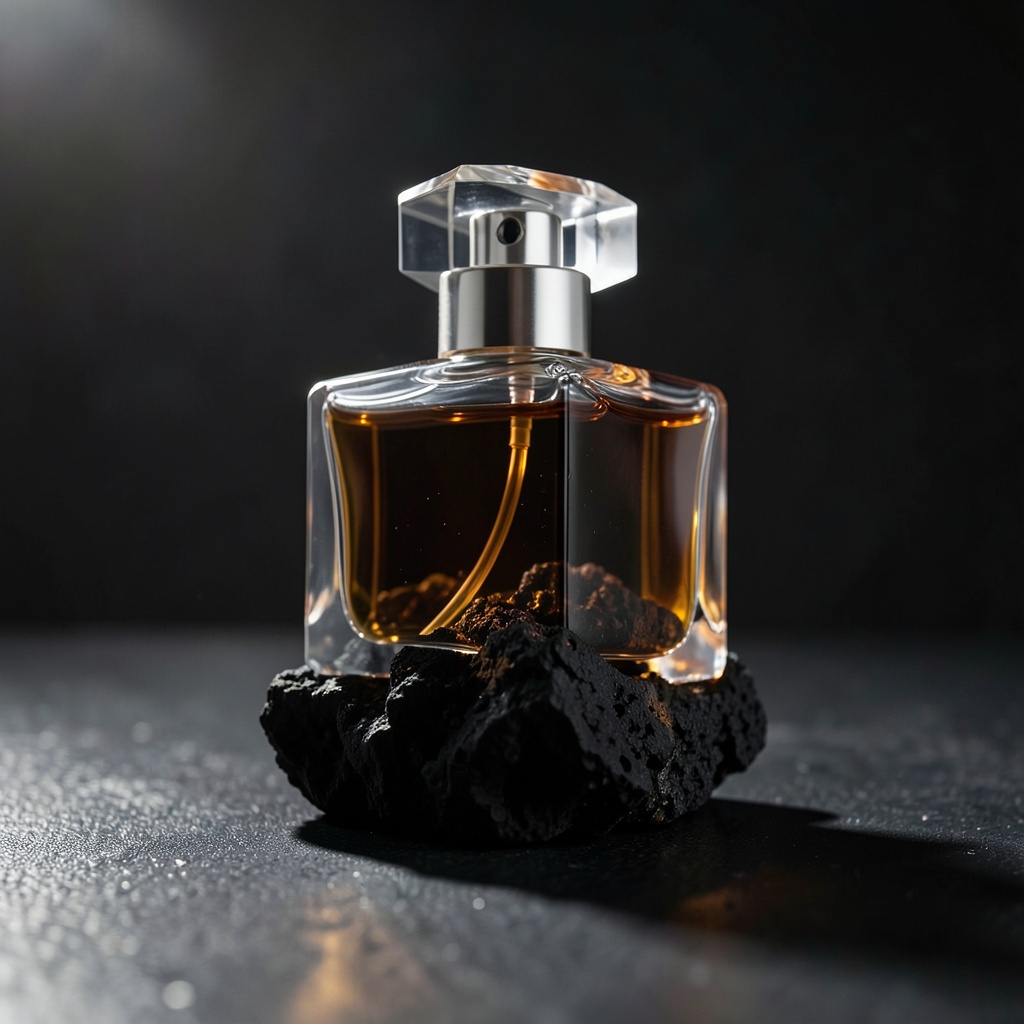
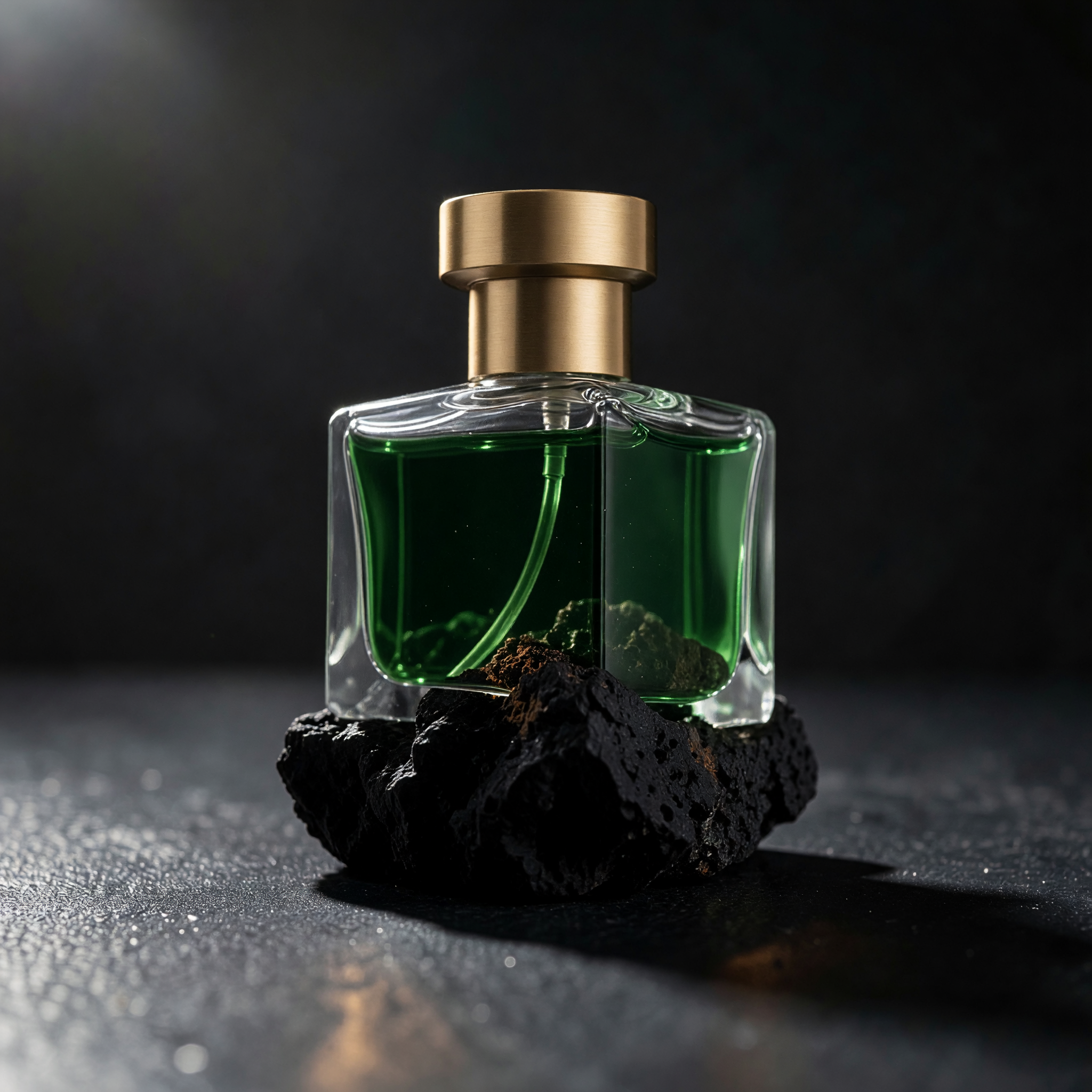
配方 3:局部改色和材质
| 参考图 | 成图 |
|---|---|
 |  |
提示词(原文):
Keep the glass bottle's exact shape, the volcanic rock surface, the dramatic rim lighting, and the camera angle completely unchanged. Change only the liquid color inside the bottle from clear amber to a deep emerald green, and change the cap material from clear glass to brushed gold metal.
用这个提示词生成 →(先在模型页上传左边的参考图,清晰度选 2K)
设置:2K,单张参考图,$0.065。
为什么有效: 一次改了两处(液体颜色加瓶盖材质)也能成,因为两处都在瓶身上互不重叠的小区域。
注意: 新金属瓶盖的边缘光比原来的玻璃盖略软。要精确高光的品牌图,在定稿前继续调整高光。
配方 4:换整个场景:产品不动,背景全换
| 参考图 | 成图 |
|---|---|
| 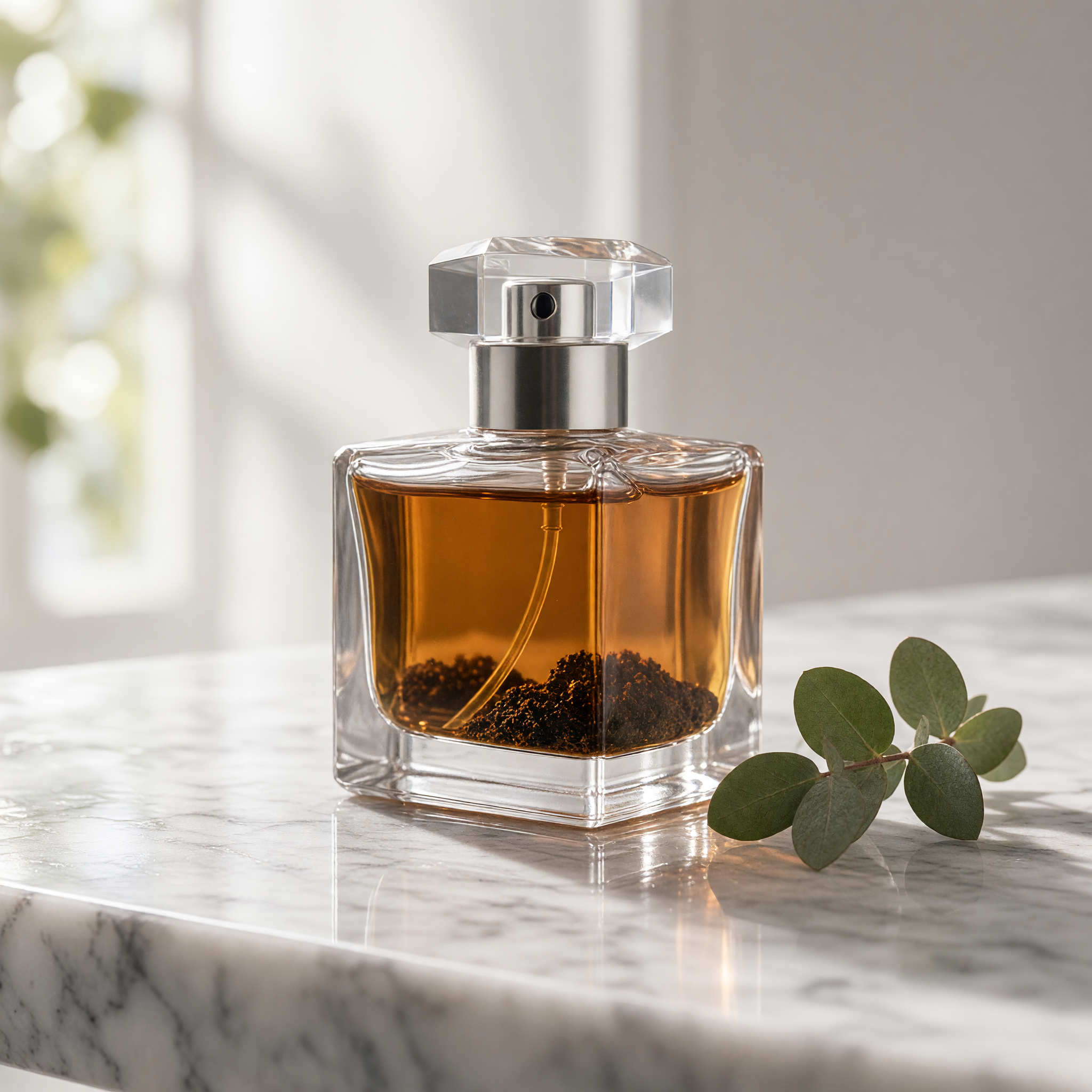 |
提示词(原文):
Keep the glass bottle's exact shape and proportions unchanged. Replace the dark volcanic rock and rim lighting with a bright daylight scene: the same bottle standing on wet white marble next to a small sprig of fresh eucalyptus, soft diffused window light coming from the left, shallow depth of field.
用这个提示词生成 →(先在模型页上传左边的参考图,清晰度选 2K)
设置:2K,单张参考图,$0.065。
写法要点: 这条提示词同时修改光线、台面和道具:光线由暗调边缘光改为明亮柔光,还换了台面和道具,瓶子的比例依然稳住了。
注意: 尤加利枝的位置比较随意。制作商品图时,直接写清位置,例如"leaning against the base, pointing left"。
为什么要先写保持、再写修改?
图生图最常见的问题是:只想改一处,结果整张图都变得"有点不一样"。把指令分为两段,修改范围更清楚:
- 保持部分在前: 点名必须不变的东西,如人物的脸和姿势、构图、机位、材质、光线方向。
- 修改部分在后: 明确要修改的局部、颜色或材质。
不写保持部分,模型就得猜自己能自由发挥多少,常见结果是裁切略变、背景被重新打光、姿势轻微偏移。
用 API 跑同样的调用
先设置 HIAPI_API_KEY(export HIAPI_API_KEY="sk-YOUR_KEY"),下例使用配方 1 的完整提示词,把 image 换成自己的公网图片 URL。创建响应的 data.taskId 要替换查询命令中的 YOUR_TASK_ID;重复查询,data.status 为 success 或 fail 时停止:
# 1. 提交任务
curl --fail-with-body -sS -X POST https://api.hiapi.ai/v1/tasks \
  -H "Authorization: Bearer $HIAPI_API_KEY" \
  -H "Content-Type: application/json" \
  -d @- <<'JSON'
{
    "model": "grok-imagine-image-2.0/image-to-image",
    "input": {
      "prompt": "Keep the elderly luthier exactly as he is: his face, expression, hands, seated pose, and the checked flannel shirt he's wearing, completely unchanged. Replace only the background environment: move him from the wood-shaving workshop into a sunlit outdoor market stall with hanging string instruments and warm afternoon light, matching the new environment's light direction so it falls naturally across his face and hands.",
      "image": "https://your-public-image-url.jpg",
      "resolution": "2k"
    }
  }
JSON

# 2. 查询任务;data.status 为 success 或 fail 时停止轮询
curl --fail-with-body -sS https://api.hiapi.ai/v1/tasks/YOUR_TASK_ID \
  -H "Authorization: Bearer $HIAPI_API_KEY"
data.status 变成 "success" 后,成图在 data.output[0].url,链接会过期,及时下载;fail 表示失败,停止查询并检查任务错误。别把为其他模型写的请求体直接套用,有三点要注意:
image是单个 URL 字符串,不是数组。- 字段名和取值要在模型的参数范围内。 可用字段是
prompt、image、resolution、quality、aspect_ratio。 resolution只接受"1k"或"2k"。aspect_ratio可以传但不生效,输出画幅跟随参考图。
完整接入见 图生图 API 接入指南。
常见问题
能传多张参考图吗?
不能。image 只收一个 URL。需要多图融合请换用支持多张参考图的模型。
多少钱一张? 每张 $0.065,1K、2K 都一样;$10 约出 153 张。按成功出图计费,失败自动退款。
2K 比 1K 贵吗?
不贵,价格按张固定,和 resolution 无关。
只写要改的部分、不写保持部分会怎样? 通常也能改到对的方向,但画面其他地方会漂:裁切、背景光、姿势都可能略变。点名要保持的东西,其余画面才稳。
论坛上找到的提示词能直接用吗? 当作起点。为别人的参考图调出来的写法,换成你的图往往不能原样复现。
现在就改第一张
挑一张你自己的图,把配方 3 的提示词复制过去:打开图生图模型页,上传参考图,清晰度选 2K,点「运行」。接入 API 看 图生图 API 接入指南;只用文字出图,看 文生图提示词模板。