Use reference images to guide the same product or character across new scenes: that is what Kling 3.0 Omni Reference-to-Video (kling-3.0-omni/reference-to-video) does on HiAPI. Below are three recipes (a product, a character, and both in one shot), each with the exact request and the clip it produced: $2.064 for all three at 1080p. Open the model page to run one now; new accounts get 200 free credits.
A normal text-to-video call only knows what you describe in words, so every generation invents a slightly different subject. Reference-to-video takes pictures of the subjects you care about and keeps their look while you direct the camera, the motion and the scene with a prompt.
How reference-to-video works
A normal text-to-video call only knows what you describe in words. "A white robot mascot" is a category, not an identity — so every generation invents a slightly different robot. Kling 3.0 Omni gives you two ways to pin the identity down:
image_urls(required, 1–7 images): reference images for the subject, product or style. The simplest way to lock one subject is to pass two angles of it here.elements(optional, up to 7): named, reusable subjects. Each has aname(no spaces), a shortdescriptionand 2–4element_input_urlsof the same subject. You call it in the prompt as@name, which is how you keep several subjects apart in one shot.
The prompt then handles everything that should change — camera, lighting, action, setting — while the references hold the identity.
The input schema, in 30 seconds
| Field | Type | Notes |
|---|---|---|
prompt | string | Scene, camera and motion; call elements as @name |
image_urls | string[] | Required. 1–7 reference images (max 4 with a reference video) |
elements[] | object[] | Optional. name, description, 2–4 element_input_urls each |
video_urls | string[] | Optional. One 3–15.5s clip as a motion and camera reference |
duration | integer | 3–15 seconds, default 5 |
resolution | enum | 720p (default), 1080p or 4k |
audio | boolean | Native sound, default false; must stay false with a reference video |
aspect_ratio | enum | 16:9 (default), 9:16 or 1:1 |
Reference images and element subjects share one budget: 7 in total, or 4 when you add a reference video.
Recipe 1 — Lock a single product
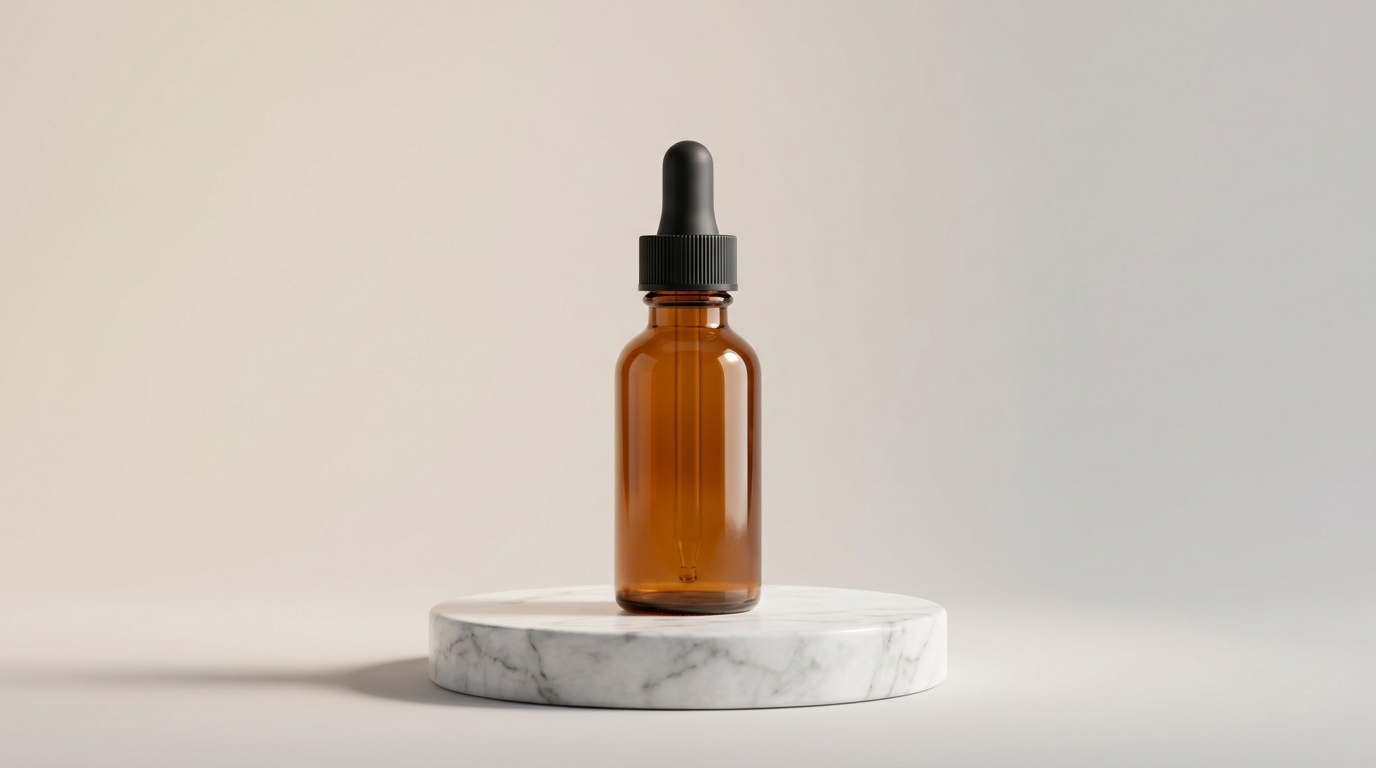
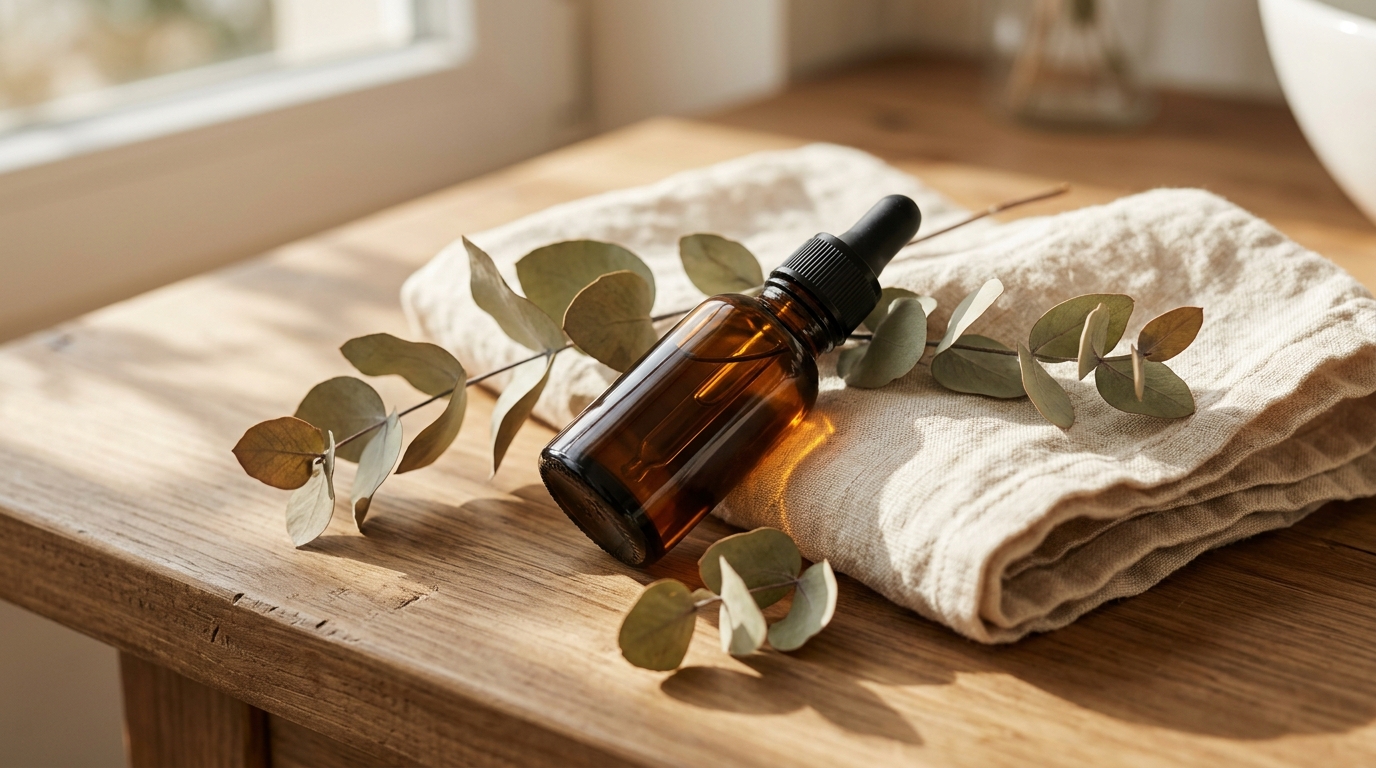
The simplest case: one subject, kept faithful while the camera moves. The subject is an amber glass serum bottle, and the two reference angles go straight into image_urls:
Prompt:
Cinematic skincare product reveal. The camera slowly dollies in on the amber glass serum bottle from the reference images, standing on a round white marble pedestal, soft diffused studio light from the upper left, faint volumetric haze behind it. A single droplet of golden serum slowly forms and hangs at the tip of the black dropper. Shallow depth of field, premium commercial look, gentle highlights sliding across the amber glass as the camera eases in.
Request:
{
  "model": "kling-3.0-omni/reference-to-video",
  "input": {
    "prompt": "Cinematic skincare product reveal. The camera slowly dollies in on the amber glass serum bottle from the reference images, standing on a round white marble pedestal, soft diffused studio light from the upper left, faint volumetric haze behind it. A single droplet of golden serum slowly forms and hangs at the tip of the black dropper. Shallow depth of field, premium commercial look, gentle highlights sliding across the amber glass as the camera eases in.",
    "image_urls": [
      "https://static.hiapi.ai/gallery/2026/10/bf90e69bd4d2b13b.jpg",
      "https://static.hiapi.ai/gallery/2026/10/ae754fb5c5e53ed4.jpg"
    ],
    "duration": 5,
    "resolution": "1080p",
    "audio": false,
    "aspect_ratio": "16:9"
  }
}
Result (5s, 1080p, sound off):
Why it works: the prompt names the subject once ("the amber glass serum bottle from the reference images") and spends every other word on direction: the dolly-in, the studio light, the droplet at the dropper. The bottle's shape, ribbed black cap and amber glass hold through the push-in, which ends on a close-up of the bottle.
Recipe 2 — Lock a character
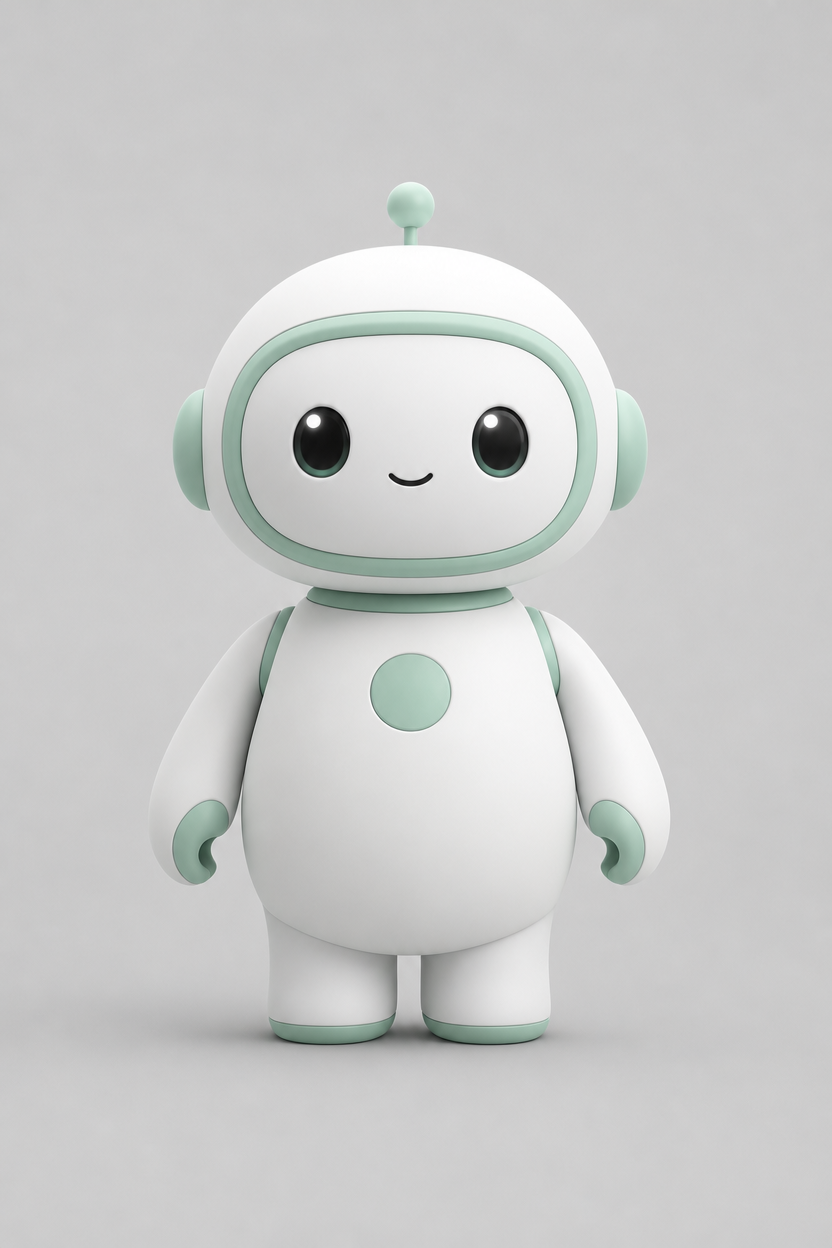
Swap the product for a character and nothing about the method changes. The subject is an original mascot, with a front view and a three-quarter view as references:
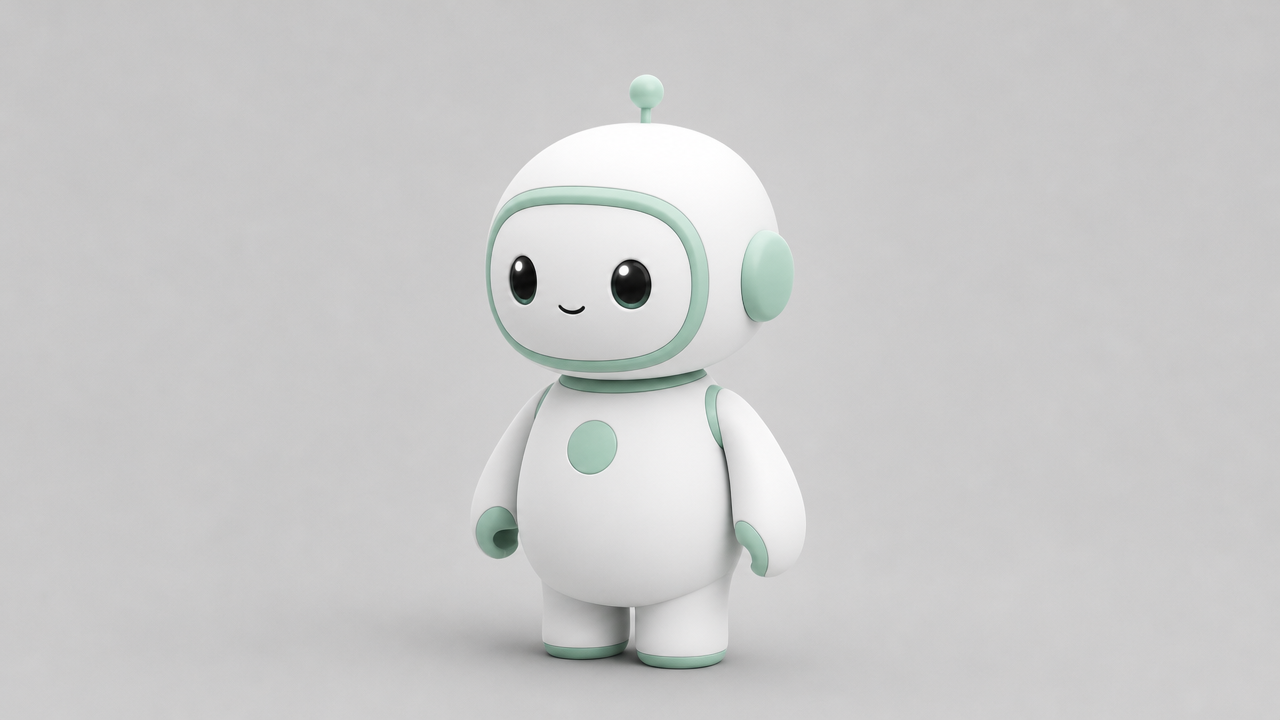
Prompt:
The matte-white robot mascot from the reference images stands in a cozy sunlit cafe with a warm morning glow from a window behind it. It gives a cheerful little wave with one arm, tilts its head, and its antenna bobs gently. Smooth friendly motion, soft bokeh of wooden cafe shelves in the background, a slow gentle camera push-in, wholesome animated-film look.
Request:
{
  "model": "kling-3.0-omni/reference-to-video",
  "input": {
    "prompt": "The matte-white robot mascot from the reference images stands in a cozy sunlit cafe with a warm morning glow from a window behind it. It gives a cheerful little wave with one arm, tilts its head, and its antenna bobs gently. Smooth friendly motion, soft bokeh of wooden cafe shelves in the background, a slow gentle camera push-in, wholesome animated-film look.",
    "image_urls": [
      "https://static.hiapi.ai/blog/kling-3-0-omni-reference-to-video-prompt-recipes/ref-mascot-01.jpg",
      "https://static.hiapi.ai/blog/kling-3-0-omni-reference-to-video-prompt-recipes/ref-mascot-02.jpg"
    ],
    "duration": 5,
    "resolution": "1080p",
    "audio": false,
    "aspect_ratio": "16:9"
  }
}
Result (5s, 1080p, sound off):
Why it works: the mascot lands in a brand-new environment (a sunlit cafe) with a brand-new action (a wave and a smile), yet the mint visor, the round eyes, the belly button and the proportions stay on-model. Same identity, new performance.
Recipe 3 — Two subjects in one shot
This is where elements earn their keep. Define the mascot and the bottle as two named elements, then direct them in the prompt as @mascot and @serum. image_urls is still required, so one bottle angle goes there too:
Prompt:
A clean, playful product commercial. @mascot stands beside a round white marble pedestal and gestures with one arm toward @serum resting on top of it, presenting it to the viewer. @mascot glances at the bottle, then turns to look at the camera. Soft diffused studio light, pale mint seamless background, a slow gentle camera push-in, premium yet friendly brand-ad look.
Request:
{
  "model": "kling-3.0-omni/reference-to-video",
  "input": {
    "prompt": "A clean, playful product commercial. @mascot stands beside a round white marble pedestal and gestures with one arm toward @serum resting on top of it, presenting it to the viewer. @mascot glances at the bottle, then turns to look at the camera. Soft diffused studio light, pale mint seamless background, a slow gentle camera push-in, premium yet friendly brand-ad look.",
    "image_urls": [
      "https://static.hiapi.ai/gallery/2026/10/bf90e69bd4d2b13b.jpg"
    ],
    "elements": [
      {
        "name": "mascot",
        "description": "Small matte-white rounded robot mascot with soft mint-green accents, a short antenna topped with a small ball, large round dark eyes and a round mint-green button on its belly",
        "element_input_urls": [
          "https://static.hiapi.ai/blog/kling-3-0-omni-reference-to-video-prompt-recipes/ref-mascot-01.jpg",
          "https://static.hiapi.ai/blog/kling-3-0-omni-reference-to-video-prompt-recipes/ref-mascot-02.jpg"
        ]
      },
      {
        "name": "serum",
        "description": "Amber glass skincare serum bottle with a black rubber-bulb glass dropper cap",
        "element_input_urls": [
          "https://static.hiapi.ai/gallery/2026/10/bf90e69bd4d2b13b.jpg",
          "https://static.hiapi.ai/gallery/2026/10/ae754fb5c5e53ed4.jpg"
        ]
      }
    ],
    "duration": 6,
    "resolution": "1080p",
    "audio": false,
    "aspect_ratio": "16:9"
  }
}
Result (6s, 1080p, sound off):
Why it works: each subject is its own element with its own reference pair, so the model tracks them independently. The mascot keeps its design, the bottle keeps its shape, and the prompt choreographs how they relate: the mascot reaches toward the bottle on the pedestal as the camera pushes in.
Writing references that actually hold
- Give each subject two or more angles. Different angles of the same subject teach the model what is invariant. Elements need 2–4 images each.
- Identity in the references, direction in the prompt. Put what the subject is in the images and
description; put what happens in the prompt. - Call elements by
@name. Names have no spaces (serum, notserum bottle), and the prompt refers to them exactly as@serum. - Reuse element blocks to build a campaign. The same mascot and bottle references power two recipes above. Reuse them across calls to keep a series on-brand.
- Add a reference video for camera moves. One clip in
video_urlsmakes the new shot follow its motion and camera work; keepaudiooff when you do.
Reproduce this with the API
Reference-to-video runs on HiAPI's async task API. Submit a task, then poll it until it finishes:
curl -X POST https://api.hiapi.ai/v1/tasks \
  -H "Authorization: Bearer $HIAPI_KEY" \
  -H "Content-Type: application/json" \
  -d '{
    "model": "kling-3.0-omni/reference-to-video",
    "input": {
      "prompt": "@serum on a marble pedestal, slow dolly-in, soft studio light",
      "image_urls": ["https://.../ref-1.jpg"],
      "elements": [
        {
          "name": "serum",
          "description": "Amber glass serum bottle with a black dropper cap",
          "element_input_urls": ["https://.../ref-1.jpg", "https://.../ref-2.jpg"]
        }
      ],
      "duration": 5,
      "resolution": "1080p",
      "audio": false,
      "aspect_ratio": "16:9"
    }
  }'
The response returns a taskId. Poll GET /v1/tasks/{taskId} until status is success, then download the clip from output[0].url (outputs are kept for about 7 days by default, so save it to your own storage or switch it to HiAPI persistent storage). In production, pass a top-level callback.url and HiAPI notifies your service when the task finishes. Full parameters are in the Kling 3.0 Omni Reference-to-Video API docs.
Pricing
Kling 3.0 Omni Reference-to-Video is billed per output second, by resolution and sound:
| Resolution | Sound off | Sound on | With a reference video |
|---|---|---|---|
| 720p | $0.10/s | $0.129/s | $0.143/s |
| 1080p | $0.129/s | $0.1645/s | $0.193/s |
| 4k | $0.479/s | $0.479/s | $0.479/s |
The three recipes above ran at 1080p with sound off: $0.645 for each 5-second clip and $0.774 for the 6-second one, $2.064 for all three. Draft at 720p for $0.50 per 5-second clip, then re-run the keeper at 1080p or 4k. Clips run 3–15 seconds; failed tasks are refunded automatically.
FAQ
How is reference-to-video different from image-to-video? Image-to-video animates one starting frame — the whole shot grows out of that single image. Reference-to-video carries subjects and lets you compose a fresh scene around them. Use image-to-video when you have the exact first frame you want to move, and reference-to-video when you need the same characters or products across many different shots.
How many subjects can one clip hold? Reference images and element subjects together go up to 7 per call, or 4 with a reference video — enough for a character plus a couple of props.
Why was my element rejected?
Each element needs 2–4 images in element_input_urls and a name without spaces. Also check that the request has at least one image_urls entry.
Can I get sound?
Yes. Set audio: true for native ambience and sound effects when there is no reference video. It adds $0.029 per second at 720p and $0.0355 at 1080p.
What if I only want text, no references? Use Kling 3.0 Omni Text-to-Video: same engine, prompt only.
Takeaway
Reference-to-video turns "a character" into your character. Give each subject a couple of reference angles, call it by @name, let the prompt handle the direction, and you can shoot a whole consistent series instead of fighting drift shot by shot. Copy Recipe 3 and run your first two-subject clip on the model page. The link pre-fills the prompt; add the reference images and elements from the request above. To compare entry points and rates, see the Kling 3.0 API pricing guide.