TL;DR
- Muse Image 1.0 是 Meta 2026 年 8 月 27 日发布的图片模型,在 HiAPI 上有两个入口:
muse-image-1.0/text-to-image(文生图)和muse-image-1.0/image-to-image(改图,1–10 张参考图)。打开模型页就能在线试。 - 两个入口都是每张 $0.015。每张约 250 万像素,不用设分辨率。
- 最快的调法:
POST /v1/tasks传prompt和aspect_ratio,轮询到success,下载output[0].url。失败状态fail和failed都要判断。
Muse Image 擅长什么?
- 先规划再出图。 Meta 介绍 Muse Image 会先把画面想清楚再画。实际用下来,「generous negative space」这类版面要求和「DAWN」这种短品牌字都能落到图上。
- 插画、海报、产品视觉,$0.015 一张,适合大批量内容。
- 默认就是大图:每张约 250 万像素,比如 3:2 约 1920×1280,1:1 约 1600×1600。
- Artificial Analysis 文生图榜第 8。
一句描述,一张成品,3:4:
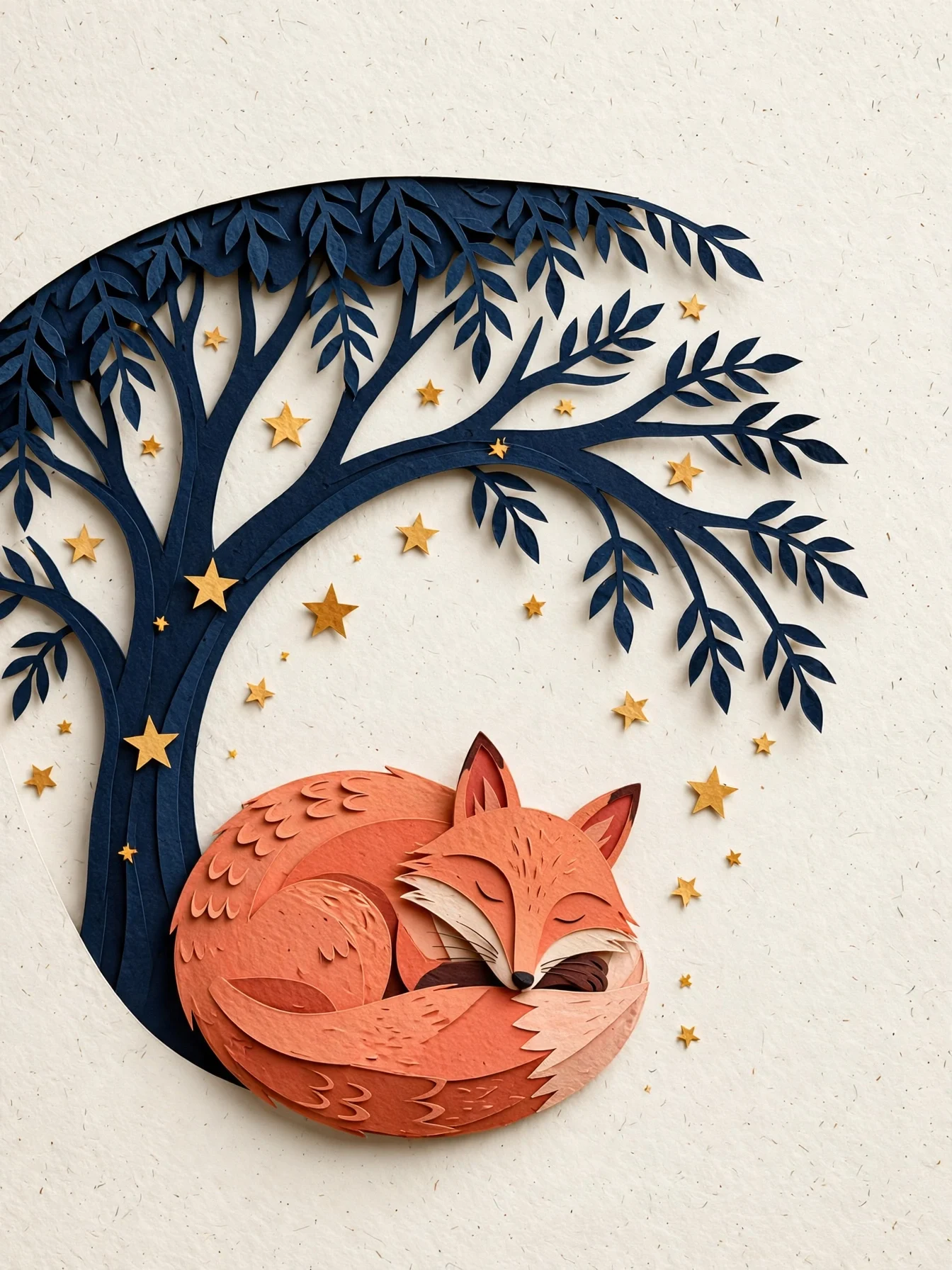
Editorial paper-cut illustration of a coral fox curled beneath a midnight-blue
tree, scattered warm stars, layered tactile paper edges, clear silhouette and
generous negative space, quiet book-cover composition, no text.
用这个提示词生成 →(3:4)
muse-image-1.0/text-to-image,3:4,$0.015。
两条上手路线
在线试用(不写代码):
API 调用:
- 在控制台创建 API Key。
POST /v1/tasks,模型名填两个入口之一。- 轮询
GET /v1/tasks/{taskId}或接收回调,保存output[0].url。
curl:跑通第一张
curl -X POST https://api.hiapi.ai/v1/tasks \
  -H "Authorization: Bearer $HIAPI_KEY" \
  -H "Content-Type: application/json" \
  -d '{
    "model": "muse-image-1.0/text-to-image",
    "input": {
      "prompt": "Editorial paper-cut illustration of a coral fox curled beneath a midnight-blue tree, warm stars, generous negative space, no text",
      "aspect_ratio": "3:4",
      "output_format": "png"
    }
  }'
返回里有 data.taskId。轮询 GET /v1/tasks/{taskId},status 变成 success 后下载 output[0].url。
Python:先生图,再改图
# pip install requests; export HIAPI_KEY=你的 Key
import os, time, uuid, requests

API = "https://api.hiapi.ai/v1/tasks"
H = {"Authorization": f"Bearer {os.environ['HIAPI_KEY']}"}

def run(model, timeout_s=300, **inp):
    # 重试同一次提交时复用同一个 Idempotency-Key,只会扣一次费
    r = requests.post(API, json={"model": model, "input": inp},
                      headers={**H, "Idempotency-Key": str(uuid.uuid4())}, timeout=30)
    r.raise_for_status()
    task_id = r.json()["data"]["taskId"]
    deadline = time.time() + timeout_s
    while time.time() < deadline:
        d = requests.get(f"{API}/{task_id}", headers=H, timeout=30).json()["data"]
        if d["status"] == "success":
            return d["output"][0]["url"]
        if d["status"] in ("fail", "failed"):
            raise RuntimeError(d)
        time.sleep(5)
    raise TimeoutError(task_id)

# 文生图,16:9 头图($0.015)
header = run("muse-image-1.0/text-to-image",
             prompt="A sophisticated editorial illustration of a terracotta desert observatory under an oversized pale moon, winding turquoise river, no text",
             aspect_ratio="16:9", output_format="png")

# 把上一张改成夜景($0.015)
night = run("muse-image-1.0/image-to-image",
            prompt="Turn the illustration into night: deep indigo sky, silver crescent moon, warm amber windows. Keep the buildings and river.",
            image_urls=[header], aspect_ratio="16:9", output_format="png")

with open("night.png", "wb") as f:
    f.write(requests.get(night).content)
第一张的链接还在有效期内、可以公开访问,所以能直接当参考图传进去。要长期保留的图,先下载保存。
用参考图改图
muse-image-1.0/image-to-image 必须传 image_urls(1–10 张)。给每张图派一个任务:下面图 1 出鲸鱼主体,图 2 只借版式,旧文字全部替换。
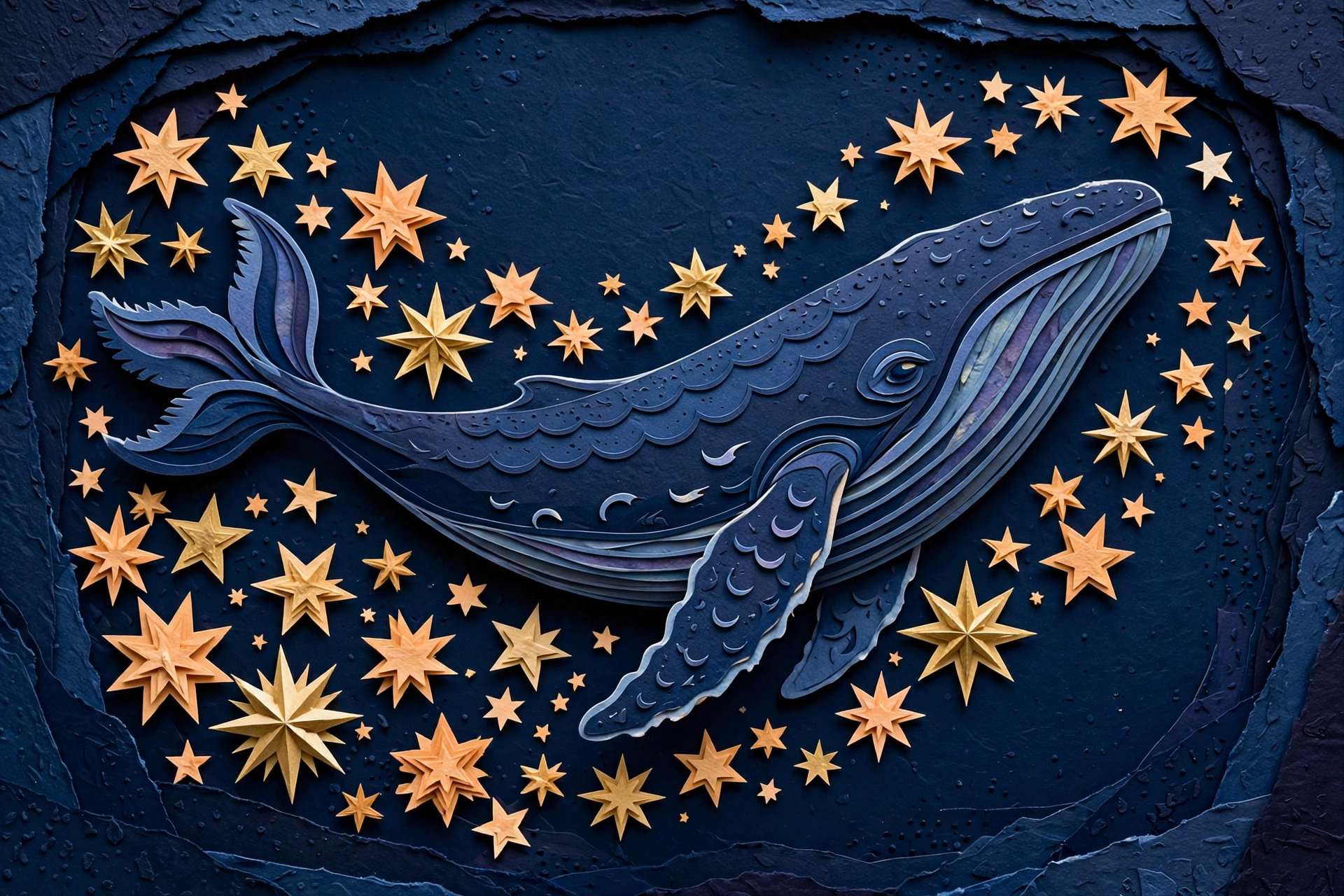
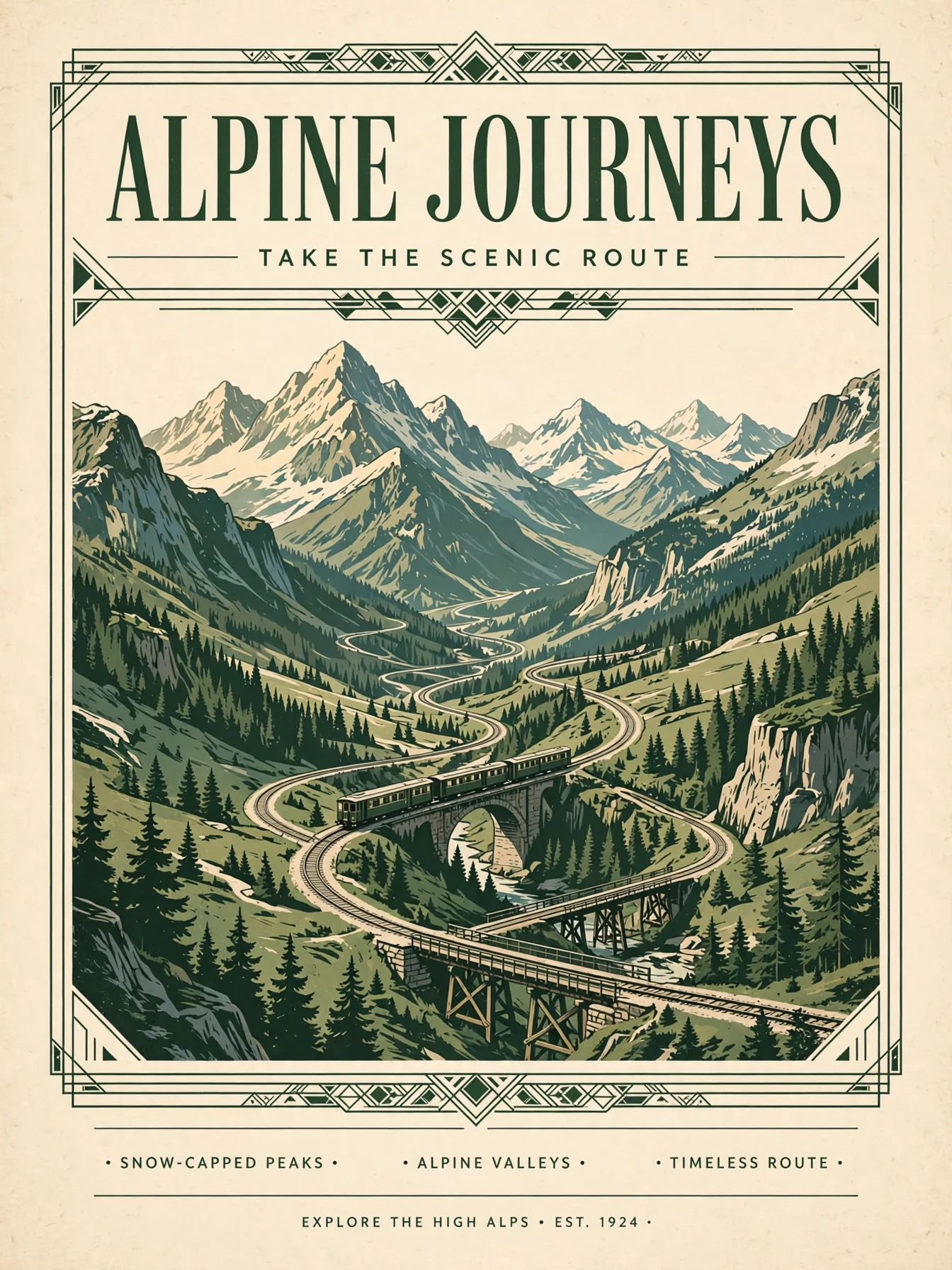
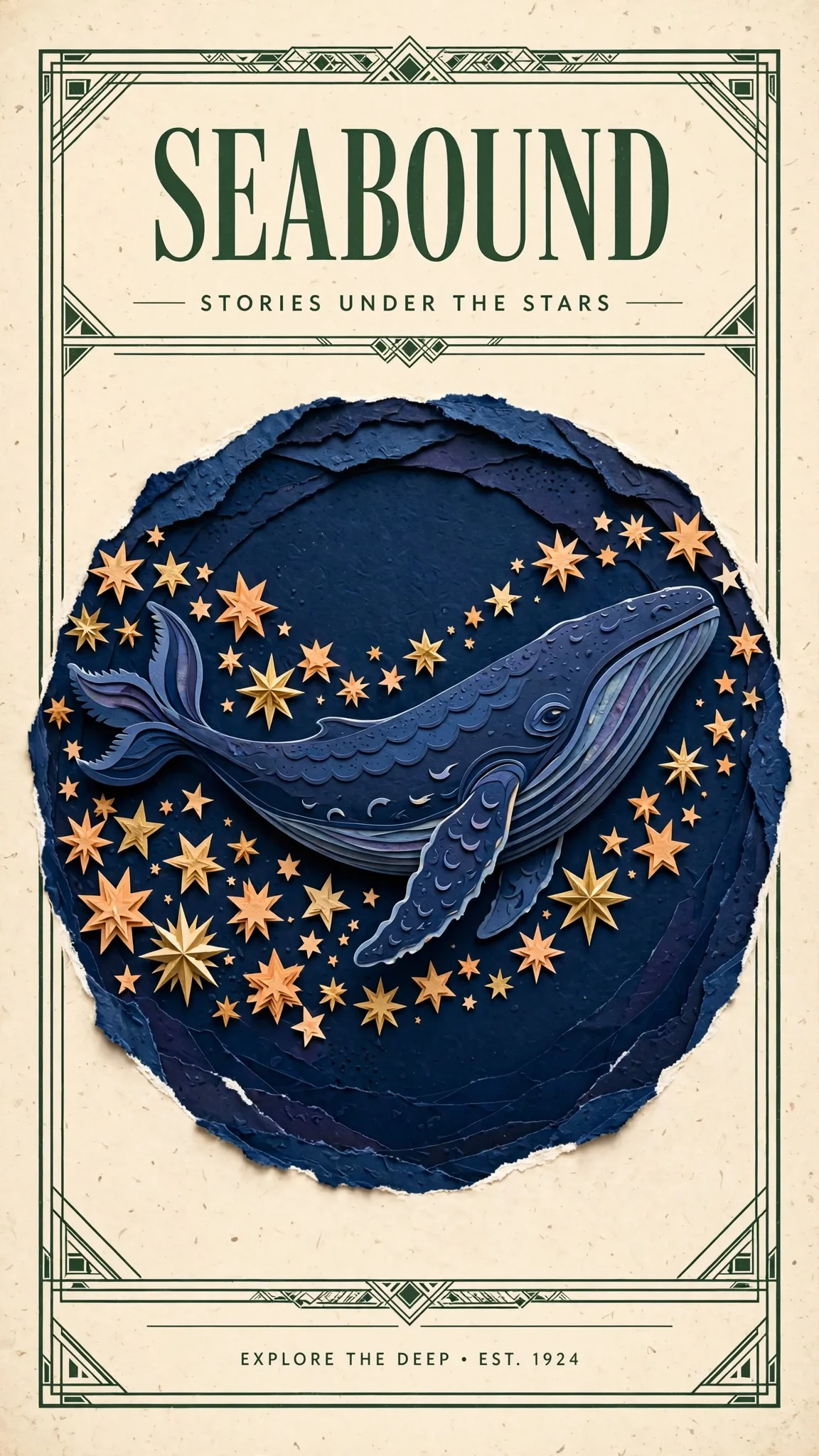
Design a polished illustrated travel poster using the indigo whale and warm
stars from Image 1 as the central artwork. Borrow the cream paper, forest-green
framing and clean heading hierarchy from Image 2. Replace all old poster text
with a single large heading SEABOUND at the top and the smaller line STORIES
UNDER THE STARS below. Keep the whale recognizable, use balanced spacing and
delicate layered paper detail.
带着这条提示词打开改图页 →(上传你自己的两张图)
muse-image-1.0/image-to-image,两张参考图,$0.015。
主标题和副标题一字不差,但 Muse 在底部多加了一行没要求的小字。文案必须精确时,提示词末尾加「no other text」。
参数速查
| 字段 | 取值 | 说明 |
|---|---|---|
prompt | 字符串,必填,最多 5000 字符 | 描述画面,或写清要改什么、保留什么 |
image_urls | 1–10 张公开链接 | 改图入口必填;文生图入口不用 |
aspect_ratio | 1:1 4:3 3:4 16:9 9:16 3:2 2:3 21:9 9:21 | 可选;不写时模型按画面内容定构图 |
output_format | jpeg / png / webp,默认 webp | 三种同价 |
没有 resolution 字段。每张约 250 万像素,宽高跟着画幅变。
上线前注意
- 固定版位一定写
aspect_ratio。 不写就由模型自己定,探索时可以,放进横幅位就不行。 fail和failed都要判断。 文档写的是failed,两个都判断更稳。- 用回调代替轮询:在
input同级加"callback": {"url": "https://your-app.example.com/hiapi/callback"},按taskId去重。 - 结果马上保存。
output[0].url有有效期,及时下载或在创建任务时选永久存储。 - 带上
Idempotency-Key请求头,重试时同一个 Key 只建一次任务。
常见问题
一次任务出几张?
1 张。要多个方向就分别提交任务。
能出更大或更小的图吗?
不能,Muse Image 固定约 250 万像素。要 4K 选 FLUX.3 Image 或 Nano Banana 2.1。
不传参考图能用改图入口吗?
不能,改图入口必须传 1–10 张图。从文字开始请用 muse-image-1.0/text-to-image。
生成失败扣钱吗?
不扣。只有成功出图才计费。
价格见 Muse Image API 价格,更多提示词见 Muse Image 提示词案例,同提示词对照见 Muse Image vs Nano Banana 2.1。也可以直接去模型页生成这只纸艺狐狸。