FLUX.3 Image API turns prompts and references into detailed visuals for products, spaces and creative work. Try online and view images, pricing and guides.

Provider: Black Forest Labs

Category: image generation

Endpoint: /v1/tasks

Status: Available

Cost: See live page pricing

Back to Models

FLUX.3 Image

by Black Forest LabsImage

FLUX.3 Image API turns prompts and references into detailed visuals for products, spaces and creative work. Try online and view images, pricing and guides.

Pricing

Standard Usage

82 Credits/ image

Input

0 / 5000

More parameters

Generation settings

Content safety tolerance from 0–4; 0 is the strictest; Range: 0 - 4, Integer only

Generation preferences

Allow web and image searches before generation to add visual context

Estimated cost96 Credits / image1K

Output

Ready for generation

Configure your parameters and click "Run" to see the output here.

--

Create from an idea or edit around references

Explore the complete images, reference materials and creative instructions; expand images for a closer look.

Subject referenceSubject reference
Setting referenceSetting reference
Palette referencePalette reference
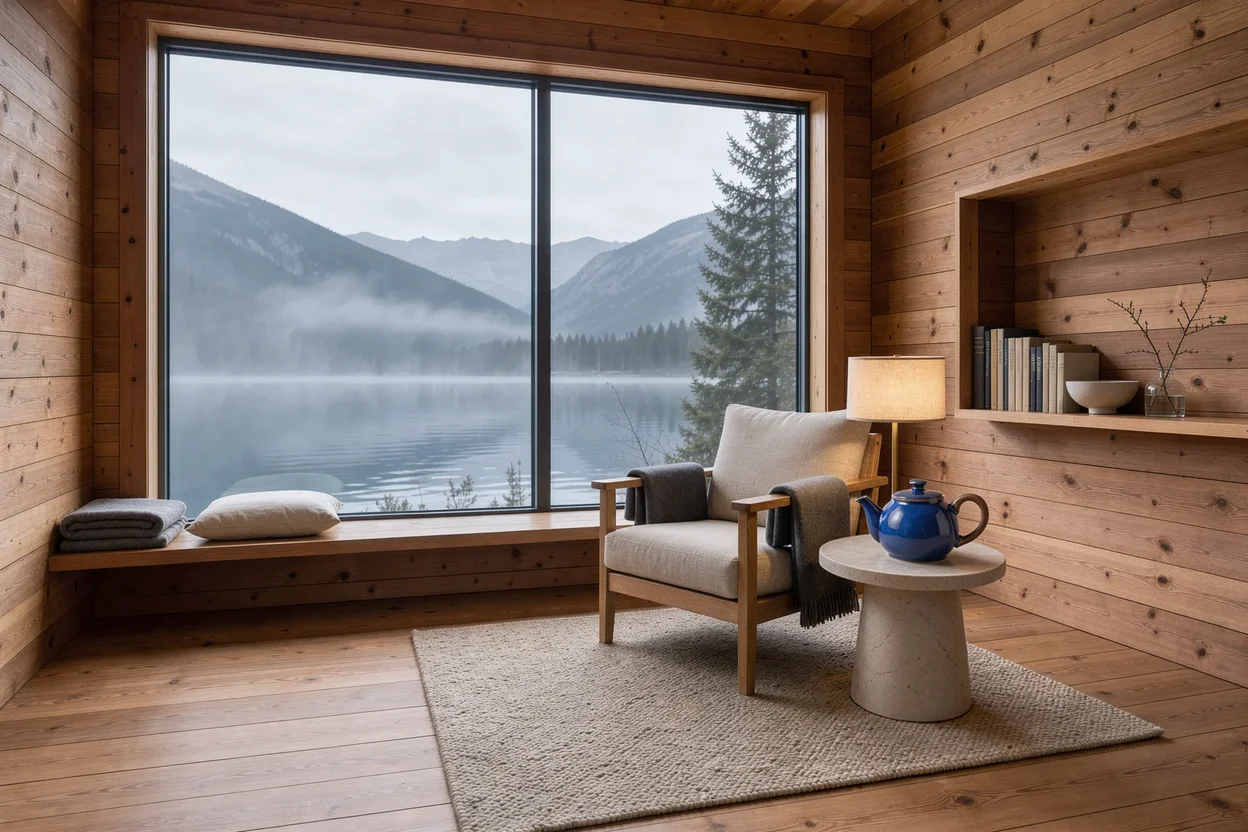
Place the teapot in a cedar cabin · Composite resultResult

3 reference images / 1248 × 832

Place the teapot in a cedar cabin

The teapot supplies the subject, the cabin the setting and the night street the palette; the prompt assigns each role.

Prompt · English

Create a refined product photograph. Use the cobalt blue ceramic teapot and walnut handle from Image 1 as the main subject, place it on a pale stone side table inside the cedar reading cabin from Image 2. Borrow only the subtle teal and amber lighting palette from Image 3. Preserve the teapot shape and glaze, keep the lake window visible in the background, realistic scale, no lettering.
Related image models

Choose an adjacent model by task, output tier, and reference-image needs.

Model specifications

Choose inputs and output settings for your creative goal with FLUX.3 Image.

Reference images
0-10
Output resolution
7681K1.5K2K4K
Aspect ratios
21:92:116:93:27:54:35:41:14:53:45:72:39:161:29:21auto
Prompt length
1–5000 characters
Pricing
768: 82 Credits / image1K: 96 Credits / image1.5K: 140 Credits / image2K: 200 Credits / image4K: 1,214 Credits / image

Final cost depends on the output tier and input add-ons. Check the live page price and task record for the final charge.

How to use FLUX.3 Image

References provide visual facts; the prompt assigns their roles and limits the edit.

Subject
Scene
Style
Up to 10
01

Describe the image or add references

Skip uploads for text-to-image, or add 1 to 10 images for editing and describe their roles.

What to change
What to preserve
02

Describe the result and choose settings

Describe the subject, composition, and lighting; for edits, specify what to change and preserve, then choose quality, layout, and format.

Playground
POST /v1/tasks
03

Validate before integration

Check the reference relationship in Playground, then create asynchronous tasks with the same model ID.

API Quickstart

Copy a minimal request below. See Docs for parameters, callbacks, task retrieval, and errors.

Endpoint
POST /v1/tasks
Model ID
flux-3-image
cURL
curl -X POST "https://api.hiapi.ai/v1/tasks" \
  -H "Authorization: Bearer YOUR_API_KEY" \
  -H "Content-Type: application/json" \
  -d '{
  "model": "flux-3-image",
  "input": {
    "prompt": "A refined still life photograph of a miniature terracotta architectural model on ivory paper, a warm brass desk lamp, a sprig of olive leaves and a charcoal pencil, precise shadows and soft late-afternoon sunlight, restrained design-magazine composition, no text."
  }
}'

The create request immediately returns a taskId; image generation continues asynchronously.

Read the full API documentation

BLACK FOREST LABS / FLUX.3 IMAGE

From a written brief to a production-ready image

FLUX.3 Image, released by Black Forest Labs in October 2026, handles text-to-image and reference editing under one model ID. It excels at real materials, lighting and spatial relationships for product, interior and brand visuals.

Generate + editUp to 10 referencesFive tiers, 768 to 4K
Explore the model ↓
From a written brief to a production-ready image
FLUX.3 Image · Model-generated example

MODEL OVERVIEW

About FLUX.3 Image

Without references, FLUX.3 Image creates a complete picture from text. With 1–10 references, it carries over products, spaces or palettes and combines them as described. Both modes share one model ID and one set of parameters.

Output comes in five tiers—768, 1K, 1.5K, 2K and 4K—each priced per image. A common workflow is to settle the composition at a lower tier, then render the chosen direction at 2K or 4K for enlargement, print or cropping.

What FLUX.3 Image can do, from products to spaces

Every example below was generated with FLUX.3 Image through HiAPI, covering product still life, interiors, night streets, high-resolution illustration and multi-reference composition.

Materials as the hero of a product shot

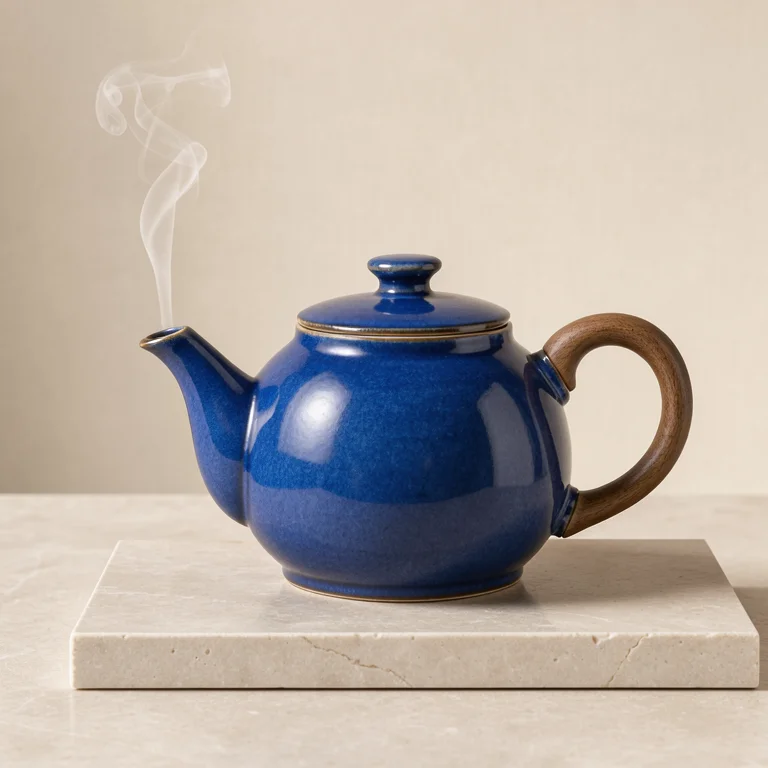
A cobalt glaze, walnut handle and pale stone base separate cleanly under a single side light; highlights and shadows trace the curve of the teapot.

Images like this suit e-commerce listings, launch teasers and packaging proposals. Naming materials and light direction gives steadier results than words like “premium”.

View prompt

Studio product photograph of a sculptural cobalt blue ceramic teapot with a walnut handle on pale limestone, soft side light, a single thin curl of steam, warm ivory backdrop, precise material detail, no lettering.

FLUX.3 Image · 768 · Product still life

Interior and landscape in one frame

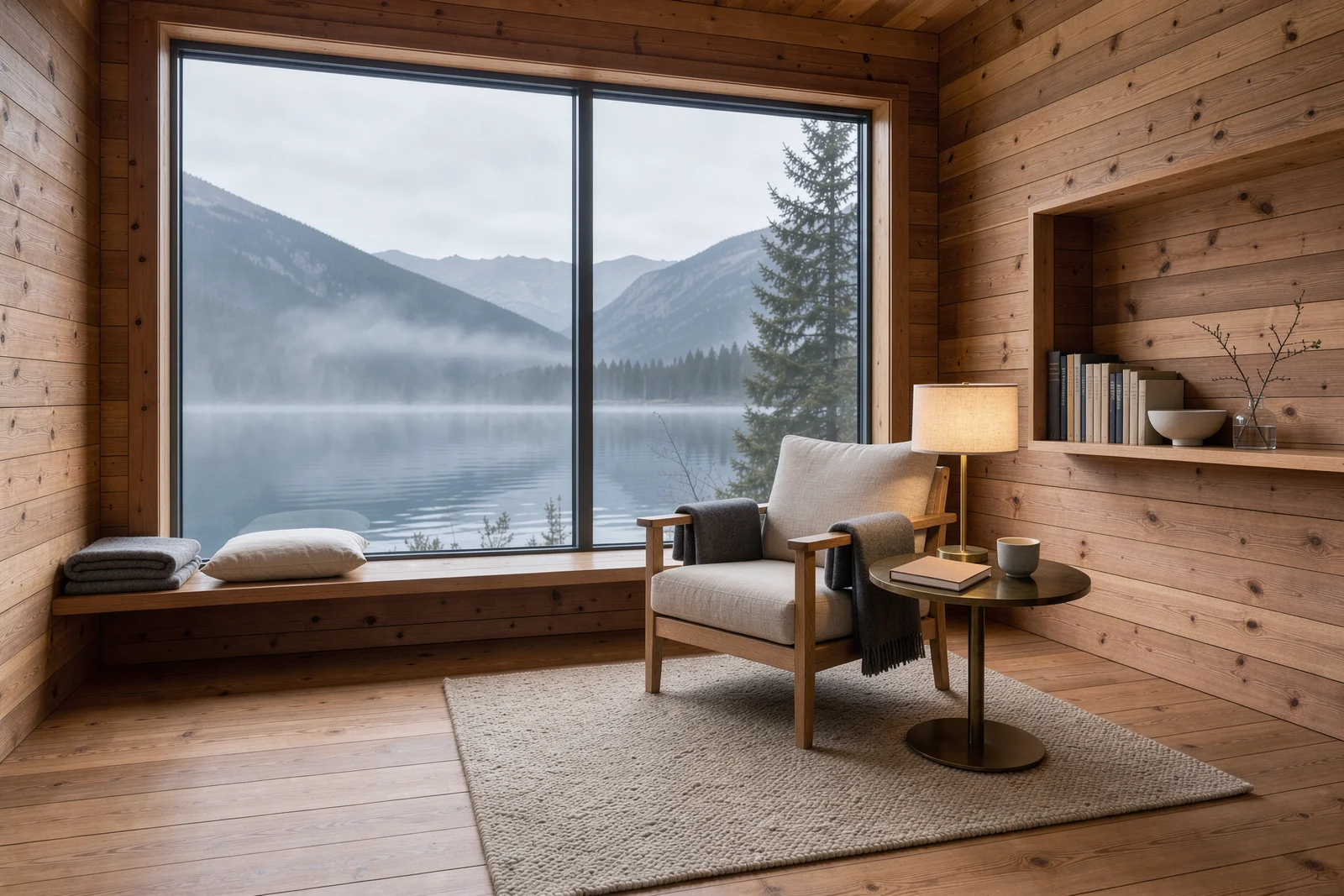
Cedar walls, a linen chair and a brass lamp form a warm interior, while the window opens onto a misty lake and forest; the warm–cool contrast adds depth.

Home brands, hotels and interior designers can use it for quick spatial proposals. Specifying viewpoint, furniture placement and the view outside makes scale and proportion more convincing.

View prompt

Architectural interior photograph of a cedar alpine reading cabin, floor-to-ceiling window opening onto a misty mountain lake, linen armchair and a small brass lamp, warm wood grain, quiet morning atmosphere, restrained Scandinavian design, no text.

FLUX.3 Image · 1.5K · 3:2 interior

Lamplight and reflections on a rainy night

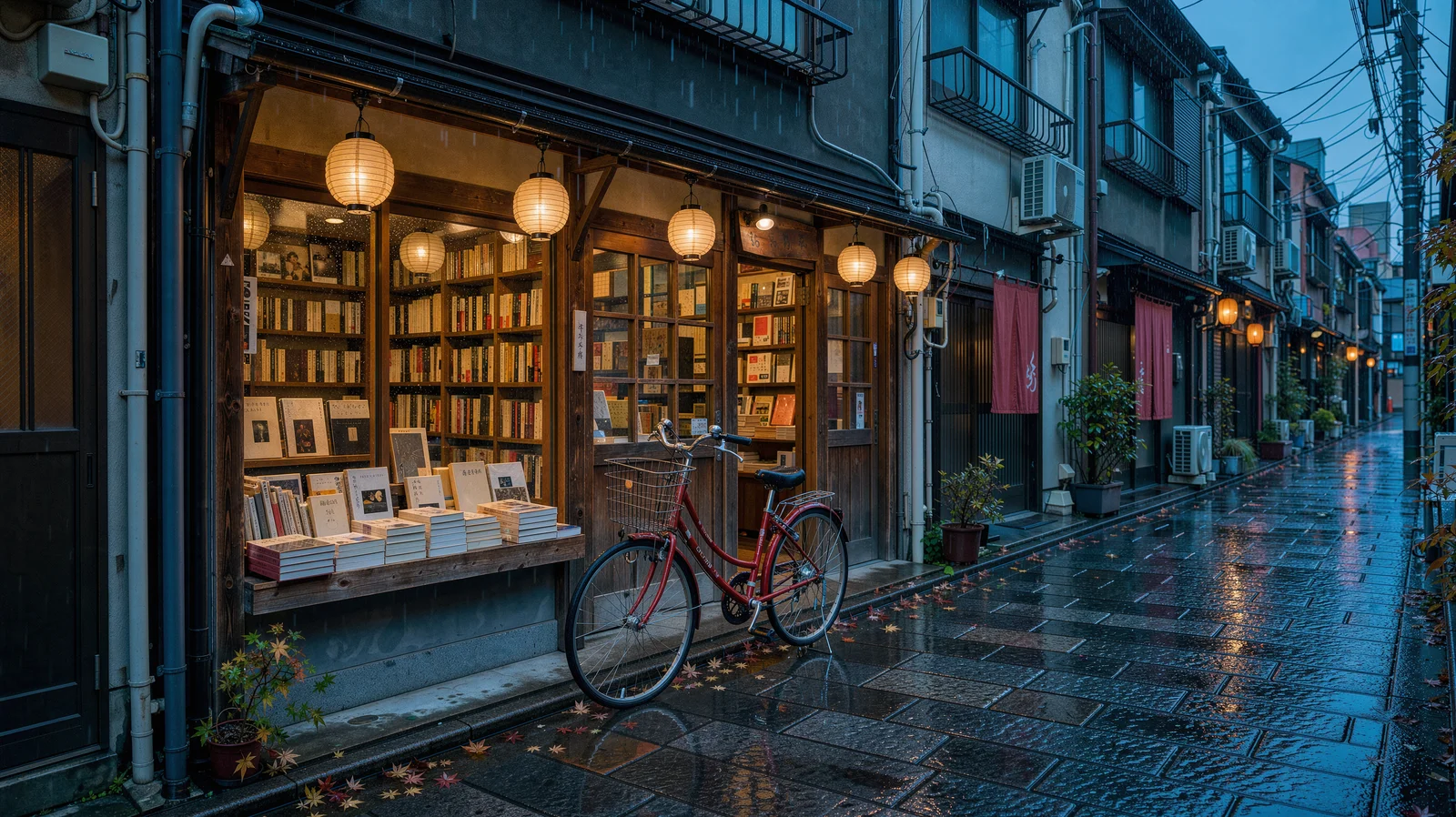
A street at dusk, the warm glow of a bookshop and reflections on wet pavement form one scene, with signs, a bicycle and distant poles kept in clear detail.

It fits travel content, city features and film concept art. At the 2K tier a 16:9 image is about 2736×1536 pixels—ready for a web header or video cover.

View prompt

A cinematic rainy Tokyo side street at blue hour, a small independent bookstore with warm amber windows and a red bicycle outside, glossy cobblestones reflecting teal and vermilion light, delicate paper lanterns, no readable signs, editorial architectural photography.

FLUX.3 Image · 2K · 16:9 night street

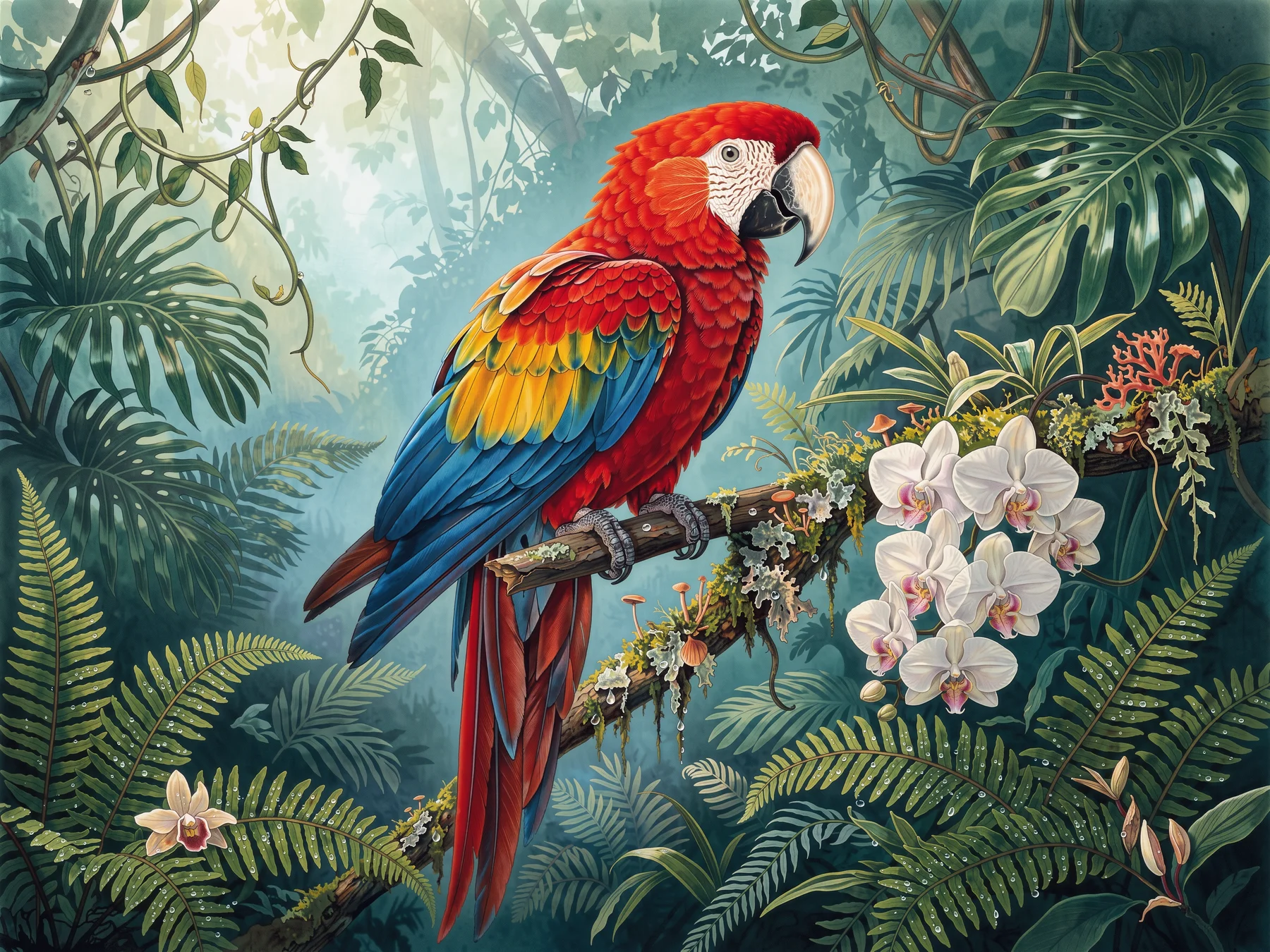
4K output that holds up when enlarged

The macaw’s feathers, orchid petals and fern veins keep crisp edges and texture at 4K, with detail still readable when zoomed in.

Choose 4K when a piece will be printed, used as a large poster or cropped into several versions; a 4:3 image comes out at about 4736×3552 pixels.

View prompt

Large-format botanical editorial illustration, a jewel-toned scarlet macaw perched on a mossy branch amid ferns and orchids in a deep emerald rainforest, dew droplets and luminous mist, intricate feather detail, elegant spacious composition, no typography.

FLUX.3 Image · 4K · 4:3 nature illustration

Several references, each with its own job

This image uses three references: the teapot supplies the product, the cabin the space and the rainy street a colour reference. The teapot sits on the cabin’s side table with scale and lighting that match the room.

Stating what each reference contributes—and what to leave out—makes the result more controllable. Up to 10 references can be uploaded at once.

View prompt

Create a refined product photograph. Use the cobalt blue ceramic teapot and walnut handle from Image 1 as the main subject, place it on a pale stone side table inside the cedar reading cabin from Image 2. Borrow only the subtle teal and amber lighting palette from Image 3. Preserve the teapot shape and glaze, keep the lake window visible in the background, realistic scale, no lettering.
References

Product
Product
Space
Space
Palette
Palette
Edited result
Edited result

Choosing among the five tiers

768
Quick composition tests
1K
Everyday and social images
1.5K
Closer look at materials
2K
Web headers, video covers
4K
Print, large posters, crops

Where FLUX.3 Image fits

E-commerce and brand visuals

Listings, lifestyle scenes and launch posters with dependable materials and lighting.

Interior and spatial proposals

Concept images for homes, hotels and exhibitions to align with clients early.

Advertising and campaigns

Posters, banners and social assets—explore several directions at a low tier, then pick one.

Travel and city content

Destination guides, city features and article headers with strong night and lighting atmosphere.

Publishing and illustration

Book covers, magazine illustration and educational art; the 4K tier suits print.

Composing from existing assets

Combine existing product and space photos into new scenes and reduce reshoots.

Start with FLUX.3 Image on HiAPI

Try different tiers and reference combinations in the Playground on this page, then reuse the same settings through the API. Generated links expire—download what you need, or choose permanent storage when creating the task.

Need to compare models and billing tiers?View live pricing for all models

Frequently asked questions

Can one entry generate and edit?

Yes. Generate from text without references, or provide 1–10 images to edit around existing material.

How should I choose among the five tiers?

Start with 768 or 1K for a direction, consider 1.5K or 2K for more detail, and 4K when a larger file or cropping room is useful. Tiers do not specify fixed edges; inspect the returned dimensions.

How should I assign reference roles?

Assign the subject, setting and palette or style to specific references in order, including anything that should stay out.

How many images does each task return?

Each task returns one image. Adjust the brief and submit a separate task for another direction.

Can I choose the generated file format?

This entry has no file-format selector. Work with the returned file or convert it in an image tool after downloading.

When is search assistance useful?

Enable it when web or image searches could add visual context before generation. Turn it off for a direction based only on your own brief and references.

How should I keep images long term?

Generated image links have an expiry date. Download files you need to keep, or select permanent storage when creating the task. Existing images can also be re-stored by following the storage management guide.

Can I continue editing a result?

Save the result and supply it as a reference in a new task. Tasks are independent, so describe what to retain and what this revision should change.

How can I make lettering easier to inspect?

Put a short heading in quotes and describe its position, hierarchy and surrounding space. Check the lettering before use and finish typography in a design tool if needed.

When should I leave framing automatic?

Use automatic framing when the placement is flexible. Choose a ratio for a fixed banner, portrait poster or square card, then check the downloaded dimensions.

Where can I check the cost before generating?

Choose your parameters and check the Playground estimate and live pricing. Task records show the completed image and its charge.

Why can the same brief produce a different picture?

Composition and details can vary between results. Use a selected picture as a reference and specify preservation requirements when continuity matters.