Muse Image API edits subjects, colors and layouts from references for covers and posters. Try online and see image comparisons, pricing and API guides.

Provider: Meta

Category: image generation

Endpoint: /v1/tasks

Status: Available

Cost: See live page pricing

Back to Models

Muse Image Image-to-Image

by MetaImage

Muse Image API edits subjects, colors and layouts from references for covers and posters. Try online and see image comparisons, pricing and API guides.

Pricing

Standard Usage

30 Credits/ image

Input

0 / 5000

More parameters

Generation settings

Choose the file format for downloaded images

Estimated cost30 Credits / imageper image

Output

Ready for generation

Configure your parameters and click "Run" to see the output here.

--

Compose around existing materials

Explore the complete images, reference materials and creative instructions; expand images for a closer look.

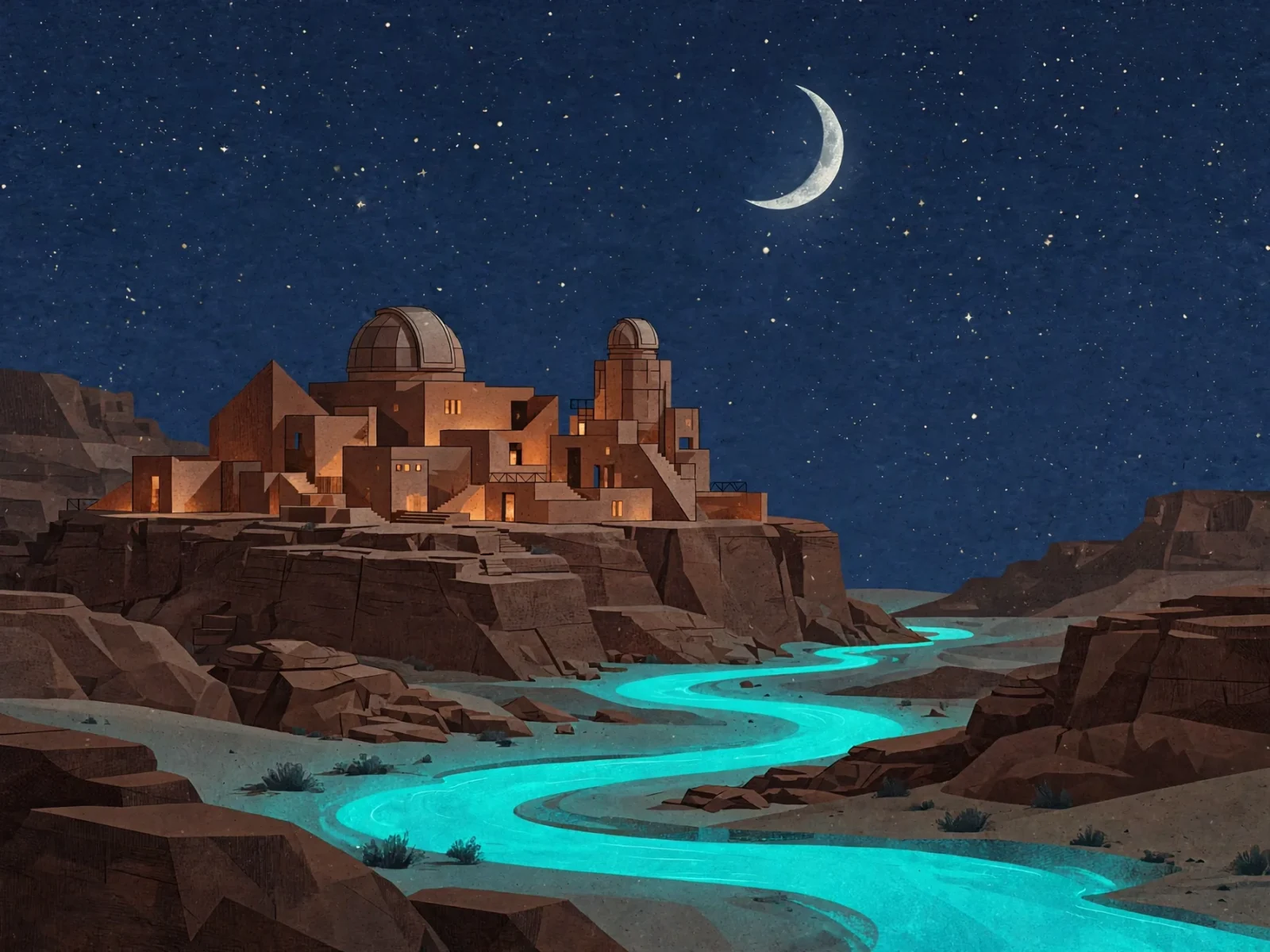
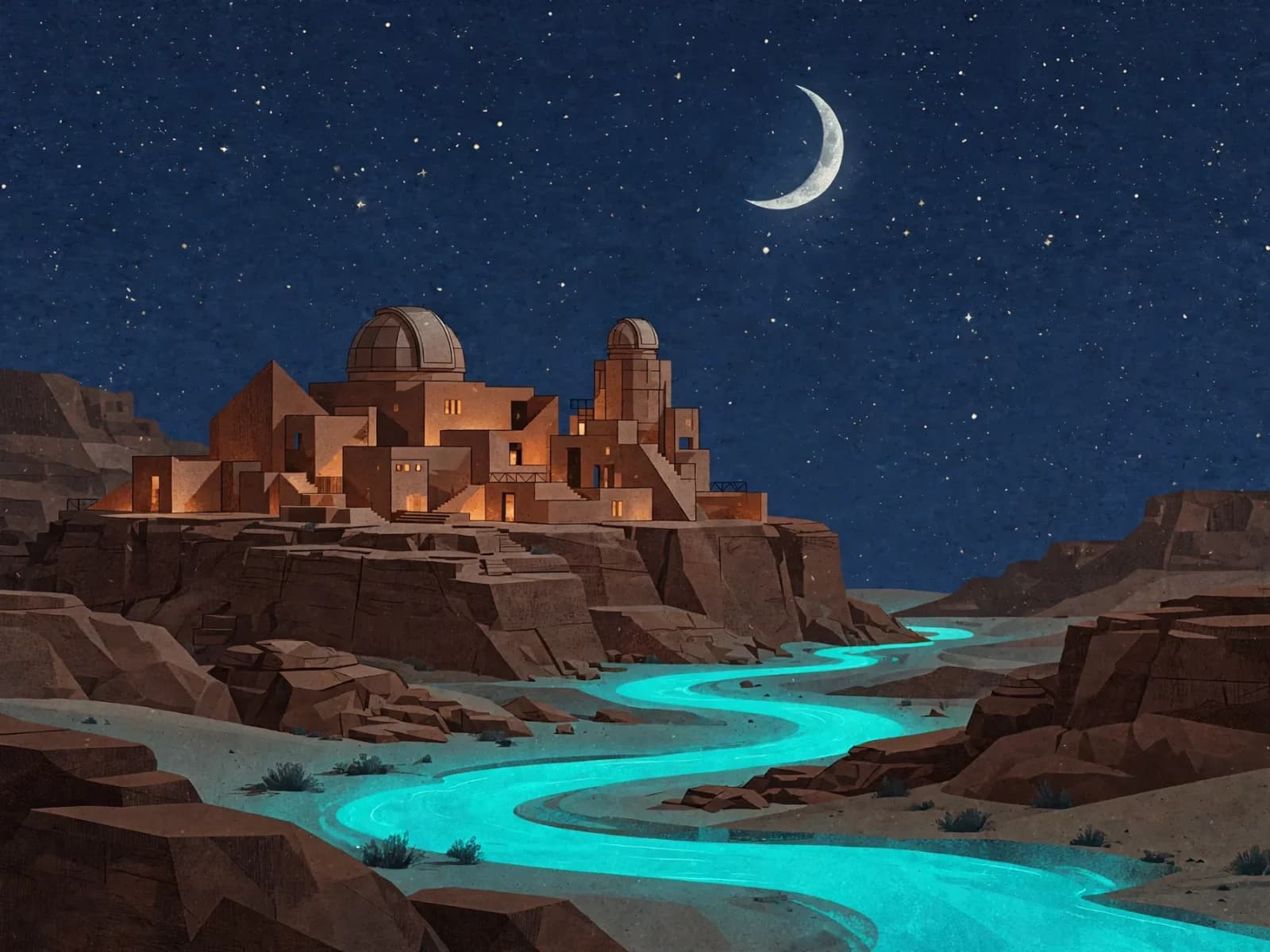
Change time of day and light around a landmark · After
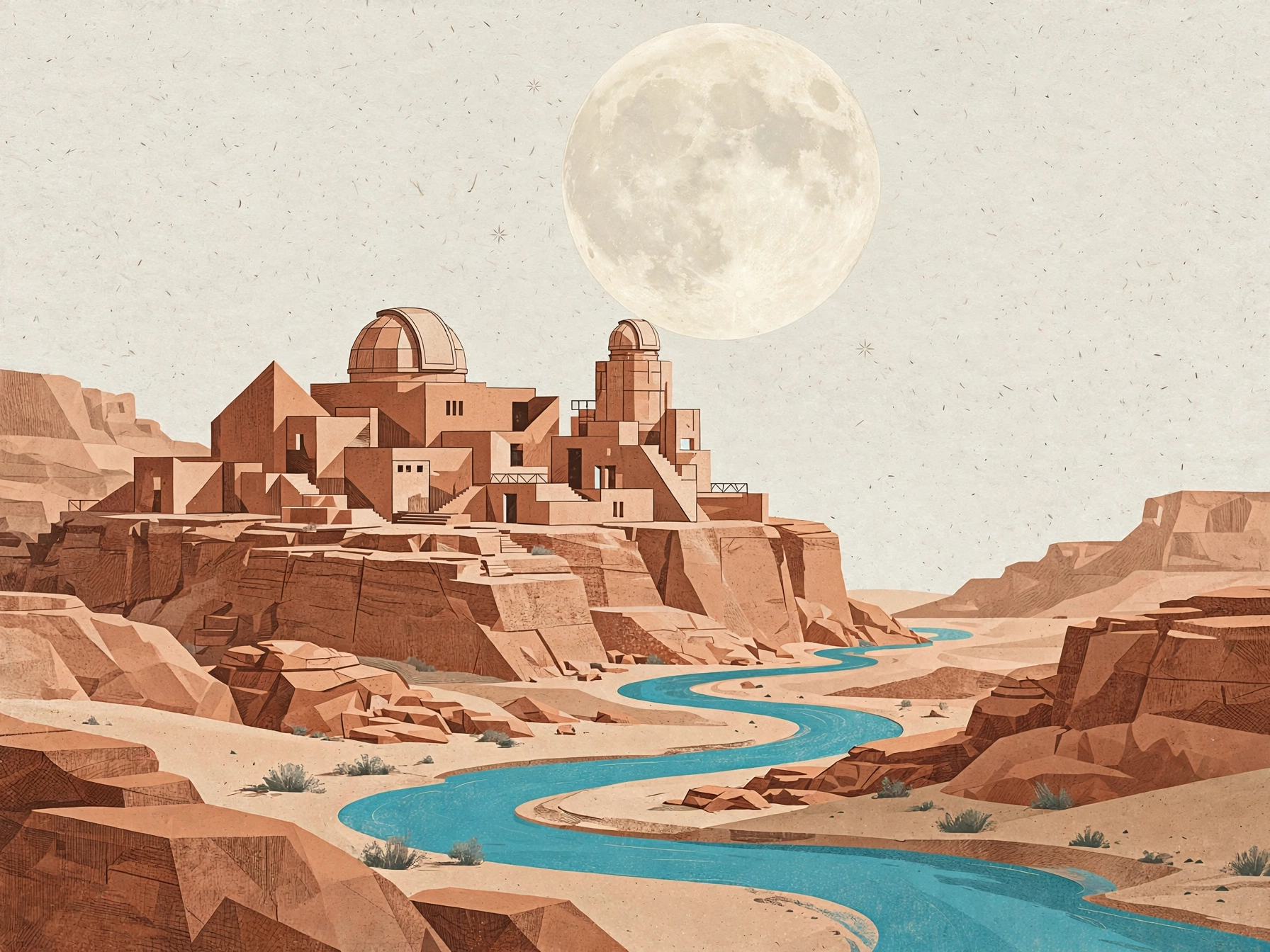
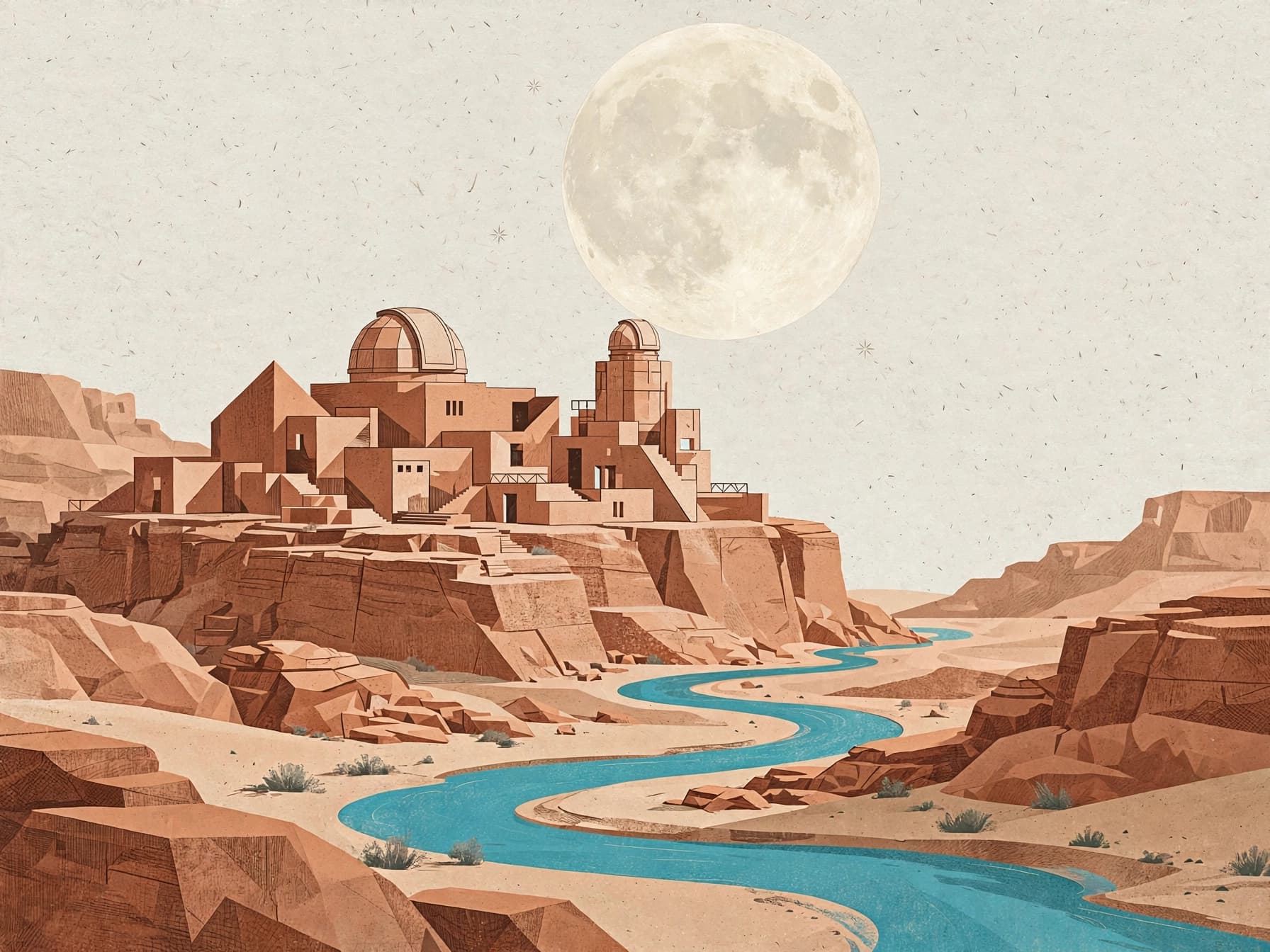
Change time of day and light around a landmark · Before
BeforeAfter

1 reference image / 1600 × 1200

Change time of day and light around a landmark

Use a daytime architectural reference to change the sky, windows and river into a night scene.

Prompt · English

Transform the reference illustration into a nocturnal travel poster artwork. Preserve the terracotta observatory dome, geometric building forms and winding river. Change the sky to deep indigo with a silver crescent moon and a few tiny stars, illuminate the windows with soft warm amber light, make the river glow turquoise, retain the tactile paper grain and clear architectural silhouette, no text.
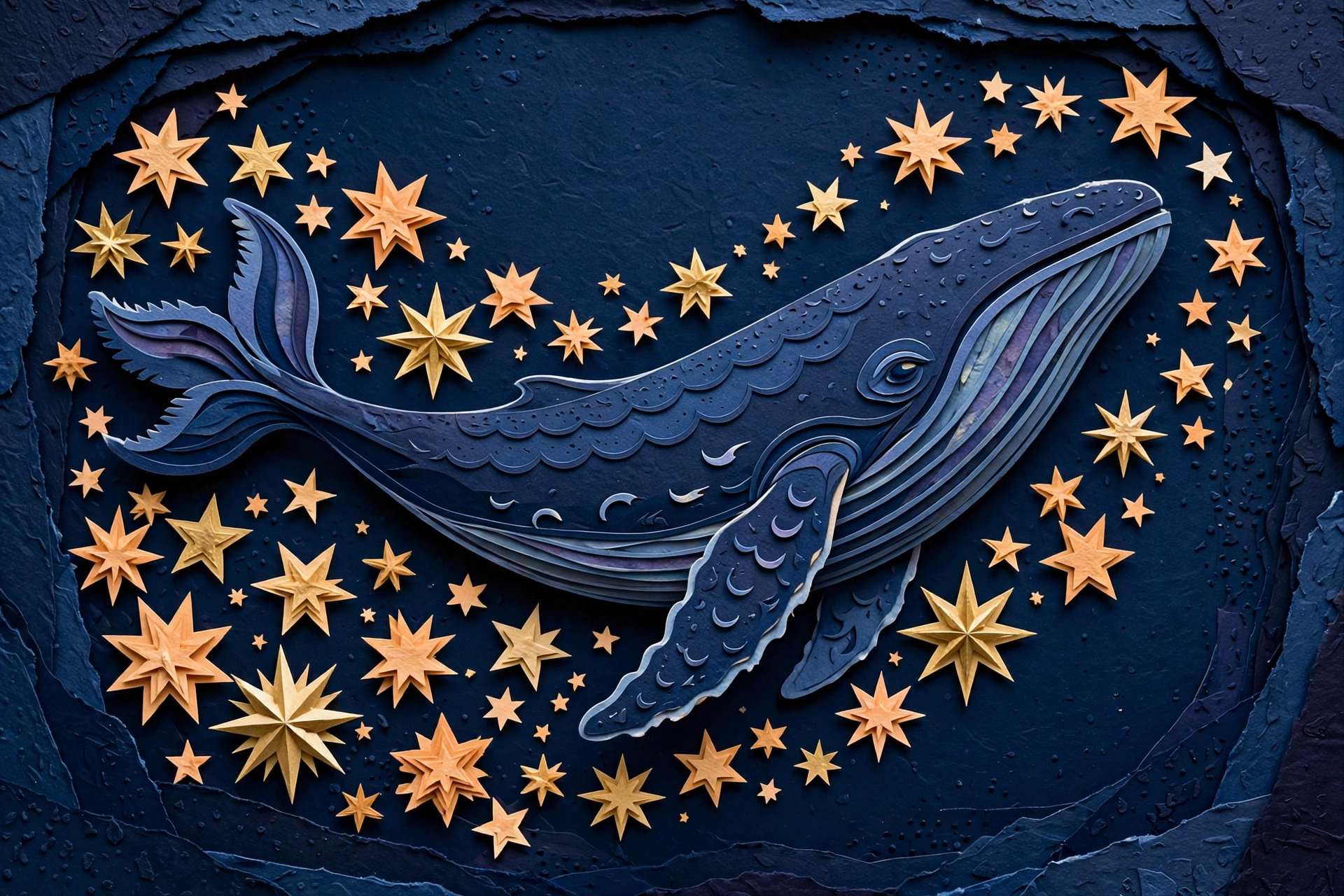
Reference: whale illustrationReference: whale illustration
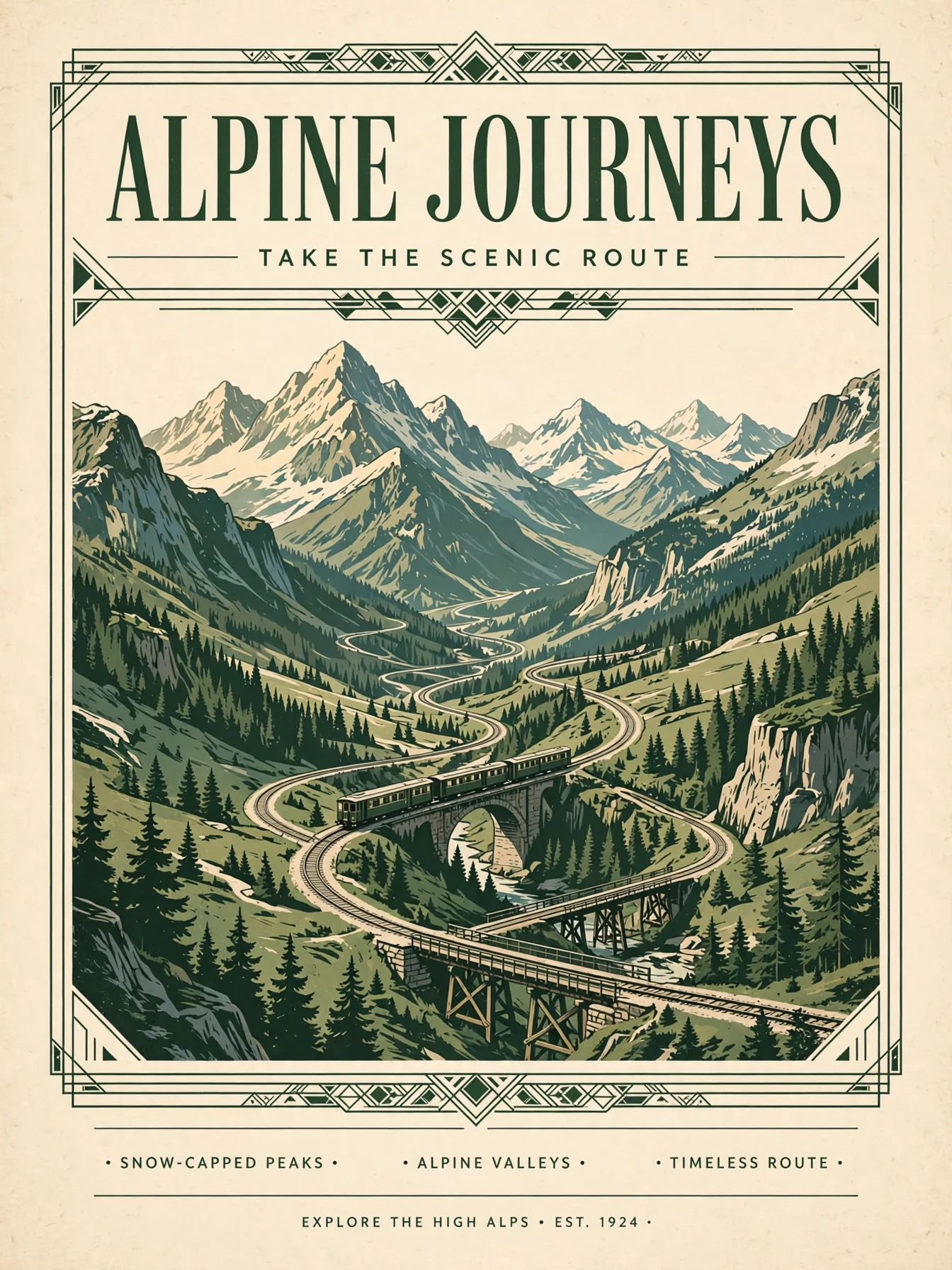
Reference: poster layoutReference: poster layout
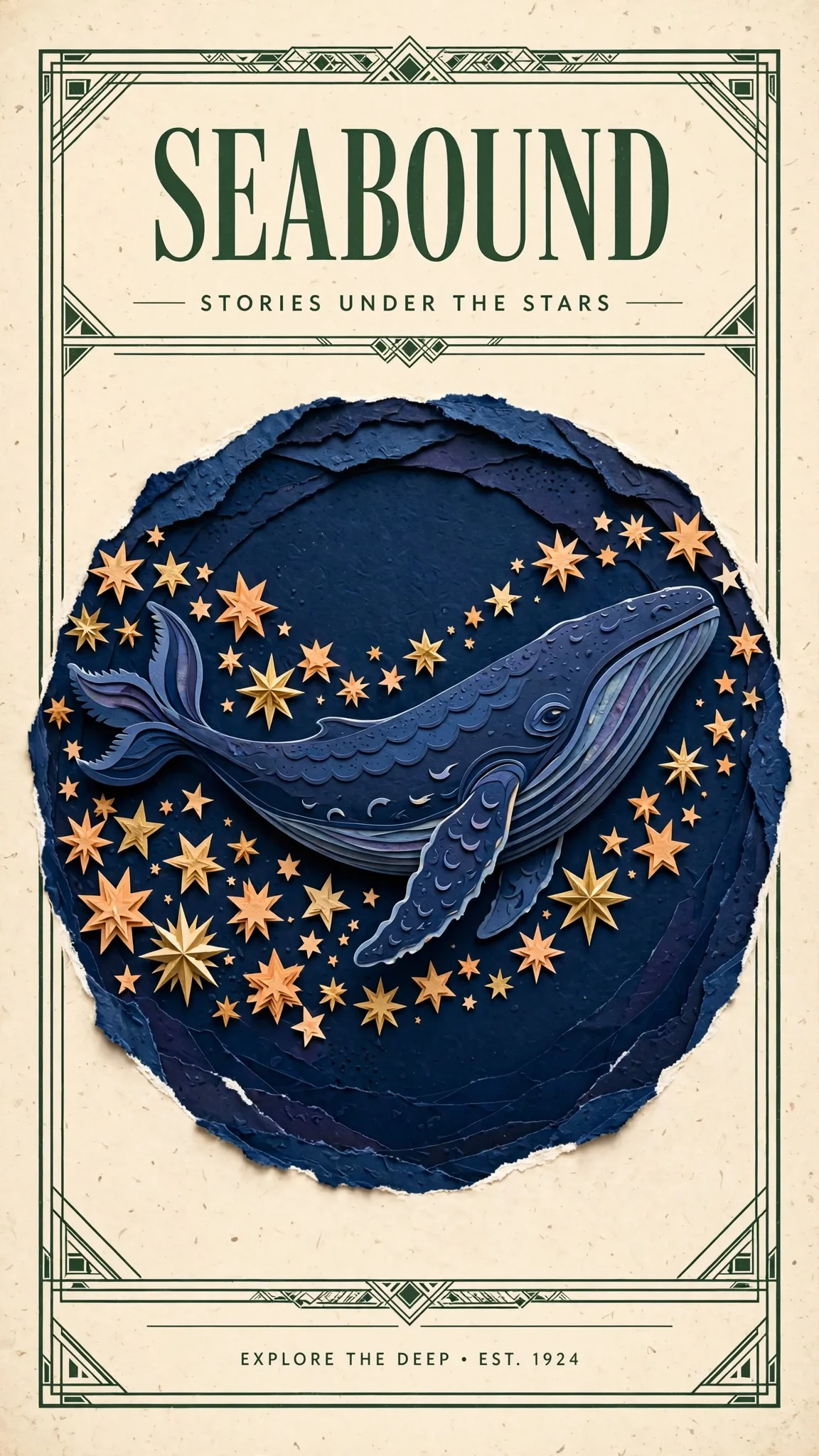
Separate subject references from layout references · Composite resultResult

2 reference images / 1152 × 2048

Separate subject references from layout references

Assign subject, layout and style roles in reference order.

Prompt · English

Design a polished illustrated travel poster using the indigo whale and warm stars from Image 1 as the central artwork. Borrow the cream paper, forest-green framing and clean heading hierarchy from Image 2. Replace all old poster text with a single large heading SEABOUND at the top and the smaller line STORIES UNDER THE STARS below. Keep the whale recognizable, use balanced spacing and delicate layered paper detail.

Related image models

Choose an adjacent model by task, output tier, and reference-image needs.

Model specifications

Choose inputs and output settings for your creative goal with Muse Image Image-to-Image.

Reference images
1-10
Aspect ratios
1:14:33:416:99:163:22:321:99:21
Output formats
JPEGPNGWEBP
Prompt length
1–5000 characters
Pricing
Per task: 30 Credits / image

Final cost depends on the output tier and input add-ons. Check the live page price and task record for the final charge.

How to use Muse Image Image-to-Image

References provide visual facts; the prompt assigns their roles and limits the edit.

Subject
Scene
Style
Up to 10
01

Upload references

Choose 1 to 10 publicly accessible images without redundant or conflicting roles.

What to change
What to preserve
02

Define changes and constraints

Describe the requested edit and the subject, text, composition, lighting, and positions that must remain.

Playground
POST /v1/tasks
03

Validate before integration

Check the reference relationship in Playground, then create asynchronous tasks with the same model ID.

API Quickstart

Copy a minimal request below. See Docs for parameters, callbacks, task retrieval, and errors.

Endpoint
POST /v1/tasks
Model ID
muse-image-1.0/image-to-image
cURL
curl -X POST "https://api.hiapi.ai/v1/tasks" \
  -H "Authorization: Bearer YOUR_API_KEY" \
  -H "Content-Type: application/json" \
  -d '{
  "model": "muse-image-1.0/image-to-image",
  "input": {
    "prompt": "Transform the reference illustration into a nocturnal travel poster artwork. Preserve the terracotta observatory dome, geometric building forms and winding river. Change the sky to deep indigo with a silver crescent moon and a few tiny stars, illuminate the windows with soft warm amber light, make the river glow turquoise, retain the tactile paper grain and clear architectural silhouette, no text.",
    "image_urls": [
      "https://static.hiapi.ai/model-onboarding/flux-muse-20261014/49470f4787401b4f-muse-ratio-4-3-display.webp"
    ],
    "aspect_ratio": "4:3",
    "output_format": "webp"
  }
}'

The create request immediately returns a taskId; image generation continues asynchronously.

Read the full API documentation

META / MUSE IMAGE · EDIT

Upload references, describe the change

The Muse Image editing entry takes 1–10 references: keep the subject and structure, change the time of day, style or background, or combine several images into a new poster. One image per task.

1–10 references9 aspect ratiosJPEG / PNG / WebP
Explore the model ↓
Upload references, describe the change
Muse Image Image-to-Image · Model-generated example

MODEL OVERVIEW

About Muse Image editing

References supply what to keep; the description says what to change—keep a building’s shape and turn day into night, or keep a character and move it into a new poster layout.

With several references, say what each one is for—“the first is the subject, the second sets the layout”—and what to leave out. To generate from text alone, use the Muse Image text-to-image entry.

Muse Image editing examples

Every example below was generated with Muse Image through HiAPI; references are shown alongside each edited result.

Day to night, same architecture

The original shows a desert observatory in daylight. After the edit, the building outline, river course and cliffs remain, while the sky becomes a starfield with a crescent moon and the river glows cyan.

This suits destinations, hotels and events that need promotional images for different times of day, or turning one illustration into a poster series.

View prompt

Transform the reference illustration into a nocturnal travel poster artwork. Preserve the terracotta observatory dome, geometric building forms and winding river. Change the sky to deep indigo with a silver crescent moon and a few tiny stars, illuminate the windows with soft warm amber light, make the river glow turquoise, retain the tactile paper grain and clear architectural silhouette, no text.
References

Original
Original
Edited result
Edited result

Two references, one travel poster

The first reference supplies the paper-cut whale and stars; the second provides the frame and layout of a vintage travel poster. The result keeps both and adds headline lettering.

It suits book covers, event key visuals and poster series. Check any generated lettering word by word.

View prompt

Design a polished illustrated travel poster using the indigo whale and warm stars from Image 1 as the central artwork. Borrow the cream paper, forest-green framing and clean heading hierarchy from Image 2. Replace all old poster text with a single large heading SEABOUND at the top and the smaller line STORIES UNDER THE STARS below. Keep the whale recognizable, use balanced spacing and delicate layered paper detail.

References

Subject
Subject
Layout
Layout
Edited result
Edited result

Where Muse Image editing fits

Background and setting swaps

Keep the product or person and move it into a new setting.

Time and mood changes

Turn day into night or sun into rain for time-specific promotions.

Poster redesigns

Keep the subject and apply a new layout, palette or headline.

Character series

Place the same character in new scenes while keeping its look consistent.

Interior restyling

Try different styles and furnishings on the same room photo.

Campaign key-visual variants

Extend one key visual into landscape, portrait and other variants.

Start editing with Muse Image on HiAPI

Upload references and describe the change in the Playground on this page, then reuse the same settings through the API. Generated links expire—download what you need, or choose permanent storage when creating the task.

Need to compare models and billing tiers?View live pricing for all models

Frequently asked questions

Are references required?

Provide 1–10 references. Choose text-to-image to start without an existing picture.

How many edited images are returned?

Each task returns one edited image with no count selector. Submit separate tasks for different revisions.

How do I preserve a subject while changing its setting?

List the recognizable subject cues to retain, then describe the new setting, light and placement. Inspect scale, occlusion and edges.

Will every reference appear in the result?

No. References can guide the subject, layout, palette or style. Assign their roles and specify what should stay out.

How can I replace old lettering?

Specify old wording to remove and new text to include, then describe placement, hierarchy and whitespace. Check the text and layout before use.

How should I choose framing and file format?

Choose landscape, portrait or square framing for the placement, then JPEG, PNG or WebP. There are no resolution tiers; inspect the generated dimensions.

How should I keep images long term?

Generated image links have an expiry date. Download files you need to keep, or select permanent storage when creating the task. Existing images can also be re-stored by following the storage management guide.

Can I continue editing a result?

Save the result and supply it as a reference in a new task. Tasks are independent, so describe what to retain and what this revision should change.

How can I make lettering easier to inspect?

Put a short heading in quotes and describe its position, hierarchy and surrounding space. Check the lettering before use and finish typography in a design tool if needed.

When should I leave framing automatic?

Use automatic framing when the placement is flexible. Choose a ratio for a fixed banner, portrait poster or square card, then check the downloaded dimensions.

Where can I check the cost before generating?

Choose your parameters and check the Playground estimate and live pricing. Task records show the completed image and its charge.

Why can the same brief produce a different picture?

Composition and details can vary between results. Use a selected picture as a reference and specify preservation requirements when continuity matters.