Avatar V
Reuse the same presenter across new scripts
- Input
- Presenter video plus script or audio
- Output
- Digital-twin video with consistent identity and delivery
| Presenter video plus script or audio |
| Digital-twin video with consistent identity and delivery |
| Animate one photo into a talking video | Avatar IV | Photo and script | Talking-avatar video with lip sync and motion |
| Turn one brief into a finished video | Video Agent | Topic, audience, purpose, and style | Script, presenter, voice, visuals, and captions |
| Localize an existing video | Video Translation | Source video and target language | Translated, dubbed, and lip-synced video |
| Match replacement audio to existing footage | Precision Lipsync | Video and replacement audio | Video with resynchronized mouth movement |
| Generate narration or avatar speech at scale | Starfish Voices | Text, voice, and delivery settings | Speech for standalone or video workflows |
Avatar V
Avatar IV
Video Agent
Video Translation
Precision Lipsync
Starfish Voices
From persistent digital twins to one-brief production, each product handles a different part of the video workflow.
Avatar V
Avatar V is HeyGen's current digital twin model. It learns facial identity, expressions, gestures, and delivery from a short recording, then uses that identity for new presenter videos.
It fits teams that repeatedly publish with the same presenter, including founders, instructors, sales representatives, and executives.
Best for: Recurring presenter, course, and company video
Avatar IV
Avatar IV starts with a photo and script, then produces a talking video with lip sync, facial motion, and gestures. HeyGen states that it works with realistic, illustrated, animated, and even pet characters.
It suits fast photo-avatar features, virtual presenters, and user-supplied characters without a full digital twin workflow.
Best for: Photo avatars, virtual hosts, and user characters
Video Agent
Video Agent is for users who do not want to configure every avatar, voice, and scene. Describe the topic, audience, purpose, and tone, and it handles the script, presenter, voiceover, visuals, pacing, transitions, and captions.
Its job is to automate repeatable production rather than expose every timeline decision.
Best for: Explainers, welcome videos, announcements, and social content
Video Translation
Video Translation starts with existing footage and handles translation, dubbing, and lip sync. HeyGen's official pages state support for more than 175 languages and dialects while preserving the speaker's delivery.
It gives courses, campaigns, customer education, and company communication a repeatable localization workflow.
Best for: Course localization, global marketing, and regional communication
Precision Lipsync
Precision Lipsync is designed for footage that already exists but needs a new audio track. It adjusts mouth movement to align the speaker with the replacement audio.
It can be used for dubbing fixes or combined with translation and voice tools in a localization pipeline.
Starfish Voices
Starfish Voices is HeyGen's text-to-speech layer. It can produce standalone speech or provide narration for avatar video, Video Agent, and template workflows.
Voice speed, emotion, and pauses directly affect avatar timing and the rhythm of the finished video.
HeyGen published a cross-scene avatar-video evaluation in the Avatar V technical report. Human reviewers used a five-point scale to compare five systems across identity, lip sync, motion, artifact control, and visual quality.
| Model | Identity | Lip sync | Motion naturalness | Motion consistency | Artifact control | Visual quality |
|---|---|---|---|---|---|---|
| Avatar V | 4.98 | 4.69 | 4.48 | 4.57 | 4.75 | 4.78 |
| Seedance 2.0 | 4.84 | 4.64 | 4.13 | 4.44 | 4.61 | 4.17 |
| Veo 3.1 | 4.34 | 4.62 | 3.88 | 4.05 | 4.66 | 4.76 |
| Kling O3 Pro | 4.18 | 4.40 | 4.21 | 4.12 | 4.19 | 4.45 |
| OmniHuman 1.5 | 4.70 | 4.04 | 3.59 | 3.87 | 3.89 | 3.81 |
Swipe horizontally to view every metric
Each video was independently scored by at least two reviewers who were blinded to model identity. The table shows mean opinion scores from HeyGen's own published evaluation, not a HiAPI benchmark.
Read the Avatar V technical report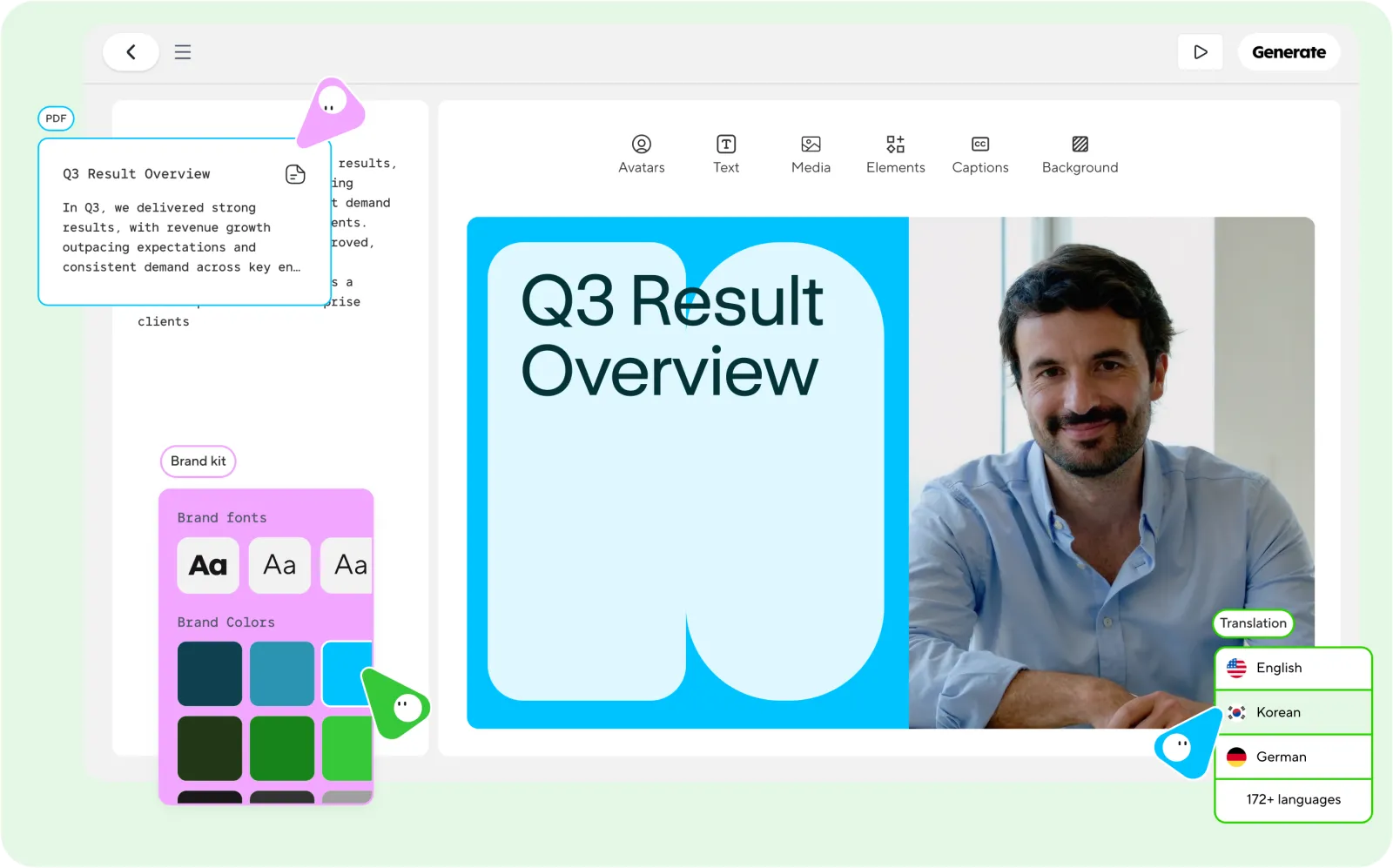
State the audience, purpose, target length, and tone. For Video Agent, this job context is more useful than a long list of camera terms.
Use a preset avatar, photo avatar, or authorized digital twin, then select a voice. Video Agent can also match a presenter and voice automatically.
The system breaks the script into scenes and arranges presenter lines, supporting footage, captions, pacing, and transitions. Brand assets or references can be included.
Review the presenter, pronunciation, captions, facts, and brand details, then revise lines or replace assets before publishing or distribution.
Prepare consent, content templates, brand assets, and review rules so the integration can move into repeatable production faster.
01
Use Avatar V for a recurring presenter, Avatar IV for a talking photo, Video Agent for brief-to-video production, and Video Translation for existing footage. Choose the job before preparing assets.
02
Obtain permission for real-person material, then prepare clear presenter video, photos, or audio. Gather product captures, brand fonts, colors, logos, and reference files at the same time.
03
Separate the stable structure from changing data such as the opening, chapters, product name, customer fields, and closing action so one format can support many versions.
04
Review names, figures, terminology, captions, logos, and colors before delivery. Localized videos also need native-language review, not only a visual check.
05
If a CMS, CRM, learning system, or content workflow triggers video jobs, define task states, callback handling, file storage, retry boundaries, and human review points in advance.
Avatar video breaks when the same person drifts across shots or when lips, expressions, and gestures feel disconnected. HeyGen treats identity, facial motion, gesture, and vocal timing as one performance.
That consistency matters for courses, product series, and executive communication where viewers need to recognize and trust the presenter over time.
Many video APIs return one generated shot and leave scripting, narration, assets, and editing to the user. Video Agent turns those tasks into one production job driven by topic, audience, length, and tone.
It fits repeatable formats such as weekly product updates, employee welcome videos, and daily briefings built from data or articles.
Subtitle translation only makes a video readable. HeyGen also handles dubbing and lip sync so the visible speaker appears to deliver the target language. Its public pages state support for more than 175 languages and dialects.
The same instructor, sales representative, or brand spokesperson can remain present across localized versions without separate shoots.
HeyGen's developer platform supports REST APIs, CLI, MCP, batch requests, and webhooks. It can connect with a CMS, CRM, learning system, internal automation, or publishing pipeline.
The strongest use cases are repeatable systems where product data, customer context, course scripts, or knowledge-base content can trigger video jobs.
Video Agent and AI Studio are designed to keep text, color, timing, and layout editable after generation rather than returning an untouchable black-box file.
Automation can create the first cut while a team still reviews scripts, replaces assets, fixes copy, and applies brand decisions before delivery.
HeyGen's developer site exposes APIs, CLI, MCP, and typed schemas through one developer surface. Coding agents can receive a job description and call video generation, translation, or avatar endpoints.
Video can become part of publishing, support, analytics, and knowledge workflows rather than a separate manual tool.
Turn training scripts, policy updates, and operating instructions into courses led by a consistent presenter. Update the script and visuals without scheduling another studio session.
Regional teams can create localized versions from the same source while keeping the presenter and course structure consistent.
Convert product documentation, release notes, and help-center articles into presenter-led video with screenshots, recordings, and supporting visuals.
When the interface changes, replace the affected scenes and lines instead of remaking the entire video.
Translate courses, campaigns, interviews, or company videos while handling voice and lip sync so the original presenter remains on screen.
It fits teams that need more markets without shooting each language separately.
Use CRM context such as industry, product usage, or opportunity stage to generate more specific demos and follow-up videos.
A digital presenter can appear at scale, while scripts still draw on real customer context rather than generic outreach copy.
Turn articles, podcast outlines, events, or product ideas into presenter-led short video. Video Agent can continue with scripting, visuals, and pacing.
It supports consistent publishing, but the presenter, opening, and visual material should still change with the topic.
Use a consistent executive or company spokesperson for business updates, quarterly reviews, and regional communication. Change figures or wording directly in the script.
This workflow values identity consistency, stable delivery, and review controls more than visual spectacle.
Create a 30-second product explainer for a project management app. The audience is startup founders. Use a friendly presenter, show the weekly planning workflow, and end with a clear invitation to start a free workspace.Name the audience, product, core workflow, and closing action so Video Agent can shape both script and visuals.
Make a 45-second welcome video for new employees joining a remote software company. Keep the tone warm and direct. Introduce the first-week checklist, where to ask questions, and the Friday team demo.A useful welcome video needs first-week details. A greeting without operational context produces generic output.
Create a lesson introduction for Chapter 3 of a customer support course. A professional instructor should explain how to identify the real issue behind an angry message and preview the two practice exercises.Specify chapter position, learning goal, and exercises. The avatar is the instructor, while the teaching structure comes from the course design.
Produce a 20-second vertical video for LinkedIn and Instagram. A concise presenter explains three mistakes teams make when localizing product videos. Use on-screen keywords and finish with one practical recommendation.Channel, orientation, duration, and information count all affect pacing. Include them instead of asking for a generic short video.
Set up your HiAPI account, API key, and a live video-model workflow now. When HeyGen becomes available, use the updated documentation on this page to select the product and submit a task.
Use one HiAPI account to view balance, API keys, request logs, video tasks, and the model marketplace.
Create a key from the API Keys page and keep it in a server-side environment variable or secret manager, never in public source or browser code.
Choose a live model such as Seedance, Grok Imagine, or HappyHorse and test task submission, status checks, results, and usage records with a real brief.
This page and the API documentation will publish the HeyGen products, model identifiers, inputs, and pricing actually supported by HiAPI.
Follow the released documentation to submit supported scripts and media, then check processing status and retrieve the generated result.
Current projects do not need to pause while HeyGen is being integrated. HiAPI already provides video, image, speech, and text models for account setup, API testing, and model comparison.
Manage balance, API keys, request logs, and generation tasks for multiple models from one HiAPI account.
Compare live video models with different input methods, visual styles, and audio capabilities using the same real brief.
Set up API keys, task submission, status checks, and result retrieval now, then add HeyGen-specific fields when its documentation is released.
Live models show current pricing and usage documentation. HeyGen details will be added to the same model page after support is verified.
After integration, the page and documentation will reflect the products, inputs, and results actually available through HiAPI.
Use HiAPI support for account, API key, task status, generation failure, or usage questions and include task details for diagnosis.

Multi-shot storytelling, reference-guided creation, and general video generation.

Fast social clips, creative shots, and motion visuals from text.

General video with native audio, ad storyboards, and social content.

Multi-speaker dialogue, narration, podcasts, and character voices.
While HeyGen is being integrated
Video models are already available in the HiAPI model catalog. Use them to prepare your script, assets, and first video, then come back when HeyGen is ready.
New users can get up to 2,000 credits
Use your trial credits on video, image, and voice models that are already available.