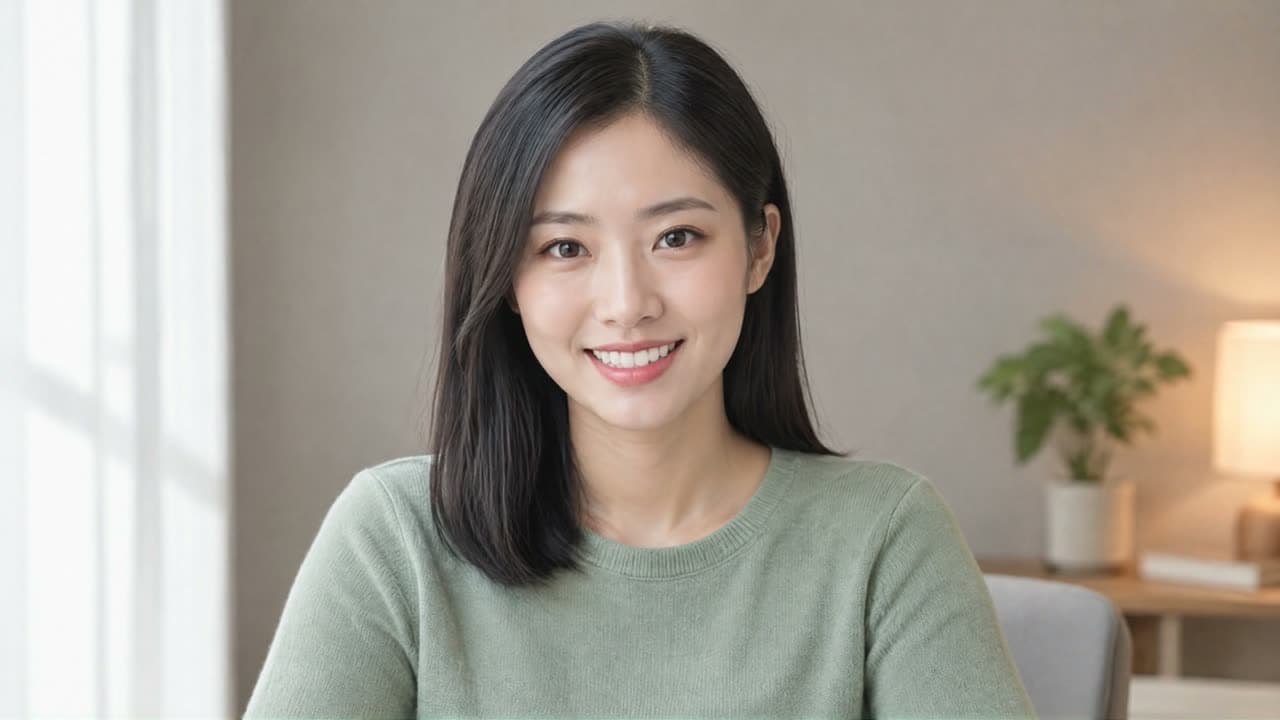
HeyGen Avatar IV API: turn one portrait photo into a lip-synced talking video from a script or your own audio for explainers and short videos. Try it online.

Provider: HeyGen

Category: video generation

Endpoint: /v1/tasks

Status: Available

Cost: See live page pricing

Back to Models

HeyGen Avatar IV

by HeyGenVideo

HeyGen Avatar IV API: turn one portrait photo into a lip-synced talking video from a script or your own audio for explainers and short videos. Try it online.

Pricing

Standard Usage

300 Credits/ s

Input

Frames

Use images to control the first and last frame.

First frame required
BillingBilled by actual output duration300 Credits / sSettled from the actual output duration

Output

Ready for generation

Configure your parameters and click "Run" to see the output here.

--

HeyGen Avatar IV examples: photo to talking video

See how the pictured person speaks from a script or a recording, how lips, blinks and nods follow the voice, and how the frame is filled when the photo and output ratios differ.

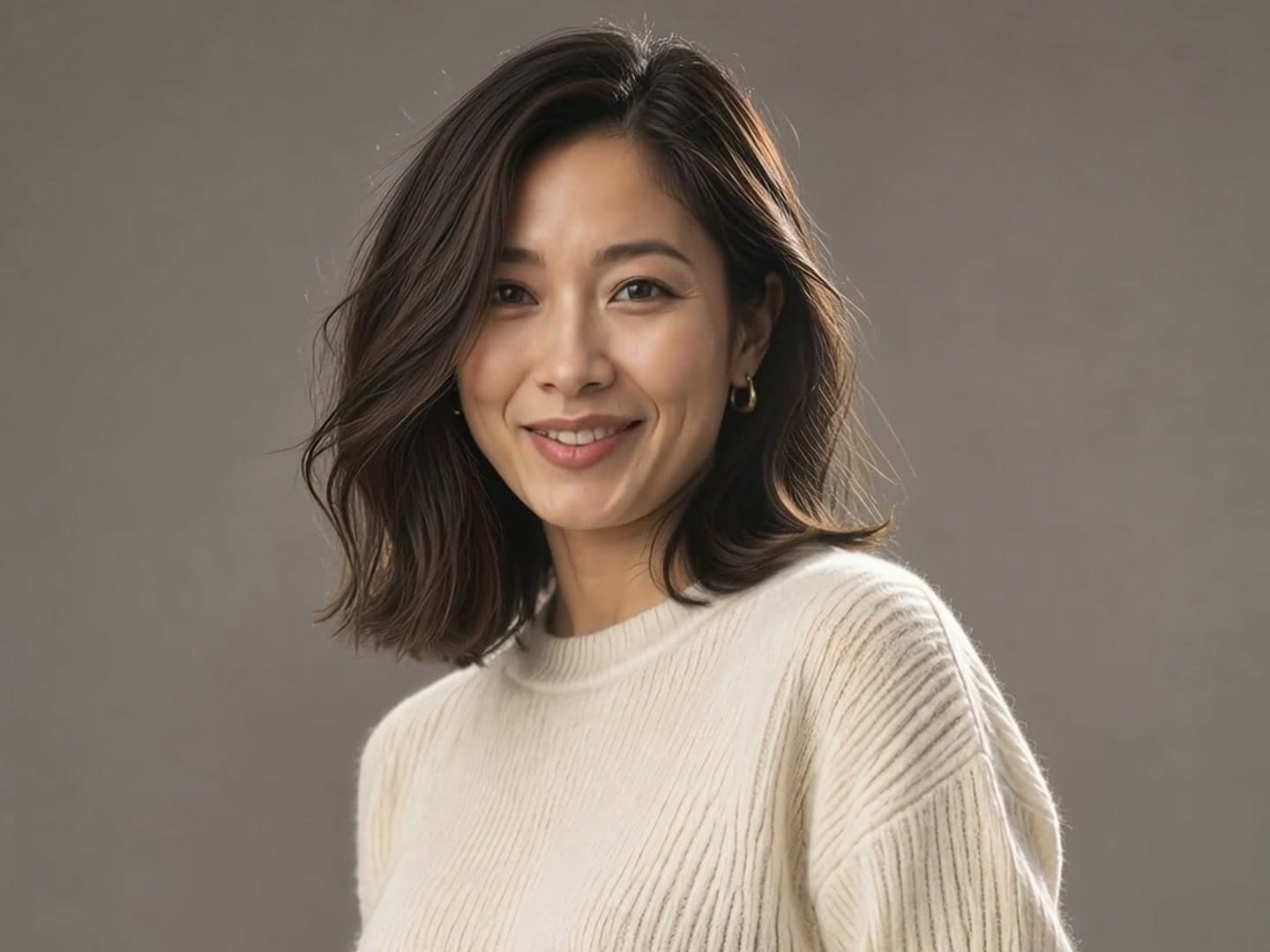
Script and voice

One landscape portrait becomes a 1080p explainer

The photo supplies the person and the setting; the script and preset voice decide what is said and how. The output keeps the sweater, hair and room from the photo while lips, blinks and small nods follow the speech.

9s1080p16:9Voice: Cute Chloe - Friendly

Script

Hi, I'm Lin. With one photo and a short script, I can present your product or record a lesson, with natural lip-sync and expressions.


Input · photo
One landscape portrait becomes a 1080p explainer: input portrait
Output · talking video

Vertical short video

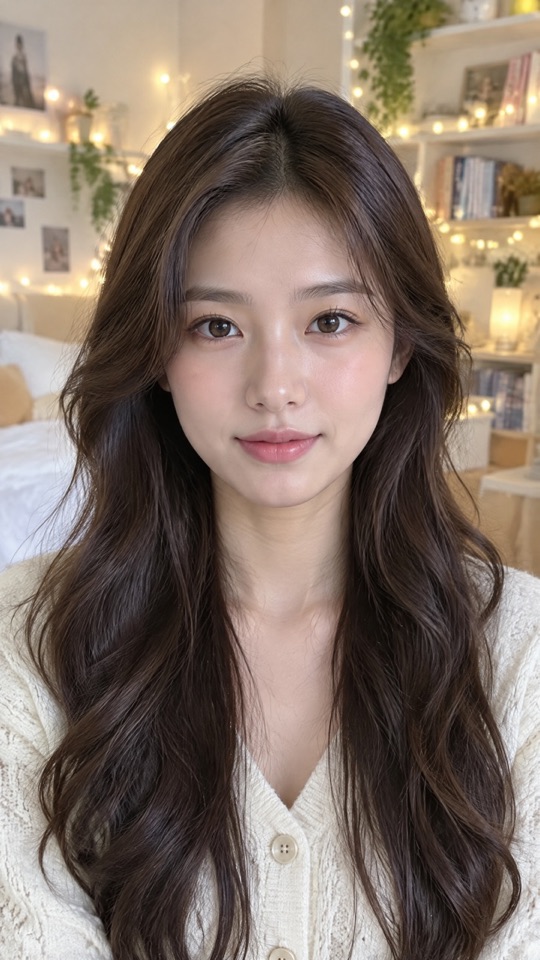
A vertical portrait turned into a short-video pitch

The photo is already 9:16, so a 9:16 output fills the frame with no padding. Useful for turning a creator or staff photo into a product pitch for short-video feeds.

8s1080p9:16Voice: Andrew

Script

I've been using these new earbuds for a week. The noise canceling is super quiet, and the battery lasts all day. Follow me for more.

Input · photo
A vertical portrait turned into a short-video pitch: input portrait
Output · talking video

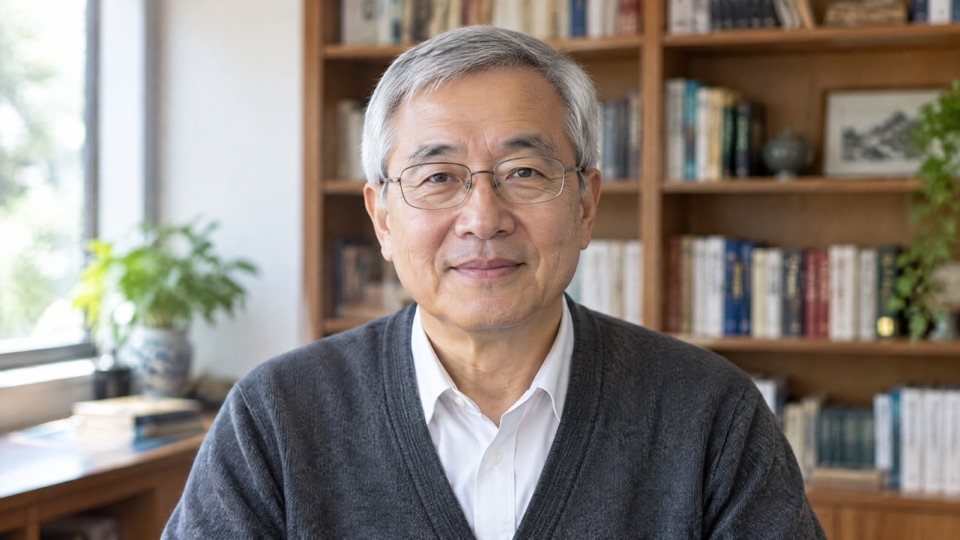
Business explainer

A consultant photo becomes a client briefing

A half-body office photo with a steady male voice becomes a quarterly briefing or proposal walkthrough. When the script changes, regenerate instead of recording again.

8s1080p16:9Voice: Dexter - Professional

Script

Hi, I'm Daniel. Send me your quarterly numbers, and I'll walk your team through what changed and what to do next.

Input · photo
A consultant photo becomes a client briefing: input portrait
Output · talking video

Square format

A doctor's photo becomes a 1:1 health tip

Both the photo and the output are 1:1, a fit for square posts in feeds and community channels. A calm voice suits health tips and reminders.

8s1080p1:1Voice: Calm Chloe

Script

When the seasons change, mornings get chilly, so bring a jacket. If a cough lasts more than a week, please come see us at the clinic.

Input · photo
A doctor's photo becomes a 1:1 health tip: input portrait
Output · talking video

Driving audio

A recording drives a creator's vertical photo

No script: upload a recording and the lips and pauses follow it. A vertical photo with 9:16 output fills the frame with no padding.

10s1080p9:16

Driving audio

A 10-second English recording; the lips follow it.

Input · photo
A recording drives a creator's vertical photo: input portrait
Output · talking video

3D character

A 3D animated character speaks too

The input does not have to be a real photo: an illustrated or 3D-rendered character works as long as it has a clear human face. Good for brand characters and animated hosts.

8s1080p16:9Voice: Expressive Evan

Script

Tonight's special is a slow-roasted tomato soup. It's simple, warm, and ready in twenty minutes. Let's cook!

Input · photo
A 3D animated character speaks too: input portrait
Output · talking video

Image background

A landscape photo in a vertical frame, padded with an image

The photo is 16:9 and the output is 9:16, so the area outside the portrait is filled with the background image you choose. A chalkboard image turns the teacher's explanation into a lesson-style vertical video.

11s1080p9:16Voice: Professor DeanImage background

Script

Hello everyone. Today we'll explain the Pythagorean theorem in five minutes. In a right triangle, the squares of the two legs add up to the square of the hypotenuse.

Input · photo
A landscape photo in a vertical frame, padded with an image: input portrait
Output · talking video

Related AI video generation APIs

For preset avatars, full motion transfer or general image-to-video, these models on HiAPI cover it.

HeyGen Avatar IV specs and pricing

Provider

  • HeyGen

Photo

  • 1 image, HTTPS URL
  • One clear, front-facing face

Driving method

  • Script ≤5,000 chars + 102 voices
  • or audio ≤600s

Aspect ratio

  • 16:9 · 9:16 · 4:5 · 5:4 · 1:1 · auto

Resolution

  • 720p
  • 1080p

Background

  • Color or image fills padding

Output

  • MP4, length follows script or audio

Endpoint

  • POST /v1/tasks
  • model: heygen-avatar-iv

Price

  • 300 Credits / second

How to use the HeyGen Avatar IV API

Three steps from photo to talking video: prepare the photo, decide what it says, submit the task. Validate with 720p and a short line first, then render the final version.

Portrait
1 image
01

Upload a portrait photo

Choose a single, front-facing photo with a clear, unobstructed face and even lighting, and pass it as image_url.

Script / audio
Aspect ratio
Voice
02

Write a script or upload audio

Script: pass prompt and choose a voice. Audio: pass audio_url only. Pick the aspect ratio for where it will run, and set a background when it differs from the photo.

Playground
POST /v1/tasks
03

Submit and get the video

Create an async task with heygen-avatar-iv and get the result via callback.url or GET /v1/tasks/:id; billing settles on the real seconds.

HeyGen Avatar IV API quickstart

One POST /v1/tasks request submits a photo avatar video task; see the API docs for every parameter, callbacks and error handling.

curl -X POST "https://api.hiapi.ai/v1/tasks" \
  -H "Authorization: Bearer YOUR_API_KEY" \
  -H "Content-Type: application/json" \
  -d '{
  "model": "heygen-avatar-iv",
  "input": {
    "image_url": "https://example.com/portrait.png",
    "prompt": "Hi, I'm Lin. With one photo and a short script, I can present your product or record a lesson, with natural lip-sync and expressions.",
    "voice": "Cute Chloe - Friendly",
    "resolution": "1080p",
    "aspect_ratio": "16:9"
  }
}'
Replace example URLs with publicly accessible media.Open full API docs

HEYGEN AVATAR IV API

HeyGen Avatar IV: one photo becomes a talking avatar video

HeyGen Avatar IV is HeyGen's photo avatar engine: upload one portrait with a clear face, add a script or an audio file, and get a video of that person speaking. There is no footage to record and no custom avatar to train first; the photo is the presenter.

One photoScript or audio720p / 1080pBilled per output second
HeyGen Avatar IV: one photo becomes a talking avatar video

What is HeyGen Avatar IV

The photo decides the face, clothing and setting; the script or audio decides what is said and the pacing. The model handles lip-sync and adds blinks, nods and natural facial motion so a still photo reads as someone speaking to camera.

It suits teams that already have a photo of an instructor, spokesperson or staff member and need a steady flow of explainers, training clips or short pitches. When the script changes, regenerate instead of booking another shoot.

What HeyGen Avatar IV can do

From choosing the photo and deciding what it says to fitting the frame to where it will run.

01

The photo is the presenter: face, clothing and setting are kept

Avatar IV animates the photo you upload rather than swapping in a stock character. Hair, clothing, background and lighting carry into the video, so brand spokespeople, instructors or staff can appear as themselves.

Clearer photos give steadier results: a front-facing, unobstructed face with even lighting and a relaxed closed mouth works best; profiles, masks and group photos do not. Illustrated and 3D characters work too, but they need a clear human face; animals and other non-human characters may not be recognized.

02

Script and voice, or your own audio

Script and voice: write the text (English or Chinese both work), pick one of 102 preset voices, and the system generates the narration and lip-syncs it, which suits explainers and announcements at volume. Warm Pro Narrator is used when no voice is chosen.

Driving audio: upload an existing recording (up to 600 seconds) and the lips follow it directly, for content that must keep a real voice, dialect or professional voice-over. Each task uses exactly one of the two methods.

03

Aspect ratio and background: one photo for landscape, vertical and square

Outputs support 16:9, 9:16, 4:5, 5:4, 1:1 and auto, where auto keeps the photo's own ratio. Resolution is 720p or 1080p.

When the chosen ratio differs from the photo, the area outside the portrait is filled with a solid color or a background image you specify, white by default. That lets a landscape photo go straight into a vertical feed.

Where HeyGen Avatar IV fits

Product explainers and support

Turn a support lead's or product manager's photo into feature walkthroughs, how-tos and FAQ videos, and regenerate whenever the text changes.

Courses and training

An instructor supplies one photo and a script to produce chapter intros and short concept videos without repeated recording sessions.

Short-video pitches

A vertical photo with 9:16 output becomes a ready-made product pitch for short-video feeds, easy to scale across accounts and languages.

Content in a real voice

When you already have a podcast clip, dialect voice-over or studio recording, audio driving makes the pictured person speak in exactly that voice.

Choosing between HeyGen and other video models

All three can make a person speak or move; they differ in where the presenter comes from and what drives the motion.

HeyGen Avatar IV

You have your own portrait photo and want that person to speak.

HeyGen Avatar V

You do not need your own likeness and want to pick from 497 preset avatars, with transparent background or SRT captions.

Kling 3.0 Motion Control

You want to transfer full-body motion, gestures or dance from a reference video onto the pictured person, not only speech.

Using HeyGen Avatar IV on HiAPI

On HiAPI, every generated video, the settings behind it and what it cost stay in your account, so you can review results, reuse settings and reconcile spend.

Review every result

Generated videos are listed in your outputs for viewing and download, so you can pick the best take for editing and publishing.

Pay for real seconds

Billing follows the real seconds of each video, failed tasks are refunded in full, and every charge appears in your usage records.

One API key

The same key calls image, speech and other video models, so you can generate the portrait and the talking video in one workflow.

Try it with one photo

Upload a portrait and type a script in the Playground above to see a result in a few minutes.

Need to compare models and billing tiers?View live pricing for all models

Frequently asked questions

What inputs does HeyGen Avatar IV need?

One portrait photo plus one driving method: a script with a chosen voice, or an audio file. With a script and no voice selected, the default voice Warm Pro Narrator is used.

What kind of photo works best?

A single, front-facing person with a clear, unobstructed face, even lighting and a relaxed closed mouth gives the steadiest result. Profiles, masks, group photos and tiny faces do not work well.

How long is the output video?

No duration parameter is needed. With a script the length follows the text and speaking pace; with audio it matches the uploaded file, which can be up to 600 seconds.

Which aspect ratios and resolutions are supported?

Aspect ratios 16:9, 9:16, 4:5, 5:4, 1:1 and auto (keeps the photo's ratio); resolutions 720p and 1080p.

When do I need a background?

Only when the output ratio differs from the photo and the frame has empty space. Choose a #RRGGBB color or a background image; white is used otherwise.

How is it different from HeyGen Avatar V?

Avatar IV animates the photo you upload; Avatar V uses one of 497 preset avatars and additionally supports transparent WebM, background removal and SRT captions.

How is HeyGen Avatar IV billed?

By the real seconds of generated video. A hold based on the estimated length is taken at creation and settled to the real length afterwards, with failed tasks refunded in full; see the live price on this page.