HiAPI
OverviewModel MarketplaceAPI KeysUsage StatisticsCall LogsBillingReferralPlaygroundStorageChangelogContact UsSettings
Display unit
N
Powered by hiapi
Settings

Welcome

Kling 3.0 Motion Control API: transfer a reference video's motion and audio onto one character image for AI dance videos and talking avatars. Try it online.

Provider: Kuaishou

Category: video generation

Endpoint: /v1/tasks

Status: Available

Cost: See live page pricing

Back to Models

Kling 3.0 Motion Control

by KuaishouVideo

Kling 3.0 Motion Control API: transfer a reference video's motion and audio onto one character image for AI dance videos and talking avatars. Try it online.

Pricing

Standard Usage

200 Credits/ s

Input

0 / 5000
BillingBilled by actual output duration200 Credits / sSettled from the actual output duration

Output

Ready for generation

Configure your parameters and click "Run" to see the output here.

--

REAL API RESULTS

Kling 3.0 Motion Control examples: motion transfer video generation

Every example is a real result generated through the HiAPI endpoint: one character reference image plus one motion reference video in, one AI video out with identity from the image and motion plus audio from the clip.

Talking gesture

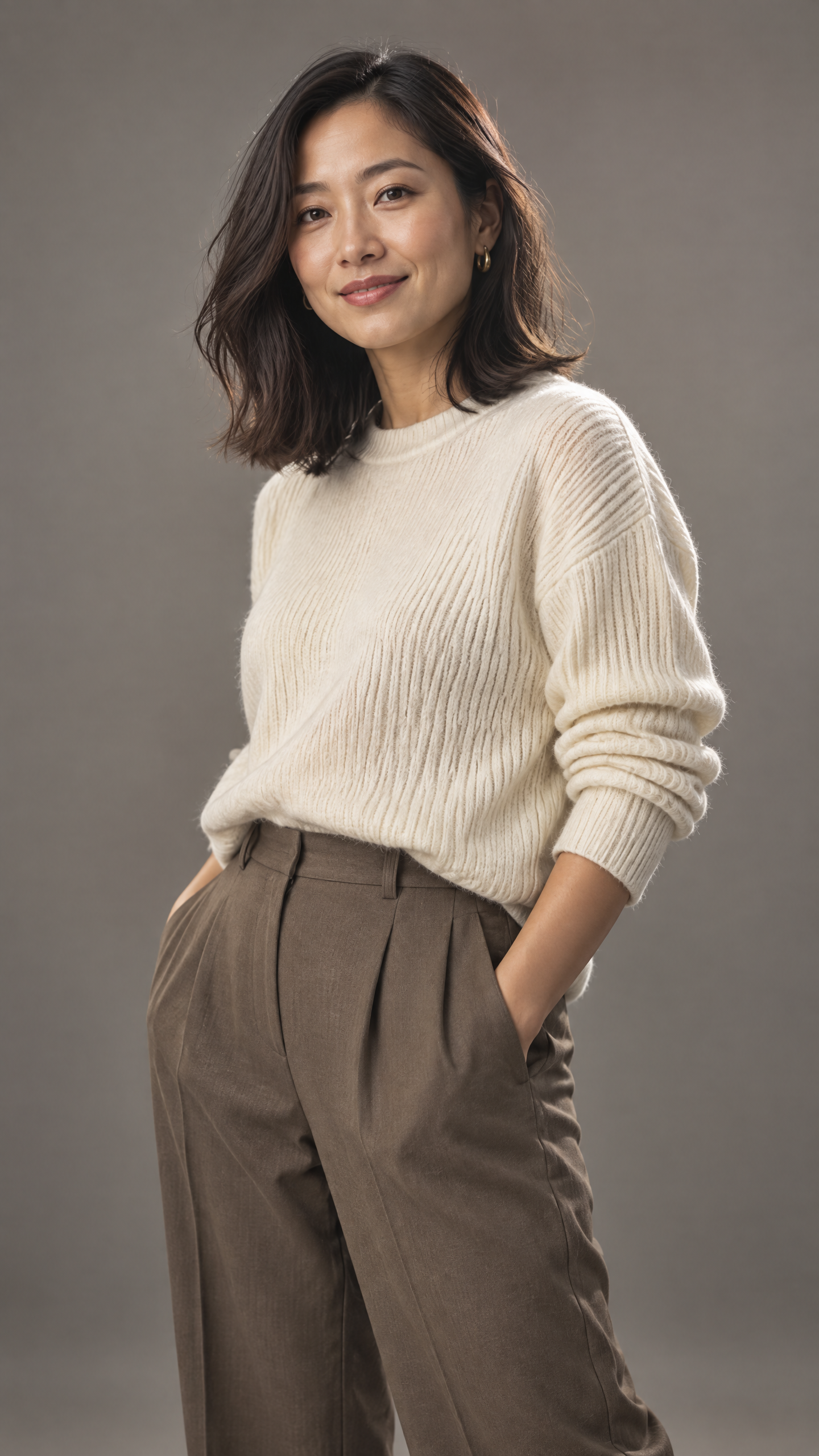
A spoken performance on a still portrait

The portrait supplies identity and wardrobe; the clip supplies lip sync, gestures and delivery. The output keeps the sweater and face, follows the clip's timing and carries its original audio track.

6s1080porientation: videooriginal sound kept

Prompt

The woman presents directly to camera in a warm studio, steady framing, natural expression

Input · image
A spoken performance on a still portrait: character reference image
Contact Us
Input · motion clip
Output · result

Dance cover

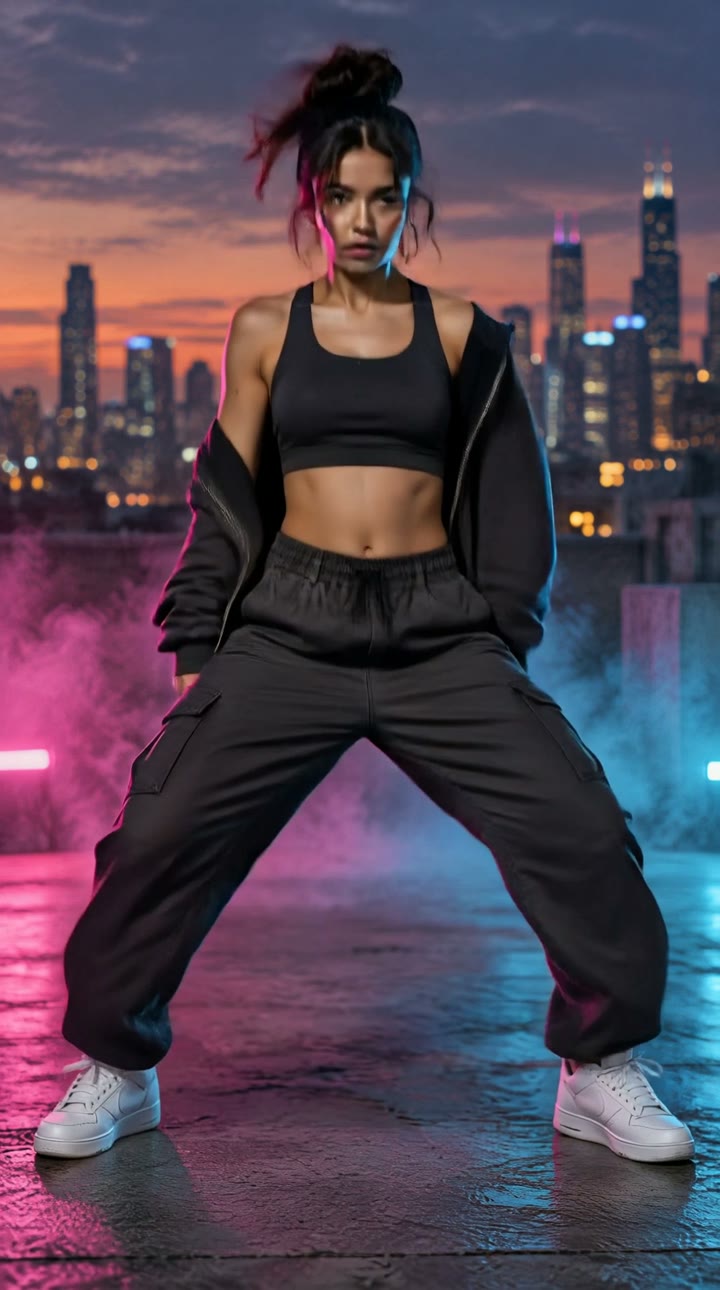
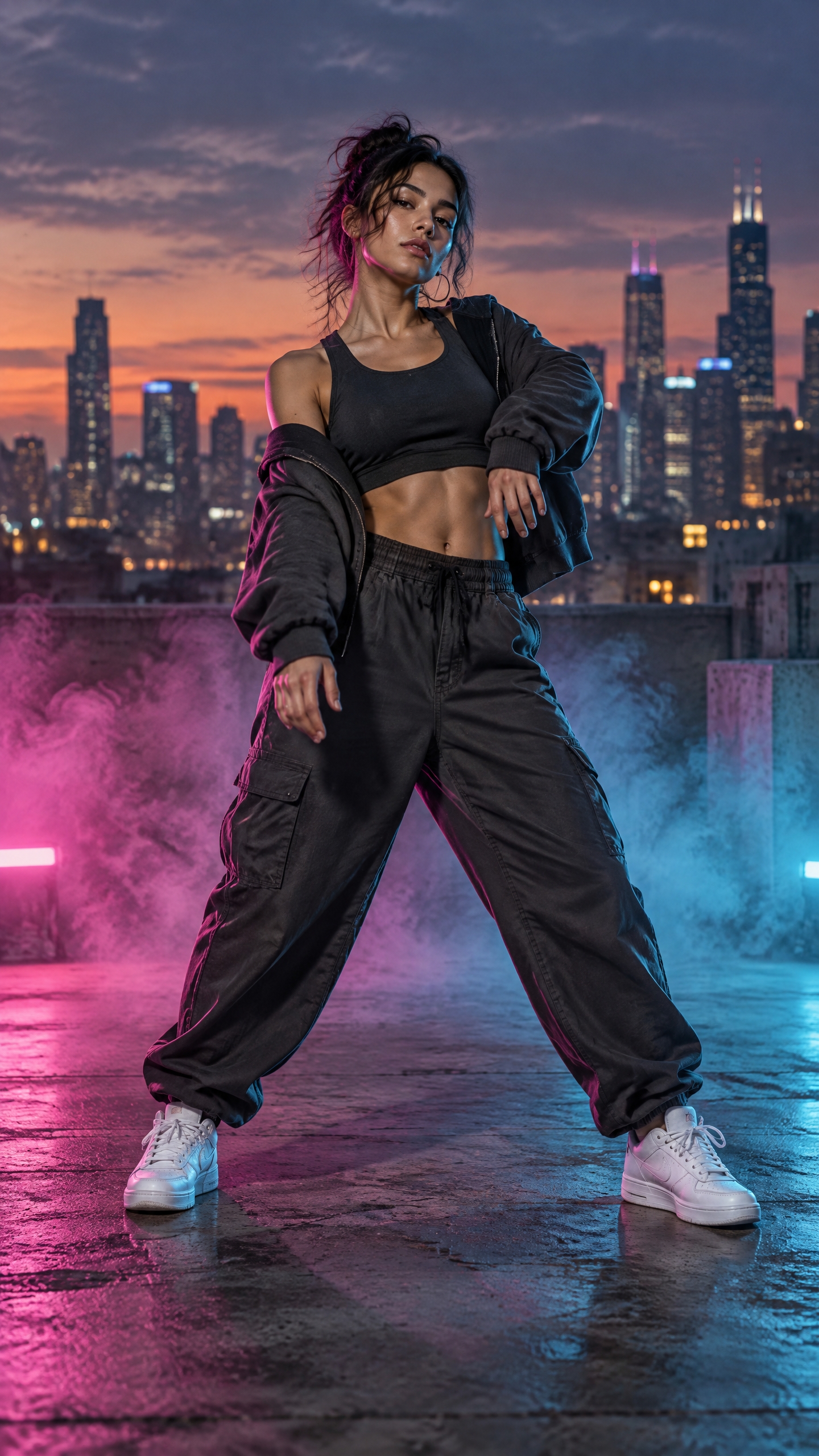
A whole street routine on a different performer

Large multi-directional motion with fast footwork: identity and outfit follow the image, timing, beat and ambience follow the clip. This is the video-orientation path, which allows longer references.

6s1080porientation: videooriginal sound kept

Prompt

The dancer performs the street groove on the rooftop at dusk, camera steady, keep the outfit and city backdrop

Input · image
A whole street routine on a different performer: character reference image
Input · motion clip
Output · result

Explainer delivery

A desk explainer with the framing locked to the photo

With character_orientation=image the character keeps the orientation of the photograph, so the presenter never turns away from the lens. This is the fixed-camera path for lessons, product walkthroughs and spoken explainers.

6s720porientation: imageoriginal sound kept

Prompt

The man explains at his desk in the bright office, camera holds his orientation from the photo, calm delivery

Input · image
A desk explainer with the framing locked to the photo: character reference image
Input · motion clip
Output · result

Related AI video generation APIs

When you only have a still to animate, need several references composed into a new shot, or want a script-driven talking avatar, these video generation APIs on HiAPI cover it.

Image to video

Kling 3.0

View model

Reference to video

Seedance 2.5

View model

Talking avatar

HeyGen Avatar V

View model

About Kling 3.0 Motion Control

Kling 3.0 Motion Control is the motion control model in the Kuaishou Kling AI 3.0 family, an image-to-video model driven by a motion reference: upload one character image and one reference video, the image decides who the character is and what they wear, the clip decides how they move, emote and pace. The output is an AI video of the pictured character re-enacting the reference motion, with no motion prompt engineering required.

Compared with Kling 2.6 Motion Control, 3.0 keeps facial identity steadier through head turns, brief occlusion and longer sequences and can keep the reference audio, which suits AI dance videos, talking avatars, mascot animation and previsualization: same motion, different performer.

Playground and API share one model ID: kling-3.0/motion-control. character_orientation chooses whether the character faces like the clip or like the image and sets the length cap; keep_original_sound controls whether the clip's audio is carried over.
Provider
Kuaishou
Task
Motion-transfer video generation
Inputs
1 character image + 1 motion clip (3-30s)
Starting price
200 Credits / second

Kling 3.0 Motion Control specs and pricing

These specifications match the current HiAPI request contract: input limits, output length, resolution and per-second pricing, settled on the actual output length.

Character image

  • 1 image, jpeg/png, ≤10MB
  • sides >340px, ratio 2:5–5:2

Motion clip

  • 1 clip, mp4/mov, ≤100MB
  • 3–30s, one continuous shot

Output length

  • Follows the clip
  • video ≤30s · image ≤10s

Resolution

  • 720p
  • 1080p

Audio

  • Clip audio kept by default, can be disabled

Model ID

  • kling-3.0/motion-control

Endpoint

  • POST /v1/tasks
  • Async task with callback
720p200 Credits / second
1080p344 Credits / second

How to use the Kling 3.0 Motion Control API

Three steps to a motion transfer video: prepare the inputs, choose the parameters, submit the task. Validate with a short clip at 720p first, then move to 1080p or a longer reference.

Character image
Motion clip
1 each
01

Prepare the character image and motion clip

Use a portrait with head, shoulders and torso visible, and a 3–30s single-shot clip of one unobstructed person. Upload both and pass them as image_url and video_url.

Orientation
Resolution
Audio
02

Choose orientation, resolution and audio

Pick video orientation for big or multi-angle moves (≤30s) and image orientation for fixed-camera talking (≤10s). Validate at 720p, then render 1080p; disable keep_original_sound when you do not want the clip audio.

Playground
POST /v1/tasks
03

Submit and let it settle

Create an async task with kling-3.0/motion-control, then receive the result via callback.url or poll GET /v1/tasks/:id. Billing settles on the real output seconds; generation usually takes a few minutes.

Kling 3.0 Motion Control API quickstart

One POST /v1/tasks request submits a motion transfer video task; the cURL, Python and Node.js samples run as-is. See the API docs for every parameter, callbacks and error handling.

curl -X POST "https://api.hiapi.ai/v1/tasks" \
  -H "Authorization: Bearer YOUR_API_KEY" \
  -H "Content-Type: application/json" \
  -d '{
  "model": "kling-3.0/motion-control",
  "input": {
    "image_url": "https://static.hiapi.ai/model-examples/kling-3.0-motion-control/v3/2026/09/28/1790607181108-36686f5400675348-p1.png",
    "video_url": "https://static.hiapi.ai/model-examples/kling-3.0-motion-control/v3/2026/09/28/1790608051171-c882228bfe66fe03-c1.mp4",
    "resolution": "1080p",
    "character_orientation": "video",
    "keep_original_sound": true,
    "prompt": "The woman presents directly to camera in a warm studio, steady framing, natural expression"
  }
}'
Replace example URLs with publicly accessible media.Open full API docs

KLING 3.0 MOTION CONTROL API

Kling 3.0 Motion Control: motion transfer video from one image and one reference clip

Kling 3.0 Motion Control is the motion control video generation model in Kuaishou's Kling 3.0 family. It transfers the motion, expressions and delivery of a reference video onto a single character image: the image decides who the person is and what they wear, the clip decides how they move, speak and pace the performance. Supply those two inputs and the model handles the rest, with no motion prompt engineering.

Portrait + reference clipReference audio kept720p / 1080pBilled per output second
Explore the model and its results
Kling 3.0 Motion Control: motion transfer video from one image and one reference clip

What is Kling 3.0 Motion Control

The output follows the clip's length and timing and keeps its native audio, so spoken delivery reuses the original track and dance covers keep the on-site beat without a dubbing pass. Identity holds through head turns, raised hands and brief occlusion.

The sections below cover six capabilities with one asset set: how motion transfer splits identity and performance, one character with a new motion, one motion on a new character, the two character_orientation modes, keep_original_sound audio transfer, and what the reference material needs to look like. Every example is a real result generated through HiAPI.

Kling 3.0 Motion Control key capabilities

Each group answers one question: who appears, what they perform, how the camera behaves, and what happens to the sound. The assets come from the same real task set and can be compared directly.

01

Motion transfer: identity from the image, motion from the video

The portrait carries identity only: the face, the hair, the polo shirt and the office behind it. The clip carries performance only: the rhythm of speech, when the head turns, when the smile lands, how the hands move. Keeping them separate lets one character appear in many clips without the likeness drifting.

That split is also the generation order: an image model produces the portrait, a video model turns it into a performance reference, and this model performs the transfer. Every example on this page was produced in that order.

Portrait: identity and wardrobe

Kling 3.0 Motion Control use cases

AI talking avatars and lesson videos

Record the script once, then re-skin it across several likenesses or languages with the original tone and pauses intact.

AI dance videos and social clips

Put a trending routine onto your own character: motion and beat come from the clip, the look comes from the image.

Mascots and character animation

Keep one character sheet and let it perform across many clips with a consistent face.

Previsualization and localization

Rehearse motion and timing on cheap material, then move to higher resolution or a longer reference.

Kling 3.0 Motion Control vs other video generation models

Sibling models cover different starting material: a still only, several references composed into a new shot, or a script-driven avatar each have a better fit.

Kling 3.0 Motion Control

You have one portrait and one real performance clip and want that performance transferred.

Kling 3.0 图生视频

You only have a still and want it animated from a prompt, with no reference performance.

Seedance 2.5 参考生视频

You want several images, clips or audio tracks composed into a brand-new shot rather than one performance replayed.

HeyGen Avatar V

The picture is driven by a script and synthesized speech for standardized avatar delivery.

Calling the Kling 3.0 Motion Control API on HiAPI

One API key covers both the Playground and production calls: find a combination you like in the page, then move the same request body into your service without switching accounts or endpoints. Tasks are submitted asynchronously and can report their terminal state through a callback or a compensating query.

Billing settles on the actual output seconds: a hold sized by the orientation cap is taken at creation, then adjusted to the real duration, with no separate charge for the reference material. Outputs are hosted for you to download or route into your own storage.

One key

Video, image and audio models share one credential and usage view.

Per-second settlement

The hold follows the cap and is corrected to the real output seconds.

Replayable assets

Try Kling 3.0 Motion Control online

Upload a portrait and a reference clip in the Playground, pick the orientation and resolution, and get a clip with its original audio in a few minutes.

Open the PlaygroundGet an API key
Need to compare models and billing tiers?View live pricing for all models

Frequently asked questions

What inputs does Kling 3.0 Motion Control need?

Two required inputs: a character reference image (image_url) and a 3-30 second motion reference video (video_url). The image defines appearance and identity; the clip defines motion, expressions and timing. A prompt is optional for scene, style and camera guidance.

How is the output length decided?

No duration parameter is needed. Output follows the reference clip: up to 30s with character_orientation=video and up to 10s with image. Very fast or complex motion may yield a shorter clip because only usable motion segments are extracted.

When should I use video vs image orientation?

video: the character faces the way the reference clip does, best for dance, walking and multi-angle motion. image: the character keeps the orientation of the reference image, best for fixed-camera talking or explainer content, capped at 10s.

What does the reference video need?

mp4/mov, up to 100MB, 3-30 seconds, one continuous shot with the subject's head, shoulders and torso clearly visible; prefer a single person, no cuts and no occlusion. The image also needs head, shoulders and torso visible, both sides over 340px, aspect ratio between 2:5 and 5:2.

Is the reference audio kept?

Yes by default (keep_original_sound=true), which suits talking and dance covers that reuse the original track; pass false for video-only output.

How is Kling 3.0 Motion Control billed?

Per actual output second, with different rates for 720p and 1080p. A hold sized by the orientation cap is taken at creation and adjusted to the real output seconds after completion; see the live pricing block on this page.

Reference clip: spoken delivery and audio
Output: the same person, the full performance

02

One character, many motions: swap only the reference video

Changing the performance means changing only the clip. The portrait stays fixed while the dance reference pulls the same face into a different motion range and tempo, with wardrobe, hair and features preserved, which suits series content built around one character.

The same portrait
The same portrait
Output with the dance clip as reference

03

One motion, many characters: swap only the character image

The reverse also holds: keep the clip and swap the portrait and someone else delivers the same speech and gestures. One recorded performance can be re-skinned across several likenesses for recasts, character variants, or the visual half of a multi-language dub.

Presenter likeness with the talk clip
Same clip with the seated explainer

04

character_orientation: video vs image orientation

character_orientation=video lets the character face the way the clip does, which suits dance, blocking and large motion, up to 30 seconds. character_orientation=image holds the orientation of the photograph, which keeps the frame steadier for fixed-camera explainers and presentations, up to 10 seconds.

The same material behaves differently in each mode: following the clip absorbs more complex motion, while following the photo is better for product demos and lesson videos where the subject must not turn away.

video orientation: the street routine from the clip
image orientation: the photo's framing held still

05

keep_original_sound: the reference audio travels with the motion

keep_original_sound defaults to on, so the clip's audio track lands in the output unchanged: the tone, pauses and breath of a spoken take need no re-recording, and dance footage keeps its on-site beat, ready to cut or caption.

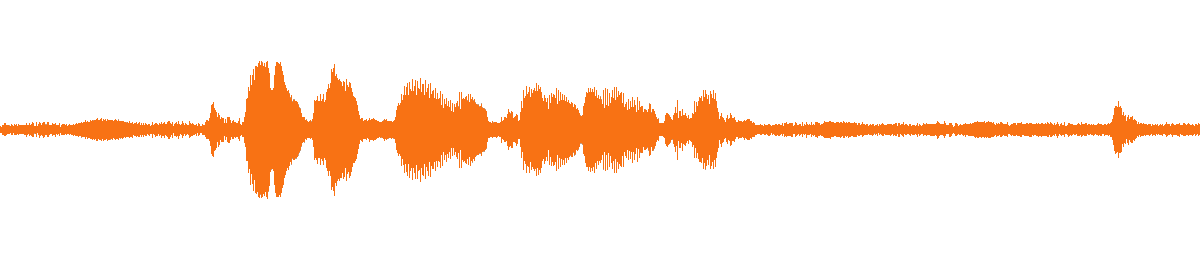
The waveform below comes from the example output's own audio track and shows where the spoken passages sit. Pass false when you want picture only.

Waveform of the example output's audio (original sound kept)

06

Reference requirements: framing rules and length limits

The clip should be mp4/mov, up to 100MB, 3 to 30 seconds, one continuous shot, with the subject's head, shoulders and torso clearly visible, one person in frame and few cuts or occlusions. The image needs the same head, shoulders and torso framing, both sides over 340px, and an aspect ratio between 2:5 and 5:2.

When motion is extremely fast or the shot changes often, the model extracts only the usable segments and the output can be shorter than the clip, which is why settlement is based on the actual output seconds.

Clip: one person, frontal, head to torso in frame
Clip: full-body motion in one continuous shot
Clip: seated delivery from a fixed camera

Example inputs and golden outputs are downloadable for verification.