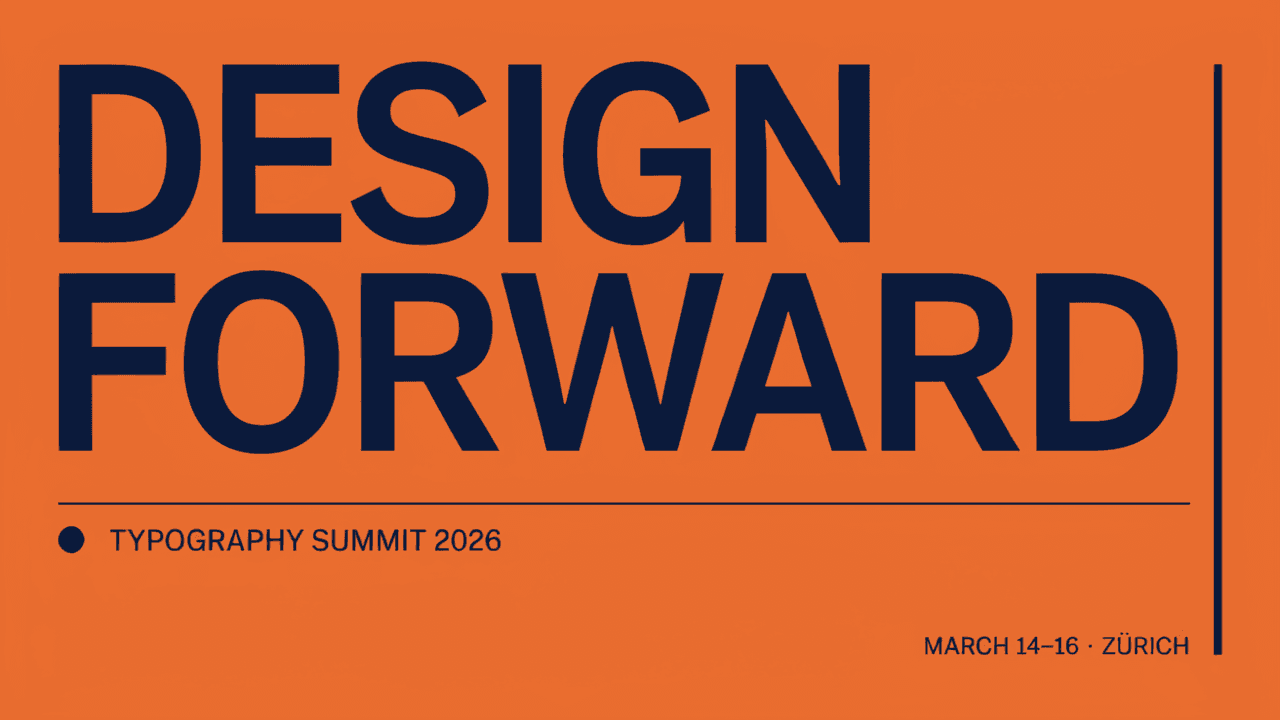
Edit images with Ideogram 4.5 Edit: prompt edits, up to four reference images, mask inpainting and Precise Edit that restores unedited pixels, with real examples and API code.

Provider: Ideogram

Category: image generation

Endpoint: /v1/tasks

Status: Available

Cost: See live page pricing

Back to Models

Ideogram 4.5 Edit

by IdeogramImage

Edit images with Ideogram 4.5 Edit: prompt edits, up to four reference images, mask inpainting and Precise Edit that restores unedited pixels, with real examples and API code.

Pricing

Standard Usage

23 Credits/ image

Input

0 / 10000

More parameters

Upload assets

Preview after upload

Mask matching the source dimensions

Generation settings

high uses Precise Edit

Number of images to generate; Range: 1 - 8, Integer only

Choose the quality tier; tiers affect pricing

Advanced

For repeatable results · integer · Integer only
Estimated cost172 Credits / imageRegular medium
Upload a reference image to run

Output

Ready for generation

Configure your parameters and click "Run" to see the output here.

--

From references to edited results

Each case separates references, the edit instruction, and the complete result, with image zoom and prompt copy.

Change only the logo text with Precise Edit · After
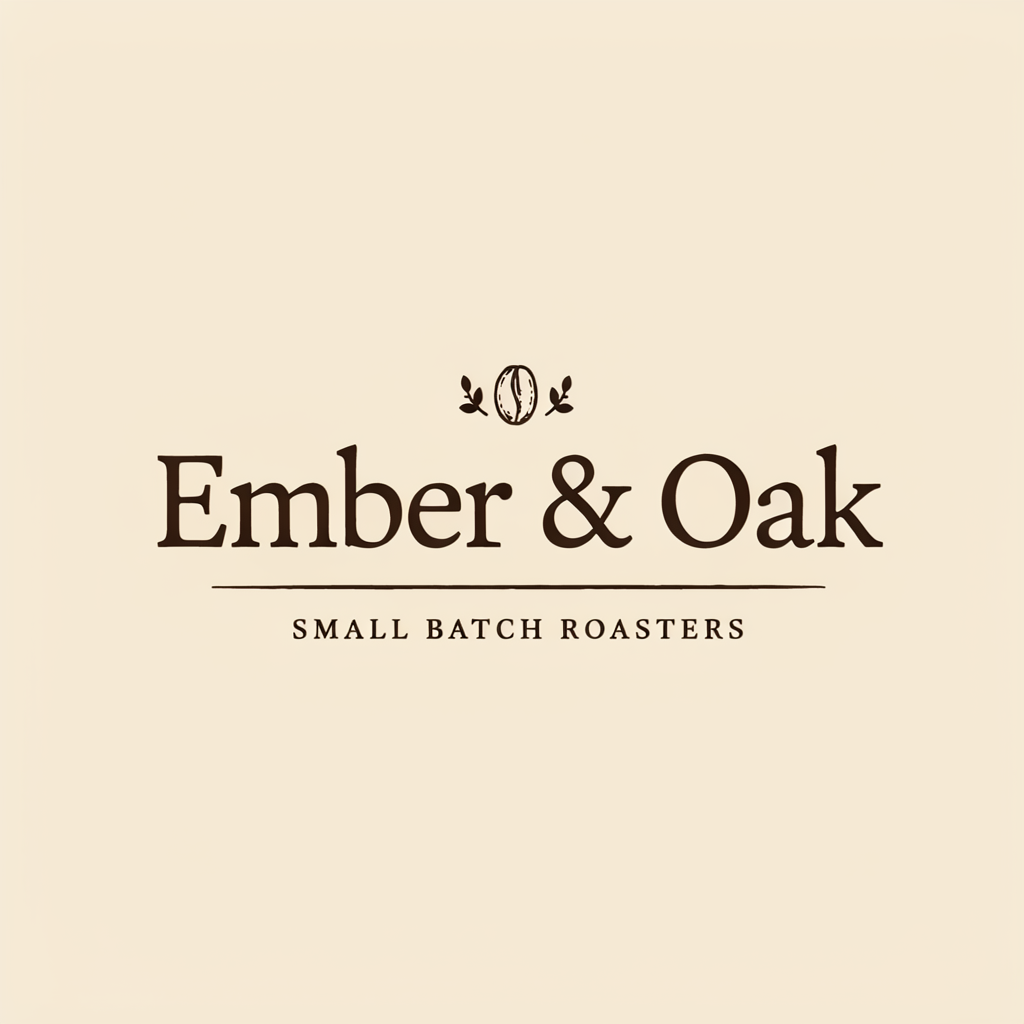
Change only the logo text with Precise Edit · Before
BeforeAfter

1 reference image / 1024 × 1024 · high · low · auto

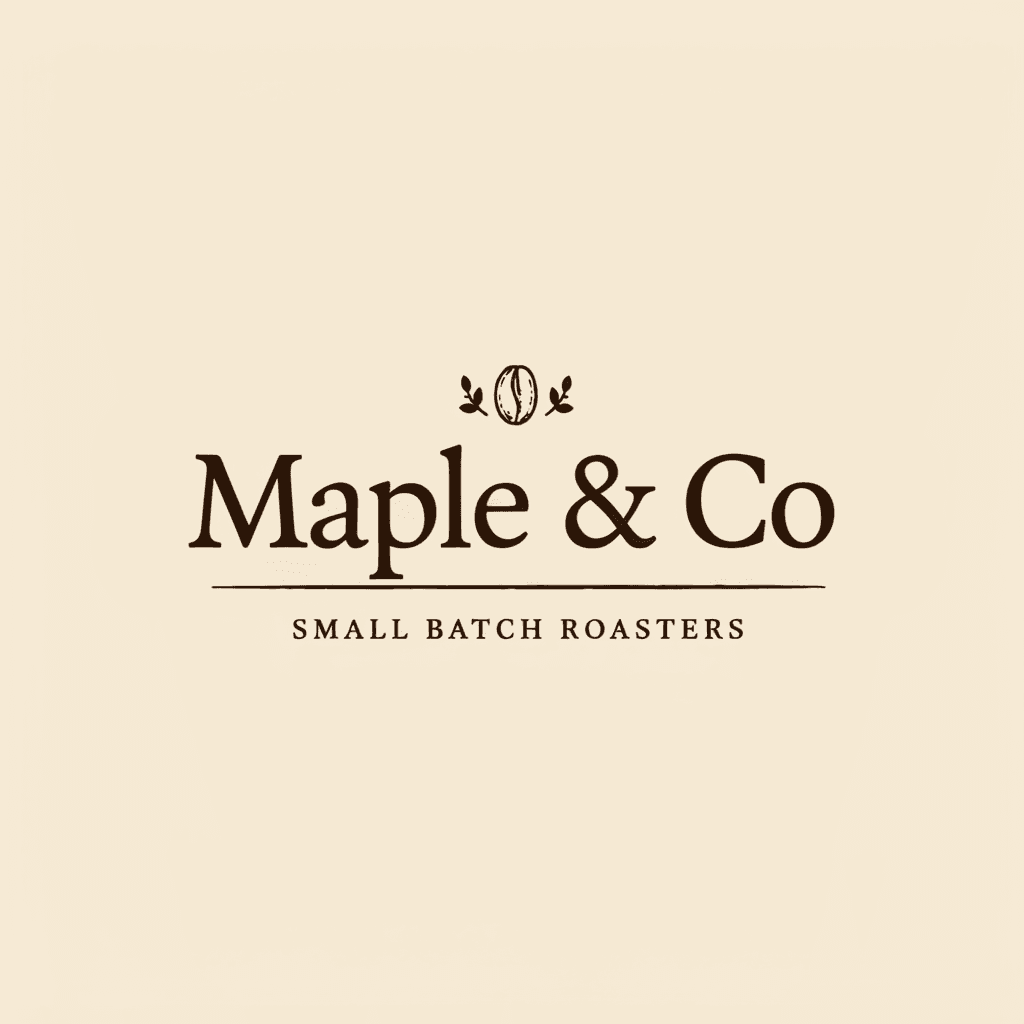
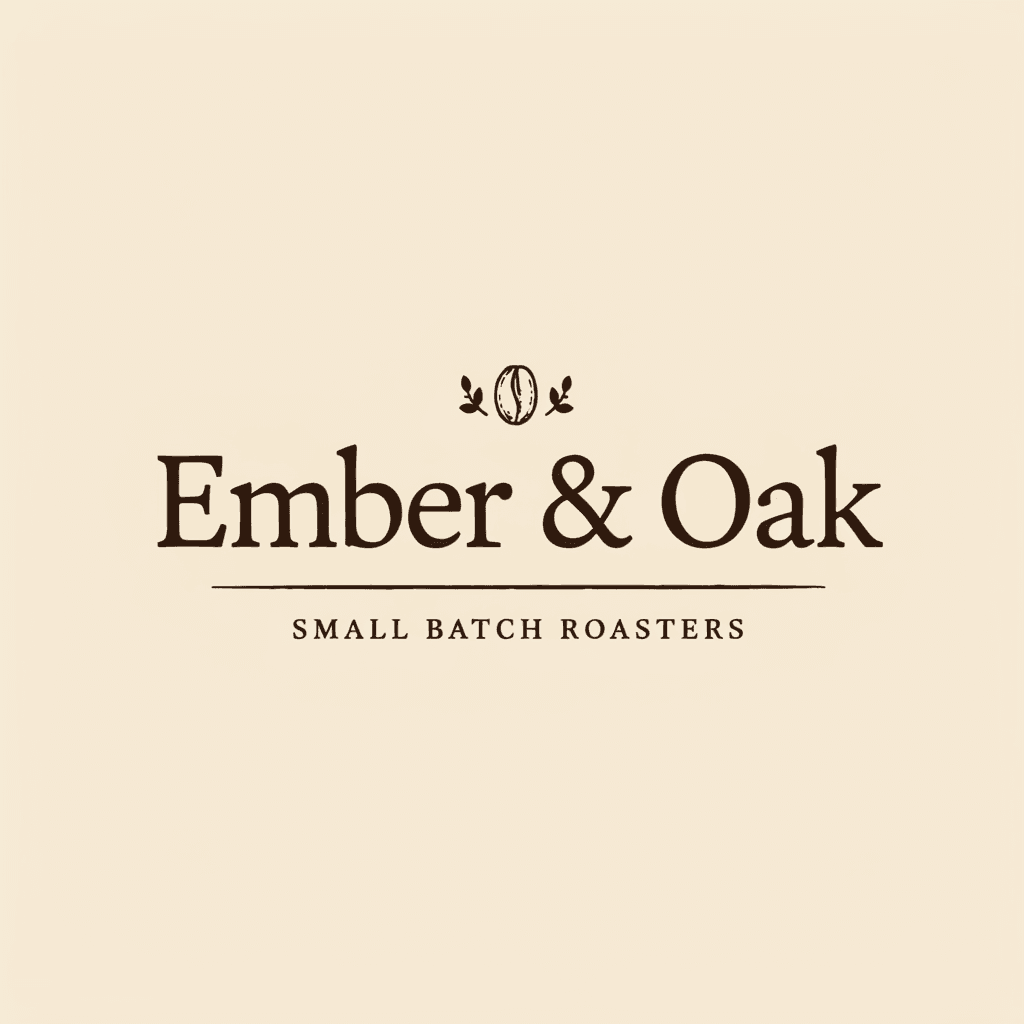
Change only the logo text with Precise Edit

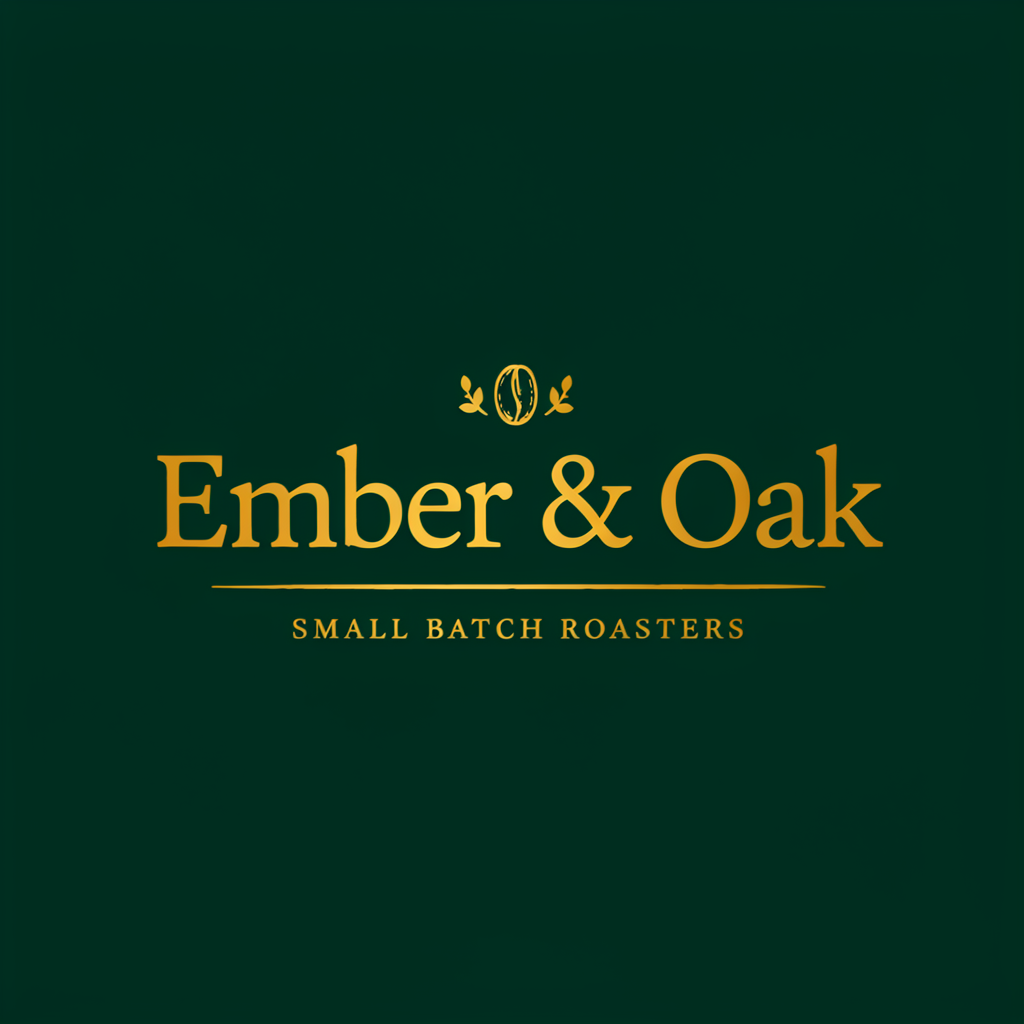
Shows edit_precision=high swapping only the text and restoring other pixels; suits name and date fixes.

Prompt · English

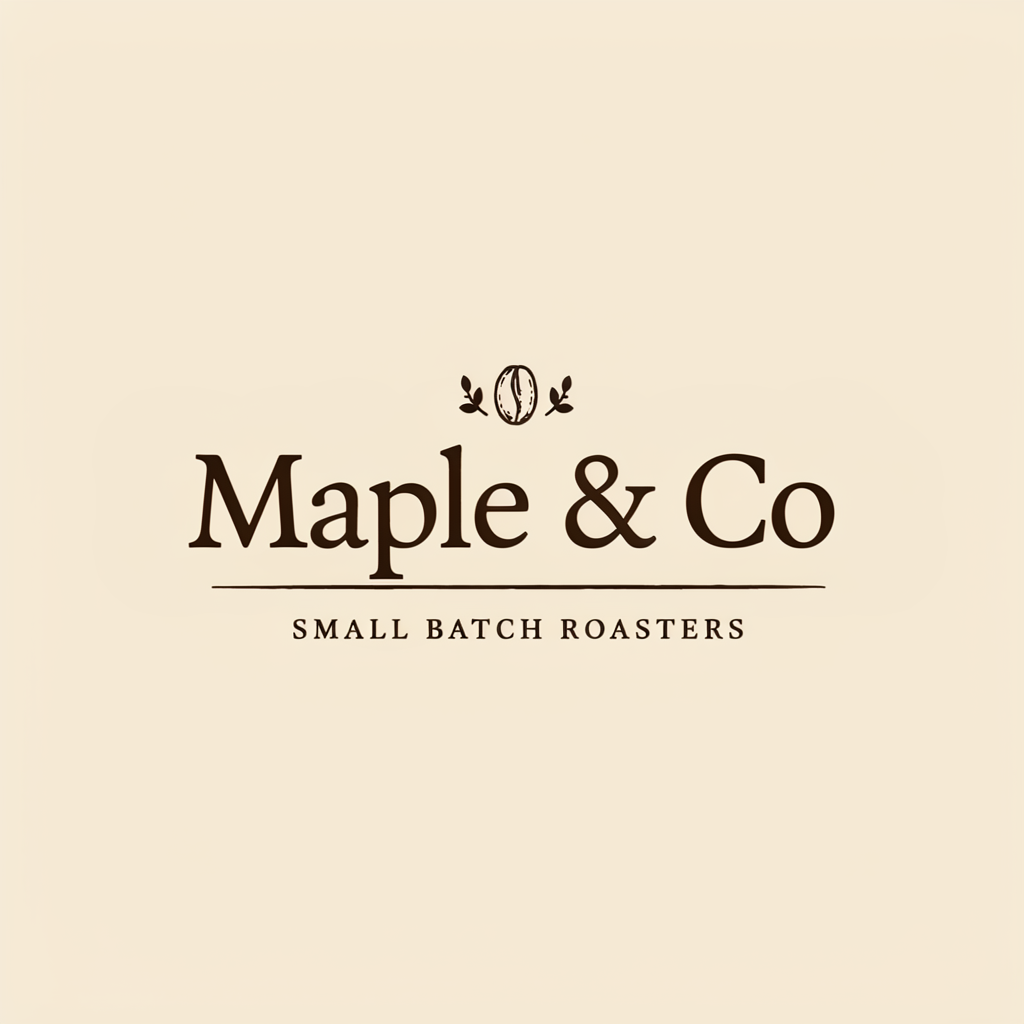
Change the logo text from "Ember & Oak" to "Maple & Co", keep the same serif lettering style, emblem, tagline, colors and layout exactly unchanged
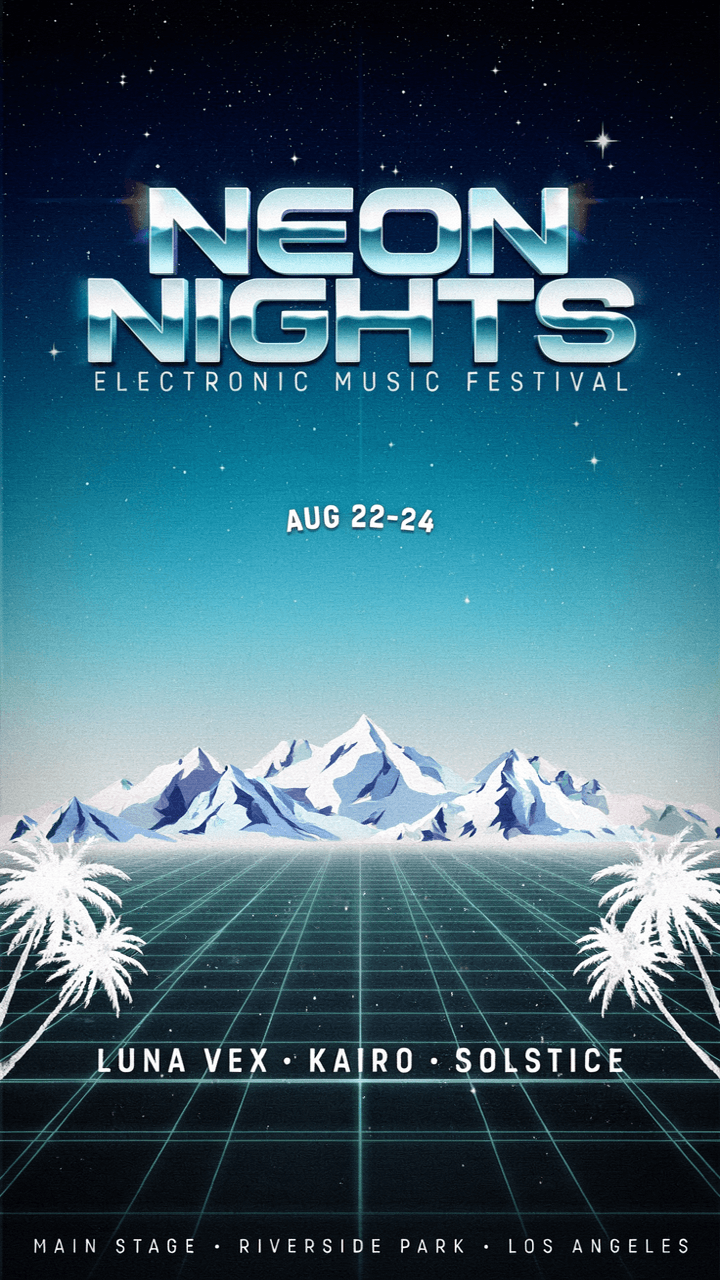

Turn a poster into a winter edition · After
Turn a poster into a winter edition · Before
BeforeAfter

1 reference image / 720 × 1280 · regular · very_low · auto

Turn a poster into a winter edition

Shows one instruction changing palette and background while text and layout stay; suits seasonal variants.

Prompt · English

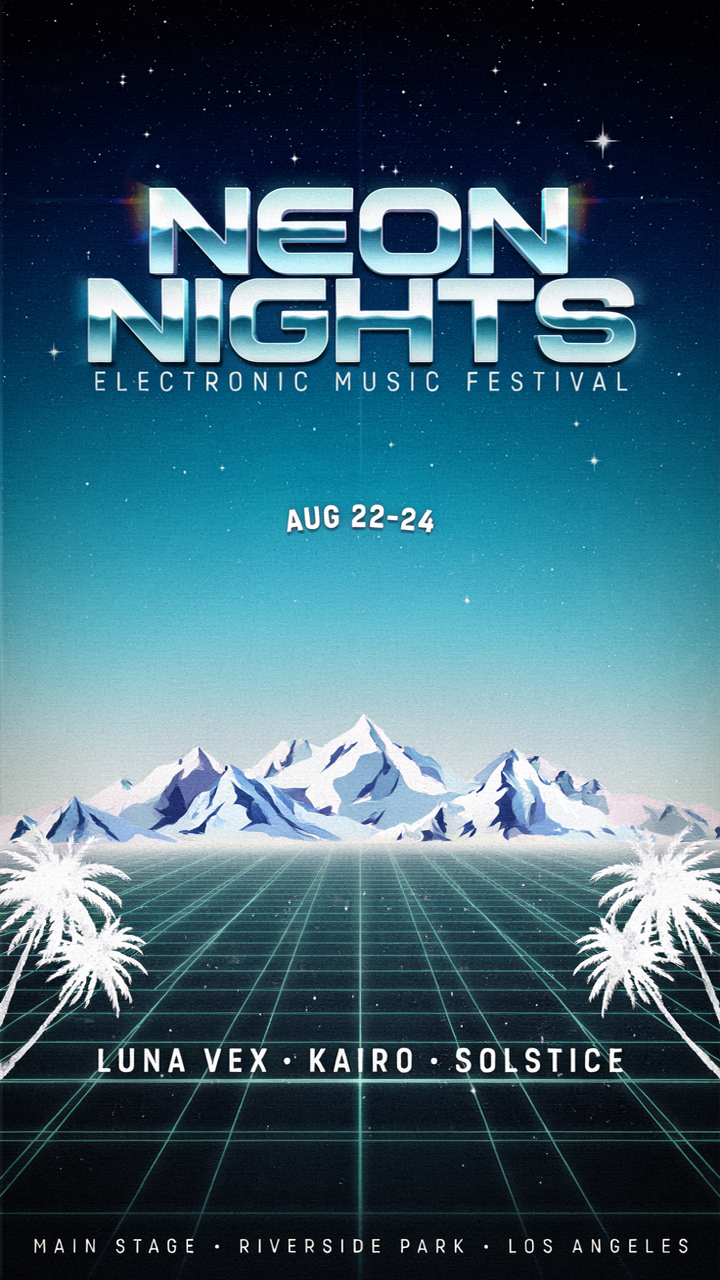
Turn this festival poster into a winter edition: icy blue and silver palette, snowy mountains replacing the sunset, keep all text and layout the same

Source imageSource image
Reference imageReference image
Recolor a wordmark from a reference · Composite resultResult

2 reference images / 1024 × 1024 · regular · very_low · auto

Recolor a wordmark from a reference

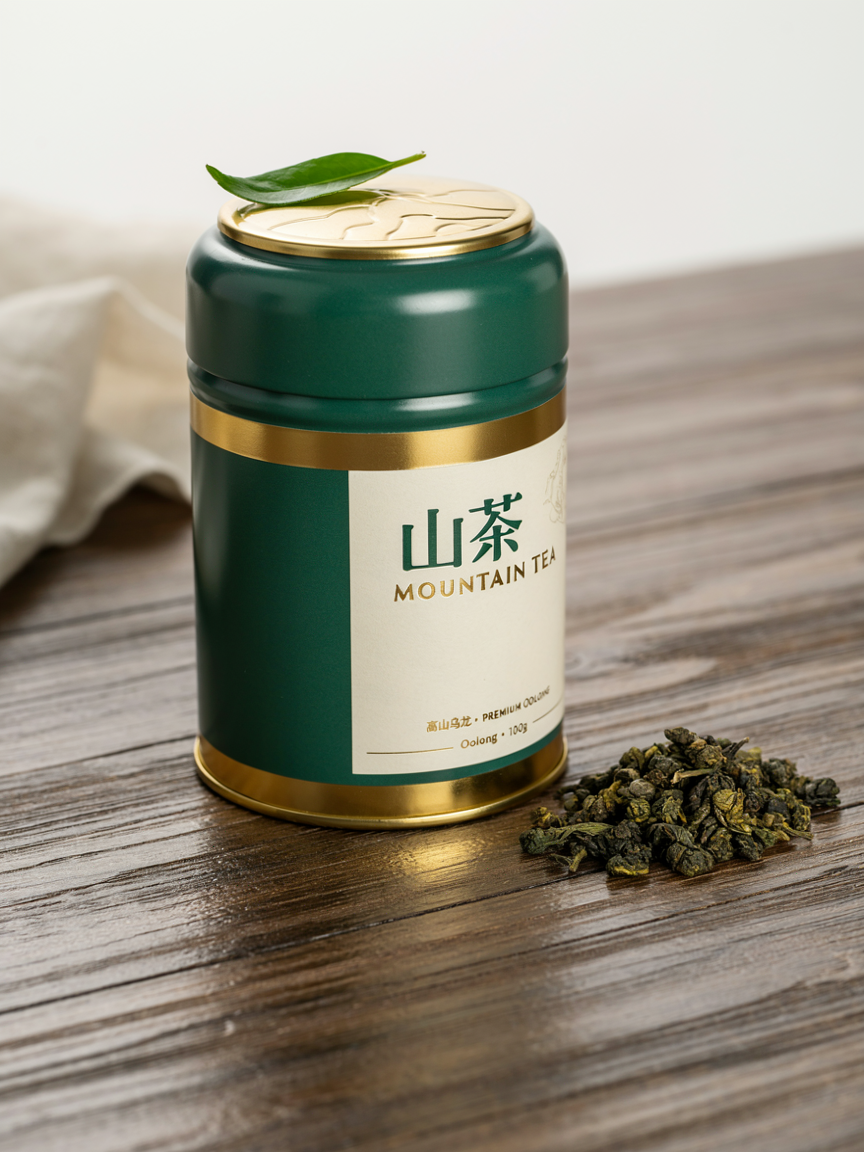
Shows a tea tin reference giving the wordmark jade green and gold; suits matching a brand style.

Prompt · English

Restyle this coffee logo using the jade green and gold color scheme and premium packaging style of the reference image, keep the text "Ember & Oak" readable

Change only the coat with a mask · After
Change only the coat with a mask · Before
BeforeAfter
Mask (black = repaint)

1 reference image + mask (black = repaint) / 1024 × 1024 · regular · very_low · auto

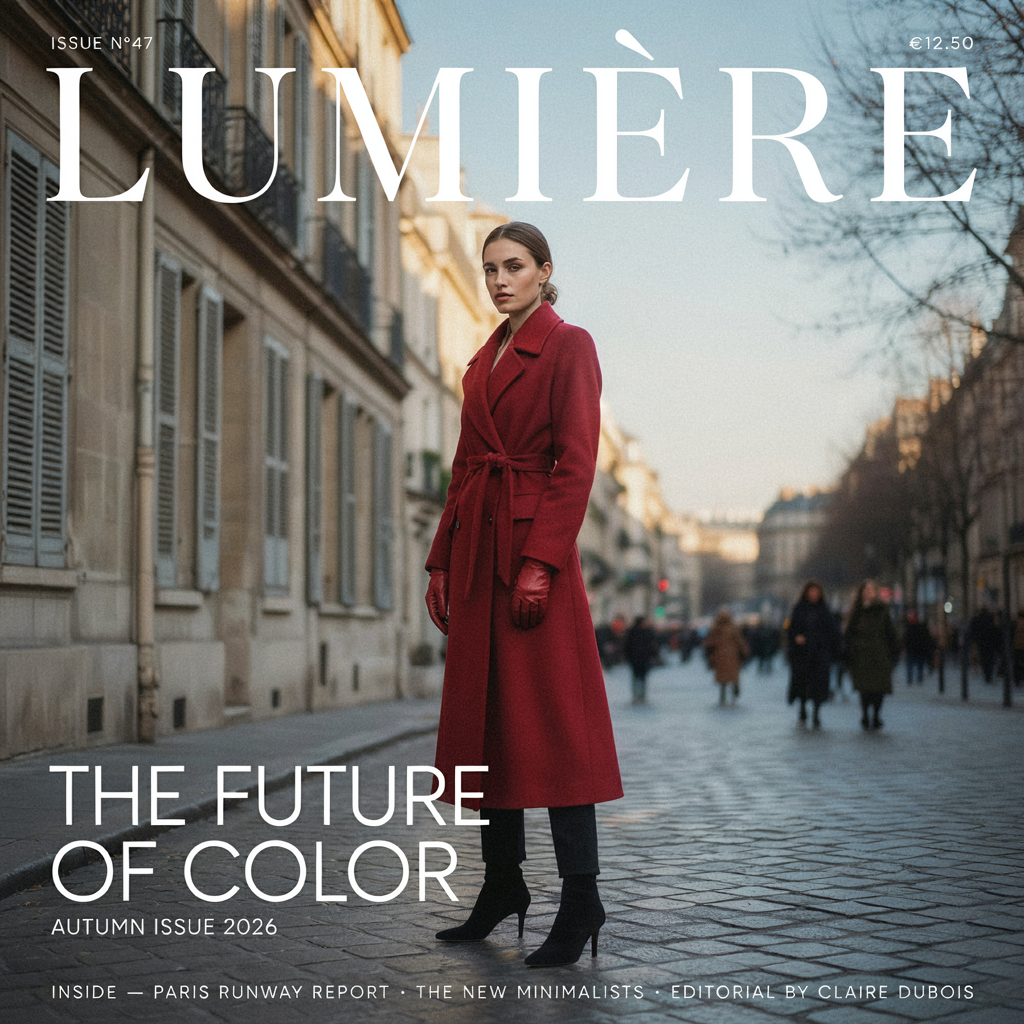
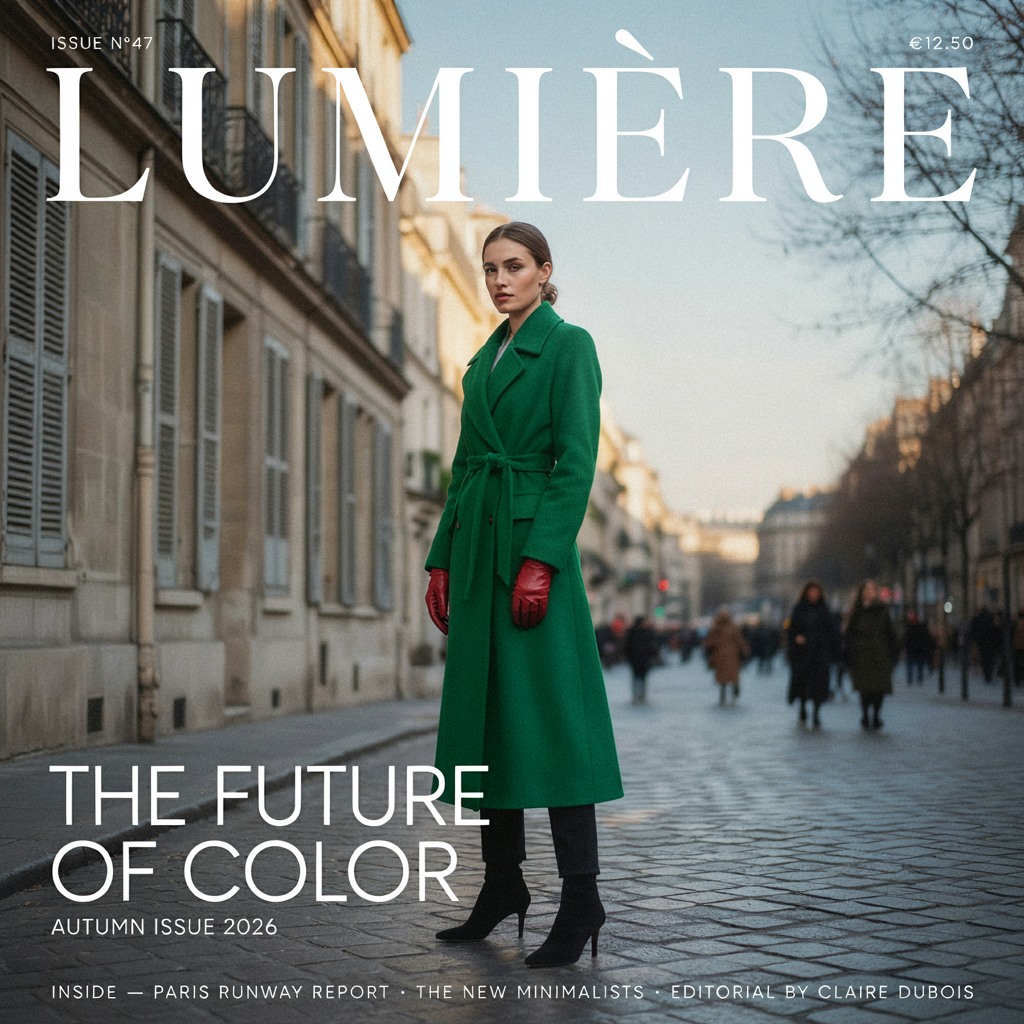
Change only the coat with a mask

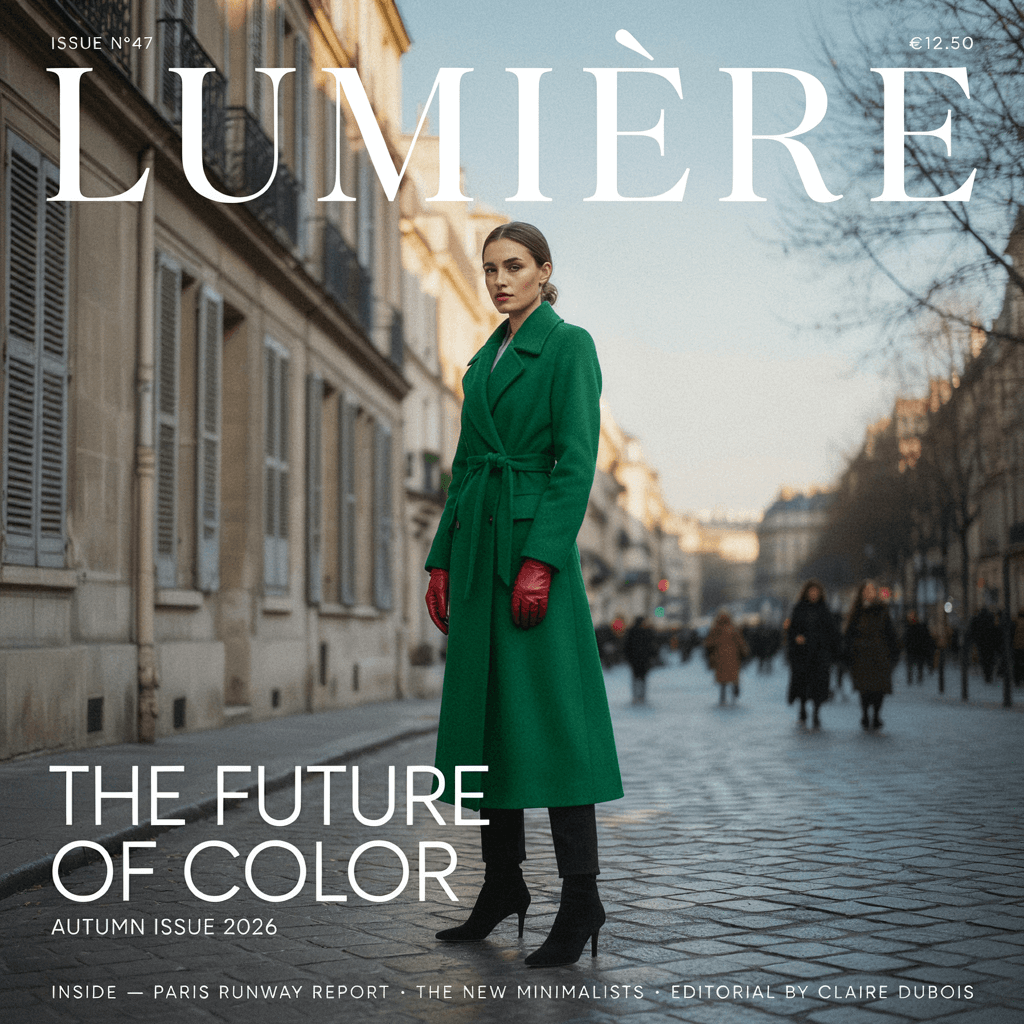
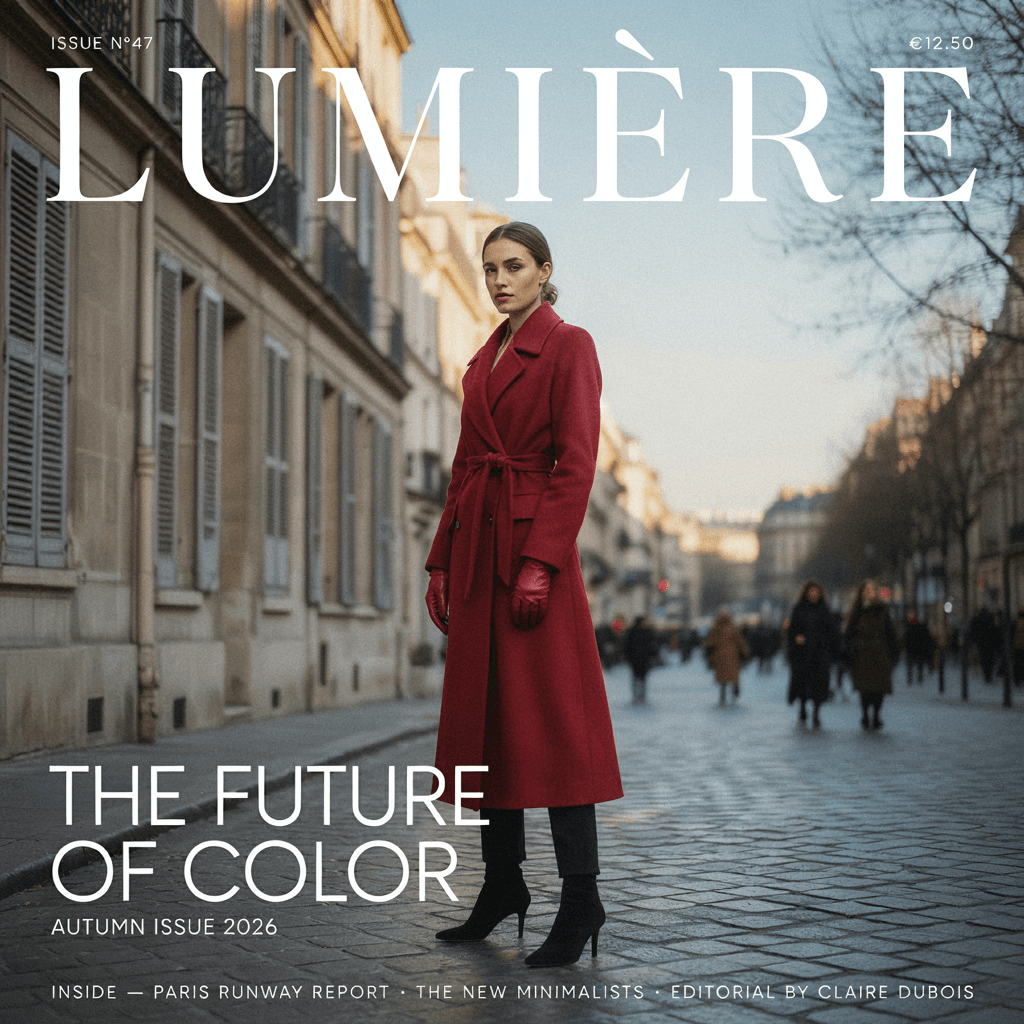
Shows only the black mask area repainted while masthead and street stay; suits local outfit swaps.

Prompt · English

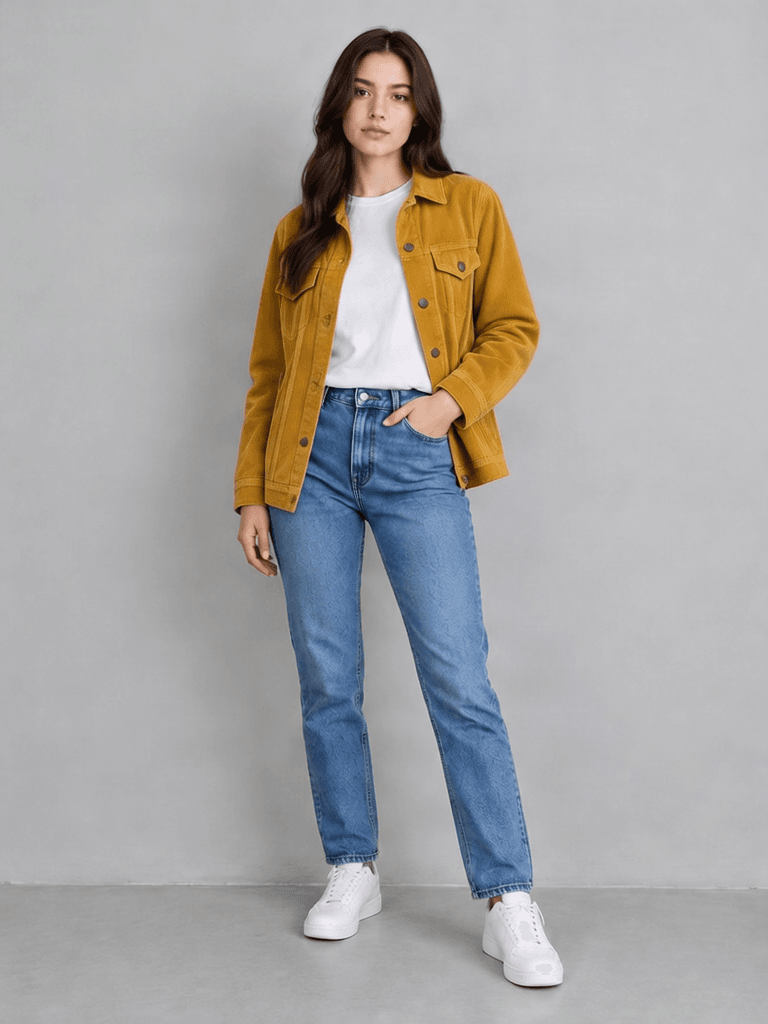
The woman wears an emerald green wool trench coat instead of the red coat

Related image models

Choose an adjacent model by task, output tier, and reference-image needs.

About Ideogram 4.5 Edit

Edit images with Ideogram 4.5 Edit: prompt edits, up to four reference images, mask inpainting and Precise Edit that restores unedited pixels, with real examples and API code.

The Playground and API use the same model ID: ideogram-v4.5/image-to-image. Reference images provide subject, product, scene, or style facts, while the prompt assigns each role and limits the edit.

Provider
Ideogram
Task
Image-to-Image / Editing
References
1-4

Model specifications

Choose inputs and output settings for your creative goal with Ideogram 4.5 Edit.

Reference images
1-4
Edit precision
regularhigh
Quality
very_low (regular only)lowmediumhigh
Image size
autosquaresquare_hdportrait_4_3landscape_4_3portrait_16_9landscape_16_9
Mask
Optional
Output count
1–8 images
Prompt length
1–10000 characters

Image size does not change the per-image price. A mask reduces the allowed reference-image count from four to three.

How to use Ideogram 4.5 Edit

References provide visual facts; the prompt assigns their roles and limits the edit.

Source
Reference
Mask
≤4 references
01

Prepare the source, add references or a mask

image_url is required; reference_image_urls takes up to 4 (3 with a mask); mask_url matches the source size, black is repainted and white is kept.

Requested change
Everything else kept
02

Say what to change, pick precision and quality

Write the prompt in four parts: the task, what to change (text in quotes), what to keep, and the finish and limits. Set edit_precision to regular or high (Precise Edit); regular offers very_low–high and Precise low–high. With a mask or Precise, image_size must be auto.

Playground
POST /v1/tasks
03

Compare, then call the API

Compare source and result in the Playground, then call POST /v1/tasks with the same model ID.

API Quickstart

Copy a minimal request below. See Docs for parameters, callbacks, task retrieval, and errors.

Endpoint
POST /v1/tasks
Model ID
ideogram-v4.5/image-to-image
cURL
curl -X POST "https://api.hiapi.ai/v1/tasks" \
  -H "Authorization: Bearer YOUR_API_KEY" \
  -H "Content-Type: application/json" \
  -d '{
  "model": "ideogram-v4.5/image-to-image",
  "input": {
    "prompt": "Change the logo text from \"Ember & Oak\" to \"Maple & Co\", keep the same serif lettering style, emblem, tagline, colors and layout exactly unchanged",
    "image_url": "https://static.hiapi.ai/gallery/2026/10/88567ad2baf46b32.png",
    "edit_precision": "high",
    "quality": "low",
    "image_size": "auto",
    "num_images": 1
  }
}'

The create request immediately returns a taskId; image generation continues asynchronously.

Read the full API documentation

PROMPT EDITS · REFERENCES · MASKS · PRECISE EDIT

Ideogram 4.5 Edit changes only what you ask and keeps the rest

Ideogram 4.5 Edit is an image editing model built for changing text in an image, restyling from references and mask inpainting, with up to 4 reference images and up to 8 outputs per request. It suits fixing text on posters and logos, making seasonal or campaign variants and replacing clothing, props or parts of a background.

regular / Precise EditUp to 4 referencesMask inpainting1–8 images per request
Explore the model ↓
Precise Edit: Ember & Oak becomes Maple & Co, emblem and tagline unchanged

PROMPT EDITS · REFERENCES · MASKS · PRECISE EDIT

About Ideogram 4.5 Edit

Four tools combine: a prompt alone for overall edits; reference_image_urls (up to 4, or 3 with a mask) to borrow a reference's style; mask_url to change only the black area; and edit_precision=high for Precise Edit, which restores unedited pixels.

Instructions are most controllable in four parts: the task (which image to edit), what to change (text in quotes), what to keep (font, composition and colors, listed one by one) and the finish and limits (such as adding no new elements). Mind the size rule too: only regular edits without a mask accept the six size presets; with a mask or Precise Edit, image_size must be auto and the output follows the source size.

All four examples below were made by HiAPI with this model: Precise Edit at low and the rest at regular very_low, with source images taken from the Ideogram 4.5 generation page.

Edit four ways, with one real example each

Each example shows the inputs (source, reference or mask) before the result and the instruction.

Change only the logo text with Precise Edit

Ember & Oak becomes Maple & Co while the serif style, bean emblem, SMALL BATCH ROASTERS and background stay exactly as they were. Ideogram 4.5 Edit turns on Precise Edit with edit_precision=high, changing only what the instruction names and restoring other pixels, at low, medium or high quality with size auto. It suits small fixes such as brand names, dates, prices and taglines.

Change the logo text from "Ember & Oak" to "Maple & Co", keep the same serif lettering style, emblem, tagline, colors and layout exactly unchanged
Source
Source
Result · high · low · auto

Turn a poster into a winter edition with one instruction

The sunset becomes snowy mountains and the palette turns icy blue and silver, while NEON NIGHTS, the date and the lineup stay in place. Ideogram 4.5 Edit makes overall edits from one source image and one prompt; this one used regular very_low, the cheapest tier and a good way to test directions. It suits seasonal, holiday and regional variants of one design.

Turn this festival poster into a winter edition: icy blue and silver palette, snowy mountains replacing the sunset, keep all text and layout the same

Source
Source
Result · regular · very_low

Borrow the palette and finish of 1 reference image

The coffee wordmark turns jade green with gold lettering, and Ember & Oak stays readable. Ideogram 4.5 Edit accepts up to 4 references in reference_image_urls (3 with a mask), and saying whether a reference provides palette, style or an object makes the result more controllable. It suits aligning with brand packaging, matching colors across a poster series and fast revisions during pitches.

Restyle this coffee logo using the jade green and gold color scheme and premium packaging style of the reference image, keep the text "Ember & Oak" readable

Source
Source
Reference
Reference
Result · regular · very_low

Repaint only the coat with a mask

The red coat becomes an emerald trench while the masthead, cover lines and street stay untouched. Ideogram 4.5 Edit takes a mask in mask_url at the source size, repainting black and keeping white, with size auto and up to 3 references when a mask is used. It suits ecommerce and ad edits such as swapping clothing, props or part of a background.

The woman wears an emerald green wool trench coat instead of the red coat

Source
Source
Mask (black = repaint)
Result · regular · very_low · auto

Choosing regular or Precise Edit

The two precision modes suit different edits: regular is freer and Precise Edit is more conservative.

AspectregularPrecise Edit (high)
Unedited areasMay shift slightlyOriginal pixels restored
Qualityvery_low / low / medium / highlow / medium / high
Sizeauto or 6 presets (auto only with a mask)auto only
Best forRecolors, restyles, seasonal changesText changes, small precise fixes

When to choose Ideogram 4.5 Edit: pick it when you already have an image and only want to change text, recolor or repaint one area while the rest stays as it was. Use Ideogram 4.5 to start from scratch; to place a consistent character into an existing image, see the masked character editing model under related models.

What you can do with Ideogram 4.5 Edit

Precise text edit
Precise text edit

Change text on posters and logos

Swap a brand name, date or price with Precise Edit and keep the rest of the design.

Winter poster
Winter poster

Make seasonal and campaign variants

Turn one poster into winter, holiday or other variants quickly.

Reference restyle
Reference restyle

Match a reference palette and finish

Use brand packaging or a reference to align palette and finish.

Masked coat change
Masked coat change

Replace clothing, props or background areas

Use a mask to replace only clothing, props or part of the background.

How pricing works

Billed per output image; the rate depends on quality and edit_precision. very_low is regular-only, and num_images multiplies the rate. Size, references and masks do not change the price.

See the live price at the top of this page and on the pricing page.

View all live prices →

Make your first edit with Ideogram 4.5 Edit

Upload a source image in the Playground, say what to change and add references or a mask if needed; then call /v1/tasks with the same parameters.

Related articles

Need to compare models and billing tiers?View live pricing for all models

Frequently asked questions

What edits can Ideogram 4.5 Edit do?

Four kinds: prompt edits, reference restyles, mask inpainting and Precise Edit. They can be combined.

Which fields are required?

prompt and image_url. Add reference_image_urls, mask_url, edit_precision, quality, image_size, num_images and seed as needed.

How do regular and Precise Edit differ?

Use Precise Edit for text changes and small fixes, and regular for recolors and restyles. edit_precision=high is Precise Edit and restores unedited pixels; regular is freer.

Do both precisions share quality tiers?

No. regular offers very_low, low, medium and high; Precise Edit offers low, medium and high.

How do I make a mask?

Make it the same size as the source, with black for the area to repaint and white for what to keep. Make the black area slightly larger than the object.

When must image_size be auto?

With mask_url or Precise Edit. The output then follows the source size; only regular edits without a mask accept the six presets.

How many reference images can I send?

Up to 4, or 3 when a mask is provided. Say what each reference contributes in the prompt.

How is it billed?

Per output image. The rate depends on quality and edit_precision, and num_images multiplies it; size, references and masks do not change the price. See the live price for current rates.

How do I write an edit instruction?

Use four parts: the task, what to change, what to keep, and the finish and limits. For example: ① Edit the provided logo. ② Change the text "Ember & Oak" to "Maple & Co". ③ Keep the serif lettering, bean emblem, tagline, colors and layout. ④ The result should look like the original print; do not add new elements. Precise Edit works best for text changes.

Is this the same as Ideogram 4.5 Image to Image?

Yes. Only the display name changed to Ideogram 4.5 Edit; the model ID ideogram-v4.5/image-to-image and page link are unchanged.

What if I have no source image?

Generate one with Ideogram 4.5 (ideogram-v4.5) first. Then edit it here.

How were the examples made?

HiAPI generated them all with this model. Precise Edit used low and the rest used regular very_low, with source images from the Ideogram 4.5 page.