An e-commerce image set usually needs more than one composition: a clean catalog view, a lifestyle scene, and sometimes a revision of an existing product photo. Nano Banana 2.1 supports text-to-image and reference-image editing through the same model ID, so these jobs can sit in one asynchronous workflow.
The two product images below are independent text-to-image examples from the existing draft. They use the same written product description, but they are not a same-SKU consistency test. The reference-edit example later in the article uses the studio image itself, so the observation stays close to an e-commerce workflow.
Start with independent concept variants
For an early product concept, a prompt alone is enough. The studio and lifestyle images below each start a new generation. Repeating the bottle description makes the briefs easier to compare, but it cannot guarantee that two independent generations preserve every shape, highlight, or label position.
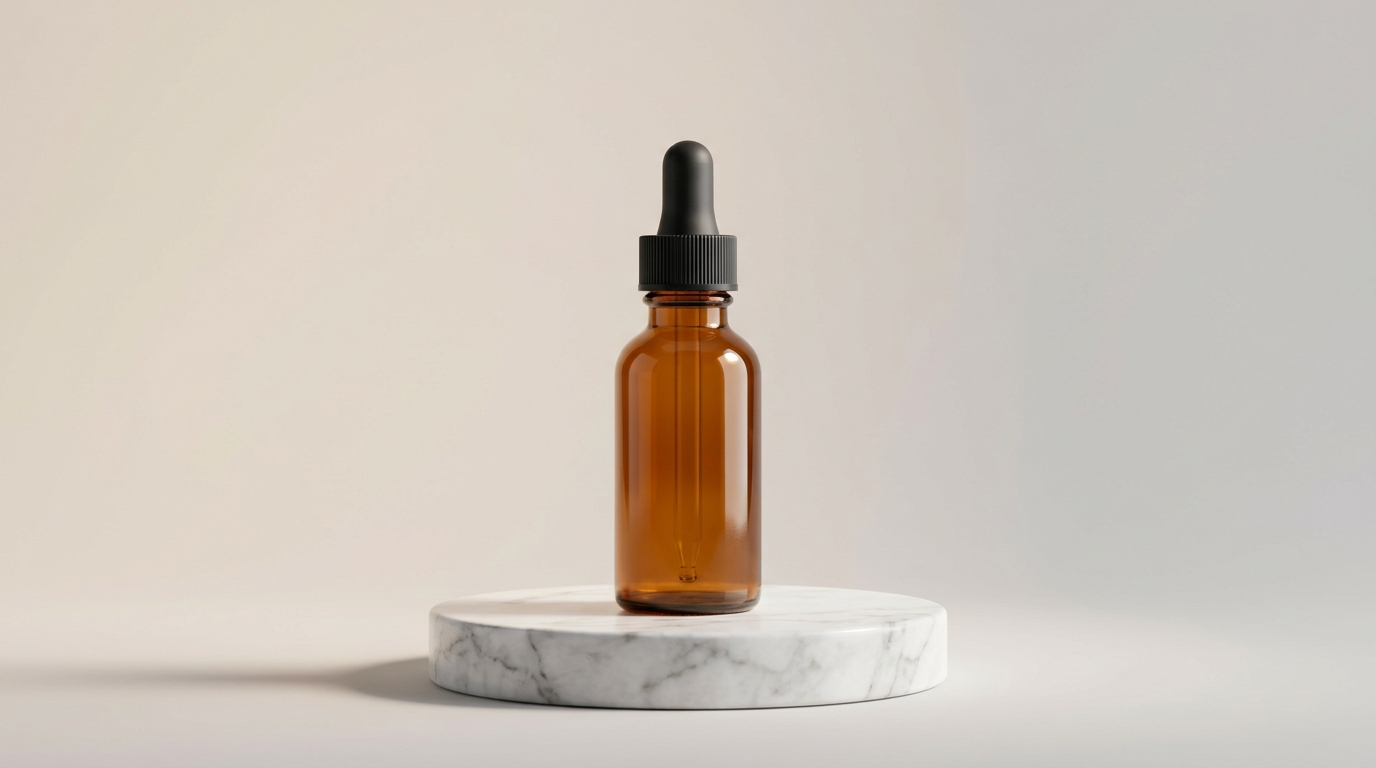
Studio shot: a catalog-ready background
This brief puts the product in the center, with a quiet background and a controlled shadow suitable for a product gallery.
Prompt used:
Professional e-commerce product photography: a minimalist amber glass skincare serum bottle with a black dropper cap, centered on a round white marble pedestal, soft diffused studio lighting from the upper left, seamless pale beige-to-grey gradient background, gentle shadow beneath the bottle, blank unlabeled bottle, sharp focus, commercial catalog style, 16:9
Specifying the light direction gives the brief a concrete shadow to work with. Keeping the bottle unlabeled also avoids introducing copy that would need retouching. Use 1:1 or 4:5 for a primary marketplace image when the destination expects a near-square crop; reserve 16:9 for a banner or a wide gallery slot.
Lifestyle shot: a product in context
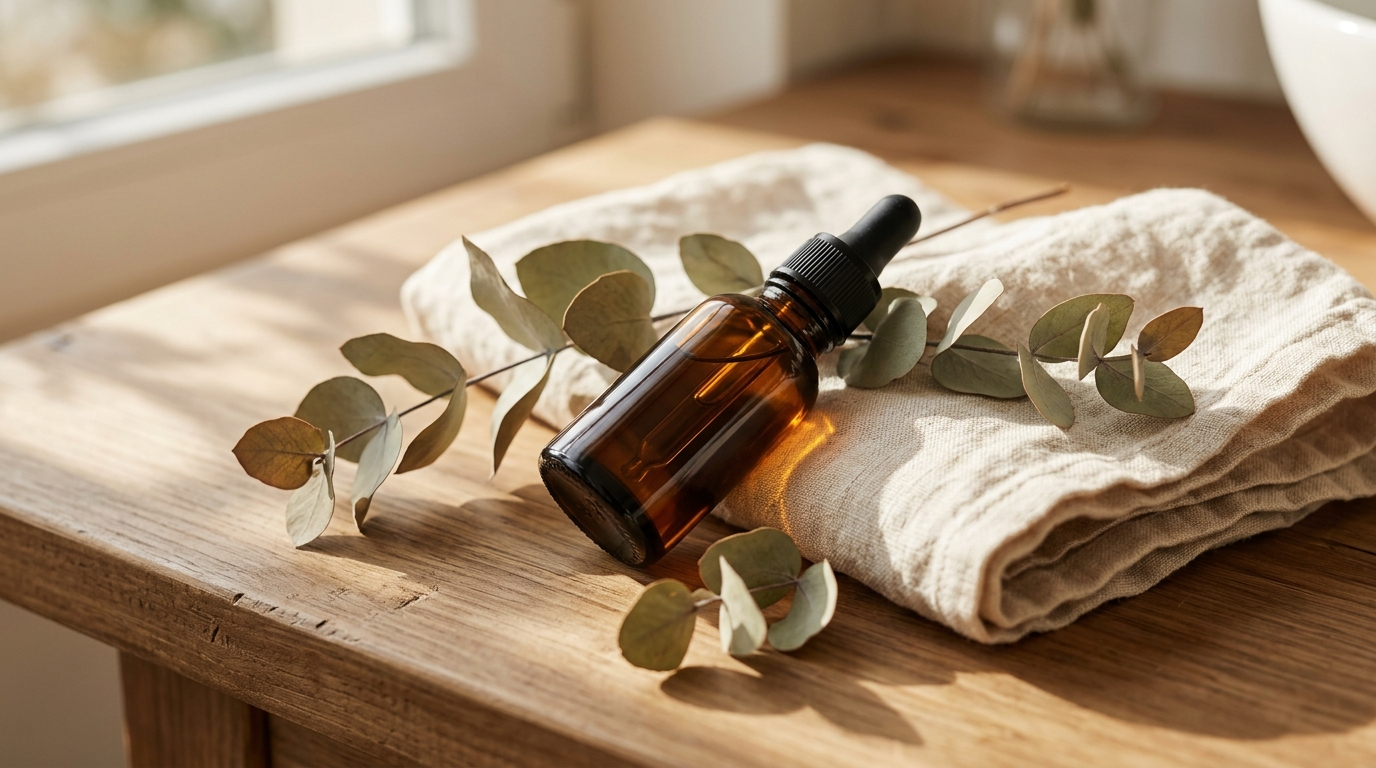
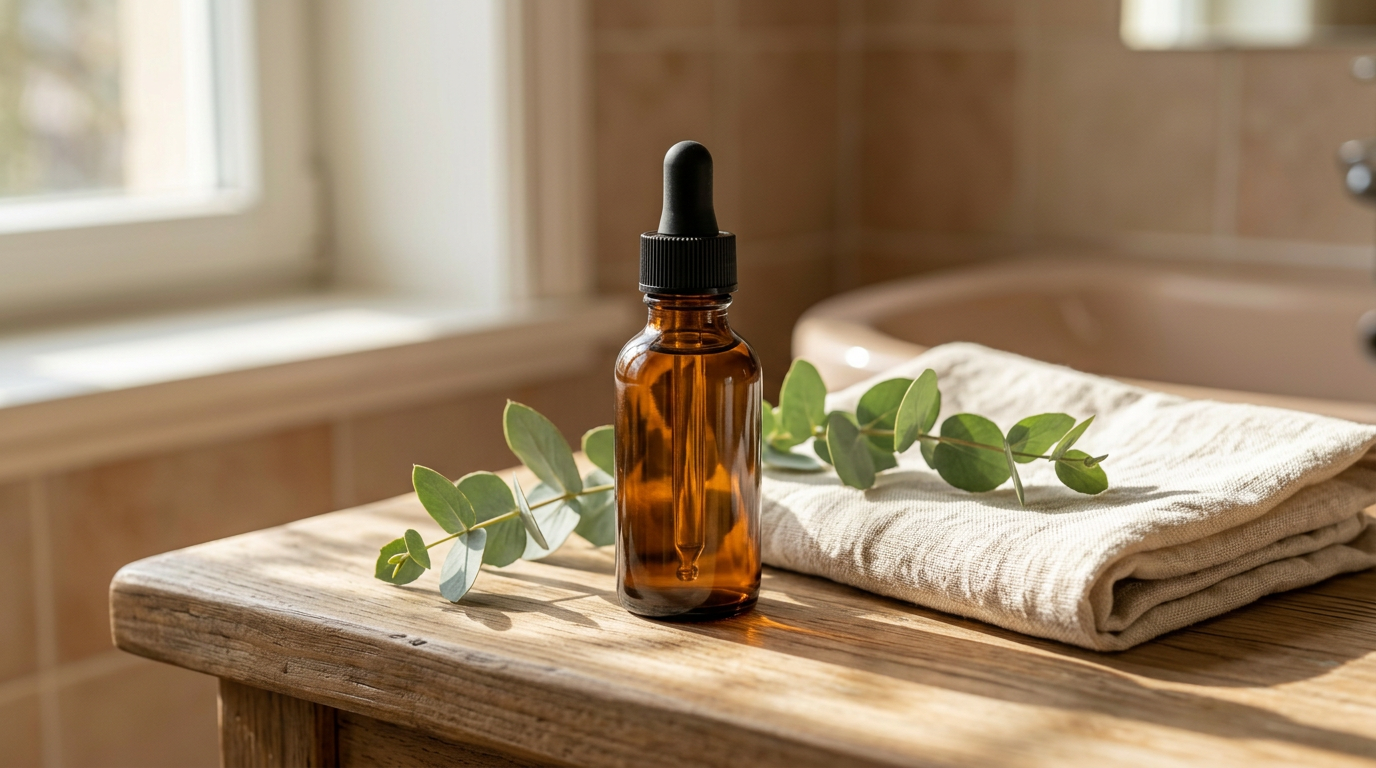
This is a second, independent text-to-image brief. It changes the surface, props, and light to suggest a bathroom routine.
Prompt used:
E-commerce lifestyle product scene: the same amber glass skincare serum bottle with black dropper cap resting on a flat-lay styling of dried eucalyptus sprigs and a folded cream linen towel on a sunlit wooden bathroom counter, warm natural window light, soft shadows, shallow depth of field, blank unlabeled bottle, cozy minimalist aesthetic, commercial product photography, 16:9
The repeated product description helps keep the two briefs aligned at the instruction level. Inspect the actual outputs before calling them a matched product set. If the product must remain fixed, start from a real product photo and use reference editing.
Reference editing: move the same product into a scene
This revision includes a funded 2.1 image-to-image smoke test using the existing studio asset as the reference. The input was the public studio image above; the output asks for a bathroom counter, folded linen towel, and eucalyptus while preserving the amber bottle, black dropper cap, bottle shape, and blank label.
Reference image:
Reference-edit result:
Prompt used:
Keep the amber glass serum bottle and black dropper cap from the reference image. Place it on a sunlit wooden bathroom counter beside a folded cream linen towel and eucalyptus, preserving the bottle shape and blank label.
The request was accepted as a 1K, 16:9 task and completed successfully. In this single observation, the bottle and cap remain broadly recognizable while the environment changes to a bathroom scene. Exact SKU geometry is not guaranteed, so compare the result with the source before using it in a product listing. The current contract accepts up to 10 public JPEG, PNG, or WebP references, each no larger than 30 MB.
Put the scene briefs into your existing task workflow
For a catalog batch, send each studio or lifestyle brief as its own asynchronous POST /v1/tasks job with model: "gemini-nano-banana-2.1". For an edit, add the public source image under input.image_input and describe the one requested change plus the details to preserve. The Nano Banana 2.1 API guide covers task creation, polling, callbacks, and result retrieval; this article keeps the focus on choosing the right scene and reference strategy.
Current price tiers
The public model page displayed these standard tiers when checked on 2026-10-16:
| Resolution | Displayed price |
|---|---|
| 1K | 44 Credits per image |
| 2K | 72 Credits per image |
| 4K | 116 Credits per image |
Prices can change. Check the live pricing page, model page, and completed task record before building a catalog budget. The two source images are existing assets; this article does not claim a new paid run or a current USD charge.
FAQ
Does Nano Banana 2.1 need a reference photo for product images?
No. A prompt alone can create a new concept. A reference becomes useful when the product's actual shape, packaging, or existing composition must be preserved.
Does repeating the product description guarantee the same SKU?
No. The studio and lifestyle examples are independent generations. Repeating the description improves brief consistency, but it is not an identity lock. Use a reference image when the exact product must carry over.
How do I edit one part of an existing product photo?
Send the photo in image_input, name the single requested change, and list the details to preserve. Compare the result with the original before delivery.
What resolution should I use?
Use 1K for layout exploration, 2K when material and scene details need inspection, and 4K for larger displays or later cropping. Check the actual output dimensions for unusual aspect ratios.
Can I send several references?
The current model page lists up to 10 JPEG, PNG, or WebP references, with a 30 MB limit per image. Confirm the live contract before relying on the maximum in a production uploader.
Takeaways
Use independent text-to-image prompts to explore catalog and lifestyle directions. Use reference editing when the product itself must stay fixed, then inspect the result for SKU details. Nano Banana 2.1 exposes both paths through gemini-nano-banana-2.1 and POST /v1/tasks; check current billing in the live page and task record before production use.
Read the Nano Banana 2.1 API guide for request handling, or open the model page to inspect the live examples and pricing.