TL;DR
- Kling 3.0 Motion Control (
kling-3.0/motion-control) takes the motion and facial expressions from a reference video and transfers them onto a character image you supply. HiAPI bills per output second: $0.10 at 720p and $0.172 at 1080p. A 6-second 720p clip costs $0.60. - There's no duration field. Output length follows the reference video, which must be 3–30 seconds. The reference video's original audio is kept by default at no extra cost.
- It's live on HiAPI: open the model page, upload a character image and a motion clip, and generate. New accounts get 200 free credits.
Price table
| Output length | 720p (default) | 1080p |
|---|---|---|
| Per second | $0.10 | $0.172 |
| 3 s (minimum) | $0.30 | $0.516 |
| 5 s | $0.50 | $0.86 |
| 10 s | $1.00 | $1.72 |
| 15 s | $1.50 | $2.58 |
| 30 s (maximum) | $3.00 | $5.16 |
Live HiAPI prices, checked October 18, 2026.
1080p costs 72% more per second than 720p. Failed tasks aren't charged.
How billing works
Only two things set the price: how many seconds come out, and at what resolution.
- The reference video sets the length. A 6-second reference usually gives a 6-second output. If the motion is very fast or complex, the output can come out shorter, and you pay for the actual seconds.
- A hold first, then settlement. When the task is created, HiAPI holds credit for the maximum length allowed by
character_orientation: 30 seconds forvideo(the default), 10 seconds forimage. When the task finishes, the difference is refunded based on actual output seconds. Your balance needs to cover the hold, or the task won't be created. - Prompt and audio don't change the price. Whether you send a
promptor setkeep_original_sound, the per-second rate is the same.
What 6 seconds looks like
This clip is the example from the model page: vertical 1080p, 6 seconds, the character talking to camera and gesturing, with motion and expressions taken from the reference video.
kling-3.0/motion-control, 1080p, 6 seconds, about $1.03 (6 × $0.172).
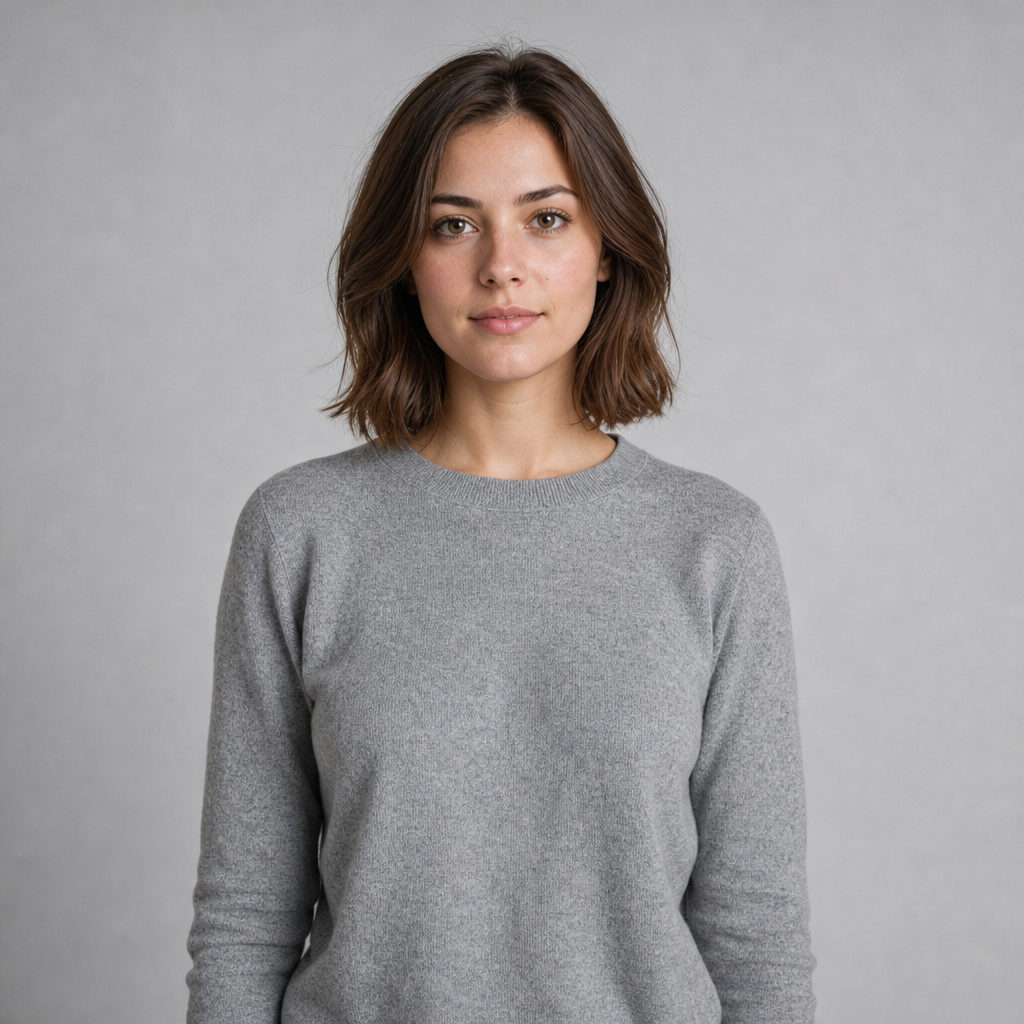
Now a pair at 720p: the same character image and the same 6-second motion clip (turn, wave, smile), one with no prompt and one with a golden-hour lighting prompt.
Character image:
Motion reference:
No prompt:
kling-3.0/motion-control, 720p, 6 seconds, $0.60.
With a prompt:
Golden-hour outdoor lighting, warm rim light from the left, shallow depth of field with a softly blurred park background.
Open the model page with this prompt → (then upload the image and reference video)
kling-3.0/motion-control, 720p, 6 seconds, $0.60.
The motion is identical in both; only the light and background changed. The prompt steers the scene, not the motion. To change the motion, change the reference video.
Compared with the other Kling 3.0 endpoints
| Motion Control | Kling 3.0 (standard) | Kling 3.0 Turbo | |
|---|---|---|---|
| 720p / s | $0.10 | $0.10 (no sound) | $0.13 |
| 1080p / s | $0.172 | $0.129 (no sound) | $0.16 |
| Where motion comes from | Reference video | Prompt | Prompt |
| Required inputs | Character image + motion video | Prompt | Prompt |
| Length | Follows the reference, 3–30 s | 3–15 s | 3–15 s |
At 720p, Motion Control costs the same as standard Kling 3.0 without sound. The difference is that you decide the motion: the same dance or the same presenter gestures can be applied to any character image instead of hoping a prompt gets it right.
Monthly budget
| Workload | Seconds / month | 720p | 1080p |
|---|---|---|---|
| 100 clips × 5 s | 500 | $50 | $86 |
| 100 clips × 10 s | 1,000 | $100 | $172 |
| 300 clips × 10 s | 3,000 | $300 | $516 |
Ways to spend less
- Test at 720p first: check that the motion transfers cleanly and the character stays intact, then render 1080p.
- Trim the reference video: output follows the reference, so every extra second is billed.
- Generate the motion clip yourself: if you don't have footage,
grok-imagine/text-to-videoat 480p costs $0.015 per second, so a 6-second clip is $0.09, and you can reuse it across any number of characters. - Use
imageorientation for simple camera moves: it caps at 10 seconds, so the hold is smaller too.
FAQ
Do I pass a duration?
No, and you can't. Output length follows the reference video, which must be 3–30 seconds.
Is the reference video's audio kept?
Yes by default (keep_original_sound is true), at no extra cost. Send false to drop it.
Can the prompt change the motion?
No. Motion and expressions come from the reference video. prompt only affects scene, style and camera, up to 2,500 characters.
What does the character image need?
One image, jpeg or png, up to 10 MB, both sides over 340 px, aspect ratio between 2:5 and 5:2, with head, shoulders and torso clearly visible.
Am I charged for failed tasks?
No. The hold is released.
For more on reference clips and prompts, see Kling 3.0 Motion Control prompts. Prices for the other Kling 3.0 endpoints are in Kling 3.0 API pricing.