TL;DR
- Five copy-paste reference-to-video prompt recipes for vidu-q4-preview/reference-to-video, each paired with the actual clip it produced on hiapi — no stock footage, no mockups.
- Reference-to-video is the "blend several stills into one shot" mode: you hand it 1–15 reference images and an optional up to 3 reference audio clips, and it renders a single 3–16 second take at up to 4K.
- Includes a real 4K cinematic clip and a working voice-reference ("talking presenter") example, with the exact
reference_audio_urlsrequest shown. - The prompt rules that actually changed the output: address each reference by its index number, write the camera as one continuous move, and keep the spoken line in the prompt when you attach a voice.
- Copy the JSON, swap in your own reference URLs, and POST it to
/v1/tasks.
What vidu-q4-preview/reference-to-video actually does
Vidu Q4 Preview (from ShengShu) has two lines on hiapi, and they are not interchangeable:
- reference-to-video (this page): you supply a set of reference images — a character, a location, a product, a prop — and the model composes them into one moving shot. The field is
reference_image_urlsand it takes 1–15 images. - image-to-video (recipes here): you supply a single first frame (
image_url) and it animates that frame forward. It rejectsreference_image_urlsentirely.
So pick reference-to-video when you want to combine separate subjects into a scene, and image-to-video when you already have the exact opening frame and just want motion. If you have used the Vidu Q3 reference pages, the jump here is concrete: Q4 Preview adds 4K output (Q3 tops out at 1080p) and raises the reference budget to 1–15 images (Q3 Mix allows 1–7). Both generations can take audio references; these recipes lean into Q4's larger image budget and 4K.
Verified input schema (probed live against /v1/tasks, October 2026):
| field | required | values |
|---|---|---|
prompt | yes | free text; reference subjects by index |
reference_image_urls | yes | array, 1–15 public image URLs |
reference_audio_urls | no | array, up to 3 audio URLs (voice/sound reference) |
resolution | no | 540p · 720p · 1080p · 2k · 4k |
duration | no | integer 3–16 seconds |
aspect_ratio | no | 16:9 · 9:16 · 1:1 · 4:3 · 3:4 |
Pricing is a flat per-second rate set by resolution (so a 5-second clip is 5× the per-second number). As of October 2026 on hiapi: 540p $0.0515/s, 720p $0.109/s, 1080p $0.1375/s, 2K $0.2175/s, 4K $0.446/s. Full numbers live on the pricing page. The practical takeaway: iterate your prompt at 720p, then re-run the keeper at 4K — nothing about the prompt changes, only the multiplier.
How we ran these (so you can reproduce)
Every clip below was generated on hiapi through the async task API. The flow is always the same:
- The reference images have to be reachable over the public internet. We generated ours with
gpt-image-2/text-to-image, uploaded them to our static bucket, and passed those URLs — you can use any hosted image. POST /v1/taskswith the body shown in each recipe.- Poll
GET /v1/tasks/{taskId}untilstatusissuccess, then downloadoutput[0].url(it is a time-limited link — save it immediately).
The quickstart docs are at hiapi docs. A minimal request looks like this:
curl -X POST https://api.hiapi.ai/v1/tasks \
  -H "Authorization: Bearer $HIAPI_KEY" \
  -H "Content-Type: application/json" \
  -d '{
    "model": "vidu-q4-preview/reference-to-video",
    "input": {
      "prompt": "...",
      "reference_image_urls": ["https://.../subject.jpg"],
      "resolution": "1080p",
      "duration": 5,
      "aspect_ratio": "16:9"
    }
  }'
Now the recipes.
Recipe 1 — Single-reference quickstart
Best for: the simplest possible reference-to-video — one subject, one clean animation. Start here before you blend.
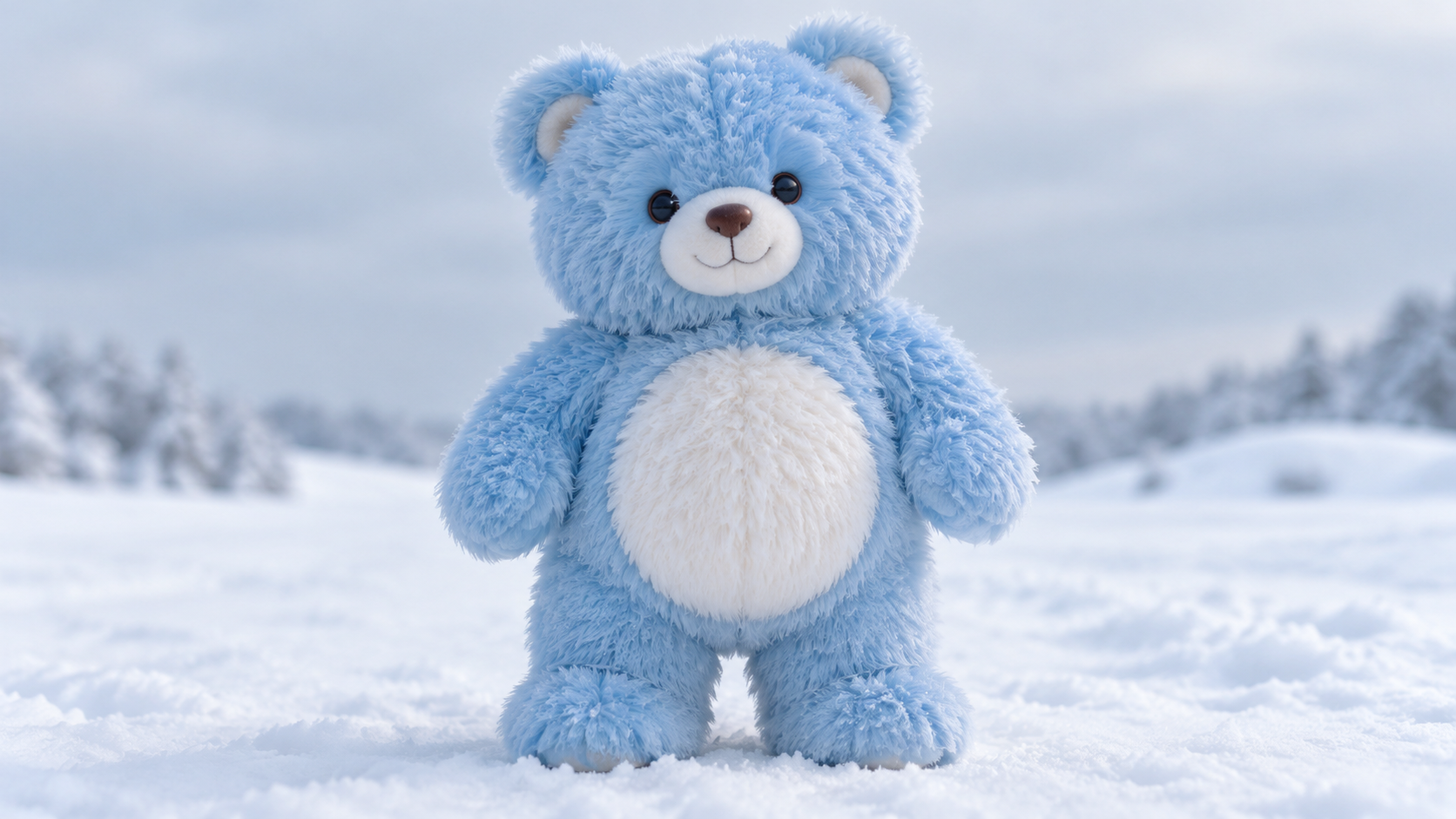
Reference image in:
Real output (720p, 3s):
{
  "model": "vidu-q4-preview/reference-to-video",
  "input": {
    "prompt": "The fuzzy blue bear from reference image 1 takes two slow steps forward across the snow, then looks up at the camera and waves one paw. Gentle falling snow, cinematic soft light.",
    "reference_image_urls": ["https://static.hiapi.ai/blog/vidu-q4-preview-reference-to-video-prompt-recipes/refs/smoke_bear.jpg"],
    "resolution": "720p",
    "duration": 3,
    "aspect_ratio": "16:9"
  }
}
Why it works: even with one image, naming it ("the fuzzy blue bear from reference image 1") anchors the subject so the model animates that bear instead of inventing a new one. A short, concrete action ("two slow steps… waves one paw") is easier to render cleanly in 3 seconds than a vague "make it move." Note the clip comes back with an ambient audio track even though we attached no reference audio.
Recipe 2 — Cinematic 4K, character + location blend
Best for: your hero shot. Two references — a subject and an environment — fused into one atmospheric take, finished at 4K.
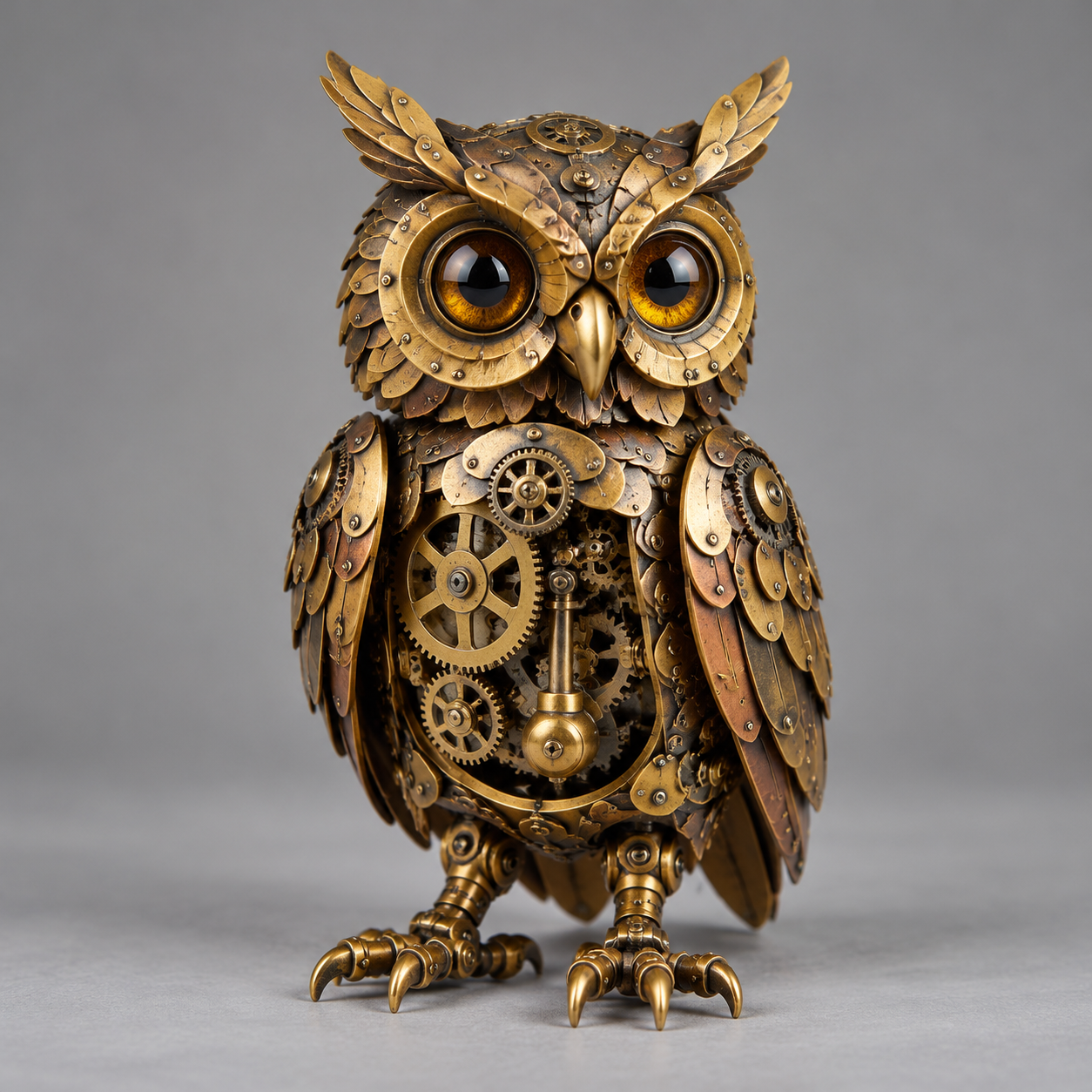
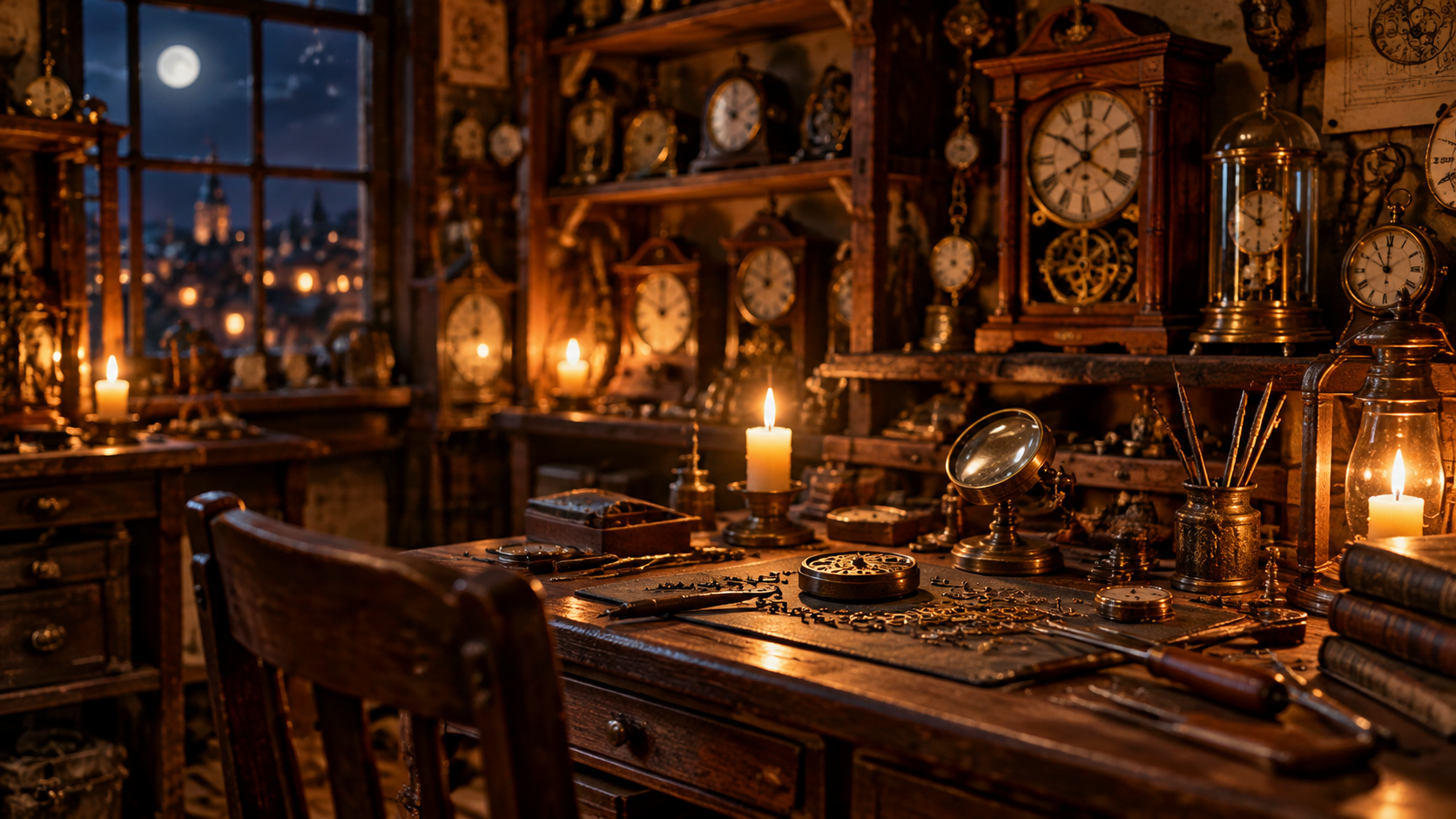
References in (subject + location):
Real output (4K, 3s):
{
  "model": "vidu-q4-preview/reference-to-video",
  "input": {
    "prompt": "The brass clockwork owl from reference image 1 flies into the candlelit workshop from reference image 2, wings whirring with visible gears, and lands gently on the wooden workbench. It slowly turns its head toward the camera and blinks. Warm amber candlelight flickers, dust motes drift, shallow cinematic depth of field.",
    "reference_image_urls": ["https://static.hiapi.ai/blog/vidu-q4-preview-reference-to-video-prompt-recipes/refs/owl_char.jpg", "https://static.hiapi.ai/blog/vidu-q4-preview-reference-to-video-prompt-recipes/refs/clock_workshop.jpg"],
    "resolution": "4k",
    "duration": 3,
    "aspect_ratio": "16:9"
  }
}
Why it works: the prompt assigns a role to each reference — image 1 is the actor, image 2 is the set — so the model knows which still is the subject and which is the backdrop. The camera direction is a single continuous idea (fly in → land → turn to camera), which reference-to-video renders as one unbroken take. At $0.446/s this 3-second 4K clip costs about $1.34; we proved the composition at 720p first.
Recipe 3 — Voice reference (talking presenter)
Best for: a character that speaks in a specific voice. You attach an audio clip as reference_audio_urls; the audio sets the timbre, the prompt sets the words and the lip-sync.
Reference image in:

Reference audio in: presenter_voice.mp3 (we generated this line with qwen-audio-3.0-tts-plus; any hosted audio URL works).
Real output (1080p, 5s):
{
  "model": "vidu-q4-preview/reference-to-video",
  "input": {
    "prompt": "The presenter from reference image 1 looks directly at the camera and speaks the line in the voice of reference audio 1, with natural lip-sync, small head movements and a warm smile. Steady studio shot, soft lighting, subtle breathing.",
    "reference_image_urls": ["https://static.hiapi.ai/blog/vidu-q4-preview-reference-to-video-prompt-recipes/refs/presenter.jpg"],
    "reference_audio_urls": ["https://static.hiapi.ai/blog/vidu-q4-preview-reference-to-video-prompt-recipes/audio/presenter_voice.mp3"],
    "resolution": "1080p",
    "duration": 5,
    "aspect_ratio": "16:9"
  }
}
Why it works: the key phrase is "speaks the line in the voice of reference audio 1." The audio reference drives the voice; the prompt still carries the delivery notes ("natural lip-sync," "warm smile"). Keep the audio clip's length close to your duration so the speech fits the shot. reference_audio_urls is an array — you can pass up to three clips to reference more than one voice or a voice plus an ambience bed.
Recipe 4 — Three-reference product blend
Best for: commercial-style composition from separate product stills — bottle, prop, surface — arranged into one scene.
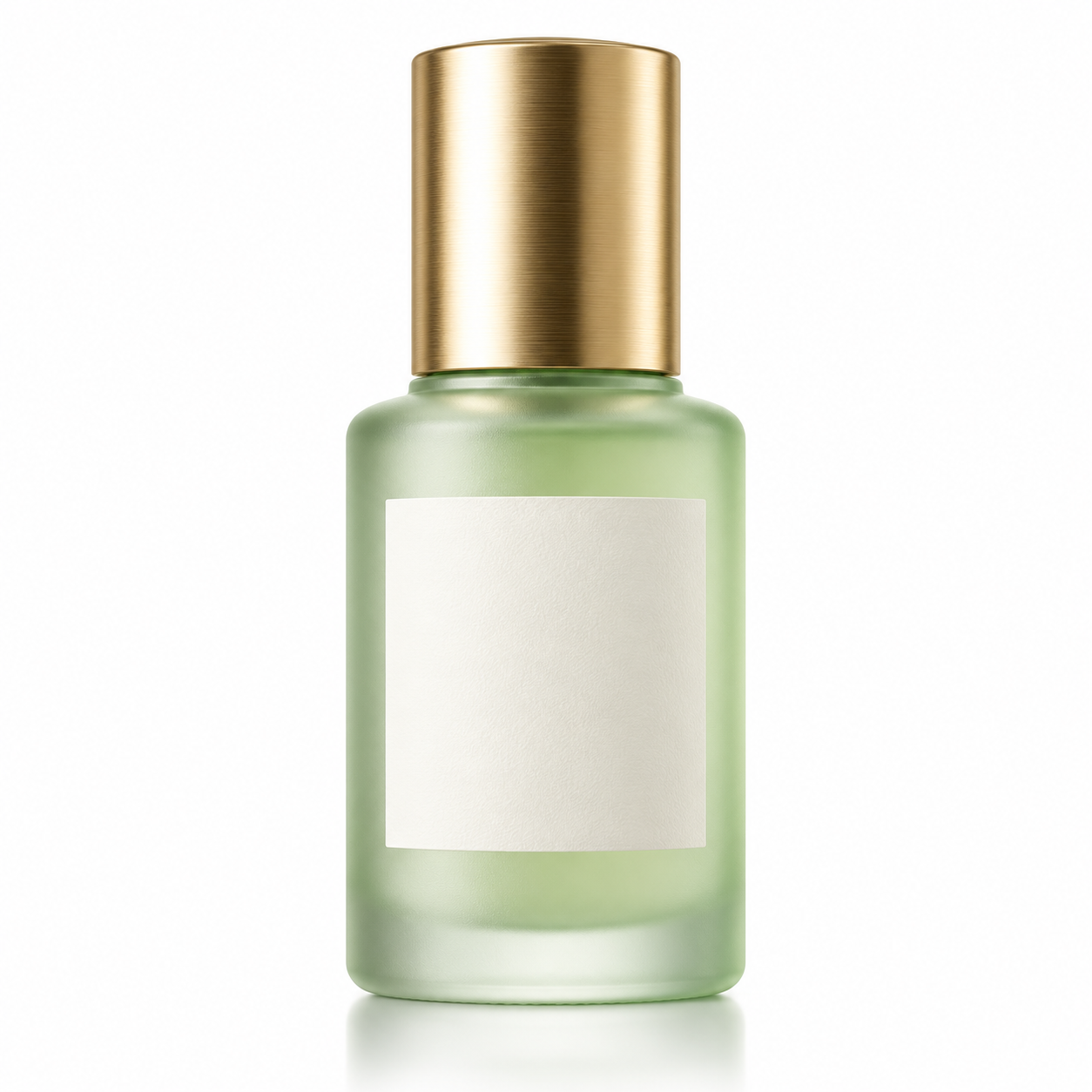
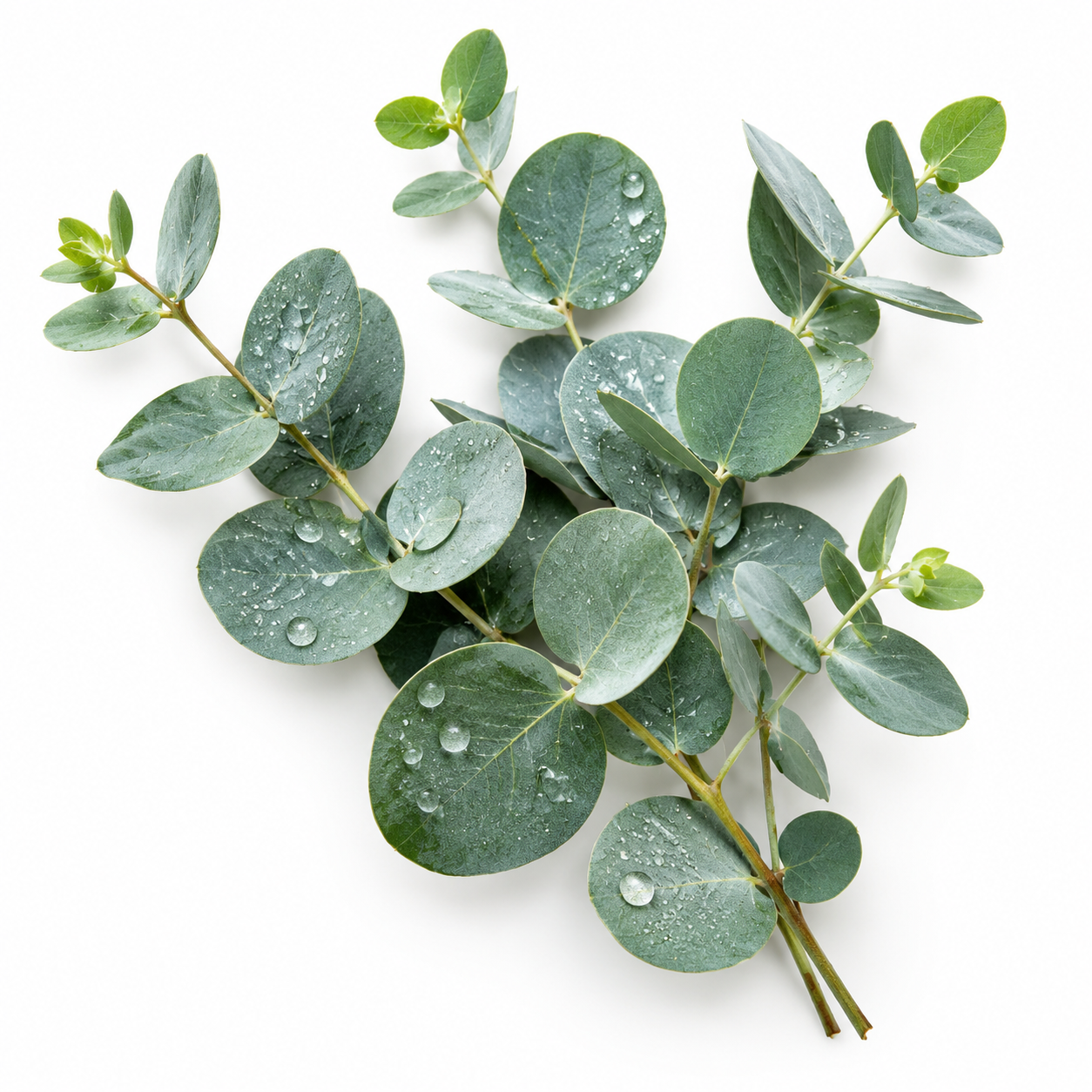
References in (product + prop + scene):

Real output (1080p, 4s):
{
  "model": "vidu-q4-preview/reference-to-video",
  "input": {
    "prompt": "Compose a scene: place the frosted serum bottle from reference image 1 upright on the marble vanity from reference image 3, with the eucalyptus sprigs from reference image 2 resting beside it. Slow cinematic push-in, a single water droplet slides down the bottle, soft morning light, gentle steam. Premium skincare commercial look.",
    "reference_image_urls": ["https://static.hiapi.ai/blog/vidu-q4-preview-reference-to-video-prompt-recipes/refs/serum_bottle.jpg", "https://static.hiapi.ai/blog/vidu-q4-preview-reference-to-video-prompt-recipes/refs/eucalyptus.jpg", "https://static.hiapi.ai/blog/vidu-q4-preview-reference-to-video-prompt-recipes/refs/marble_vanity.jpg"],
    "resolution": "1080p",
    "duration": 4,
    "aspect_ratio": "16:9"
  }
}
Why it works: three clean, isolated stills (each subject on a plain background) give the model unambiguous parts to assemble. The prompt states the spatial layout explicitly ("on the vanity," "beside it") and references each image by its exact index. Blends drift when references are busy or when you say "combine these" without telling the model where each piece goes.
Recipe 5 — Vertical social loop (9:16)
Best for: short-form platforms. Same model, same prompt discipline, just aspect_ratio: "9:16".
Reference image in:
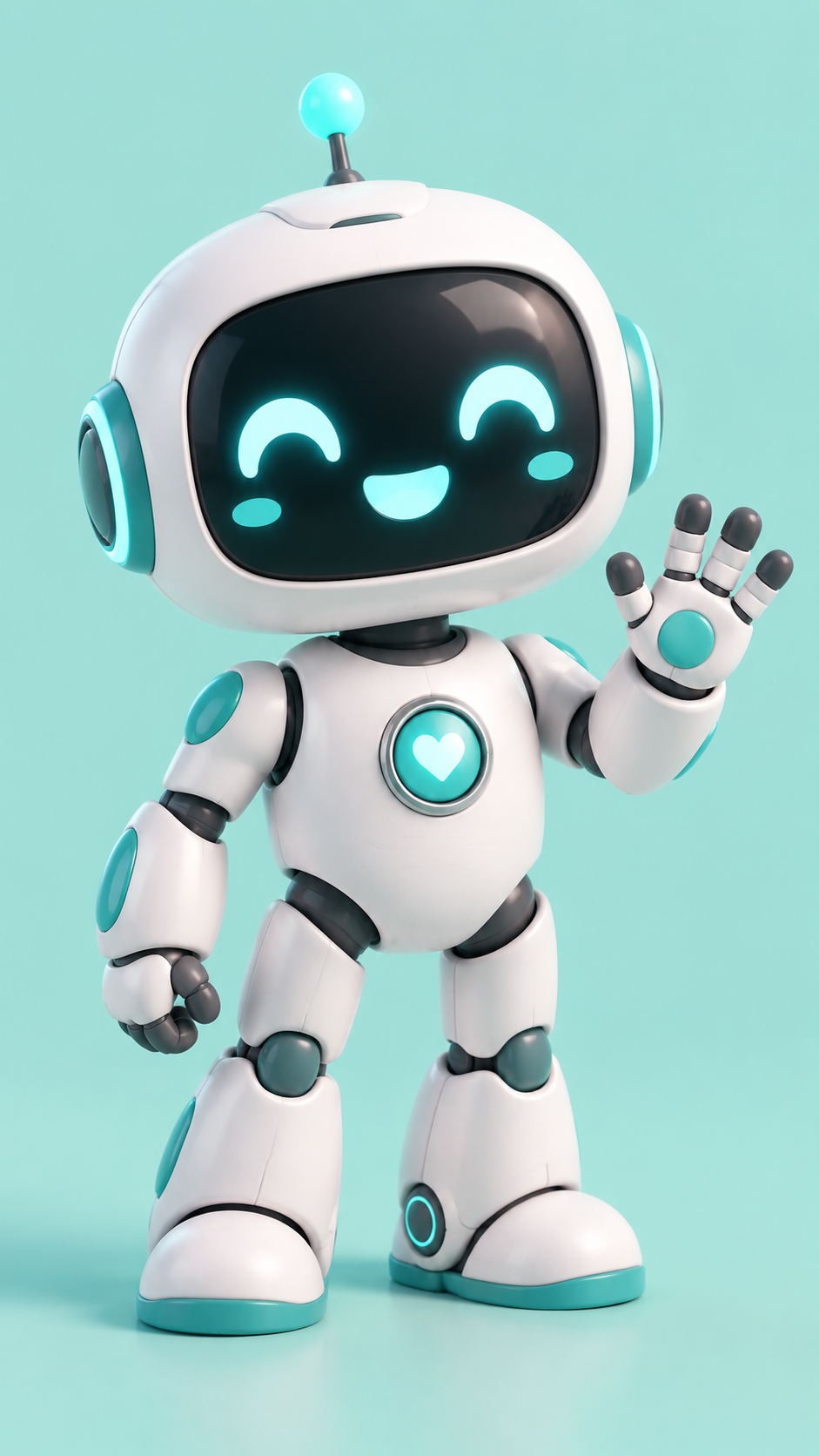
Real output (720p, 5s, vertical):
{
  "model": "vidu-q4-preview/reference-to-video",
  "input": {
    "prompt": "The white-and-teal robot mascot from reference image 1 waves both arms, does a happy little hop, and finishes with a thumbs-up toward the camera. Colorful confetti bursts, bouncy energetic motion, bright cheerful lighting, vertical social-media framing.",
    "reference_image_urls": ["https://static.hiapi.ai/blog/vidu-q4-preview-reference-to-video-prompt-recipes/refs/robot_mascot.jpg"],
    "resolution": "720p",
    "duration": 5,
    "aspect_ratio": "9:16"
  }
}
Why it works: aspect_ratio controls the output frame, so a vertical clip just needs 9:16 — the reference image can be any shape. For social loops, give the character a clear beginning-middle-end beat (wave → hop → thumbs-up) so the 5 seconds read as a complete micro-moment rather than a fragment.
Prompt-writing rules that moved the output
- Number your references. "The owl from reference image 1," "the scene from reference image 2." The model binds subjects to indices; "combine these images" is where blends go wrong.
- Give each reference a role. Say which still is the actor, which is the set, which is the prop. Ambiguity makes the model guess.
- Write the camera as one move. Reference-to-video is a single continuous take of 3–16 seconds. One camera idea ("push in," "fly in and land") beats a multi-shot list.
- For voice, name the audio and keep the line. "Speaks in the voice of reference audio 1" + the actual sentence in the prompt. Match the audio length to
duration. - Iterate cheap, finalize at 4K. Resolution is a flat per-second multiplier and doesn't touch your prompt — prove the shot at 720p, then re-run the winner at 4K.
FAQ
What's the difference between reference-to-video and image-to-video on Vidu Q4 Preview?
Reference-to-video takes a set of images (reference_image_urls, 1–15) and composes them into one shot. Image-to-video takes a single first frame (image_url) and animates it — it rejects reference_image_urls. Use reference-to-video to blend separate subjects; use image-to-video when you already have the exact opening frame.
How do I add a reference voice?
Pass reference_audio_urls — an array of up to three public audio URLs — and tell the prompt to "speak in the voice of reference audio 1." The audio sets timbre; the prompt sets the words and lip-sync.
How many reference images can I use? Between 1 and 15. One is enough for a simple animation; use more to blend a character, a location, and props into a single scene.
What resolutions and lengths are supported?
Resolutions 540p, 720p, 1080p, 2k, 4k; duration is an integer from 3 to 16 seconds; aspect ratios 16:9, 9:16, 1:1, 4:3, 3:4.
How much does a 4K clip cost? 4K is $0.446 per second, so a 3-second 4K clip is about $1.34 and a 5-second one about $2.23. Lower resolutions are far cheaper (720p is $0.109/s). Check the pricing page for current numbers.
Do the reference images need to be public URLs? Yes — the model fetches them, so they must be reachable over the internet. Host them anywhere publicly accessible and pass the URLs.
Key takeaways
- Reference-to-video is for blending 1–15 stills into one 3–16s take; image-to-video is for animating a single first frame.
- Address every reference by its index and give it a role — that single habit fixes most blend drift.
- Voice reference is
reference_audio_urls(up to 3 clips); the audio sets the voice, the prompt sets the words. - 4K ($0.446/s) is Q4 Preview's headline over Q3 — use it for finals, iterate at 720p.
- Copy any recipe above, swap your reference URLs, and run it.
Ready to try it? Open the vidu-q4-preview/reference-to-video model page, grab an API key from the docs, and paste a recipe. If you only have one anchor frame instead of a set, start with the image-to-video line or browse more reference-to-video workflows and prompt recipes in the hiapi blog.