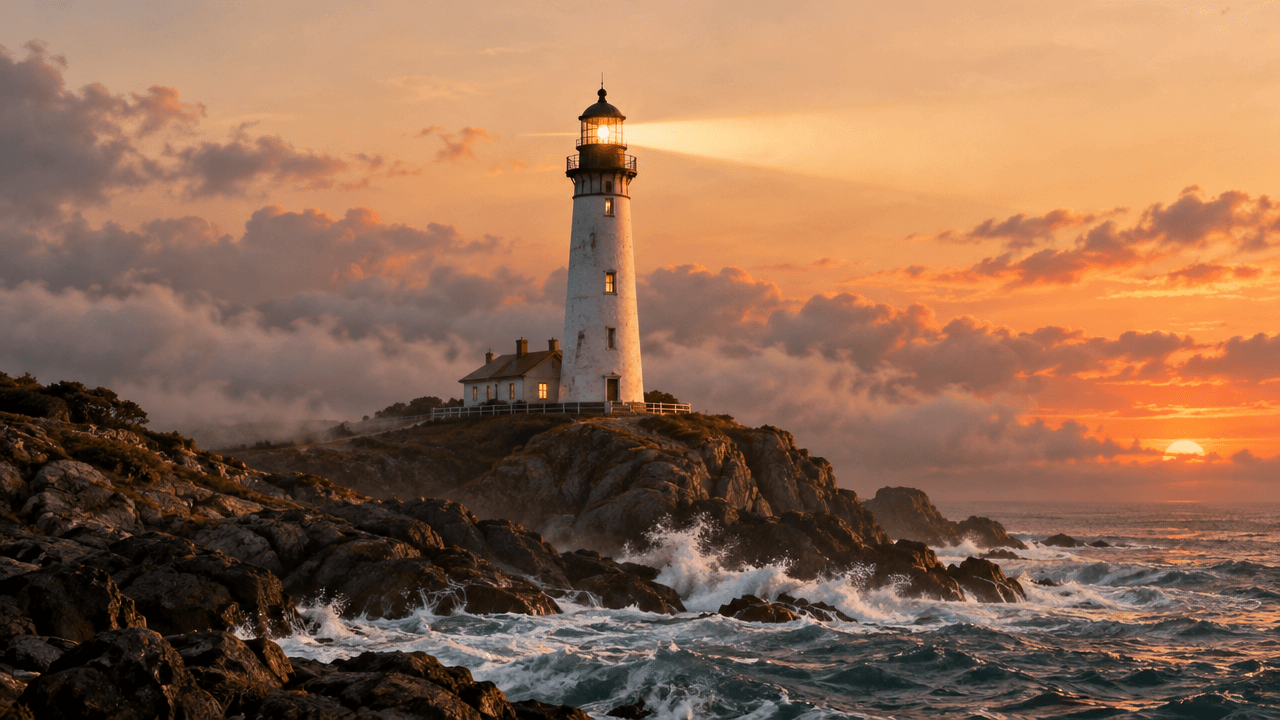
Most "AI video" demos are one clip, one shot, done. The moment you need the same character to show up in a second or third shot — a mascot that walks into frame, then sprints, then celebrates — text-to-video and single-image-to-video both start drifting: a different face, a different outfit, a different lighting setup every time you re-roll. happyhorse-1.1/reference-to-video on the hiapi API solves that specific problem. You give it up to 9 reference images of the same subject plus one prompt describing the action across shots, and it hands back a single continuous video that keeps the subject consistent throughout — not a slideshow of separate animations stitched together in an editor.
We built and shipped a real 8-second, 720p clip end to end to see what that actually looks like: the prompts, the API call, the cost, and the output. Here's the whole thing.
Why reference-to-video is a different tool
Text-to-video gives the model nothing to anchor identity to, so a character's face and outfit can shift between re-generations of the same prompt. Single-image-to-video anchors one pose, which works for a single beat but breaks down the moment your story needs a second angle or a different action the source image never showed. Reference-to-video sits between the two: multiple reference images give the model several honest views of the same subject — front, action pose, whatever you can supply — and it uses all of them together as the identity anchor for a video that can move through several beats without losing the thread.
That makes it a fit for a specific, common short-form need: mascot explainer clips, recurring-character social content, product-character storytelling — anywhere the same "who" has to survive multiple "whats" in one continuous shot.
The test case: one courier fox, three beats
We designed a small original character — Bramble, a courier fox — and generated two reference images to establish its identity before touching video at all.
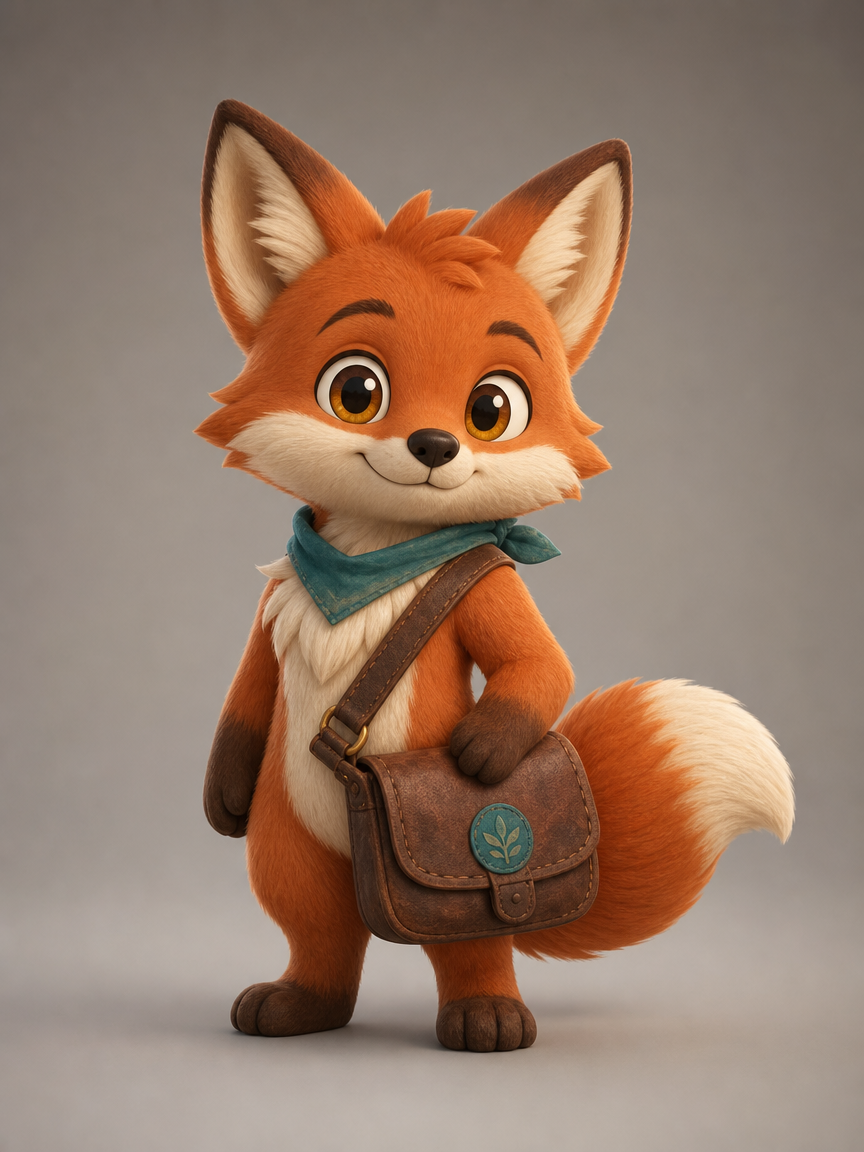
Prompt used: "A small, big-eyed cartoon fox character named Bramble: orange-red fur, cream muzzle and chest, tall pointed ears with cream inner fur, a teal neckerchief, and a worn brown leather courier satchel with a small round blue badge on the strap. 3D animated feature style, soft warm lighting, full body turnaround pose facing camera, plain neutral background, consistent character design sheet."
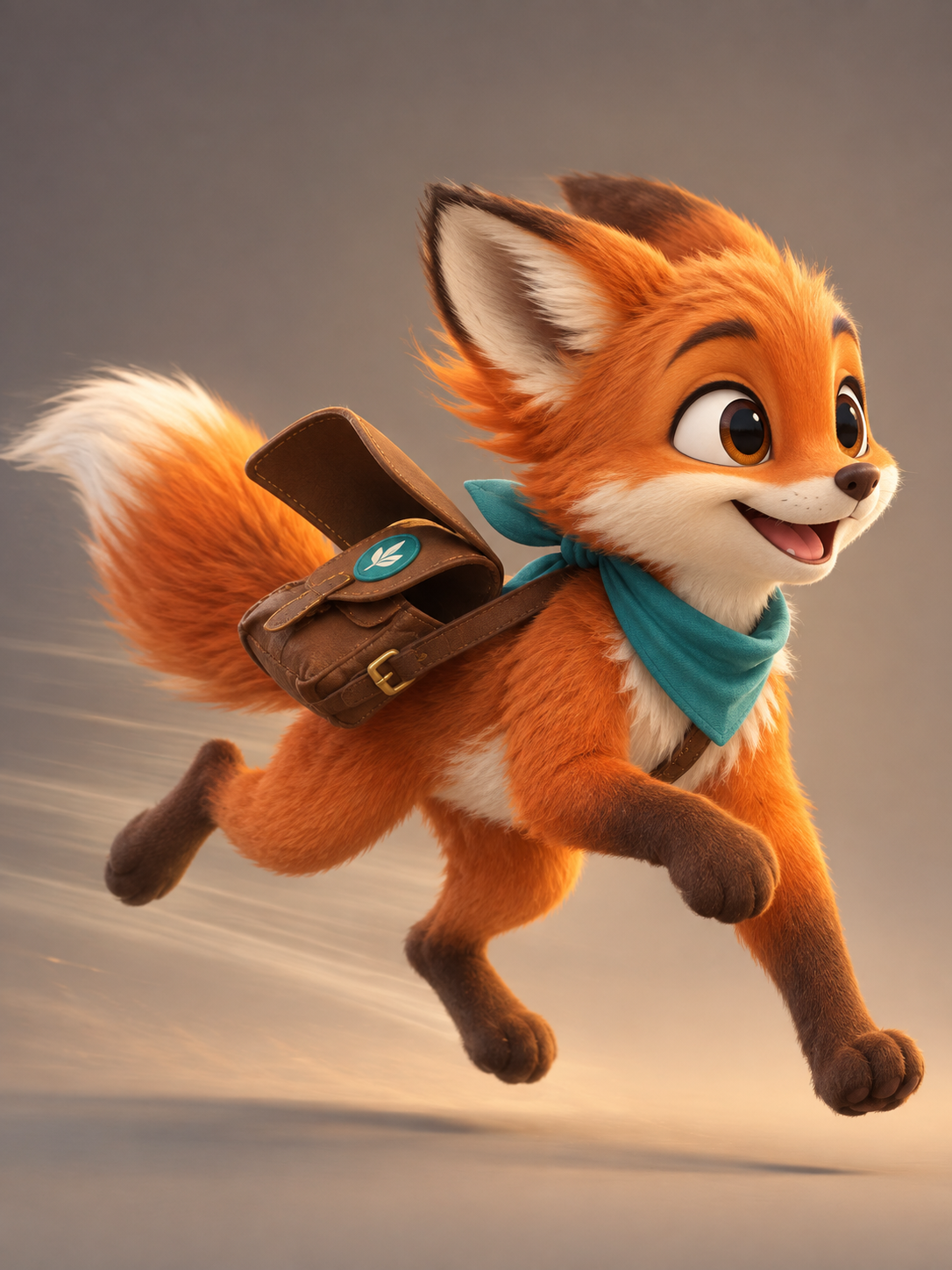
Prompt used: "The same fox character, Bramble — orange-red fur, cream muzzle, teal neckerchief, brown leather courier satchel with blue badge — captured mid-sprint in a dynamic three-quarter action pose, one arm swinging forward, tail streaming behind, big expressive eyes, same 3D animated feature style and proportions as the reference sheet, plain neutral background."
Both images cost $0.03 each to generate. Together they're the entire "casting" step — no video call happens until the character is locked.
Calling the API
Reference-to-video is a task-based endpoint like every other model on the platform: submit, then poll until it finishes.
curl -s -X POST https://api.hiapi.ai/v1/tasks \
  -H "Authorization: Bearer $HIAPI_API_KEY" \
  -H "Content-Type: application/json" \
  -d '{
    "model": "happyhorse-1.1/reference-to-video",
    "input": {
      "prompt": "Bramble the fox courier picks up a glowing gift box at a warm, lantern-lit delivery station and looks at it with delight; cut to Bramble sprinting through a bustling night market strung with red lanterns, package tucked under one arm, tail flying; cut to Bramble standing proudly on a rooftop at golden-hour sunset, package delivered, looking out over the rooftops with a satisfied smile. Consistent character design throughout, cinematic 3D animated feature style, warm lighting, smooth camera motion.",
      "reference_image": [
        "https://static.hiapi.ai/blog/happyhorse-1-1-reference-to-video-short-form-video/01-bramble-front.png",
        "https://static.hiapi.ai/blog/happyhorse-1-1-reference-to-video-short-form-video/02-bramble-action.png"
      ],
      "duration": 8,
      "resolution": "720p",
      "aspect_ratio": "16:9"
    }
  }'
That returns a taskId. Poll it until status reaches a terminal state:
curl -s https://api.hiapi.ai/v1/tasks/<taskId> \
  -H "Authorization: Bearer $HIAPI_API_KEY"
status moves through queued → handling → (sometimes) archiving → success or fail. On success, the finished clip is a time-limited URL at output[0].url — download it immediately, the link expires.
Fields we confirmed working
| Field | Type | What we used | Notes |
|---|---|---|---|
prompt | string, required | 3-beat shot description | Write it like a mini shot list, not one generic sentence |
reference_image | array of image URLs | 2 images | Platform lists support for up to 9 per clip |
duration | integer, seconds | 8 | 3–15s range for the happyhorse-1.1 family |
resolution | string | "720p" | "1080p" also available at a higher rate |
aspect_ratio | string | "16:9" | Standard aspect-ratio enum |
The result
Watch the character across the cut: same fur color, same teal neckerchief, same satchel with the blue badge, from the indoor pickup to the night-market sprint to the rooftop sunset. That's the entire point of feeding it two reference images instead of one — the model has more to anchor to across a scene change than a single still could give it. The clip also ships with native audio baked in automatically; there's no separate audio field to configure.
Reusable Python example
import json
import subprocess
import time

def generate_reference_video(prompt, reference_images, token,
                              duration=8, resolution="720p", aspect_ratio="16:9"):
    payload = {
        "model": "happyhorse-1.1/reference-to-video",
        "input": {
            "prompt": prompt,
            "reference_image": reference_images,
            "duration": duration,
            "resolution": resolution,
            "aspect_ratio": aspect_ratio,
        },
    }
    submit = subprocess.run(
        ["curl", "-s", "-X", "POST", "https://api.hiapi.ai/v1/tasks",
         "-H", f"Authorization: Bearer {token}",
         "-H", "Content-Type: application/json",
         "-d", json.dumps(payload)],
        capture_output=True, text=True, check=True,
    )
    task_id = json.loads(submit.stdout)["data"]["taskId"]

    while True:
        poll = subprocess.run(
            ["curl", "-s", f"https://api.hiapi.ai/v1/tasks/{task_id}",
             "-H", f"Authorization: Bearer {token}"],
            capture_output=True, text=True, check=True,
        )
        task = json.loads(poll.stdout)["data"]
        if task["status"] in ("success", "fail"):
            break
        time.sleep(5)

    if task["status"] != "success":
        raise RuntimeError(task.get("error"))
    return task["output"][0]["url"]
What it costs
| Item | Cost |
|---|---|
| Reference image (front) | $0.03 |
| Reference image (action pose) | $0.03 |
| 8s clip @ 720p ($0.16/s) | $1.28 |
| Total for this demo | $1.34 |
720p runs $0.16/s; 1080p runs $0.21/s, so the same 8-second clip at 1080p would cost $1.68. Full current rates are always on the pricing page — check there before you scale up clip length or resolution.
Prompting tips for multi-shot consistency
- Write the prompt as a shot list, not a sentence. "Beat 1 → beat 2 → beat 3" with a clear action in each beat is what actually drives distinct shots inside one clip — a single generic description tends to blur into one continuous motion instead.
- Keep the reference images visually locked to each other yourself. The model preserves what's already consistent between your references; it doesn't reconcile mismatches. If your front and action shots have different fur shades or a missing badge, that ambiguity carries into the video.
- Give it a pose the stills didn't show. The value of multiple references over one is that the model can synthesize actions and angles beyond what any single image displays — a front turnaround plus an action pose is enough to support both calm and energetic beats.
- State the setting changes explicitly. "Cut to," "then," and named locations in the prompt map directly to the shot changes you'll see in the output.
FAQ
How many reference images can I use? Up to 9 per clip. We used 2 for this demo and that was enough to hold identity across three distinct beats.
Does it support 1080p? Yes — 1080p is available at $0.21/s versus $0.16/s at 720p.
What if I only have one reference image?
Use happyhorse-1.1/image-to-video instead — same family, single starting image, no multi-reference identity anchoring.
Is there a pure text-to-video option in the same family?
Yes, happyhorse-1.1/text-to-video, at the same per-second rates, for when you don't have reference stills at all.
Does the output include sound? Yes, native audio is generated alongside the visuals automatically — there's no separate audio parameter to set.
How long can a clip be? 3 to 15 seconds for the happyhorse-1.1 family; we used 8 seconds for a three-beat narrative.
Takeaways
happyhorse-1.1/reference-to-videoturns 2-9 still images into one continuous video while keeping the same character, outfit, and art style in every shot.- A full working demo — 2 reference images plus an 8-second 720p clip — cost $1.34 end to end on the hiapi API.
- The model only needs three fields beyond the prompt:
reference_image(array of URLs),duration(3-15s), andresolution(720p or 1080p). - Write the prompt as a shot list (beat 1 → beat 2 → beat 3), not one generic description — that's what actually drives multi-shot structure.
- Native audio is generated automatically with the video, with no separate audio-generation step needed.
Ready to try it on your own character? Start from the happyhorse-1.1/reference-to-video model page, or see a similar short-form workflow in our Seedance 2.0 Mini walkthrough.