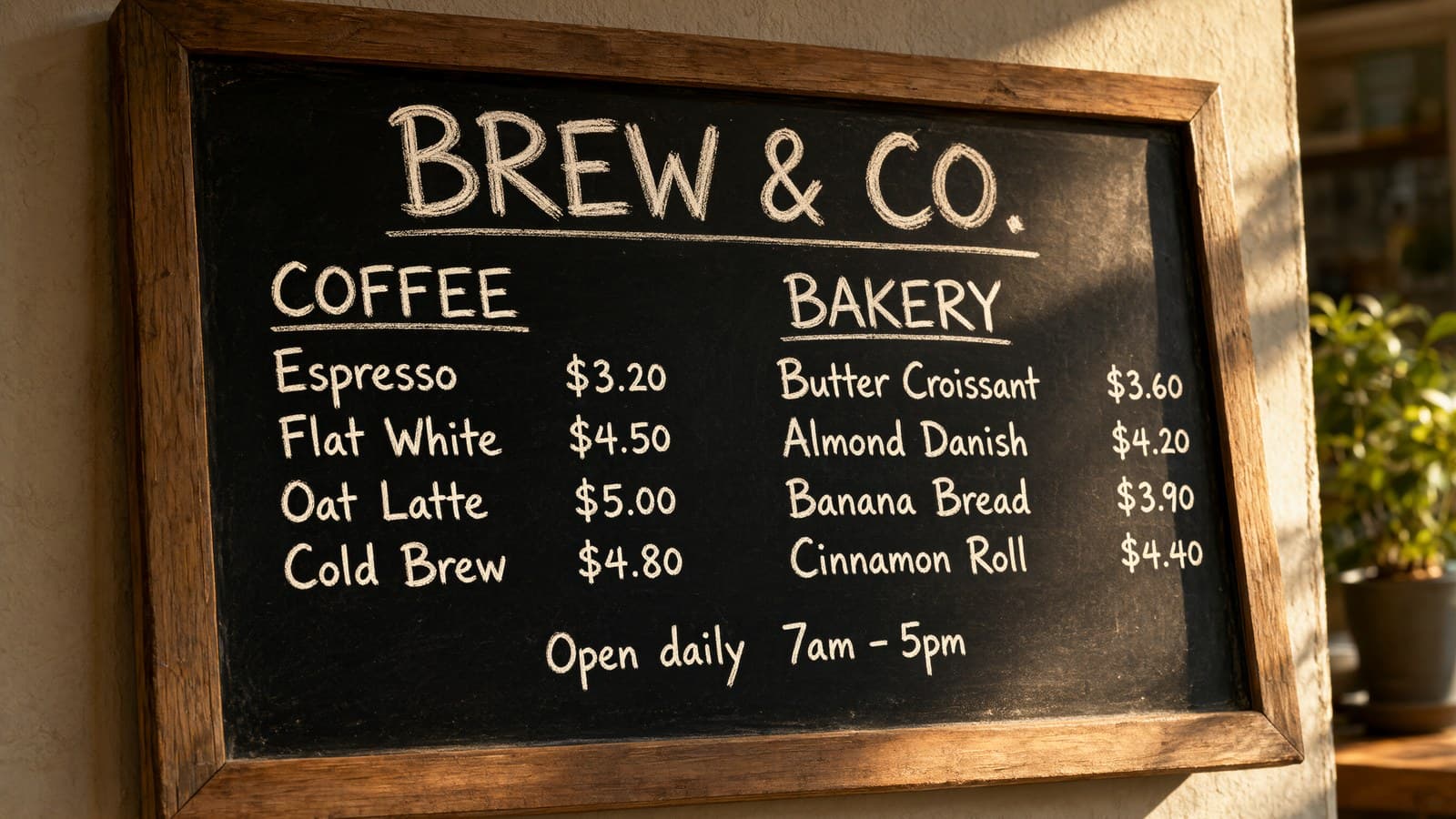
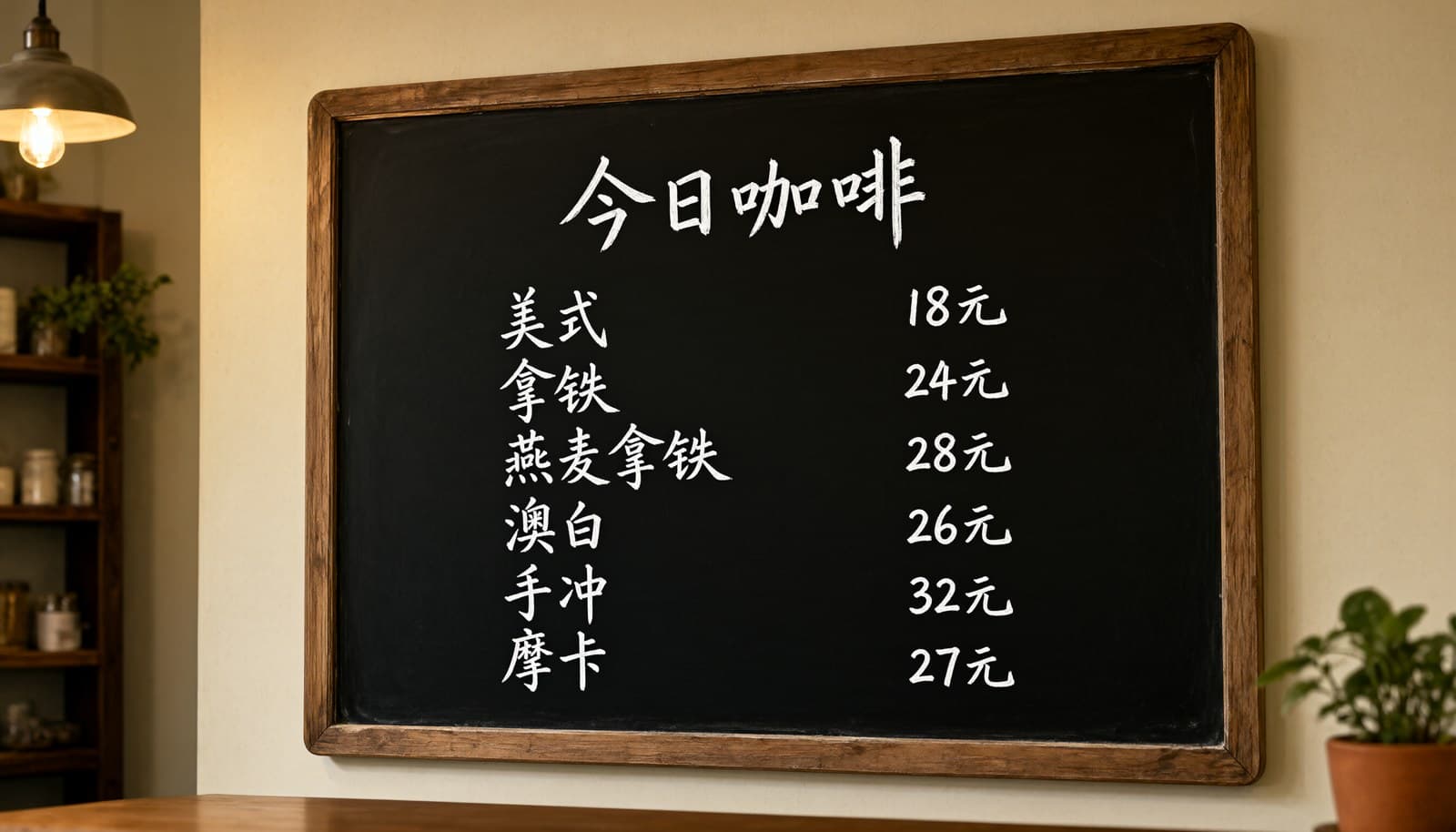
Qwen Image 2.1 Pro runs text-to-image and editing under one model ID: leave out image_urls and it generates from the prompt, add references and the same call becomes an edit. The five cases below are real outputs with the full prompt and a link that fills it into the model page — the prompts are in Chinese because these outputs were generated with them, while the model handles both languages — open the model page and start; new accounts get 200 credits, and Pro is $0.05 per image, or 200 images for $10.
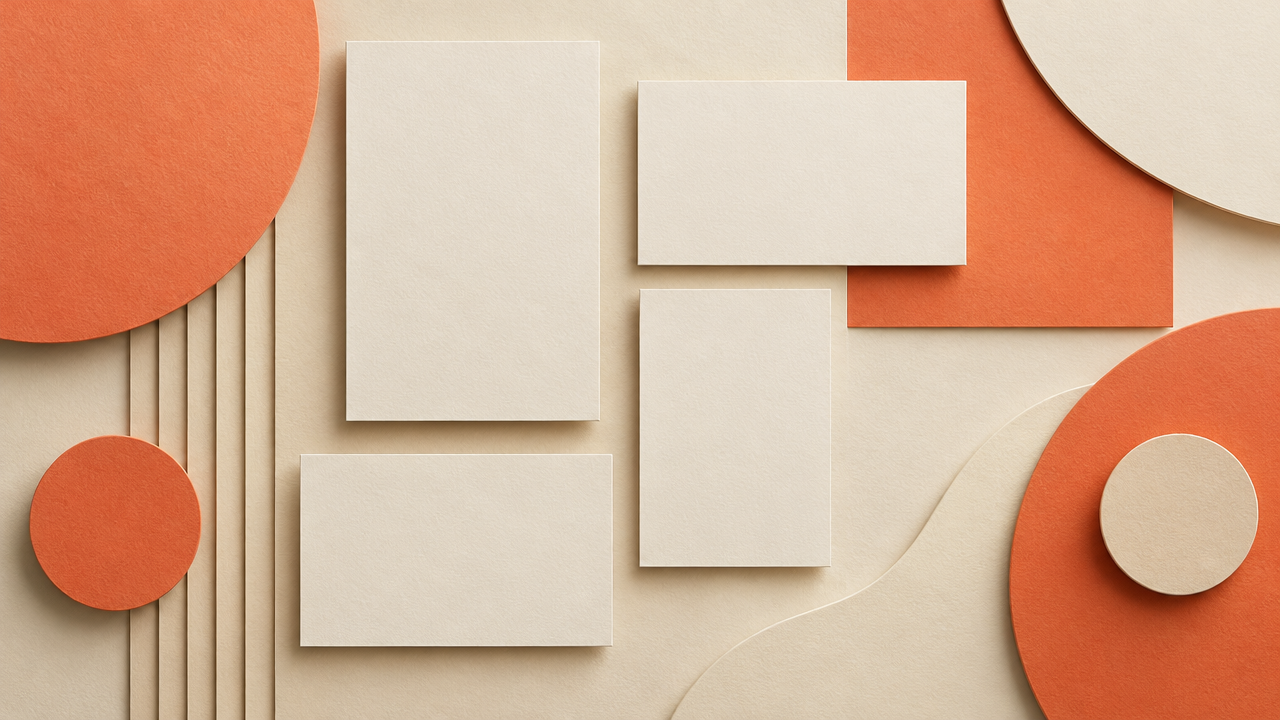
1. Furniture into a room: two references, two jobs
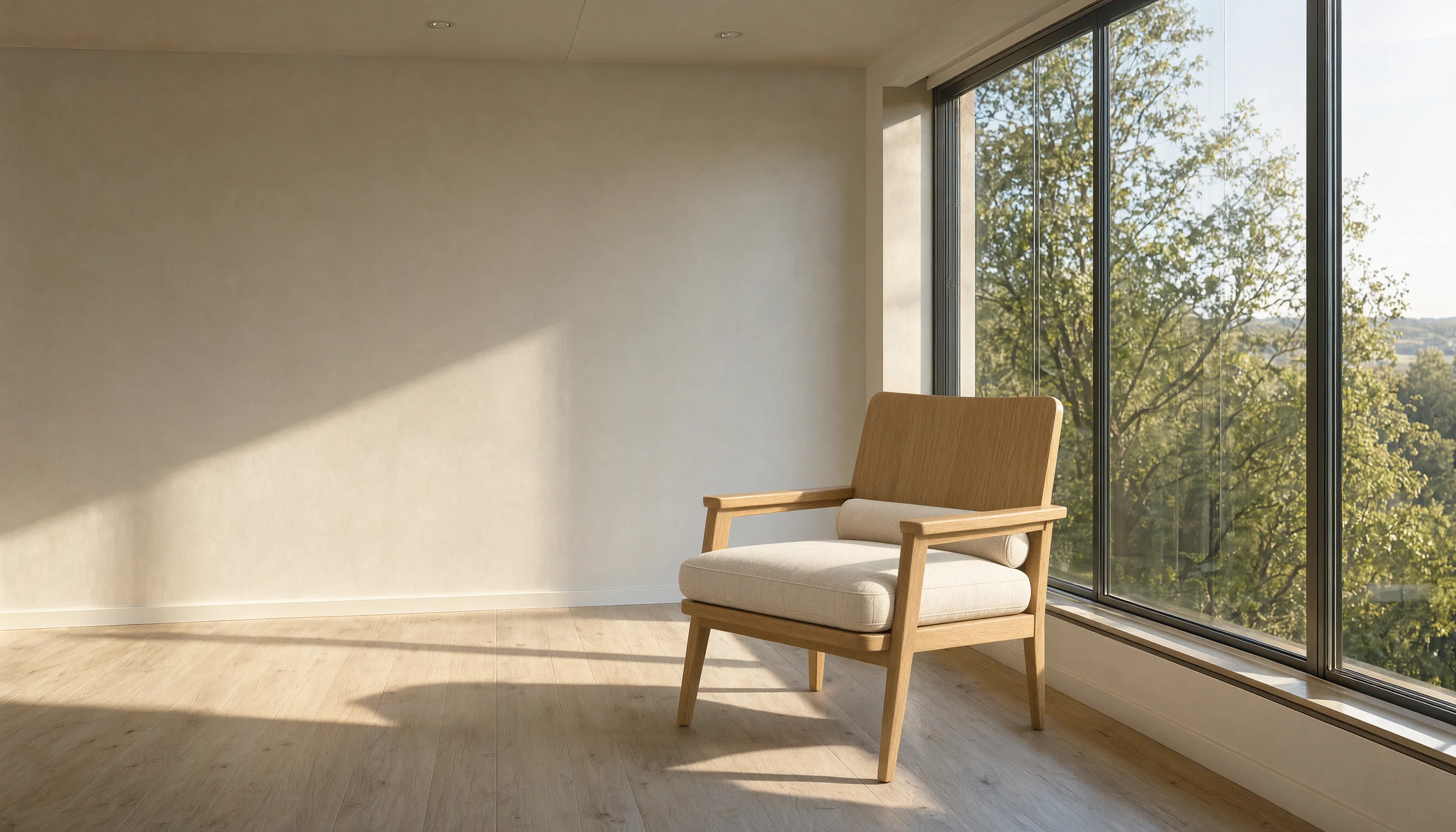
Settings: 16:9 · 2688×1536 · 2 reference images
把图1的橡木扶手椅放进图2的客厅里,椅子摆在落地窗前那片地板光斑上,朝向与图1保持一致,为椅子补齐符合场景的落地阴影与接触阴影,保留图2房间的墙面、木地板、墙脚线、窗框与窗外景色完全不变,整体统一为下午的暖白色自然侧光。
Generate with this prompt → The link fills the prompt only; upload the chair and the empty room as image 1 and image 2, then choose 16:9.
The first sentence assigns the jobs: image 1 supplies the chair, image 2 supplies the room. The closing clause lists what must stay untouched — walls, floor, skirting, window frame, the view outside — so the model does not add furniture of its own. Contact shadows and a cast shadow are named explicitly, which is what grounds the chair on the floor instead of pasting it on top.
2. Chinese event poster: three lines, typed exactly
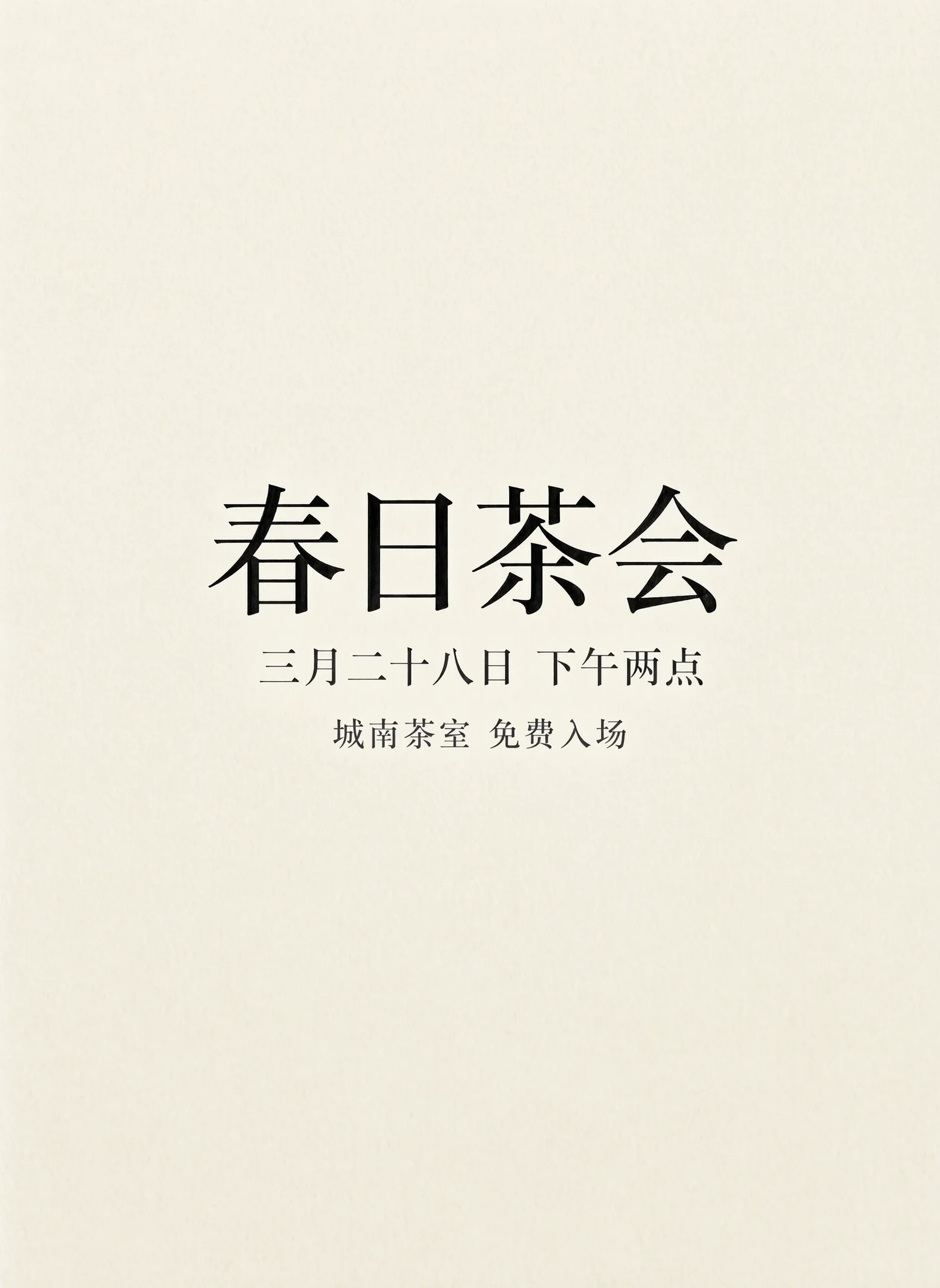
Settings: 3:4 · 1728×2368 · text-to-image · prompt_extend on (default)
一张极简中文活动海报,米白色纸张背景,画面中央只排版以下三行中文字并全部水平居中:第一行是大号黑色衬线字“春日茶会”,第二行是中号深灰色字“三月二十八日 下午两点”,第三行是小号灰色字“城南茶室 免费入场”。字距均匀,四周留白充足,除了这三行字以外画面中没有任何其他文字、图形、线条或装饰,哑光印刷质感。
Generate with this prompt → The link opens with the prompt filled; pick 3:4 and run — no reference image is needed.
Each line sits in quotes with its own size, colour and position, and the final clause rules out borders, stamps and icons. All three lines came back correct in this output. When the layout has to follow the wording exactly, set prompt_extend to false so the automatic rewrite leaves your copy alone.
3. Perfume bottle: change the material, keep the shape
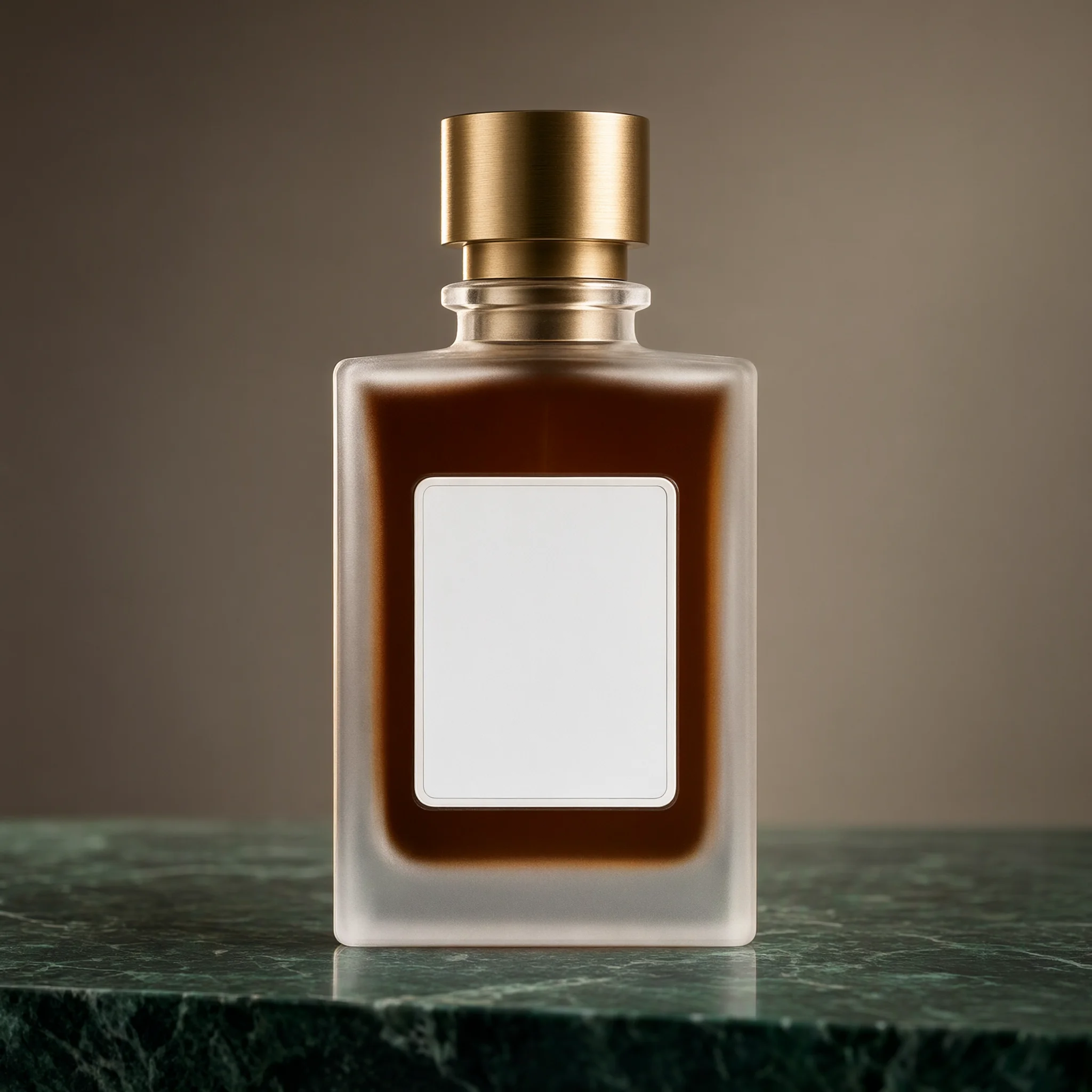
Settings: 1:1 · 2048×2048 · 1 reference image
以图1的香水瓶为基础做电商产品图改造:瓶身玻璃改成磨砂半透明质感,瓶盖由银灰色金属换成拉丝黄铜,瓶内的香液改成深琥珀色,瓶子放到一块深绿色大理石台面上,背景换成暖灰色墙面,左上方侧逆光勾出瓶身轮廓,保留图1的瓶身形状、比例、瓶盖高度与标签区域形状不变。
Generate with this prompt → Upload the clear glass bottle from the model page first, then run with 1:1.
The prompt splits into two lists: everything after “change” is a material swap, and everything after “keep” is a lock. The label area is deliberately left blank so the brand name and volume can be added later without regenerating the render.
4. Line art to a 3D toy: silhouette from the reference
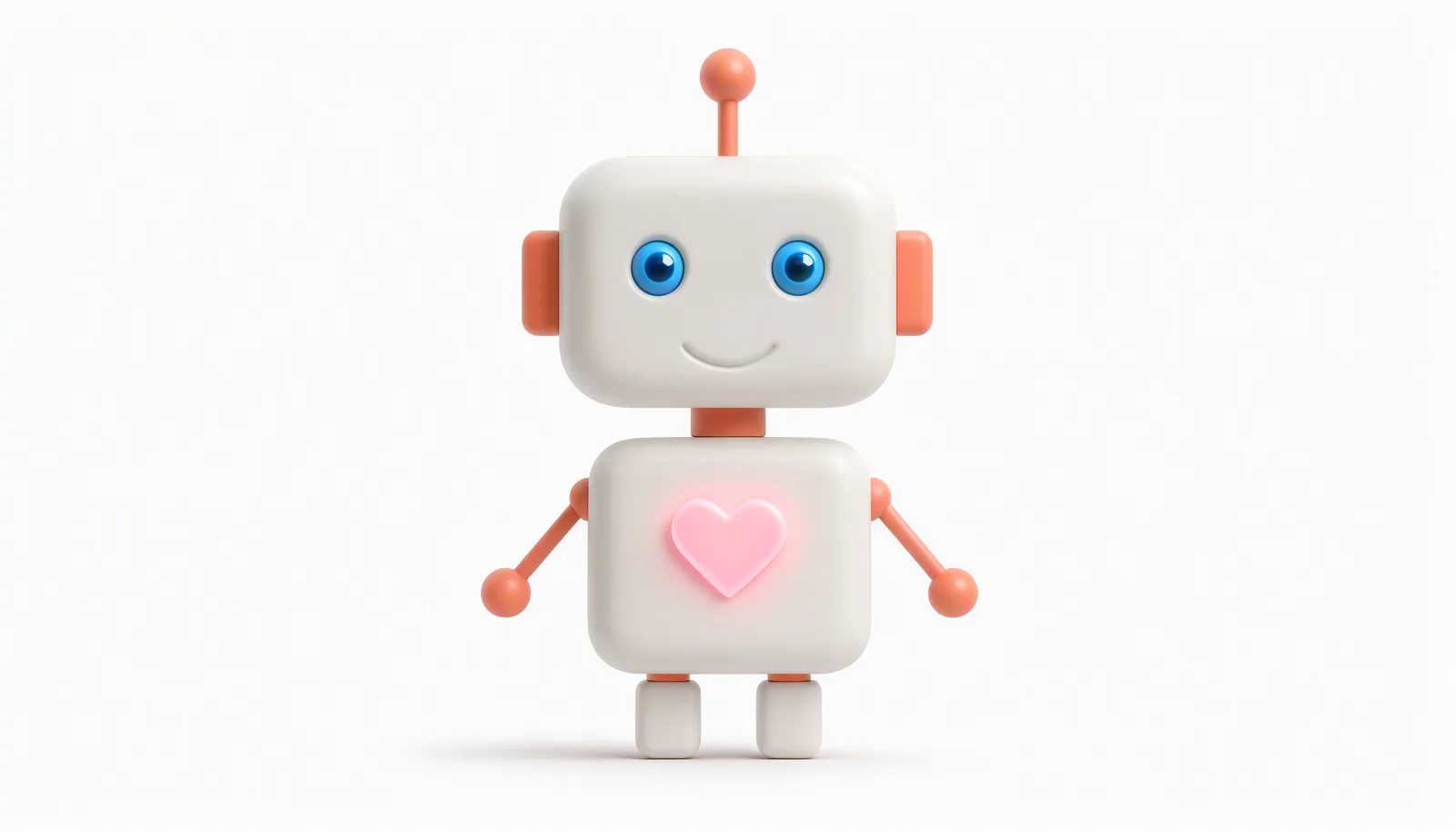
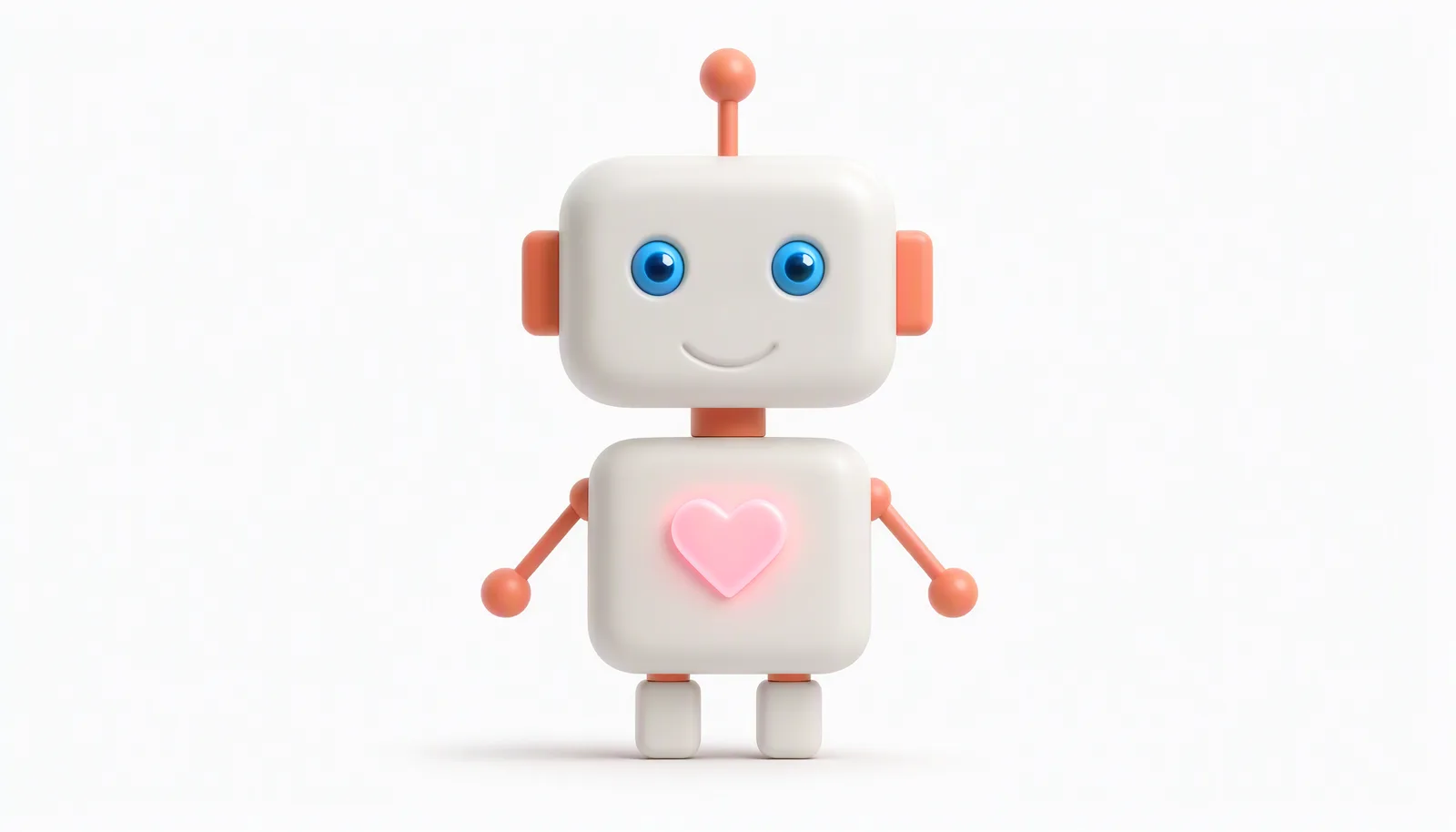
Settings: 16:9 · generated at 2688×1536 (shown at 1600×914) · 1 reference image
把参考图中的线稿小机器人变成精致的 3D 卡通玩具渲染:哑光白色外壳搭配珊瑚橙色关节、耳朵和天线,胸口的爱心发出柔和的粉色光,眼睛是亮蓝色,保持原有造型、比例与站姿,柔和棚拍光,干净的浅灰白色背景,只保留机器人主体。
Generate with this prompt → Upload the line-art robot first; the link fills the prompt, and you choose 16:9 on the page.
The reference fixes the silhouette, proportions and stance; the prompt only decides material and colour — matte white shell, coral joints, a pink glow in the chest. The background in this output is opaque. Transparent backgrounds come from describing them in the prompt, and they are not guaranteed on every run; for a clean alpha channel, send the result to a dedicated background remover.
5. Window-light portrait: lock the light, keep the skin
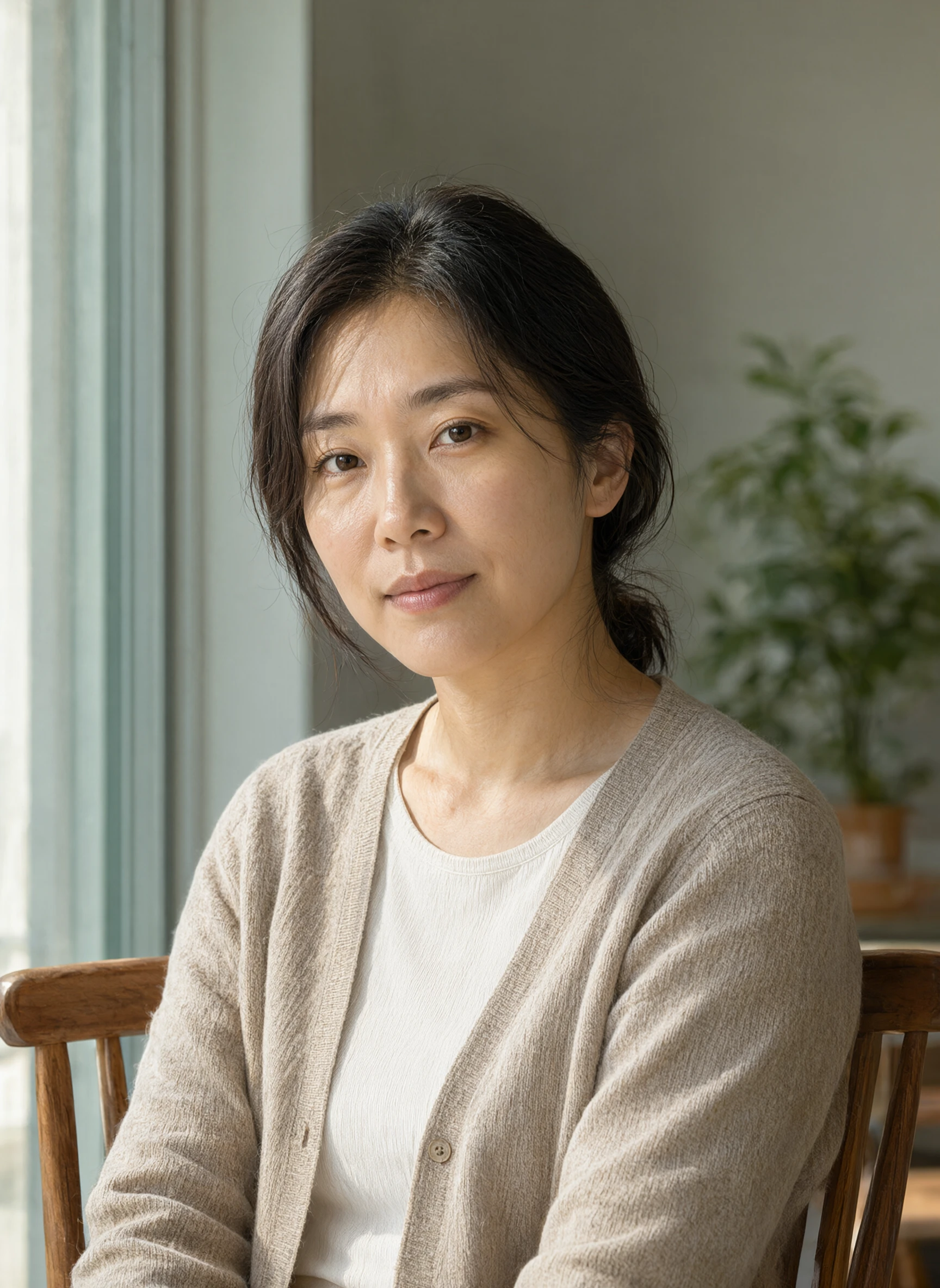
Settings: 3:4 · 1728×2368 · text-to-image · prompt_extend off
一张写实人像摄影:一位三十岁左右的亚洲女性坐在靠窗的木质餐椅上,身体微微侧向镜头,穿浅米色针织开衫和白色圆领上衣,深色头发自然挽在耳后。午后柔和的窗光从画面左侧照进来,在脸颊和锁骨上形成自然的明暗过渡,右眼有一点清晰的窗形眼神光。背景是虚化的浅灰绿色墙面和一盆绿植,85mm 镜头,f/2.0,浅景深,皮肤保留真实纹理与细小绒毛,不要磨皮,不要塑料感。人物占画面中央偏右,视线看向镜头,表情放松。画面中不要出现文字、标志、水印和多余的手部动作。
Generate with this prompt → The link fills the prompt; choose 3:4, and turn prompt_extend off to keep the wording intact.
The light is fully specified: window light from the left, a soft transition across the cheek and collarbone, one clear window-shaped catchlight in the right eye. The closing lines handle the two usual failure points — “no retouching, no plastic skin” for texture, and “no extra hand gestures, no text or watermark” for the hands and edges. An 85mm lens at f/2.0 gives the background its falloff without blurring the face.
The rules that carry across all five
- Write in the order subject → setting → lens → light → detail, then end with what should not appear.
- For edits, give each reference one job and write the keep-list separately from the change-list.
- Choose from the five 2K-class ratios (1:1, 16:9, 9:16, 4:3, 3:4); turn
prompt_extendoff when exact wording matters.
A few settings make the rest predictable. Without image_urls the same model ID generates from text; one to ten references switch it to editing, and references add no charge. The five ratios map to fixed sizes — 1:1 gives 2048×2048, 16:9 gives 2688×1536, 9:16 gives 1536×2688, 4:3 gives 2368×1728 and 3:4 gives 1728×2368 — and leaving aspect_ratio out lets the model choose. Prompts run up to 4,500 characters, and prompt_extend is on by default, which helps scene descriptions but can disturb verbatim typography. Pro is $0.05 per image and Turbo is $0.02 with the same inputs; failed tasks are refunded.
Copy the furniture prompt above and generate your first composite →. Current per-image pricing and budget tables are on Qwen Image 2.1 API pricing, and the same poster and perfume prompts on GPT Image 2.5 Flare are compared in Qwen Image 2.1 vs GPT Image 2.5.