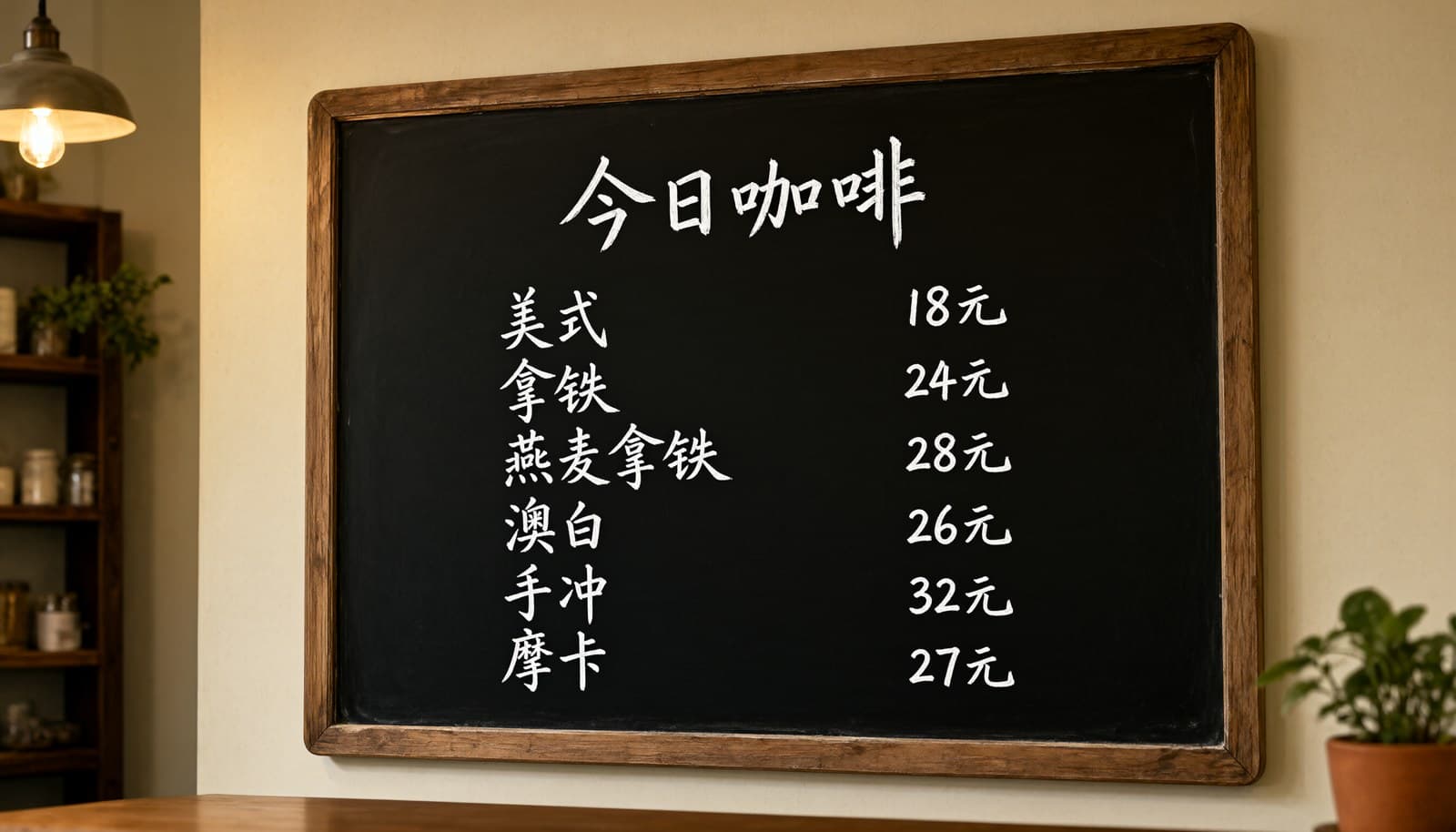
FLUX 3 Max gives you three video endpoints on hiapi, and for short-form work the useful question is not "which one is best" but "which one fits this shot". This guide walks through one small vertical campaign (three 9:16 clips for an iced-matcha café post) where each shot uses a different mode, all three are submitted as one parallel batch, and every clip shown below is the real, unedited output.
If you need the full parameter reference and validation errors first, read the FLUX 3 Max API guide. This article assumes you can already submit a task and focuses on the short-form workflow.
Pick the mode per shot, not per project
Short-form edits are usually built from a hook, a product beat and a payoff. Those beats have different inputs, so they map to different FLUX 3 Max ids:
| Shot in the edit | What you have | Use | Key input |
|---|---|---|---|
| Hook / B-roll | Only an idea | flux-3-max/text-to-video | prompt |
| Product beat | An approved product photo that must not change | flux-3-max/image-to-video | image_url (single string), optional end_image_url |
| Transition / payoff | Two scenes you want to connect | flux-3-max/keyframes-to-video | keyframes: [{image_url, frame_index}] |
All three share duration (5–20 s), resolution (720p / 1080p), aspect_ratio (set 9:16 for vertical) and generate_audio. Because the request body is nearly identical, one batch script can send all three. Model pages: text-to-video, image-to-video, keyframes-to-video.
Shot 1: the hook, from text only
The hook needs motion in the first second and no specific asset, so text-to-video is the right call.
{
  "model": "flux-3-max/text-to-video",
  "input": {
    "prompt": "Vertical handheld close-up: a barista pours cold milk into a tall clear glass of iced matcha over ice, green and white swirling together in slow motion, morning sunlight through a cafe window, shallow depth of field, crisp ice clinks, soft cafe ambience.",
    "duration": 5,
    "resolution": "720p",
    "aspect_ratio": "9:16",
    "generate_audio": true
  }
}
What came back: the pour starts on frame one and the swirl fills the glass by the end, which is what a hook needs. What text-to-video cannot do is match your set: I asked for a café, and the model chose a wooden counter, while my product photo (next shot) uses marble. For a hook that is acceptable. For a shot that must match your brand assets, use one of the image modes.
Shot 2: the product beat, anchored on a still
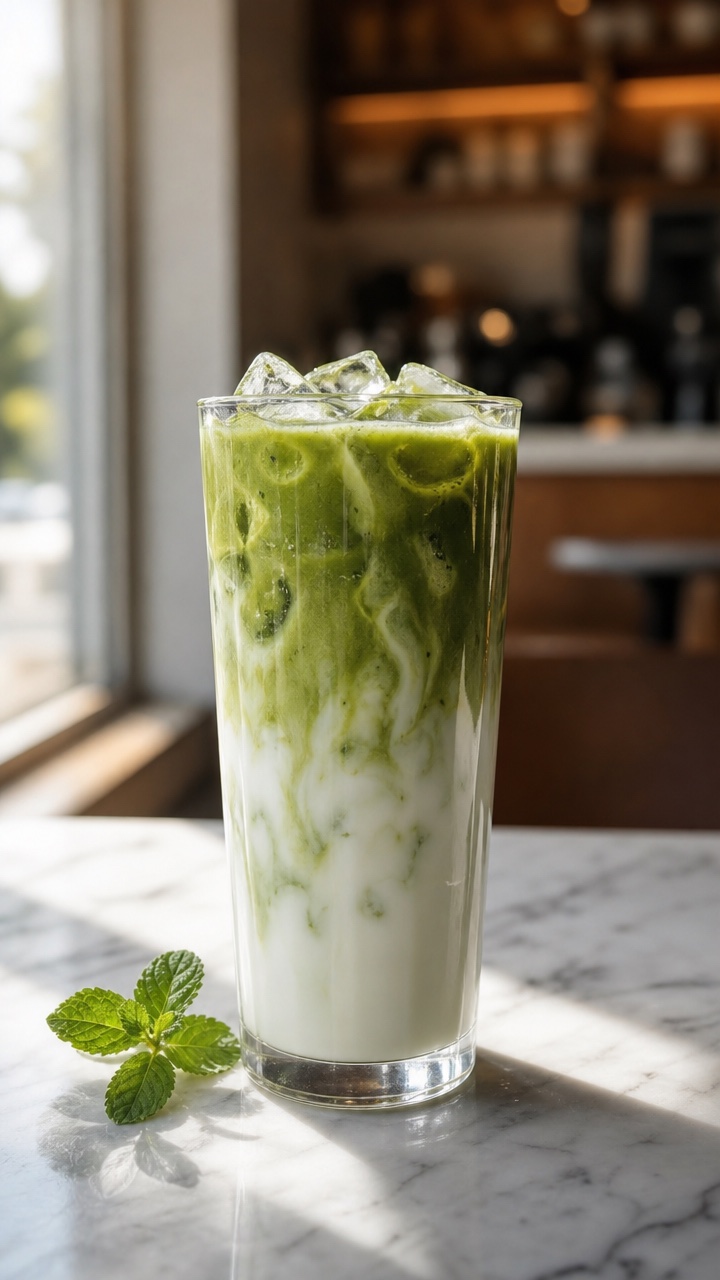
This is the approved product photo. It was generated as a 9:16 still beforehand and passed to the model as the first frame.
{
  "model": "flux-3-max/image-to-video",
  "input": {
    "prompt": "Slow push-in toward the glass; the milk swirl drifts and settles, ice cubes shift slightly, light flickers gently across the marble counter, the mint leaves stay still. Quiet cafe ambience.",
    "image_url": "https://static.hiapi.ai/blog/flux-3-max-short-form-video/still-a.jpg",
    "duration": 5,
    "resolution": "720p",
    "aspect_ratio": "9:16",
    "generate_audio": true
  }
}
The composition stayed locked: same glass, same mint sprig, same marble and window light from start to end. The motion is restrained, though. The push-in I asked for is barely visible over 5 seconds, and most of the movement is in the liquid and the light. That is a good result for a product beat, where you want the packshot to stay true. If you want a stronger camera move, give it more seconds or say so more forcefully in the prompt, and check the result before you scale up the batch.
Note the field name: image-to-video takes a single image_url string. Passing an image_urls array, as some other hiapi video models expect, is rejected at submit.
Shot 3: the payoff, with two keyframes
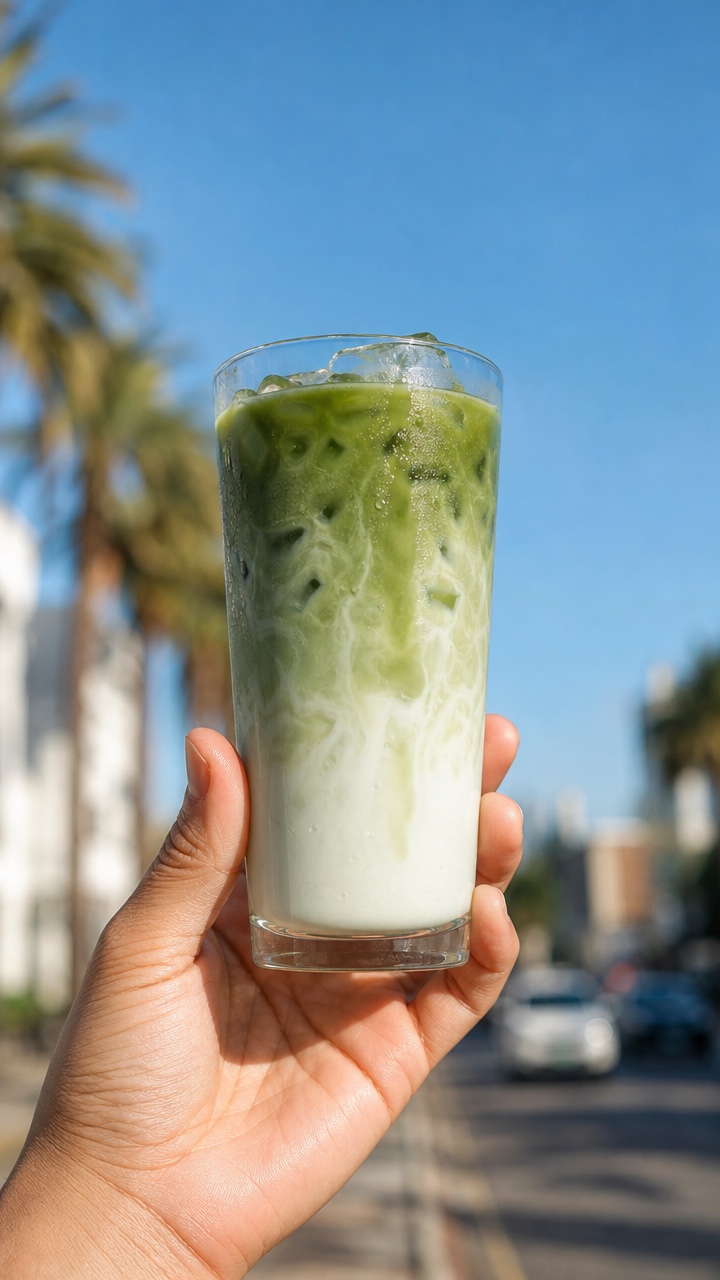
The payoff connects the café to the street. I had a second still of the same drink held up outdoors, and used both as keyframes.
{
  "model": "flux-3-max/keyframes-to-video",
  "input": {
    "prompt": "Continuous shot: a hand picks the iced matcha up from the cafe counter and carries it outside, ending held up against a bright blue sky on a sunny street. Smooth handheld camera, natural light change from warm indoor to bright daylight.",
    "keyframes": [
      {"image_url": "https://static.hiapi.ai/blog/flux-3-max-short-form-video/still-a.jpg", "frame_index": 0},
      {"image_url": "https://static.hiapi.ai/blog/flux-3-max-short-form-video/still-b.jpg", "frame_index": 120}
    ],
    "duration": 5,
    "resolution": "720p",
    "aspect_ratio": "9:16",
    "generate_audio": true
  }
}
frame_index counts frames at 24 fps, so a 5-second clip runs from 0 to 120. Putting the anchors at 0 and 120 makes the clip start exactly on the counter shot and land exactly on the street shot. Between them, the model invented a transition of its own: around the middle of the clip, the hand holds the glass in a doorway before the street appears. That is the trade-off of keyframes. You control the moments you anchor, and the model fills in the rest. If the in-between must look a specific way, add a third keyframe for it (up to 10 are allowed).
Batch them: one script, three modes, in parallel
Short-form work means many variations, so submit everything first and poll afterwards. This is the script I used, trimmed down:
import json, os, time, requests
from concurrent.futures import ThreadPoolExecutor

API = "https://api.hiapi.ai/v1/tasks"
HEAD = {"Authorization": f"Bearer {os.environ['HIAPI_KEY']}"}
BASE = {"duration": 5, "resolution": "720p", "aspect_ratio": "9:16", "generate_audio": True}

jobs = {
    "hook":    ("flux-3-max/text-to-video",      {"prompt": HOOK_PROMPT}),
    "product": ("flux-3-max/image-to-video",     {"prompt": PRODUCT_PROMPT, "image_url": STILL_A}),
    "payoff":  ("flux-3-max/keyframes-to-video", {"prompt": PAYOFF_PROMPT, "keyframes": [
                    {"image_url": STILL_A, "frame_index": 0},
                    {"image_url": STILL_B, "frame_index": 120}]}),
}

def run(name):
    model, extra = jobs[name]
    r = requests.post(API, headers=HEAD, json={"model": model, "input": {**BASE, **extra}}).json()
    task_id = r["data"]["taskId"]          # save this before polling
    deadline = time.time() + 900
    while time.time() < deadline:
        time.sleep(10)
        d = requests.get(f"{API}/{task_id}", headers=HEAD).json()["data"]
        if d["status"] == "success":
            url = d["output"][0]["url"]
            open(f"{name}.mp4", "wb").write(requests.get(url).content)  # download now
            return name, "success"
        if d["status"] == "fail":
            return name, d.get("error")
    return name, f"timeout {task_id}"

with ThreadPoolExecutor(len(jobs)) as pool:
    for result in pool.map(run, jobs):
        print(result)
What I saw on November 3, 2026, sending all three at once:
- Each
POST /v1/tasksreturned ataskIdin under 2 seconds. - Polling showed the same sequence for every task:
handling, thenarchiving, thensuccess. - The task records show 20 seconds from
createdtocompletedfor all three clips. Running them in parallel took no longer than running one. - Every output was a 5.04-second H.264 file at 704 × 1280, 24 fps, with an AAC audio track. Note the width: 720p in 9:16 gave 704 px, not 720. If your editor template expects exactly 720 × 1280, scale or pad when you import.
- Output URLs were on a temporary domain with an
expireAt7 days after completion. Download right away and store the file yourself.
For bigger batches (dozens of hook variations), use the task API's callback with when: "final" so you don't need to poll, and keep a record of every taskId so a crash doesn't lose paid work.
What the batch cost
FLUX 3 Max bills per output second, by resolution, and the rate is the same for all three modes. As of November 2026 the pricing page lists $0.0608/s at 720p and $0.1036/s at 1080p. The model pages say audio and keyframe count do not change the price.
| Plan | Per clip | Three-clip batch |
|---|---|---|
| 5 s, 720p (what I ran) | $0.304 | $0.912 |
| 5 s, 1080p | $0.518 | $1.554 |
| 15 s, 1080p | $1.554 | $4.662 |
A practical loop: test prompts at 5 s and 720p, keep the winners, and render only those at 1080p or longer. For more on rates, see FLUX 3 Max API pricing.
Short-form checklist
- Write the edit as shots first, then assign a mode to each shot using the table above.
- Make your stills in 9:16 too. The image modes animate the frame you give them, so a landscape still is a framing problem from the start.
- Set
aspect_ratio: "9:16"explicitly on every request instead of relying onauto. - Keep keyframe images visually consistent (same product, same lighting family), and validate
frame_index ≤ duration × 24before submitting. Bad timelines are accepted at submit and fail a moment later. - Submit in parallel, poll or use callbacks, and download right away.
- Leave the audio on for drafts. It costs nothing extra, and you can mute it in the edit.
For prompt ideas beyond this campaign, see the FLUX 3 Max video prompt guide. For the same workflow on another model, compare the Kling 3.0 image-to-video short-form workflow.
FAQ
Can FLUX 3 Max make vertical 9:16 video?
Yes. All three endpoints accept aspect_ratio: "9:16". At 720p the output I got was 704 × 1280.
Which FLUX 3 Max mode should I use for a product video? Use image-to-video when the product photo must stay exactly as approved. In my test the glass, garnish and background stayed unchanged for the whole clip. Use keyframes when the product needs to move between two scenes.
How long does a FLUX 3 Max clip take to generate? In my run, three 5-second 720p clips submitted together each went from created to completed in 20 seconds. Longer or 1080p clips may take longer; I did not time those.
Can I mix text-to-video, image-to-video and keyframes in one batch?
Yes. They are separate model ids on the same /v1/tasks endpoint with the same shared fields, so one script can submit them side by side.
How long can a FLUX 3 Max short-form clip be? Between 5 and 20 seconds, in whole seconds. Cost scales linearly with length.
Start building
Pick the shot you need most, open the matching model page (text-to-video, image-to-video or keyframes-to-video), and run a 5-second 720p test before you batch the rest of the edit.