Most "prompt recipe" posts for video models assume you're typing a sentence and the model invents the motion. Kling 3.0 Motion Control doesn't work that way, and if you go in expecting it to, your first API call will 400 on you. This model takes two required inputs — a character image and a 3–30s motion reference video — and transfers the motion and expressions from the reference onto your character. The text prompt field is optional, and it only nudges style, lighting, and scene. It does not describe motion.
So the real "recipe" isn't a sentence — it's a combination: which character image + which reference clip + how you use the optional prompt. Below are two recipes built from the same character and the same reference clip, with the only variable being whether a style prompt is attached. Every clip here is a real kling-3.0/motion-control task run through the hiapi API, not a mockup.
What Kling 3.0 Motion Control actually needs
| Field | Required | What it does |
|---|---|---|
image_url | Yes | The character who will perform the motion |
video_url | Yes | A 3–30s clip supplying the motion + facial expressions |
prompt | No | Steers style/scene/lighting only — not motion |
resolution | No | 720p or 1080p |
Pricing is billed per output second, tiered by resolution:
- 720p — $0.10/s
- 1080p — $0.172/s
A 6-second clip at 720p is therefore $0.60 — exactly what each recipe below cost. Full pricing table: hiapi.ai/pricing.
Step 1 — Get a character image
We generated a simple studio-lit portrait with gpt-image-2 ($0.03/image, 1024×1024):
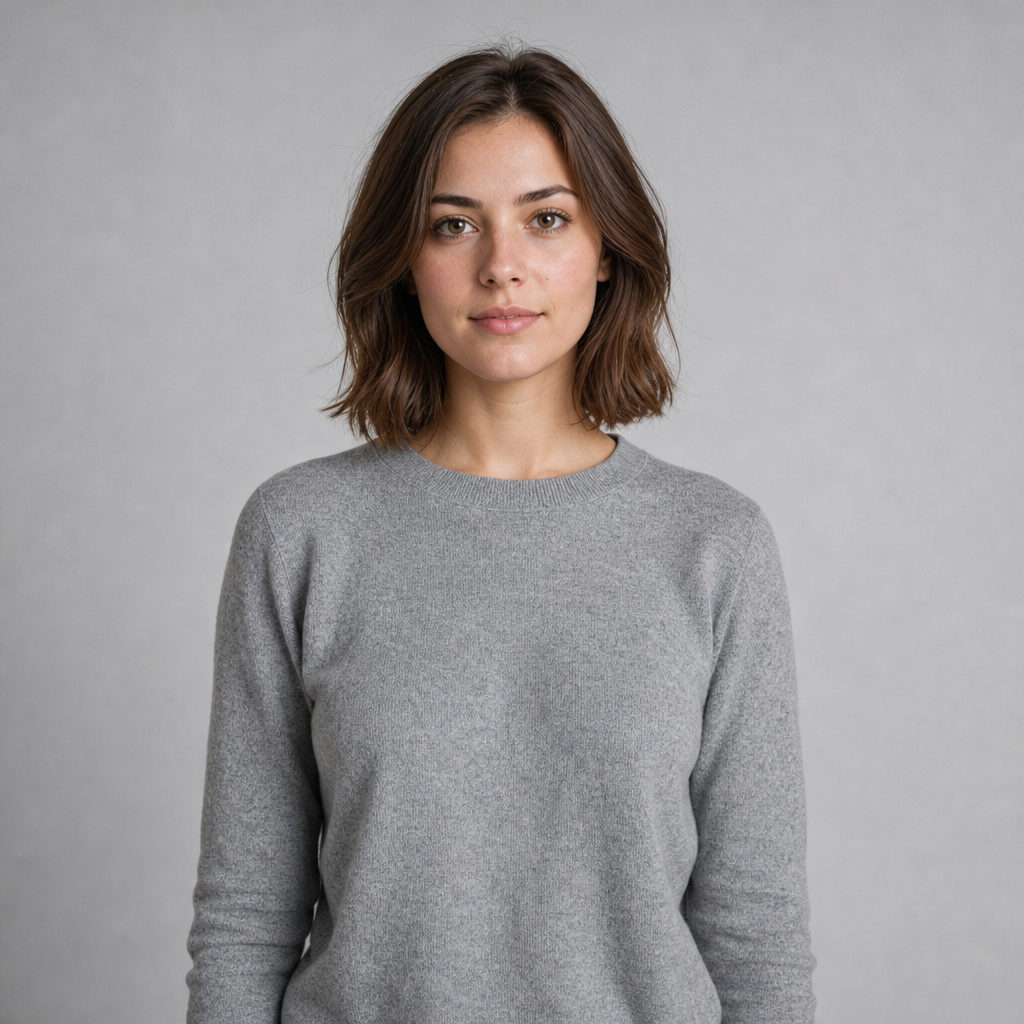
Any clear, front-facing character image works — illustrated or photoreal. This is the "who."
Step 2 — Get a motion reference clip
This is the step people skip, and it's the one that actually controls the output. If you don't already have a clip of someone performing the motion you want, you can generate one. We used grok-imagine/text-to-video ($0.015/s at 480p) to produce a 6-second reference clip from a plain text prompt:
{
  "model": "grok-imagine/text-to-video",
  "input": {
    "prompt": "A person turns their head to look over their shoulder, raises one hand in a small wave, then smiles directly at the camera. Medium shot, static frame, soft daylight.",
    "duration": "6",
    "resolution": "480p"
  }
}
Cost: 6s × $0.015 = $0.09. This clip is now reusable — you can run it against any character image.
Recipe A — Baseline transfer, no style prompt
Feed the character image and the reference clip straight in, with no prompt at all:
{
  "model": "kling-3.0/motion-control",
  "input": {
    "image_url": "https://static.hiapi.ai/blog/kling-3-0-motion-control-prompts/character-source.png",
    "video_url": "https://static.hiapi.ai/blog/kling-3-0-motion-control-prompts/motion-reference.mp4",
    "resolution": "720p"
  }
}
The character turns, waves, and smiles exactly on the reference clip's timing — same lighting and framing as the source portrait. Cost: 6s × $0.10 (720p) = $0.60.
Recipe B — Same motion, style-steered prompt
Identical image_url and video_url. The only change is an added prompt describing a different scene and lighting, while the motion itself stays locked to the reference clip:
{
  "model": "kling-3.0/motion-control",
  "input": {
    "image_url": "https://static.hiapi.ai/blog/kling-3-0-motion-control-prompts/character-source.png",
    "video_url": "https://static.hiapi.ai/blog/kling-3-0-motion-control-prompts/motion-reference.mp4",
    "prompt": "Golden-hour outdoor lighting, warm rim light from the left, shallow depth of field with a softly blurred park background.",
    "resolution": "720p"
  }
}
Same turn-wave-smile sequence, same timing — but the lighting, color grade, and background shift to match the prompt. Cost: another $0.60.
The actual takeaway
If Recipe A and Recipe B look like "two different prompts producing two different videos," that's the wrong mental model. The motion in both clips is identical because the reference video is identical. The prompt only changed the scene dressing. To get a different motion — a wave instead of a turn, a walk instead of a wave — you swap the reference video, not the wording of the prompt. Build a small library of reusable reference clips (yours, licensed stock, or generated like Step 2 above) and reuse them across any number of character images; that's the actual lever for scaling motion-control output.
For plain text-to-video work where the prompt does drive motion, see our Kling 3.0 Turbo prompt recipes or the grok-imagine text-to-video guide we used to build the reference clip above.
Both models are live on the hiapi API with the same key — no separate signup per model.




