HiAPI
OverviewModels MarketAPI KeysUsage StatisticsCall LogsBillingReferralPlaygroundStorageChangelogContact UsSettings
Display unit
N
Powered by hiapi
Settings

Welcome

Contact Us

Google Veo 3.1 image-to-video: animate a still image into a cinematic clip with native audio, up to 4K, 4/6/8 seconds.

Provider: Google

Category: video generation

Endpoint: /v1/tasks

Status: Available

Cost: 1,140 Credits

Back to Models
Veo 3.1 Image to Video
Generated with Veo 3.1 Image to Video

Veo 3.1 Image to Video

by GoogleVideo

Google Veo 3.1 image-to-video: animate a still image into a cinematic clip with native audio, up to 4K, 4/6/8 seconds.

Pricing

Standard Usage

1,140 Credits/ s

Input

0 / 1000
8s
4s2-second steps8s

Choose 4-8 seconds in 2-second steps

More parameters

Generation settings

Describe what should not appear in the result

Generation preferences

Generate synchronized audio for the video

Advanced

For repeatable results · integer 0-2147483647
Estimated cost9,120 Credits1,140 Credits / s × 8s × 720p, 1080p

Output

Ready for generation

Configure your parameters and click "Run" to see the output here.

--GPU-T4

Real API image-to-video results

From source still to generated video with sound

Compare each input still with its generated video to inspect subject motion, camera work, environmental movement, and native audio. Copy any example prompt in one click to recreate the effect or adapt it for your own shot.

Product short-formEnvironmental motionCamera movementLight and atmosphere
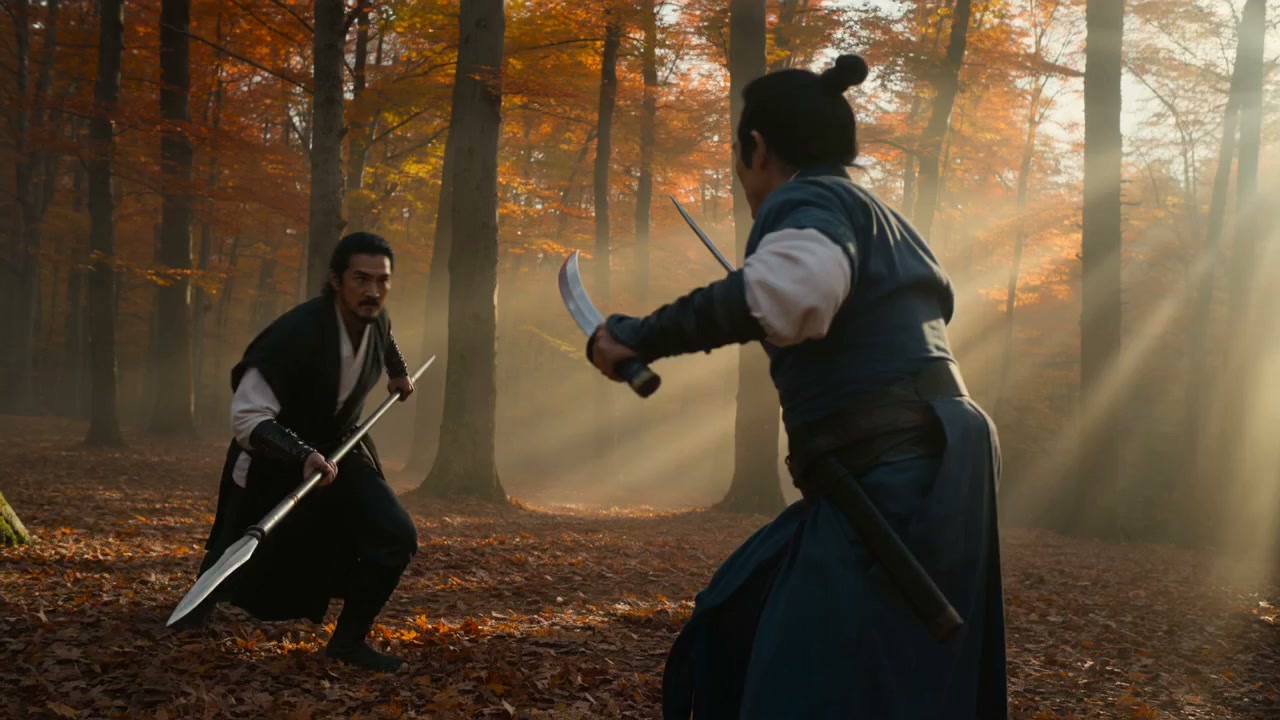
Product short-form6s1080p9:16

Turn one product still into a vertical ad

Coordinates a low-angle push-in, product rotation, landing motion, mist, light sweep, and native audio in one six-second shot.

Prompt used for this run

The sneaker slowly rotates about 90 degrees as the camera pushes in from a low angle. Dust particles drift through the rim light. The shoe settles onto the wet stone pedestal with a deep, satisfying thud, sending a soft ring of mist rolling off the edges. A warm light sweep travels across the suede texture. Subtle bass-heavy electronic pulse builds in the background with a low whoosh on the landing. Cinematic product commercial, smooth stabilized motion, no text overlays.
Input still9:16
Real generated video · native audio6s · 1080p
Environmental motion8s4K16:9

Animate a lighthouse through a coastal storm

Adds crashing waves and a sweeping lighthouse beam while the source composition remains recognizable.

Prompt used for this run

Storm waves crash at lighthouse cliff, beam sweeping, i2v from still

Input still16:9
Real generated video · native audio8s · 4K
Camera movement8s4K16:9

Glide through balloons at sunrise

Uses depth-separated balloons and a stable camera glide to turn a scenic still into an establishing shot.

Prompt used for this run

Cappadocia balloons drifting at sunrise, camera glide, i2v from still

Input still16:9
Real generated video · native audio8s · 4K
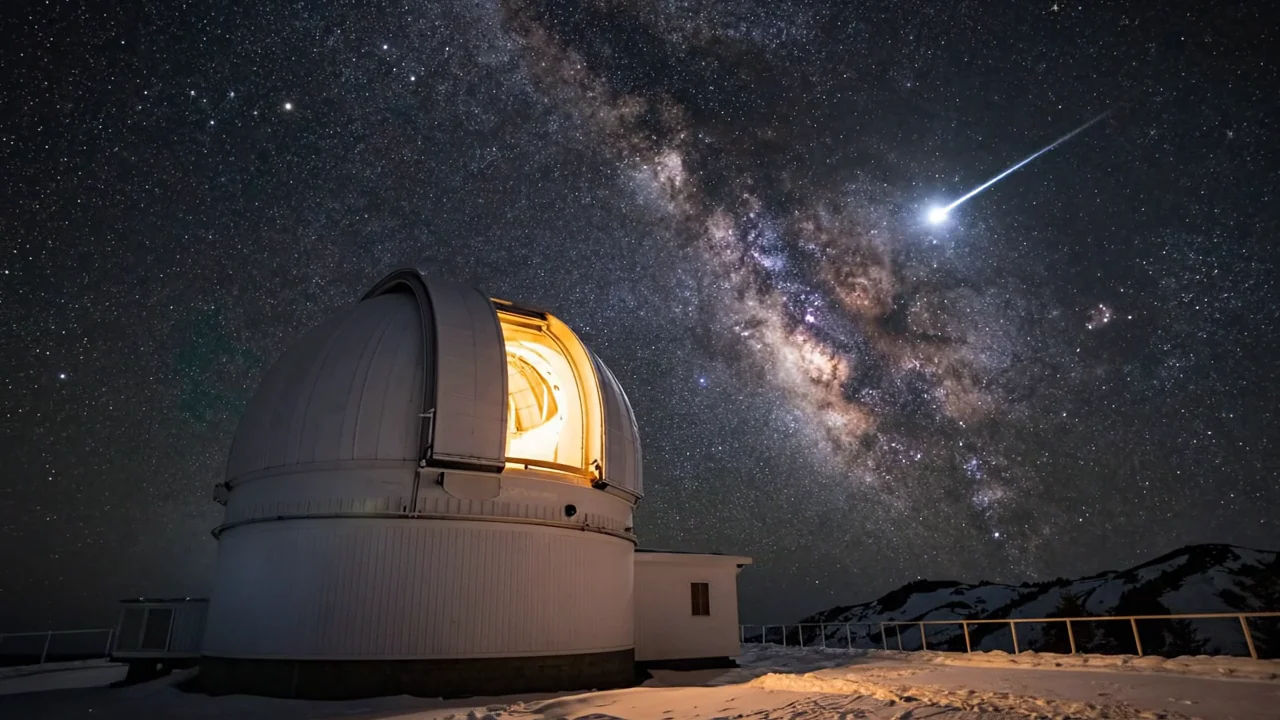
Light and atmosphere6s4K16:9

Unfurl an aurora above an observatory

Introduces controlled sky motion and a glowing dome without discarding the mountain observatory anchor.

Prompt used for this run

Aurora unfurls over mountain observatory, dome glows, i2v from still

Input still16:9
Real generated video · native audio6s · 4K

Related video models

Choose a video model by generation speed, input method, output specifications, and use case.

Fast Image-to-Video

Veo 3.1 Fast Image to Video

Generate image-to-video clips faster for frequent iteration and batch workflows.

Text-to-Video

Veo 3.1 Text to Video

Use the flagship quality tier when the shot starts from text instead of a still.

Alternative video model

Seedance 2.0

A flexible alternative for longer clips and a wider duration range.

Compare AI video APIs

About Veo 3.1 image-to-video

Veo 3.1 Image to Video accepts one source image and extends its subject and composition into a four-, six-, or eight-second clip. It suits product ads, cinematic establishing shots, environmental motion, and short-form work that benefits from native audio, up to 4K.

The Playground and API use the same model ID: veo-3.1/image-to-video. The input frame determines the output shape, so crop, subject position, and motion headroom should be resolved before submission.

Provider
Google
Task
Image-to-Video
Input
1 public image
Starting price
1,140 Credits / second

Model specifications

These specifications reflect the current HiAPI Veo 3.1 Image-to-Video request contract.

Input image
1 public URL
Duration
4s6s8s
Resolution
720p1080p4K
Output frame
Inherited from input
Native audio
Supported
API protocol
POST /v1/tasksAsync

720p/1080p with audio is 1,140 Credits / second ($0.57/second); 4K with audio is 1,720 Credits / second ($0.86/second).

How to use Veo 3.1 image-to-video

The video workflow reuses the shared three-step shell, while source framing, motion choreography, and tiered rendering are specific to image-to-video.

Subject
Frame

Veo 3.1 API quickstart

This is the minimum request for an asynchronous image-to-video task. Use the API docs for callbacks, task retrieval, temporary result URLs, and full parameters.

curl --request POST 'https://api.hiapi.ai/v1/tasks' \
  --header 'Authorization: Bearer YOUR_API_KEY' \
  --header 'Content-Type: application/json' \
  --data '{
  "model": "veo-3.1/image-to-video",
  "input": {
    "prompt": "The sneaker slowly rotates as the camera pushes in. It lands on the pedestal with a deep thud and a soft ring of mist.",
    "image_url": "https://static.hiapi.ai/blog/veo-3-1-image-to-video-short-form-video/source-still.jpg",
    "resolution": "1080p",
    "duration": 6
  }
}'
The create request returns a taskId; retrieve the result asynchronously.Open full API docs

Frequently asked questions

How many input images does Veo 3.1 image-to-video accept?

The current endpoint accepts one publicly reachable image URL per request. The field is image_url, not image_urls. Use an image of at least 720p with a clear subject, composition, and motion headroom; localhost and inaccessible temporary links cannot be fetched upstream.

How do I control landscape or vertical output in Veo 3.1 image-to-video?

The output inherits the input image frame, so no separate aspect_ratio field is required. Prepare a 9:16 source for TikTok, Reels, or Shorts, and a 16:9 source for landscape web or advertising placements. Other shapes may be cropped to fit.

Which durations and resolutions does Veo 3.1 support?

The current HiAPI request contract supports 4, 6, or 8 seconds at 720p, 1080p, or 4K. Duration and resolution affect total cost. Validate motion with a shorter clip before committing to the final resolution.

Does Veo 3.1 generate native audio, and how do I direct it?

Yes. Write ambience, foley, and musical rhythm into the prompt in event order—for example, request a low impact sound when a product lands. Review volume, dialogue, brand safety, and platform copyright requirements before publishing commercial work.

How is Veo 3.1 image-to-video priced?

The current public base price with audio is 1,140 credits ($0.57) per second for 720p/1080p and 1,720 credits ($0.86) per second for 4K. A six-second 1080p clip is 6,840 credits. Check the live model and pricing pages if the billing contract changes.

When should I use Veo 3.1 instead of Veo 3.1 Fast?

Both tiers use the same one-image input and 4/6/8-second resolution structure. Use Fast to test motion, camera, and audio timing, then use standard Veo 3.1 for the final render. A common workflow is a 720p Fast draft followed by a 1080p or 4K standard render.

How do I call the Veo 3.1 image-to-video API?

Send a POST request to /v1/tasks, set model to veo-3.1/image-to-video, and pass prompt, image_url, resolution, and duration in input. The create request returns a taskId while video generation continues asynchronously. See the API docs for retrieval, callbacks, errors, and the full parameter contract.

Motion room
1 image
01

Prepare a source with motion headroom

Choose 16:9 or 9:16 first, keep the subject clear, and leave room for movement, camera travel, and environmental change.

Subject motion
Camera move
Native audio
02

Write motion, camera, and sound in order

Describe subject action first, then camera and environment, attaching impact, ambience, or music cues to the matching events.

Draft

Fast · 720p

Final

Veo 3.1 · 1080p/4K

03

Validate a draft before the final render

Check choreography with Veo 3.1 Fast and a shorter duration, then render the approved shot at 1080p or 4K on the standard model.