Give HeyGen Avatar IV one portrait photo and a short script, and it returns a video of that person speaking it, with lip-sync, blinks and small head movements that follow the voice. Below are 7 real outputs, each with the input photo, the full script and the exact settings. Hit "Generate with this script" and the model page opens with the script filled in: upload your own photo and run it. HeyGen Avatar IV is live on HiAPI. Open the model page to try it now; it costs $0.15 per second, so an 8-second clip is $1.20.
| Use case | Aspect ratio | Length | Cost |
|---|---|---|---|
| 1. Product or lesson intro | 16:9 | 9 s | $1.35 |
| 2. Vertical product review | 9:16 | 8 s | $1.20 |
| 3. Business update | 16:9 | 8 s | $1.20 |
| 4. Square health tip | 1:1 | 8 s | $1.20 |
| 5. Driven by your own recording | 9:16 | 10 s | $1.50 |
| 6. 3D character | 16:9 | 8 s | $1.20 |
| 7. Landscape photo, vertical lesson | 9:16 | 11 s | $1.65 |
1. Landscape presenter: a product or lesson intro from one photo
Good for a landing-page hero, a course intro or a product explainer. One relaxed half-body photo is enough.
Input photo

Output
Hi, I'm Lin. With one photo and a short script, I can present your product or record a lesson, with natural lip-sync and expressions.
Settings: voice Cute Chloe - Friendly · 16:9 · 1080p · 9 s ($1.35)
Generate with this script → The script is already filled in; upload your own photo and generate. Pick the Cute Chloe - Friendly voice and 16:9.
The sweater, the hairstyle and the room all stay exactly as they were in the photo; only the person moves. To make it yours, swap I'm Lin for your name and replace present your product or record a lesson with one concrete thing your product does, e.g. I can show you how our app plans your week in two minutes.
2. Vertical talking head: a quick product review
Made for TikTok, Reels and Shorts: first person, one week of use, two selling points, a follow prompt.
Input photo

Output
I've been using these new earbuds for a week. The noise canceling is super quiet, and the battery lasts all day. Follow me for more.
Settings: voice Andrew · 9:16 · 1080p · 8 s ($1.20)
Generate with this script → The script is already filled in; upload your own photo and generate. Pick the Andrew voice and 9:16.
The photo is already 9:16, so the video fills the vertical frame edge to edge. For vertical content, start from a vertical photo.
- New product, same shape:
I've been using this standing desk for a month. It rises in three seconds, and my back feels better. Follow me for more. - Testing hooks: keep one photo and run three scripts with different selling points, then post the winner.
3. Business update: walking a team through the numbers
For internal training, client updates or a sales opener. A steady male voice and an office portrait carry it.
Input photo

Output
Hi, I'm Daniel. Send me your quarterly numbers, and I'll walk your team through what changed and what to do next.
Settings: voice Dexter - Professional · 16:9 · 1080p · 8 s ($1.20)
Generate with this script → The script is already filled in; upload your own photo and generate. Pick the Dexter - Professional voice and 16:9.
Swap quarterly numbers for whatever you actually deliver (your onboarding checklist, last week's support tickets) and keep the second half about what happens next. With a real photo of your founder or account lead, this becomes a ready-to-send client intro.
4. Square health tip: a clinic or pharmacy post
A 1:1 clip for feeds, community groups and newsletters: a doctor's portrait and a calm voice.
Input photo

Output
When the seasons change, mornings get chilly, so bring a jacket. If a cough lasts more than a week, please come see us at the clinic.
Settings: voice Calm Chloe · 1:1 · 1080p · 8 s ($1.20)
Generate with this script → The script is already filled in; upload your own photo and generate. Pick the Calm Chloe voice and 1:1.
Square photo in, square video out, with nothing to fill. For your own practice, open with a seasonal or situational reminder and close with one clear action, e.g. If your child has a fever for more than two days, book a visit with us.
5. Audio-driven: your voice, your timing
Already have a recorded voice-over or a podcast clip? Skip the script and let the photo speak your recording.
Input photo
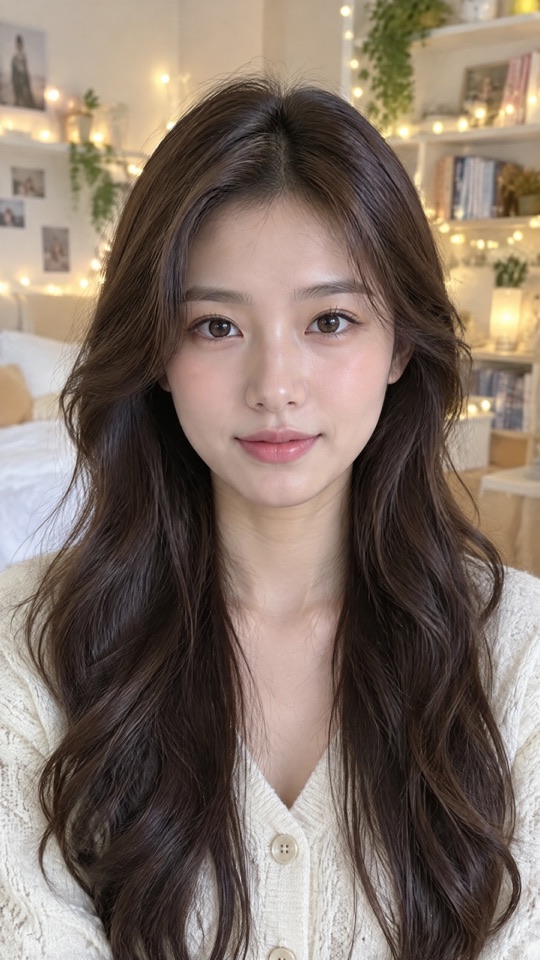
Output
Settings: uploaded English recording · 9:16 · 1080p · 10 s ($1.50)
Upload a photo and a recording → There is no script for this one: upload your photo and an audio file on the model page. The video runs exactly as long as the recording, up to 600 seconds.
Mouth shapes and pauses follow the recording, and the tone and accent are yours. No voice selection needed. It suits creators and instructors who want to keep their own voice: record 10–30 seconds of narration and pair it with a vertical photo of yourself.
6. 3D character: a mascot or virtual host
Illustrated and 3D characters can talk too, as long as the face is clear.
Input image

Output
Tonight's special is a slow-roasted tomato soup. It's simple, warm, and ready in twenty minutes. Let's cook!
Settings: voice Expressive Evan · 16:9 · 1080p · 8 s ($1.20)
Generate with this script → The script is already filled in; upload your own character image and generate. Pick the Expressive Evan voice and 16:9.
- Your mascot: upload a front-facing render and write "today's pick, one detail, one catchphrase."
- A daily menu series: change only
slow-roasted tomato soupandtwenty minuteseach day and keep the same character.
7. Landscape photo, vertical lesson: fill the gap with a background image
Only have a landscape photo but need a vertical video? Set an image background and it fills the space above and below the person.
Input photo

Output
Hello everyone. Today we'll explain the Pythagorean theorem in five minutes. In a right triangle, the squares of the two legs add up to the square of the hypotenuse.
Settings: voice Professor Dean · 9:16 · 1080p · image background (a chalkboard) · 11 s ($1.65)
Generate with this script → The script is already filled in; upload your own photo and generate. Pick the Professor Dean voice and 9:16, and set the background to a chalkboard image.
The background only kicks in when the output aspect ratio differs from the photo; leave it unset and the gap is white. A brand color works too, e.g. #1E3A5F. For your own course, name the topic and the time in the first sentence and give the key fact in the second: Today we'll learn three ways to say thank you in Japanese. The most polite one is arigatou gozaimasu.
Choosing the photo
- Works best: one person, facing the camera, nothing covering the face, even lighting, mouth relaxed and closed.
- Skip: profile shots, face masks, group photos, faces that are tiny in the frame.
- Illustrations and 3D characters work when the face is clear. Animals and other non-human faces may not be detected; a failed task is fully refunded.
- Match the output shape: vertical photo for vertical video (examples 2 and 5), square for square (example 4). When they differ, fill the gap with an image or a color (example 7).
autokeeps the photo's own aspect ratio.
Writing the script
- Short, spoken sentences. One idea per sentence, written the way you would say it to a friend.
- Length is cost. There is no duration setting: the script and speaking pace decide the length, and you pay only for seconds. The six scripts above run 17–29 words and produce 8–11 seconds, roughly 2–3 words per second. For about 10 seconds, aim for around 25 words.
- Who, why, what next. Examples 1 and 3 open with a name, example 2 ends with a follow prompt, example 4 ends with an action.
- Chinese works as well. Scripts can be English or Chinese, up to 5,000 characters.
Resolution does not change the price: 720p and 1080p are both $0.15 per second, so go straight to 1080p.
FAQ
Does "Generate with this script" fill everything in? It fills in the script. Upload your photo, choose the voice and aspect ratio from the example, and run. With no voice selected, the default is Warm Pro Narrator.
How long can a video be? With a script, up to 5,000 characters and the length follows the text. With a recording, it matches the audio, up to 600 seconds.
Need a transparent background, captions or 4K? Use HeyGen Avatar V. You pick from preset avatars instead of uploading a photo, and it adds transparent WebM output, SRT captions and 4K at the same $0.15 per second. Open the Avatar V model page. For your own face on screen, stay with Avatar IV.
Am I charged for failed tasks? No. You pay for the actual seconds of finished video, and failed tasks are fully refunded.
Pick the example closest to your business, keep its structure, drop in your product name, and upload your photo to make your first clip →




