Product photography for an online store is rarely about generating one beautiful image. It is about generating the same product many times: the white-background listing shot, the lifestyle scene, the hardware or label fix after a supplier change, the five-colorway series for the product page. Text-to-image models struggle here because every new prompt invents a slightly different product.
This is exactly the job seedream-5.0-lite/image-to-image is built for. It is ByteDance's instruction-based image editor: you hand it your real product photo (or up to 14 reference images), describe the edit in plain language, and it follows the instruction while keeping the non-edited regions consistent. On hiapi it costs $0.035 per image at 2K — a full six-image listing set for about $0.21.
Everything below was produced with real API calls on hiapi. Each section shows the actual output and the exact prompt.
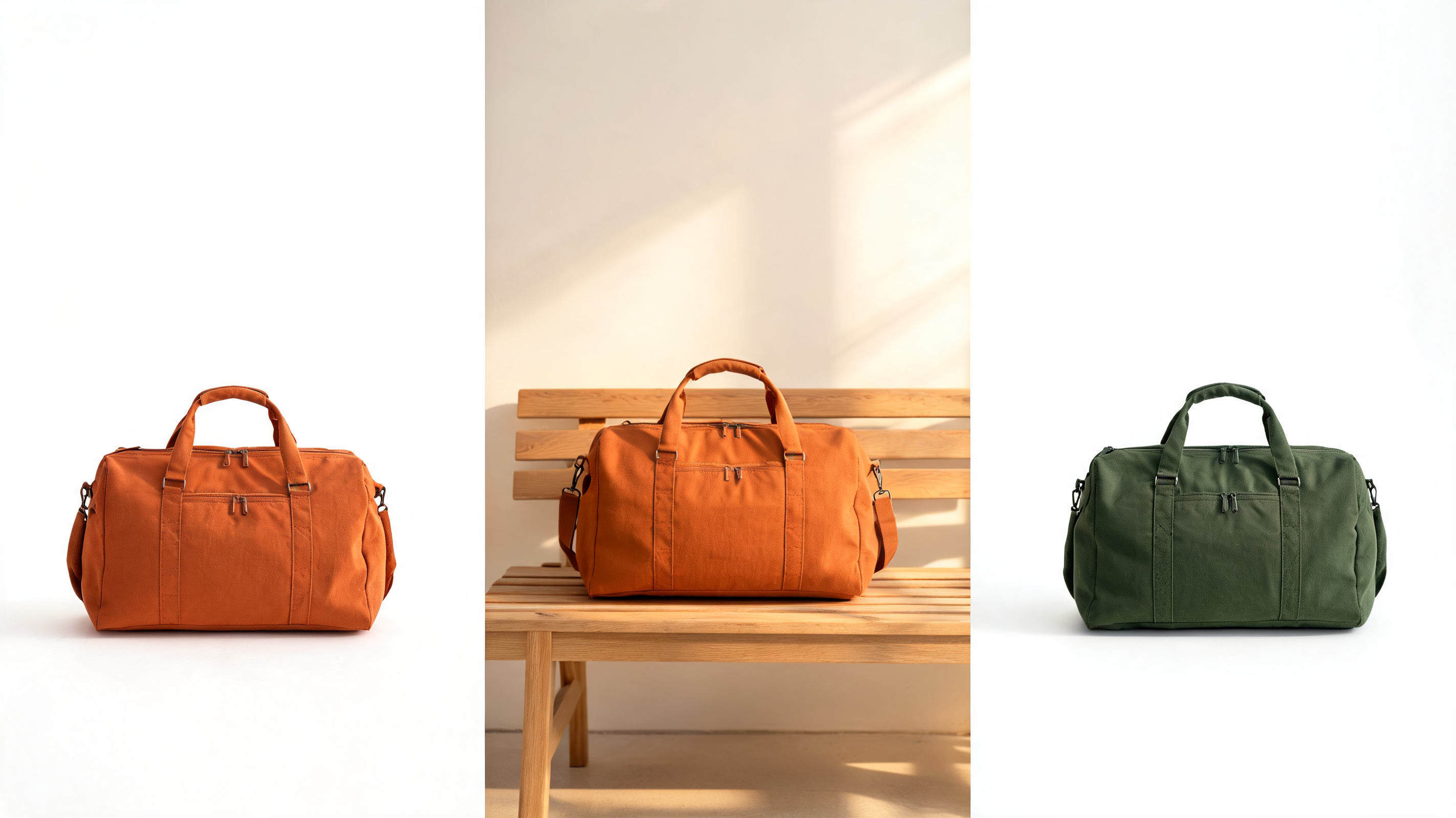
The workflow: one anchor, many edits
The pattern that makes AI product imagery usable in production is anchor-and-edit:
- Anchor — get one clean, canonical product shot. Photograph the real product, or generate the concept once with
seedream-5.0-lite/text-to-image(also $0.035). - Edit — feed that anchor into
image-to-imagefor every derivative: background swaps, detail corrections, colorways. The product's identity comes from the reference pixels, not from the prompt, so it stays the same bag in every image.
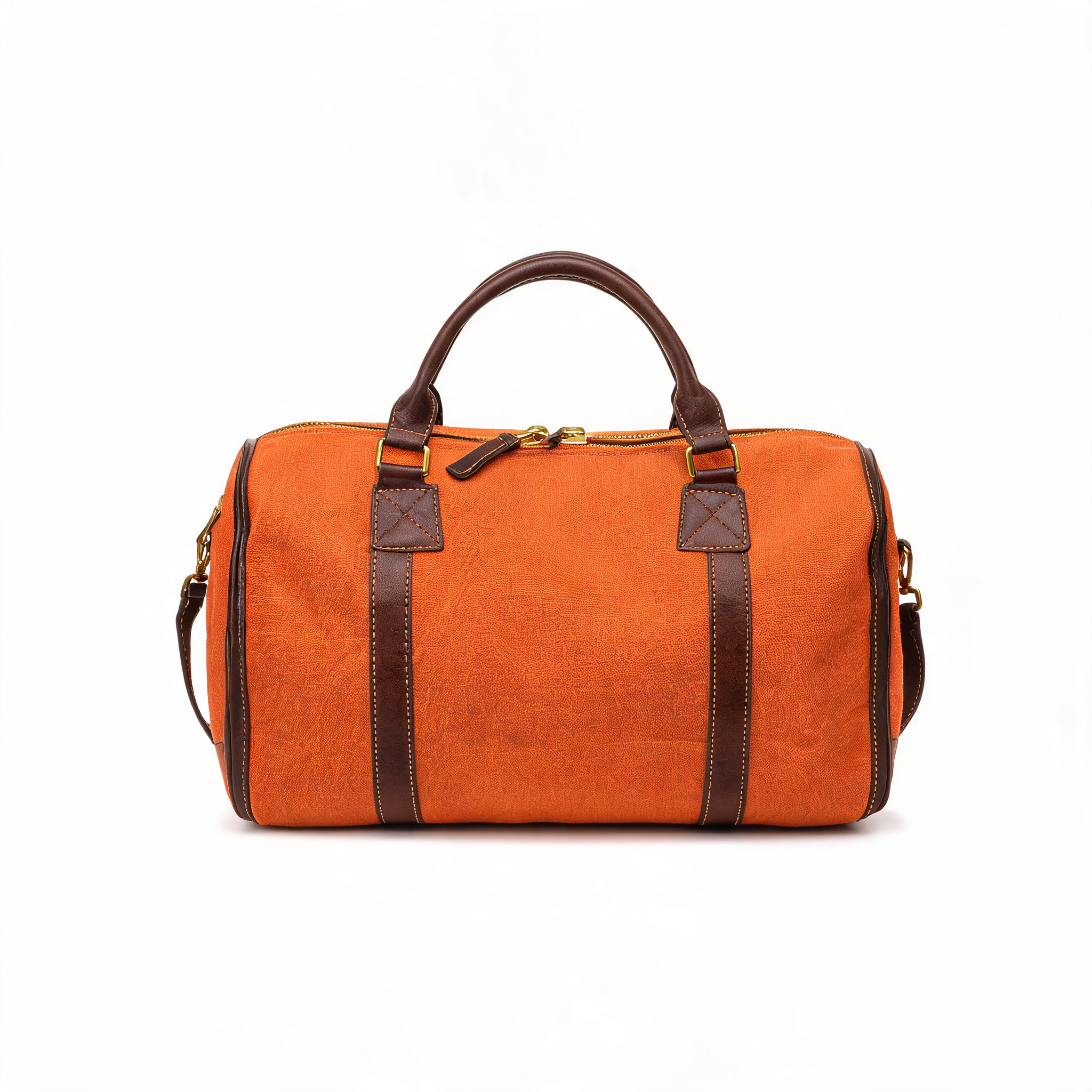
Here is our anchor — a canvas weekender generated once with the t2i sibling and used as the reference for every edit that follows:
The request shape
seedream-5.0-lite/image-to-image runs on hiapi's asynchronous task endpoint: submit to POST /v1/tasks, poll the task ID until it finishes, then download the output URL. Four input fields, all required:
| Field | Type | Notes |
|---|---|---|
prompt | string | The edit instruction |
image_urls | array | 1–14 publicly reachable reference image URLs |
aspect_ratio | enum | 1:1, 4:3, 3:4, 16:9, 9:16, 2:3, 3:2, 21:9 |
resolution | enum | 2K or 4K only — there is no 1K tier on this model |
curl -X POST https://api.hiapi.ai/v1/tasks \
  -H "Authorization: Bearer $HIAPI_API_KEY" \
  -H "Content-Type: application/json" \
  -d '{
    "model": "seedream-5.0-lite/image-to-image",
    "input": {
      "prompt": "Replace the white studio background: place the bag on a weathered wooden bench in a sunlit modern loft. Keep the bag itself completely unchanged.",
      "image_urls": ["https://your-cdn.com/products/weekender-anchor.jpg"],
      "aspect_ratio": "3:2",
      "resolution": "2K"
    }
  }'
The response contains data.taskId. Poll GET /v1/tasks/{taskId} until status is success, then download output[0].url immediately — output links expire, so copy the file to your own storage. In our runs each edit finished in roughly 60–120 seconds.
Edit pattern 1: restage the background (listing → lifestyle)
The highest-volume e-commerce edit: same product, new scene. The key prompting move is to spend most of the prompt pinning what must not change, then describe the new environment:
Keep this exact burnt-orange canvas weekender bag with dark brown leather trim and brass zippers completely unchanged — same shape, same color, same handles, same stitching. Replace the white studio background: place the bag on a weathered wooden bench in a sunlit modern loft, large windows with soft morning light, blurred green plant in the background, natural contact shadow on the bench, warm editorial lifestyle photography.
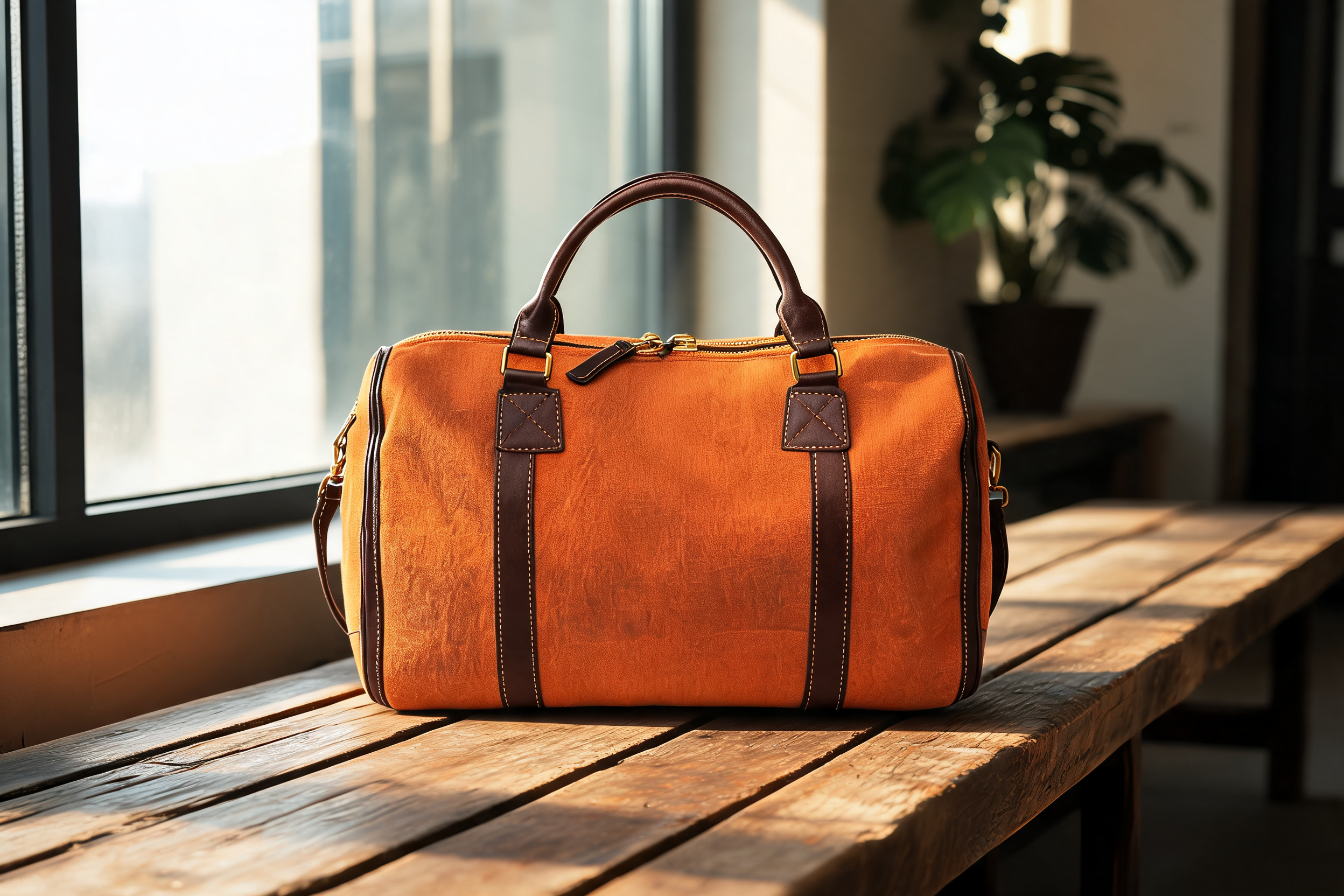
Compare it with the anchor: the trim, cross-stitched leather patches, zipper pull, and proportions carry over. The contact shadow lands on the bench planks — that grounding detail is what makes a restage look photographed instead of composited.
Edit pattern 2: precise detail correction (hardware swap)
Seedream Lite's "Precise Editing" tag is about surgical changes. Suppose the supplier switched from brass to matte black hardware and you don't want to reshoot. Ask for exactly one change and freeze everything else:
Keep this burnt-orange canvas weekender bag exactly as it is — same white background, same composition, same lighting, same canvas texture and brown leather trim. Change only the metal hardware: replace all brass zippers, buckles and clasps with matte black metal hardware. Do not alter anything else.
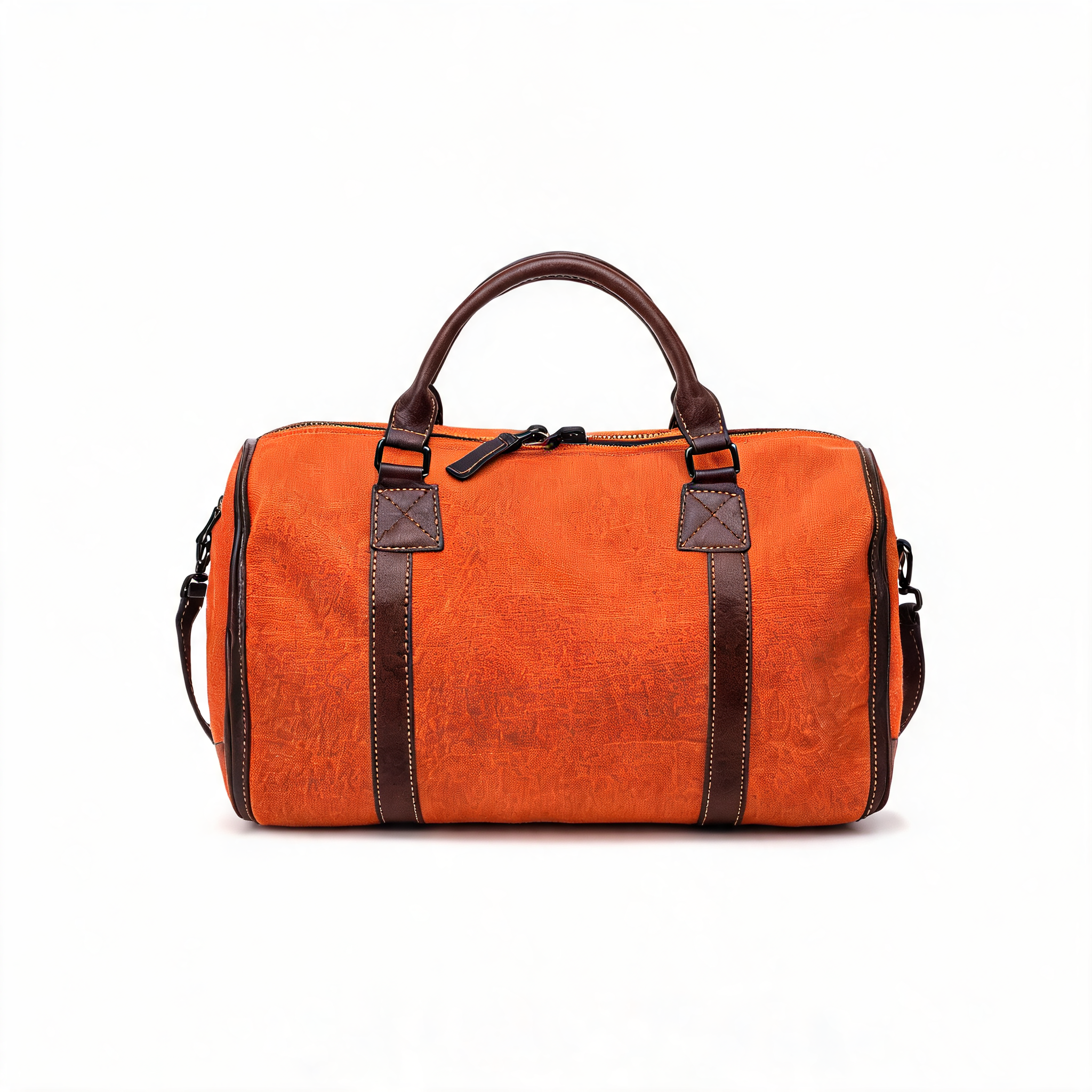
The zippers, D-rings, and strap clasps all went black; the canvas texture and composition are untouched. This is the class of edit where regenerating from text would silently redesign the whole bag.
Edit pattern 3: colorway series
Product pages need every color variant photographed identically. Recolor the anchor while pinning design, trim, and framing:
Keep this exact weekender bag design unchanged — same shape, same brown leather trim and handles, same brass hardware, same white studio background, same lighting and composition. Change only the canvas body color from burnt orange to deep forest green, preserving the fabric texture and stitching.
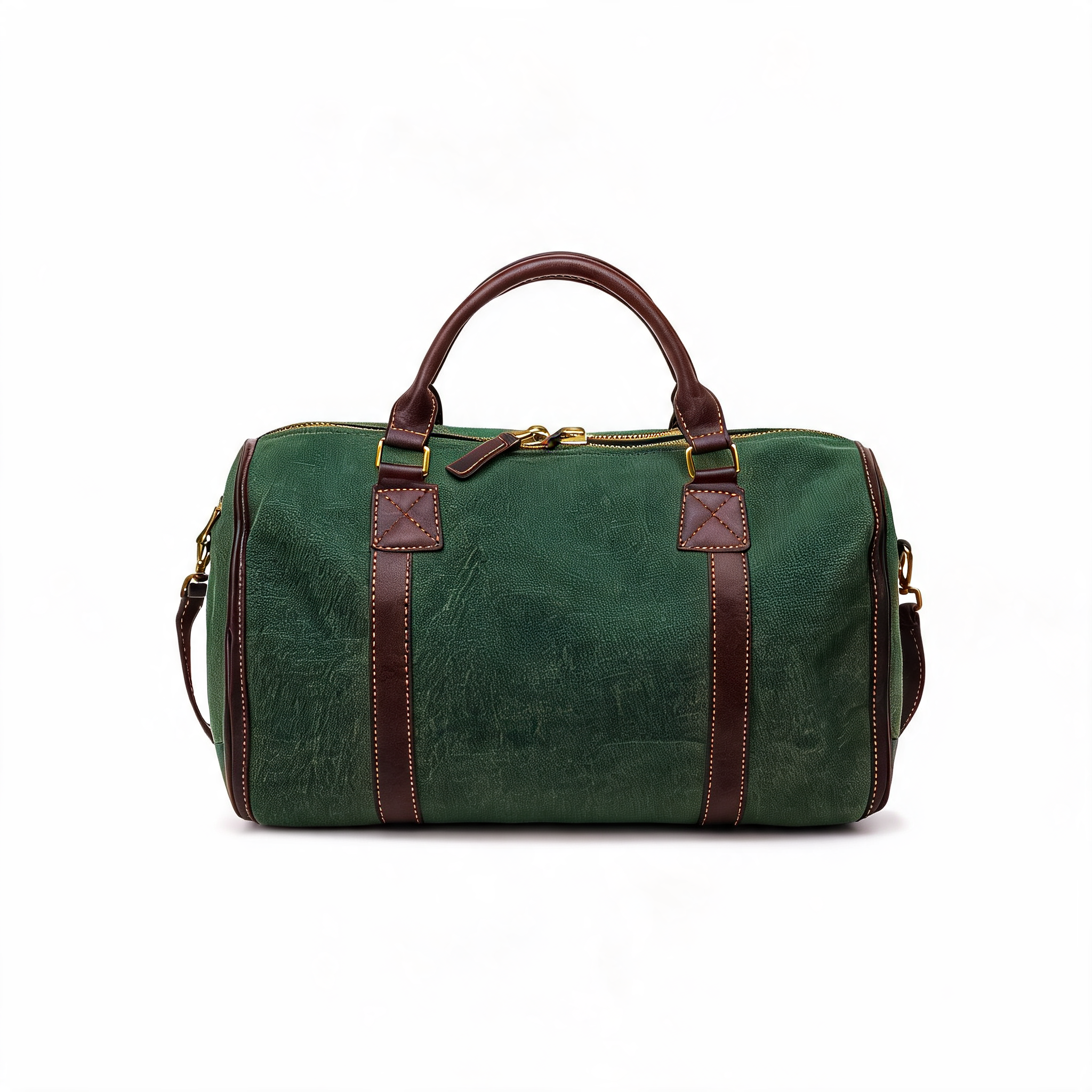
Repeat with "navy blue", "charcoal black", "sand beige" and you have a five-SKU series shot in one sitting for $0.175 — each variant framed identically, which is what makes a color picker on a product page feel coherent.
Batching a full listing set in Python
In production you won't submit edits one at a time. The task API parallelizes cleanly — submit all edits at once, then poll. This is the pattern we used (three edits completed concurrently in under three minutes):
import json, time, requests, concurrent.futures

API = "https://api.hiapi.ai/v1/tasks"
HEADERS = {"Authorization": "Bearer YOUR_HIAPI_KEY", "Content-Type": "application/json"}
ANCHOR = "https://your-cdn.com/products/weekender-anchor.jpg"

EDITS = [
    ("lifestyle", "3:2", "Keep this exact bag unchanged... place it on a weathered wooden bench in a sunlit loft..."),
    ("hardware-black", "1:1", "Change only the metal hardware to matte black. Do not alter anything else."),
    ("colorway-green", "1:1", "Change only the canvas body color to deep forest green, preserving texture and trim."),
]

def run_edit(name, aspect_ratio, prompt):
    task = requests.post(API, headers=HEADERS, json={
        "model": "seedream-5.0-lite/image-to-image",
        "input": {"prompt": prompt, "image_urls": [ANCHOR],
                  "aspect_ratio": aspect_ratio, "resolution": "2K"},
    }).json()
    task_id = task["data"]["taskId"]
    while True:
        d = requests.get(f"{API}/{task_id}", headers=HEADERS).json()["data"]
        if d["status"] == "success":
            img = requests.get(d["output"][0]["url"]).content   # expires — save it now
            open(f"{name}.jpg", "wb").write(img)
            return name, len(img)
        if d["status"] == "fail":
            raise RuntimeError(f"{name}: {d.get('error')}")
        time.sleep(5)

with concurrent.futures.ThreadPoolExecutor(max_workers=3) as ex:
    for name, size in ex.map(lambda e: run_edit(*e), EDITS):
        print(f"{name}: {size} bytes")
Three practical notes from running this:
image_urlsmust be publicly reachable. Upload your anchor to your CDN or object storage first; the API validates a max of 14 URLs per request.- Save outputs immediately. The
output[0].urlis a time-limited link. Copy the bytes to your own bucket before you do anything else. - Multi-reference is there when you need it. Passing several references (front/back/detail shots of the same product, or a product plus a style reference) gives the model more identity signal for tricky items like patterned fabrics.
Cost and when to pick this model
At $0.035 per 2K image, a realistic per-SKU set — one anchor, one lifestyle restage, one detail fix, three colorways — is six images for $0.21. Current pricing for every tier is on the hiapi pricing page.
If you are choosing between editors: our three-model image-to-image comparison runs the same edit through the main contenders, and the Nano-Banana e-commerce guide covers an alternative anchor-and-restage stack. Seedream 5.0 Lite's edge in this workflow is the combination of instruction-following precision, 14-slot multi-reference input, and a flat low price that makes per-SKU batching a rounding error.
Get started
Grab an API key, upload one clean product shot, and run the lifestyle-restage prompt above against seedream-5.0-lite/image-to-image — you'll have your first derivative set in a few minutes. The full task-endpoint reference lives in the hiapi docs.




