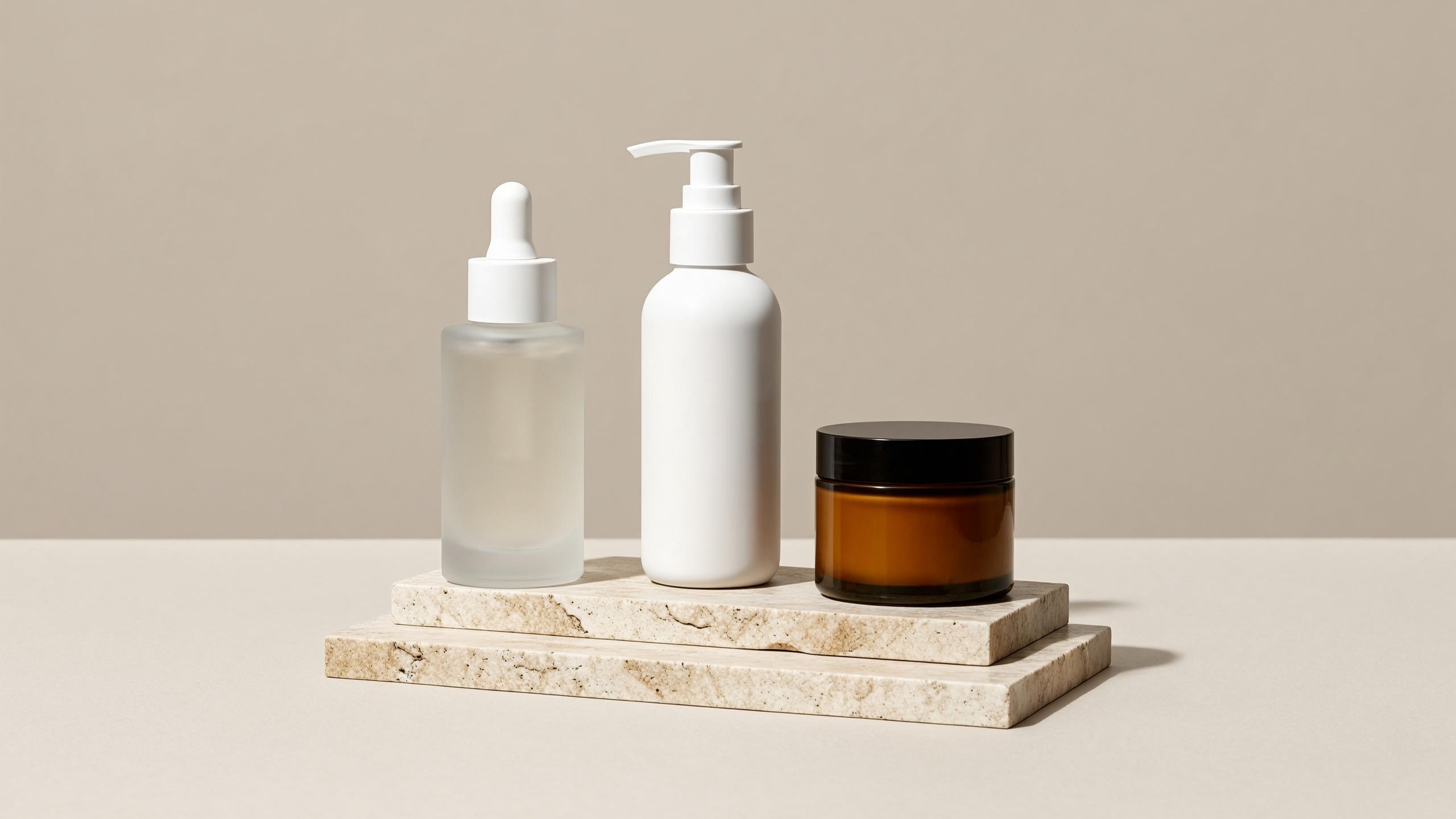
Every image in this guide was generated with wan2.7-image/text-to-image through the hiapi task API while writing it — the prompts shown are the exact prompts used, and the timings are the actual wall-clock numbers from those runs. If you sell online and need listing images, lifestyle scenes, packaging mockups, or zoom-ready detail shots without booking a studio, this is the workflow.
Why Wan 2.7 Image for product photography
Wan 2.7 Image Pro (model ID wan2.7-image/text-to-image) is Tongyi Wanxiang's flagship text-to-image model. Three properties make it a strong fit for e-commerce work specifically:
- Up to 4K output. Marketplace zoom viewers and print-on-demand both want more pixels than the usual 1K default. Wan 2.7 goes to 4096×4096 natively — no upscaler pass.
- Strong prompt adherence. Product shots are compositional: this bottle, on that surface, lit from this side. In our runs, material callouts ("frosted glass", "brushed aluminum"), lighting direction, and prop placement all landed on the first attempt.
- Flat pricing. On hiapi it costs $0.08 per image at any resolution — 1K, 2K, and 4K all bill the same (verified against the live pricing page). Most premium models charge a 4K surcharge, so if your pipeline is 4K-first, the flat rate is the economical choice. More on the comparison below.
It also accepts both English and Chinese prompts, which matters if your product copy team works in Chinese but your storefront is English.
Quickstart: one POST, one poll
Wan 2.7 Image runs on hiapi's async task API. You submit a task, poll until it finishes, then download the output. Get an API key from the quickstart guide first.
Submit:
curl -s -X POST https://api.hiapi.ai/v1/tasks \
  -H "Authorization: Bearer $HIAPI_API_KEY" \
  -H "Content-Type: application/json" \
  -d '{
    "model": "wan2.7-image/text-to-image",
    "input": {
      "prompt": "Studio product photograph of a frosted glass serum bottle with a brushed aluminum dropper cap, standing on a seamless pure white background, soft even lighting from two softboxes, gentle contact shadow under the bottle, crisp edges, high detail, commercial e-commerce listing photography",
      "aspect_ratio": "1:1",
      "resolution": "2K"
    }
  }'
The response carries a task ID in data.taskId. Poll the detail endpoint until status is success:
import requests, time

API = "https://api.hiapi.ai/v1/tasks"
HEADERS = {"Authorization": f"Bearer {API_KEY}"}

def generate(prompt, aspect_ratio="1:1", resolution="2K", timeout=600):
    r = requests.post(API, headers=HEADERS, json={
        "model": "wan2.7-image/text-to-image",
        "input": {"prompt": prompt, "aspect_ratio": aspect_ratio,
                  "resolution": resolution},
    })
    task_id = r.json()["data"]["taskId"]

    deadline = time.time() + timeout
    while time.time() < deadline:
        task = requests.get(f"{API}/{task_id}", headers=HEADERS).json()["data"]
        if task["status"] == "success":
            return requests.get(task["output"][0]["url"]).content
        if task["status"] == "fail":
            raise RuntimeError(task.get("error"))
        time.sleep(5)
    raise TimeoutError(task_id)

png_bytes = generate("...")  # save immediately — see the expiry note below
In our runs, task creation returned in about 2 seconds, 2K generations finished in 60–75 seconds, and the 4K shot took 86 seconds. Budget roughly a minute and a half per image with polling overhead.
Two operational notes before you wire this into production:
- The output URL expires.
output[0].urlincludes anexpireAttimestamp — it is a temporary link, not a CDN asset. Download the bytes and store them on your own storage the moment the task succeeds. If you've ever been bitten by this, we wrote up the failure mode in why your hiapi output URL 404s and how to handle it. - The aspect ratio list is strict. Wan 2.7 Image accepts exactly
1:1,16:9,4:3,21:9,3:4,9:16,8:1,1:8. Anything else — including common photo ratios like3:2and4:5— returns400 INVALID_REQUESTwith the allowed list in the message. We hit this live: a 1536×1920 request (which reduces to 4:5) was rejected; resubmitting as3:4worked. If you need Instagram's 4:5, generate3:4and crop.
The four shots every product listing needs
Below are the four canonical e-commerce shot types, each with the exact prompt used and the unedited output.
1. The white-background hero shot
Amazon, eBay, and most marketplaces require a pure white background for the main listing image. The keys in the prompt: name the background explicitly ("seamless pure white background"), ask for a "gentle contact shadow" so the product doesn't float, and describe the lighting setup like a photographer would.
Studio product photograph of a frosted glass serum bottle with a brushed aluminum dropper cap, standing on a seamless pure white background, soft even lighting from two softboxes, gentle contact shadow under the bottle, crisp edges, high detail, commercial e-commerce listing photography
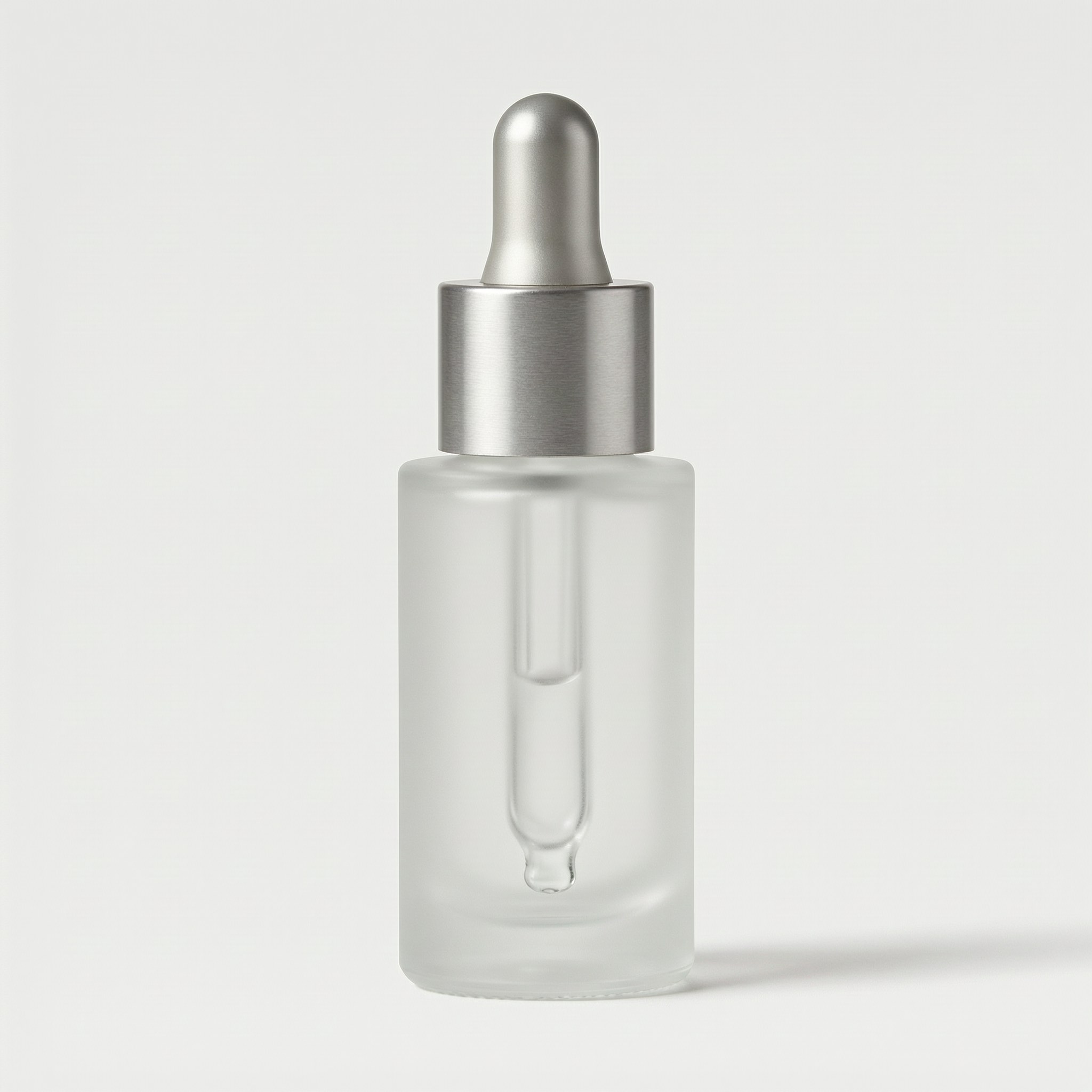
Generated at 1:1 / 2K in 61 seconds. The material rendering — frosted glass with the pipette visible through the diffusion, brushed metal texture on the cap — is what "strong prompt adherence" buys you.
2. The lifestyle scene
Secondary listing images sell context. Put the product where the customer imagines using it, and let the prompt carry the styling brief: surface, props, light direction, depth of field.
A frosted glass serum bottle with a brushed aluminum dropper cap standing on a white marble bathroom counter beside a folded beige linen towel and a sprig of eucalyptus, soft morning window light from the left, shallow depth of field, warm lifestyle product photography for an online store listing
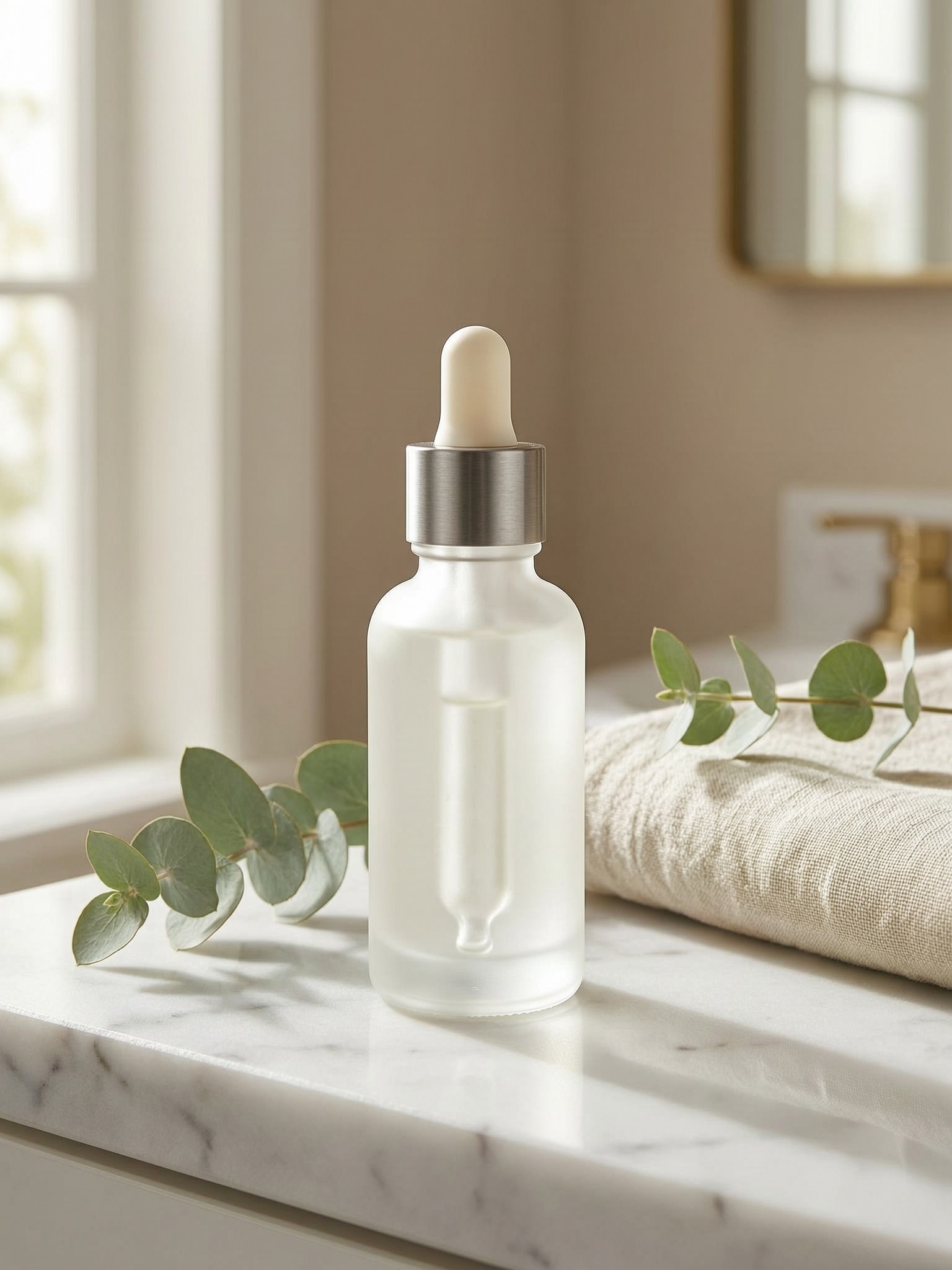
Every element of the brief landed: marble counter, folded towel, eucalyptus, window light from the left, background falloff. This is the shot type where prompt adherence matters most, because a stray or missing prop means a regeneration.
3. Packaging with readable brand text
Text rendering is where most image models fall apart on product work. Short, explicit text renders reliably on Wan 2.7 — put the exact string in quotes and describe the typography:
Product packaging shot: a matte sage-green cardboard box with the brand name "VELA" printed in clean white sans-serif capital letters on the front panel, standing next to a matching frosted glass serum bottle, studio lighting on a light gray seamless background, sharp focus, e-commerce product photography
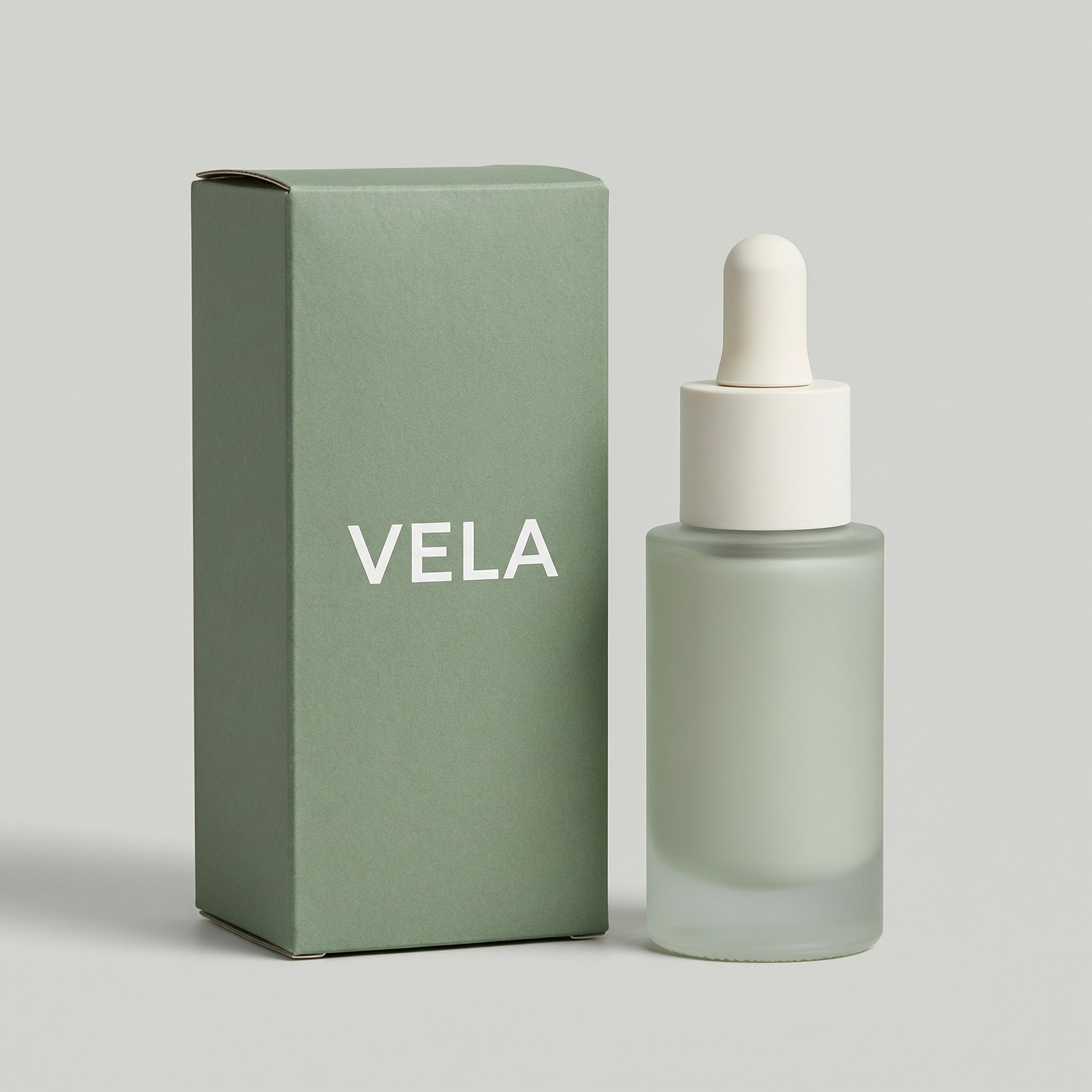
"VELA" came out letter-perfect. One honest caveat from our test runs: this holds for short strings you specify explicitly. When an early draft of our banner image left labels up to the model, it invented plausible-looking gibberish ("SERUM SERUE") on the bottles — so either quote the exact text you want, or prompt for "unlabeled, no text, no logos" and add labels in post. Always proofread any text in generated images before publishing.
4. The 4K macro detail shot
Zoom-in detail images justify premium pricing. This is where 4K output and flat pricing pay off — the same $0.08 buys a 4096×4096 file:
Extreme close-up macro photograph of fine water droplets on the frosted glass surface of a cosmetic serum bottle, the brushed aluminum cap edge visible at the top of the frame, crisp micro-detail, controlled studio reflections, luxury skincare advertising detail shot
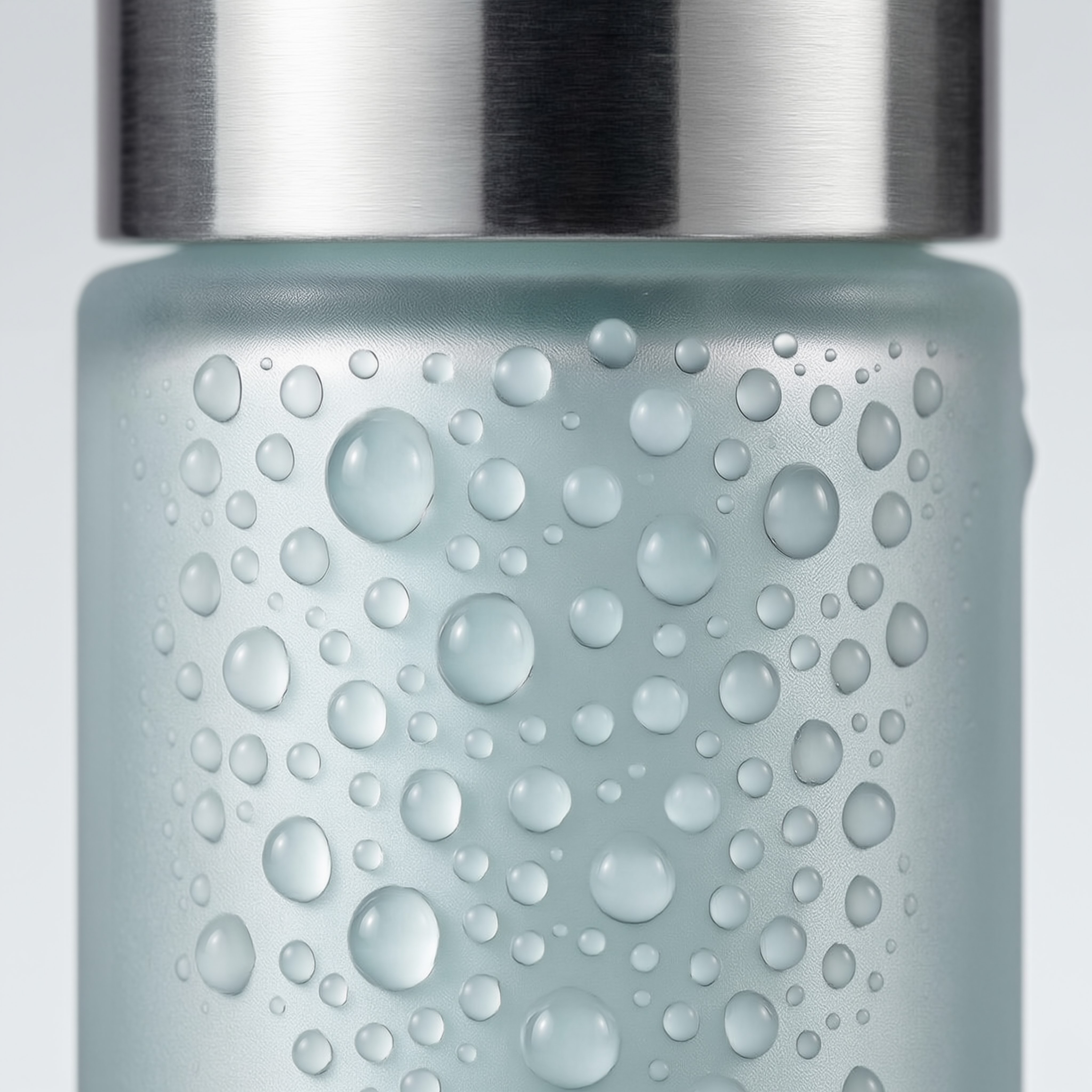
The full-resolution file is 4096×4096 (about 1.2 MB as an optimized JPEG) and holds up under marketplace zoom viewers without any upscaling.
How it compares for e-commerce workloads
All prices below are hiapi's live per-image rates at the time of writing — check the pricing page for current numbers.
| Model | 1K | 2K | 4K | Best for |
|---|---|---|---|---|
wan2.7-image/text-to-image | $0.08 | $0.08 | $0.08 | 4K-first pipelines, prompt-heavy composition |
gpt-image-2/text-to-image | $0.03 | $0.04 | $0.06 | High-volume catalogs where 1K–2K is enough |
nano-banana | $0.05 | — | — | Speed (1–2 s per image), rapid iteration |
nano-banana-pro | $0.17 | $0.17 | $0.2992 | Premium brand assets, heavy text rendering |
The decision rule we'd suggest: if your listings need 4K, Wan 2.7 is the cheapest 4K in the lineup and the flat rate makes cost forecasting trivial. If 1K–2K covers you and volume is the constraint, gpt-image-2 is the budget workhorse. If you iterate on compositions dozens of times before committing, nano-banana's 1–2 second generations keep the loop tight — then re-render the winner on Wan 2.7 at 4K.
A full product listing — hero, lifestyle, packaging, macro — costs $0.32 on Wan 2.7 and takes under five minutes of wall-clock time if you run the tasks concurrently.
Wrap-up
wan2.7-image/text-to-image gives e-commerce teams studio-grade product photography as a single async API call: flat $0.08 at any resolution up to 4K, strong adherence to compositional briefs, and reliable short-text rendering for packaging. Mind the strict aspect-ratio list, download outputs before the URL expires, and proofread any generated text.
Ready to try it on your own catalog? Grab an API key, start from the model page for Wan 2.7 Image Pro, and the async API quickstart will have your first 4K product shot rendered in about ninety seconds.




