A useful product-image workflow starts before the first generation. The team needs one fixed description of the SKU, a defined shot list, and a review rule for product details and text. Once those decisions are stable, the same prompt structure can produce catalog shots, alternate views, lifestyle images, and packaging concepts across a larger catalog.
This guide combines two HiAPI production tests. The first produced three publishable product images with recorded task IDs: a white-background packshot, an in-context lifestyle image, and a packaging mockup with readable copy. The second kept one product specification fixed while generating several camera and scene variants, then wrapped that pattern in a reusable batch script.
The examples use the canonical model ID gpt-image-2/text-to-image with POST https://api.hiapi.ai/v1/tasks. They use the standard route, so the request omits route.
Define the product spec and shot list
Write the product as a compact physical specification that can be copied without edits. Include shape, material, color, finish, and the few features that must remain visible. Do not mix camera or background directions into this block.
The multi-shot test used this fixed specification:
a matte ceramic pour-over coffee dripper in sage green with a short conical body and a small pouring spout
The shot list then supplied the changing half of each prompt:
| Shot | Purpose | Frame | Changing instruction |
|---|---|---|---|
| Packshot | Marketplace main image | 1:1 | Front three-quarter angle, pure white seamless background, soft even box lighting |
| Alternate angle | Gallery coverage | 1:1 | High side angle looking into the cone, same background and lighting |
| Detail | Material and construction | 1:1 | Close-up macro on the spout and rim texture |
| Lifestyle | Product page and social | 4:5 | Light oak counter, carafe and coffee beans, warm morning window light |
| Packaging | Label and brand concept | 3:4 | Centered kraft box, cream backdrop, exact quoted label copy |
Keeping those two layers separate makes the prompt easy to audit. Product attributes stay fixed; shot instructions can be changed without quietly changing the SKU.
Start with a verified packshot
The first retained test used a matte-white ceramic dripper on seamless white. The image, prompt, aspect ratio, and task ID below come from the same generation record.
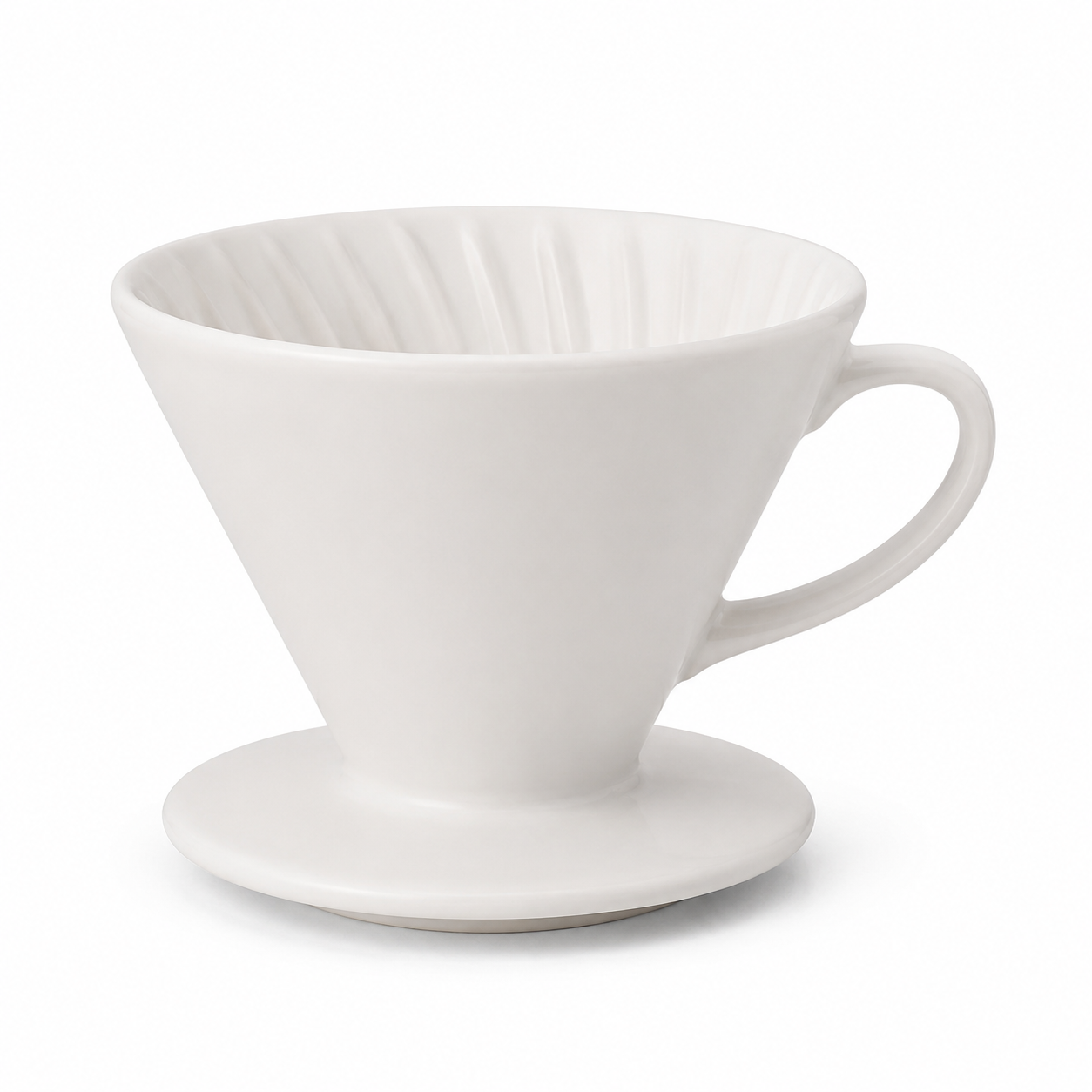
Professional e-commerce packshot of a matte-white ceramic pour-over coffee
dripper on a seamless pure-white studio background, soft even softbox lighting,
subtle contact shadow, crisp focus, centered, high detail, catalog product
photography.
Evidence: model recorded as gpt-image-2, now called with canonical ID gpt-image-2/text-to-image; aspect_ratio: 1:1; task tk-hiapi-01KVQJ250WGS0V3CDQ14N8J86C; recorded task cost $0.03 on 2026-06-22.
Three phrases carry most of the brief: "seamless pure-white studio background," "soft even softbox lighting," and "subtle contact shadow." The last phrase keeps the object grounded without adding a distracting surface.
For a catalog series, replace the product description while keeping the photographic rules stable. Check that color, shape, openings, handles, and other SKU-defining details match the source specification before approving the template.
Build angle and detail variants from the same spec
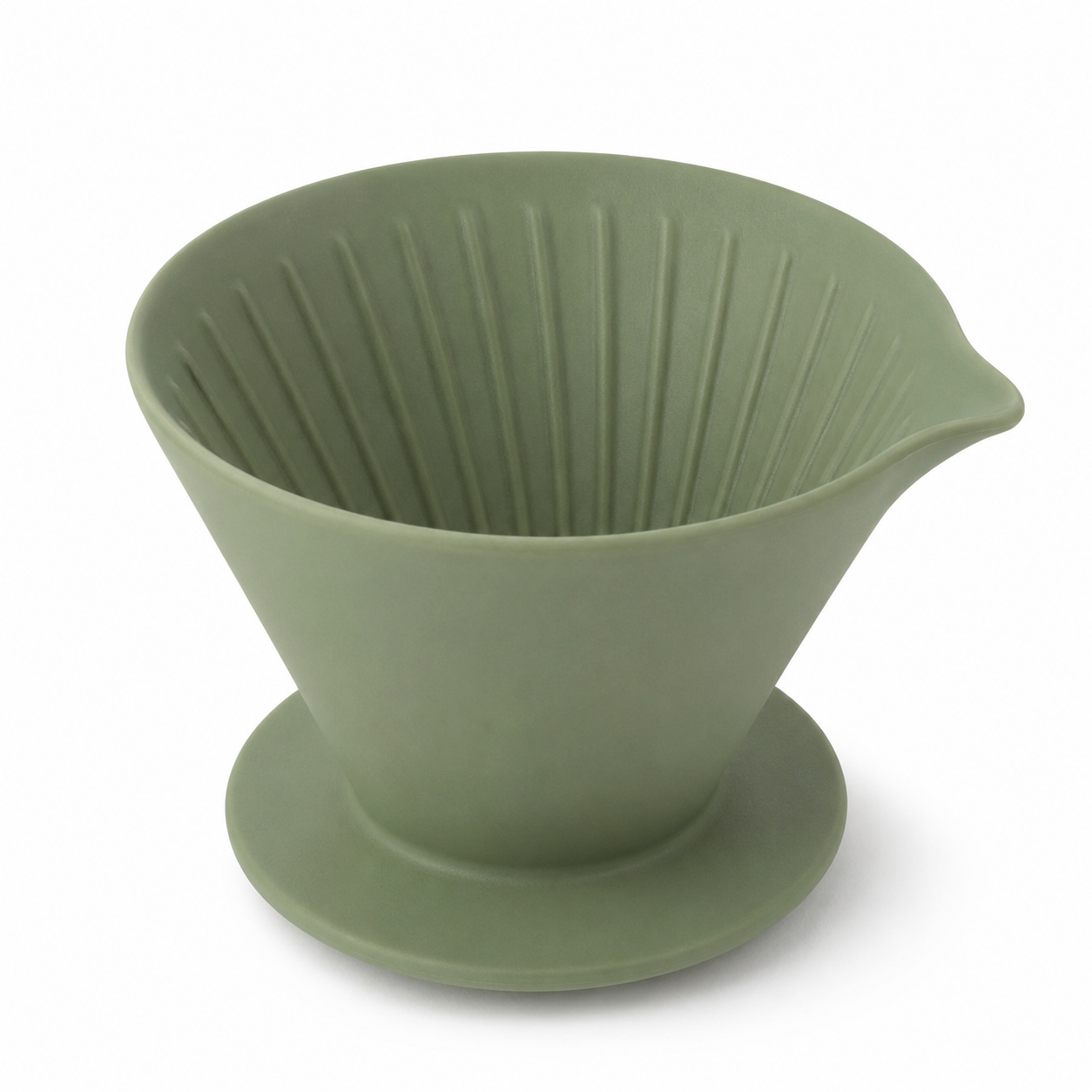
Once the main image is acceptable, keep the fixed product specification and change only the camera instruction. These two variants came from the sage-green dripper workflow:
Studio e-commerce product photo of a matte ceramic pour-over coffee dripper in
sage green with a short conical body and a small pouring spout, high side angle
looking down into the cone, pure white seamless background (#ffffff), soft even
box lighting, subtle soft shadow, sharp focus, true-to-life color, catalog
listing style, no props, no text.
Studio e-commerce product photo of a matte ceramic pour-over coffee dripper in
sage green with a short conical body and a small pouring spout, close-up crop
focused on the spout and rim texture, pure white seamless background (#ffffff),
soft even box lighting, subtle soft shadow, sharp focus, macro detail, catalog
listing style, no props, no text.
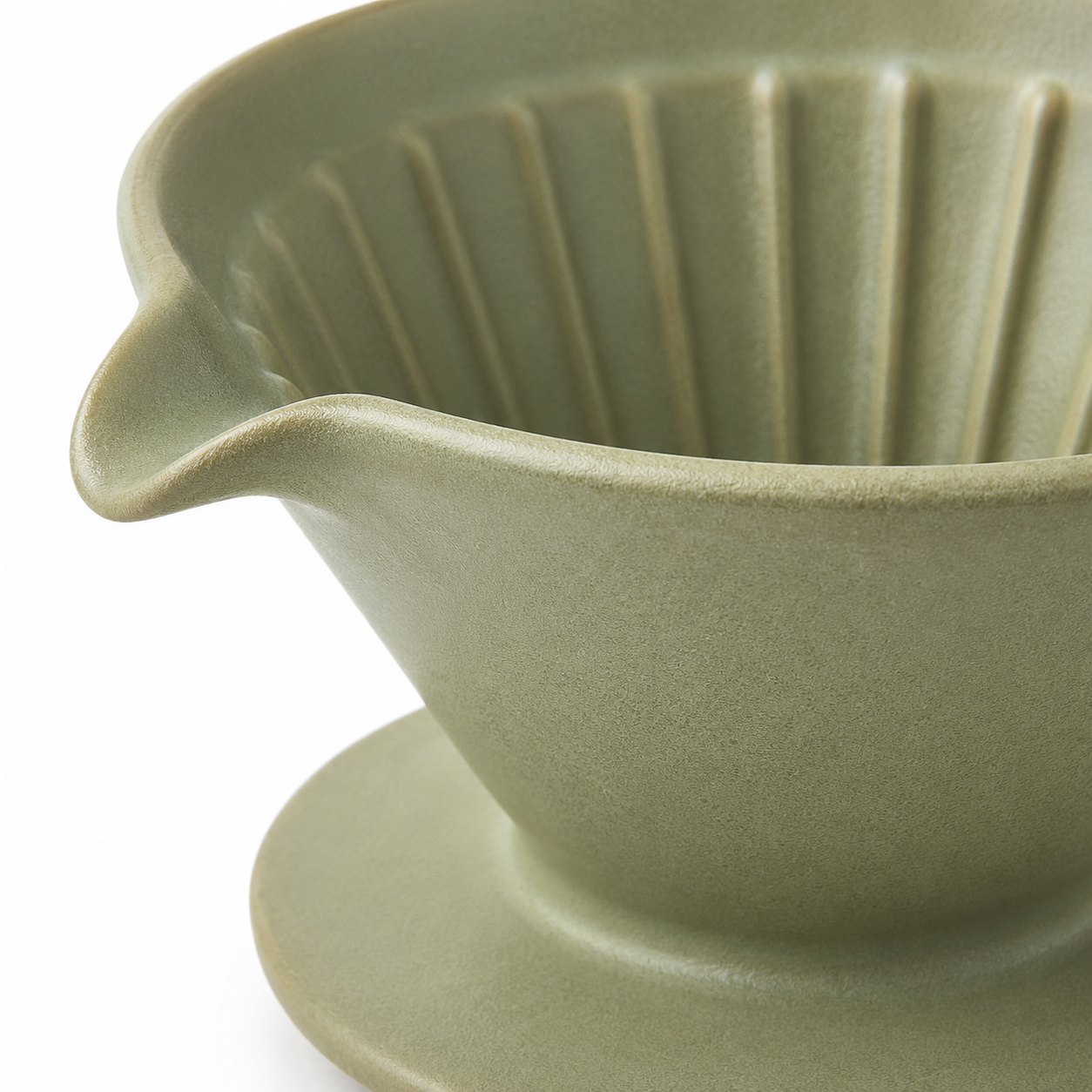
The fixed wording gives the batch a common visual target, but text-to-image generation does not guarantee exact product identity. Treat these as generated listing concepts unless your review confirms that every product-defining feature is accurate. A workflow requiring exact preservation of an existing SKU should start from approved reference imagery and use an image-editing route.
Add a lifestyle scene without losing the product
Lifestyle prompts need concrete scene directions. Name the surface, the light direction, the background objects, and the depth of field. The retained in-context test used those controls:
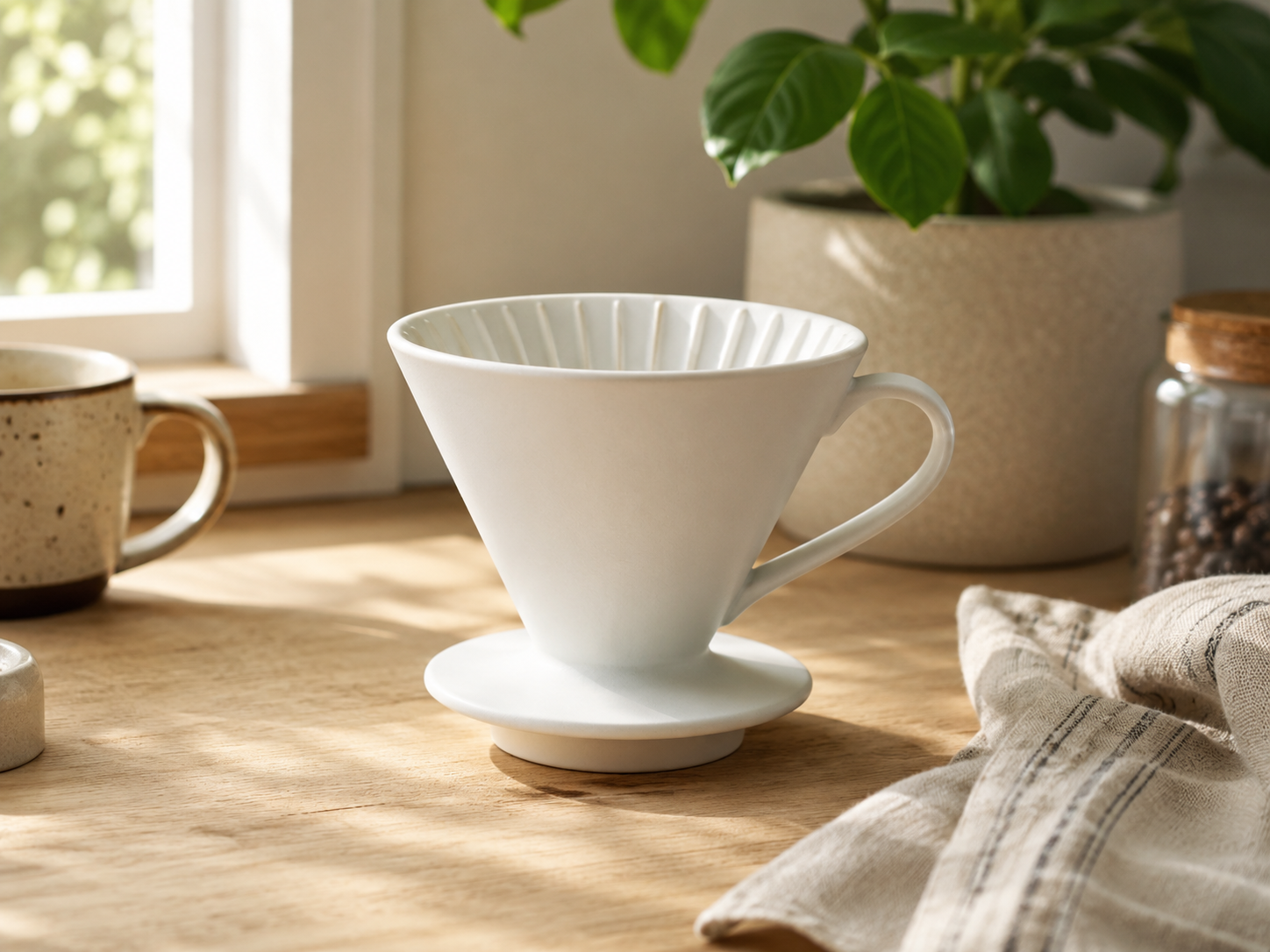
Lifestyle product photo of the same matte-white ceramic pour-over coffee dripper
sitting on a light oak kitchen counter, morning window light from the left, a
blurred plant and a linen towel in the background, warm natural tones, shallow
depth of field, premium homeware editorial look.
Evidence: model recorded as gpt-image-2, now called with canonical ID gpt-image-2/text-to-image; aspect_ratio: 4:3; task tk-hiapi-01KVQJ4GPRM5WJ0QDYS3HPKQZD; recorded task cost $0.03 on 2026-06-22.
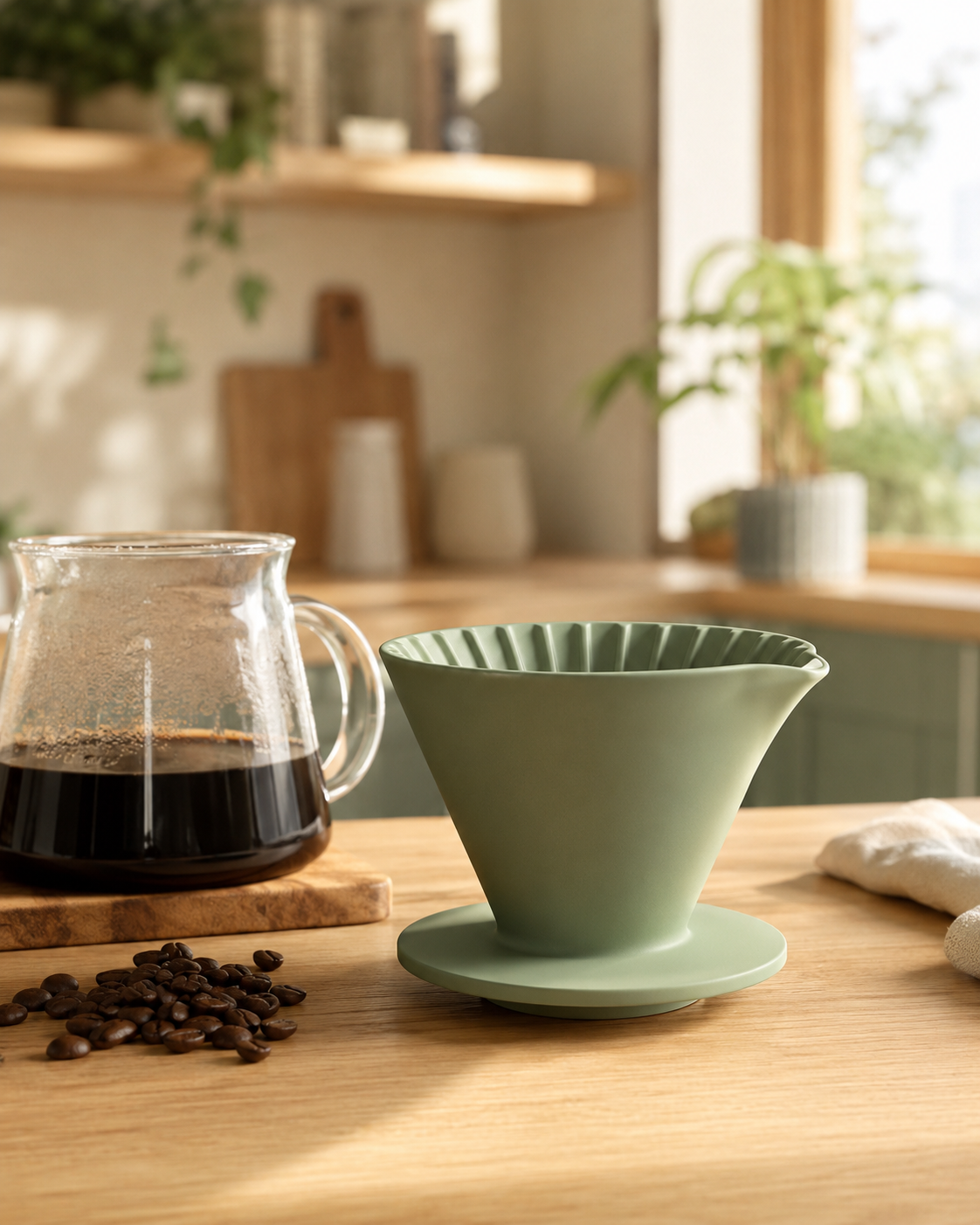
The surface and lighting make this useful as a product-page hero. The blurred plant and linen towel supply context without becoming competing subjects. For a feed-oriented version, the batch test used the same product-spec pattern with a 4:5 frame:
Lifestyle e-commerce scene of a matte ceramic pour-over coffee dripper in sage
green with a short conical body and a small pouring spout sitting on a light oak
kitchen counter beside a glass carafe and a small pile of coffee beans, warm
morning window light, shallow depth of field, cozy Scandinavian interior blurred
in the background, natural color, premium social-media product shot, no text.
Treat packaging text as a review gate
Packaging adds a second validation problem. The product must look plausible, and every required character must be correct. Put the exact copy in straight quotes and state where each line belongs.
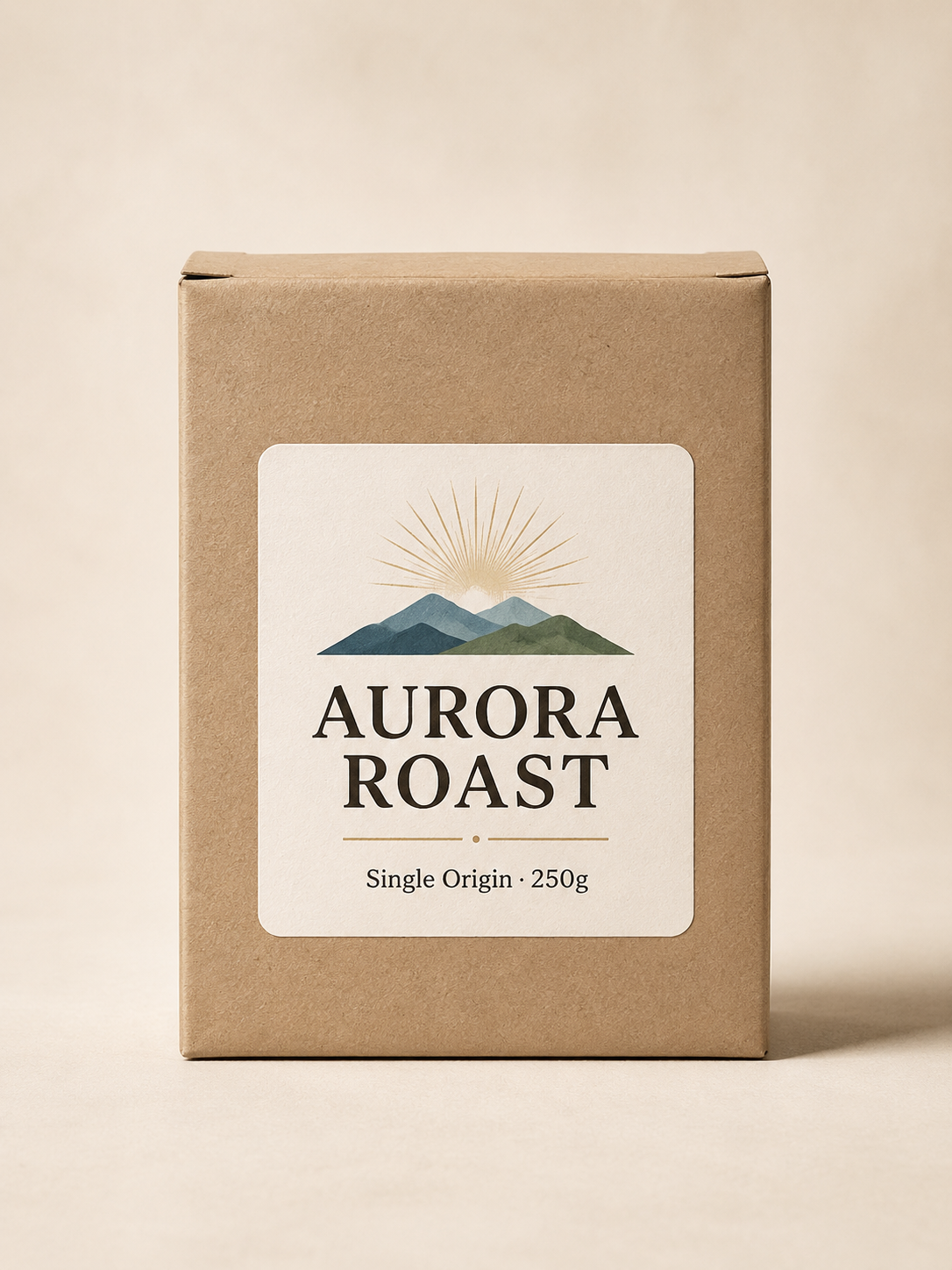
A minimalist product packaging box for specialty coffee on a cream backdrop,
soft studio light. The kraft-paper box has a clean printed label with two crisp
lines of text: a large headline reading "AURORA ROAST" and a smaller subtitle
"Single Origin · 250g". Photoreal product photography, centered, legible text.
Evidence: model recorded as gpt-image-2, now called with canonical ID gpt-image-2/text-to-image; aspect_ratio: 3:4; task tk-hiapi-01KVQJ7MJNKT9XZPF5GVWG3KNC; recorded task cost $0.03 on 2026-06-22.
Inspect the image at 100% before publishing. Check spelling, quantities, units, punctuation, and any regulated claim. Regenerate when the composition is disposable. Use a controlled design or post-production layer when the copy changes frequently or must match approved packaging exactly.
More reusable commercial layouts are collected in GPT Image 2 prompt templates.
Submit a full shot list
The batch code below keeps one product description fixed and submits four shot variants. It deliberately stops at task submission. Task polling, callback verification, retries, and expiring-output handling belong in the GPT Image 2 API documentation, so they are not repeated here.
import os
import requests

API_URL = "https://api.hiapi.ai/v1/tasks"
HEADERS = {
    "Authorization": f"Bearer {os.environ['HIAPI_TOKEN']}",
    "Content-Type": "application/json",
}

PRODUCT = (
    "a matte ceramic pour-over coffee dripper in sage green with a short "
    "conical body and a small pouring spout"
)

SHOTS = {
    "front": (
        "1:1",
        "front three-quarter angle, pure white seamless background (#ffffff), "
        "soft even box lighting, subtle contact shadow, catalog listing style, "
        "no props, no text",
    ),
    "angle": (
        "1:1",
        "high side angle looking into the cone, pure white seamless background, "
        "soft even box lighting, catalog listing style, no props, no text",
    ),
    "detail": (
        "1:1",
        "close-up macro focused on the spout and rim texture, pure white seamless "
        "background, soft even box lighting, no props, no text",
    ),
    "lifestyle": (
        "4:5",
        "on a light oak kitchen counter beside a glass carafe and coffee beans, "
        "warm morning window light, shallow depth of field, no text",
    ),
}


def submit(prompt, aspect_ratio):
    response = requests.post(
        API_URL,
        headers=HEADERS,
        json={
            "model": "gpt-image-2/text-to-image",
            "input": {
                "prompt": prompt,
                "aspect_ratio": aspect_ratio,
                "resolution": "1K",
            },
        },
        timeout=60,
    )
    response.raise_for_status()
    return response.json()["data"]["taskId"]


task_ids = {}
for name, (ratio, shot) in SHOTS.items():
    prompt = f"Studio e-commerce product photo of {PRODUCT}, {shot}."
    task_ids[name] = submit(prompt, ratio)

print(task_ids)
Submit the set concurrently if throughput matters. Store each task ID beside the SKU, shot name, prompt version, and requested ratio. That record makes failed or rejected assets traceable without embedding transient output URLs in the catalog.
Calculate the catalog before you run it
The standard route was priced at $0.03 for 1K, $0.04 for 2K, and $0.06 for 4K when checked against HiAPI's live pricing endpoint on 2026-08-31. Pricing can change, so confirm the live pricing page before a production batch.
The planning formula is simple:
catalog cost = SKU count × approved shots per SKU × current price per image
Using the dated 1K snapshot:
| Catalog | Shots per SKU | Generated images | Snapshot cost |
|---|---|---|---|
| 20 SKUs | 3 | 60 | $1.80 |
| 100 SKUs | 3 | 300 | $9.00 |
| 100 SKUs | 5 | 500 | $15.00 |
| 500 SKUs | 5 | 2,500 | $75.00 |
Add a regeneration allowance based on your own acceptance rate. The reviewed source tasks prove what those three prompts produced; they do not establish a universal first-pass approval rate.
Production checklist
Before expanding from one SKU to a catalog, verify the following on a representative product:
- The product spec names every identity-defining attribute and stays unchanged across shots.
- The packshot meets the marketplace's current image policy and background rules.
- Alternate angles do not invent or remove important product features.
- Lifestyle props and lighting support the product rather than obscure it.
- Packaging copy, quantities, and claims have passed human review.
- The batch record stores SKU, prompt version, shot name, task ID, and approval status.
- The budget uses current HiAPI pricing, not a copied historical number.
Start with one representative SKU on the GPT Image 2 model page. Approve the fixed product spec and shot list, then move the same structure into the API batch.
FAQ
Which GPT Image 2 model ID should an e-commerce workflow use?
Use gpt-image-2/text-to-image with POST /v1/tasks. The examples in this guide use the standard route, so route is omitted. Check the model documentation before changing routes because route parameters and prices differ.
Does repeating a product description guarantee an identical product?
No. It improves prompt-level consistency, but text-to-image generation can still change details. Review every SKU-defining feature. Use reference-based editing when exact preservation matters.
Which image should be generated first?
Start with the white-background packshot. It exposes product-shape and color errors quickly and gives the team a clear acceptance standard before it spends time on lifestyle or promotional compositions.
How should text on packaging be prompted?
Put every required string in straight quotes, describe its location and hierarchy, and review the finished image at full size. Use a post-production text layer when the wording is regulated, frequently updated, or required to match an existing package exactly.
Where are the full task lifecycle and callback examples?
Use the GPT Image 2 API documentation. This workflow keeps only the reusable shot-batching logic and avoids duplicating the general submit, poll, callback, and download reference.




