Generate 5–20 second FLUX 3 Max clips from a prompt at 720p or 1080p in eight aspect ratios, with optional synchronized audio. See examples, per-second pricing and POST /v1/tasks code.

Provider: Black Forest Labs

Category: video generation

Endpoint: /v1/tasks

Status: Available

Cost: See live page pricing

Back to Models

FLUX 3 Max Text to Video

by Black Forest LabsVideo

FLUX 3 Max text-to-video creates 5–20 second clips at 720p or 1080p in eight aspect ratios, with optional generated audio.

Pricing

Standard Usage

121 Credits/ s

Input

0 / 6000
5s
5s1-second steps20s

More parameters

Generation settings

Controls how thoroughly the prompt is interpreted and the shot planned; high for complex scenes, low for simple shots

Generation preferences

Generate sound that follows the picture; off returns a silent clip. The setting does not affect price

Estimated cost608 Credits121 Credits / s × 5s × 720p

Output

Ready for generation

Configure your parameters and click "Run" to see the output here.

--

Example gallery

Three shots, three jobs

Three common jobs: an atmosphere shot, a craft close-up and a studio product shot, each built from a single prompt. Together they show how much camera, light and material one paragraph of text can direct.

Text to video5s720pautosilent

A slow aerial shot over ocean waves at sunrise

The camera drifts low over the water as the swell rolls toward the light; the only motion is the sea itself. One prompt, no reference media.

Prompt

a slow aerial shot of ocean waves at sunrise, photorealistic
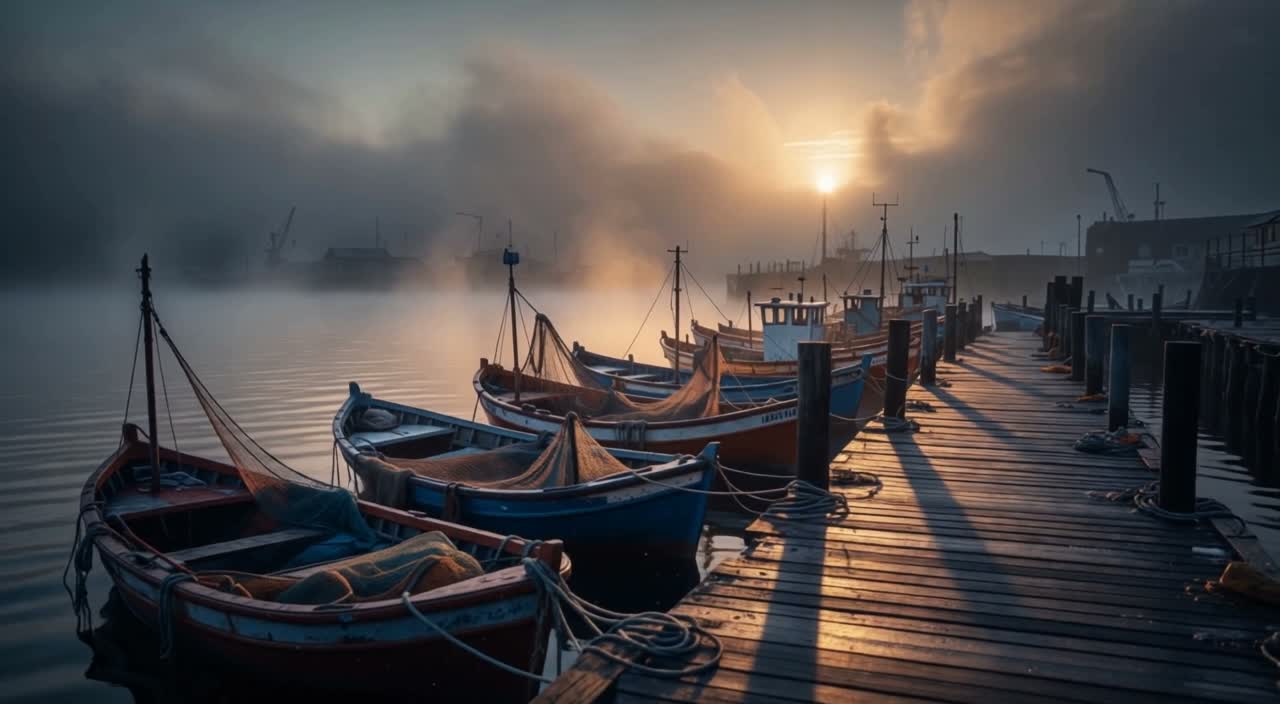
Text to video5s720pautosilent

A glassblower shapes a molten vase

Sparks arc through a dim workshop while the glassblower works the molten gather and warm light moves across the swirling glass. The prompt asks for a slow circular camera move, so the shot keeps its craft-film pacing and ends without a cut.

Prompt

A glassblower shapes a molten vase in a dim workshop; sparks arc through the air, warm light catches the swirling glass; slow circular camera move, cinematic.

Text to video5s720pautosilent

A white sneaker turns on a wet black plinth

A studio product shot built from text alone: the sneaker rotates slowly on a black plinth, softbox light runs along the upper, and water droplets catch highlights on the surface. The clean background keeps attention on the product.

Prompt

A single white sneaker rotates slowly on a wet black plinth, studio softbox lighting, water droplets on the surface, macro product shot, clean background.

Three ways to start

Choose how much control you need

The same family covers three inputs. Start with text when the scene does not exist yet, a still when the subject must stay recognizable, or keyframes when several moments need to land at exact times.

Text to video

Current page

Write the subject, action, camera and light. FLUX 3 Max builds the whole clip from words, so composition and pacing come from the prompt, not from a source image.

Prompt only

Current page

Image to video

Upload a still as the first frame, with an optional last frame, and describe only what changes. The source keeps its subject and framing while the prompt supplies motion.

First frame + optional last frame

View model

Keyframes to video

Place one to ten images on a 24fps timeline. Each image gets a unique frame number, and the model generates the motion between your anchors.

1–10 ordered keyframes

View model

What it can do

What text alone can direct

Text direction decides three things at once: what moves, how the camera behaves, and what the light does. Each of them is a control you can write into the prompt.

01

Camera direction over a moving surface

The ocean prompt asks for a slow aerial move and nothing else. The camera keeps a steady height while the swell rolls underneath, which is the behaviour you want for establishing shots, title beds and calm brand openers. Write the camera speed and direction explicitly; “cinematic” alone leaves too much to chance.

A slow aerial shot over ocean waves at sunrise · 5s · 720p

02

Warm light, sparks and moving glass

A dim workshop is a hard lighting scenario: the subject is bright, the room is dark, and sparks cross the frame. The clip keeps the warm highlight on the glass and the sparks readable without blowing out the background. Naming the light source and how it relates to the subject is what holds that contrast together.

A glassblower shapes a molten vase · 5s · 720p

03

Product macro with a clean background

The sneaker shot uses a wet plinth, softbox lighting and a macro framing. A single white product on black is unforgiving: any geometry error or flicker shows immediately. The slow rotation and stable highlight make the clip usable as a product loop, and the same prompt structure works for shoes, bottles or small devices.

A white sneaker turns on a wet black plinth · 5s · 720p

04

Eight aspect ratios from one prompt

Text to video does not depend on a source image, so the frame is yours to choose: 21:9 for widescreen openers, 16:9 for web and presentations, 9:16 for short-video feeds, plus 2:1, 4:3, 1:1 and 3:4. Render a draft at 720p, confirm the composition, then switch to 1080p when the cut is locked.

A slow aerial shot over ocean waves at sunrise · 5s · 720p

05

Optional generated audio

generate_audio creates sound alongside the picture. Turn it on for a self-contained clip; leave it off when music, narration or sound design will be added in post, which also makes the picture easier to judge on its own. The switch does not change the per-second price.

A glassblower shapes a molten vase · 5s · 720p

How it works

From a sentence to a finished clip

The workflow is deliberately short: write, render, review. Keep a draft cheap, compare it with the prompt, then spend the extra seconds only on the version that earns them.

01

1. Write the shot in time order

Lead with the subject and setting, then the main action, the camera move and the light. One clear action per clip reads better than a list of events. If the camera should stay still, say so; if it should orbit or push in, name the direction and speed.

02

2. Choose duration, resolution and frame

Start at 5 seconds and 720p. Confirm the motion and composition, then extend toward 20 seconds or raise to 1080p. Pick the aspect ratio from where the video will run, not from habit: 9:16 for feeds, 16:9 for sites, 21:9 for widescreen.

03

3. Submit and collect the result

Send the request to POST /v1/tasks and keep the taskId. Use callback.url for production jobs or poll GET /v1/tasks/:id while testing. Failed tasks are not charged, so a rejected request costs time rather than credits.

Prompt guide

Six habits that make text-to-video more predictable

These are writing habits, not secret keywords. They reduce ambiguity and make it easier to tell whether a disappointing result came from the prompt or from the settings.

01

Name one subject and one action

A five-second clip has room for one clear beat. “A glassblower turns a molten vase” is easier to render than three events competing for the same seconds.

02

Describe the camera like a crew call

Say slow push-in, low orbit, crane up or locked-off. Direction plus speed gives the model a path; an adjective such as “cinematic” gives it a mood but no path.

03

Separate subject light from room light

The glassblower prompt works because the subject is warm and bright while the workshop stays dim. State both when contrast matters, instead of asking for “good lighting”.

04

Put product details before style

For the sneaker shot, the plinth, rotation, softbox and droplets do more work than a long list of style words. Describe what the camera must see first, then add finish.

05

Choose the frame before you render

A 9:16 composition is not a cropped 16:9 shot. Decide the ratio first so the prompt can place the subject where the final frame needs it.

06

Keep the prompt under 6,000 characters

Longer is not better. If a draft misses, change one variable at a time — action, camera, light or duration — so the next run tells you something.

Pricing and limits

Pay for the seconds you render

Billing is per output second, with the rate set by resolution. A 5-second 720p draft costs under one seventh of a 20-second 1080p final, which is why the workflow starts small.

Compare modes

Text, image or keyframes

The three modes share duration, resolution and billing. The real decision is how much of the picture must be fixed before generation starts.

ModeText to videoCurrent pageImage to videoKeyframes to video
InputPrompt onlyPrompt + first frame (+ optional last)Prompt + 1–10 keyframes
Duration5–20 seconds5–20 seconds5–20 seconds
Resolution720p or 1080p720p or 1080p720p or 1080p
Aspect ratioauto · 21:9 · 2:1 · 16:9 · 4:3 · 1:1 · 3:4 · 9:16auto follows the first frame; manual values availableauto · 21:9 · 2:1 · 16:9 · 4:3 · 1:1 · 3:4 · 9:16
Frame controlText direction onlyOpening frame, optional endingUp to 10 anchors on a 24fps timeline
BillingPer second by resolutionPer second by resolutionPer second by resolution

Per-second pricing

Resolution tierper secondPrice per second × duration in seconds
720p121 Credits / secondrate × duration (5–20s)
1080p207 Credits / secondrate × duration (5–20s)

Prices come from live pricing; after a promotion ends the backend rate applies.

Limits and notes

Duration
5–20 seconds, one-second steps
Resolution
720p or 1080p
Prompt
Up to 6,000 characters
Audio
Optional generated audio; does not change price
Task flow
Async POST /v1/tasks, callback or polling
Model IDs
flux-3-max/text-to-video

Use cases

Where text-to-video earns its place

Use it when the shot does not exist yet and building it with a camera would cost more than describing it. Atmosphere beds, product motion and pitch material are where it pays off first.

Product and fashion ads

Describe a clean plinth, controlled studio light and a slow rotation. Text-only generation is enough for a concept cut or a paid social variant before the real shoot, and it lets a team compare two lighting directions before booking a studio.

Social and vertical video

Social teams can pick 9:16 and write for the first two seconds. One strong action and a clear camera move survive the scroll better than a complicated story, and a centered subject leaves room for platform UI.

B-roll and atmosphere

Waves, smoke, sparks, rain and light are efficient subjects. Generate several short beds and cut them into a longer edit with music and narration; because each clip is short, several variants can be compared in one session.

Storyboards and pitches

Render a 5-second 720p version of each shot while the treatment is still moving. It is faster to react to a moving frame than to a paragraph in a deck, and each clip can carry its prompt so the team can trace a decision.

Brand and title openers

21:9 with a slow camera move gives a widescreen plate that leaves room for titles. Generate the plate clean, keep the center quiet if a logo will sit there, then add typography and sound in the edit.

Concept and lighting tests

Test a lighting direction, palette or material response before committing a crew. Change one prompt variable at a time, and save the prompt and settings for the successful version so the result can be repeated later.

FAQ

FLUX 3 Max questions, answered

Inputs, parameters, billing and integration. The API docs cover the complete field contract if something here is missing.

Which lengths does FLUX 3 Max Text to Video support?

duration accepts any whole number of seconds from 5 to 20 in one-second steps, 5 by default. Longer clips cost more because billing is per second, and a 20-second render uses four times the seconds of a 5-second draft.

How do I choose resolution and aspect ratio?

resolution is 720p or 1080p, 720p by default. aspect_ratio defaults to auto and can also be set to 21:9, 2:1, 16:9, 4:3, 1:1, 3:4 or 9:16.

Does the video have sound?

generate_audio is on by default and adds sound that follows the picture. Turn it off for a silent clip, and use the switch per request instead of baking sound assumptions into the prompt. The setting does not change the price.

What is reasoning_level?

It controls how thoroughly the model interprets the prompt and plans the shot. Choose low or high; high is the default. Use high for complex scenes and low for simple shots.

How should I write a prompt?

Lead with the subject and setting, then describe action, camera direction and speed in time order, and finish with light and mood. Keep one main action per clip and say no cuts for a continuous shot.

Is text inside the picture reliable?

No. The model may invent lettering and cannot guarantee spelling, so add signs, slogans and captions in post and never rely on it for a brand name or legal copy.

Does it work for vertical short video?

Yes. Pick 9:16 in the request instead of cropping a landscape clip. 1:1 and 3:4 suit feeds, and 21:9 suits openers and widescreen content. Keep the subject centered so platform UI does not cover it.

How is FLUX 3 Max Text to Video billed?

Per second of output, with the rate set by resolution, so the total is the per-second rate times the duration. Failed tasks are not charged, and a 5-second draft is the cheapest way to compare two prompts.

How do I call it through the API?

Send an asynchronous task to POST /v1/tasks with model set to flux-3-max/text-to-video and prompt in input, adding duration, resolution, aspect_ratio, generate_audio and reasoning_level as needed. The call returns a taskId; receive results through callback.url or poll GET /v1/tasks/:id.

How is it different from image to video?

Text to video starts from words alone, so the prompt decides framing and composition. When you already have the opening frame, use flux-3-max/image-to-video instead. Both share the same duration range and per-second rate.

API quickstart

Call FLUX 3 Max text to video

Send the ocean prompt to POST /v1/tasks, keep the taskId, then collect the video by polling or a callback. The same key also runs image-to-video and keyframes-to-video.

curl -X POST "https://api.hiapi.ai/v1/tasks" \
  -H "Authorization: Bearer YOUR_API_KEY" \
  -H "Content-Type: application/json" \
  -d '{
  "model": "flux-3-max/text-to-video",
  "input": {
    "prompt": "a slow aerial shot of ocean waves at sunrise, photorealistic",
    "duration": 5,
    "resolution": "720p",
    "generate_audio": false,
    "reasoning_level": "low"
  }
}'
The create request returns a taskId; retrieve the result asynchronously.Open full API docs

One key, three modes

Text, image and keyframes all run through the same HiAPI key and the same asynchronous task endpoint. Switch modes by changing the model ID, not the integration.

Async by design

POST /v1/tasks returns a taskId immediately. Receive the result through callback.url or poll GET /v1/tasks/:id, then download the video from the output URL.

Same settings in Playground and API

The Playground exposes the same prompt, duration, resolution, aspect ratio, audio and reasoning controls as the API, so a request you tune there can move into production unchanged.

Related models

If FLUX 3 Max is not the right fit, these models cover longer clips, stronger reference control, style presets or mixed media input.

Try FLUX 3 Max with the ocean prompt

Start in the Playground at 5 seconds and 720p, then raise the resolution or duration once the camera move is right.

Try in Playground
Need to compare models and billing tiers?View live pricing for all models