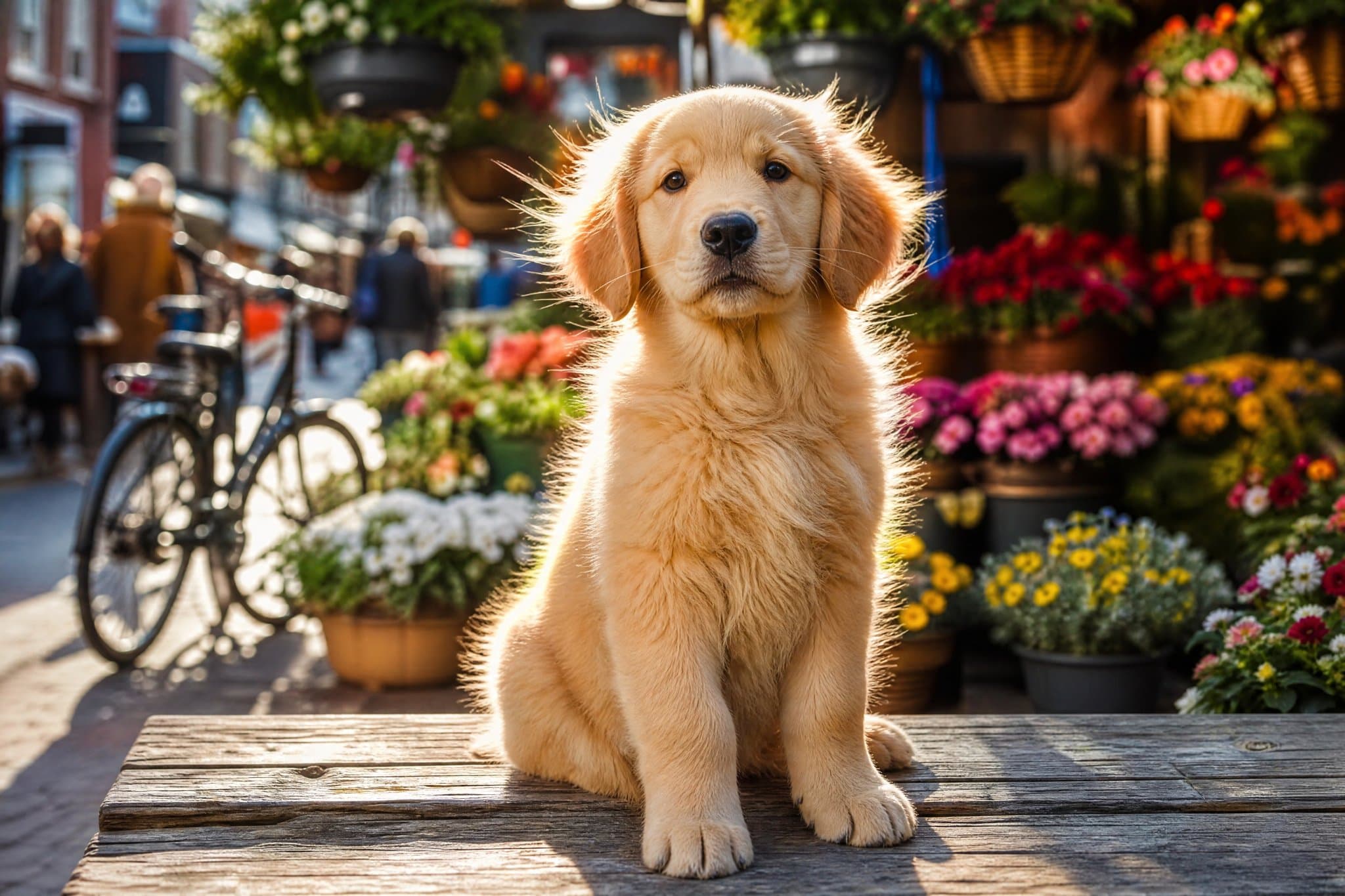
1 source image / 2048 × 1365
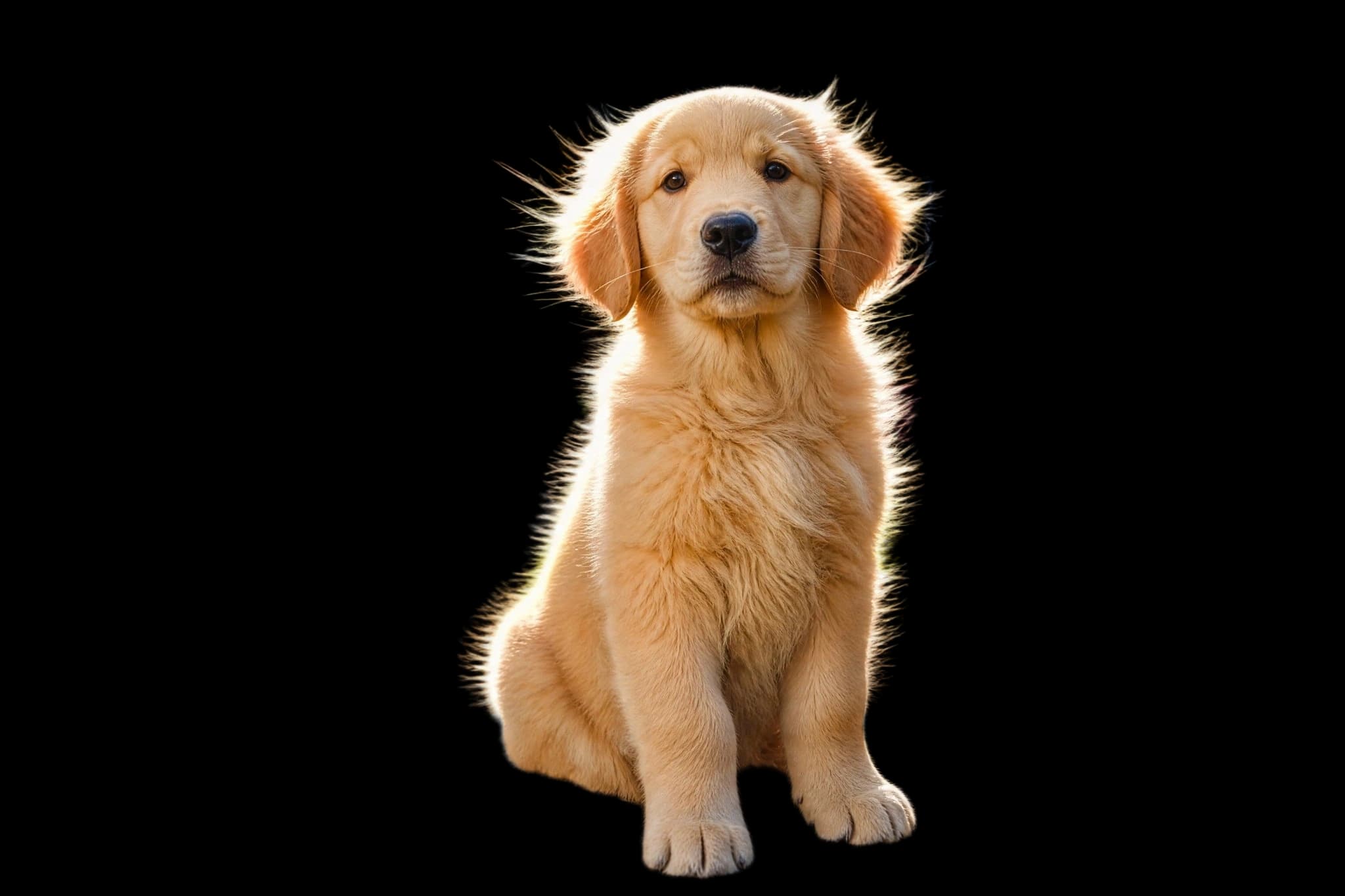
Backlit fur, cut clean from a busy market
Every flyaway strand of backlit fur survives the cutout while the flower stalls, bicycle, and pedestrians disappear into full transparency.
Remove backgrounds with the Recraft API: one image URL in, transparent PNG out with hair and fur-level edges preserved. See a cutout example, flat per-image pricing, and quickstart code.
Provider: Recraft
Category: image generation
Endpoint: /v1/tasks
Status: Available
Cost: See live page pricing
Remove backgrounds with the Recraft API: one image URL in, transparent PNG out with hair and fur-level edges preserved. See a cutout example, flat per-image pricing, and quickstart code.
Pricing
Standard Usage
Ready for generation
Configure your parameters and click "Run" to see the output here.
Each case pairs the input with the complete output — no prompt involved, with zoom for edge detail.
1 source image / 2048 × 1365
Every flyaway strand of backlit fur survives the cutout while the flower stalls, bicycle, and pedestrians disappear into full transparency.
Choose an adjacent model by task, output tier, and reference-image needs.
Prompt-driven single-image editing
Use it when the edit needs an instruction — recolor, restyle, or relight the same photo.

Multi-reference composition
Compose with up to eight references after cutting your subject out.
Campaign-grade editing
Drop the transparent cutout into final campaign scenes with preservation controls.
Remove backgrounds with the Recraft API: one image URL in, transparent PNG out with hair and fur-level edges preserved. See a cutout example, flat per-image pricing, and quickstart code.
The Playground and API use the same model ID: recraft/remove-background. It takes a single image URL with no prompt and returns a transparent-background PNG — built for automated batch pipelines.
Choose inputs and output settings for your creative goal with Recraft Remove Background.
This endpoint takes one image with no additional generation controls. Consult live pricing and the task record for the charge.
One image in, transparent PNG out — no prompt, three steps to integrate.
Choose one JPG, PNG or WebP image. For API requests, provide a directly accessible image URL.
Input
Original image
Output
Transparent PNG
Upload one image and run — the cutout returns as a transparent-background PNG at the input resolution.
Check the edges in Playground, copy the result to your storage, then create asynchronous tasks with the same model ID.
Copy a minimal request below. See Docs for parameters, callbacks, task retrieval, and errors.
POST /v1/tasksrecraft/remove-backgroundcurl -X POST "https://api.hiapi.ai/v1/tasks" \
-H "Authorization: Bearer YOUR_API_KEY" \
-H "Content-Type: application/json" \
-d '{
"model": "recraft/remove-background",
"input": {
"image_url": "https://static.hiapi.ai/model-covers/recraft-remove-background/2026/09/01/golden-input-2048.jpg"
}
}'The create request immediately returns a taskId; image generation continues asynchronously.
No. The model takes a single image URL (input.image_url) with no text parameters, which makes it easy to wire into batch pipelines.
PNG, JPG, or WebP up to 5MB, 256-4096 px per side, and up to 16 megapixels. Requests beyond these limits fail, so validate before submitting.
Always a transparent-background PNG (RGBA) with the subject at the input resolution, ready to composite onto any backdrop.
Yes. Fine hair, fur, and semi-transparent edges are the model's strength — the example on this page is an API output.
Submit model plus input.image_url with a publicly accessible https URL.
HiAPI Blog