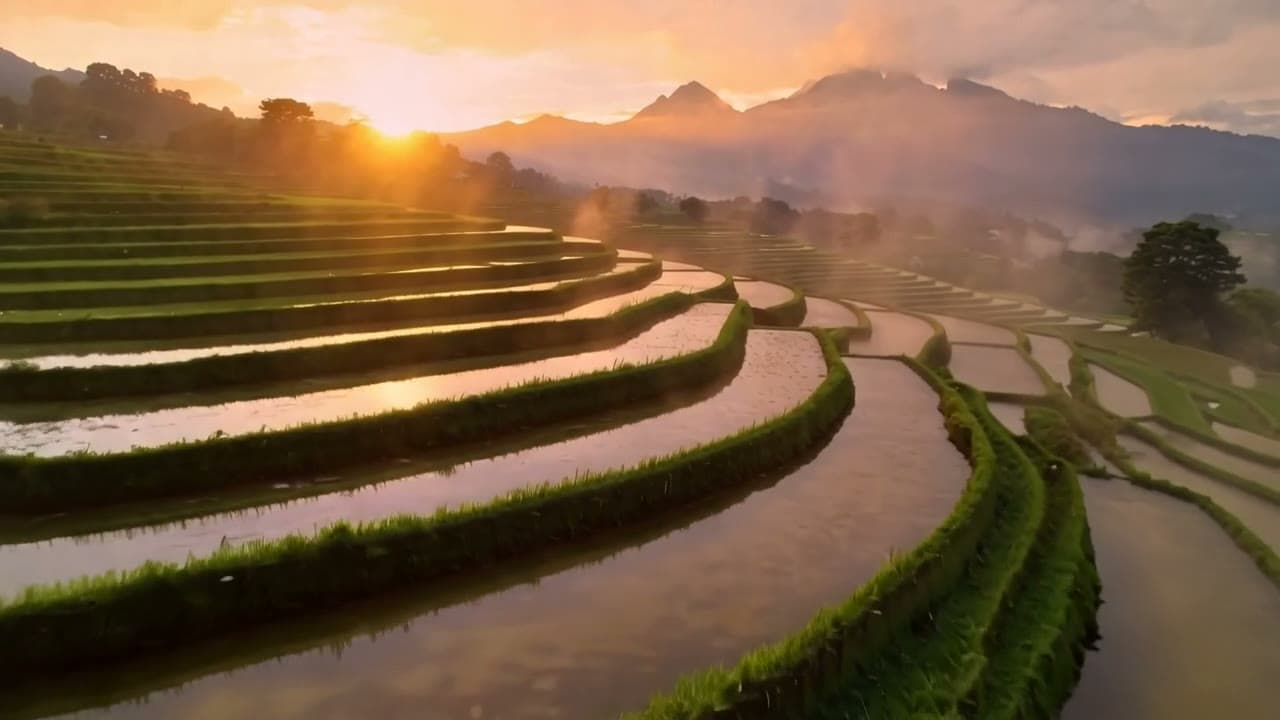
Animate a first frame into 720p video with multiple aspect ratios and 5, 8 or 10 second durations, billed per second.

Provider: Runway

Category: video generation

Endpoint: /v1/tasks

Status: Available

Cost: See live page pricing

Back to Models

Runway Gen-4.5 Image-to-Video

by RunwayVideo

Animate a first frame into 720p video with multiple aspect ratios and 5, 8 or 10 second durations, billed per second.

Pricing

Standard Usage

343 Credits/ s

Input

0 / 1000
5s
5sOptions: 5 / 8 / 10s10s
Estimated cost1,715 Credits343 Credits / s × 5s
Upload first frame to run

Output

Ready for generation

Configure your parameters and click "Run" to see the output here.

--

Animate an image in landscape or portrait

Compare each first frame with its video to see a landscape tracking shot and an 8-second portrait pan, then choose a ratio and duration for your platform.

Landscape · tracking5s720p16:9

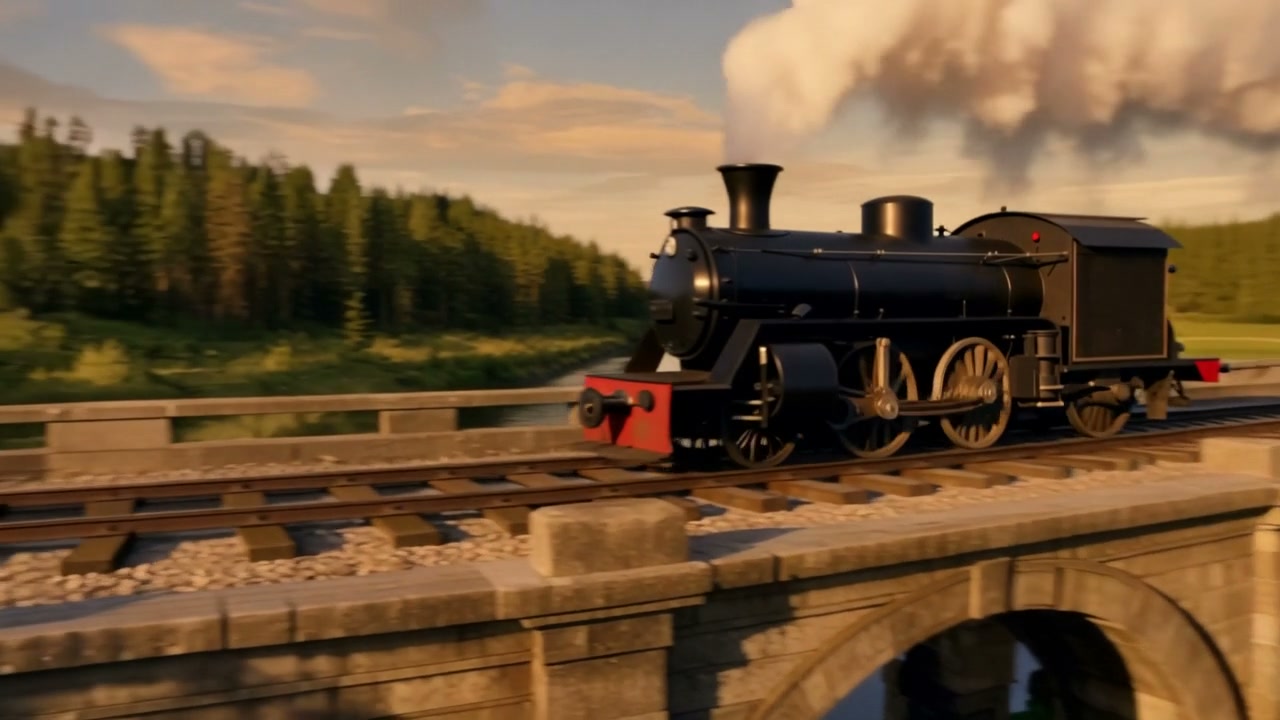
Steam locomotive on the bridge

The first frame supplies the bridge and locomotive; the prompt adds turning wheels, trailing steam and a smooth golden-hour tracking shot.

Prompt

The steam locomotive thunders forward across the stone bridge, white steam streaming back from the chimney, wheels turning, the camera tracks smoothly alongside in warm golden hour light

First frame1280×720
Generated video5s · 720p · 16:9
Portrait · 8 seconds8s720p9:16

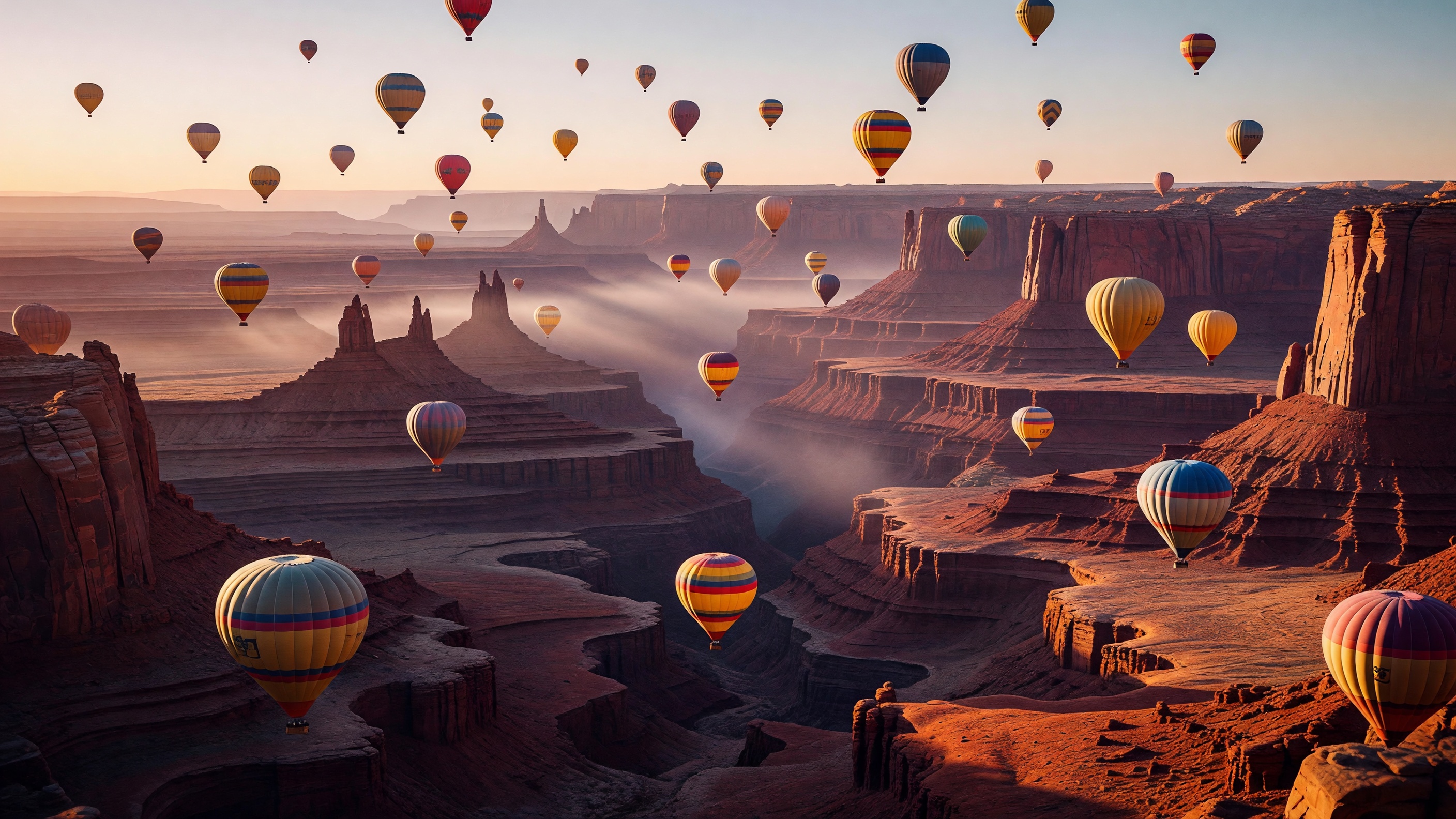
Canyon balloons

Balloons drift upward over the canyon as the camera pans slowly, with portrait framing showing the canyon’s depth.

Prompt

the balloons drift upward as the camera slowly pans

First frame2816×1584
Generated video8s · 720p · 9:16

Input previews are center-cropped to the video shape. Open “Original” to see the full images.

Choosing between related video models

Choose by input method, duration and aspect ratio:

Model specifications

Input
1 first frame + prompt
Duration
5s8s10s
Resolution
Fixed 720p
Aspect ratio
16:99:164:33:41:1
Image requirements
jpeg / png / webp, ≤10MB
Prompt length
Up to 1000 characters
Model ID
runway-gen-4.5/image-to-video
API protocol
POST /v1/tasksAsync

Current price: View live pricing

How to use Runway Gen-4.5 Image-to-Video

First frame
1 image
01

Prepare the first frame and pick a ratio

Keep the subject centered and choose a ratio for your publishing platform.

Subject motion
Camera
Ratio and length
02

Describe the motion and choose a length

Describe the subject action and camera move, check the pacing of a 5-second clip, then choose whether to extend it to 8 or 10 seconds.

Playground
POST /v1/tasks
03

Try the Playground, then use the API

Check the result in the Playground, then use the request below in your app.

API quickstart

curl --request POST 'https://api.hiapi.ai/v1/tasks' \
  --header 'Authorization: Bearer YOUR_API_KEY' \
  --header 'Content-Type: application/json' \
  --data '{
  "model": "runway-gen-4.5/image-to-video",
  "input": {
    "prompt": "The steam locomotive thunders forward across the stone bridge, white steam streaming back from the chimney, wheels turning, the camera tracks smoothly alongside in warm golden hour light",
    "image_urls": [
      "https://static.hiapi.ai/gallery/2026/10/a30ab8d666073757.jpg"
    ],
    "duration": 5,
    "aspect_ratio": "16:9"
  }
}'
The create request returns a taskId; retrieve the result asynchronously.Open full API docs

RUNWAY GEN-4.5 / IMAGE-TO-VIDEO

Runway Gen-4.5 Image-to-Video, for putting a still photo in motion

Runway Gen-4.5 Image-to-Video is Runway's image-to-video model. The image you upload becomes the first frame; describe what moves and how the camera travels to get a 5-, 8- or 10-second clip at 720p. Five aspect ratios let one picture serve landscape, portrait and square placements.

One first frame5 / 8 / 10 secondsFive aspect ratios
Explore the model ↓
Steam locomotive on the bridge · original first frame; the clip plays in the examples above

First frame · ratio · length

About Runway Gen-4.5 Image-to-Video

Each request uses one first frame and no last frame: jpeg, png or webp up to 10MB, with SVG not supported. The image already fixes the subject, palette and composition, so the prompt, up to 1,000 characters, only needs motion and camera. There is no need to describe the mountains or the person already in the picture.

Choose 16:9, 9:16, 4:3, 3:4 or 1:1; when the ratio doesn't match the image, the first frame is center-cropped. 5, 8 and 10 seconds are available in every ratio, and everything renders at 720p. Clips are silent, leaving sound to the edit.

First-frame motion and framing in Runway Gen-4.5

Each clip starts from one first frame and a single line about motion: a landscape photo, a 3:4 portrait, and the canyon balloons from the examples above reframed as portrait. Each lists the first frame, the prompt and what visibly changes.

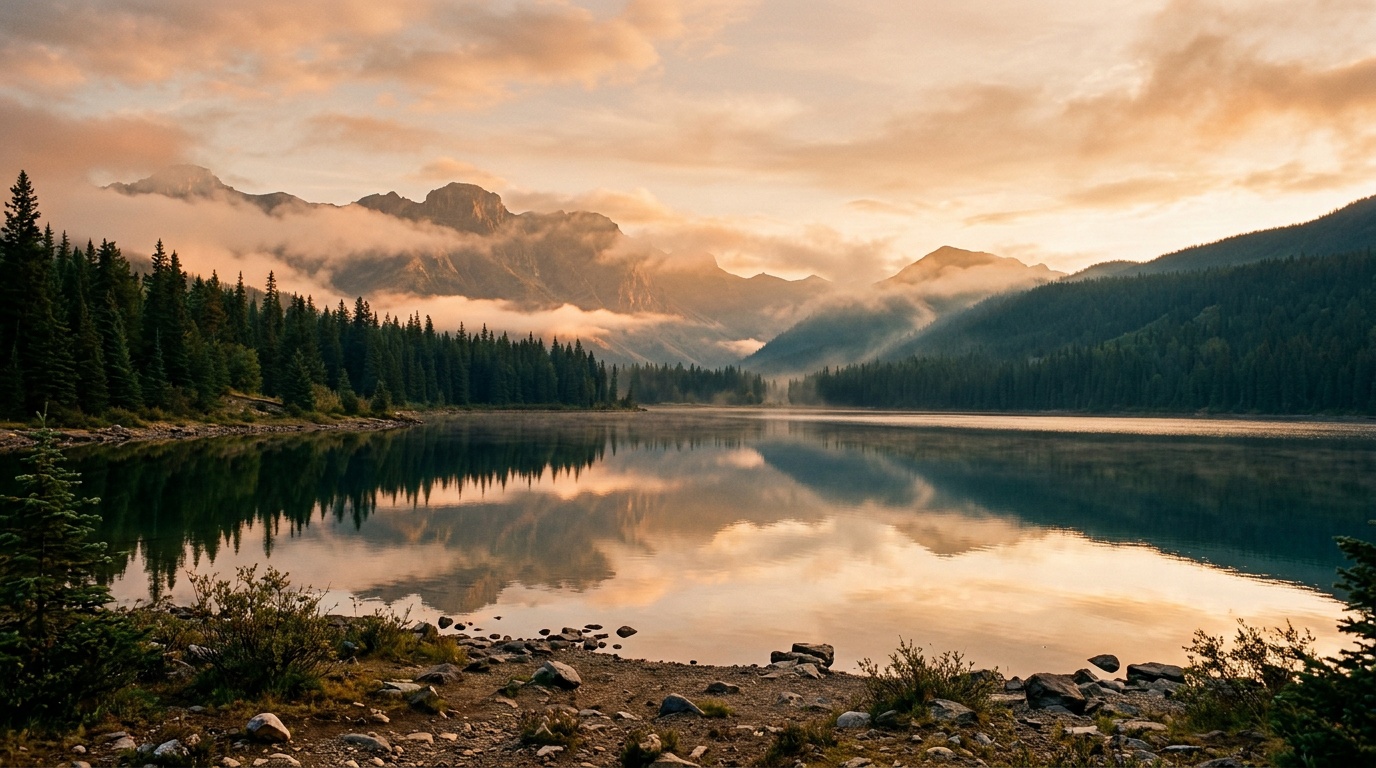
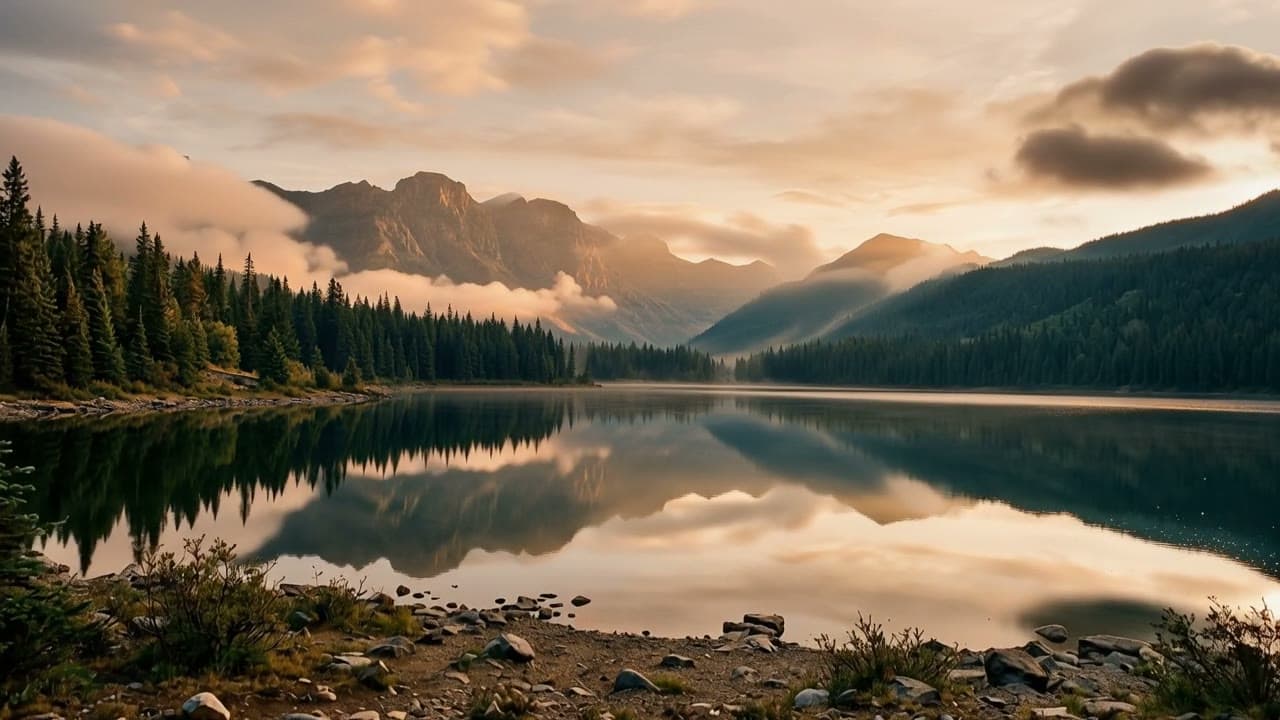
Mountain lake: the camera moves past the shore as cloud and light shift

The first frame is a mountain lake under warm light, a stony shore in front and peaks and cloud mirrored in the water. Over ten seconds the camera glides forward and the shoreline slips out of the bottom of the frame, leaving water and reflection. Dark cloud drifts in from the upper right and thickens; late on, sunlight breaks across the right-hand slope, then the scene dims again.

The prompt mentions only drifting cloud, light moving on the lake and a gentle forward move, nothing about the mountains or water already there, and the original palette and composition hold. The first frame is already close to 16:9, so almost nothing is cropped. Ten seconds gives slow changes like these room, good for website backgrounds or travel B-roll.

16:9 · 1280×720 · 10 s · one first frame

View prompt

The scene slowly comes alive: clouds drift, light shifts across the mountain lake, gentle forward camera move

Mountain lake: the camera moves past the shore as cloud and light shift · first frame
First frame
Runway Gen-4.5 · mountain lake clip

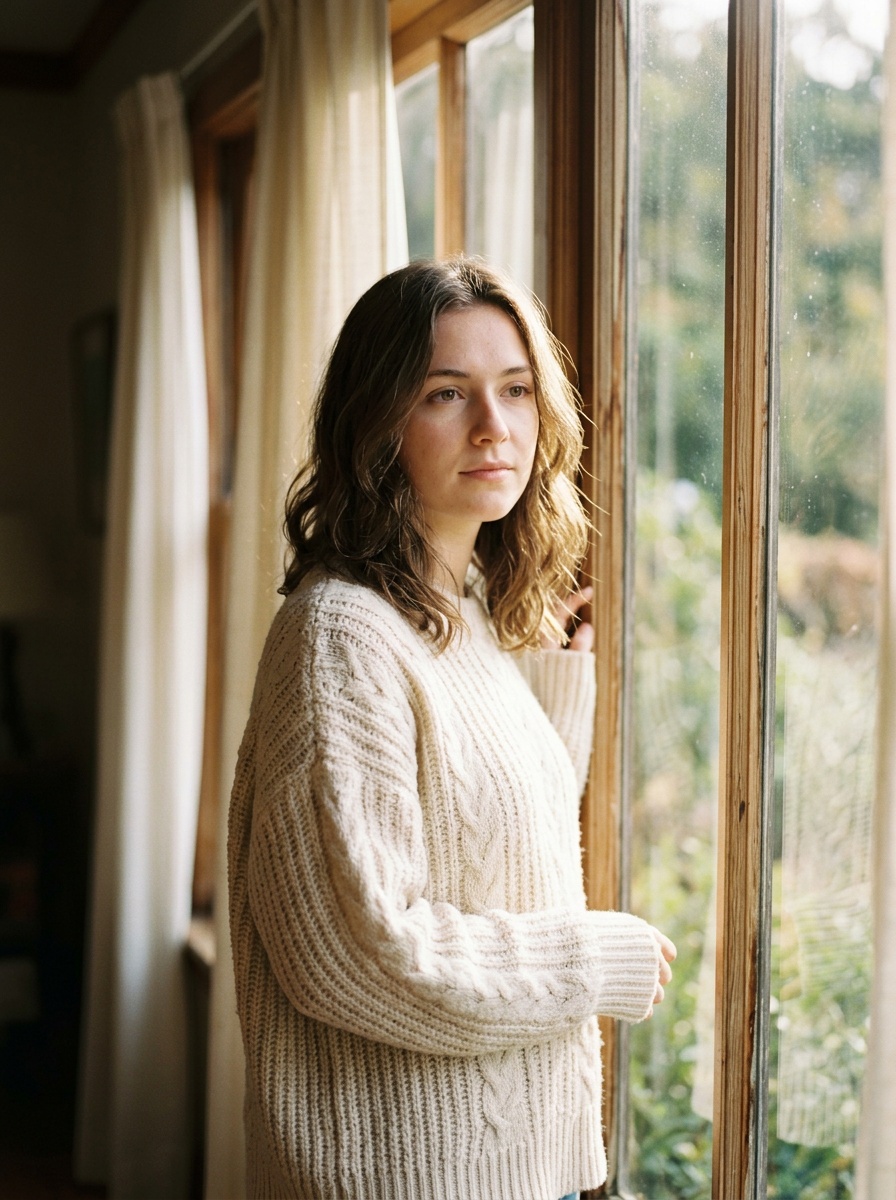
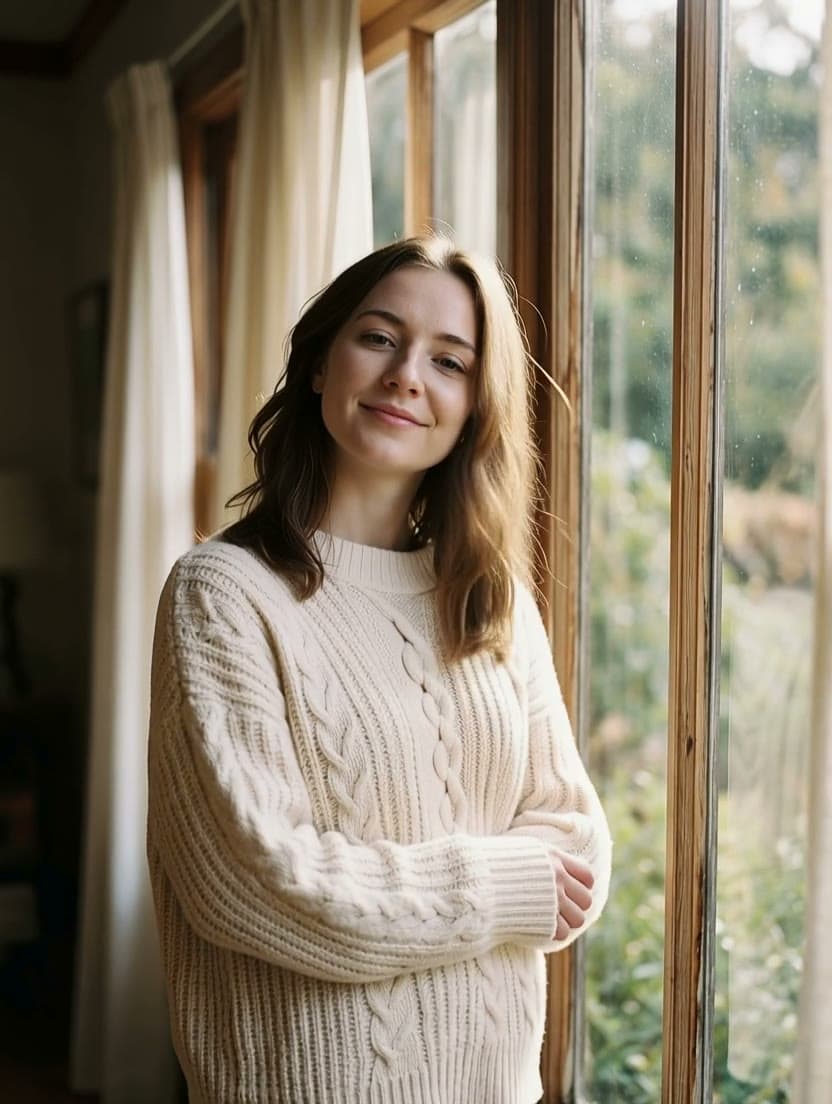
A 3:4 portrait by the window: a turn, a smile and a push-in to close-up

The first frame shows a woman in a cream sweater by a window, turned toward the glass with one hand on the frame. In the clip she turns to the camera and breaks into a smile as a breeze lifts her hair, while the camera pushes in from half-length to a close-up of her face.

In the last half second or so she vanishes from the frame, leaving only soft-focus curtains and window frame, so trim the ending before you use it. The first frame is a 3:4 portrait, so choosing 3:4 means no crop. Two actions for the person and one camera move keep the expression natural.

3:4 · 832×1104 · 5 s · one first frame

View prompt

She turns her head toward the camera and smiles, hair moves in a light breeze, slow push-in

A 3:4 portrait by the window: a turn, a smile and a push-in to close-up · first frame
First frame
Runway Gen-4.5 · window portrait clip

A 16:9 canyon photo reframed as 9:16, with a slow eight-second pan

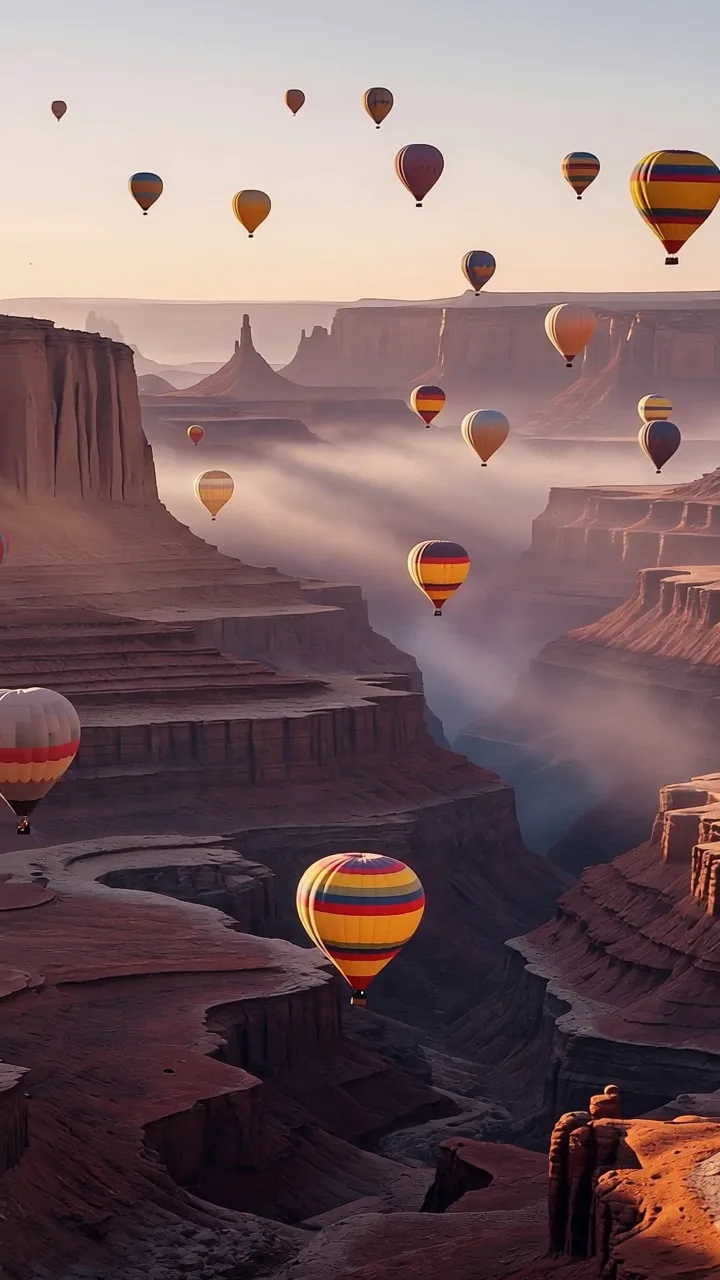
The first frame is a 16:9 canyon panorama with dozens of hot-air balloons spread over the sky and the gorge. With 9:16 selected, the clip keeps the middle strip: the misty gorge, a flat-topped mesa on the right and one striped balloon. The rock spires and far balloons at either side are cropped away.

The prompt is just “the balloons drift upward as the camera slowly pans.” Over eight seconds the balloons lift slightly and the camera pans right, carrying the mesa across into the left half of the frame. Eight seconds is the one length Runway has that Kling 2.5 Turbo doesn't, and it suits a slow reveal like this.

9:16 · 720×1280 · 8 s · one first frame

View prompt

the balloons drift upward as the camera slowly pans

A 16:9 canyon photo reframed as 9:16, with a slow eight-second pan · original first frame
16:9 first frame · the bright strip is what the clip keeps
A 16:9 canyon photo reframed as 9:16, with a slow eight-second pan · frame from the video
9:16 frame from the clip

Watch the clip: “Canyon balloons” in the examples above ↑

Runway Gen-4.5 image-to-video: what it is good for

Product images that move

The first frame locks in how the product looks; one slow push-in or shift of light in the prompt makes it usable on product pages and in feeds.

Portraits and fashion

3:4 and 9:16 suit people. A turn of the head, a smile or hair in the breeze is enough to bring a photo to life in a few seconds.

Scenery and site backgrounds

Give a landscape photo 16:9 and ten seconds; slow cloud and light changes with a forward move work as a hero background or travel B-roll.

One asset, several ratios

Output the same image as 16:9, 9:16, 1:1 and more for each placement. Keep the subject centered and it survives every crop.

No image, or need a last frame or longer clips? Three more to look at

Only have a written idea? See Runway Gen-4.5 Text-to-Video

No first frame needed; the description decides the picture. Frames are 16:9 and 9:16, portrait has no 8-second option, and output is the same silent 720p.

View model details →

Need a last frame or 21:9? See Kling 2.5 Turbo Image-to-Video

Add a last frame to fix the ending, use 21:9 widescreen with a first frame alone, and get 1920×1080 at 16:9. Lengths stop at 5 and 10 seconds.

View model details →

Need more than ten seconds? See Kling 3.0 Turbo Image-to-Video

Set the length anywhere from 3 to 15 seconds at 720p or 1080p. It takes a single first frame and offers no aspect-ratio choice.

View model details →

Start Runway Gen-4.5 image-to-video on HiAPI

Pick an image with the subject near the middle, choose a ratio, write one line of motion and camera, and check the pacing at five seconds. Move to 8 or 10 when the shot needs more room, then submit the same settings through the API.

Need to compare models and billing tiers?View live pricing for all models

Runway Gen-4.5 Image-to-Video FAQ

What first-frame image can I use?

One image per request in jpeg, png or webp, up to 10MB; SVG isn't supported. Ideally match the image to the output ratio. When they differ, the first frame is center-cropped, so keep the subject in the middle.

Can I add a last frame?

No. This model uses a single first frame, and the ending comes from the prompt and the model. To pin down the final picture, Kling 2.5 Turbo Image-to-Video accepts an optional last frame.

Which ratios, lengths and resolution are supported?

16:9, 9:16, 4:3, 3:4, 1:1, defaulting to 16:9; 5, 8 or 10 seconds in every ratio, defaulting to 5; resolution is fixed at 720p.

Is there audio in the output?

No. Clips are picture only, so add music and voice-over in your edit.

What should the prompt cover?

The first frame already sets the scene, so describe motion and camera, for example “clouds drift, slow push-in”, up to 1,000 characters. Give a person one or two actions and the expression stays natural.

How long are generated videos kept?

Output links last about 7 days by default. Download anything you want to keep, or choose long-term storage when you create the task; past runs stay in your task history.

Image-to-Video or Runway Gen-4.5 Text-to-Video: which should I use?

Use Image-to-Video when the subject and composition should follow your picture, or when you need 1:1, 4:3 or 3:4. Use Text-to-Video when you start from words; it offers landscape and portrait only, and portrait has no 8-second option.