TL;DR
要把删除范围交给黑白选区控制,选 Bria Eraser;要直接用文字说明清理目标,选 Nano Banana 2.1。Eraser 每张 $0.0575,本文 Nano Banana 2.1 的 2K 设置每张 $0.018;查看 Eraser 价格与预算。
Bria Eraser 已在 HiAPI 上线,准备原图和蒙版即可开始。下面用街景路人、桌面杂物两组相同原图与相同清理目标,比较输入准备、可见结果和接入变化。
先看哪些差异会影响选择
| 决策项 | Bria Eraser | Nano Banana 2.1 |
|---|---|---|
| 编辑目标 | 按蒙版擦除并补全背景 | 按文字编辑参考图 |
| 本文输入 | 原图 + 黑白蒙版 | 同一原图 + 提示词 |
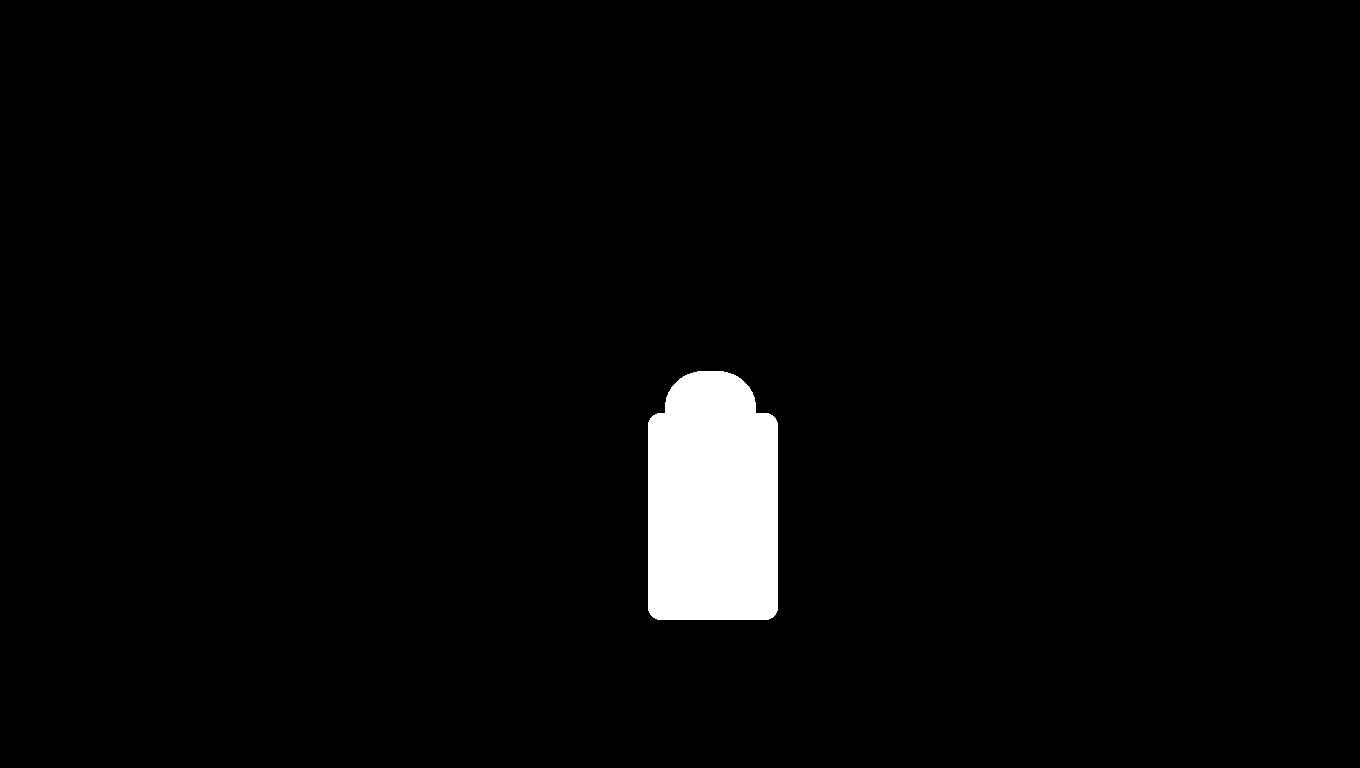
| 删除范围 | 白色选区;黑色为保留区域 | 用文字描述对象和保留要求 |
| 提示词 | 不接收 prompt | 必填 prompt |
| 本文设置 | manual,preserve_alpha=false | 16:9、2K、PNG |
| 输出尺寸 | 保留输入尺寸;街景为 1360×768 | 本文两张均为 2752×1536 |
| 每张费用 | $0.0575 | 2K $0.018 |
| 准备工作 | 画蒙版并核对边界 | 写清对象与保留条件 |
Eraser 的 mask_type=automatic 指蒙版由分割工具生成,仍要传 mask_url。已有标注工具的修图流程可以直接复用选区;只有照片和文字要求时,Nano Banana 2.1 少了准备蒙版这一步,但需要检查指令是否改变了保留内容。
两组同原图、同清理目标的结果
两侧表达目标的方法不同,不能称为同提示词或完全同参数的测试。下图按相同显示宽度观察外观,分辨率和文件格式差异写在各组图注中;像素数量不用于判断哪侧修得更好。
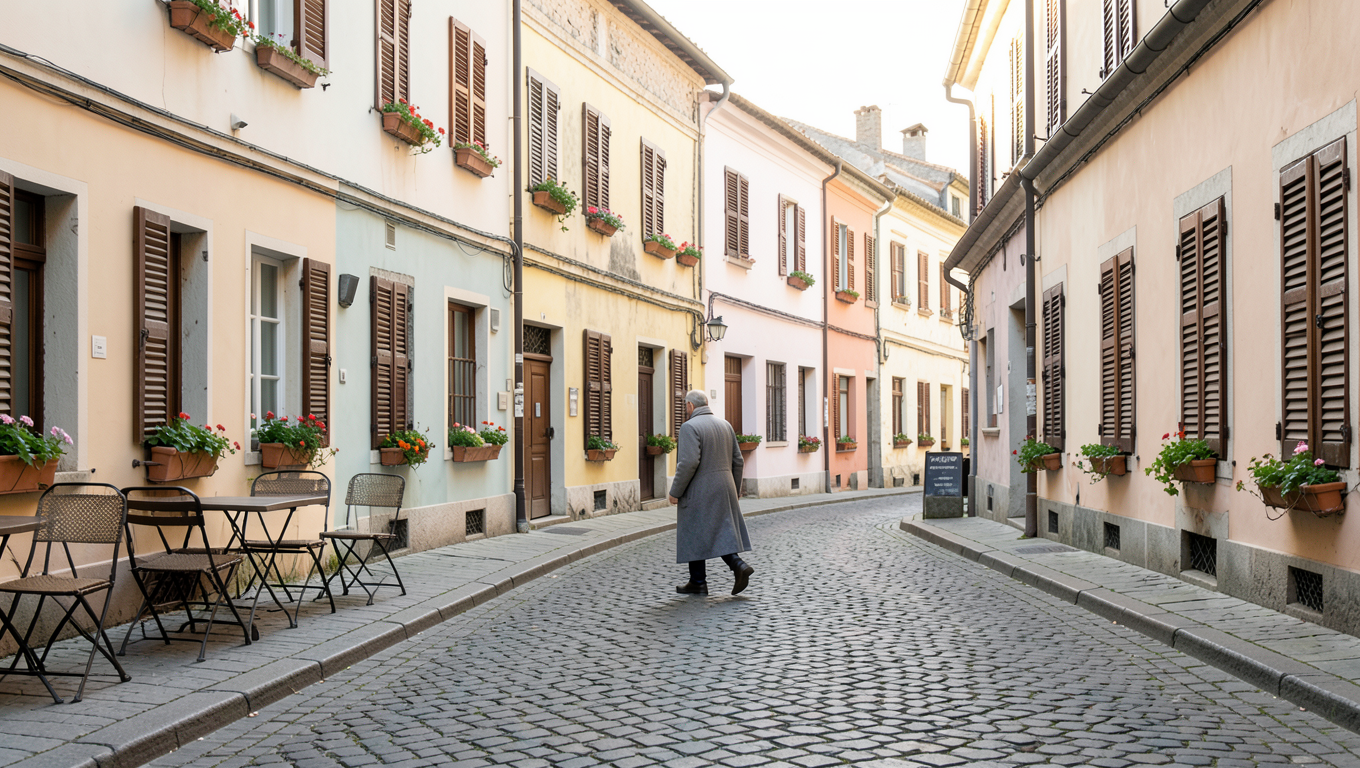
街景:去掉路人,接上石板路
| Bria Eraser | Nano Banana 2.1 |
|---|---|
 |  |
| 打开 Eraser 并准备原图与蒙版;无需提示词。 | 用 Nano Banana 原始提示词生成 |
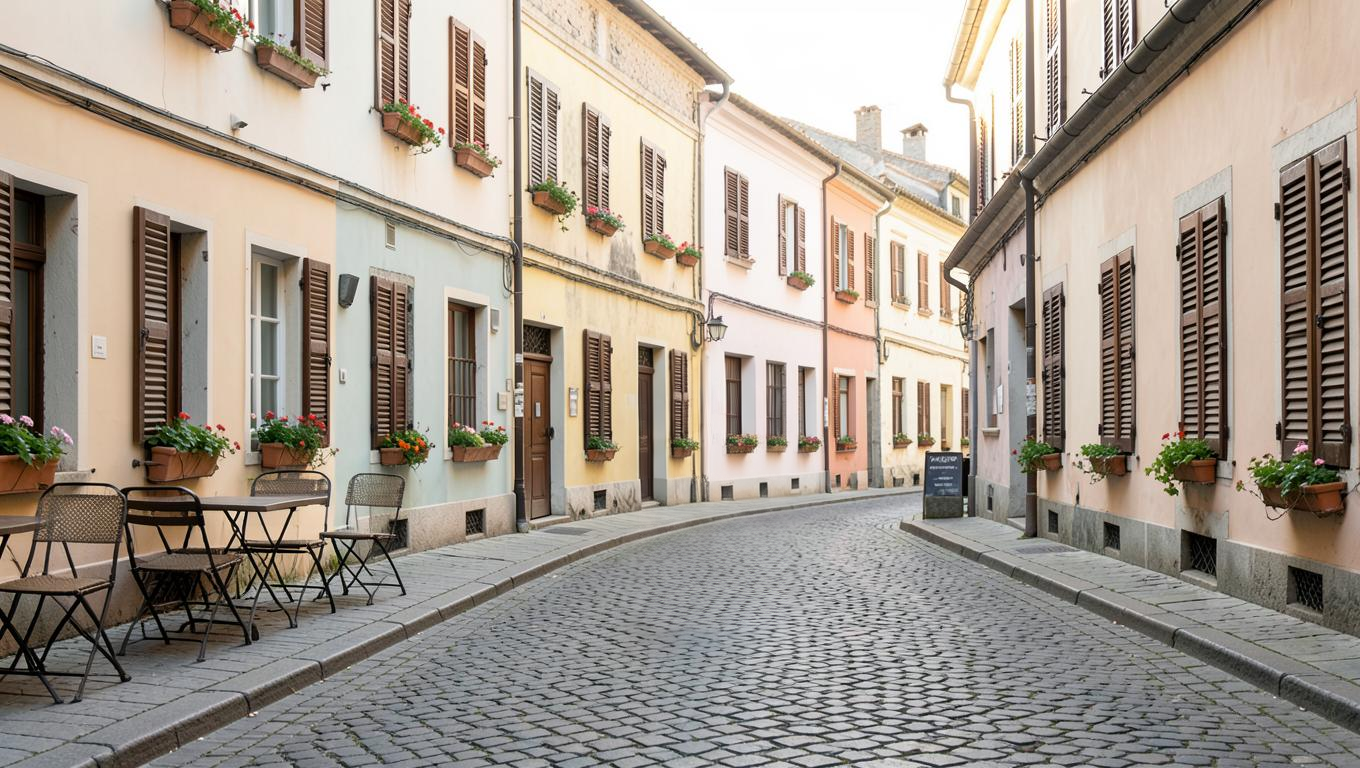
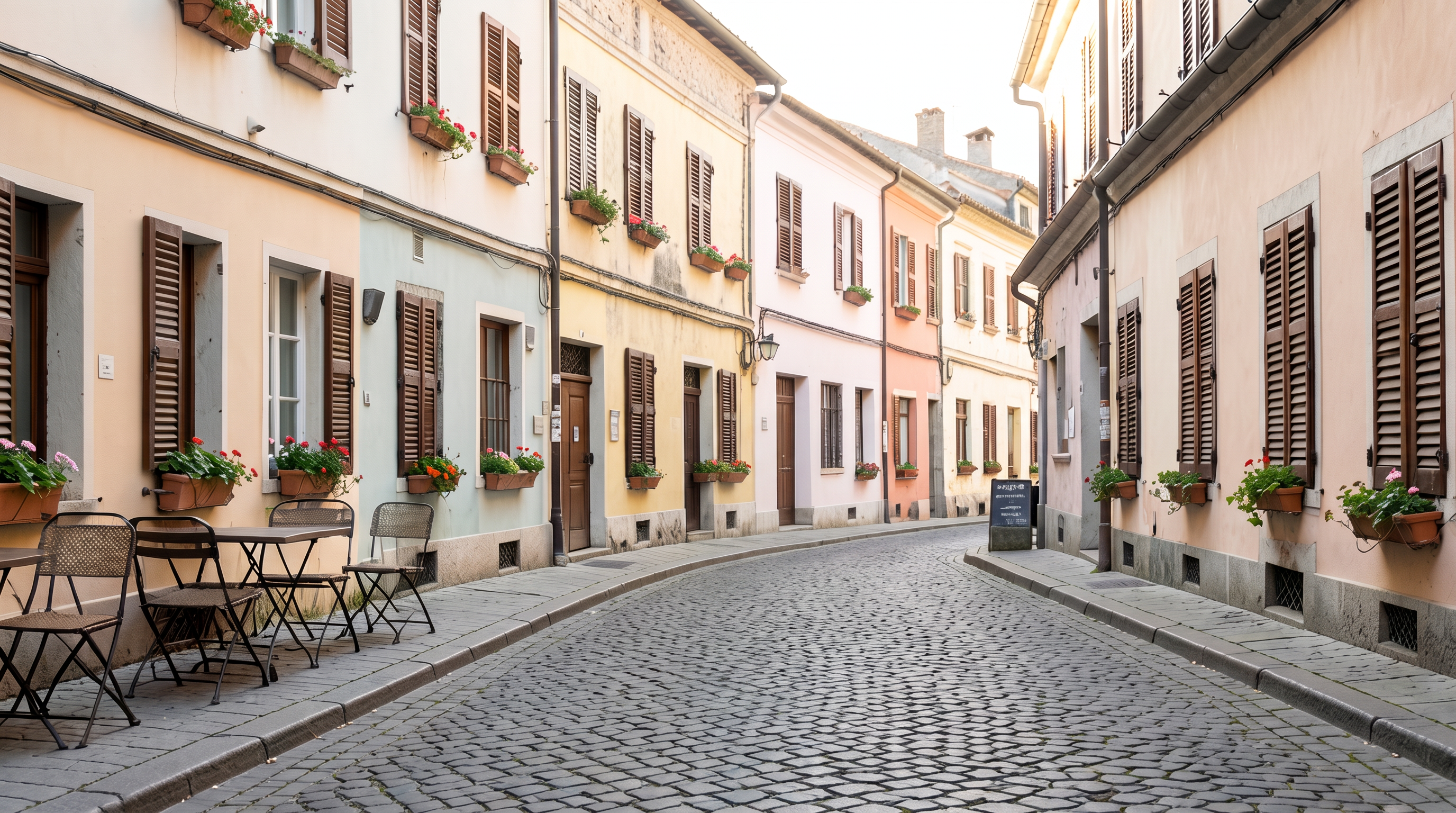
共同输入为 1360×768 PNG,蒙版也是 1360×768。Eraser 为完整 1360×768 PNG,manual、preserve_alpha=false,$0.0575;Nano Banana 2.1 使用 16:9、2K、PNG,实际 2752×1536,按当前价格为 $0.018。
原图中央的长外套路人在两侧结果中都已不可见,原位置变成了石板路。左侧咖啡桌椅、两侧百叶窗与花箱、右侧招牌仍可辨认;补出的路面纹理各不相同。
Eraser 的白色选区覆盖人物及其周围少量区域,读者可以直接检查删除边界。Nano Banana 的提示词还明确要求画面里没有人物,并列出要保留的建筑与家具。验收时应沿人物原位置检查路面接缝,再看桌椅等细线条;这组缩放图不能证明保留区逐像素相同,也不能证明被人物挡住的真实石板排列被还原。
Nano Banana 2.1 的原始提示词:
Remove the walking man from this photo completely and rebuild the cobblestone street behind him so the road surface is continuous. Keep the buildings, shutters, flower boxes, cafe furniture, the sign and the lighting exactly as they are. The final photo must contain no people at all.
两侧请求体(预填链接只带文字,仍需上传原图并设置参数):
{
  "model": "bria-eraser",
  "input": {
    "image_url": "https://static.hiapi.ai/model-covers/2026/10/22/1792651217019-46c31ddb2b52110d-1792546025379-46c31ddb2b52110d-e1-street-src.png",
    "mask_url": "https://static.hiapi.ai/model-covers/2026/10/22/1792651218718-e5d2a17ae1d12d41-1792546025861-e5d2a17ae1d12d41-e1-street-mask.png",
    "mask_type": "manual",
    "preserve_alpha": false
  }
}
{
  "model": "gemini-nano-banana-2.1",
  "input": {
    "prompt": "Remove the walking man from this photo completely and rebuild the cobblestone street behind him so the road surface is continuous. Keep the buildings, shutters, flower boxes, cafe furniture, the sign and the lighting exactly as they are. The final photo must contain no people at all.",
    "image_input": [
      "https://static.hiapi.ai/model-covers/2026/10/22/1792651217019-46c31ddb2b52110d-1792546025379-46c31ddb2b52110d-e1-street-src.png"
    ],
    "aspect_ratio": "16:9",
    "resolution": "2K",
    "output_format": "png"
  }
}
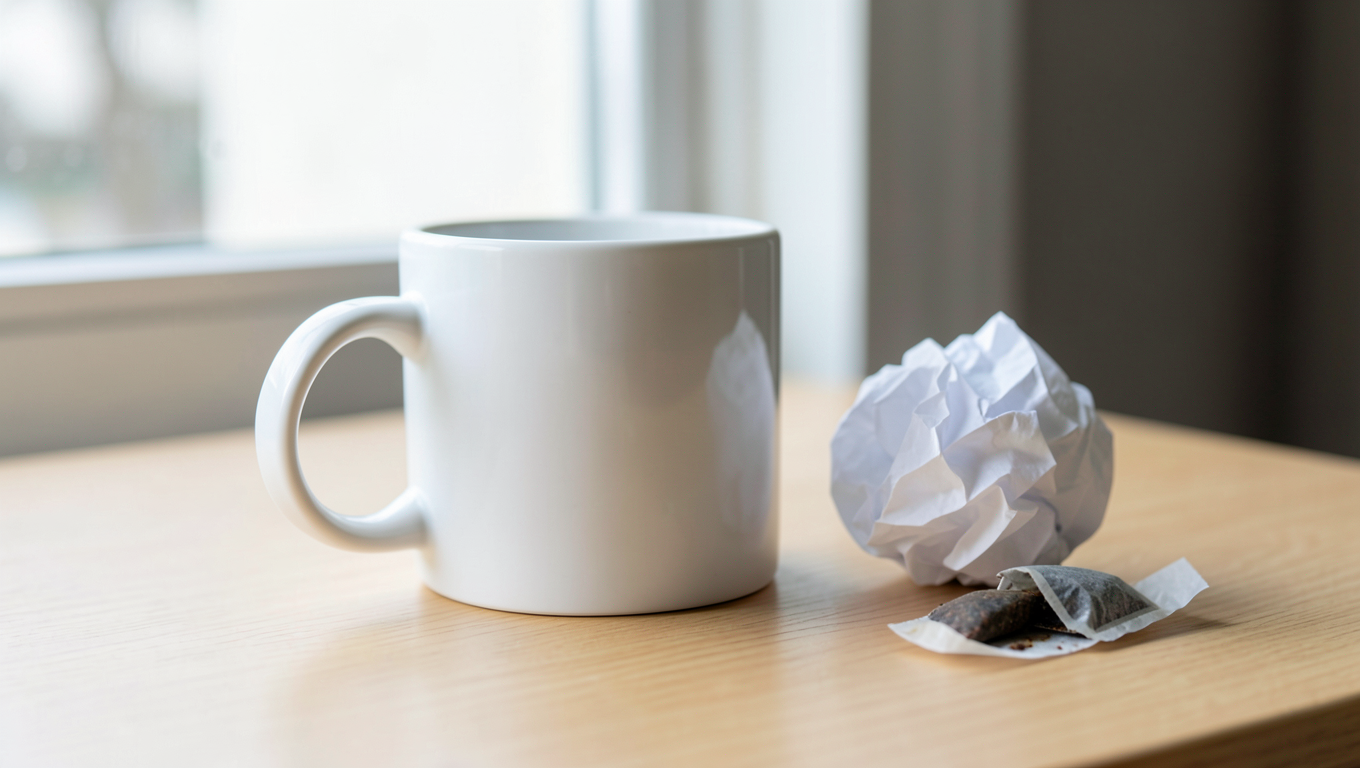
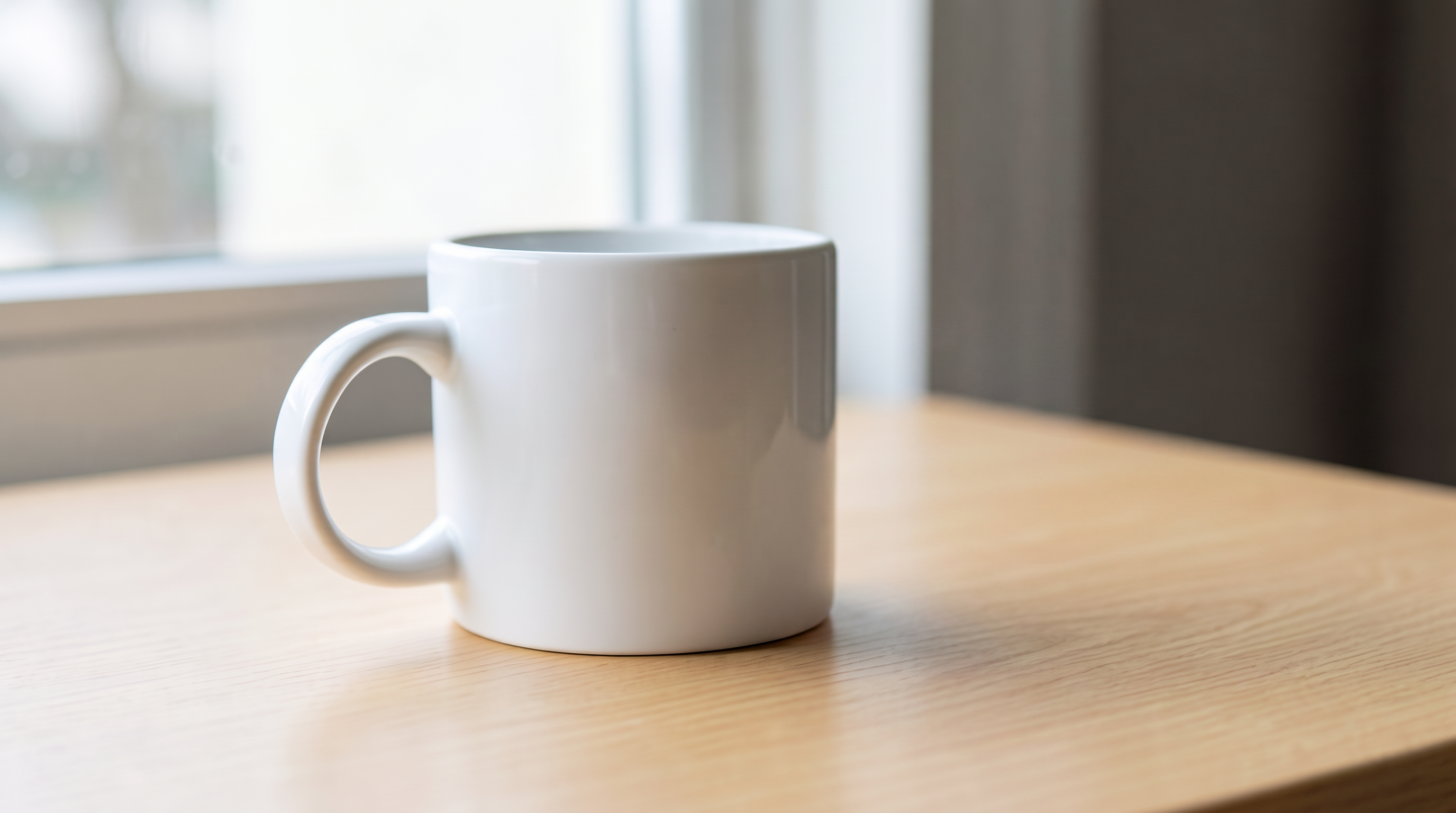
桌面:去掉纸团和茶包,保留白杯
| Bria Eraser | Nano Banana 2.1 |
|---|---|
 |  |
| 打开 Eraser 并准备原图与蒙版;无需提示词。 | 用 Nano Banana 原始提示词生成 |
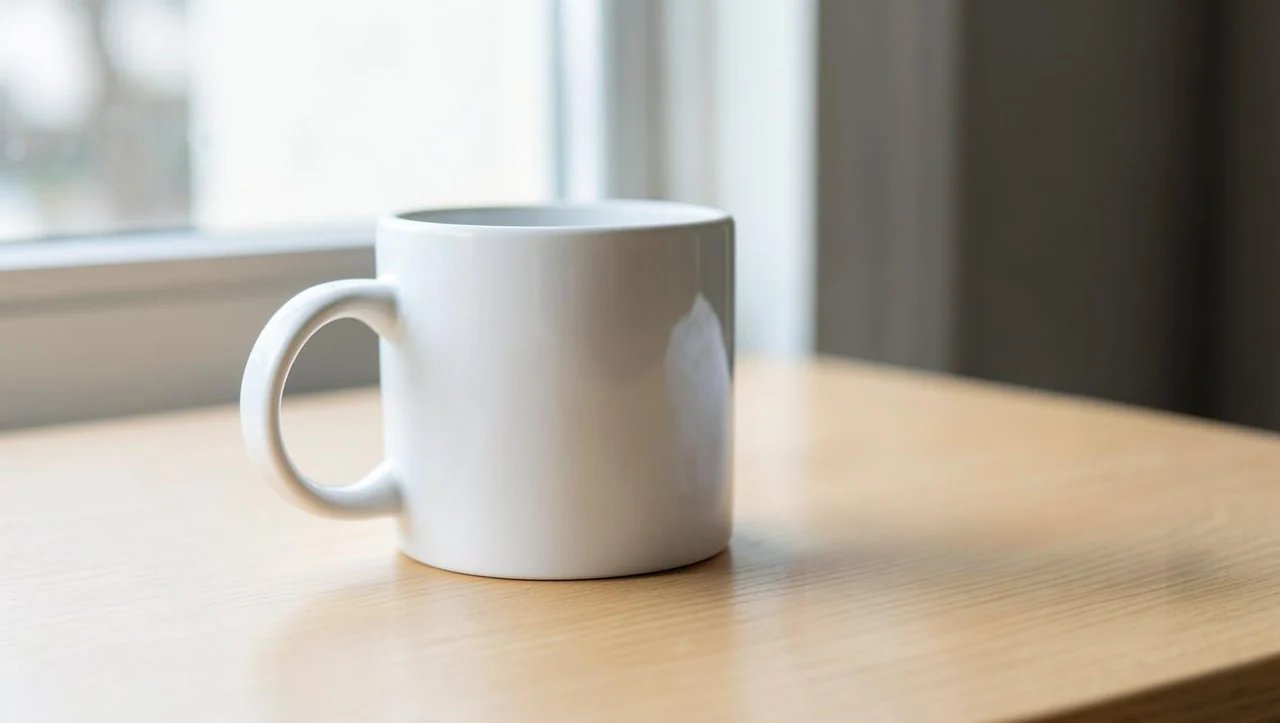
共同输入及蒙版为 1360×768 PNG。Eraser 采用 manual、preserve_alpha=false,每张 $0.0575;此处只有 1280×723 展示 WebP,完整 PNG 未提供。Nano Banana 2.1 采用 16:9、2K、PNG,实际 2752×1536,每张 $0.018。仅按同显示尺寸比较外观,不从展示预览推断完整输出的像素细节。
两侧都移除了杯子右侧的纸团与茶包,原位置呈现木质桌面。Eraser 展示预览中,杯身右侧仍有原图里的纸团状反射亮斑;Nano Banana 结果的杯身反射形状发生了变化。这个差异涉及杯面反光,不是桌面纸团仍未删除。
用 Eraser 时,检查需要清理的是否还包括物体在杯面上的反射;本例蒙版覆盖桌面杂物,杯子留在黑色区域。用 Nano Banana 时,检查改过的反光是否符合你的保留要求。删除主体、处理倒影和保留商品外观是相互关联的验收条件,仅确认桌面空了还不够。
Nano Banana 2.1 的原始提示词:
Remove the crumpled paper ball and the tea bag from this desktop photo completely and rebuild the wooden tabletop beneath them so the surface is clean and continuous. Keep the white mug, the window light, the shadow and the table edge exactly as they are.
两侧请求体(预填链接只带文字,仍需上传原图并设置参数):
{
  "model": "bria-eraser",
  "input": {
    "image_url": "https://static.hiapi.ai/model-covers/2026/10/22/1792651221006-aa722fbf0b20a05d-1792546026337-aa722fbf0b20a05d-e2-desk-src.png",
    "mask_url": "https://static.hiapi.ai/model-covers/2026/10/22/1792651221809-62ffea31d7a220c4-1792546026769-62ffea31d7a220c4-e2-desk-mask.png",
    "mask_type": "manual",
    "preserve_alpha": false
  }
}
{
  "model": "gemini-nano-banana-2.1",
  "input": {
    "prompt": "Remove the crumpled paper ball and the tea bag from this desktop photo completely and rebuild the wooden tabletop beneath them so the surface is clean and continuous. Keep the white mug, the window light, the shadow and the table edge exactly as they are.",
    "image_input": [
      "https://static.hiapi.ai/model-covers/2026/10/22/1792651221006-aa722fbf0b20a05d-1792546026337-aa722fbf0b20a05d-e2-desk-src.png"
    ],
    "aspect_ratio": "16:9",
    "resolution": "2K",
    "output_format": "png"
  }
}
按清理流程选模型
已有精确选区、需要逐处复核编辑边界时,先用 Eraser。白色蒙版能明确传达要删哪块区域;准备输入时,要把边缘、鞋子与投影分别考虑,不能指望一个只盖住主体的选区自动表达全部要求。
只有一张照片,希望用一句话指定删除对象时,先试 Nano Banana 2.1。本文两组的目标都能通过物体名称描述,但验收仍要覆盖保留物体;杯身反光的变化就是需要回看原图的例子。
批量处理时,把画蒙版、改提示词和人工验收的时间分别记录。两组结果没有提供批量采用率或可比耗时,因此不能用单张价格推导整个修图流程的效率。
同样出图量需要多少预算
| 输出张数 | Eraser | Nano Banana 2.1,2K |
|---|---|---|
| 1 | $0.0575 | $0.018 |
| 100 | $5.75 | $1.80 |
| 1,000 | $57.50 | $18 |
两组案例各让两侧输出一张,共 4 张,按上述单价预算为 $0.151。表中只计算输出费用,不包含准备蒙版、人工审核或额外候选。Nano Banana 2.1 另有 1K 每张 $0.011、4K 每张 $0.029,本文清理案例采用 2K,不能把 1K 的价钱套进图注。查看 Nano Banana 2.1 价格。
切换接口时要改哪些字段
两侧都使用 HiAPI /v1/tasks 接口:提交任务拿 taskId,再查询结果。每组图后的 JSON 是可复制的请求结构;请求地址都是 POST https://api.hiapi.ai/v1/tasks,使用自己的 API Key 鉴权。
从 Eraser 切到 Nano Banana 2.1,需要把 image_url 改为数组 image_input,移除 mask_url、mask_type、preserve_alpha,再增加 prompt、aspect_ratio、resolution 和 output_format。不要只替换 model:文字编辑没有沿用这张蒙版,删除边界要重新用文字表达并检查。
反向切换时,先制作与原图宽高比一致的蒙版,再使用 Eraser 字段。automatic 适合已经由分割工具生成的蒙版,不会替你省掉蒙版输入。任务返回成功后,下载结果并核对尺寸、目标区域和保留区域;完整提交与查询代码见 Eraser API 接入。
常见问题
Eraser 可以只传原图、不传蒙版吗?
不可以。image_url 与 mask_url 都必填,automatic 也需要蒙版。白色标记擦除区域,黑色标记保留区域。
为什么两侧没有使用相同提示词?
Eraser 不接收 prompt,Nano Banana 2.1 需要文字指令。两侧共享原图和清理目标,使用各自输入方式,输出尺寸也不同。
桌面图能用来比较原始像素细节吗?
不能。Eraser 一侧只有 1280×723 展示 WebP;它可以观察物体删除与反光变化,不能代替完整 PNG 的细节验收。
相同请求能保证保留区域完全不变吗?
这些案例没有建立逐像素一致性保证。应对照原图检查需要保留的内容;桌面案例尤其要确认杯身反射是否属于允许变化的部分。
继续阅读与开始编辑
更多蒙版案例 · Eraser 价格与预算 · API 接入。
先选择街景或桌面案例,准备对应原图与蒙版,打开 Bria Eraser;想用文字描述清理目标,可使用图下的 Nano Banana 2.1 原始提示词入口。