TL;DR
需要用位置参数安排商品、围绕商品换场景,选 Bria Product Shot;需要用文字同时描述商品与环境,选 Nano Banana 2.1。Product Shot 每张 $0.0575,本文 Nano Banana 2.1 的 1K 设置每张 $0.011;查看 Product Shot 价格与预算。
Bria Product Shot 已在 HiAPI 上线。上传商品图,再给出场景描述与摆放位置。下面的精华瓶、陶瓷杯各使用相同商品图和场景目标,直接看主体比例、留白、光线及商品细节如何影响选图。
先看哪些差异会影响选择
| 决策项 | Bria Product Shot | Nano Banana 2.1 |
|---|---|---|
| 编辑任务 | 为商品更换背景与场景 | 根据文字编辑参考图 |
| 商品输入 | image_url | image_input 数组 |
| 场景输入 | 英文 prompt 或 reference_image_url 二选一 | prompt 配合参考图 |
| 商品位置 | manual_placement 预设位置或 original | 本文用文字描述,没有对应位置字段 |
| 本文设置 | bottom_center、optimize_description=true、fast=true | 1:1、1K、PNG |
| 本文展示 | 精华瓶完整 PNG;杯子展示 WebP | 两组完整 PNG |
| 每张费用 | $0.0575 | 1K $0.011 |
| 复用重点 | 商品图、场景与位置分别管理 | 用指令表达场景和保留要求 |
Product Shot 把场景与摆放分成独立字段,适合已有固定版式的商品图流程。Nano Banana 2.1 的指令可同时描述商品和环境,但没有 manual_placement_selection 这个对应字段,迁移时需要重新表达构图。
两组同商品图、同场景目标的结果
Product Shot 使用英文场景描述,Nano Banana 2.1 的实际提示词增加了取用参考商品与保留细节的要求。因此,两侧共有商品输入和场景目标,提示词与参数并不相同。所有图片按相同显示宽度观察;具体设置和可用文件写在图注中。
精华瓶:窗边大理石台面
| Bria Product Shot | Nano Banana 2.1 |
|---|---|
 |  |
| 用 Bria 原始场景描述生成 | 用 Nano Banana 原始提示词生成 |
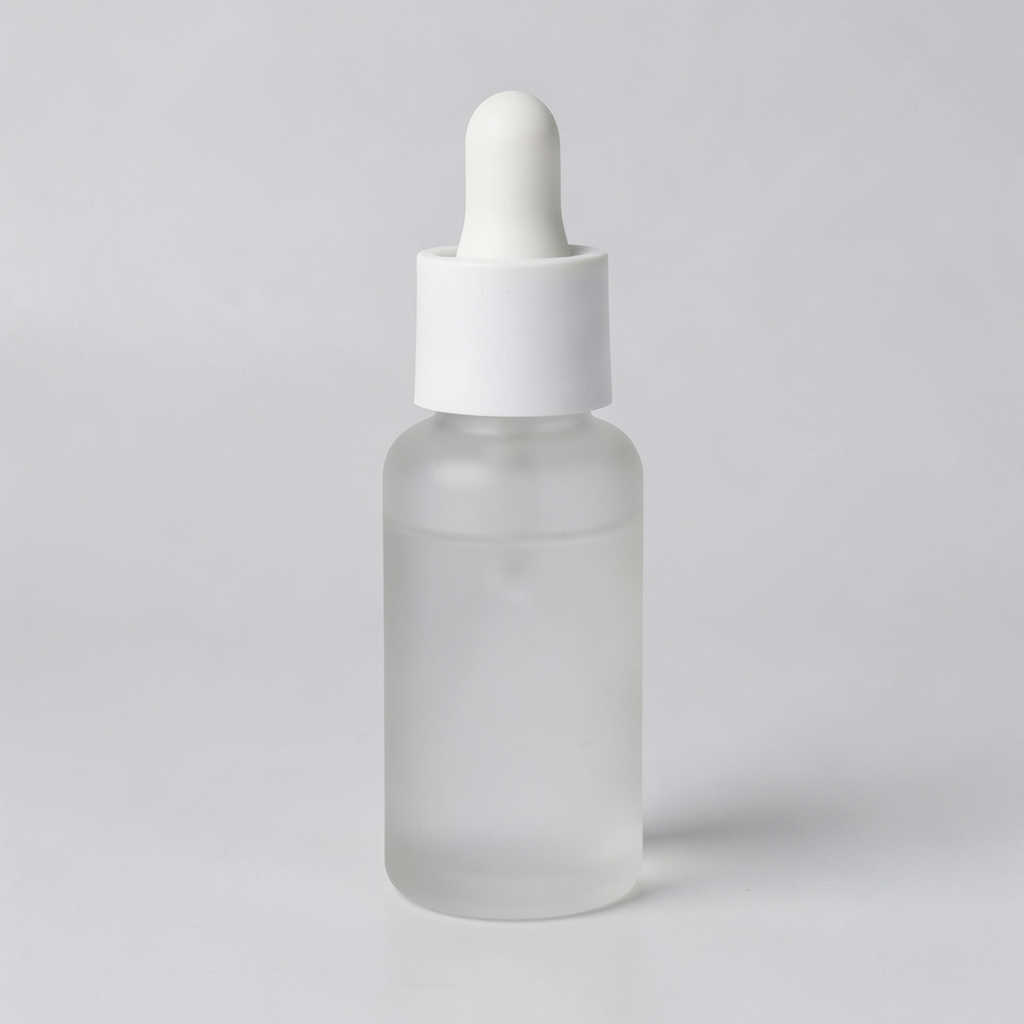
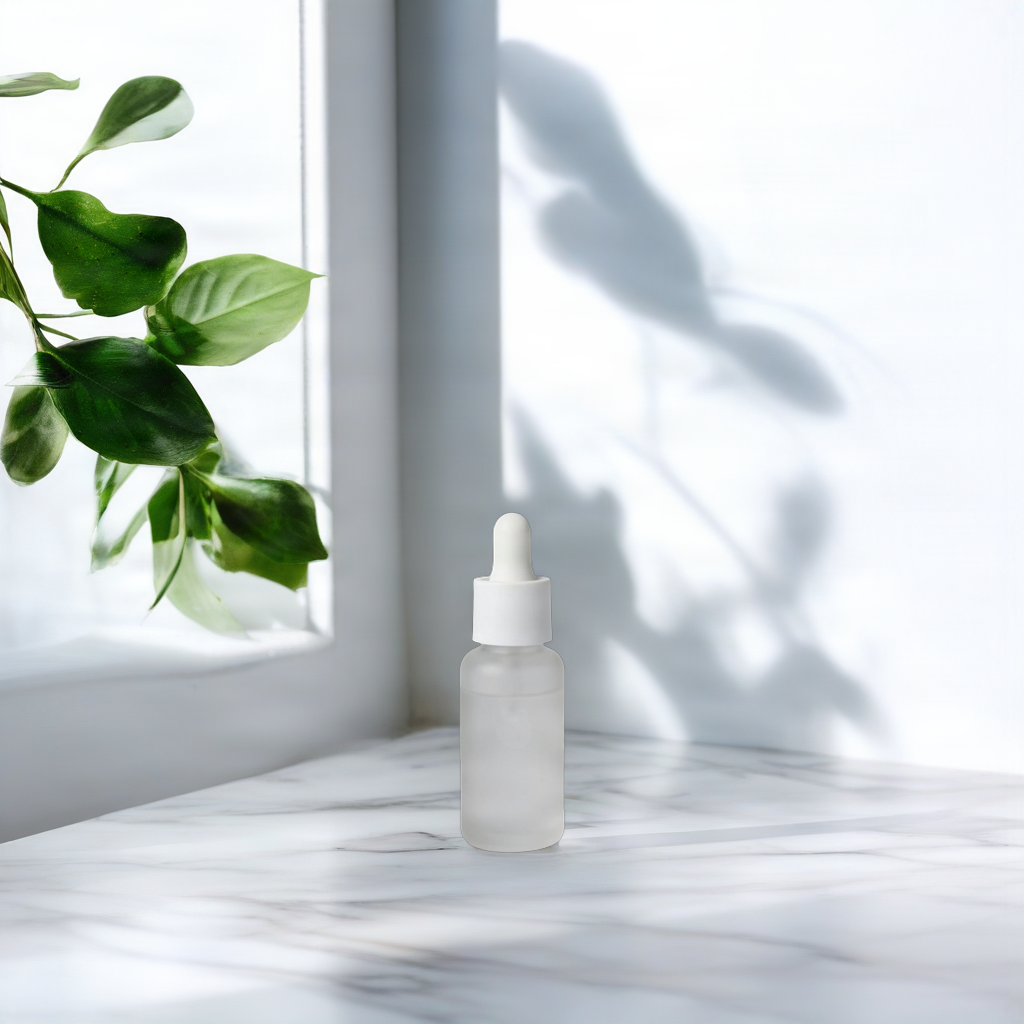
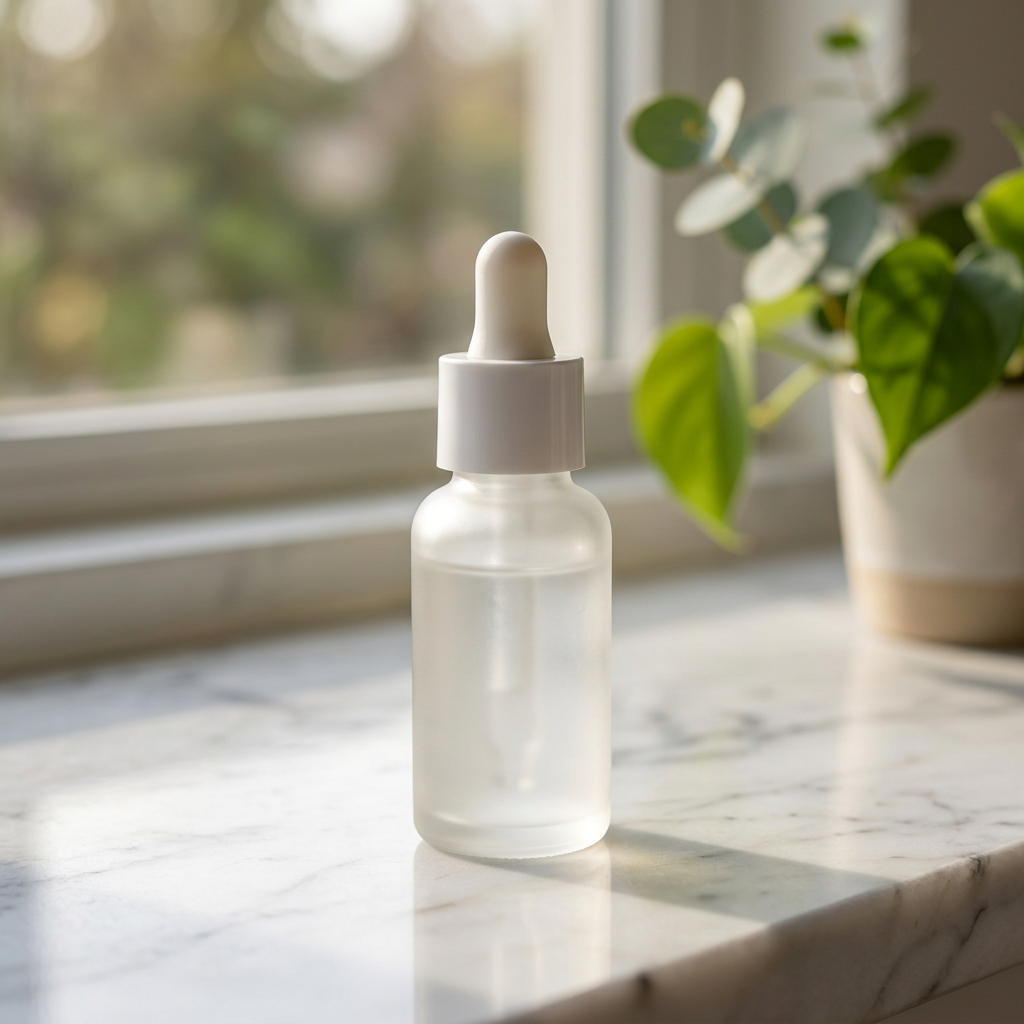
共同商品图为 1024×1024 PNG。Product Shot 采用 manual_placement、bottom_center、optimize_description=true、fast=true,完整输出 1024×1024 PNG,$0.0575;Nano Banana 2.1 采用 1:1、1K、PNG,完整输出 1024×1024 PNG,$0.011。相同尺寸不等于相同参数;两侧提示词见下。
Product Shot 把瓶子放在画面下方中央,瓶子较小,左侧有绿叶,背景留出大面积窗框与叶片投影。Nano Banana 的瓶子在画面中更大,右侧出现盆栽,窗外背景虚化,台面前缘可见。前一张适合先检查文案留白,后一张适合先检查主体辨识度;选择取决于版面用途。
商品细节也需要回看:Nano Banana 的瓶身显得更透,瓶盖出现更明显的竖向纹理;原图的瓶盖较平滑,瓶身偏磨砂。两侧都有白色滴管和圆柱瓶身,但这些相似之处不足以证明材质与颜色完全一致。原图没有可读标签,即使提示词写了保留 label,也不能拿这一组证明包装文字保真。
Bria Product Shot 的原始场景描述:
On a white marble countertop beside a window, soft morning light, a few green leaves in the background
Nano Banana 2.1 的原始提示词:
Place the serum bottle from the reference image on a white marble countertop beside a window, soft morning light, a few green leaves in the background. Keep the product shape, label and color unchanged.
两侧请求体(预填链接只带文字,仍需上传原图并设置参数):
{
  "model": "bria-product-shot",
  "input": {
    "image_url": "https://static.hiapi.ai/model-covers/2026/10/22/1792653491040-98cf020f23ff79b2-1792546029235-98cf020f23ff79b2-p1-serum-src.png",
    "prompt": "On a white marble countertop beside a window, soft morning light, a few green leaves in the background",
    "optimize_description": true,
    "placement_type": "manual_placement",
    "manual_placement_selection": "bottom_center",
    "fast": true
  }
}
{
  "model": "gemini-nano-banana-2.1",
  "input": {
    "prompt": "Place the serum bottle from the reference image on a white marble countertop beside a window, soft morning light, a few green leaves in the background. Keep the product shape, label and color unchanged.",
    "image_input": [
      "https://static.hiapi.ai/model-covers/2026/10/22/1792653491040-98cf020f23ff79b2-1792546029235-98cf020f23ff79b2-p1-serum-src.png"
    ],
    "aspect_ratio": "1:1",
    "resolution": "1K",
    "output_format": "png"
  }
}
陶瓷杯:木质搁板、亚麻布与干花
| Bria Product Shot | Nano Banana 2.1 |
|---|---|
 |  |
| 用 Bria 原始场景描述生成 | 用 Nano Banana 原始提示词生成 |
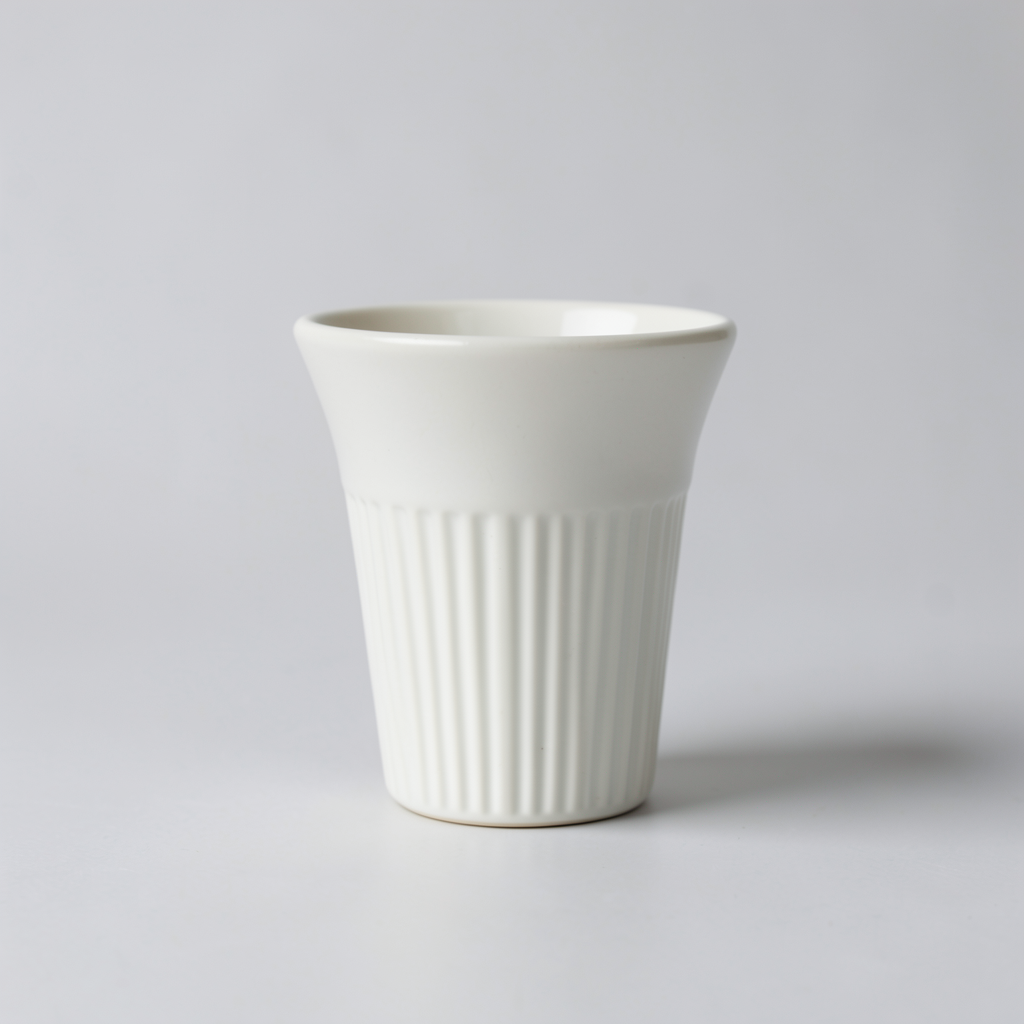
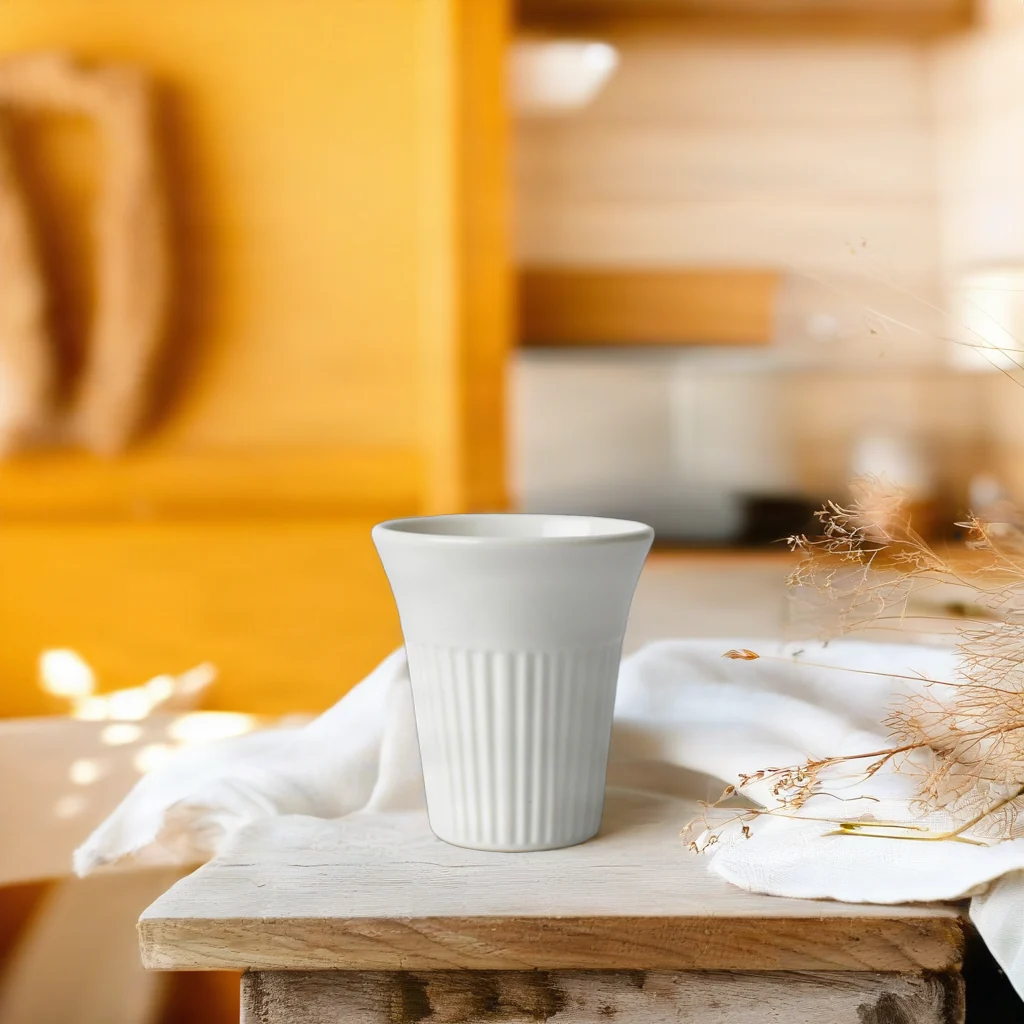
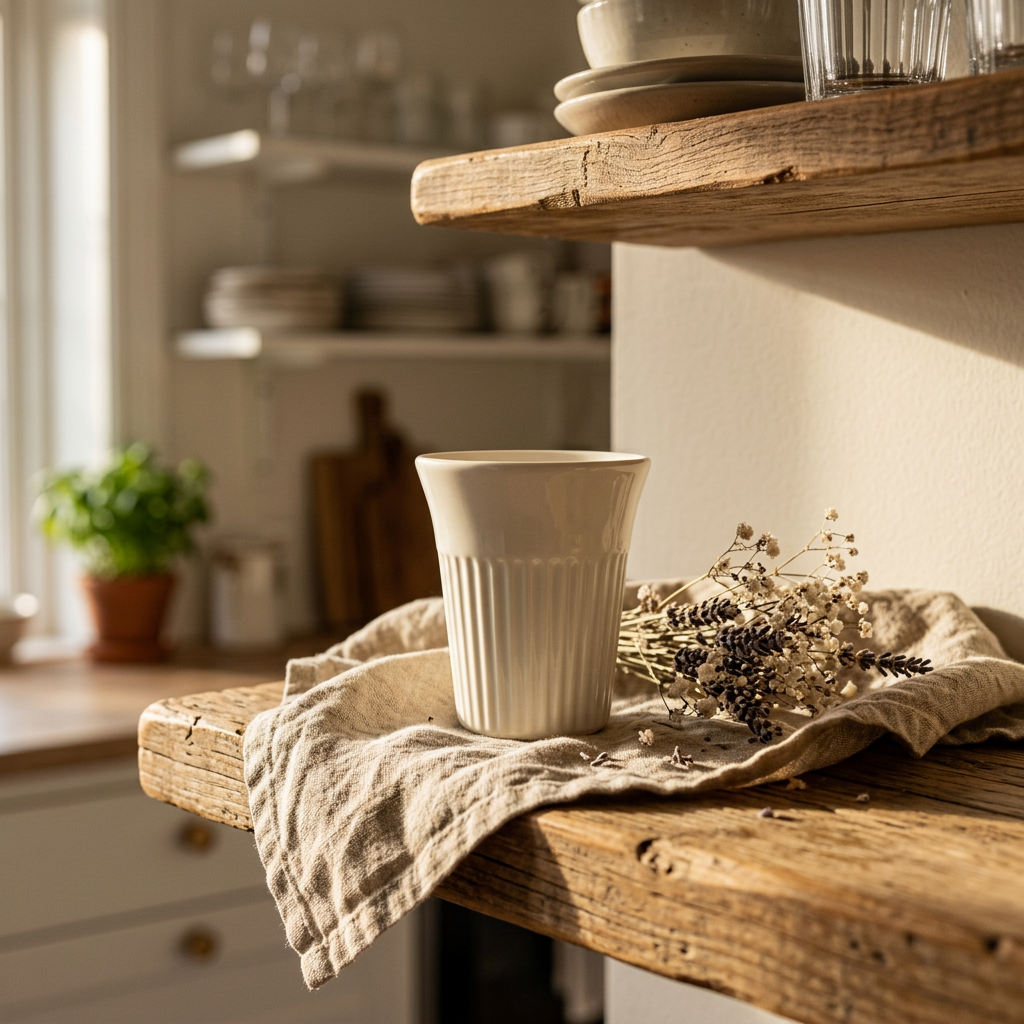
共同商品图为 1024×1024 PNG。Product Shot 采用 manual_placement、bottom_center、optimize_description=true、fast=true,$0.0575;这里只提供 1024×1024 展示 WebP,完整 PNG 未提供。Nano Banana 2.1 采用 1:1、1K、PNG,完整输出 1024×1024 PNG,$0.011。两侧同显示尺寸看外观,不把预览当作完整输出做像素质量判断。
Product Shot 的杯子在下方中央,后方是明亮偏黄的厨房背景,浅色布料与细枝干花分布在周围。Nano Banana 显示了更明确的上下木搁板,杯子落在亚麻布上,右侧是成束干花,整张图的光线更暖。两侧都能看见杯口外扩与下半部竖纹,杯色则会受到场景光线影响。
对商品详情图,先核对杯口、侧壁与竖纹,再看道具是否遮住轮廓。对宣传版面,检查背景明暗和留白能否承载文字。Product Shot 这一侧只有展示预览,适合判断构图与道具分布,不足以比较完整输出的细纹或压缩痕迹。
Bria Product Shot 的原始场景描述:
On a rustic wooden kitchen shelf with linen cloth and dried flowers, warm afternoon sunlight, cozy Scandinavian kitchen in the background
Nano Banana 2.1 的原始提示词:
Place the ceramic cup from the reference image on a rustic wooden kitchen shelf with linen cloth and dried flowers, warm afternoon sunlight, cozy Scandinavian kitchen in the background. Keep the product shape, color and details unchanged.
两侧请求体(预填链接只带文字,仍需上传原图并设置参数):
{
  "model": "bria-product-shot",
  "input": {
    "image_url": "https://static.hiapi.ai/model-covers/2026/10/22/1792653495587-1ca0aee6e567e540-1792546029664-1ca0aee6e567e540-p2-dripper-src.png",
    "prompt": "On a rustic wooden kitchen shelf with linen cloth and dried flowers, warm afternoon sunlight, cozy Scandinavian kitchen in the background",
    "optimize_description": true,
    "placement_type": "manual_placement",
    "manual_placement_selection": "bottom_center",
    "fast": true
  }
}
{
  "model": "gemini-nano-banana-2.1",
  "input": {
    "prompt": "Place the ceramic cup from the reference image on a rustic wooden kitchen shelf with linen cloth and dried flowers, warm afternoon sunlight, cozy Scandinavian kitchen in the background. Keep the product shape, color and details unchanged.",
    "image_input": [
      "https://static.hiapi.ai/model-covers/2026/10/22/1792653495587-1ca0aee6e567e540-1792546029664-1ca0aee6e567e540-p2-dripper-src.png"
    ],
    "aspect_ratio": "1:1",
    "resolution": "1K",
    "output_format": "png"
  }
}
按交付任务选择
如果商品图要进入固定模板,先考虑 Product Shot。它把商品图、场景描述、位置分别表达,便于复用。manual_placement 可选 10 种预设位置;original 保留商品原位置,要保留输入尺寸还需设 original_quality=true,且该字段仅适用于 original。本文仅展示 bottom_center,不据此承诺所有摆放位置都会得到相同构图。
如果想在一段话里调整主体大小、环境与视觉氛围,可从 Nano Banana 2.1 开始。精华瓶结果里更大的主体和虚化背景,就是值得评估的构图方向。同时要逐项核对商品材料、颜色和轮廓;让文字写出“保留”不等于结果已经完成验证。
两边都应先确定用途。需要严格还原包装的详情页,要用带真实标签、纹理和边角的商品图再验收;本文无字瓶和陶瓷杯不能支持包装小字准确率结论。用于场景创意时,可以先选构图,再审商品细节。两组图片没有提供批量通过率、统一耗时或人工修图时间,不能把它们外推成全面质量排名。
按同样出图数量算预算
| 输出张数 | Product Shot | Nano Banana 2.1,1K |
|---|---|---|
| 1 | $0.0575 | $0.011 |
| 100 | $5.75 | $1.10 |
| 1,000 | $57.50 | $11 |
两组案例、每侧各出一张,共 4 张,按这组单价预算为 $0.137。这里只包含图片费用,不含商品图准备、人工选图和新增候选图。Nano Banana 2.1 的 2K 每张 $0.018,4K 每张 $0.029;本文商品场景用的是 1K,不能用更高档位的价钱描述这些结果。查看 Nano Banana 2.1 价格。
切换 API 时要改哪些输入
两款模型都使用 HiAPI /v1/tasks 接口:提交任务拿 taskId,再查询结果。每组图片后提供完整 JSON 请求体,可提交到 POST https://api.hiapi.ai/v1/tasks;认证使用自己的 API Key。
从 Product Shot 切到 Nano Banana 2.1 时,将 image_url 改为 image_input 数组,移除 placement_type、manual_placement_selection、optimize_description、fast,增加 aspect_ratio、resolution 和 output_format。原来的场景描述可作为起点,但商品位置与保留要求要写进文字里再验收。上面保留的是两侧实际使用的原文,并非把同一句描述粘贴给两个模型。
切回 Product Shot 时,先决定场景来自英文 prompt 还是 reference_image_url,二者只能选一个;图示案例都使用 prompt。参考场景图模式不能传 optimize_description,即使值为 false 也不传。设置 placement_type=manual_placement 后再指定 manual_placement_selection;若选择 original,必须移除 manual_placement_selection,需要保留输入尺寸时再加 original_quality=true。optimize_description=true 与 fast=true 是本次 Product Shot 的实际设置,Nano Banana 没有同名对应开关。任务成功后下载结果,对照原图验收商品轮廓、材质与遮挡。完整提交和查询方式见 Product Shot API 接入。
常见问题
可以把同一段 prompt 原样发给两个模型吗?
本文没有这样做。Product Shot 使用场景描述,Nano Banana 2.1 的实际指令还说明取用参考商品并保留细节;共同的是商品输入与场景目标。
Product Shot 可以同时传场景文字和参考场景图吗?
不可以。prompt 与 reference_image_url 二选一,本文两组都使用 prompt。
杯子图片可以用来比较完整输出的精细度吗?
不能。Product Shot 一侧是 1024×1024 展示 WebP,完整 PNG 未提供;适合观察构图和道具,不适合据此比较完整输出像素。
这些例子证明商品颜色、标签和材质完全不变吗?
不能。场景光线会影响观感,精华瓶结果中也有材质差异;原瓶没有可读标签,不能证明文字保真。上架前应逐项核对实际商品图。
继续阅读与开始制作
更多商品场景案例 · Product Shot 价格与预算 · API 接入。
先准备一张边缘清楚的商品图,再从上面选一个场景,打开 Bria Product Shot设置摆放位置;需要文字描述完整画面时,可使用对应 Nano Banana 2.1 结果下的原文预填链接。