用 Grok Imagine 扩图(outpainting),做法是把原图传给 grok-imagine/image-to-image,aspect_ratio 设成你想要的更宽或更高的画幅,提示词写清三件事:什么必须保持原样、新空间填什么、不要加新东西。1K 一张 $0.033。下面是 4 条成功的扩图和 1 条失败的,每条都只生成了一次。
先说清楚一点:Grok Imagine 会按新画幅把整张图重画一遍,不是只在边缘补像素的精确扩图,主体的位置和细节可能会变,用之前要检查一遍。
1. 方图商品图扩成 16:9
原图,1:1:
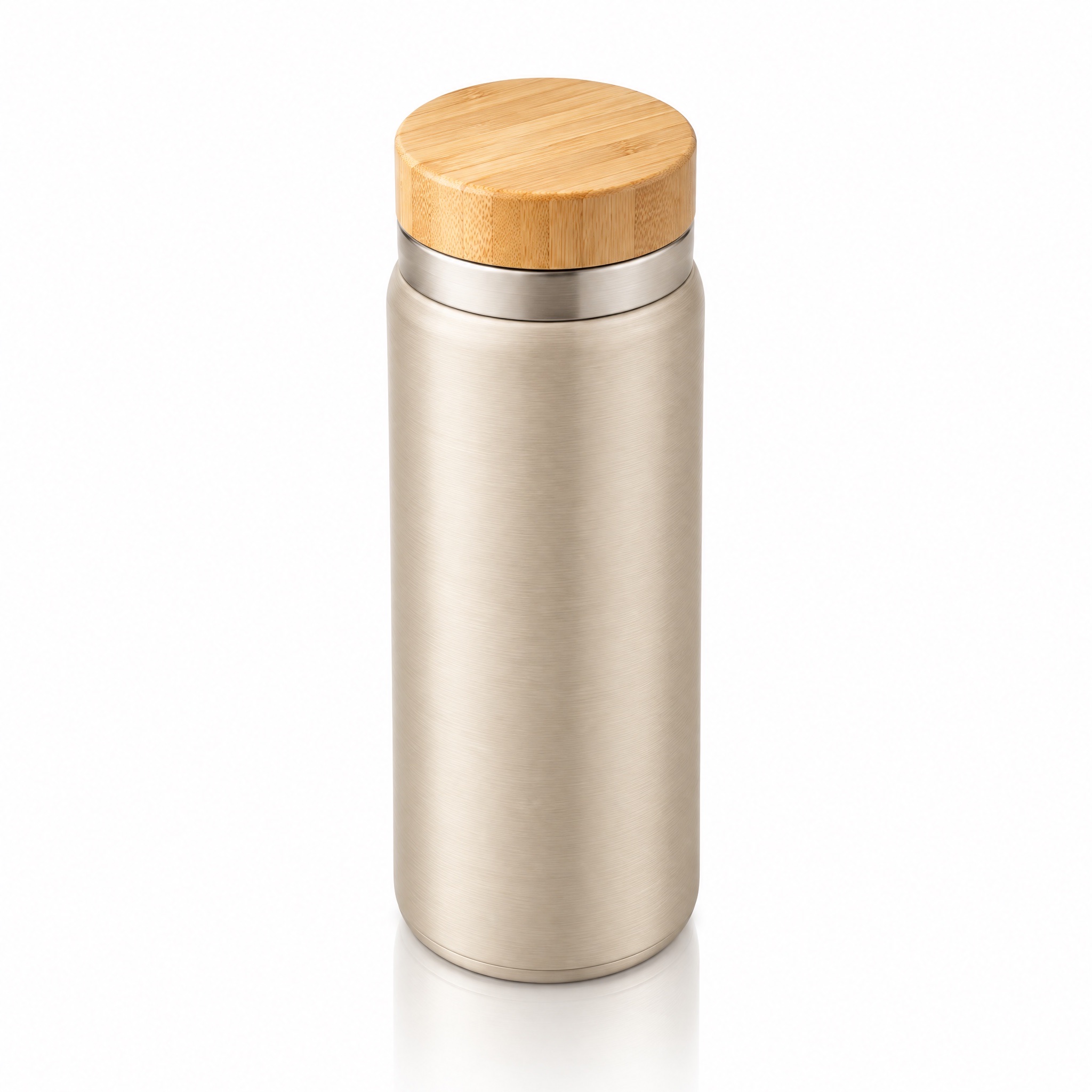
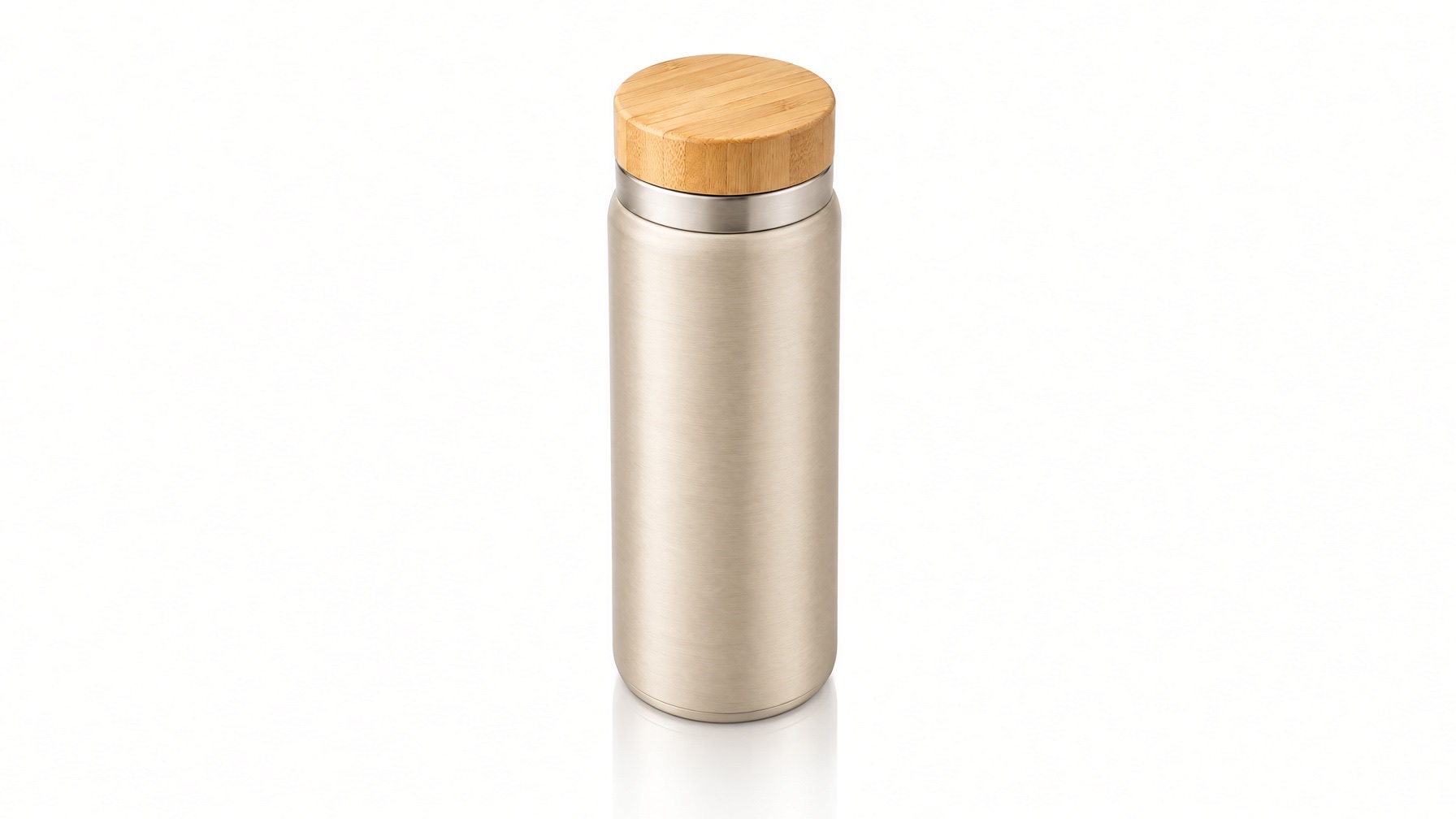
Extend this product photo to a wider 16:9 frame. Keep the thermos bottle exactly as it is, same size, shape, color and position in the center. Fill the new space on the left and right with the same seamless pure white studio background and the same soft top-left lighting. No new objects, no text.
用这个提示词生成 →(上传你的图,画幅选 16:9,1K)
grok-imagine/image-to-image,aspect_ratio: "16:9",1K,输出 1792×1008,$0.033。
杯子的形状、竹盖和质感都保住了,白底也干净地延伸开了。但它没有待在中间,被挪到了左侧三分之一处。位置重要的话要检查,或者事后再裁回居中。
2. 同一张图,提示词写得太简单
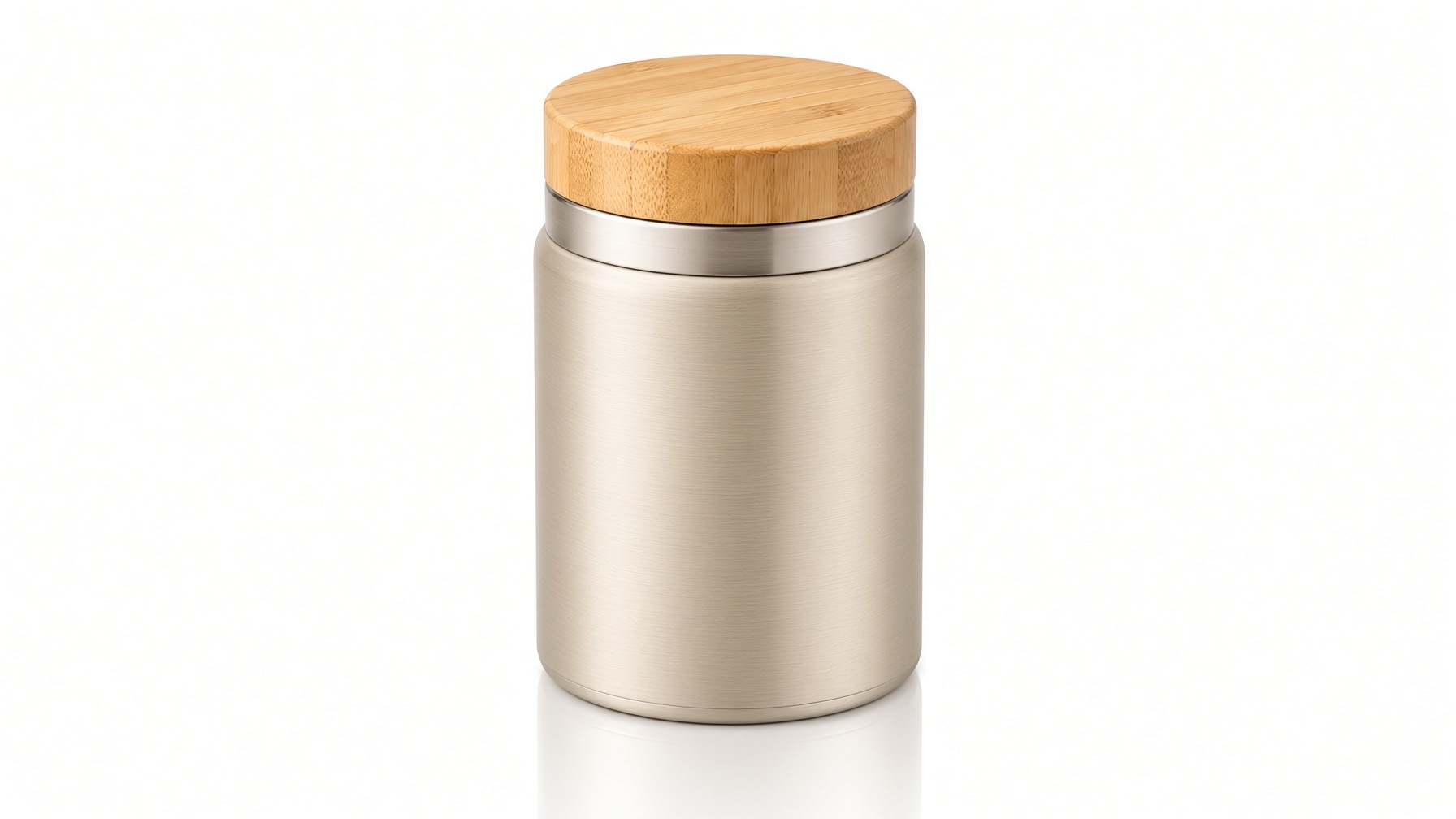
Make it wider.
grok-imagine/image-to-image,aspect_ratio: "16:9",1K,$0.033。
「Make it wider」被理解成了字面意思:画面是 16:9 了,但杯子自己也被画宽、变矮了。这是扩图最常见的坑。要写「extend the frame / background」(扩展画面或背景),并且写明主体保持原来的大小和形状。
3. 方图扩成 9:16 竖版,顶部留出标题位
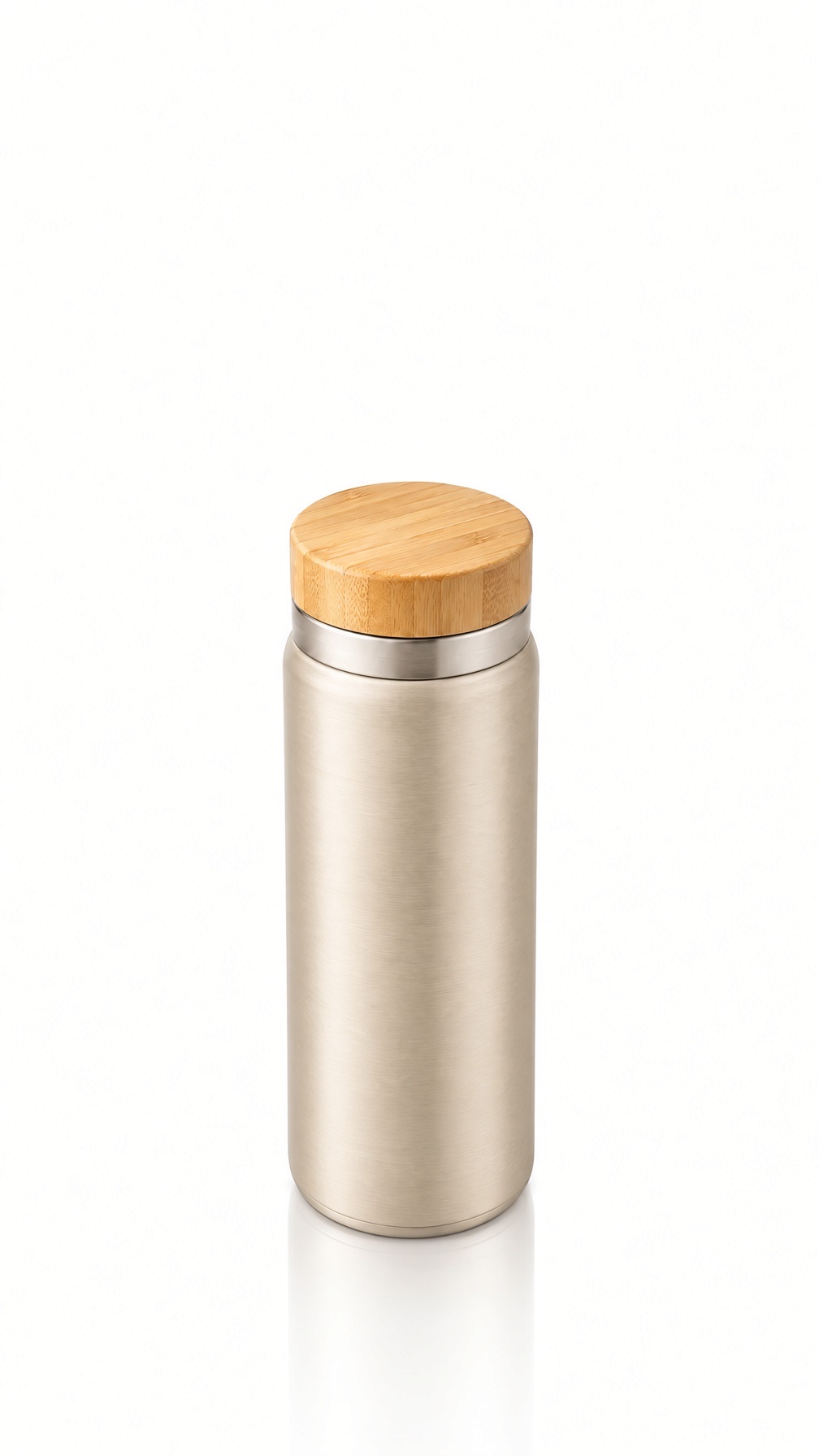
Extend this product photo to a tall 9:16 frame. Keep the thermos bottle exactly as it is in the middle. Continue the seamless pure white studio background above and below it with the same soft lighting, leaving empty space at the top for a headline. No new objects, no text.
用这个提示词生成 →(上传你的图,画幅选 9:16,1K)
grok-imagine/image-to-image,aspect_ratio: "9:16",1K,输出 1008×1792,$0.033。
写一句「顶部留出放标题的空间」,一步就得到能直接用的竖版封面:产品在下方,上面空着放字。
4. 生活方式图从 4:3 扩成 2:1 横幅
原图,4:3:

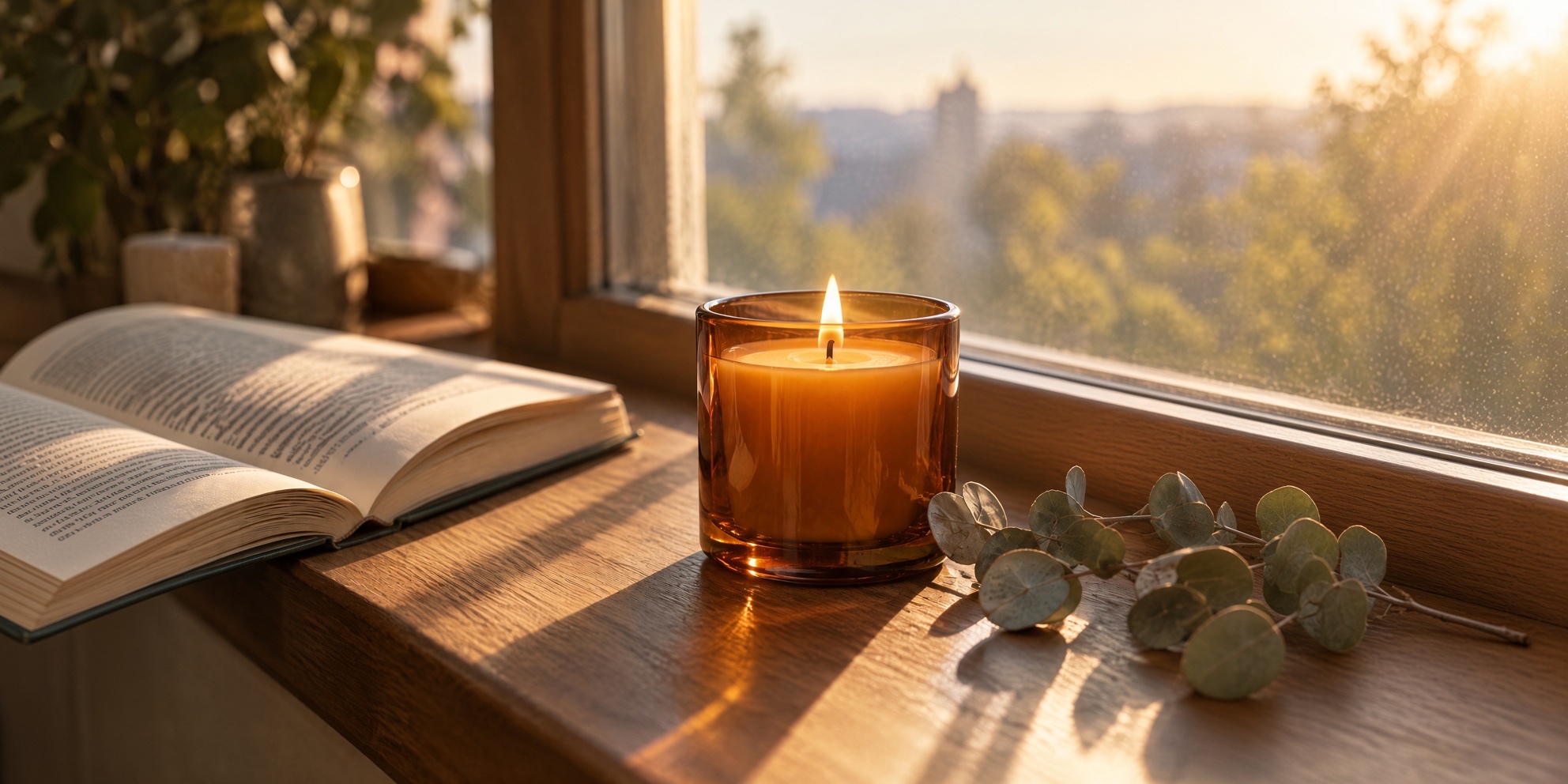
Outpaint this photo to a wide 2:1 panorama. Keep the candle, book and eucalyptus exactly as they are. Continue the wooden windowsill, the window frame and the morning light to the left and right, with the same warm color and shallow depth of field. Add nothing that draws attention away from the candle.
用这个提示词生成 →(上传你的图,画幅选 2:1,1K)
grok-imagine/image-to-image,aspect_ratio: "2:1",1K,输出 1984×992,$0.033。
点名要延续的东西(窗台、窗框、光线),模型才会顺着原场景往外画,而不是另起一个新场景。「不要加抢蜡烛风头的东西」让新扩出来的部分保持安静。
5. 室内图从 16:9 扩成 9:16
原图,16:9:
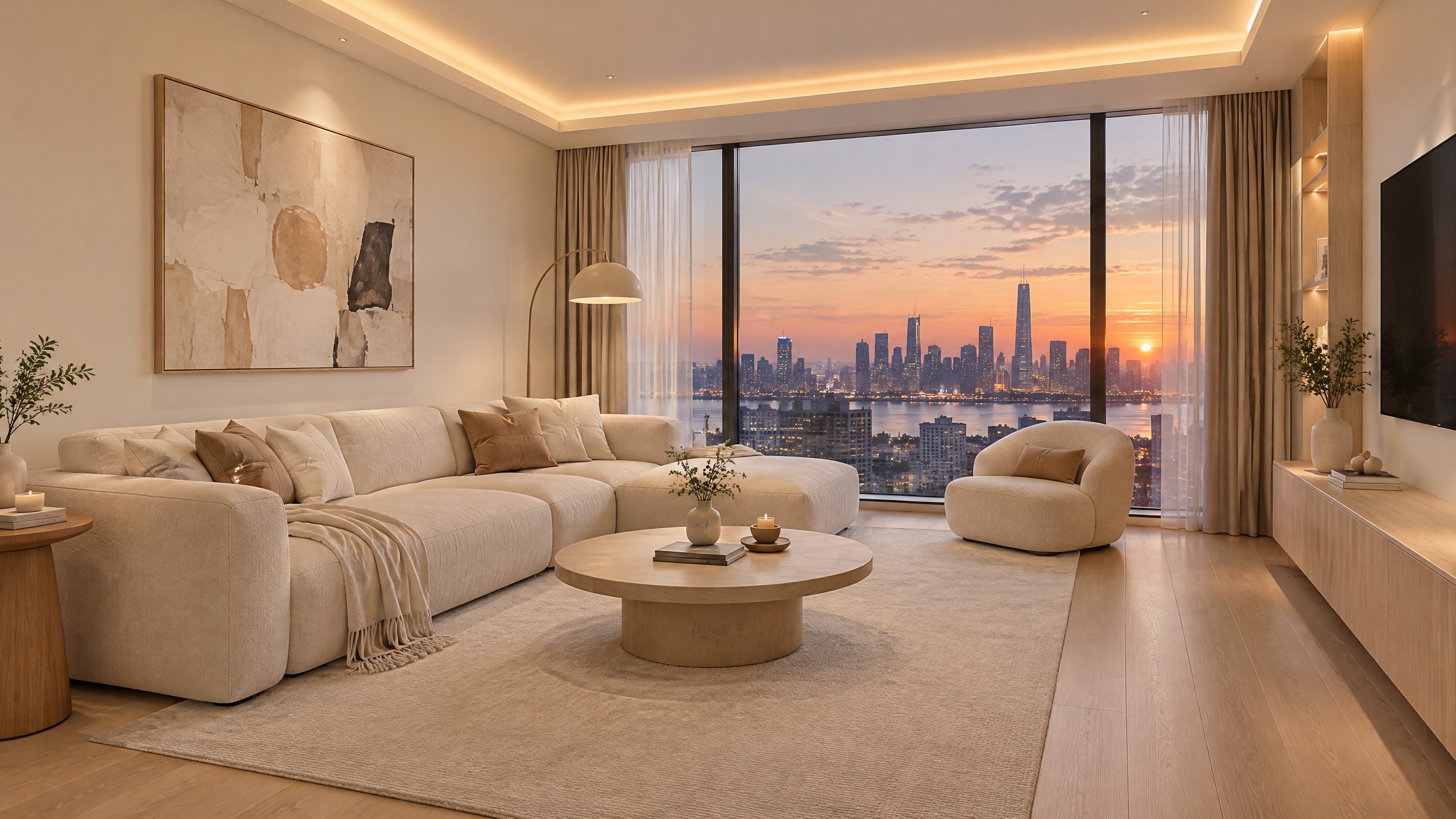
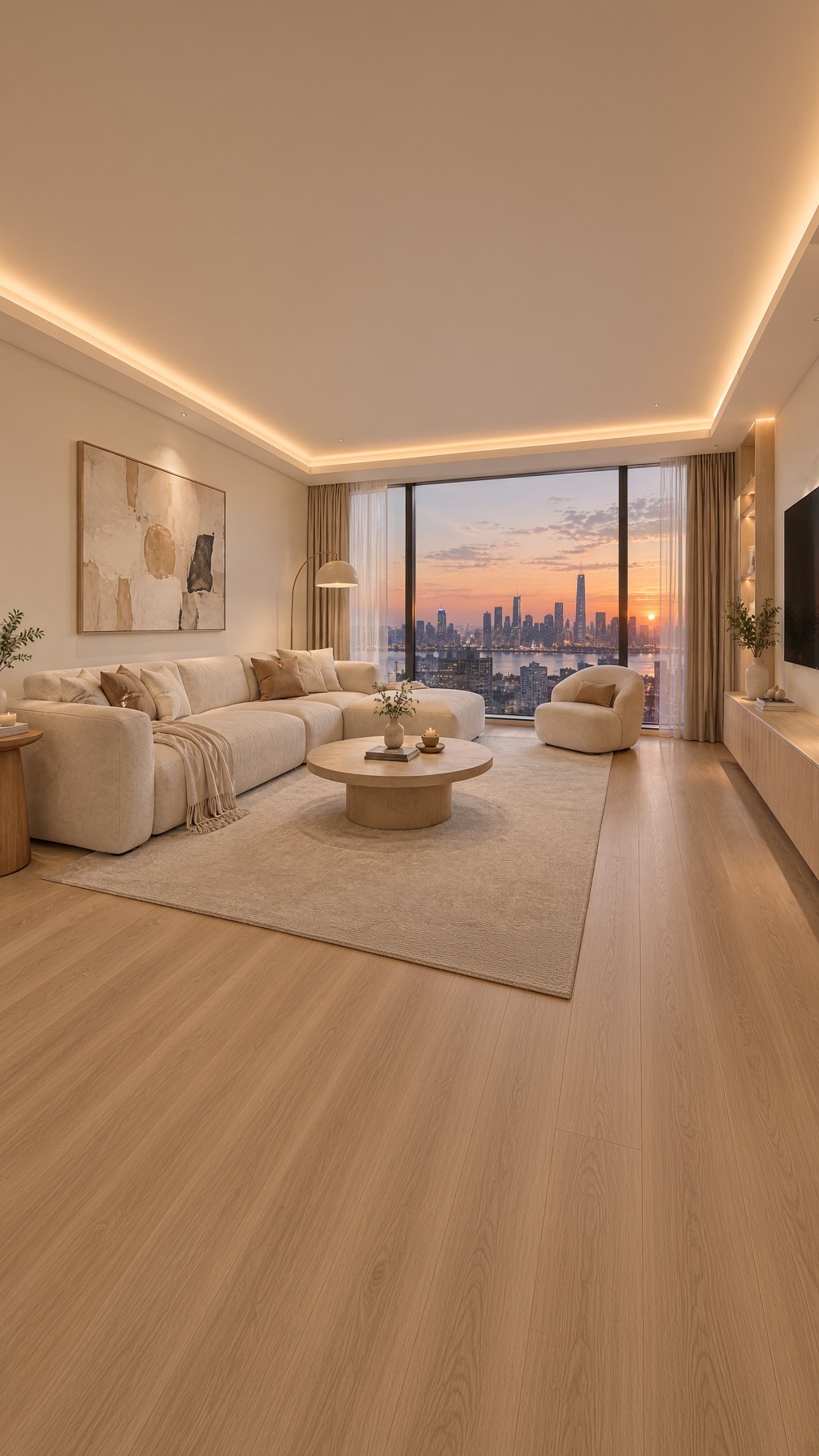
Extend this living room image vertically to a 9:16 frame. Keep the sofa, coffee table, window and skyline unchanged. Add more of the ceiling with the same hidden warm light strip above, and more of the light oak floor below. Same wide-angle eye-level perspective, same soft evening light.
用这个提示词生成 →(上传你的图,画幅选 9:16,1K)
grok-imagine/image-to-image,aspect_ratio: "9:16",1K,输出 1008×1792,$0.033。
横版室内图变竖版,靠的是上面加吊顶、下面加地板,比直接裁掉两边好得多。再写一遍透视(广角、人眼高度),房间的结构才不会走形。
扩图提示词公式
- 写明目标画幅:「Extend this photo to a 16:9 frame」,同时把
aspect_ratio设成同一个值。 - 锁住主体:「Keep the [主体] exactly as it is, same size, shape, color」。
- 写清填充内容:哪种背景、表面或光线往哪个方向延续。
- 禁止添加:「No new objects, no text」。
API 调用
curl -X POST https://api.hiapi.ai/v1/tasks \
  -H "Authorization: Bearer $HIAPI_KEY" \
  -H "Content-Type: application/json" \
  -d '{
    "model": "grok-imagine/image-to-image",
    "input": {
      "prompt": "Extend this product photo to a wider 16:9 frame. Keep the bottle exactly as it is. Fill the new space with the same white background. No new objects, no text.",
      "image_urls": ["https://your-cdn.example.com/product.jpg"],
      "aspect_ratio": "16:9",
      "resolution": "1k"
    }
  }'
aspect_ratio可选:auto(保持原图比例)、2:1、20:9、19.5:9、16:9、4:3、3:2、1:1、2:3、3:4、9:16、9:19.5、9:20、1:2。要扩图,就得设成和原图不同的比例。resolution是小写1k或2k;image_urls传 1–3 张可公开访问的 JPEG、PNG 或 WebP。- 价格:每张 $0.03,每张参考图加 $0.003,传一张原图就是 $0.033。
- 用
GET /v1/tasks/{taskId}查结果,status为success时下载output[0].url,这是临时链接。
常见问题
Grok Imagine 扩图会保留原图像素吗?
不会。它按新比例重画整张图,主体可能有移动或细微变化。要像素级精确扩图,可以在修图软件里把原图贴回结果上。
为什么主体被拉宽了?
提示词让「图」变宽,而不是让「画面」变宽。要写「extend the frame/background」,并写明「keep the subject's size and shape」。
能只往一个方向扩吗?
可以在提示词里要求(比如「extend only the top」),但最终构图由模型决定,每张结果都要检查位置。
还有哪个模型能做?
要更高的参考保真度,可以用 grok-imagine-quality/image-to-image,参数一样,1K 每张 $0.08,每张参考图加 $0.015。更多写法看 Grok Imagine 图生图提示词案例(英文)。
上传一张图,去模型页试试第一条提示词。