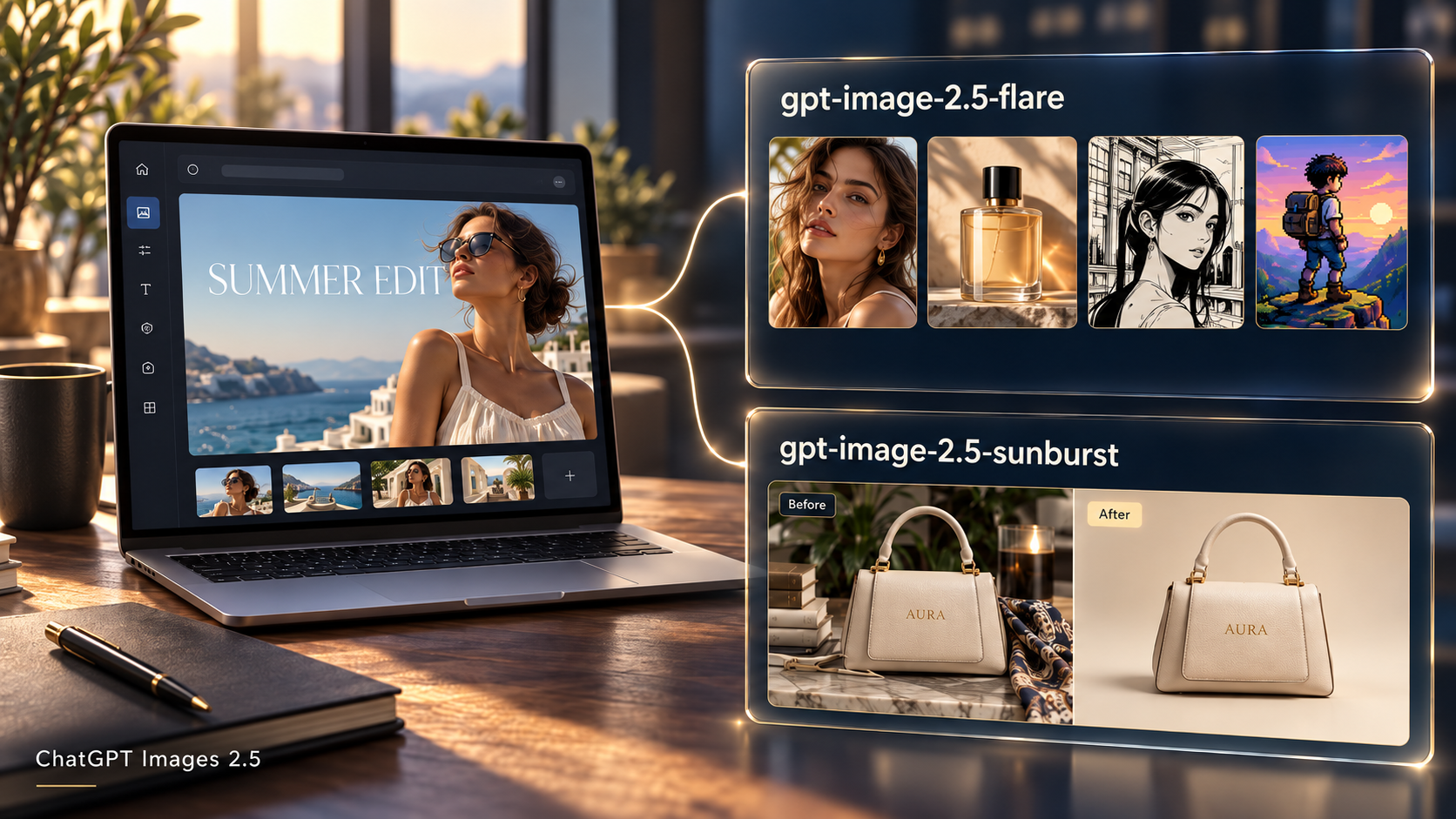
ChatGPT Images 2.5 is the chat product experience; Flare and Sunburst are the two API models introduced in the same release.
OpenAI released ChatGPT Images 2.5 on September 8, 2026, alongside the Flare and Sunburst API models. Search queries often show up as ChatGPT Images 2.5, chatgpt image 2.5, or gpt image 2.5, which mixes two different things: the ChatGPT image product and the two API model IDs.
This article covers only three points:
- What ChatGPT Images 2.5 refers to
- How it relates to
gpt-image-2.5-flareandgpt-image-2.5-sunburst - How to get started on HiAPI if you need the API in your own product
For model choice, see Flare vs Sunburst. For request fields and Image 2 migration, see the GPT Image 2.5 API guide.
Product name vs model ID
| Name you hear | What it actually is | Typical use |
|---|---|---|
| ChatGPT Images 2.5 | The ChatGPT image generation and editing experience; Images 2.5 is also available to ChatGPT Work and Codex users, with specific UI features varying by client and mode | Generate in chat, edit regions, guide with sketches |
| GPT-Image-2.5 Flare | API model ID: gpt-image-2.5-flare | Everyday high-quality generation, batch jobs, lower latency |
| GPT-Image-2.5 Sunburst | API model ID: gpt-image-2.5-sunburst | Precise edits, brand or product imagery |
| GPT Image 2 | Previous-generation API image models (on HiAPI, often gpt-image-2/text-to-image) | Existing Image 2 workflows; upgrading needs a new model ID and some input changes |
In short: ChatGPT Images 2.5 is the chat-product experience; Flare and Sunburst are the two API models introduced in the same release.
Sketch, template rails, and canvas comments in ChatGPT do not appear automatically in your backend when you switch an API model ID. The API gives generation and editing; product UI is yours to build.
Check the official help page for feature availability. As of September 10, 2026, Templates are not yet available in Work mode. Image-model access does not imply that every UI feature is available.
Spelling variants in search (image / images, hyphenated gpt-image-2.5) usually point at the same release. For integration, always use the full model ID from the console and docs.
Why search terms and API names diverge
Consumers search the product headline: ChatGPT Images 2.5.
Developers and docs use Flare and Sunburst.
So:
- People searching “ChatGPT Images 2.5” often want to know whether there is an API, how it relates to Images 2.0 / GPT Image 2, and whether to pick Flare or Sunburst.
- People searching
gpt-image-2.5-flareare usually already looking for integration details or quality tiers.
HiAPI model pages are organized by API names (Flare, Sunburst). If you arrived from ChatGPT news coverage, use the table below to choose, then try one image in the Playground on that model page.
Choosing Flare or Sunburst
| You care more about | Prefer | HiAPI model ID |
|---|---|---|
| Speed, drafts, high-frequency content tools | Flare | gpt-image-2.5-flare |
| Local editing precision and final polish | Sunburst | gpt-image-2.5-sunburst |
On HiAPI both use the same async endpoint POST /v1/tasks, and both support text-to-image and reference edits (pass image_urls when editing). The difference is positioning and results, not two unrelated protocols. Details: Flare vs Sunburst.
Minimal HiAPI example
After you create an API key, submit a Flare generation task (replace YOUR_API_KEY with a server-side secret):
curl -X POST https://api.hiapi.ai/v1/tasks \
  -H "Authorization: Bearer YOUR_API_KEY" \
  -H "Content-Type: application/json" \
  -d '{
  "model": "gpt-image-2.5-flare",
  "input": {
    "prompt": "A clean product photo of a matte ceramic mug on a light gray background, soft side light, no text, no logo.",
    "aspect_ratio": "1:1",
    "quality": "medium",
    "background": "opaque",
    "output_format": "webp"
  }
}'
Read the task ID from data.taskId in a successful create response. The image finishes asynchronously; poll the task or use a callback. For polling, editing with image_urls, and Image 2 migration field changes, see the API guide.
Editing does not use a separate /edit path: keep the same model ID, add reference image URLs in input, and state what to change and what to keep in the prompt.
Relation to older posts and models
- If you read ChatGPT Images 2 vs GPT Image 2 API, that covers the previous generation’s product-vs-API split. 2.5 keeps the same pattern (one chat product name, API SKUs underneath), but the API side is now split into Flare and Sunburst.
- For existing GPT Image 2 workflows, do not only swap the model string:
resolution, older routes, and reference-image field names may need updates—see the migration table in the API guide.
Suggested reading order
- This article: separate ChatGPT Images 2.5 from API SKUs
- Flare model page or Sunburst model page: Playground and current credit pricing
- Flare vs Sunburst: choose by task
- API guide: generate, edit, poll, migrate from Image 2
FAQ
Can I pass ChatGPT Images 2.5 as the API model name?
No. Use documented IDs such as gpt-image-2.5-flare or gpt-image-2.5-sunburst.
Is Images 2.5 in ChatGPT the same as Flare on HiAPI?
They belong to the same 2.5-generation image capability. ChatGPT also includes product UI. HiAPI exposes the API SKUs through async tasks for your own apps.
Do I need to write code to try one image?
No. Use the Playground on the model page first; then copy the same parameters into an API request.
Where do I see pricing?
Use the live credit price on the model page and your account billing. Quality tiers change per-image cost. This article does not compare third-party or official list prices.