TL;DR
- What it is: Qwen Image 2.1 Pro is live on HiAPI. Write a prompt and it generates; attach reference images and it edits. One model ID accepts up to 10 references, outputs five 2K-level aspect ratios, and runs
prompt_extendby default. Open the model page to try it; new accounts get 200 credits on sign-up. - What it costs: $0.05 per image (100 credits), billed per successful output. Aspect ratio does not change the price, failed tasks are refunded, and reference images add nothing. $10 buys about 200 images. Turbo shares the same contract at $0.02 per image.
- Fastest path: type a prompt on the model page and run it. For your own product,
POST https://api.hiapi.ai/v1/taskswithmodelset toqwen-image-2.1-pro.
What Qwen Image 2.1 Pro is, and what changed from 2.0
Text-to-image and editing share one model ID. Leave image_urls out and it generates from scratch; include it and the same ID edits the images you send. There is no separate edit endpoint to wire up.
Four differences from 2.0 matter in practice (2.0 took a free-form size, while 2.1 takes an aspect ratio):
- One ID, two jobs. Generation and editing both call
qwen-image-2.1-pro; the request differs only byimage_urls. - Up to 10 reference images. Product plus scene, person plus outfit, or a whole mood board can go in one request and be addressed as "image 1", "image 2" in the prompt.
- Five 2K-level aspect ratios. 1:1 returns 2048×2048, 16:9 returns 2688×1536, 9:16 returns 1536×2688, 4:3 returns 2368×1728 and 3:4 returns 1728×2368. There is no
resolutionfield; the ratio is the resolution. prompt_extendis on by default. The model expands a short instruction into a fuller scene description. Turn it off when exact wording or layout matters.
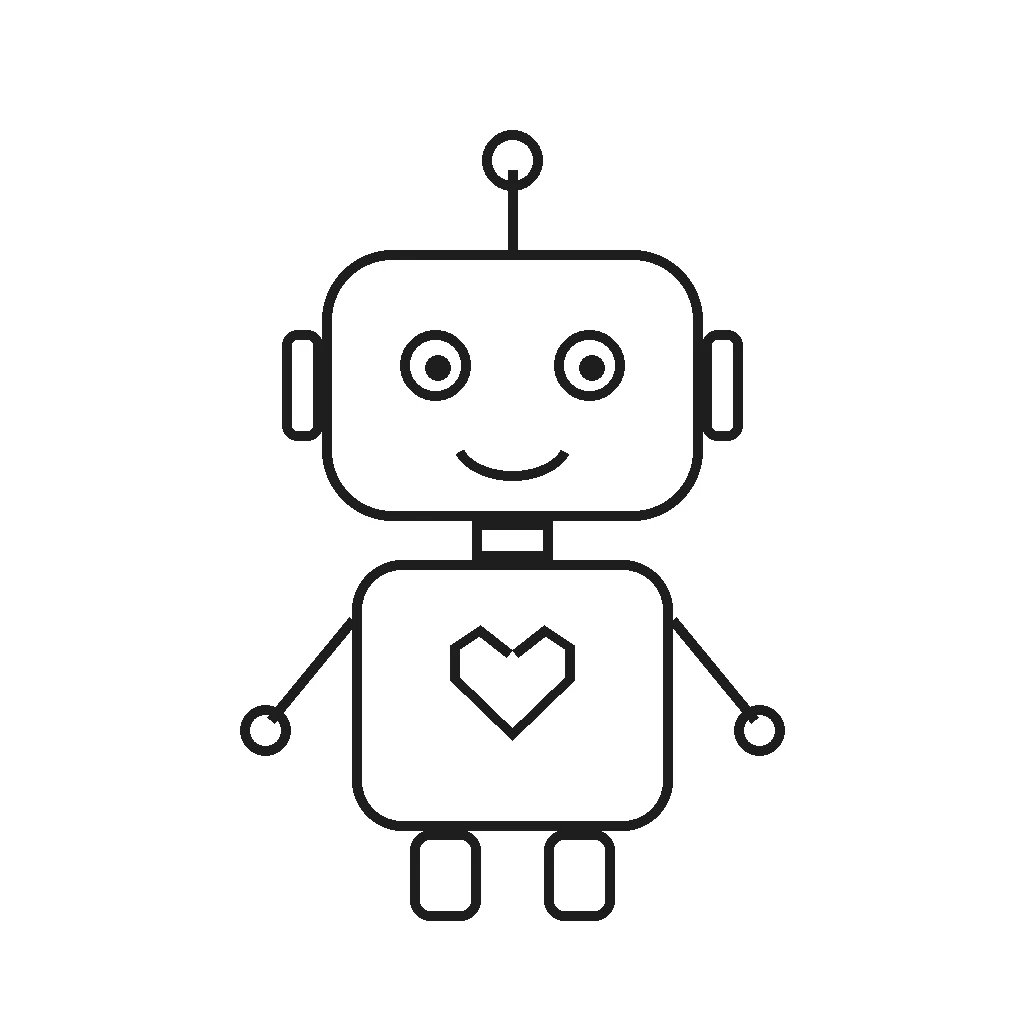
This line-art-to-toy case is a single edit request. The original silhouette, proportions and stance stay put:
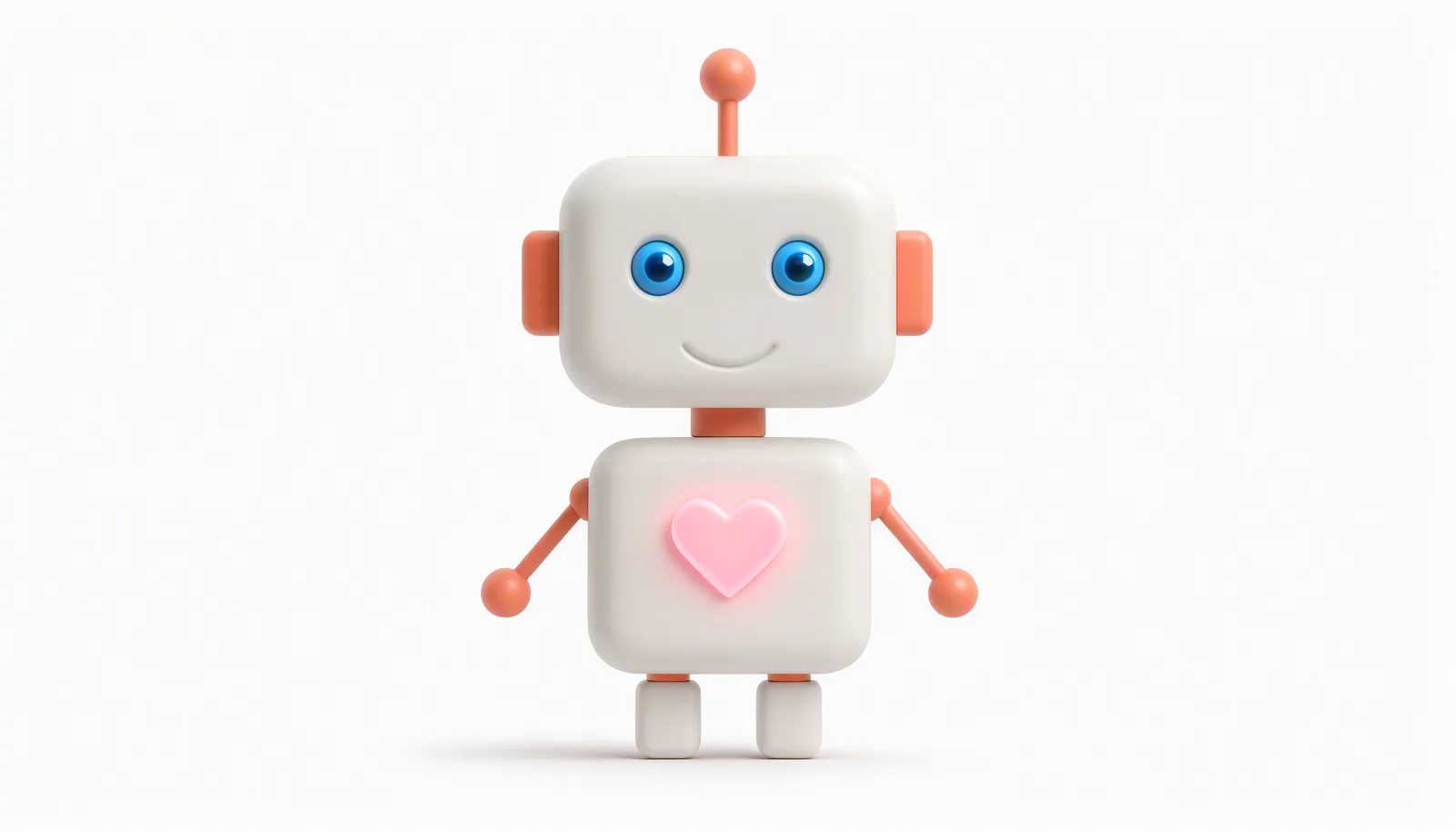
把参考图中的线稿小机器人变成精致的 3D 卡通玩具渲染:哑光白色外壳搭配珊瑚橙色关节、耳朵和天线,胸口的爱心发出柔和的粉色光,眼睛是亮蓝色,保持原有造型、比例与站姿,柔和棚拍光,干净的浅灰白色背景,只保留机器人主体。
Generate with this prompt → The link fills the prompt only. After it opens, upload the line-art image to image_urls and choose 1:1.
The prompt is written in Chinese, which is the exact instruction behind this output; Qwen Image 2.1 reads Chinese prompts directly. Keep it as-is to reproduce the result, or translate it if your own pipeline prefers English.
Try it online in 5 steps
- Open the Qwen Image 2.1 Pro model page. The 200 sign-up credits cover two Pro images.
- Write the prompt. For an edit, upload 1–10 reference images first.
- Pick an aspect ratio, or leave it empty and let the model choose.
- Keep
prompt_extendon for general work; turn it off for an exact typographic layout. - Submit and download the result.
Connect through the API in 4 steps
- Create an API key in the console.
POST https://api.hiapi.ai/v1/taskswithmodelset toqwen-image-2.1-pro.- Poll
GET /v1/tasks/{taskId}with the returned ID, or attach a top-levelcallback. - On
success, download the image fromoutput[0].url.
A curl you can run: text to image
curl -s -X POST https://api.hiapi.ai/v1/tasks \
  -H "Authorization: Bearer YOUR_API_KEY" \
  -H "Content-Type: application/json" \
  -d '{
    "model": "qwen-image-2.1-pro",
    "input": {
      "prompt": "一张极简中文活动海报,米白色纸张背景,画面中央只排版以下三行中文字并全部水平居中:第一行是大号黑色衬线字“春日茶会”,第二行是中号深灰色字“三月二十八日 下午两点”,第三行是小号灰色字“城南茶室 免费入场”。字距均匀,四周留白充足,除了这三行字以外画面中没有任何其他文字、图形、线条或装饰,哑光印刷质感。",
      "aspect_ratio": "3:4",
      "prompt_extend": false,
      "seed": 42
    }
  }'
The task ID comes back in data.taskId. Query it with the same Bearer key:
curl -s https://api.hiapi.ai/v1/tasks/YOUR_TASK_ID \
  -H "Authorization: Bearer YOUR_API_KEY"
data.status moves through queued, handling, archiving, success or fail. archiving means the file is still being packaged, not that the job failed.
Python: submit, poll and download
import time
import requests

BASE = "https://api.hiapi.ai/v1/tasks"
HEADERS = {"Authorization": "Bearer YOUR_API_KEY"}

payload = {
    "model": "qwen-image-2.1-pro",
    "input": {
        "prompt": "一张极简中文活动海报,米白色纸张背景,画面中央只排版以下三行中文字并全部水平居中:第一行是大号黑色衬线字“春日茶会”,第二行是中号深灰色字“三月二十八日 下午两点”,第三行是小号灰色字“城南茶室 免费入场”。字距均匀,四周留白充足,除了这三行字以外画面中没有任何其他文字、图形、线条或装饰,哑光印刷质感。",
        "aspect_ratio": "3:4",
        "prompt_extend": False,
        "seed": 42,
    },
}

task_id = requests.post(BASE, headers=HEADERS, json=payload, timeout=30).json()["data"]["taskId"]

while True:
    data = requests.get(f"{BASE}/{task_id}", headers=HEADERS, timeout=30).json()["data"]
    if data["status"] in ("success", "fail"):
        break
    time.sleep(3)

if data["status"] == "success":
    with open("qwen-image.png", "wb") as f:
        f.write(requests.get(data["output"][0]["url"], timeout=60).content)
    print("saved qwen-image.png")
else:
    print(data.get("error"))
Text to image vs. editing: the only switch is image_urls
No image_urls means a new image. One URL means a single-image edit. Two to ten URLs mean multi-image reference. Inputs accept JPG, JPEG, PNG, BMP, TIFF, WEBP and GIF, up to 10MB each, with sides from 1 to 8000px and a long-to-short ratio of at most 10:1.
The array order becomes "image 1", "image 2" in the prompt. Placing this oak armchair into the living room takes two references and one instruction:
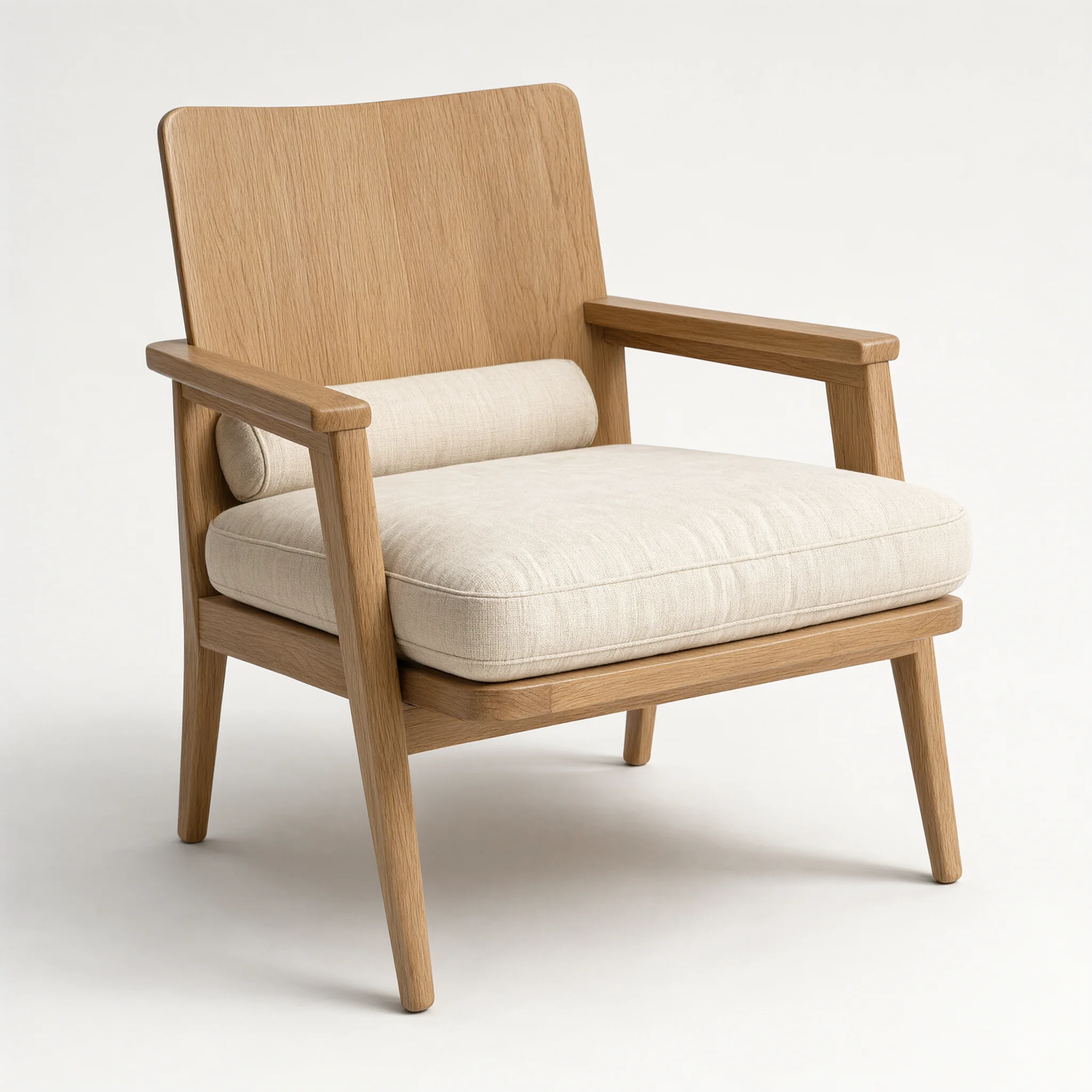
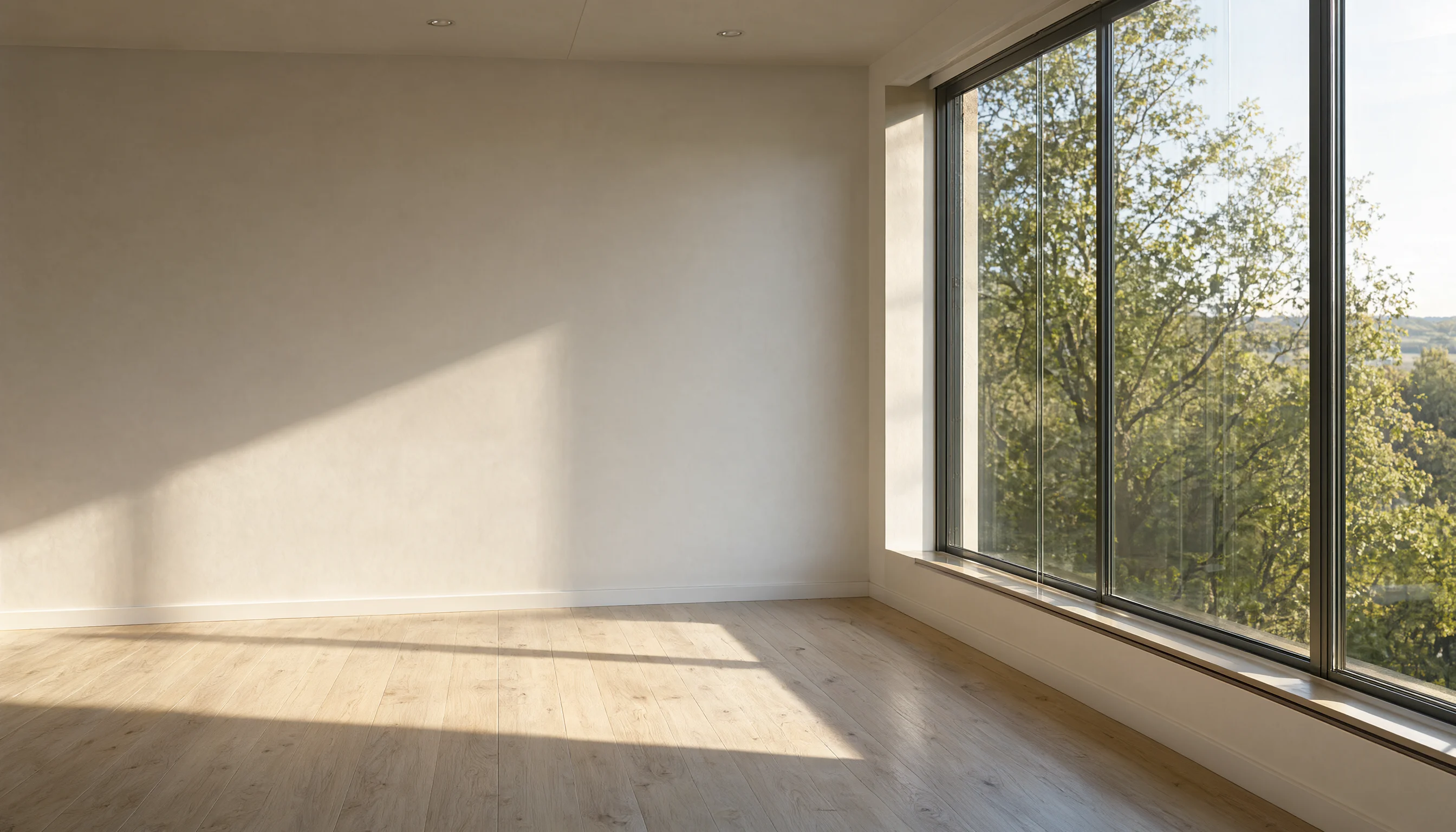
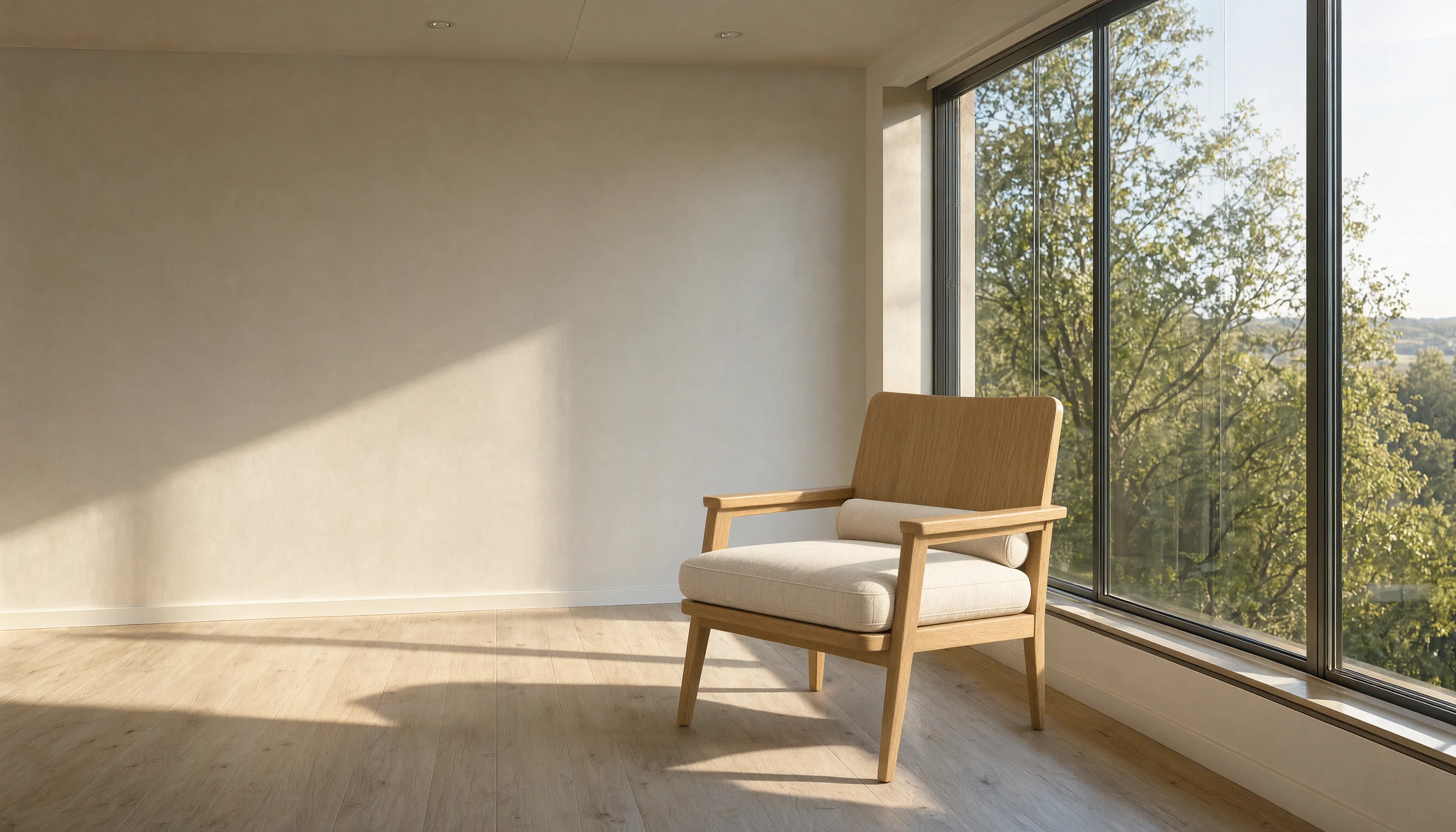
把图1的橡木扶手椅放进图2的客厅里,椅子摆在落地窗前那片地板光斑上,朝向与图1保持一致,为椅子补齐符合场景的落地阴影与接触阴影,保留图2房间的墙面、木地板、墙脚线、窗框与窗外景色完全不变,整体统一为下午的暖白色自然侧光。
Generate with this prompt → Upload the two images in order: the chair first, the room second. Swapping them swaps the result.
A single-image product edit uses the same field. This perfume shot changes material and setting only:
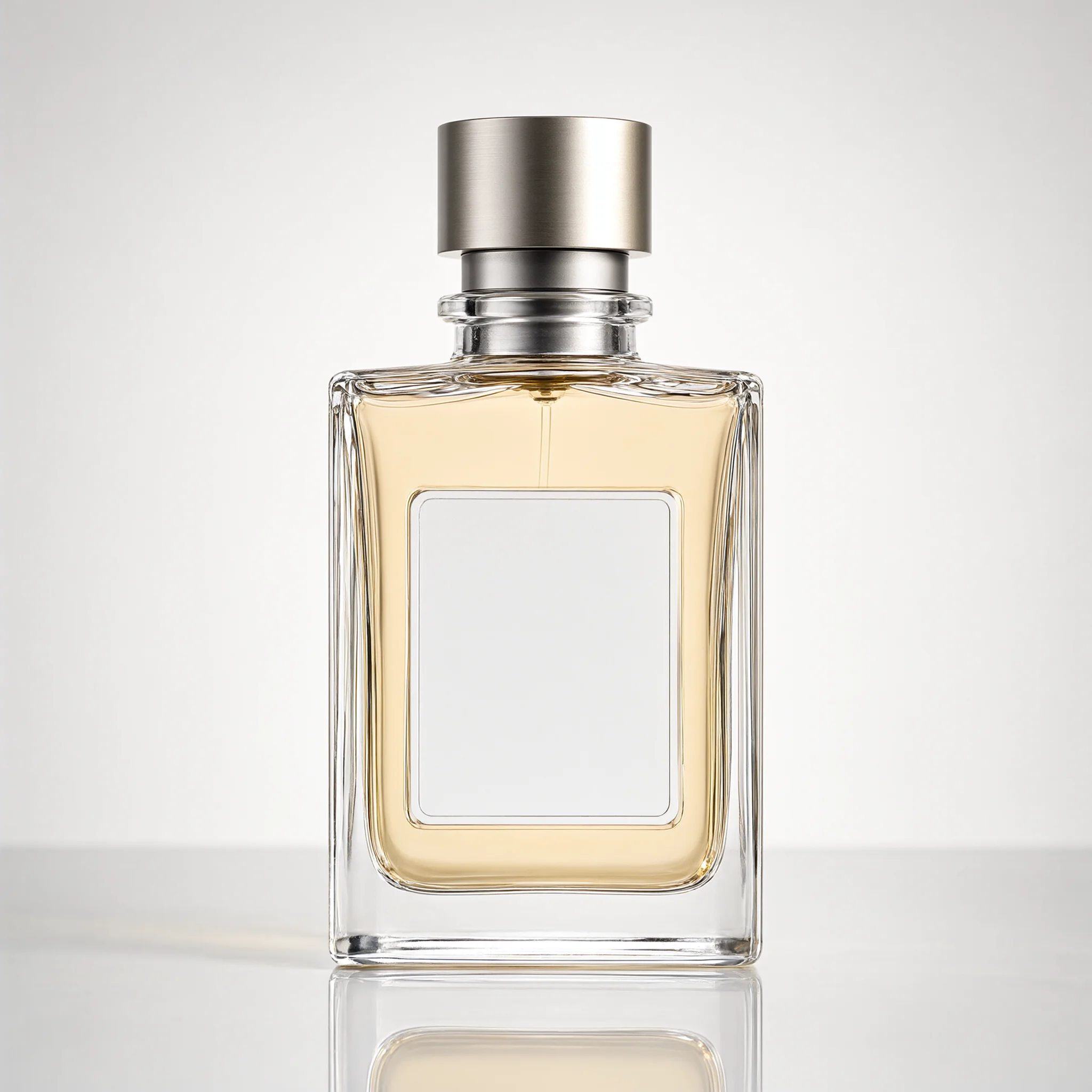
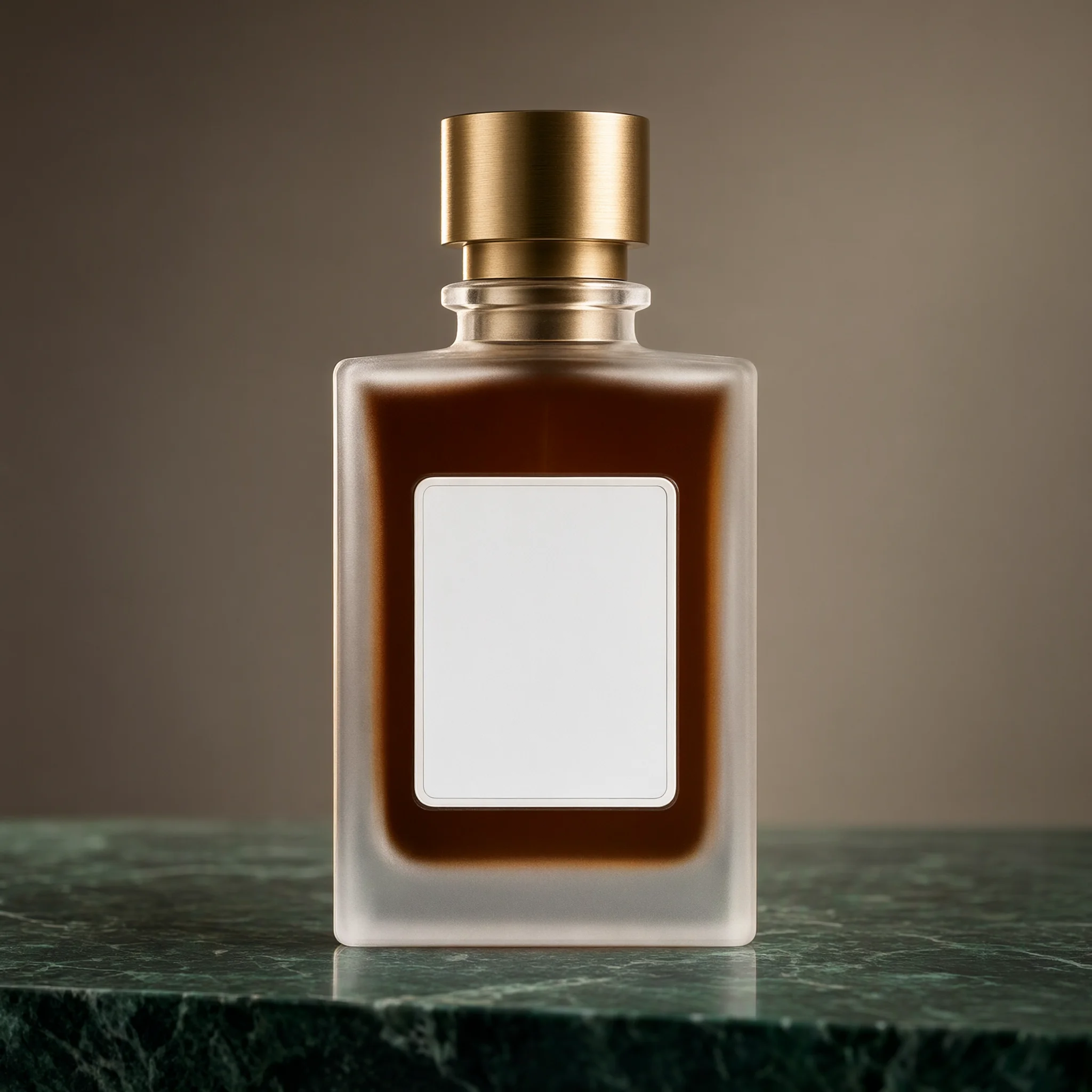
以图1的香水瓶为基础做电商产品图改造:瓶身玻璃改成磨砂半透明质感,瓶盖由银灰色金属换成拉丝黄铜,瓶内的香液改成深琥珀色,瓶子放到一块深绿色大理石台面上,背景换成暖灰色墙面,左上方侧逆光勾出瓶身轮廓,保留图1的瓶身形状、比例、瓶盖高度与标签区域形状不变。
Generate with this prompt → Upload the original bottle and keep 1:1.
prompt_extend and transparent backgrounds
prompt_extend defaults to true. The model expands a short instruction into a full scene description, which helps with open-ended concepts. Set it to false when you need an exact typographic layout, a verbatim poster, or your prompt is already tightly specified; the model then follows the text without rewriting it.
Transparent backgrounds come from the prompt. Describe a pure transparent background, keep only the subject and ask for no background color block; the returned PNG can carry an alpha channel. Results depend on how the prompt is written and are not guaranteed to be fully transparent every run. Check the alpha channel with Image.open(path).getchannel("A").getextrema() before delivery, and add a background-removal step if you need a reliably transparent asset.
Three things to handle before launch
- Callback plus polling as a fallback. Add
"callback": {"url": "https://yourapp.com/hook", "when": "final"}at the top of the request body. Notifications can repeat, so deduplicate bytaskIdand keep a scheduled lookup as backup. - Do not re-POST on a timeout. Every submission creates and bills a new image. Store the
taskIdand query the same one when the network wobbles. - Write
aspect_ratioexplicitly. Leave it out and the model chooses. There is noresolutionfield; sending one is an error. Output URLs carry anexpireAt, so copy the file into your own storage on receipt.
FAQ
Are text-to-image and editing separate models?
No. Both are qwen-image-2.1-pro; the only difference is whether image_urls is present.
How many reference images can I send? One to ten, up to 10MB each. Address them as "image 1", "image 2" in the prompt in the same order as the array.
Can I choose 4K? No. There are five aspect ratios with fixed 2K-level sizes; 1:1 is 2048×2048.
Is a transparent PNG guaranteed? No. Transparency is produced through the prompt description. Check the alpha channel after generation and add background removal when you need a guaranteed result.
Make your first image
Copy the line-art robot prompt, open the Qwen Image 2.1 Pro model page, upload the sketch, choose 1:1 and spend $0.05 on a 2048×2048 result. When you need a composite, put the chair and the room into image_urls in that order and run the second prompt. The full field list is in the API documentation.
Related: Qwen Image 2.1 pricing · vs GPT Image 2.5 · Qwen Image 2.1 prompt recipes