TL;DR
- FIBO 1.5 is a generate-plus-edit pair:
fibo-gen-1.5/text-to-imagefor photoreal generation (with accurate in-image text) andfibo-edit-1.5/image-to-imagefor one-line editing (up to 4 reference images, plus masked local edits). Try it on the Gen model page; new accounts get 200 free credits. - Both cost the same: $0.0575 per image — a generate-then-edit pipeline is $0.115 (see the pricing page).
- Everything runs on HiAPI
/v1/tasks: submit for ataskId, then poll. The editing field is calledinstruction, notprompt.
What it does
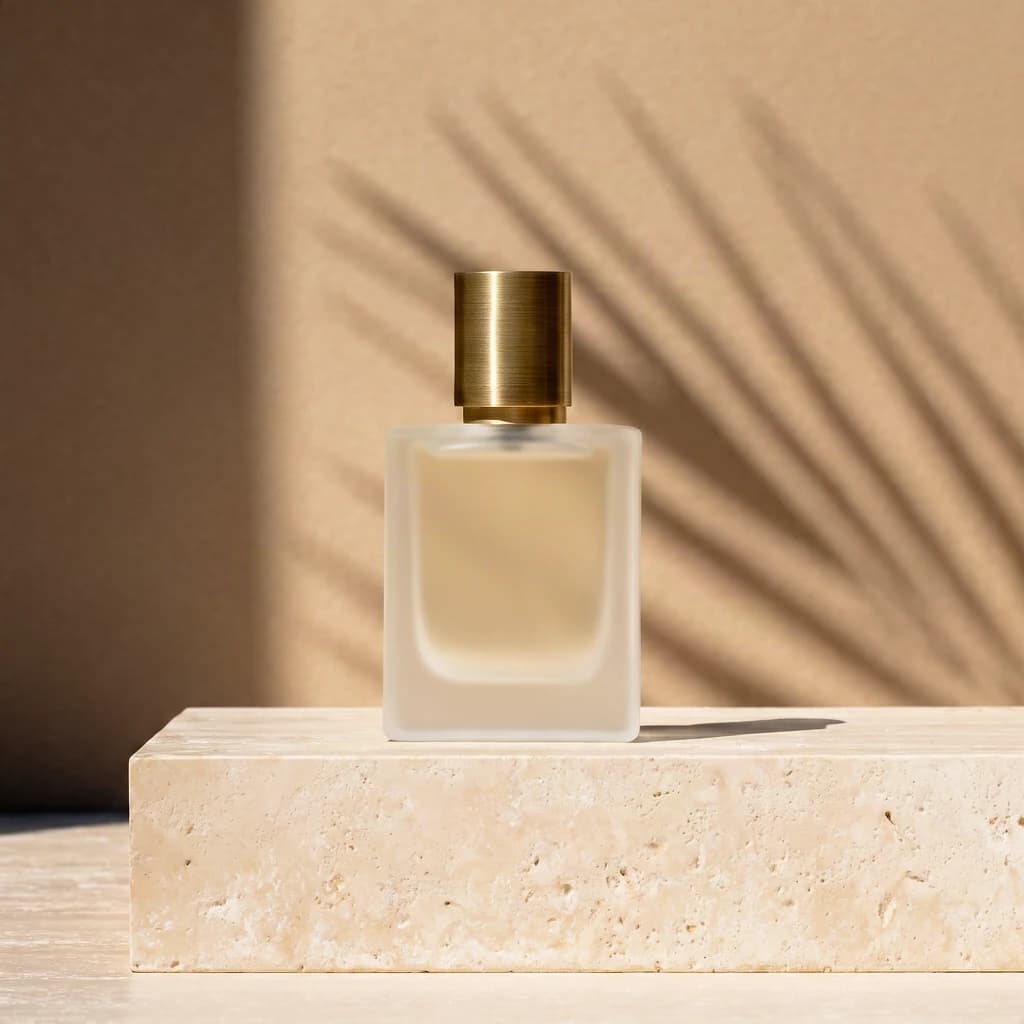
- Photoreal output with accurate text: product labels and storefront signs come out letter-perfect (the label below reads NOIR 07).
- One-line edits: describe the change in
instruction; anything you don't mention stays as-is. - Up to 4 images per composite: try-ons, background swaps, product-into-scene —
image_urlsare referenced in order. - Masked local edits: white marks what changes, black stays.
Here's a real Gen output:
Luxury product photo of an amber glass perfume bottle on wet black marble, gold cap, soft rim light, droplets on the glass, the label reads 'NOIR 07' in elegant serif letters
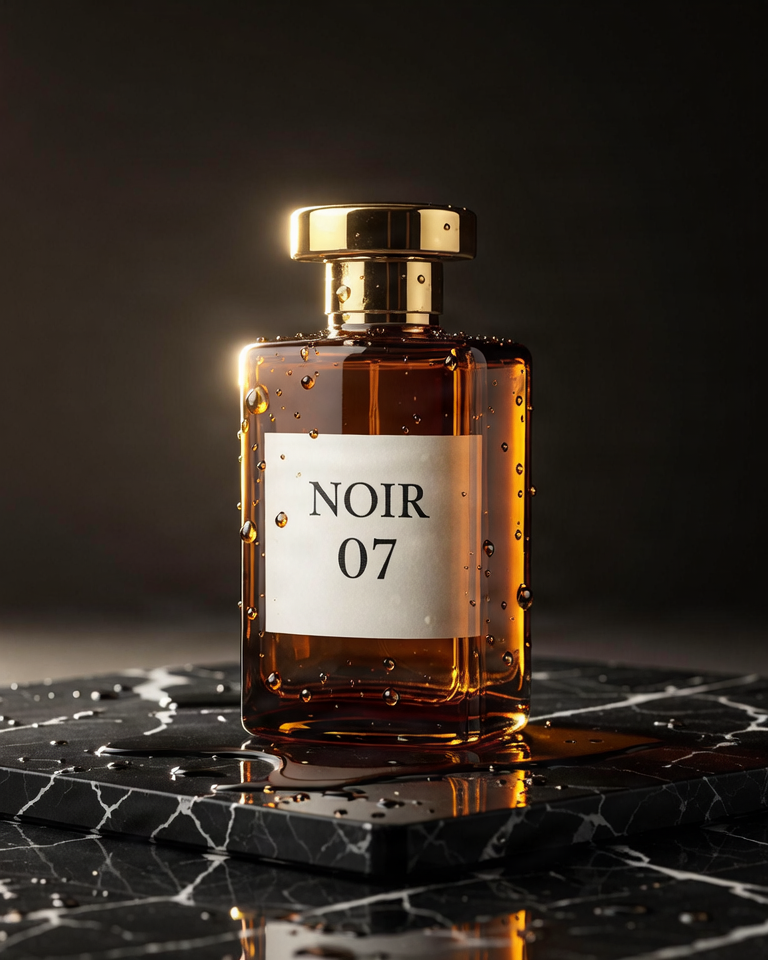
fibo-gen-1.5/text-to-image, 4:5, 768×960, $0.0575.
Two endpoints: which to use
fibo-gen-1.5/text-to-image | fibo-edit-1.5/image-to-image | |
|---|---|---|
| What it does | Generates photoreal images from text | Edits existing images with one instruction |
| Required input | prompt | image_urls (1–4) + instruction |
| Price | $0.0575/image | $0.0575/image |
| Special parameters | aspect_ratio (9), seed (default 5555) | mask_url, seed (default 5555) |
| Best for | New frames, lettered assets | Try-ons, background swaps, composites, local fixes |
Typical pipeline: generate the base in Gen, then produce the set in Edit (new backgrounds, recolors, added elements). Scene templates live in the prompt guide.
Two ways to start
Browser, 3 steps: open the model page → paste the prompt, pick a ratio → generate. One image is $0.0575.
API, 3 steps: POST /v1/tasks to submit → take the taskId → GET /v1/tasks/<taskId> until success.
curl: your first image
curl -X POST https://api.hiapi.ai/v1/tasks \
  -H "Authorization: Bearer YOUR_API_KEY" \
  -H "Content-Type: application/json" \
  -H "Idempotency-Key: your-unique-key-001" \
  -d '{
  "model": "fibo-gen-1.5/text-to-image",
  "input": {
    "prompt": "Luxury product photo of an amber glass perfume bottle on wet black marble, gold cap, soft rim light, droplets on the glass, the label reads 'NOIR 07' in elegant serif letters",
    "aspect_ratio": "4:5",
    "seed": 2026
  }
}'
For editing, switch model to fibo-edit-1.5/image-to-image and put the change in instruction, referencing images in order (a two-image try-on):
curl -X POST https://api.hiapi.ai/v1/tasks \
  -H "Authorization: Bearer YOUR_API_KEY" \
  -H "Content-Type: application/json" \
  -d '{
  "model": "fibo-edit-1.5/image-to-image",
  "input": {
    "image_urls": [
      "https://static.hiapi.ai/gallery/2026/10/78f963cb21d0242c.jpg",
      "https://static.hiapi.ai/gallery/2026/10/36246b7cabde4a1a.jpg"
    ],
    "instruction": "Dress the woman in image 1 with the mustard corduroy jacket from image 2, worn open over her white t-shirt. Keep her pose, face and the studio background.",
    "aspect_ratio": "3:4"
  }
}'
Masked local edit: mask_url pairs with exactly one image, and white marks what changes (the opposite of Ideogram 4.5 Edit):
curl -X POST https://api.hiapi.ai/v1/tasks \
  -H "Authorization: Bearer YOUR_API_KEY" \
  -H "Content-Type: application/json" \
  -d '{
  "model": "fibo-edit-1.5/image-to-image",
  "input": {
    "image_urls": ["https://static.hiapi.ai/gallery/2026/10/d9037da1559e78a6.jpg"],
    "mask_url": "https://static.hiapi.ai/gallery/2026/10/cae371f9e4689db5.png",
    "instruction": "Replace the floor under the sneaker with light wooden planks."
  }
}'
Python: submit, poll, download
import time, uuid, requests

BASE = "https://api.hiapi.ai/v1/tasks"
HEADERS = {
    "Authorization": "Bearer YOUR_API_KEY",
    "Content-Type": "application/json",
}

payload = {
    "model": "fibo-gen-1.5/text-to-image",
    "input": {
        "prompt": "Luxury product photo of an amber glass perfume bottle on wet black marble, gold cap, soft rim light, droplets on the glass, the label reads 'NOIR 07' in elegant serif letters",
        "aspect_ratio": "4:5",
        "seed": 2026,
    },
}

resp = requests.post(
    BASE,
    headers={**HEADERS, "Idempotency-Key": str(uuid.uuid4())},
    json=payload,
    timeout=30,
)
resp.raise_for_status()
task_id = resp.json()["taskId"]

while True:
    task = requests.get(f"{BASE}/{task_id}", headers=HEADERS, timeout=30).json()
    print(task["status"])
    if task["status"] in ("success", "fail"):
        break
    time.sleep(3)

if task["status"] == "success":
    image_url = task["output"][0]["url"]   # temporary URL — download promptly
    img = requests.get(image_url, timeout=60)
    with open("output_image", "wb") as f:
        f.write(img.content)
    print("saved")
Parameters
fibo-gen-1.5/text-to-image
| Field | Required | Values | Notes |
|---|---|---|---|
prompt | yes | 1–10,000 chars | Frame description; quote any in-image text (the label reads '…') |
aspect_ratio | no | 1:1 / 2:3 / 3:2 / 3:4 / 4:3 / 4:5 / 5:4 / 9:16 / 16:9, default 1:1 | Nine ratios, one price |
seed | no | integer, default 5555 | Fixed even when omitted — same prompt, same result; change it to reroll |
fibo-edit-1.5/image-to-image
| Field | Required | Values | Notes |
|---|---|---|---|
image_urls | yes | 1–4 images | Order matters; instruction refers to image 1, image 2… |
instruction | yes | ≥1 char | What to change; unmentioned content stays |
aspect_ratio | no | same nine | Applies only with 2+ images; single-image edits keep the original ratio |
mask_url | no | image URL | Single-image edits only; white = change, black = keep; must match the image size |
seed | no | integer, default 5555 | Same inputs reproduce |
Any field outside the tables returns a 400.
Errors you'll actually hit (verbatim)
| What you did | Response |
|---|---|
Omitted prompt on Gen | 400 invalid input: prompt: missing required field "prompt" |
Sent seed as a string | 400 invalid input: seed: got string, want integer |
Misspelled aspect_ratio | 400 invalid input: aspect_ratio: value must be one of '1:1', '2:3', '3:2', '3:4', '4:3', '4:5', '5:4', '9:16', '16:9' |
Omitted instruction on Edit | 400 invalid input: instruction: missing required field "instruction" |
| Sent 5 images to Edit | 400 invalid input: image_urls: maxItems: got 5, want 4 |
| Paired a mask with 2 images | 400 (mask_url requires exactly 1 image) |
| Out of credits | 402 insufficient account balance; top up and retry |
Re-submitting the same Idempotency-Key returns 409 or 422; use a fresh key.
Before you ship
- Callbacks: pass
"callback": {"url": "https://..."}at the request top level. - Persist outputs:
output[0].urlis temporary — download it right away. - Name images in instructions: reference image 1 / image 2 in the order of
image_urls. - Mask polarity: FIBO is white-edits, black-keeps — invert your masks when porting scripts from other editors.
FAQ
- Yes, the editing field is called
instruction, notprompt; the wrong name returns a missing-field error. - Yes, four input images max — the fifth returns a 400.
- Yes, seed defaults to 5555 and is fixed — identical inputs reproduce; pass a new seed for a different take.
- Yes, both endpoints share one price and calling convention — change only
modelandinput.
Next: take the perfume prompt and generate a base image, then reshape it with one instruction; scene templates are in the prompt guide.