TL;DR
- Krea 3 (
krea-3/text-to-image) is a text-to-image model: one description yields photoreal shots, illustrations, or concept art, with prompt reasoning before generation and two variants — berry (quality, default) and jam (speed) — at the same price. Try it on the model page; new accounts get 200 free credits. - Pricing is per image: Krea 3 at $0.036, with the cheaper family sibling Krea 2 Medium Turbo (
krea-2-medium-turbo) at $0.0215. - Everything runs on the HiAPI
/v1/tasksendpoint: submit for ataskId, poll for the result, download fromoutput[0].url.
What it does
- One line in, a full frame out. The model reasons about and expands your prompt before generating —
a lighthousestill comes back with time of day, light, and composition; detailed prompts are followed as written. - berry / jam, one model ID. Switch with
variant; parameters and price are identical. Same seed gives different compositions and tones on each, so run both and pick. - Six size presets up to 1K: square through widescreen (1024×1024 down to 1024×576), output as PNG or JPEG.
- Posters with headline text work too: quote the words; short headlines usually come out accurate.
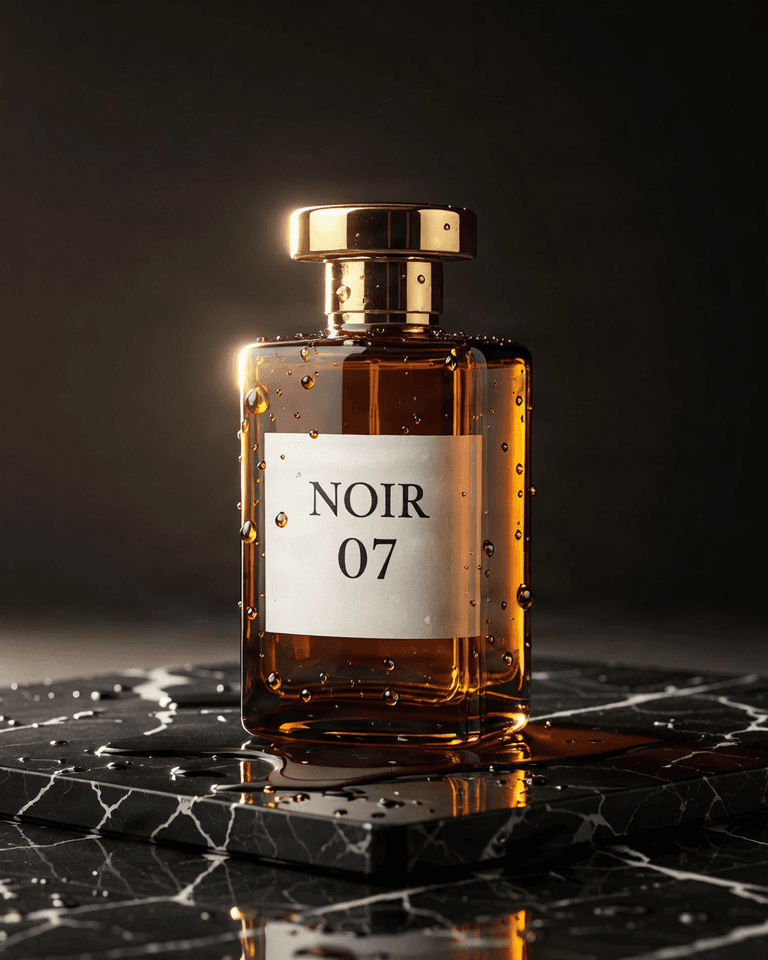
Here's a real berry output:
Studio product photograph of a frosted glass perfume bottle with a brushed brass cap standing on a block of travertine, hard afternoon sunlight casting a long palm-leaf shadow across a warm beige wall, crisp reflections, high-end editorial look
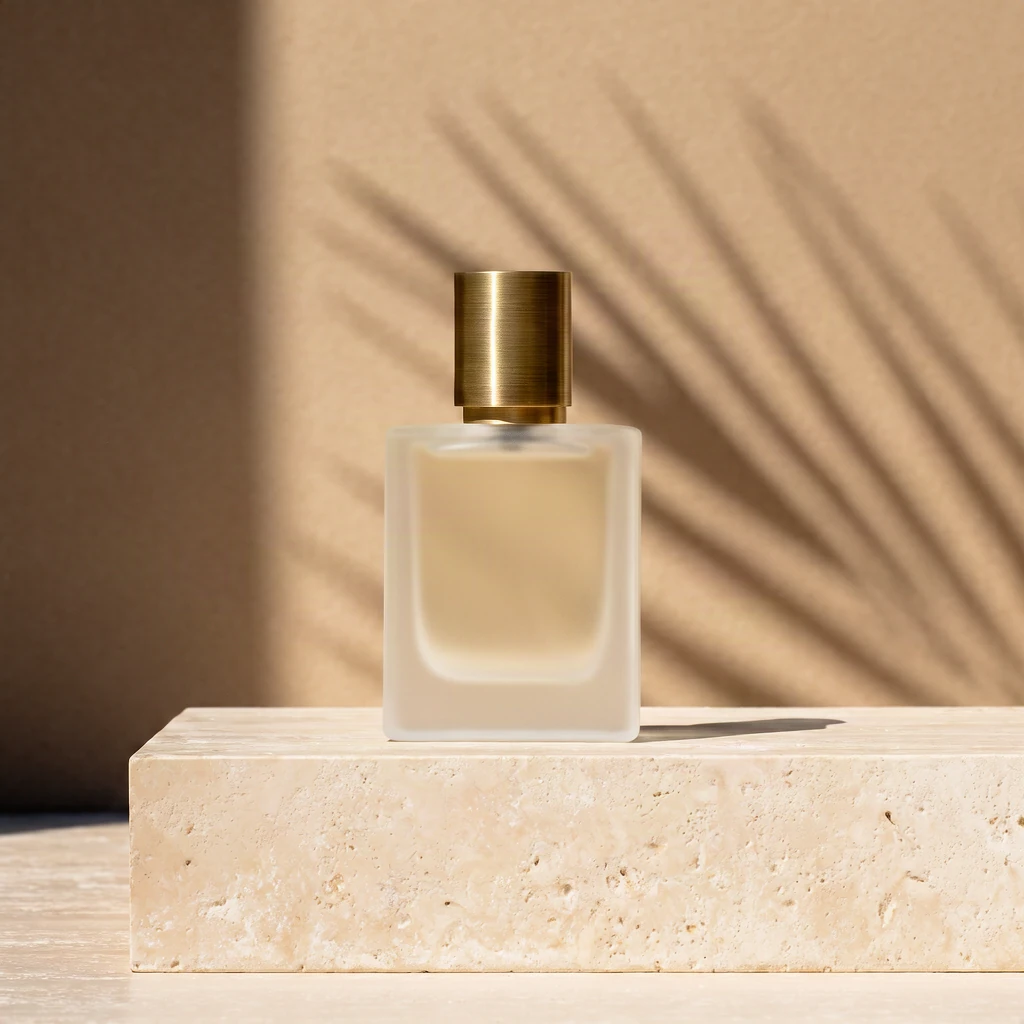
krea-3/text-to-image, berry, square_hd, 1024×1024, $0.036.
Two models: which to use
krea-3/text-to-image (Krea 3) | krea-2-medium-turbo (Krea 2 Medium Turbo) | |
|---|---|---|
| Per image | $0.036 | $0.0215 |
| Size | 6 presets (max 1024×1024), no custom sizes | aspect_ratio with 8 options incl. 2.35:1 cinema |
| Special parameters | variant (berry/jam), reasoning_level, negative_prompt (berry only) | creativity in 4 levels (raw/low/medium/high) |
| Prompt handling | Reasons and expands before generating; short lines still work | Renders as written — detail in, detail out |
| Best for | Final frames, fast exploration from short prompts, lettered posters | Volume output, widescreen framing, budget-sensitive daily work |
Chain them: draft direction on Krea 2, finalize on Krea 3 — one draft plus one final is $0.0575. Scene-by-scene recipes are in the prompt guide.
Two ways to start
Browser, 3 steps: open the model page → paste the prompt and pick a size → generate. One image is $0.036.
API, 3 steps: POST /v1/tasks to submit → take the taskId → GET /v1/tasks/<taskId> until success, then download.
curl: your first image
curl -X POST https://api.hiapi.ai/v1/tasks \
  -H "Authorization: Bearer YOUR_API_KEY" \
  -H "Content-Type: application/json" \
  -H "Idempotency-Key: your-unique-key-001" \
  -d '{
  "model": "krea-3/text-to-image",
  "input": {
    "prompt": "Studio product photograph of a frosted glass perfume bottle with a brushed brass cap standing on a block of travertine, hard afternoon sunlight casting a long palm-leaf shadow across a warm beige wall, crisp reflections, high-end editorial look",
    "image_size": "square_hd",
    "variant": "berry",
    "reasoning_level": "medium"
  }
}'
Switching to Krea 2 Medium Turbo changes model and the input fields:
curl -X POST https://api.hiapi.ai/v1/tasks \
  -H "Authorization: Bearer YOUR_API_KEY" \
  -H "Content-Type: application/json" \
  -d '{
  "model": "krea-2-medium-turbo",
  "input": {
    "prompt": "Futuristic city skyline at dusk, neon reflections on wet streets, cinematic widescreen",
    "aspect_ratio": "2.35:1",
    "creativity": "low"
  }
}'
The response carries the taskId you'll poll with.
Python: submit, poll, download
import time, uuid, requests

BASE = "https://api.hiapi.ai/v1/tasks"
HEADERS = {
    "Authorization": "Bearer YOUR_API_KEY",
    "Content-Type": "application/json",
}

payload = {
    "model": "krea-3/text-to-image",
    "input": {
        "prompt": "Studio product photograph of a frosted glass perfume bottle with a brushed brass cap standing on a block of travertine, hard afternoon sunlight casting a long palm-leaf shadow across a warm beige wall, crisp reflections, high-end editorial look",
        "image_size": "square_hd",
        "variant": "berry",
        "reasoning_level": "medium",
    },
}

# Submit: the Idempotency-Key makes network retries safe
resp = requests.post(
    BASE,
    headers={**HEADERS, "Idempotency-Key": str(uuid.uuid4())},
    json=payload,
    timeout=30,
)
resp.raise_for_status()
task_id = resp.json()["taskId"]

# Poll: queued -> handling -> archiving -> success / fail
while True:
    task = requests.get(f"{BASE}/{task_id}", headers=HEADERS, timeout=30).json()
    print(task["status"])
    if task["status"] in ("success", "fail"):
        break
    time.sleep(3)

if task["status"] == "success":
    image_url = task["output"][0]["url"]   # temporary URL — download promptly
    img = requests.get(image_url, timeout=60)
    with open("output_image", "wb") as f:  # name the extension to match the actual format
        f.write(img.content)
    print("saved")
Parameters (krea-3/text-to-image)
| Field | Required | Values | Notes |
|---|---|---|---|
prompt | yes | 1–5,000 chars | The frame you want; the more specific, the more literal |
image_size | no | square_hd / square / portrait_4_3 / portrait_16_9 / landscape_4_3 / landscape_16_9, default square_hd | Size presets up to 1024×1024; no auto or custom sizes |
variant | no | berry / jam, default berry | berry favors quality, jam favors speed; same price |
reasoning_level | no | low / medium, default medium | How much the prompt is expanded; medium for short prompts, low for detailed ones |
negative_prompt | no | ≤1,024 chars | What to keep out; works on berry only |
output_format | no | png / jpeg, default png | Output format |
seed | no | integer 0–2147483647 | Reproducible within a variant; berry and jam don't cross-reproduce |
Krea 2 Medium Turbo's fields differ: prompt (required), aspect_ratio (8 options, default 1:1), creativity (raw/low/medium/high, default low), seed. Any field outside the table returns a 400.
Errors you'll actually hit (verbatim)
| What you did | Response |
|---|---|
Sent auto as image_size | 400 invalid input: image_size: value must be one of 'square_hd', 'square', 'portrait_4_3', 'portrait_16_9', 'landscape_4_3', 'landscape_16_9' |
Sent an unknown field (e.g. num_images) | 400 invalid input: <root>: additional properties 'num_images' not allowed |
Sent an empty prompt | 400 invalid input: prompt: minLength: got 0, want 1 |
Misspelled variant | 400 invalid input: variant: value must be one of 'berry', 'jam' |
| Out of credits | 402 insufficient account balance; top up and retry |
Requests that fail parameter validation are not charged. Re-submitting the same Idempotency-Key returns 409 (processing) or 422 (payload mismatch); use a fresh key.
Before you ship
- Callbacks: pass
"callback": {"url": "https://..."}at the request top level and HiAPI notifies your service at the terminal state. - Persist outputs:
output[0].urlis temporary — download it into your own storage right away. - Six sizes only: for 2.35:1 cinema or more ratios, use Krea 2 Medium Turbo's
aspect_ratio. - Seeds reproduce within a variant: berry and jam on the same seed give different images; fix variant + seed for series work.
FAQ
- Yes, short prompts work. The model expands them —
a lighthousereturns a complete frame; write in detail when you want control. - No, berry and jam aren't just fast/slow. Same seed gives different compositions and tones at comparable quality — run both and choose.
- Yes, negative_prompt works on berry only; sending it with jam does nothing.
- Yes, one image per call. Submit more tasks or rerun with different seeds.
- Yes, $10 is enough to start. New accounts get 200 credits (2,000 = $1); at $0.036 per image, $10 yields about 277.
Next: take the perfume prompt and generate a test image, then copy scene templates from the prompt guide.