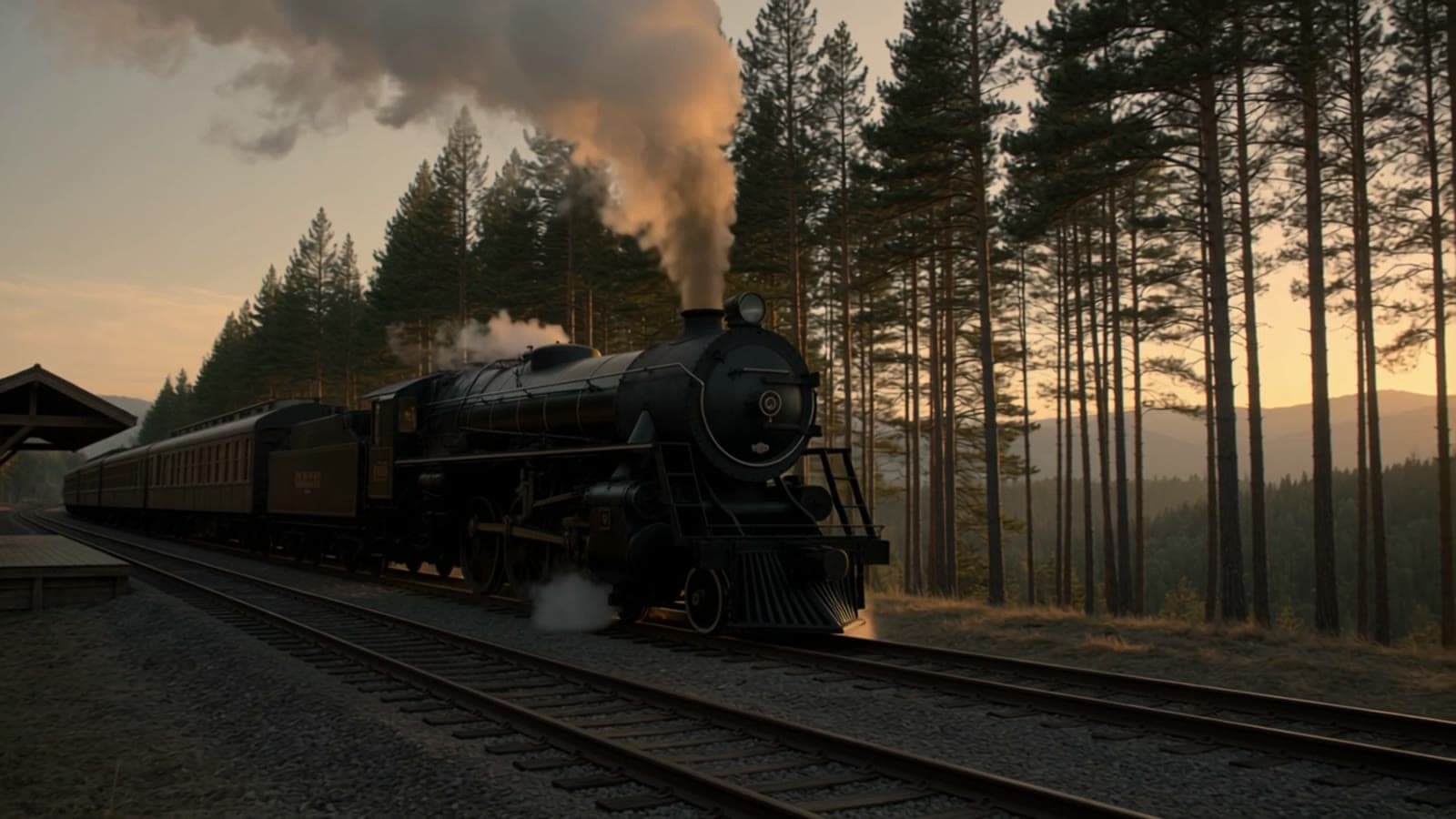
Kandinsky 6.0 Pro text-to-video turns a prompt into a short clip with synchronized audio. On hiapi it runs through the unified async task API: you submit a task, poll it, and download the MP4 from data.output[0].url. This guide has a minimal curl and Python version, a production-style polling loop, and what a real run looked like, including how long it took.
You need a hiapi API key from your dashboard. The model id is kandinsky-6.0-pro/text-to-video, listed on the model page. Note the dot in 6.0 in the model page slug; the dash form kandinsky-6-0-pro-text-to-video 404s.
Minimal request (curl)
curl -X POST https://api.hiapi.ai/v1/tasks \
  -H "Authorization: Bearer sk-YOUR_KEY" \
  -H "Content-Type: application/json" \
  -d '{
    "model": "kandinsky-6.0-pro/text-to-video",
    "input": {
      "prompt": "A night train crosses a stone viaduct under a full moon, steam trailing into the valley, camera cranes up from the river, rhythmic wheels on the rails",
      "aspect_ratio": "16:9"
    }
  }'
The response is a task id, not a video:
{"code":200,"data":{"taskId":"tk-hiapi-01M5X3FGAZ7J6MM5KRFQ15N0HS"},"message":"success"}
Poll it:
curl https://api.hiapi.ai/v1/tasks/tk-hiapi-01M5X3FGAZ7J6MM5KRFQ15N0HS \
  -H "Authorization: Bearer sk-YOUR_KEY"
While the job runs you get "status":"handling". On completion:
{"code":200,"data":{"completed":1793052661,"created":1793051836,"model":"kandinsky-6.0-pro/text-to-video","output":[{"artifactId":"292573","expireAt":1793657461,"type":"video","url":"https://temp.hiapi.ai/7c6ttvrbpt/01M5X3FGAZ7J6MM5KRFQ15N0HS-0.mp4"}],"status":"success","storage":"temp","taskId":"tk-hiapi-01M5X3FGAZ7J6MM5KRFQ15N0HS"},"message":"success"}
Input fields
| Field | Required | Notes |
|---|---|---|
prompt | yes | Scene and motion description. The audio track is generated from the same prompt, so mention sounds you want. |
aspect_ratio | no | One of 16:9, 9:16, 1:1, 4:3, 3:4. |
The allowed aspect ratios come straight from the validation error. Sending "aspect_ratio":"bad-value" returns HTTP 400:
{"code":400,"data":null,"error_code":"INVALID_REQUEST","message":"invalid input: aspect_ratio: value must be one of '16:9', '9:16', '1:1', '4:3', '3:4'"}
I did not send a duration or resolution field. The model page describes the output as a fixed 5-second 480p clip, and that is what came back.
Python: submit, poll, download
import os, time, requests

BASE = "https://api.hiapi.ai"
H = {"Authorization": f"Bearer {os.environ['HIAPI_KEY']}"}

def create(prompt, aspect_ratio="16:9"):
    r = requests.post(f"{BASE}/v1/tasks", headers=H, json={
        "model": "kandinsky-6.0-pro/text-to-video",
        "input": {"prompt": prompt, "aspect_ratio": aspect_ratio},
    }, timeout=30)
    r.raise_for_status()
    return r.json()["data"]["taskId"]

def wait(task_id, timeout_s=1800, every=15):
    deadline = time.time() + timeout_s
    while time.time() < deadline:
        try:
            d = requests.get(f"{BASE}/v1/tasks/{task_id}", headers=H, timeout=20).json()["data"]
        except (requests.RequestException, ValueError):
            time.sleep(every)          # transient network error: poll again, don't resubmit
            continue
        if d["status"] == "success":
            return d["output"][0]["url"]
        if d["status"] != "handling":
            raise RuntimeError(f"task ended as {d['status']}: {d}")
        time.sleep(every)
    raise TimeoutError(f"still handling after {timeout_s}s: {task_id}")

task_id = create("A night train crosses a stone viaduct under a full moon, steam trailing into the valley, rhythmic wheels on the rails")
print("saved this id before polling:", task_id)
url = wait(task_id)
open("clip.mp4", "wb").write(requests.get(url, timeout=120).content)
Production notes
- Budget for slow jobs. My run stayed in
handlingfor 825 seconds (about 13.8 minutes) before turningsuccess. A 60-second or 5-minute polling timeout would have given up on a job that was going to finish. Use a timeout of 30 minutes or more, or use a callback instead of polling. - Persist the task id before you poll. If your poller dies, re-poll the saved id. Do not resubmit; each submission is a new billable task.
- Download promptly. The output URL is on
temp.hiapi.aiand carries anexpireAtUnix timestamp. Mine was 7 days (604,800 s) after completion. Copy the file to your own storage instead of linking to it. - Callbacks. For long jobs, the task API supports a
callbackobject withurlandwhen: "final"so you do not need to poll. See the docs.
What I measured in a real run
I ran the prompt above once with aspect_ratio: "16:9" and downloaded the result:
| Measure | Observed |
|---|---|
Time from create to success | 825 s |
| Container / video | MP4, H.264, 864x480 |
| Duration | about 5.04 s |
| Audio | AAC track present (about 5.06 s) |
| Download | HTTP 200, about 870 KB |
So 16:9 produced 864x480, not 854x480, and the audio is a real second stream in the same file. This is one run of one prompt; I did not test the other four aspect ratios, so I can't say what pixel sizes they give.
I did not compare quality against other video models. Billing is per video, not per second; see pricing for the current figure.
Related
- Kandinsky 6.0 Pro image-to-video model page: the same model family when you have a first frame instead of only a prompt.
- Veo 3.1 Lite text-to-video API guide: another text-to-video model on the same task API, with its own fields.
- Wan 3.0 video API guide: a model with longer durations and more aspect options.
- hiapi pricing
- hiapi docs
FAQ
What is the model id?
kandinsky-6.0-pro/text-to-video, sent in the model field of POST /v1/tasks.
Which aspect ratios are accepted?
16:9, 9:16, 1:1, 4:3, 3:4. Anything else returns a 400 INVALID_REQUEST that lists these values.
Does the clip include audio? Yes. The file I downloaded had an AAC audio stream alongside the H.264 video.
How long does a request take? My one run took 825 seconds. Plan for a long wait and use a long timeout or a callback.
Can I choose the clip length or resolution? Not through anything I tested. The model page describes a fixed 5-second 480p output.