TL;DR
- What this is: a real e-commerce production workflow with qwen-image-2.0-pro on the hiapi API — a hero packshot, a promo banner with rendered sale copy, and a variant grid, all generated from the exact prompts and requests shown on this page.
- Why the Pro tier for product work: finer photorealistic detail, more reliable in-image text rendering (real promo copy, not garbled type), and better semantic adherence to a detailed prompt — at $0.107/image, up to 2048×2048, versus $0.025/image on the base qwen-image-2.0 tier (pricing).
- Verified API facts: the input schema takes
promptand asizestring ("2048*2048","2688*1536","2368*1728","1728*2368", or"1536*2688") — there's noaspect_ratiofield, and it's text-to-image only (noimage_input/ i2i). - Workflow: submit one task per asset in parallel through
/v1/tasks, poll each to completion, downloadoutput[0].urlimmediately (it expires), then re-check the rendered text before anything ships.
Why qwen-image-2.0-pro for product photography
A product listing usually needs three different assets that all have to look like they belong to the same shoot: a clean hero shot for the listing page, a promo banner with real sale copy for campaigns, and a variant grid for a multi-SKU catalog page. That's a wider job than a single hero image, and it's where the Pro tier earns its price premium over base qwen-image-2.0:
- Finer photorealistic detail. Glass, brushed metal, stone — the kind of specular detail that reads as "real photograph" instead of "render" at catalog thumbnail size.
- More reliable text rendering. Promo banners and packaging call for exact copy landing in the frame with correct spelling and clean kerning. The Pro tier is tuned for this; the banner further down this page is an unedited example.
- Better semantic adherence. The three prompts on this page are long and specific about surface, lighting, and layout — the Pro tier followed all of it, including a "no text" instruction on two of the three images.
The tradeoff is cost: $0.107 per image against $0.025 on the base tier (verified live pricing, 2026-08). For a single hero shot, that's a rounding error. For a catalog of a few hundred SKUs, it's real money — see Pro vs. base tier below for how to split the work between them.
Setup
You need an hiapi API key and nothing else — no SDK:
export HIAPI_API_KEY="sk-..."
qwen-image-2.0-pro runs through the unified async task endpoint: POST https://api.hiapi.ai/v1/tasks returns a taskId immediately, and you poll GET /v1/tasks/{taskId} until it resolves.
The three assets every product listing needs
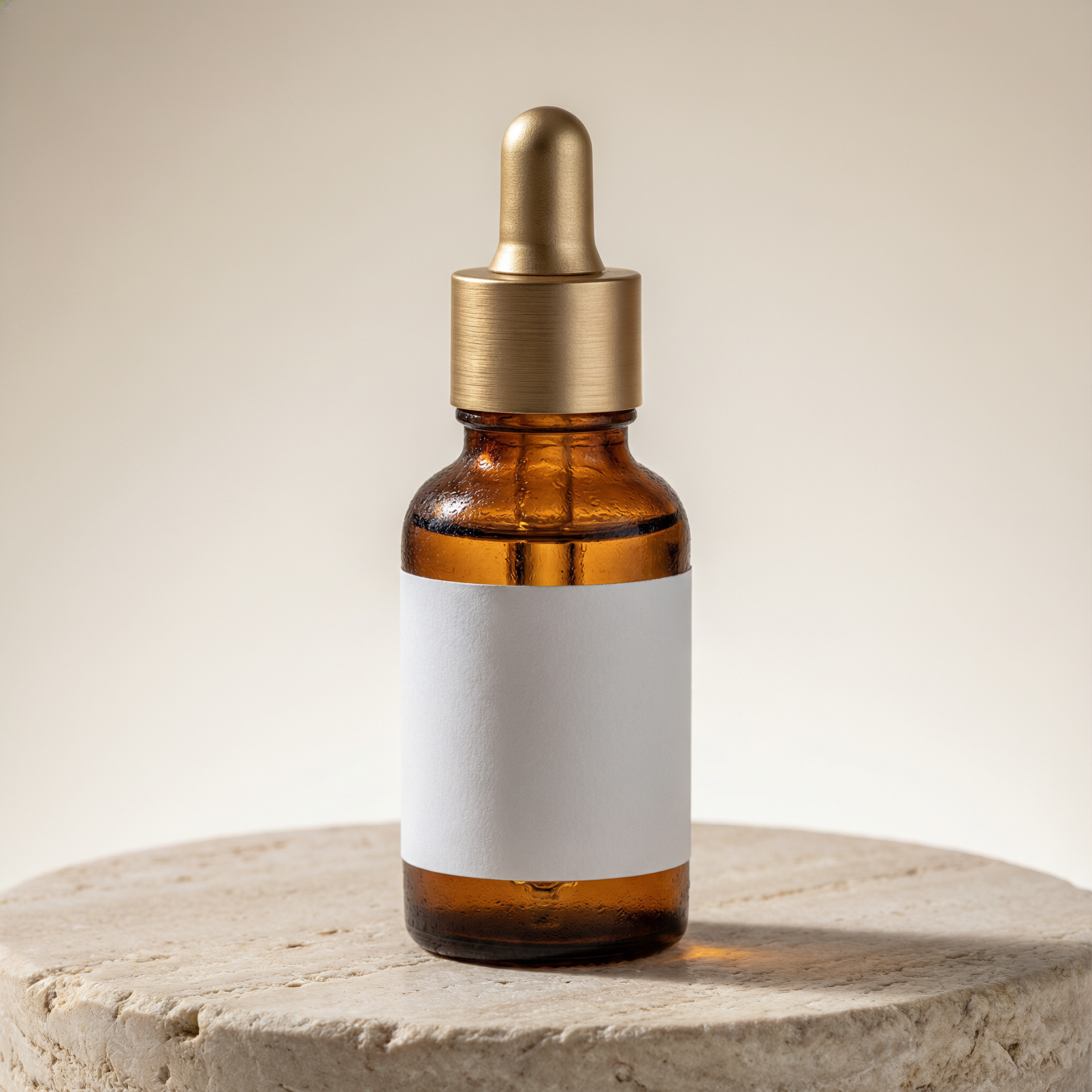
1. Hero packshot
The listing-page shot: one product, centered, clean background, nothing competing for attention. Full prompt, exactly as submitted:
Studio product photograph of a single amber glass skincare dropper bottle with a blank matte white label, standing centered on a round travertine stone pedestal, seamless warm off-white studio background, soft diffused key light from the upper left, a subtle soft shadow falling to the right, hyper-detailed macro texture on the glass and brushed-metal dropper cap, photorealistic, catalog-ready e-commerce hero shot, no text, no logos, no props
2. Promotional banner with rendered text
This is where the Pro tier's text rendering matters. The prompt asks for two lines of specific sale copy placed in a specific corner — no placeholder text, no "your text here":
Flat-lay e-commerce promo banner photograph: three amber glass skincare dropper bottles arranged diagonally on a warm terracotta backdrop with dried eucalyptus sprigs, soft overhead studio lighting with gentle shadows, in the upper right corner bold clean white sans-serif text reading SUMMER GLOW SALE, directly beneath it smaller white text reading SAVE 20% TODAY, no other text anywhere, photorealistic commercial photography, sharp focus
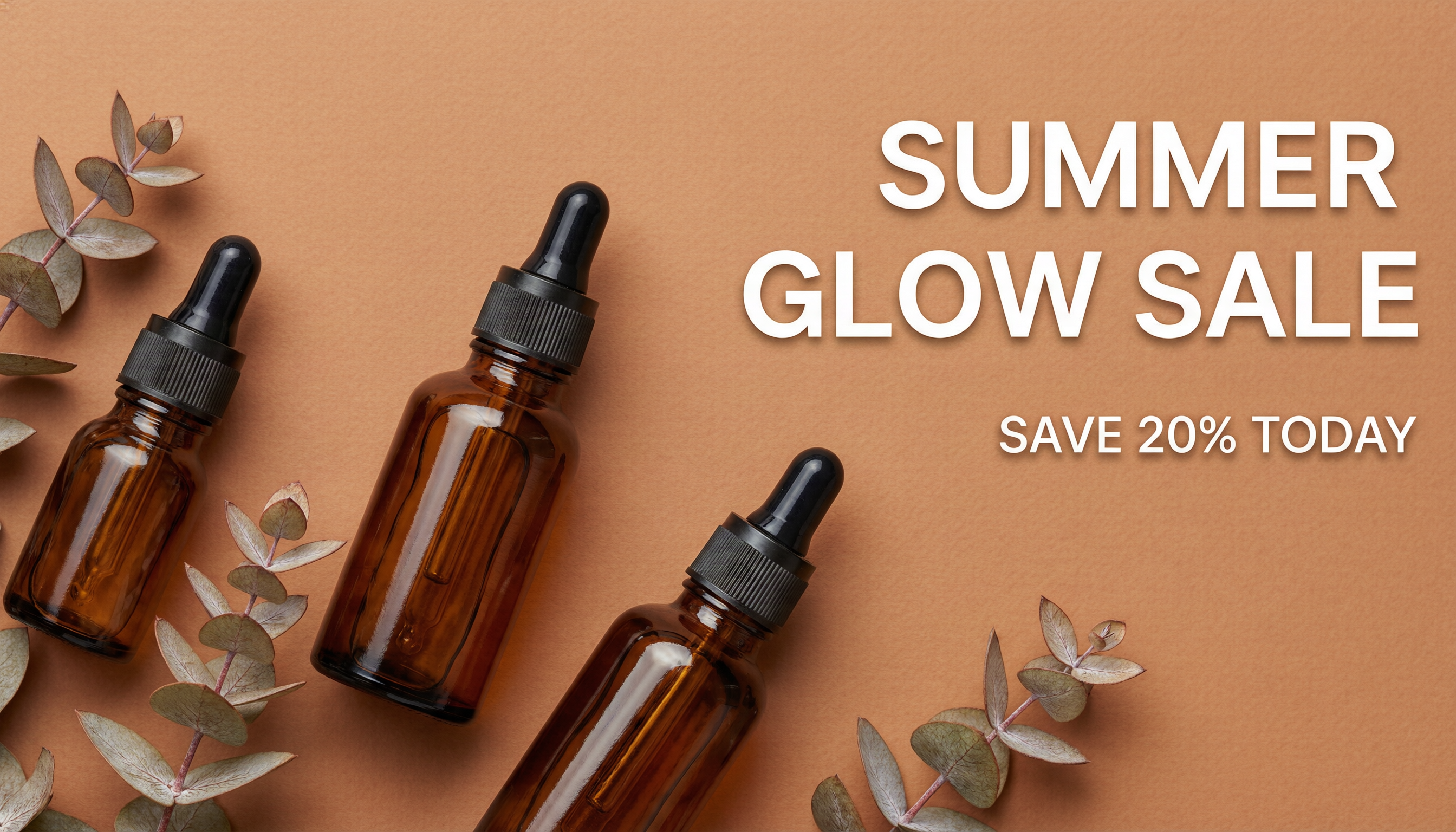
Per hiapi's content playbook, rendered text is never shipped without a manual read-through — AI text rendering is reliable, not infallible, and the occasional dropped letter or kerning slip only shows up on inspection. This banner was checked character-by-character against the prompt before it went on this page.
3. Variant grid
For a catalog page listing every size or scent, a flat-lay grid keeps every variant visually consistent:
Overhead flat-lay product grid photograph of six amber glass skincare dropper bottles with blank matte white labels, arranged in two neat rows of three on a light grey seamless studio background, even soft diffused lighting with minimal shadows, consistent spacing between bottles, photorealistic catalog variant-grid layout, no text, no logos
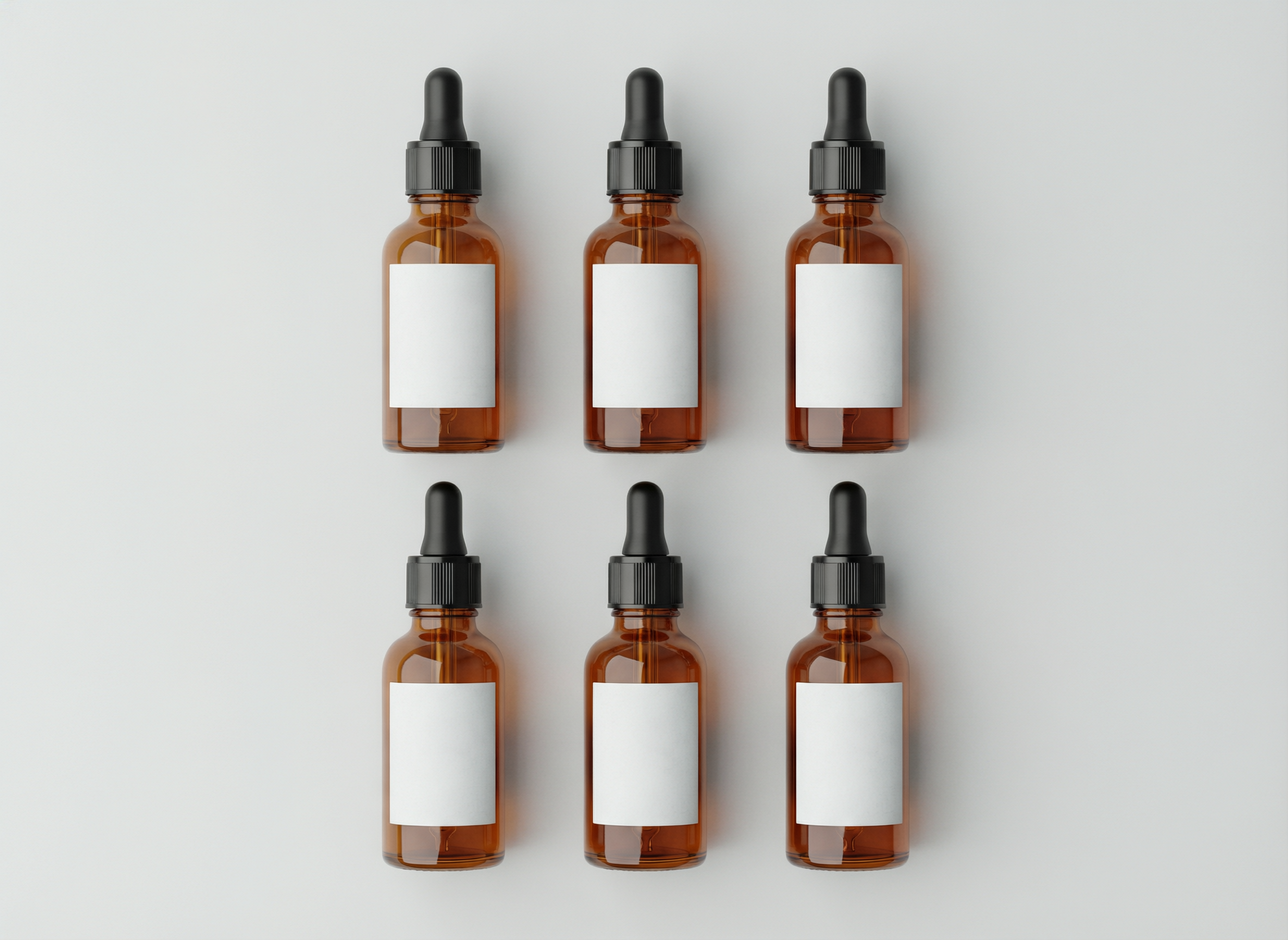
Note the blank labels on all three shots — per-SKU labels (brand name, scent, size) are small text on a small surface, which is a harder render target than a banner headline. The practical pattern is: generate the bottle with a blank label, then composite the label text in post. It's also just faster to update when a promo price changes.
The input schema, verified against the live API
qwen-image-2.0-pro's /v1/tasks schema is stricter than it looks — no aspect_ratio, no n, and no image-input field at all:
| Field | Type | Required | Values |
|---|---|---|---|
prompt | string | ✅ | your shot description |
size | string | ✅ | 2048*2048, 2688*1536, 2368*1728, 1728*2368, 1536*2688 |
negative_prompt | string | optional | things to exclude |
seed | integer | optional | for reproducibility |
watermark | boolean | optional | |
prompt_extend | boolean | optional | lets the model expand a short prompt |
Two things worth flagging for anyone porting requests from another hiapi image model: there's no aspect_ratio parameter here (use size directly), and this model is text-to-image only — there's no reference-image field, so you can't hand it a photo of your actual product and ask for variations. Prompt-only control is the whole game. The full request/response shapes and error examples live in the API tutorial; this page focuses on the e-commerce use case.
A batch script: three assets, one submit loop
Because /v1/tasks is async, generating a hero shot, a banner, and a grid is just three submits followed by three polls — no sequential waiting:
import time
import requests

API = "https://api.hiapi.ai/v1/tasks"
HEADERS = {"Authorization": f"Bearer {os.environ['HIAPI_API_KEY']}"}

def submit(prompt: str, size: str) -> str:
    r = requests.post(API, headers=HEADERS, json={
        "model": "qwen-image-2.0-pro",
        "input": {"prompt": prompt, "size": size},
    }, timeout=60)
    task_id = (r.json().get("data") or {}).get("taskId")
    if not task_id:
        raise RuntimeError(f"submit failed: {r.text}")
    return task_id

def wait(task_id: str, timeout_s: int = 600) -> dict:
    deadline = time.time() + timeout_s
    while time.time() < deadline:
        task = requests.get(f"{API}/{task_id}", headers=HEADERS, timeout=30).json()["data"]
        if task["status"] == "success":
            return task
        if task["status"] == "fail":
            raise RuntimeError(f"task failed: {task.get('error')}")
        time.sleep(5)
    raise TimeoutError(task_id)

jobs = [
    ("hero-packshot", "Studio product photograph of ...", "2048*2048"),
    ("promo-banner",  "Flat-lay e-commerce promo banner ...", "2688*1536"),
    ("variant-grid",  "Overhead flat-lay product grid ...", "2368*1728"),
]

task_ids = {name: submit(prompt, size) for name, prompt, size in jobs}   # fan out
for name, task_id in task_ids.items():                                    # collect
    result = wait(task_id)
    url = result["output"][0]["url"]           # expires — download immediately
    open(f"{name}.png", "wb").write(requests.get(url, timeout=120).content)
Each render in the ~2000px range took roughly a minute in testing; budget a few minutes per image at peak load before treating it as a timeout.
Pro vs. base tier: which one to use
Both tiers share the same prompt + size schema, so switching between them is a one-line change to the model field:
| qwen-image-2.0 (base) | qwen-image-2.0-pro | |
|---|---|---|
| Price | $0.025/image | $0.107/image |
| Max size | 2048×2048 | 2048×2048 |
| Text rendering | Good | Stronger — the default choice for promo copy |
| Photoreal detail | Good | Finer — the default choice for hero shots |
| Best for | prompt exploration, high-volume drafts, internal mockups | final hero/banner assets, anything with rendered text |
A practical split for a real catalog: draft compositions on the base tier where a run of iterations is cheap, then re-render the shortlisted winners on the Pro tier for the assets that actually ship. The base-tier workflow — same task API, same prompt style — is covered in Generating E-Commerce Product Images with qwen-image-2.0.
Prompting tips for product shots
What worked consistently across these three renders:
- Name the surface and the light, not just the subject. "Travertine pedestal," "soft diffused key light from the upper left" did more for photorealism than adjectives like "professional" or "high quality."
- State "no text, no logos" on shots that shouldn't have any. Left unstated, product-photo prompts occasionally pick up stray label marks; naming the negative constraint keeps packshots clean.
- Write exact copy in quotes-equivalent language for banners. "Bold clean white sans-serif text reading SUMMER GLOW SALE" rendered accurately; a vaguer "some sale text" would leave the wording to chance.
- Ask for blank labels on packaging, not tiny brand text. Small surface text is the hardest render target on any image model — composite it in post instead.
FAQ
Can I feed qwen-image-2.0-pro a photo of my actual product to generate variations? No — this model is text-to-image only, with no image-input field in its schema. For image-to-image workflows, you'd need a different model on hiapi that explicitly supports i2i.
Is the rendered text reliable enough to ship without checking? No — it's reliable, not perfect. Read every character against the prompt before publishing, and re-roll on the rare miss. See the note under the promo banner above.
What size should I use for a listing hero image vs. a banner?
Square 2048*2048 covers most marketplace listing requirements. For wide promo banners or hero carousels, 2688*1536 or 2368*1728 (landscape/portrait) match common web banner ratios more closely without post-crop.
Does the Pro tier support batch discounts? No — pricing is a flat $0.107 per image regardless of volume; the cost lever is how many images you generate, not a bulk rate.
Wrap-up
For e-commerce catalogs, qwen-image-2.0-pro's edge over the base tier is exactly where product photography needs it: cleaner photoreal detail for hero shots and dependable text rendering for promo banners, at a still-modest $0.107/image. Submit hero, banner, and variant-grid requests in parallel through /v1/tasks, proofread anything with rendered text before it ships, and reach for the base tier when you're iterating on composition rather than shipping the final asset. The qwen-image-2.0-pro model page has the live pricing and parameter reference to take it from here.




