TL;DR
- veo-3.1-lite/image-to-video turns a single still image into a short motion clip, and it's one of the few i2v models on hiapi with native synchronized audio (
generate_audio: true) — no separate voice/sound pass needed. - Clips are fixed-length: 4, 6, or 8 seconds, at 720p or 1080p. There's no aspect-ratio parameter — the output frame just follows your source image.
- Below are three field-tested motion prompts — a portrait turn, a product reveal, and an environment push-in — each shown with its source still and the actual clip it produced on the live API.
- Audio adds real cost: 720p jumps from $0.06/s to $0.10/s when you turn
generate_audioon, and 1080p jumps from $0.10/s to $0.14/s. Turn it off for silent product loops. - All three source images were generated fresh for this article and all three clips were rendered through the same
/v1/tasksendpoint you'll call yourself — nothing here is a platform showcase asset.
How These Recipes Were Made
Each recipe follows the same two-step loop:
- Generate a clean source still with a text-to-image model (we used
gpt-image-2/text-to-image). The still is the first frame — whatever composition, lighting, and subject pose you lock in here is what the video will animate away from. - Feed that still's public URL into
veo-3.1-lite/image-to-videoalong with a motion prompt describing what should change over the next few seconds — a turn, an opening lid, a camera push. The model doesn't invent a new scene; it animates the one you gave it.
A few things we learned probing the schema before spending on real clips:
image_urltakes a single string, not an array — one reference image per clip, no multi-image blending.- There's no
aspect_ratiofield. The rendered video keeps the source image's framing. durationonly accepts4,6, or8— asking for 5 or 10 gets rejected outright.generate_audiois a plain boolean, and it changes the price tier (see the cost table below), so decide upfront whether the clip needs sound.
Recipe 1 — Portrait Turn & Smile
Source still — studio portrait, three-quarter angle, neutral expression:
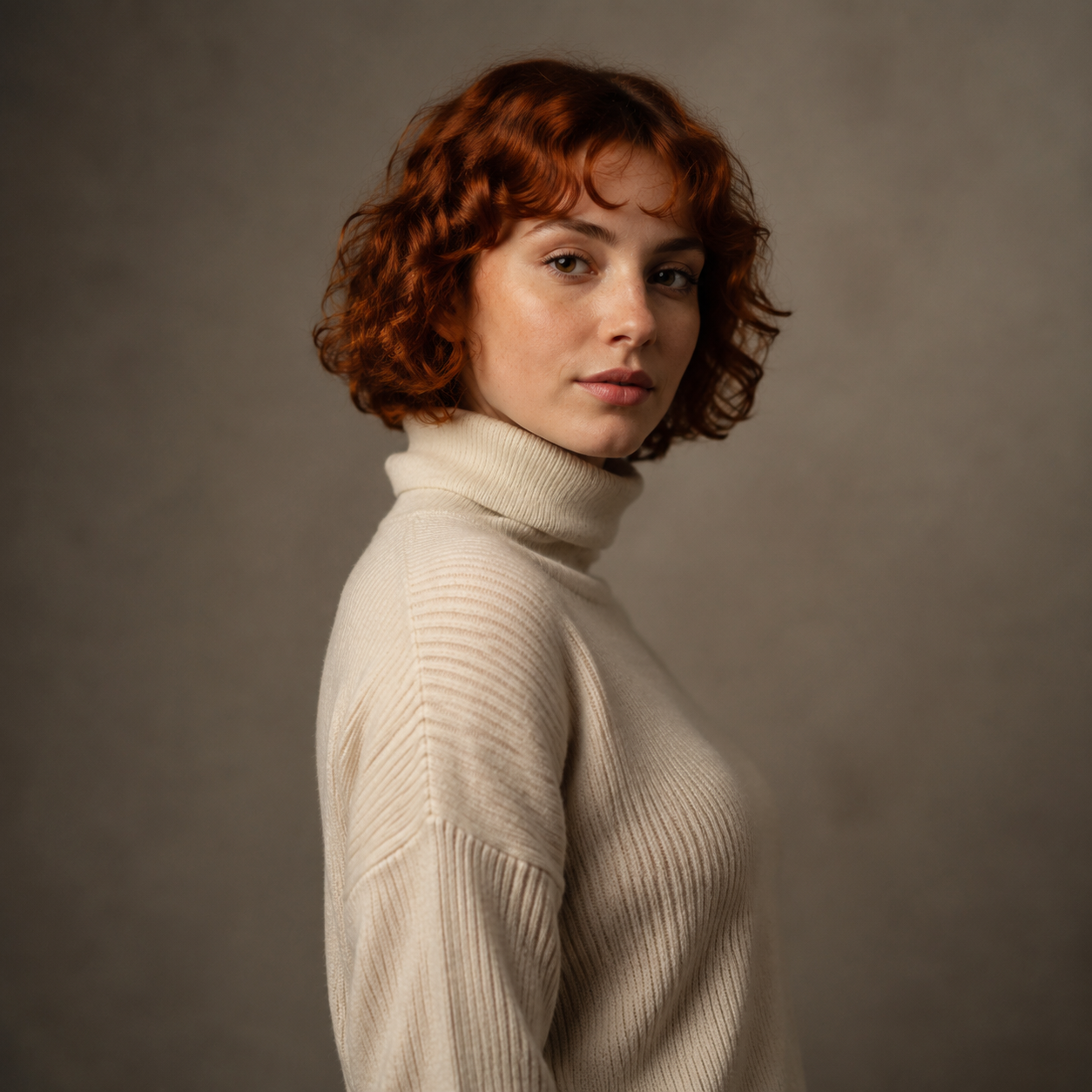
The woman slowly turns her head and shoulders to face the camera directly, her expression shifting from neutral calm into a warm, genuine smile as she makes eye contact with the lens. Her curly auburn hair sways gently with the motion. Soft ambient studio room tone, a faint exhale of breath audible as she smiles.
veo-3.1-lite/image-to-video · 6s · 720p · generate_audio: true · $0.60
Why it works: the prompt gives the model exactly one motion (a turn) and exactly one expression change (neutral to smile) — it doesn't ask for anything the source pose can't support. Naming the audio explicitly ("soft ambient studio room tone," "faint exhale") matters here: without a cue, generate_audio: true tends to default to generic ambience instead of a sound that matches the visual beat.
Recipe 2 — Product Reveal Spin
Source still — closed earbuds case on a marble pedestal:
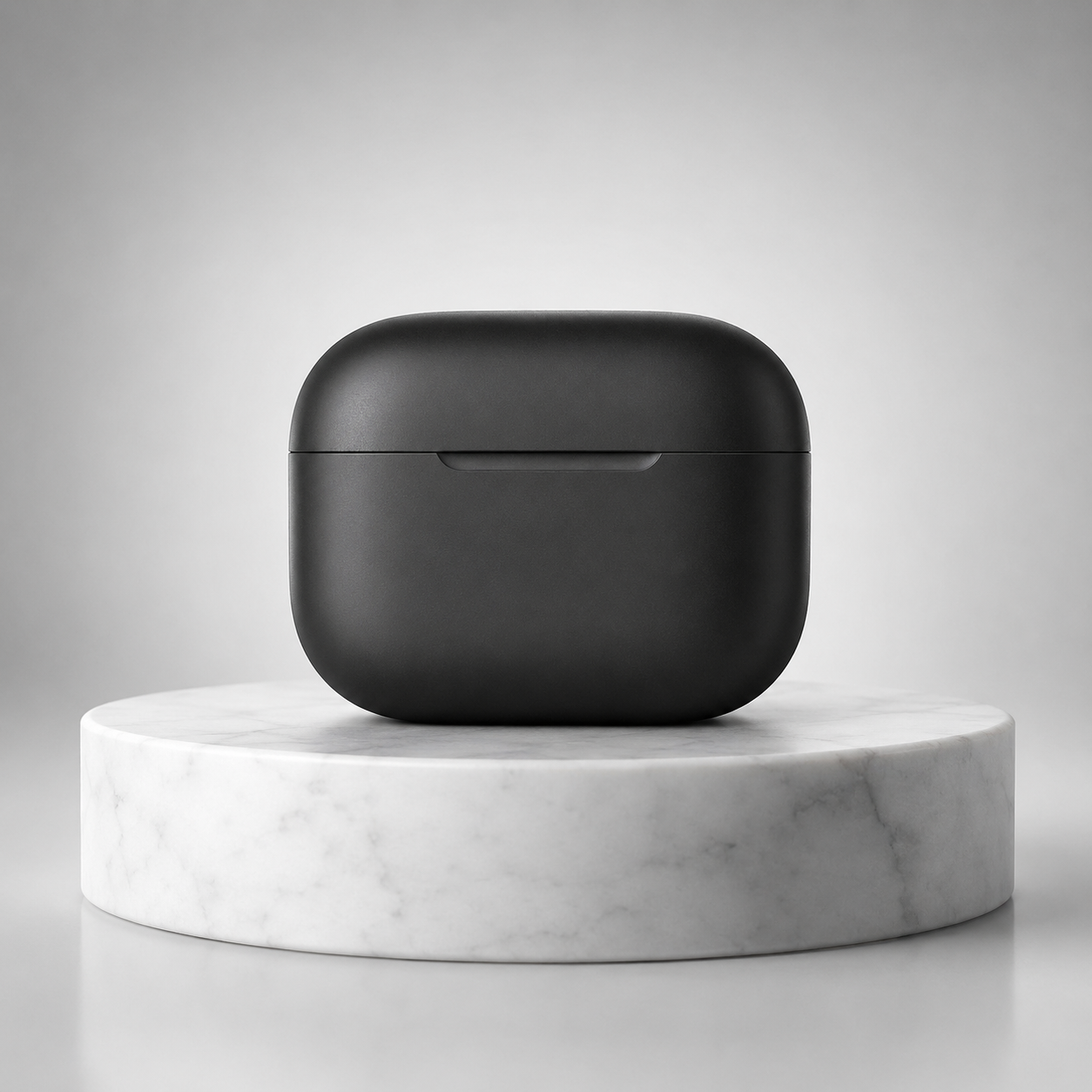
The charging case lid slowly lifts open on its hinge as the case rotates gently clockwise on the marble pedestal, revealing the earbuds nestled inside. The studio rim light glints across the matte black surface as it turns. Camera stays locked off, subject motion only.
veo-3.1-lite/image-to-video · 4s · 1080p · generate_audio: false · $0.40
Why it works: e-commerce loops rarely need sound — most shoppers watch product videos muted — so this one turns audio off entirely and keeps the clip short (4s) with a single compound motion (open + rotate). Calling out "camera stays locked off" stops the model from adding a drifting dolly move you didn't ask for, which is a common failure mode on product shots.
Recipe 3 — Environment Mist Lift
Source still — misty lake pier at dawn:

The camera slowly pushes forward along the wooden pier toward the empty bench as the morning mist drifts and thins across the lake surface, sunlight beginning to break through the pink sky and catch the ripples on the water. A faint ambient soundscape of birdsong and gentle water lapping against the pier posts.
veo-3.1-lite/image-to-video · 6s · 720p · generate_audio: true · $0.60
Why it works: environment shots benefit from combining a camera motion (push-in) with an environmental motion (mist thinning, light shifting) — one alone reads as static, both together reads as a living scene. The ambient audio cue ("birdsong," "water lapping") keeps the soundtrack tied to what's visible instead of generic background noise.
Keeping the Per-Second Bill Down
veo-3.1-lite/image-to-video prices by resolution and whether audio is on, verified against the live /api/pricing endpoint:
| Resolution | Audio | Price per second | 6s clip cost |
|---|---|---|---|
| 720p | off | $0.06/s | $0.36 |
| 720p | on | $0.10/s | $0.60 |
| 1080p | off | $0.10/s | $0.60 |
| 1080p | on | $0.14/s | $0.84 |
Two takeaways: staying at 720p and turning audio off is the cheapest way to iterate on a prompt before committing to a longer or higher-resolution render. And going from 720p to 1080p with audio on nearly doubles the per-second rate ($0.14 vs. $0.10 silent-720p) — save the 1080p+audio combo for the clip you're actually going to ship.
Run It Yourself: Submit, Poll, Download
import time
import requests

API_BASE = "https://api.hiapi.ai/v1/tasks"
TOKEN = "YOUR_HIAPI_API_KEY"

def submit(prompt, image_url, duration=6, resolution="720p", generate_audio=True):
    resp = requests.post(
        API_BASE,
        headers={"Authorization": f"Bearer {TOKEN}", "Content-Type": "application/json"},
        json={
            "model": "veo-3.1-lite/image-to-video",
            "input": {
                "prompt": prompt,
                "image_url": image_url,
                "duration": duration,
                "resolution": resolution,
                "generate_audio": generate_audio,
            },
        },
        timeout=30,
    )
    resp.raise_for_status()
    return resp.json()["data"]["taskId"]

def poll(task_id, interval=8, timeout=300):
    deadline = time.time() + timeout
    while time.time() < deadline:
        r = requests.get(f"{API_BASE}/{task_id}",
                          headers={"Authorization": f"Bearer {TOKEN}"}, timeout=30)
        data = r.json()["data"]
        if data["status"] == "success":
            return data["output"][0]["url"]
        if data["status"] in ("failed", "error"):
            raise RuntimeError(f"task failed: {data}")
        time.sleep(interval)
    raise TimeoutError("task did not finish in time")

task_id = submit(
    prompt="The subject slowly turns toward camera and smiles.",
    image_url="https://your-public-image-url.jpg",
    duration=6,
    resolution="720p",
    generate_audio=True,
)
video_url = poll(task_id)

# output URLs are time-limited — download the bytes immediately
video_bytes = requests.get(video_url, timeout=60).content
with open("clip.mp4", "wb") as f:
    f.write(video_bytes)
The output URL expires — download and store the bytes as soon as the task reports success, don't keep a long-lived reference to it.
If you're new to hiapi's task-based generation flow, the model detail page for veo-3.1-lite/image-to-video has the current schema reference, and the pricing page always reflects the live per-model rates rather than a snapshot. If you're building out a broader image-to-video prompt library, our Grok Imagine 1.5 image-to-video recipes piece covers a different model with its own motion-prompt patterns and cost tradeoffs.
Quick Schema Reference
| Field | Type | Values | Notes |
|---|---|---|---|
prompt | string | free text | describes the motion/change, not the whole scene |
image_url | string | public URL | single image only, no array |
duration | integer | 4, 6, 8 | other values are rejected |
resolution | string | "720p", "1080p" | no 480p tier |
generate_audio | boolean | true / false | changes the price tier |
Get Started
Generate a clean source still, write a motion prompt that names exactly one or two changes you want, and decide upfront whether the clip needs sound — that's the whole workflow. Head to the veo-3.1-lite/image-to-video model page to grab your API key and start rendering.