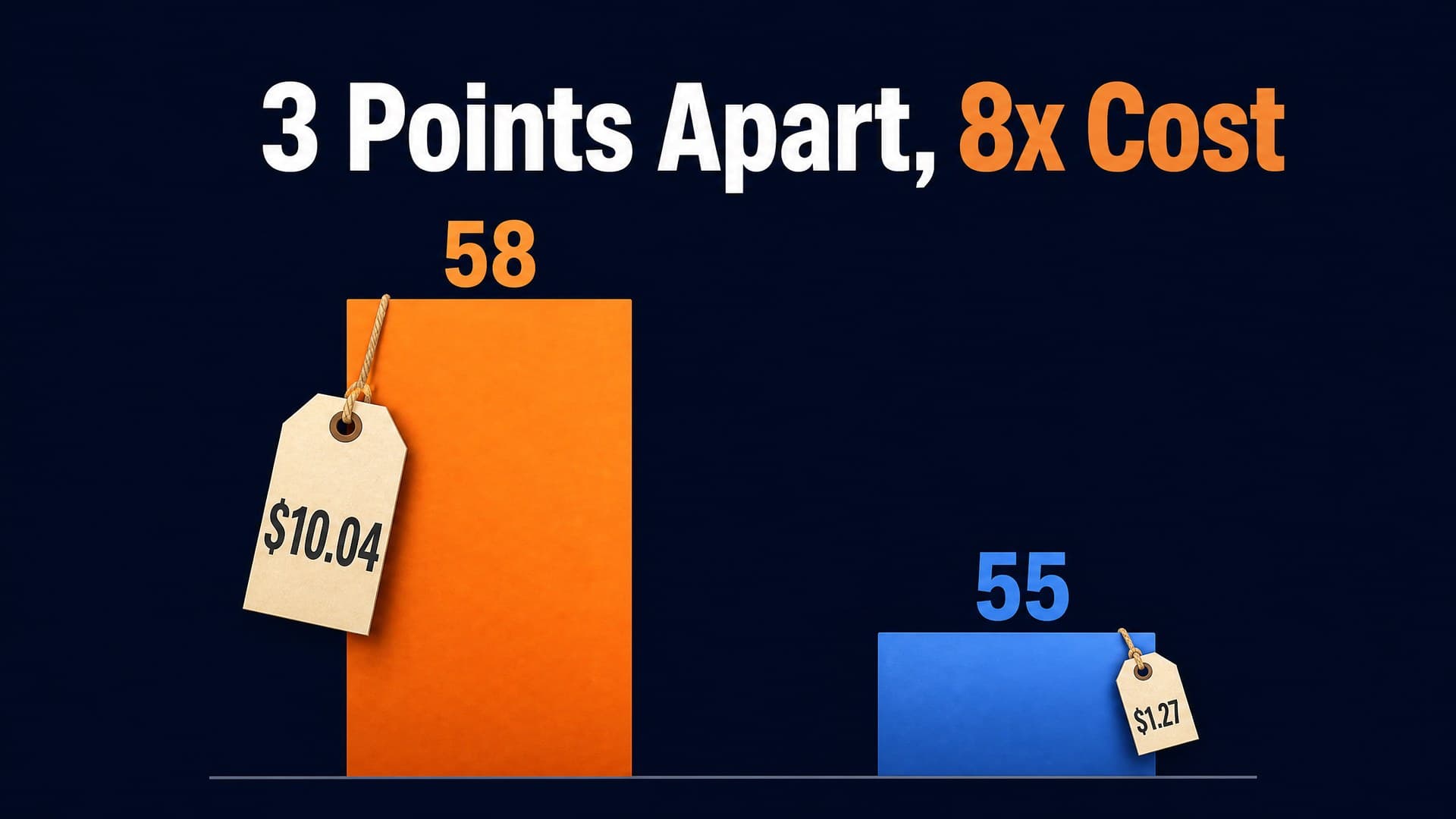
FASHN Try-On v1.6 and Google Virtual Try-On land at nearly the same price on HiAPI: $0.1072 versus $0.1075 per image. Pick FASHN Try-On v1.6 when you want to steer garment category, speed and quality mode, garment photo type, or reproduce a run with a seed. Pick Google Virtual Try-On when two fixed image fields, a lean request, and an output that keeps the person image's original size cover what you need.
Both models are live: FASHN Try-On v1.6 and Google Virtual Try-On. New accounts get 200 credits; one try-on costs 214.4, so a small top-up gets your first image out.
The differences that change your pick
| FASHN Try-On v1.6 | Google Virtual Try-On | |
|---|---|---|
| Input fields | model_image + garment_image | person_image_url + product_image_url |
| Garment category and photo type | category takes tops / bottoms / one-pieces / auto; garment_photo_type separates on-model shots from flat-lays | Neither exists; the two images carry category and shot type |
| Speed and quality mode | mode in three steps: performance / balanced / quality | None |
| Content moderation | moderation_level: none / permissive / conservative | None |
| Segmentation and reproduction | segmentation_free toggle plus seed for a fixed random state | None |
| Images per call and output format | One image, PNG or JPEG | One image (num_images is fixed at 1), PNG |
| Output size | Long edge scaled to 1296: 1086×1448 in, 972×1296 out | Matches the person image exactly: 1086×1448 in, 1086×1448 out |
| Price per image | $0.1072 (214.4 credits) | $0.1075 (215 credits) |
The price gap is $0.0003, so price will not decide this. The dividing line is the control surface: FASHN exposes category, mode, photo type, moderation and seed as fields, while Google keeps two image fields and a fixed count.
One input pair, one run on each
The person image is a 3:4 portrait at 1086×1448; the garment is a product photo of a model wearing a lace wedding dress.
| FASHN Try-On v1.6 | Google Virtual Try-On |
|---|---|
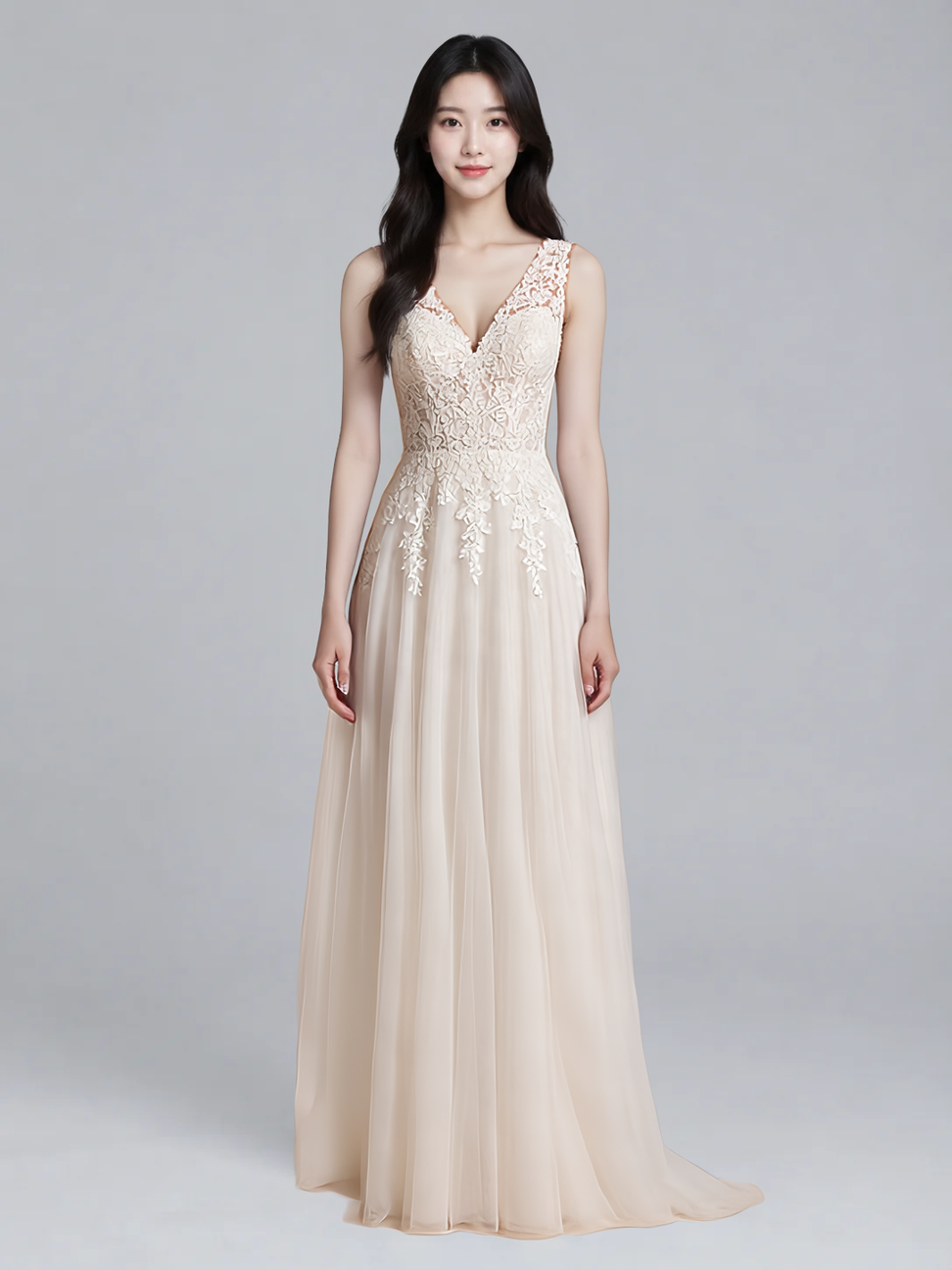 | 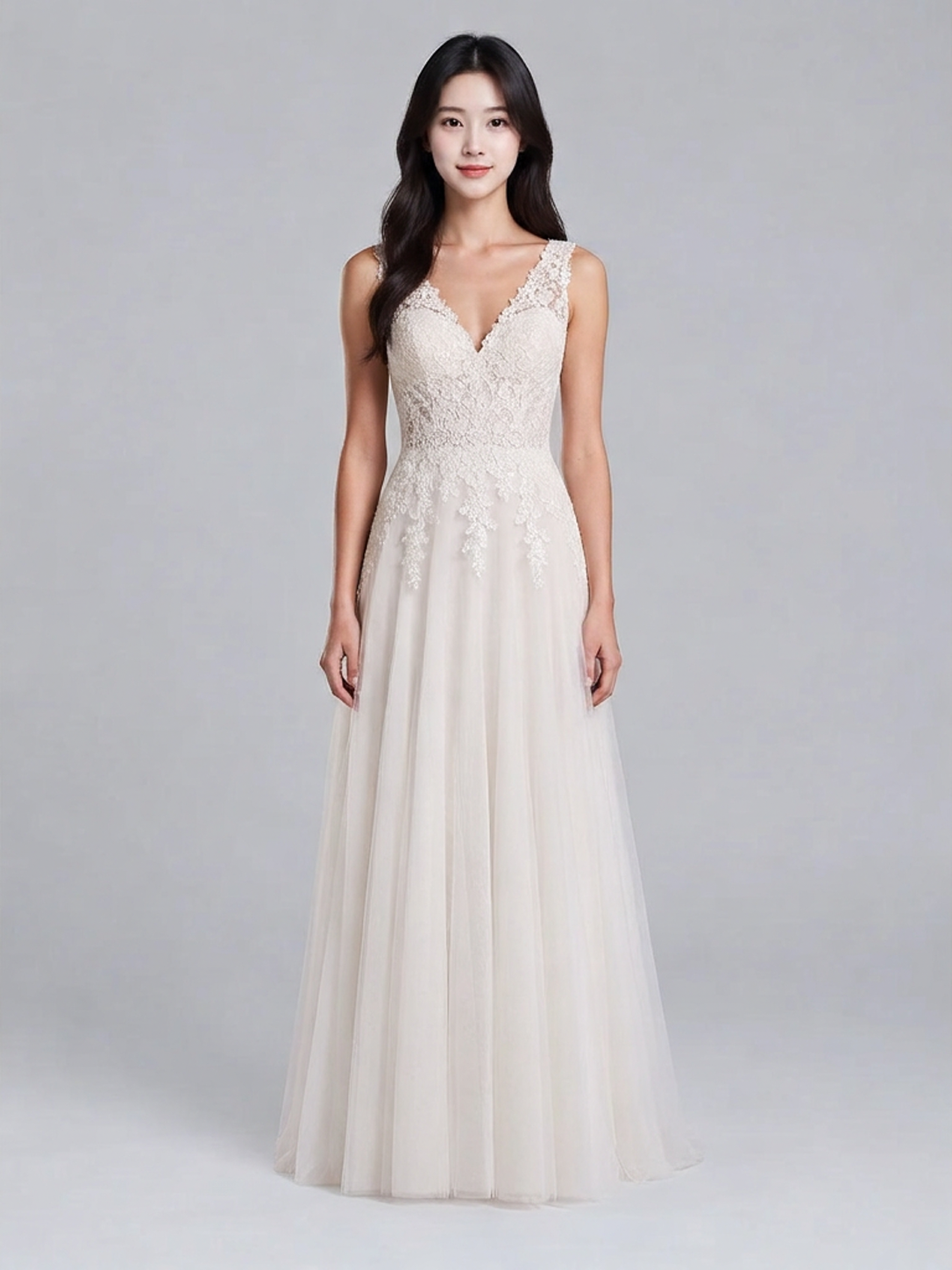 |
one-pieces + quality + model + PNG, output 972 × 1296 | Two image fields only, output 1086 × 1448 |
Same person image, same wedding dress image, one run each.
The first visible difference is output size: Google returns 1086×1448, identical to the person image, while FASHN returns 972×1296 with the long edge pulled to 1296. The second is the picture itself: lace density and skirt folds differ between the two dresses, and the person's expression and hand pose vary slightly.
Run both model pages with the same person image and the same garment image and those two differences show up on your own material.
Output size tracks the person image. FASHN scales the long edge to 1296 and leaves a smaller source alone, so a 768×1152 portrait still comes back at 768×1152. If you composite results back onto the original, or your detail-page template is laid out in the person image's pixels, Google's original-size output saves a resize step.
A second pair: flat-lay tee, one run on each
Same person image, garment swapped for a flat-lay product shot (FASHN gets garment_photo_type: flat-lay), one run per side:
| FASHN Try-On v1.6 | Google Virtual Try-On |
|---|---|
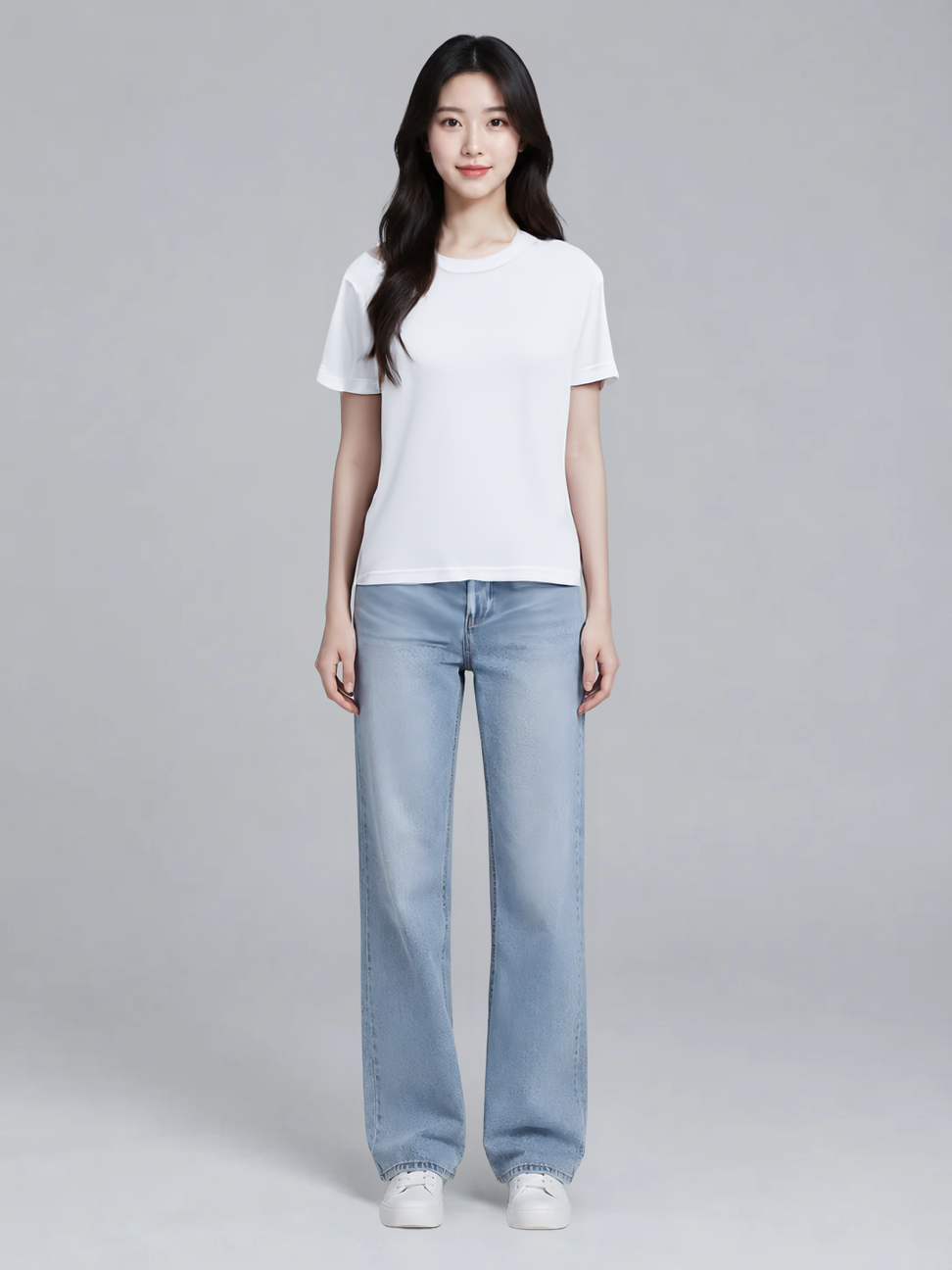 | 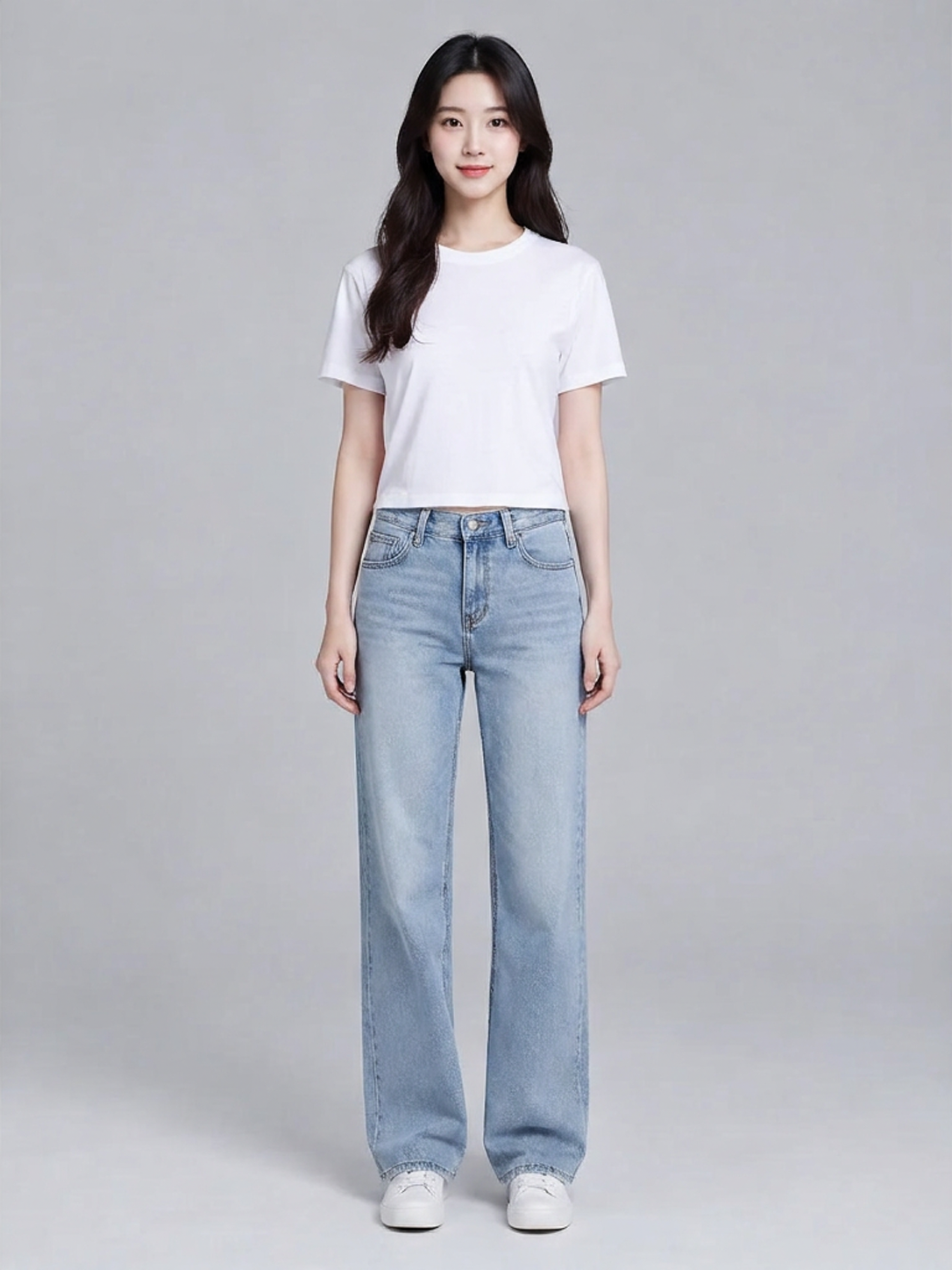 |
tops + balanced + flat-lay + PNG, output 972 × 1296 | Two image fields only, output 1086 × 1448 |
Same person image, same flat-lay tee, one run each.
This pair changes the garment shot type: the first was an on-model photo, this one is a flat-lay, so both models have to work out that it is a top. The visible difference is length: FASHN's tee runs past the waistband, while Google's tee stops above it. Background and pose match on both, and the output sizes stay 972×1296 against 1086×1448.
Pick by scenario
- Batch product detail pages: a fixed-schema template flow suits Google, where two images and a submit are enough. To tune tops, bottoms and one-pieces differently, use FASHN's
category. - Multi-category catalogs: with tops, trousers and dresses in one queue,
categoryplusgarment_photo_typestates the garment type and whether the reference is an on-model shot or a flat-lay. - Reproducible runs: the same
seedwith the same inputs puts FASHN back on the same random state; Google has no seed field. - Strict delivery formats: choose FASHN for JPEG straight out of the API by setting
output_formattojpeg. For PNG only, both return PNG. - An existing fixed layout: if the template is built on the person image's pixel grid, take Google and skip the resize.
- Two images, no parameter upkeep: take Google, where the request is two URLs plus
num_images: 1.
What switching costs
Very little. Both models share POST https://api.hiapi.ai/v1/tasks and one API key, both return a taskId, and results arrive at data.output[0].url when you poll the task.
Switching changes two things: model and input. Rename the fields, since FASHN's model_image and garment_image map to Google's person_image_url and product_image_url. Moving from FASHN to Google means dropping category, mode, garment_photo_type, moderation_level, seed and output_format, none of which have counterparts; moving back means adding the ones you want. The three mode steps do not affect billing, so start on the default balanced and tune from there.
FAQ
How far apart are the prices?
$0.1072 against $0.1075 per image, a $0.0003 gap. Price is not the deciding factor.
Can FASHN return several images per call?
One per call. The schema is closed, so fields like num_samples or num_images are rejected; submit separate tasks for more candidates.
Does Google have category or quality settings?
No. It accepts person_image_url, product_image_url and num_images: 1, and the two images carry the garment type and look.
To see the difference now, open the FASHN Try-On v1.6 model page, upload a person image and a garment image, and generate one result. Then switch model to google-virtual-try-on, swap in person_image_url and product_image_url, and run the same two images again. Compare the pair side by side before you commit.