Reshooting a product for every new listing angle, seasonal banner, or marketplace template is slow and expensive. grok-imagine-quality/image-to-image solves a narrower, more useful problem: give it one clean reference photo and a text prompt, and it drops that exact product — same shape, same color, same proportions — into a new scene. One studio shot becomes a lifestyle photo, a flat lay, and an in-use shot without a second physical photoshoot.
This guide walks through a real e-commerce workflow on the hiapi API: generating a base product photo, running it through three scene transformations with grok-imagine-quality/image-to-image, and batching the same pattern across a full product catalog — with working code and current pricing.
Prerequisites:
- A hiapi API key from your dashboard
- Python 3.9+ with
requests(or justcurl) - Your base product image hosted at a public URL — the task API fetches
image_urlsby URL, not by upload
Why image-to-image instead of a second photoshoot
A text-to-image model can generate a nice-looking coffee dripper, but it can't generate your coffee dripper — the exact silhouette, glaze color, and spout angle a customer already recognizes from your listing photos. grok-imagine-quality/image-to-image takes that exact object as a reference and re-renders it into a new environment, which is the difference between "a product photo" and "our product's photo."
That makes it a fit for the recurring e-commerce need: one hero shot per SKU, then N variations (lifestyle context, flat lay, in-use, seasonal backdrop) for the product gallery, ads, and marketplace listings — without booking a studio each time.
The workflow: one base shot, three scene edits
The base photo here was generated with gpt-image-2/text-to-image ($0.03/image at 1K) — any clean, well-lit product photo works as the reference, including a real photograph if you already have one:
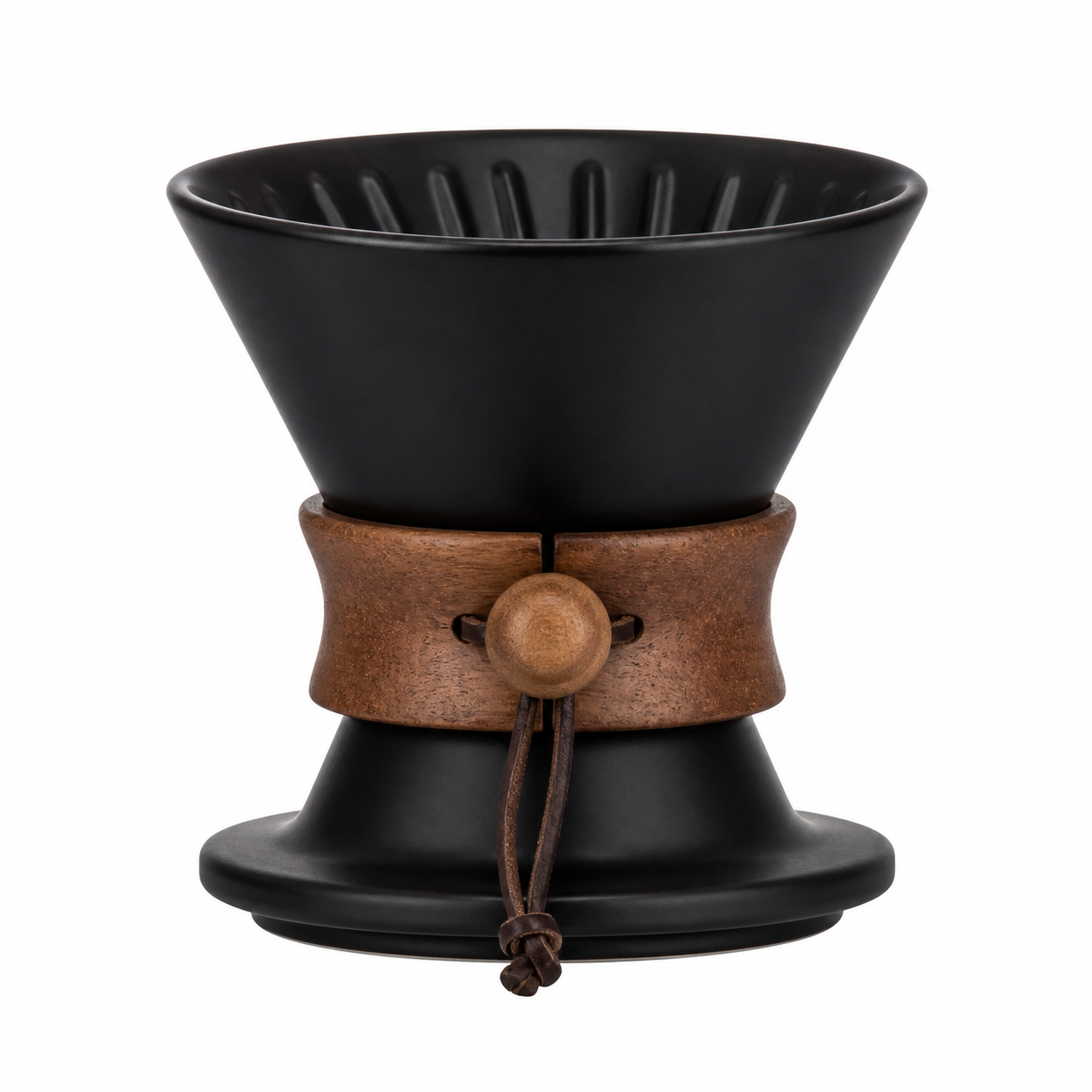
That single image URL then gets reused across three grok-imagine-quality/image-to-image calls, one per target scene:
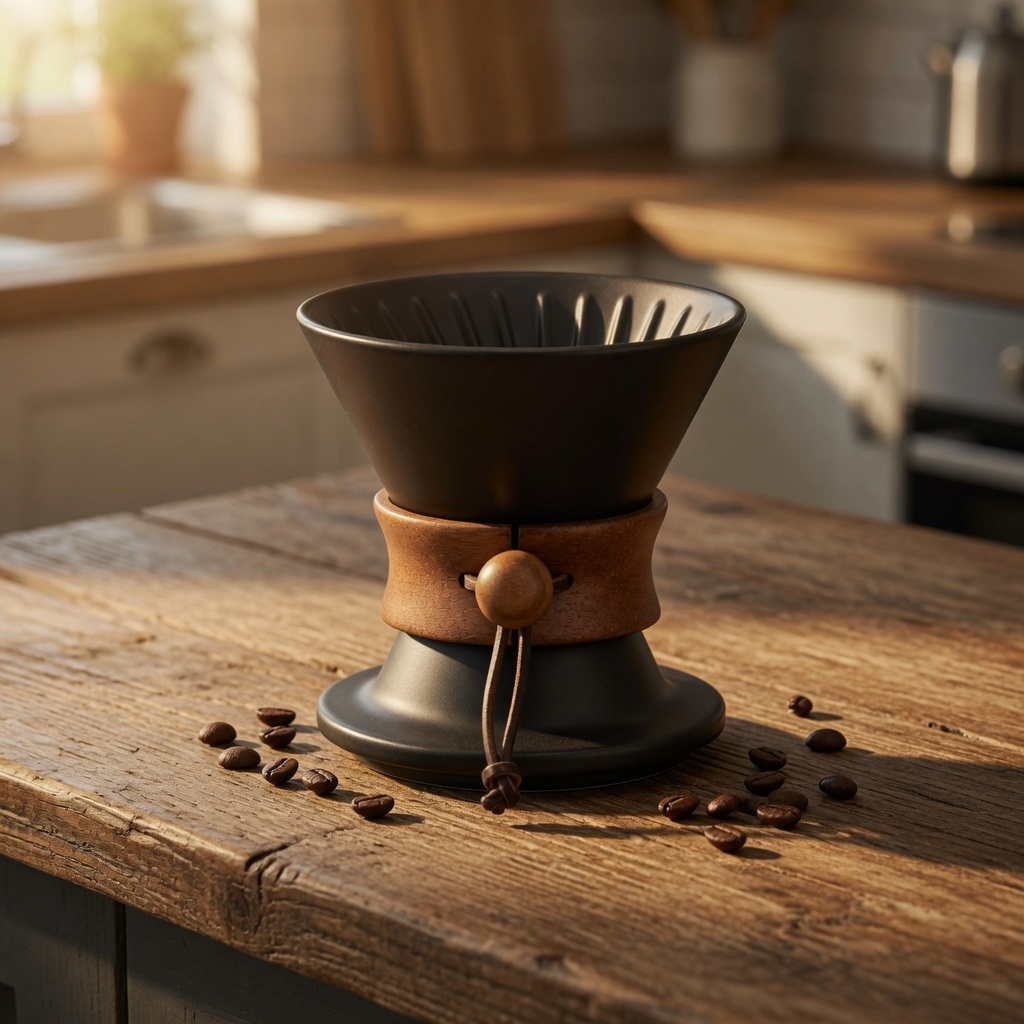
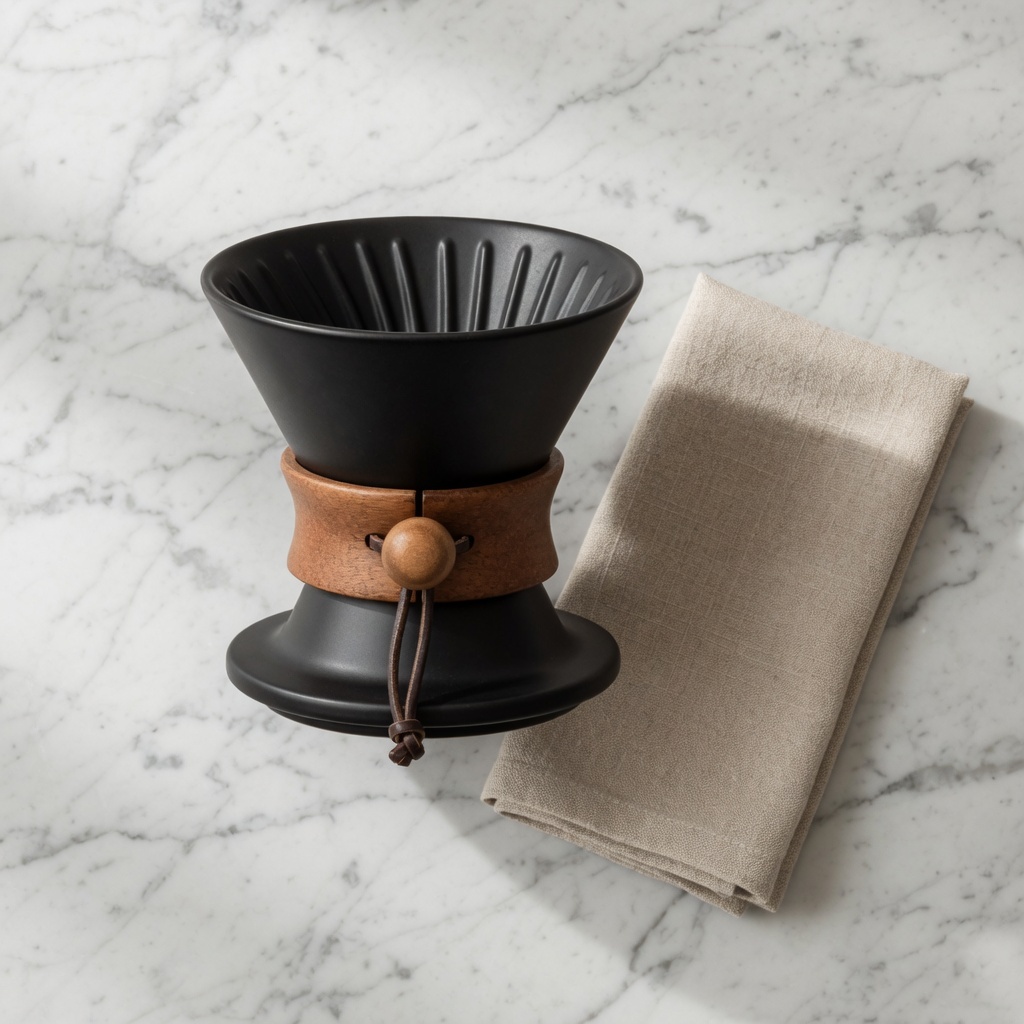
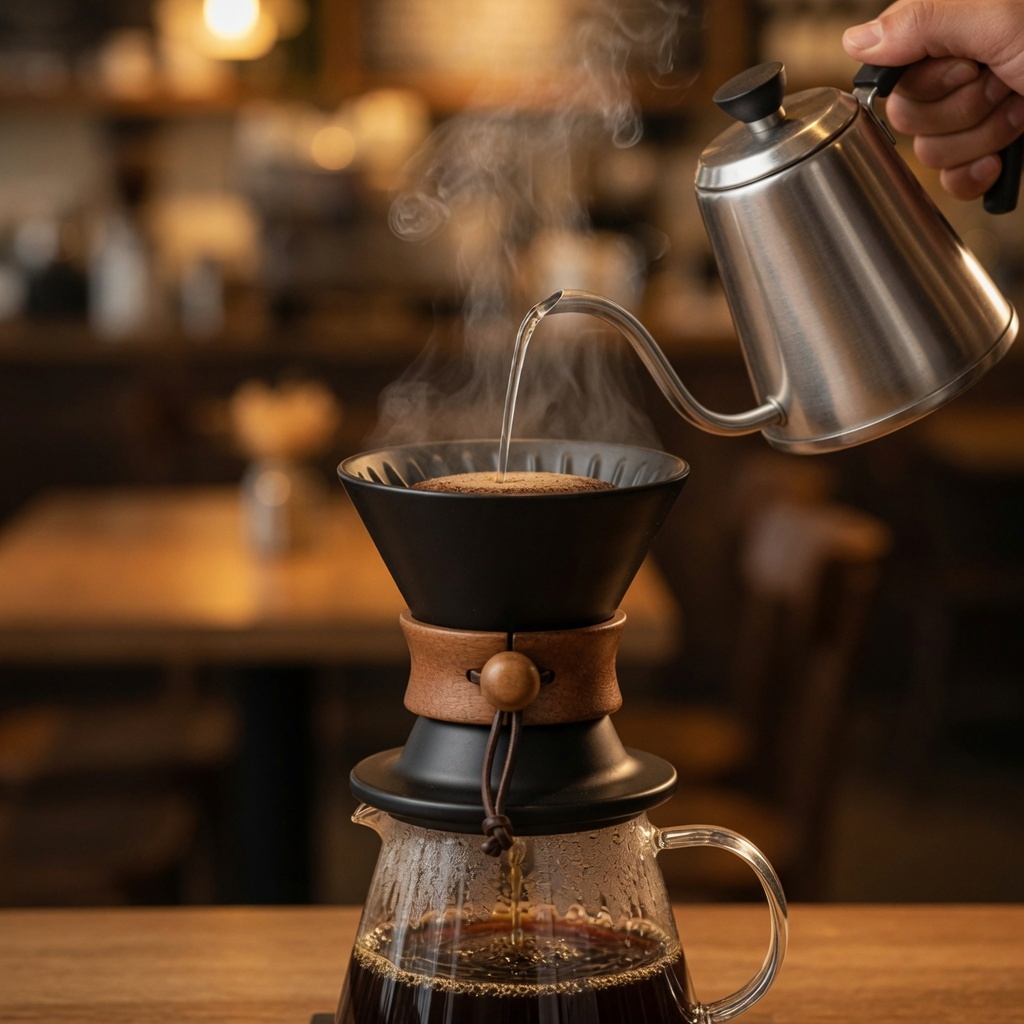
Across all three, the dripper's proportions, glaze color, and handle shape stay identical — only the scene around it changes. That consistency is the entire value proposition of using i2i here instead of independent t2i generations per scene, which would give you three different-looking products.
Request shape and pricing
grok-imagine-quality/image-to-image takes a small, strict input schema — extra fields like strength or a seed are rejected:
| Field | Required | Notes |
|---|---|---|
prompt | yes | Describe the new scene; explicitly instruct the model to preserve the reference's shape/color/proportions |
image_urls | yes | 1–3 public URLs. With multiple references, the output frame follows the first URL |
resolution | no | 1k or 2k (lowercase) |
aspect_ratio | no | auto (default, follows the input frame) or a fixed ratio like 16:9, 1:1, 9:16 |
Pricing as of 2026-08 (verified against hiapi's pricing page): $0.09/image at 1K, $0.11/image at 2K for grok-imagine-quality/image-to-image. The base studio shot on gpt-image-2/text-to-image runs $0.03 at 1K. A 4-image set like the one above — one base photo plus three scene edits — costs $0.30 total.
Code: submitting and polling a task
Every generation on hiapi goes through the same async task lifecycle — submit, poll GET /v1/tasks/{id} until status is success, then download output[0].url immediately (the URL expires). See the async task API reference for the full contract. Here's the i2i call specifically:
import requests
import time

API_BASE = "https://api.hiapi.ai/v1/tasks"
HEADERS = {"Authorization": f"Bearer {API_KEY}", "Content-Type": "application/json"}

def edit_product_scene(base_image_url: str, prompt: str) -> str:
    payload = {
        "model": "grok-imagine-quality/image-to-image",
        "input": {
            "prompt": prompt,
            "image_urls": [base_image_url],
            "resolution": "1k",
        },
    }
    resp = requests.post(API_BASE, headers=HEADERS, json=payload, timeout=60)
    task_id = resp.json()["data"]["taskId"]

    while True:
        task = requests.get(f"{API_BASE}/{task_id}", headers=HEADERS, timeout=30).json()["data"]
        if task["status"] == "success":
            return task["output"][0]["url"]
        if task["status"] == "fail":
            raise RuntimeError(task.get("error"))
        time.sleep(5)
The prompt is where consistency actually comes from — there's no strength or reference-weight parameter, so the wording has to do the work:
Place this ceramic pour-over coffee dripper on a rustic wooden kitchen
countertop, warm morning sunlight streaming in from the left, a few
coffee beans scattered near the base, shallow depth of field, lifestyle
e-commerce photography, keep the dripper's shape, color and proportions
identical to the reference
That closing clause — "keep the shape, color and proportions identical to the reference" — made a measurable difference in testing. Drop it and the model treats the reference more loosely, redrawing proportions and blending in slightly generic details.
One caveat: don't expect literal pose control. Asking for "the same angle" on a scene swap isn't honored strictly — the object's orientation tends to re-settle naturally into whatever fits the new scene. If exact orientation matters, say so explicitly in the keep-clause (e.g., "keep the spout facing left").
Batching across a full catalog
The same call scales directly into a catalog job — loop over (SKU, base image, scene prompt) tuples instead of hardcoding one product:
CATALOG = [
    {"sku": "dripper-ceramic-01", "base_url": "https://cdn.example.com/dripper-01-base.jpg"},
    {"sku": "kettle-gooseneck-02", "base_url": "https://cdn.example.com/kettle-02-base.jpg"},
    # ...
]

SCENE_PROMPTS = {
    "lifestyle": "Place this product on a rustic wooden kitchen countertop, warm morning "
                 "sunlight, lifestyle e-commerce photography, keep shape, color and "
                 "proportions identical to the reference",
    "flatlay": "Place this product on a white marble countertop, top-down flat lay, soft "
               "diffused daylight, keep shape, color and proportions identical to the reference",
}

results = []
for item in CATALOG:
    for scene_name, prompt in SCENE_PROMPTS.items():
        url = edit_product_scene(item["base_url"], prompt)
        results.append({"sku": item["sku"], "scene": scene_name, "url": url})
        # download + upload to your own storage here — output URLs expire
There's no native idempotency_key field on the task API, so if a batch job needs to be safely re-run after a crash, dedupe on (sku, scene_name) in your own store before resubmitting rather than relying on the API to catch duplicates.
At $0.09/image, a 200-SKU catalog with 3 scene variants each runs $54 — worth comparing against the studio-photography cost of shooting that many context shots, especially for a catalog that gets reshuffled seasonally.
FAQ
Does grok-imagine-quality/image-to-image support batch or multi-image output in one call?
No — one image_urls submission (1–3 reference images) produces one output image per task. Batch scenes by looping separate task calls, as shown above.
Can I control the exact camera angle of the output? Not directly — there's no camera/pose parameter. Orientation tends to re-settle to fit the new scene; if a specific angle matters, state it explicitly in the prompt alongside the "keep shape/color/proportions" instruction.
How is this different from the base-tier grok-imagine/image-to-image?
The Quality tier costs more ($0.09–$0.11 vs. the base tier) but holds product identity more reliably across bigger scene changes. For straightforward background swaps, our base-tier e-commerce workflow guide covers the cheaper path — reach for Quality when the scene transformation is more dramatic (e.g., studio-to-lifestyle rather than background-only).
What if my source photo isn't on a public URL yet?
Upload it to any object storage or CDN first — the task API resolves image_urls by fetching the URL server-side, so a local file path or data URI won't work.
Try it yourself
The full request/response shapes, a live playground, and current pricing are on the grok-imagine-quality/image-to-image model page. If you're new to the task API generally, the step-by-step integration guide walks through auth, polling, and error handling in more depth than covered here.