TL;DR
- Hailuo 2.3 is MiniMax's video model. On HiAPI it has three endpoints:
hailuo-2.3/text-to-video,hailuo-2.3/image-to-videoand the cheaperhailuo-2.3-fast/image-to-video. - It's billed per clip, not per second: a 6-second clip is $0.40 and a 10-second clip is $0.80. Fast image-to-video is $0.27 and $0.46.
- The input is small:
prompt,duration(the string"6"or"10"),prompt_optimizer, plus oneimage_urlfor image-to-video. There's no resolution, aspect ratio or seed. Open the text-to-video model page to try it; new accounts get 200 free credits.
Which endpoint
| Text-to-video | Image-to-video | Fast image-to-video | |
|---|---|---|---|
| Model id | hailuo-2.3/text-to-video | hailuo-2.3/image-to-video | hailuo-2.3-fast/image-to-video |
| Required | prompt | prompt + image_url | prompt + image_url |
| 6 s clip | $0.40 | $0.40 | $0.27 |
| 10 s clip | $0.80 | $0.80 | $0.46 |
| Image input | None | One first frame | One first frame |
Live HiAPI prices, checked October 20, 2026. Failed tasks aren't charged.
Start from text when you're exploring a scene. Start from an image when the first frame has to be exact, such as a product or a character you already have. For image-to-video, Fast costs a third less and takes the same input, so draft on Fast and switch to the standard model when a shot needs more motion detail.
Text-to-video: a real output
This is the example on the model page, 6 seconds:
a kung fu master practicing forms in heavy rain, water droplets scattering in slow motion, smooth natural motion, stable cinematic camera movement, consistent lighting across frames, cinematic composition, dramatic directional lighting, rich cohesive color grade, ultra-detailed, premium commercial finish
hailuo-2.3/text-to-video, 6 s, 1366×768, no audio, $0.40.
The master moves through several stances and arm strikes across the six seconds while the rain keeps falling behind him. The camera stays steady. The output was landscape even though the request had no aspect ratio field; you can't ask for vertical on text-to-video.
Image-to-video: real outputs
Image-to-video keeps your frame and animates it. Both examples below use a 16:9 first frame and came back at 1364×768.
The first frame:
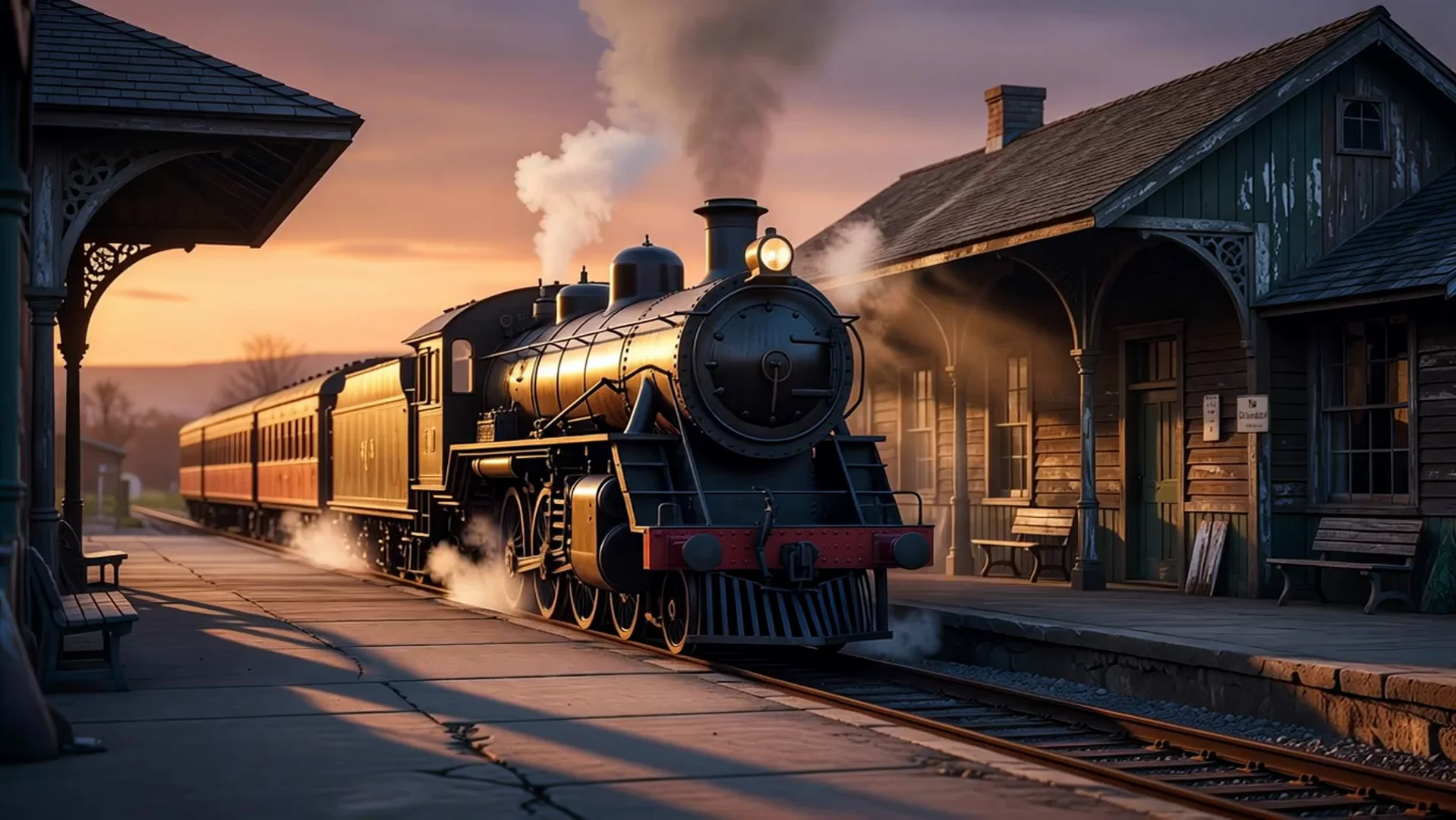
steam bursts from the locomotive as it slowly starts moving, wheels turning, smooth natural motion, stable cinematic camera movement, consistent lighting across frames, cinematic composition, dramatic directional lighting, rich cohesive color grade, ultra-detailed, premium commercial finish
hailuo-2.3/image-to-video, 6 s, 1364×768, no audio, $0.40.
The station, the carriages and the sunset stay as they were in the frame. The locomotive pulls forward and steam spreads low across the platform.
The same idea on Fast, with a calmer scene:
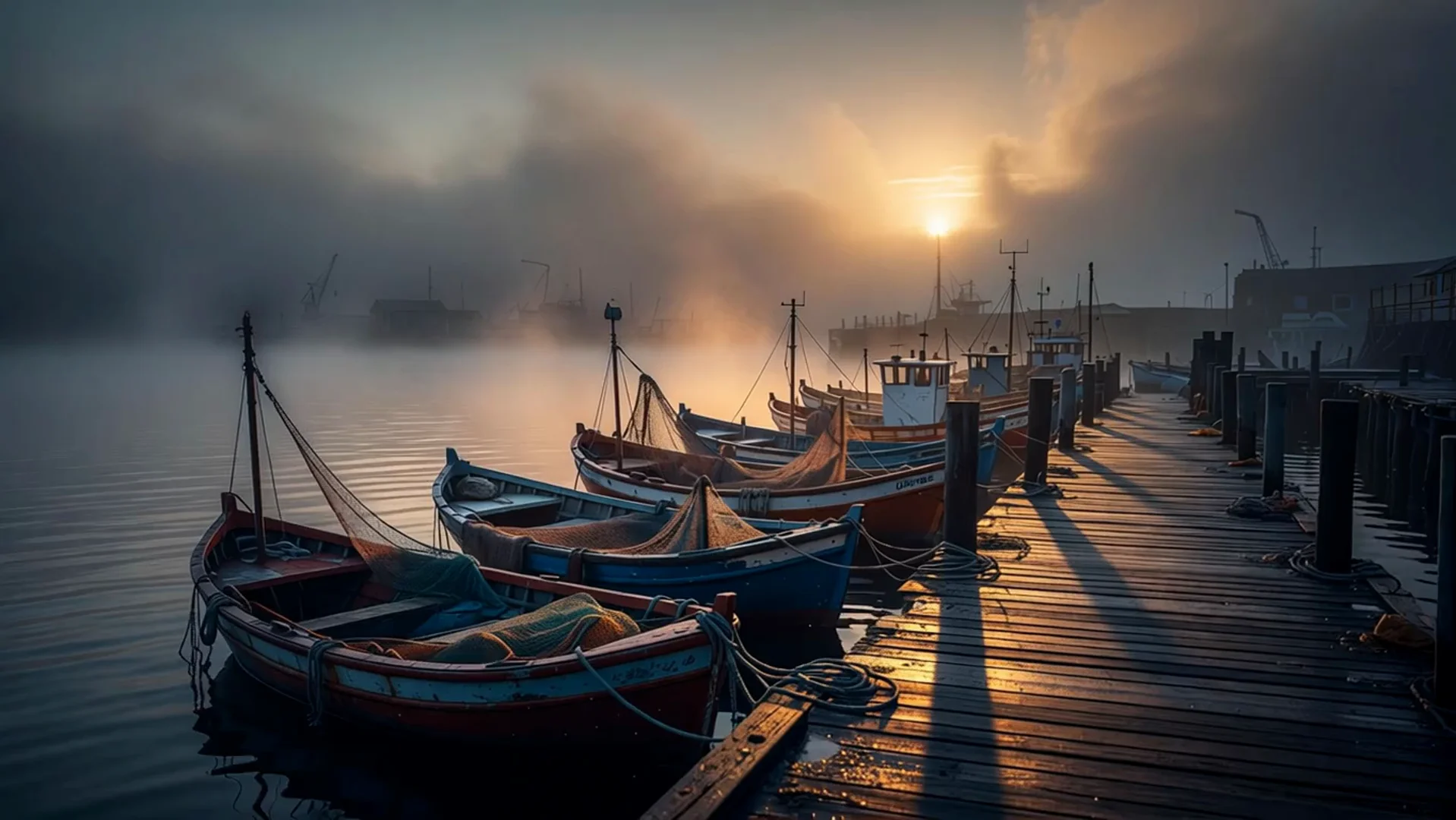
boats rocking gently, seagulls gliding through the morning mist, smooth natural motion, stable cinematic camera movement, consistent lighting across frames, cinematic composition, dramatic directional lighting, rich cohesive color grade, ultra-detailed, premium commercial finish
hailuo-2.3-fast/image-to-video, 6 s, 1364×768, no audio, $0.27.
The motion is small: the boats rock, the fog drifts and a gull appears near the end. For quiet, ambient shots like this, Fast is enough.
Write image-to-video prompts about what happens next. The model already sees the frame, so "a black locomotive at a station" adds nothing; "steam bursts as it starts moving" tells it what to do.
curl
curl -s -X POST https://api.hiapi.ai/v1/tasks \
  -H "Authorization: Bearer $HIAPI_KEY" \
  -H "Content-Type: application/json" \
  -d '{
    "model": "hailuo-2.3/text-to-video",
    "input": {
      "prompt": "A glass of iced tea tips over in slow motion, tea splashing across a wooden table, ice cubes tumbling, macro shot",
      "duration": "6",
      "prompt_optimizer": true
    }
  }'
You get a taskId back. Poll GET https://api.hiapi.ai/v1/tasks/{taskId} until data.status is success, then download data.output[0].url. Video takes minutes, not seconds.
For image-to-video, change the model and add one image:
{
  "model": "hailuo-2.3-fast/image-to-video",
  "input": {
    "prompt": "The cat stretches, hops off the windowsill and walks toward the camera",
    "image_url": "https://your-cdn.example.com/first-frame.jpg",
    "duration": "6"
  }
}
Python: submit, poll, download
# pip install requests; export HIAPI_KEY=your-key first
import os, time, requests

API = "https://api.hiapi.ai/v1/tasks"
H = {"Authorization": f"Bearer {os.environ['HIAPI_KEY']}"}

def generate(model, timeout_s=900, **inp):
    r = requests.post(API, json={"model": model, "input": inp}, headers=H, timeout=30).json()
    if r.get("code") != 200:
        raise RuntimeError(r)  # a 400 lists every invalid field at once
    task_id = r["data"]["taskId"]  # save this; if your script dies, poll it again instead of resubmitting
    deadline = time.time() + timeout_s
    while time.time() < deadline:
        d = requests.get(f"{API}/{task_id}", headers=H, timeout=30).json()["data"]
        if d["status"] == "success":
            return d["output"][0]["url"]
        if d["status"] == "fail":
            raise RuntimeError(d.get("error"))
        time.sleep(10)
    raise TimeoutError(task_id)

url = generate("hailuo-2.3/image-to-video",
               prompt="Steam bursts from the locomotive as it slowly starts moving, wheels turning",
               image_url="https://your-cdn.example.com/train.jpg",
               duration="10")  # a string, not 10

with open("hailuo.mp4", "wb") as f:
    f.write(requests.get(url, timeout=120).content)
The output link expires about 7 days after the task finishes, so save the file instead of storing the link.
Parameters
| Field | Required | Values | Notes |
|---|---|---|---|
prompt | Yes | text | Describe the motion and the camera move |
image_url | Image-to-video only | one public URL | A single string, not an array. jpeg, png or webp |
duration | No | "6" (default) or "10" | Must be a string |
prompt_optimizer | No | true (default) / false | Expands short prompts before generating |
Motion and camera moves are set in the prompt. There are no motion_strength, camera_movement, resolution, aspect_ratio or seed fields.
Errors you'll hit
These come back as HTTP 400 when you submit, so no task is created and nothing is billed:
duration: got number, want string: you sent6. Send"6".duration: value must be one of '6', '10': there are only two lengths.image_url: missing required field "image_url": image-to-video needs a frame. The field isimage_url, singular.additional properties 'resolution' not allowed(oraspect_ratio,image_urls,seed): remove the field.
If a task ends in fail instead, read data.error. On image-to-video, the usual cause is an image URL the server couldn't fetch, such as a private bucket or an expired signed link.
FAQ
How much does Hailuo 2.3 cost per second?
It isn't billed per second. You pay per clip: $0.40 for 6 seconds and $0.80 for 10 seconds on the standard models, $0.27 and $0.46 on Fast. That works out to about $0.067 per second for a standard 6-second clip and $0.045 for Fast.
Can I make vertical video?
Not on text-to-video, which has no aspect ratio field and returns landscape. Image-to-video has no aspect ratio field either; the docs don't say whether a vertical first frame gives a vertical clip, so test one 6-second Fast clip ($0.27) before you build on it.
Should I turn prompt_optimizer off?
Leave it on for short prompts. Turn it off when you've written the wording carefully and want the model to follow it as written.
Is there sound?
The three example clips above have no audio track, and there's no sound field to turn on.
Is Fast worse?
It takes the same input and costs a third less. In the boat example above, the motion is gentle and clean. For shots with a lot of fast action, compare a 6-second draft on both before rendering at 10 seconds.
More video models side by side: the cheapest image and video APIs on HiAPI. To try Hailuo without code, open the image-to-video model page.





