TL;DR
- What this is: four copy-paste image-to-video prompt recipes for kling-3.0-turbo, each showing the input first frame, the exact motion prompt, and the real clip it produced on the live API — raw first outputs, no retries hidden.
- What's covered: a product-shot orbit for e-commerce, a vertical 9:16 portrait cinemagraph, a frozen action moment continued with believable physics, and a classic living-photo landscape.
- Model facts (verified against the live task API): the input is
prompt+image_urls(exactly one public image URL) +duration(integer 3–15s) +resolution(720p/1080p). There is noaspect_ratiofield — the output follows your input frame, so a 9:16 still gives you a 9:16 video. - Pricing (per second of output, from the pricing page): $0.13/s at 720p and $0.16/s at 1080p — same flat rate as the text-to-video variant. A 5s clip is $0.65; a 3s probe is $0.39.
- Audio: clips come back with a native ambient audio track — play them with sound on.
Text-to-Video vs Image-to-Video: When to Start From a Frame
Text-to-video is a lottery on composition: you describe a scene and take whatever framing the model deals you. Image-to-video removes that variable. You lock the composition, the subject, the lighting, and the brand look in a still image first — something you can art-direct or photograph for real — and spend the prompt entirely on motion: what moves, how fast, and what the camera does.
That changes how you write. An i2v prompt shouldn't re-describe what's already in the frame; the model can see it. The recipes below follow one rule: reference the frame's contents, then describe only the change — camera path, subject action, ambient motion, and what must stay put.
Every example shows the actual input frame followed by the clip generated from it, with the exact prompt in between. I generated the frames with gpt-image-2 so the whole pipeline is reproducible via API, but any image you own works — a product photo, a still from a shoot, a render.
Recipe 1 — E-commerce: Product Orbit From a Studio Shot (16:9)
Goal: turn a static product photo into a showcase clip with a clean camera move — the highest-leverage i2v use case for stores.
Start with a hero shot where the product is centered and the lighting is already right:
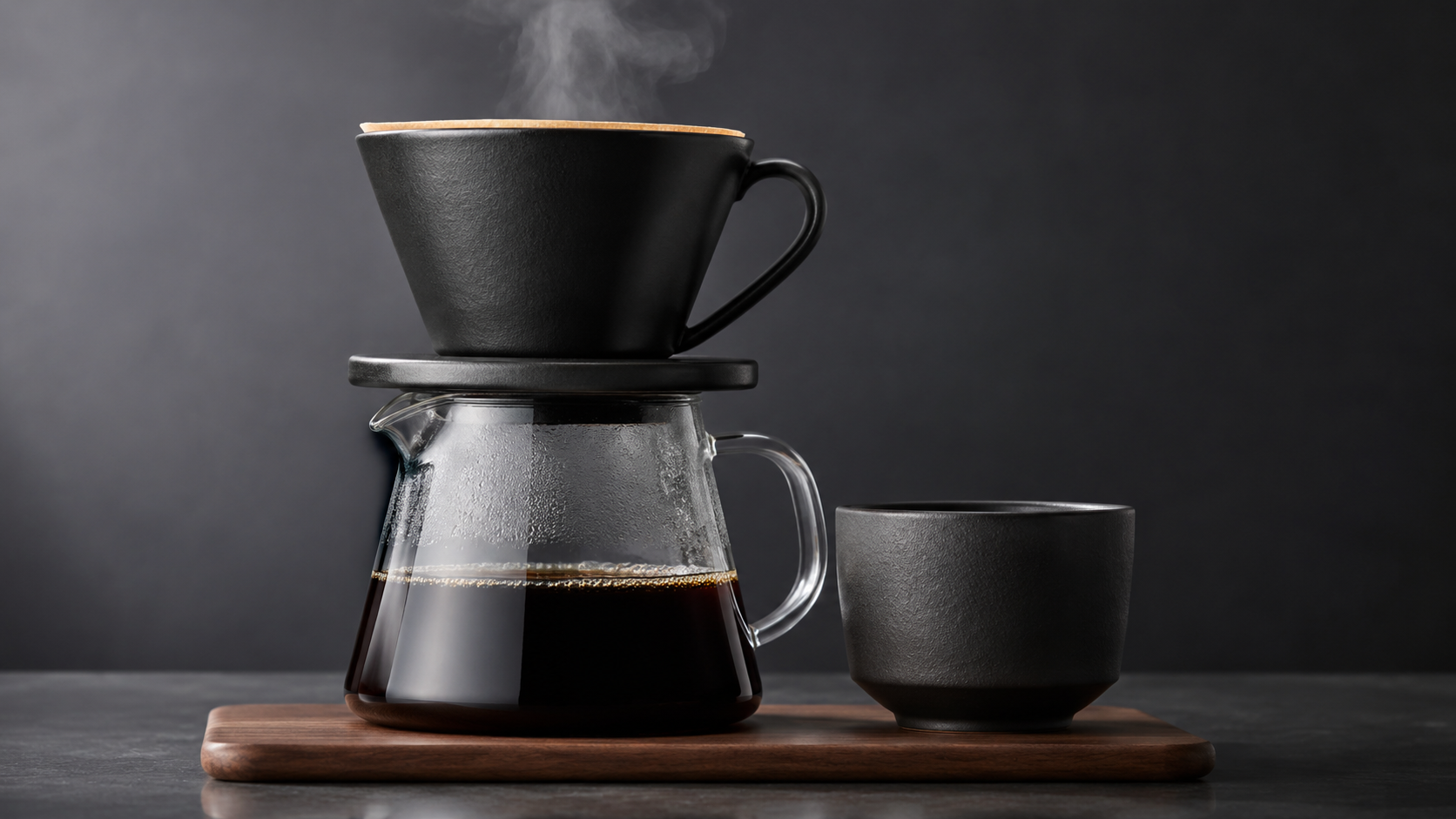
The input first frame (16:9, generated with gpt-image-2 — any image you own works the same way).
Then the motion prompt:
Slow smooth orbit around the coffee set, the camera circling a quarter turn to the right while keeping the carafe centered. Steam keeps rising and curling naturally, reflections slide across the glass as the angle changes. The product stays sharp and undistorted, studio lighting unchanged, no cuts, elegant product-video motion.
Quarter-turn orbit around the coffee set, steam still rising — kling-3.0-turbo/image-to-video, 5s @ 720p. Real output from the first frame above, raw first take, generated for this guide.
Why it works: the prompt never re-describes the product — the frame already carries it. Instead it gives one camera instruction ("slow smooth orbit ... a quarter turn to the right") plus an anchor ("keeping the carafe centered") and an insurance clause ("stays sharp and undistorted, studio lighting unchanged"). Constraining the orbit to a quarter turn matters: a full 360 in five seconds forces the model to hallucinate the product's unseen back and usually warps it.
Recipe 2 — Vertical 9:16: Portrait Cinemagraph for Shorts
Goal: a phone-native portrait that breathes — wind, water, a blink, a slow push-in. Also the demo for a key schema fact: there is no aspect_ratio parameter in i2v — the output inherits the frame, so this 9:16 still yields a 9:16 clip with zero cropping.
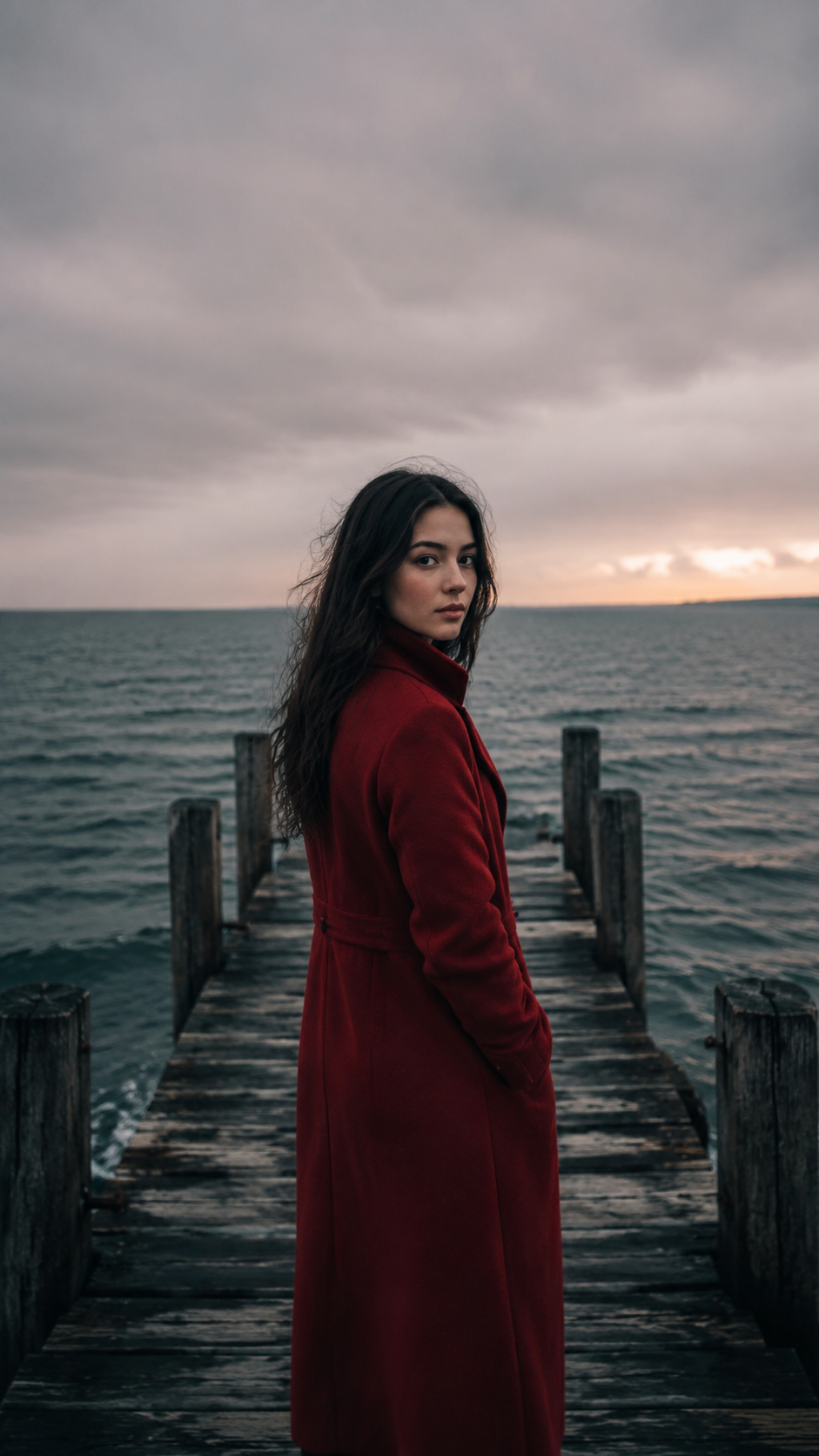
The input first frame (9:16, generated with gpt-image-2 — any image you own works the same way).
The scene comes alive: a steady sea wind lifts strands of her hair and ripples the hem of the red coat, small waves roll behind the pier, she blinks slowly and a faint smile forms. The camera pushes in very slowly toward her face. Subtle, realistic motion, no cuts, melancholic cinematic mood.
Wind lifts her hair as the camera pushes in — vertical — kling-3.0-turbo/image-to-video, 5s @ 720p. Real output from the first frame above, raw first take, generated for this guide.
Why it works: the motion is layered by scale — environment (waves, wind), wardrobe (coat hem ripples), performance (a slow blink, a faint smile), and one camera move (a very slow push-in). Each layer is small; together they read as a living moment instead of a warped photo. "Subtle, realistic motion" is doing real work here — omit it and i2v models tend to over-animate the face.
Recipe 3 — Physics Continuation: Un-freeze an Action Shot (16:9)
Goal: take a frozen mid-action frame and let the model finish the move with believable momentum — the hardest test of an i2v model's physics.
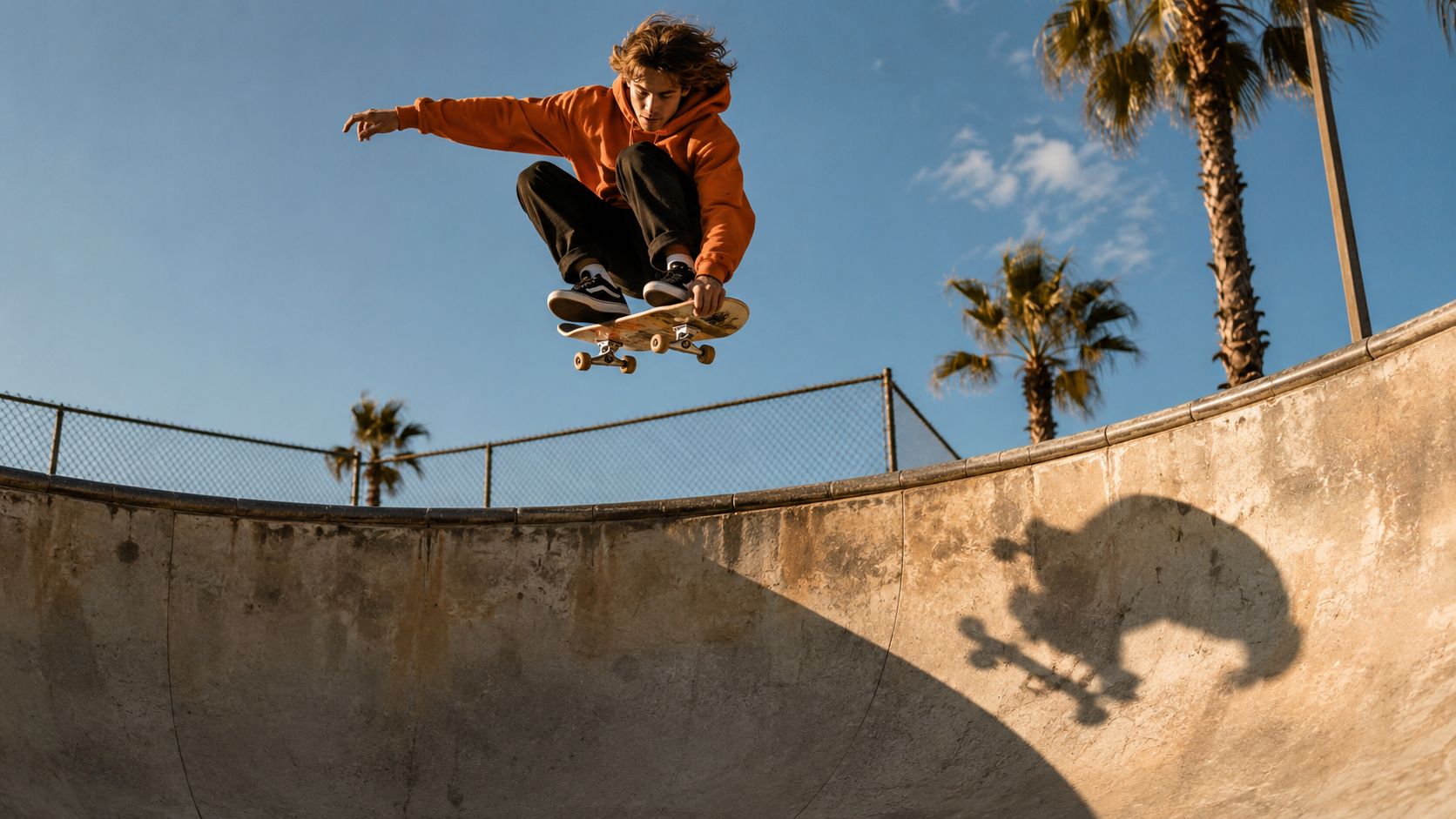
The input first frame (16:9, generated with gpt-image-2 — any image you own works the same way).
The frozen moment continues: the skateboarder completes the air, drops back into the bowl, wheels hit the concrete with a small wobble he absorbs with bent knees, then he carves up the far wall. The camera pans right to follow him through the landing. Natural skate physics, momentum preserved from the pose, no cuts.
The air completes into a landing and a carve up the far wall — kling-3.0-turbo/image-to-video, 5s @ 720p. Real output from the first frame above, raw first take, generated for this guide.
Why it works: the prompt treats the frame as a physics problem with one correct continuation — "completes the air, drops back into the bowl, wheels hit ... he absorbs with bent knees." Writing the landing as ordered beats, and explicitly asking for "momentum preserved from the pose", keeps the model from re-launching the skater into a second impossible trick. The small imperfection ("a small wobble he absorbs") reads as realism, not failure.
Recipe 4 — Living Photo: Ambient Landscape Loop (16:9)
Goal: the classic i2v move — a landscape that drifts. Also the budget template: this one is a 4-second clip ($0.52), the cheap shape for iterating on ambient motion.
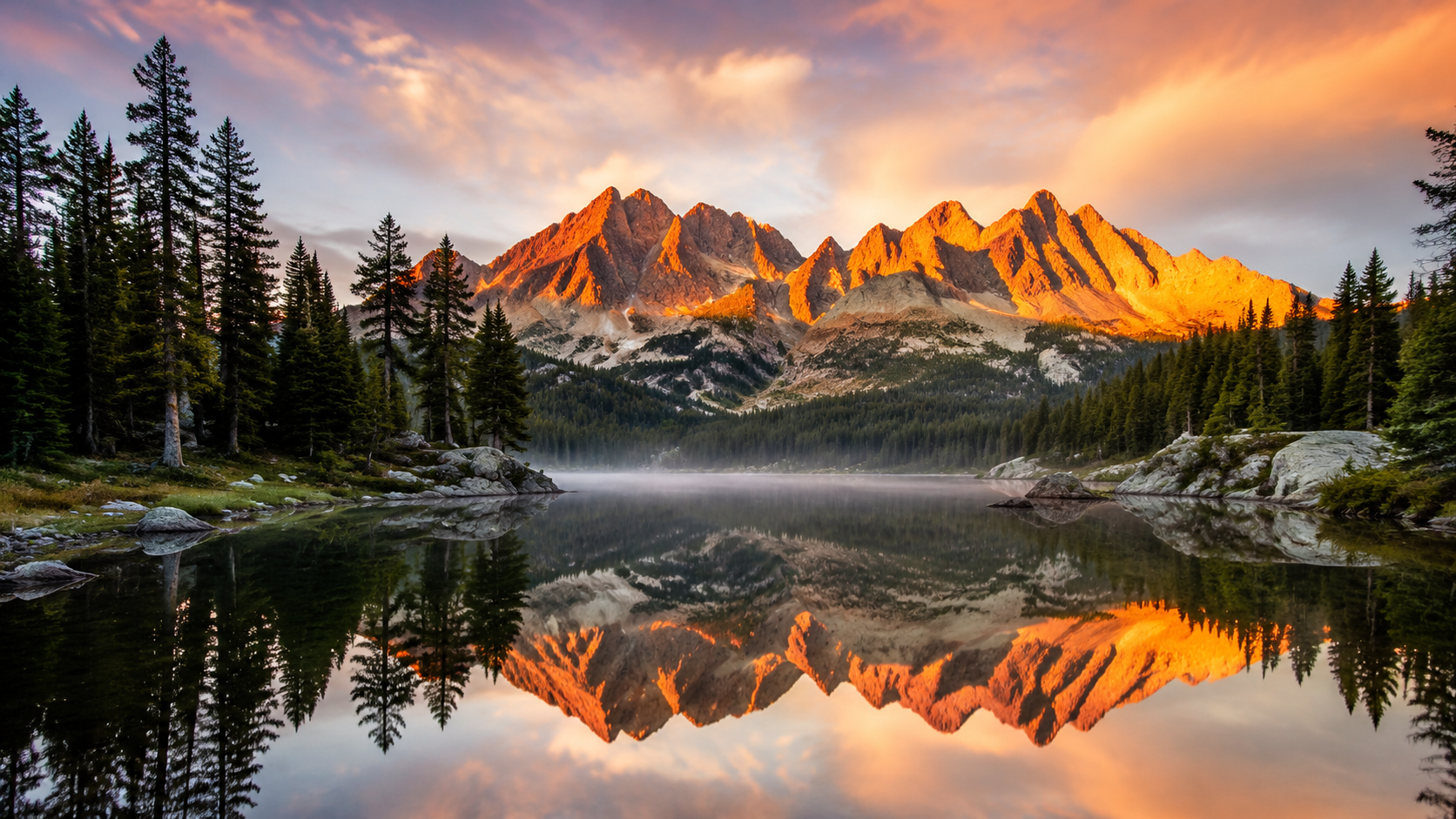
The input first frame (16:9, generated with gpt-image-2 — any image you own works the same way).
Bring the photograph to life with gentle ambient motion: mist drifts slowly across the far shore, soft ripples cross the mirror reflection, clouds creep behind the peaks, and two distant birds glide across the sky. The camera dollies forward very slowly over the water. Calm, seamless, loop-like motion, no cuts.
Mist drifts and ripples cross the reflection as the camera dollies in — kling-3.0-turbo/image-to-video, 4s @ 720p. Real output from the first frame above, raw first take, generated for this guide.
Why it works: everything moves at nature's pace — mist "drifts slowly", clouds "creep", ripples "cross" — and the two birds give the eye a focal event so the clip doesn't feel like a screensaver. "Loop-like motion" nudges the model toward an even rhythm that survives being replayed, which is exactly what you want for hero-section background video.
The Input Schema, Verified
Everything below was confirmed against the live task API before generating a single clip (invalid values return a 400 that spells out the accepted ones):
| Field | Type | Notes |
|---|---|---|
prompt | string | required — describe the motion, not the frame |
image_urls | array of strings | required, exactly one URL (maxItems: 1), must be publicly fetchable |
duration | integer | 3–15 seconds |
resolution | string | 720p or 1080p |
The schema is strict: aspect_ratio, seed, negative_prompt and sound are all rejected with additional properties ... not allowed. Two consequences worth knowing:
- Output aspect follows the input frame. Want vertical video? Feed a vertical image (Recipe 2). There's no parameter to fight the frame.
- The image URL must be reachable from the platform — host it on your CDN or object storage, not behind auth or localhost.
Run These Yourself (API)
All four recipes use the same async flow — create a task with your frame URL, poll until terminal, download the mp4:
import requests, time

API = "https://api.hiapi.ai/v1/tasks"
HEADERS = {"Authorization": "Bearer YOUR_HIAPI_KEY", "Content-Type": "application/json"}

def animate(image_url, prompt, duration=5, resolution="720p"):
    body = {"model": "kling-3.0-turbo/image-to-video",
            "input": {"prompt": prompt, "image_urls": [image_url],
                      "duration": duration, "resolution": resolution}}
    task_id = requests.post(API, json=body, headers=HEADERS, timeout=60).json()["data"]["taskId"]
    while True:
        t = requests.get(f"{API}/{task_id}", headers=HEADERS, timeout=30).json()["data"]
        if t["status"] == "success":
            return t["output"][0]["url"]   # signed link, expires — download immediately
        if t["status"] == "fail":
            raise RuntimeError(t.get("error"))
        time.sleep(5)

print(animate("https://your-cdn.example.com/product.jpg",
              "Slow smooth orbit around the product, quarter turn right, no cuts"))
The returned output[0].url is temporary — persist the bytes right away rather than hot-linking. Full parameter reference lives in the docs.
FAQ
How is this different from kling-3.0-turbo text-to-video?
Same family, same per-second pricing, different control surface: t2v takes an aspect_ratio and invents the composition; i2v takes one image_urls entry and inherits composition from it. If you don't have a frame to start from, use the text-to-video recipe collection instead.
What does a clip cost?
Billing is per second of output: $0.13/s at 720p and $0.16/s at 1080p. The three 5s clips here were $0.65 each, the 4s landscape $0.52, and a 3s 720p probe is $0.39. Live numbers on the pricing page.
Can I control the output aspect ratio?
Only through the input image — there is no aspect_ratio field. A 9:16 frame produces a 9:16 clip (Recipe 2), a 16:9 frame a 16:9 clip.
Does the input image have to be AI-generated?
No — any publicly fetchable image URL works: product photography, film stills, renders. I generated these frames with gpt-image-2 purely so the whole pipeline is reproducible through one API.
Do the clips have sound?
The clips in this guide came back with a native ambient audio track (verified on the actual files). For explicit audio pricing tiers and 4K output, look at the omni tier — see the kling-3.0-omni image-to-video guide.
Do these prompt patterns transfer to other i2v models?
The structure does — motion-only prompts, layered ambient movement, physics written as ordered beats. We keep a matching wan2.7 image-to-video recipe collection if you want to compare another model line on the same patterns.
All four motion prompts are yours to copy. Grab an API key, point the snippet above at kling-3.0-turbo image-to-video with any frame you own, and a 3-second test clip costs $0.39.